Page 265 of 608

265
3-1. Using the air conditioning system
and defogger
3
Interior features
Adjusting the settings
■ Adjusting the temperature setting
Turn the temperature control dial clockwise (warm) or counter-
clockwise (cool).
The air conditioning system sw itches between individual and
simultaneous modes each time (w ithout rear air conditioning
system) or (with rear air condi tioning system) is pressed.
Simultaneous mode: Only the driver ’s side temperature control dial
can be used to adjust the temperature for all seats.
The indicator status will be as follows:
Without rear air conditioning system: (off)
With rear air conditioning system: (on)
Individual mode: The temperature for the driver’s, front passen-
ger’s and rear seats ( →P. 274) can be adjusted separately. Operat-
ing the passenger's side or rear (with rear air conditioning system)
temperature control will enter individual mode.
The indicator status will be as follows:
Without rear air conditioning system: (on)
With rear air conditioning system: (off)
■ Adjusting the fan speed
Press “ ∧” (increase) or “ ∨” (decrease) on or .
The fan speed is shown on the multi-information display. (7 levels)
Press to turn the fan off.
Page 272 of 608
272 3-1. Using the air conditioning system and defogger
Adjusting the settings
■ Adjusting the temperature setting
Turn the temperature control dial clockwise (warm) or counter-
clockwise (cool).
■ Changing the air outlets
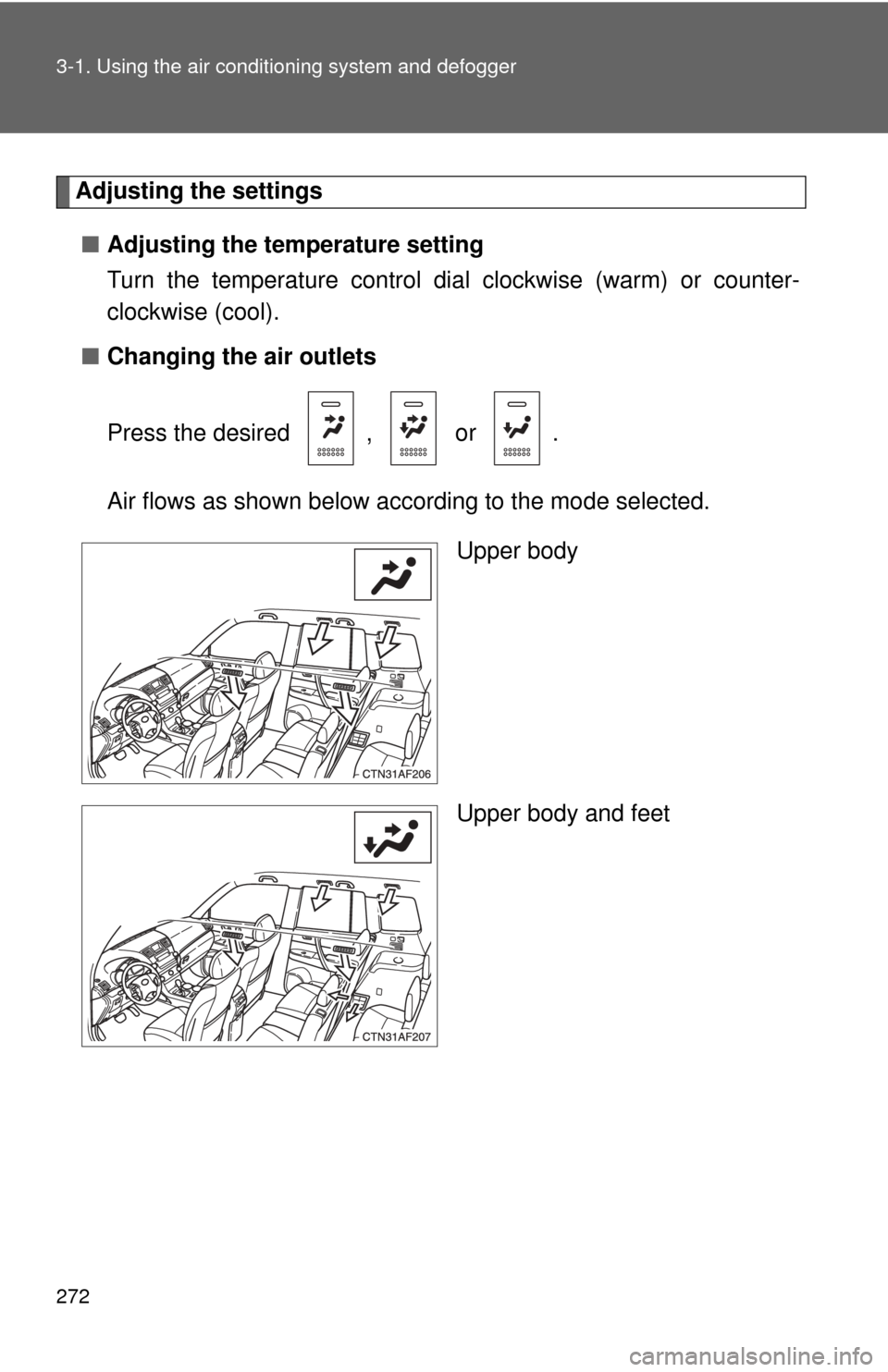
Press the desired , or .
Air flows as shown below according to the mode selected.
Upper body
Upper body and feet
Page 273 of 608
273
3-1. Using the air conditioning system
and defogger
3
Interior features
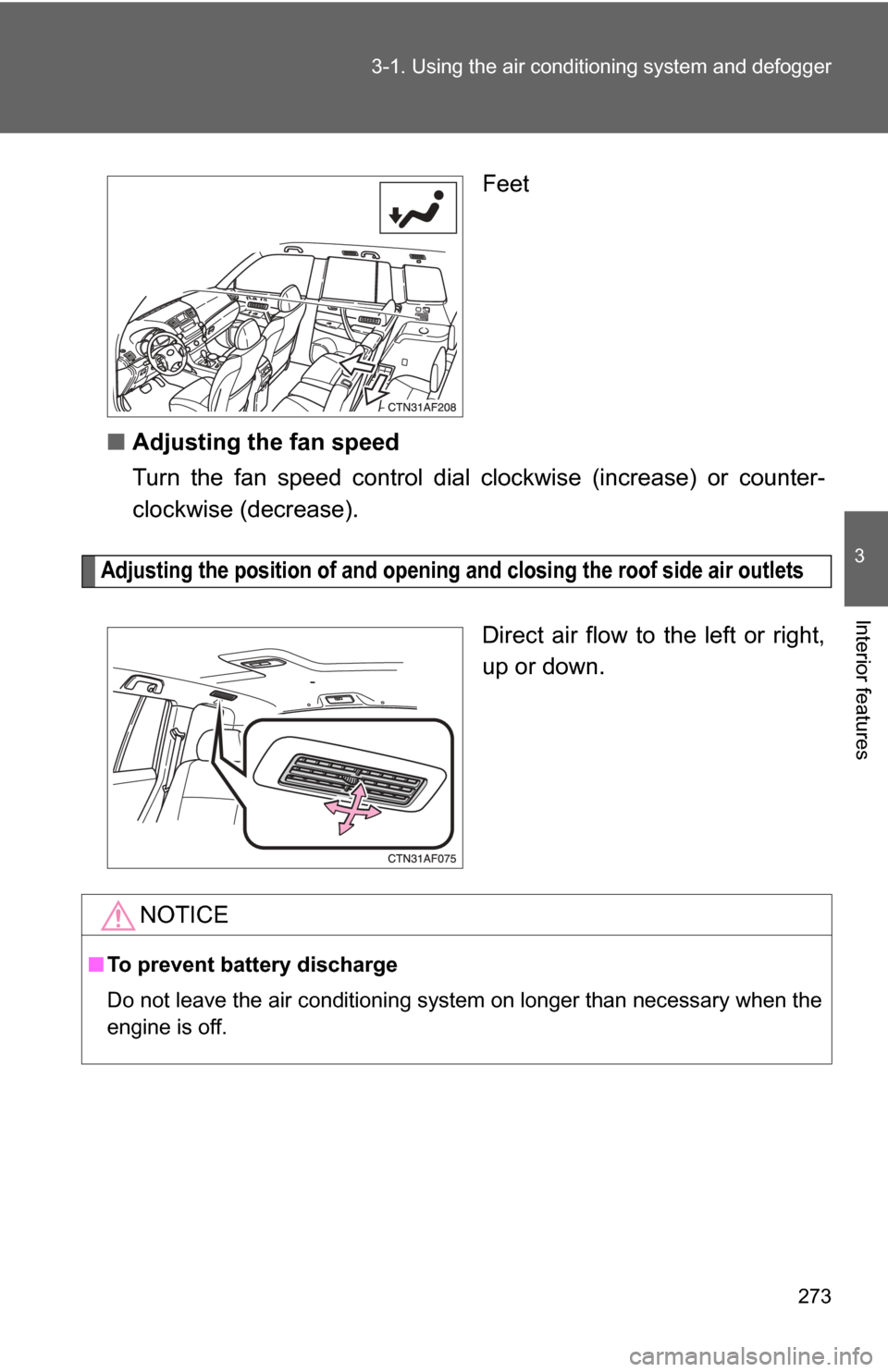
Feet
■ Adjusting the fan speed
Turn the fan speed control dial clockwise (increase) or counter-
clockwise (decrease).
Adjusting the position of and opening and closing the roof side air outlets
Direct air flow to the left or right,
up or down.
NOTICE
■To prevent battery discharge
Do not leave the air conditioning system on longer than necessary when the
engine is off.
Page 274 of 608
274
3-1. Using the air conditioning system and defogger
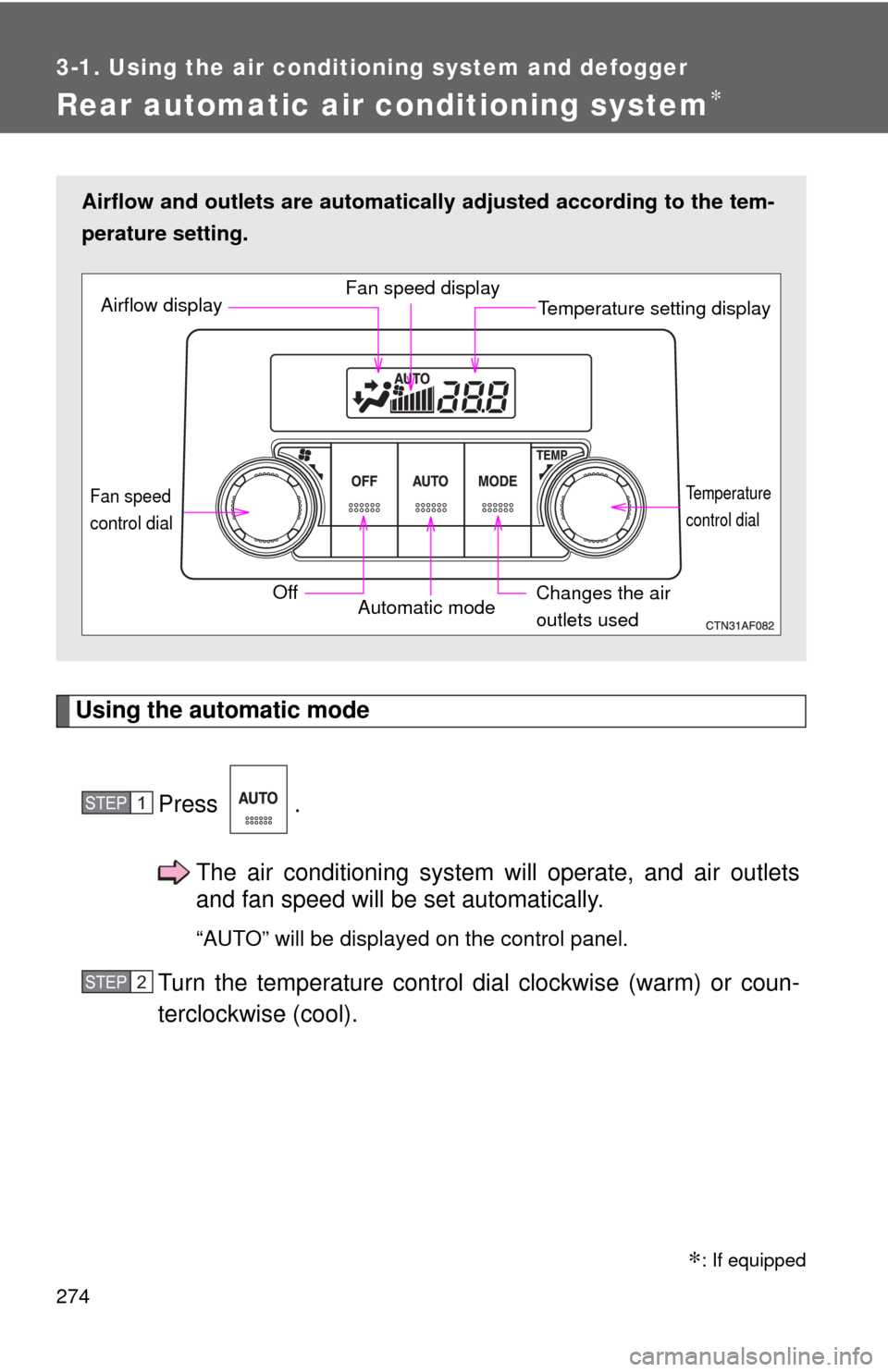
Rear automatic air conditioning system∗
Using the automatic modePress .The air conditioning system will operate, and air outlets
and fan speed will be set automatically.
“AUTO” will be displayed on the control panel.
Turn the temperature control dial clockwise (warm) or coun-
terclockwise (cool).
Airflow and outlets are automatica lly adjusted according to the tem-
perature setting.
Airflow display Fan speed display
Temperature setting display
Fan speed
control dial
OffAutomatic mode Changes the air
outlets used
Temperature
control dial
STEP1
STEP2
∗: If equipped
Page 275 of 608
275
3-1. Using the air conditioning system
and defogger
3
Interior features
Adjusting the settings
■ Adjusting the temperature setting
Turn the temperature control dial clockwise (warm) or counter-
clockwise (cool).
■ Changing the air outlets
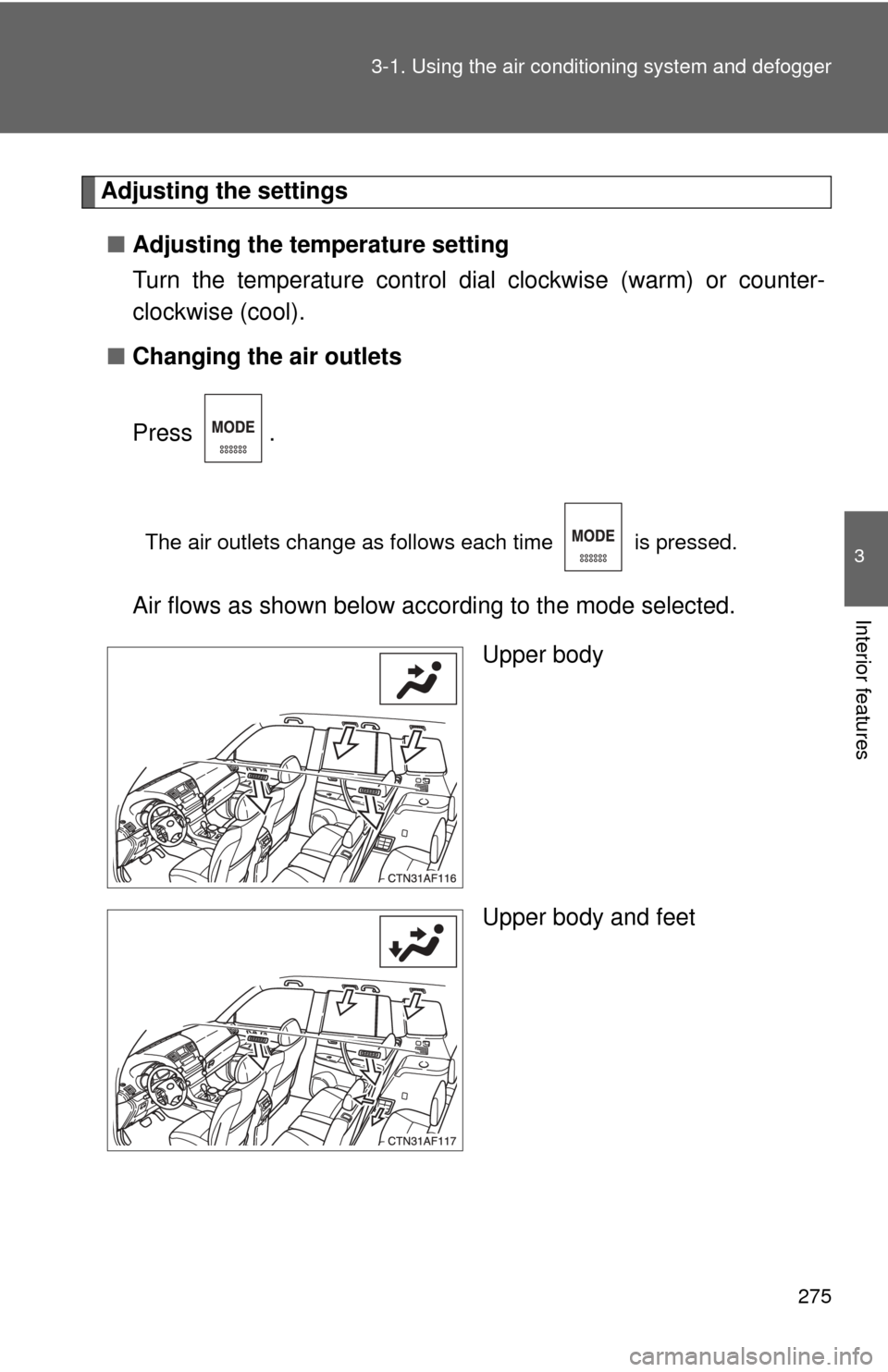
Press .
The air outlets change as follows each time is pressed.
Air flows as shown below according to the mode selected.
Upper body
Upper body and feet
Page 276 of 608
276 3-1. Using the air conditioning system and defogger
Feet
■ Adjusting the fan speed
Turn the fan speed control dial clockwise (increase) or counter-
clockwise (decrease).
Press to turn the fan off.
Adjusting the position of and opening and closing the roof side air outlets
Direct air flow to the left or right,
up or down.
NOTICE
■ To prevent battery discharge
Do not leave the air conditioning system on longer than necessary when the
engine is off.
Page 363 of 608
363
3-4. Using the hand
s-free phone system (for cellular phone)
3
Interior features
Enter the registered PIN by using a voice command or .
Enter a new PIN by using a voice command or .
When using , input the code 1 digit at a time.
Locking or unlocking the phone book
Select “Phonebook lock (Phbk Lock)” or “Phonebook unlock
(Phbk Unlock)” by using a voice command or .
Input the PIN by either of the following methods and select
“Confirm” by using a voice command or :
a. Press and say the registered PIN.
b. Input a new PIN by using .
Setting voice guidance volume
Select “Guidance Vol” by using .
Change the voice guidance volume.
To decrease the volume: Turn counterclockwise.
To increase the volume: Turn clockwise.
STEP2
STEP3
STEP1
STEP2
STEP1
STEP2
Page 390 of 608
390
3-7. Other interior features
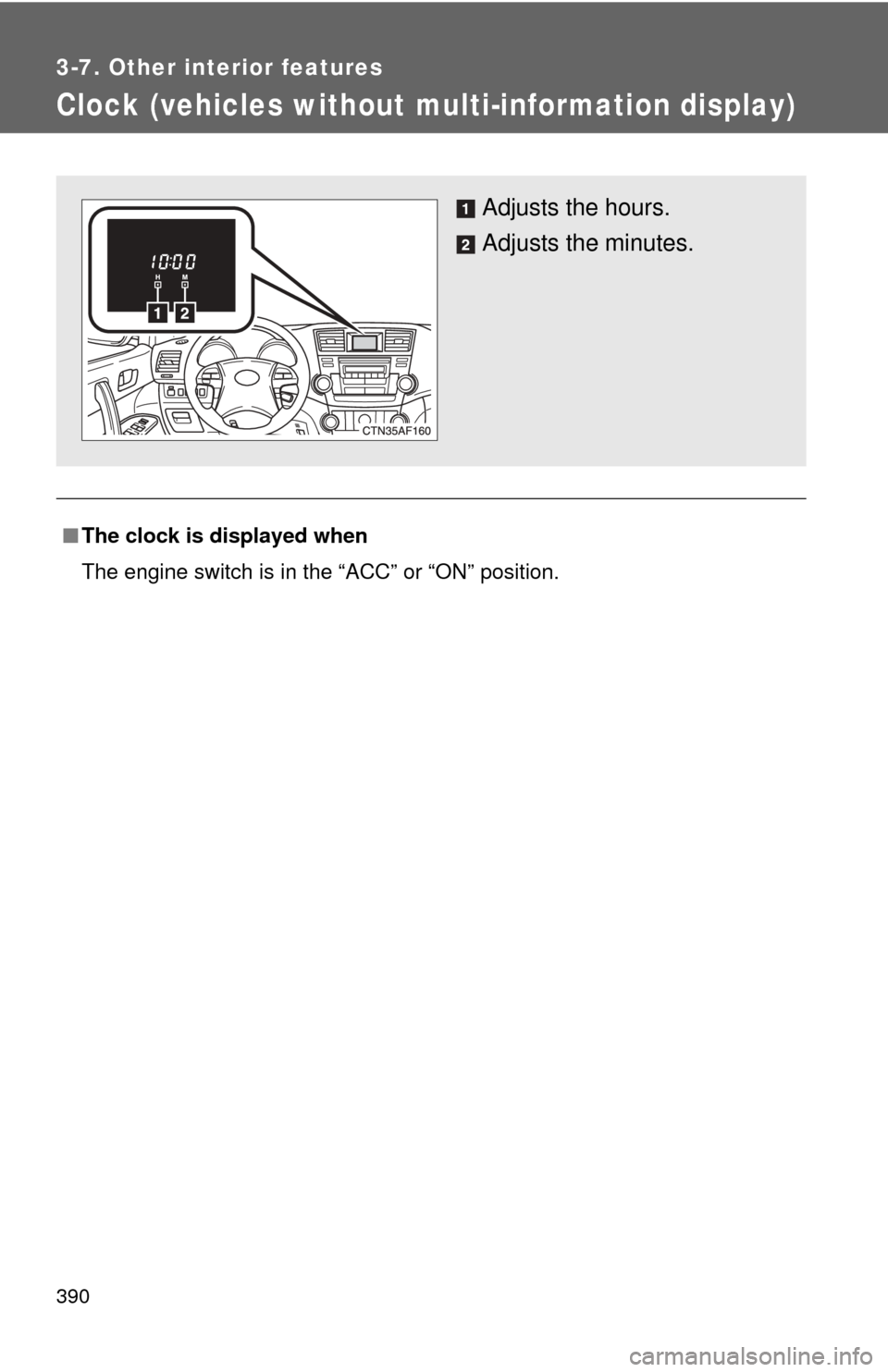
Clock (vehicles without multi-information display)
■The clock is displayed when
The engine switch is in the “ACC” or “ON” position.
Adjusts the hours.
Adjusts the minutes.