Page 223 of 520
223
2-5. Driving information
2
When driving
●
Always place wheel blocks under both the vehicle and the trailer
wheels when parking. Apply the parking brake firmly, and put the
transmission in P. Avoid parking on a slope, but if unavoidable, do
so only after performing the following:
Apply the brakes and keep them applied.
Have someone place wheel blocks under both the vehicle and
trailer wheels.
When the wheel blocks are in pl ace, release the brakes slowly
until the blocks absorb the load.
Apply the parking brake firmly.
Shift into P and turn off the engine.
● When restarting after parking on a slope:
With the transmission in P, start the engine. Be sure to keep
the brake pedal pressed.
Shift into a forward gear. If reversing, shift into R.
Release the parking brake and brake pedal, and slowly pull or
back away from the wheel blocks. Stop and apply the brakes.
Have someone retrieve the blocks.
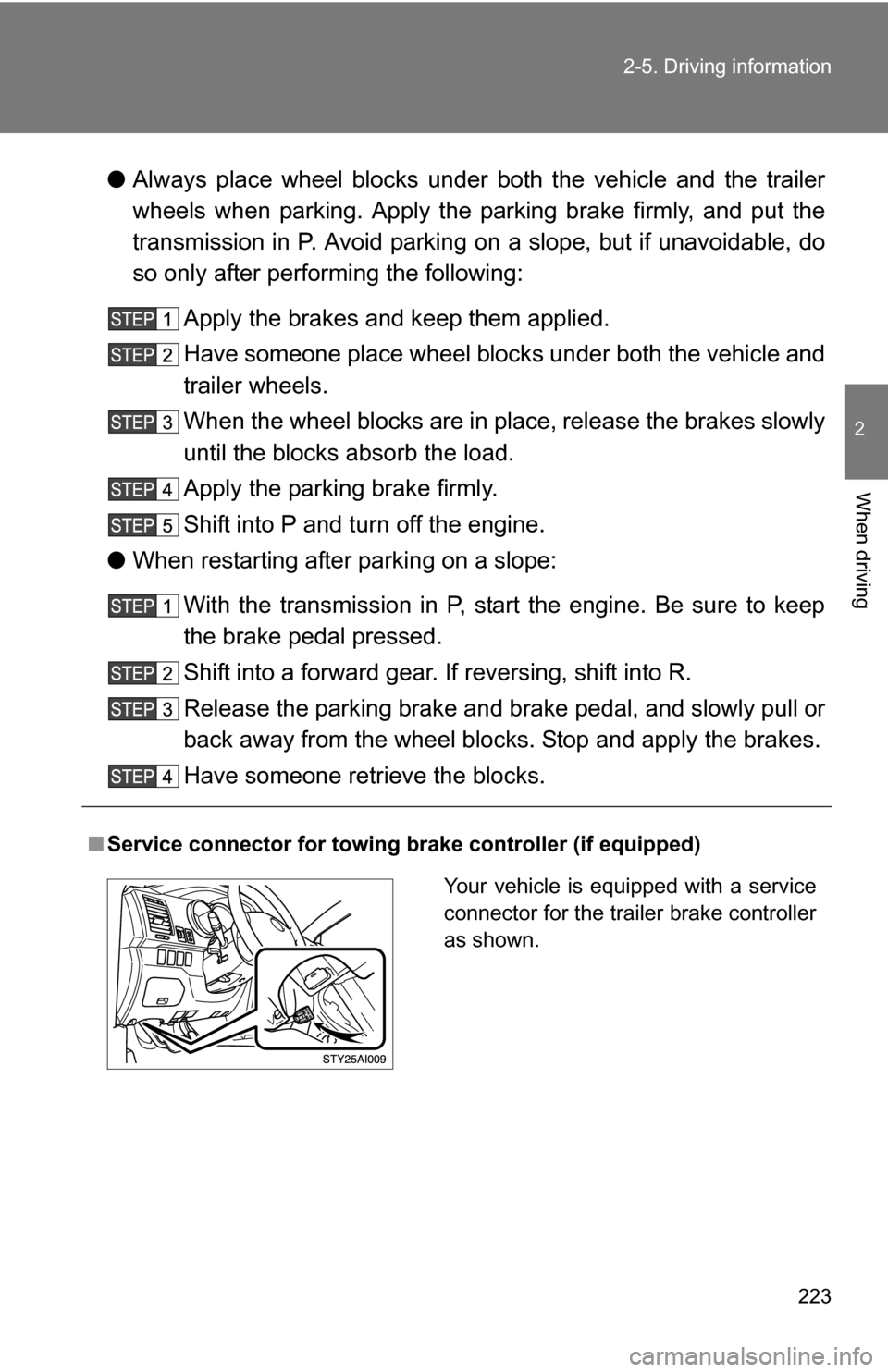
■ Service connector for towing brake controller (if equipped)
Your vehicle is equipped with a service
connector for the trailer brake controller
as shown.
Page 225 of 520
225
2-5. Driving information
2
When driving
■
When connecting and disconnecting a trailer
Set the electronically modulated air suspension system to LO mode and
push the HEIGHT CONTROL OFF switch to turn off the rear height control
air suspension. (if equipped)
■ Break-in schedule
If your vehicle is new or equipped with any new power train components
(such as an engine, transmission, differential and wheel bearing), Toyota
recommends that you do not tow a trailer until it has been driven for over 500
miles (800 km).
However, avoid full throttle acceleration.
■ Maintenance
●If you tow a trailer, your vehicle will require more frequent maintenance
due to the additional load. (See “Scheduled Maintenance Guide” or
“Owner’s Manual Supplement”.)
● Retighten the fixing bolts of the towing ball and bracket after approxi-
mately 600 miles (1000 km).
CAUTION
■Trailer towing precautions
●Follow all the instructions described in this section. Failure to do so could
cause an accident resulting in death or serious injury.
● Exceeding the towing capacity, GVWR, GCWR or GAWR can cause an
accident resulting in death or serious injuries.
■ To avoid accident or injury
●Do not exceed the trailer hitch assembly weight, gross vehicle weight,
gross axle weight and trailer tongue load capacities.
● Do not exceed 45 mph (72 km/h) or the posted towing speed limit, which-
ever is lower. As instability (swaying) of the towing vehicle-trailer combina-
tion increases as speed increases, exceeding 45 mph (72 km/h) may
cause loss of control.
● Do not use cruise control when you are towing.
● Slow down and downshift before descending steep or long downhill
grades. Do not make sudden downshifts.
Page 227 of 520
227
2-5. Driving information
2
When driving
NOTICE
■
When installing a trailer hitch
●Use only the position recommended by your Toyota dealer. Do not install
the trailer hitch on the bumper; this may cause body damage.
● Do not use axle-mounted hitches, as they can cause damage to the axle
housing, wheel bearing, wheels or tires.
■ Safety chain
A safety chain must always be used between the towing vehicle and the
trailer. Leave sufficient slack in the chain for turns. The chain should cross
under the trailer tongue to prevent the tongue from dropping to the ground in
the case that it becomes damaged or separated. For the correct safety chain
installation procedure, ask your Toyota dealer.
■ Do not directly splice trailer lights
Directly splicing trailer lights may damage your vehicle’s electrical system
and cause a malfunction.
Page 228 of 520
228
2-5. Driving information
Dinghy towing
NOTICE
■To avoid serious damage to your vehicle
Do not tow your vehicle with four wheels on the ground.
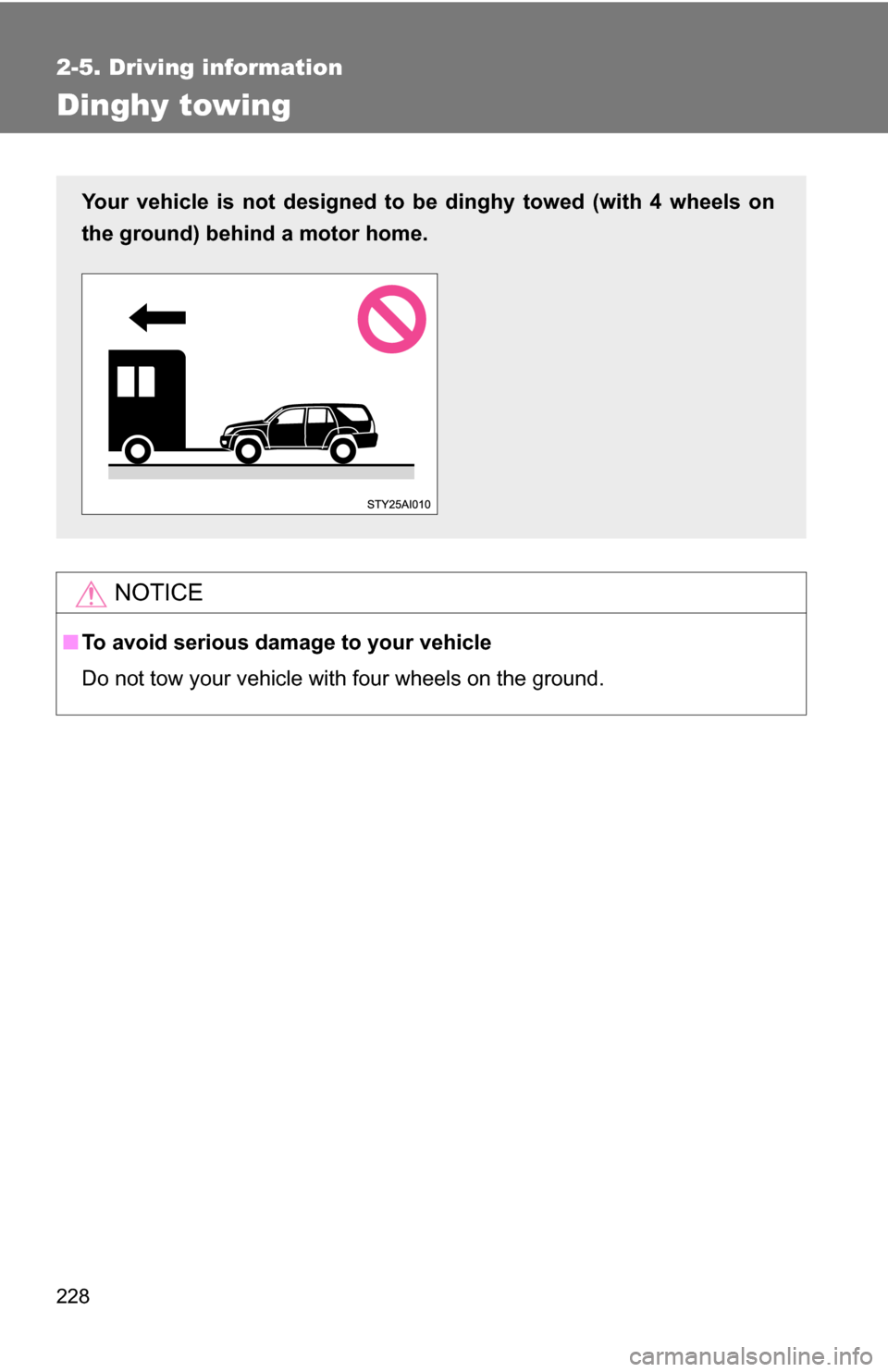
Your vehicle is not designed to be dinghy towed (with 4 wheels on
the ground) behind a motor home.
Page 229 of 520

3
229
Interior features
3-1. Using the air conditioning system and defogger
Air conditioning system .... 230
Rear window and outside rear view mirror defoggers .... 240
3-2. Using the audio system
Audio system (without navigation system)
.......... 241
Using the radio ................. 244
Using the CD player ......... 250
Playing back MP3 and WMA discs ..................... 257
Optimal use of the audio system ........................... 266
Using the AUX adapter .... 269
Using the steering wheel audio switches ............... 271
3-3. Using the rear audio/video system
Rear seat entertainment system ........................... 274
Using the DVD player (DVD video) ................... 280
Using the DVD player (video CD)...................... 288
Using the DVD player (audio CD/CD text) ........ 291
Using the DVD player (MP3 discs) .................... 292
Using the video mode ...... 294
Changing the Setup Menu settings .......................... 297 3-4. Using the interior lights
Interior lights list ............... 305
• Personal lights ............... 306
• Personal/interior lights ... 307
• Interior light .................... 307
3-5. Using the storage features
List of storage features .... 309
• Glove box....................... 310
• Coin holder .................... 311
• Console box ................... 312
• Tissue pocket ................. 313
• Trash holder................... 314
• Overhead console .......... 316
• Cup holders ................... 316
• Bottle holders ................. 321
• Auxiliary boxes ............... 322
3-6. Other interior features Sun visors ........................ 323
Vanity mirrors ................... 324
Clock ................................ 325
Outside temperature display............................ 326
Rear side-view mirrors ..... 328
Power outlets ................... 329
Seat heaters..................... 334
Armrest ............................ 336
Floor mat .......................... 337
Luggage compartment features .......................... 338
Garage door opener......... 345
Compass .......................... 350
Page 242 of 520
242 3-2. Using the audio system
■Using cellular phones
Interference may be heard through the audio system’s speakers if a cellular
phone is being used inside or close to the vehicle while the audio syste\
m is
operating.
Ty p e C
TitlePage
Using the radioP. 244
Using the CD playerP. 250
Playing back MP3 and WMA discsP. 257
Optimal use of the audio systemP. 266
Using the AUX adapterP. 269
Using the steering wheel audio switchesP. 271
Page 271 of 520
271
3-2. Using the audio system
3
Interior features
Using the steering wheel audio switches (if equipped)
Turning on the powerPress when the audio system is turned off.
The audio system can be turned off by holding the switch down until the
system turns off.
Changing the audio sourcePress when the audio system is turned on. The audio source
changes as follows, each time is pressed.
CD player without changer:
FM1 FM2 CD AUX AM
CD player with changer:
FM1 FM2 CD changer AUX AMSAT1* SAT2* SAT3*
*
: Type B and C
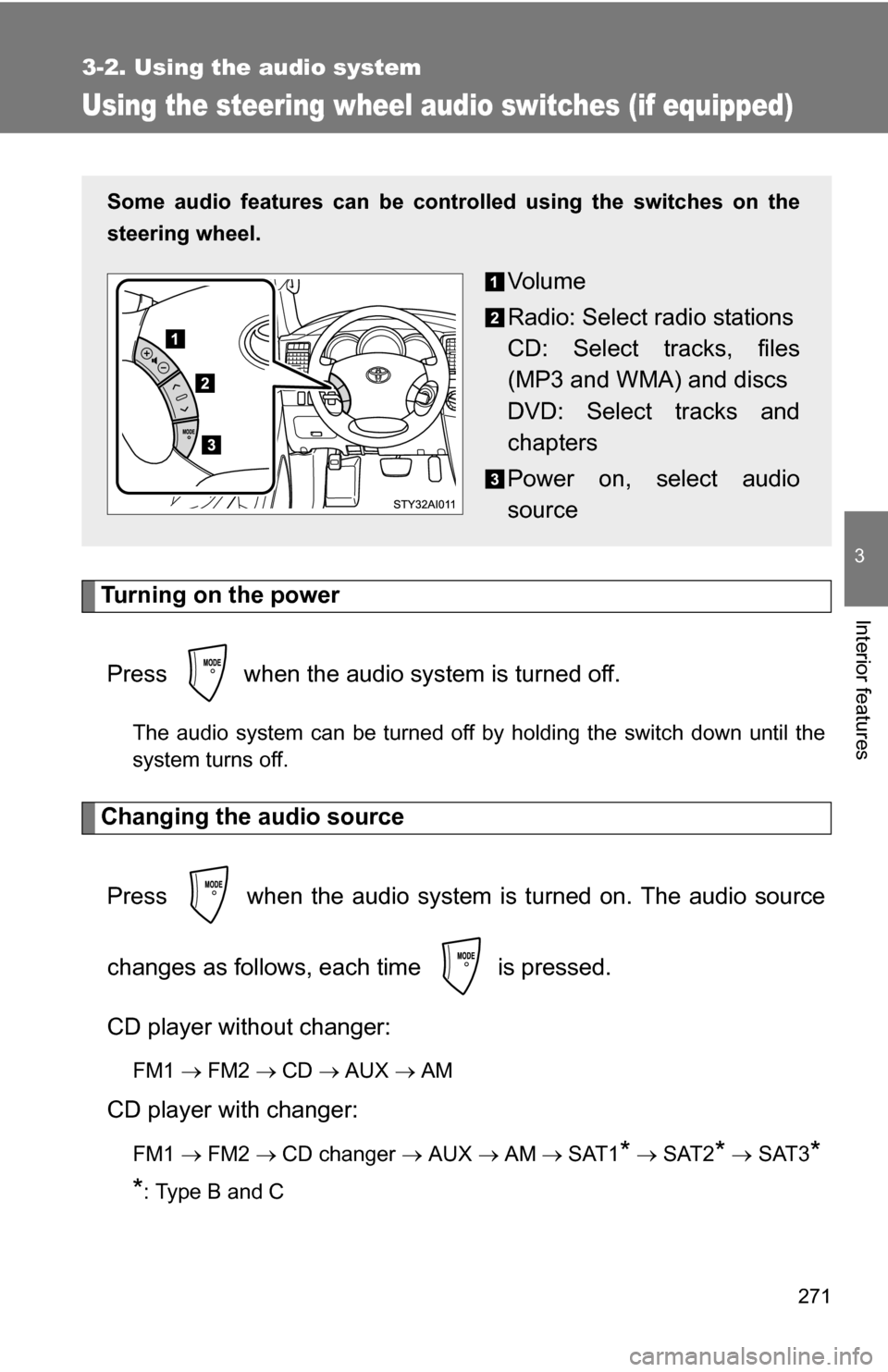
Some audio features can be cont rolled using the switches on the
steering wheel.
Vo l u m e
Radio: Select radio stations
CD: Select tracks, files
(MP3 and WMA) and discs
DVD: Select tracks and
chapters
Power on, select audio
source
Page 273 of 520
273
3-2. Using the audio system
3
Interior features
CAUTION
■
To reduce the risk of an accident
Exercise care when operating the audio switches on the steering wheel.