2009 SATURN AURA wheel
[x] Cancel search: wheelPage 104 of 408
Automatic Transmission Operation
(Six Speed Transmission)
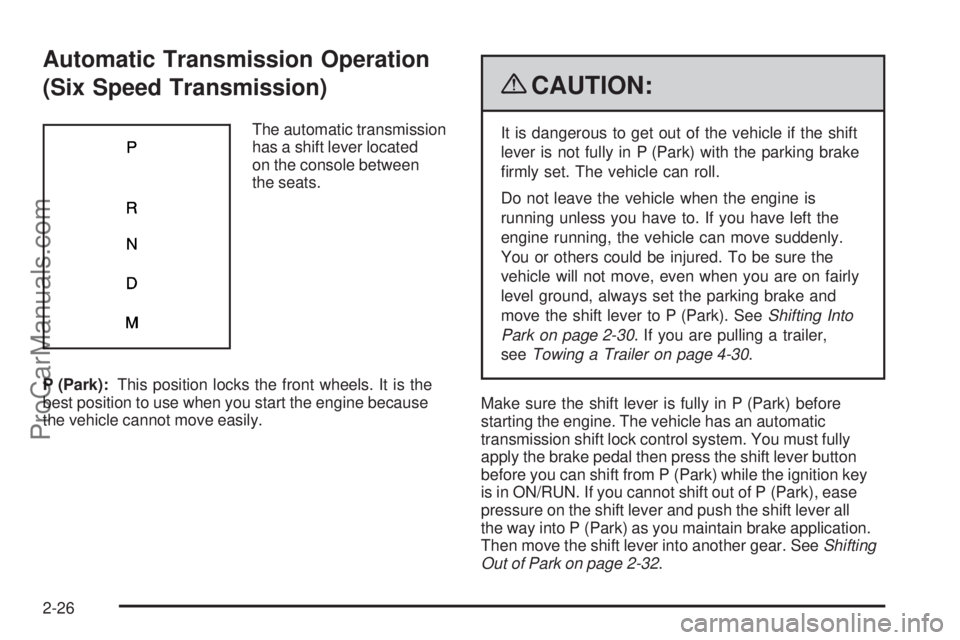
The automatic transmission
has a shift lever located
on the console between
the seats.
P (Park):This position locks the front wheels. It is the
best position to use when you start the engine because
the vehicle cannot move easily.
{CAUTION:
It is dangerous to get out of the vehicle if the shift
lever is not fully in P (Park) with the parking brake
rmly set. The vehicle can roll.
Do not leave the vehicle when the engine is
running unless you have to. If you have left the
engine running, the vehicle can move suddenly.
You or others could be injured. To be sure the
vehicle will not move, even when you are on fairly
level ground, always set the parking brake and
move the shift lever to P (Park). SeeShifting Into
Park on page 2-30. If you are pulling a trailer,
seeTowing a Trailer on page 4-30.
Make sure the shift lever is fully in P (Park) before
starting the engine. The vehicle has an automatic
transmission shift lock control system. You must fully
apply the brake pedal then press the shift lever button
before you can shift from P (Park) while the ignition key
is in ON/RUN. If you cannot shift out of P (Park), ease
pressure on the shift lever and push the shift lever all
the way into P (Park) as you maintain brake application.
Then move the shift lever into another gear. SeeShifting
Out of Park on page 2-32.
2-26
ProCarManuals.com
Page 105 of 408

R (Reverse):Use this gear to back up.
Notice:Shifting to R (Reverse) while the vehicle is
moving forward could damage the transmission.
The repairs would not be covered by the vehicle
warranty. Shift to R (Reverse) only after the vehicle
is stopped.
To rock the vehicle back and forth to get out of snow,
ice, or sand without damaging the transmission, seeIf
Your Vehicle is Stuck in Sand, Mud, Ice, or Snow on
page 4-20.
N (Neutral):In this position, the engine does not
connect with the wheels. To restart the engine when
the vehicle is already moving, use N (Neutral) only.
Also, use N (Neutral) when the vehicle is being towed.
{CAUTION:
Shifting into a drive gear while the engine is
running at high speed is dangerous. Unless your
foot is rmly on the brake pedal, the vehicle could
move very rapidly. You could lose control and hit
people or objects. Do not shift into a drive gear
while the engine is running at high speed.Notice:Shifting out of P (Park) or N (Neutral) with
the engine running at high speed may damage the
transmission. The repairs would not be covered
by the vehicle warranty. Be sure the engine is not
running at high speed when shifting the vehicle.
D (Drive):This position is for normal driving. It provides
the best fuel economy. If you need more power for
passing, and you are:
Going less than 35 mph (56 km/h), push the
accelerator pedal about halfway down.
Going about 35 mph (56 km/h) or more, push the
accelerator all the way down.
M (Manual Mode):This position, allows you to change
gears similar to a manual transmission. If the vehicle
has this feature, see Driver Shift Control (DSC).
2-27
ProCarManuals.com
Page 106 of 408
Driver Shift Control (DSC)
To use this feature, do the following:
1. Move the shift lever from D (Drive) rearward to
M (Manual).
While driving in manual mode, the transmission
will remain in the driver selected gear. When coming
to a stop in the manual position, the vehicle will
automatically shift into 1 (First) gear.
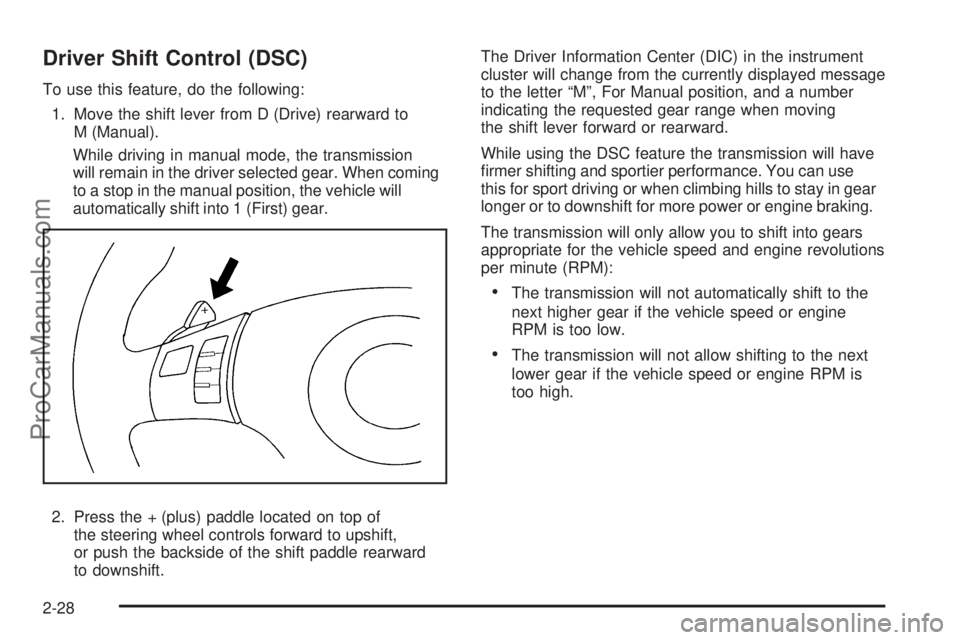
2. Press the + (plus) paddle located on top of
the steering wheel controls forward to upshift,
or push the backside of the shift paddle rearward
to downshift.The Driver Information Center (DIC) in the instrument
cluster will change from the currently displayed message
to the letter “M”, For Manual position, and a number
indicating the requested gear range when moving
the shift lever forward or rearward.
While using the DSC feature the transmission will have
rmer shifting and sportier performance. You can use
this for sport driving or when climbing hills to stay in gear
longer or to downshift for more power or engine braking.
The transmission will only allow you to shift into gears
appropriate for the vehicle speed and engine revolutions
per minute (RPM):
The transmission will not automatically shift to the
next higher gear if the vehicle speed or engine
RPM is too low.
The transmission will not allow shifting to the next
lower gear if the vehicle speed or engine RPM is
too high.
2-28
ProCarManuals.com
Page 118 of 408

OnStar Virtual Advisor
OnStar Virtual Advisor is a feature of OnStar
Hands-Free Calling that uses minutes to access
location-based weather, local traffic reports, and stock
quotes. Press the phone button and give a few simple
voice commands to browse through the various topics.
See the OnStar Owner’s Guide for more information.
This feature is only available in the continental U.S.
OnStar Steering Wheel Controls
This vehicle may have a Talk/Mute button that can
be used to interact with OnStar Hands-Free Calling.
SeeAudio Steering Wheel Controls on page 3-89for
more information.
On some vehicles, the mute button can be used to
dial numbers into voice mail systems, or to dial phone
extensions. See the OnStar Owner’s Guide for more
information.
How OnStar Service Works
The OnStar system can record and transmit vehicle
information. This information is automatically sent to an
OnStar Call Center when the OnStar button is pressed,
the emergency button is pressed, or if the airbags or
AACN system deploy. This information usually includes
the vehicle’s GPS location and, in the event of a crash,
additional information regarding the crash that the vehicle
was involved in (e.g. the direction from which the vehicle
was hit). When the Virtual Advisor feature of OnStar
Hands-Free Calling is used, the vehicle also sends
OnStar the vehicle’s GPS location so they can provide
services where it is located.
OnStar service cannot work unless the vehicle is in a
place where OnStar has an agreement with a wireless
service provider for service in that area. OnStar service
also cannot work unless the vehicle is in a place where
the wireless service provider OnStar has hired for that
area has coverage, network capacity and reception when
the service is needed, and technology that is compatible
with the OnStar service. Not all services are available
everywhere, particularly in remote or enclosed areas,
or at all times.
2-40
ProCarManuals.com
Page 129 of 408

Instrument Panel Overview...............................3-4
Hazard Warning Flashers................................3-6
Horn .............................................................3-6
Tilt and Telescopic Steering Wheel...................3-6
Turn Signal/Multifunction Lever.........................3-7
Turn and Lane-Change Signals........................3-7
Headlamp High/Low-Beam Changer..................3-8
Flash-to-Pass.................................................3-8
Windshield Wipers..........................................3-8
Windshield Washer.........................................3-9
Cruise Control..............................................3-10
Headlamps..................................................3-13
Headlamps on Reminder................................3-13
Headlamps Off in Park..................................3-13
Delayed Headlamps......................................3-14
Daytime Running Lamps (DRL).......................3-14
Automatic Headlamp System..........................3-15
Fog Lamps ..................................................3-15
Instrument Panel Brightness...........................3-16
Dome Lamps ...............................................3-16
Entry/Exit Lighting.........................................3-16
Parade Dimming...........................................3-16
Reading Lamps............................................3-16
Electric Power Management...........................3-17
Battery Run-Down Protection..........................3-18
Accessory Power Outlet(s).............................3-18Climate Controls............................................3-19
Climate Control System.................................3-19
Automatic Climate Control System...................3-23
Outlet Adjustment.........................................3-26
Warning Lights, Gages, and Indicators............3-27
Instrument Panel Cluster................................3-28
Speedometer and Odometer...........................3-29
Trip Odometer..............................................3-29
Tachometer................................................
.3-29
Safety Belt Reminders...................................3-29
Airbag Readiness Light..................................3-30
Passenger Airbag Status Indicator...................3-31
Charging System Light..................................3-32
Brake System Warning Light..........................3-33
Antilock Brake System (ABS) Warning Light.....3-34
Electronic Stability Control (ESC)/
Traction Control System (TCS) Indicator/
Warning Light............................................3-34
Engine Coolant Temperature Warning Light......3-35
Engine Coolant Temperature Gage..................3-36
Tire Pressure Light.......................................3-36
Malfunction Indicator Lamp.............................3-37
Oil Pressure Light.........................................3-40
Security Light...............................................3-41
Cruise Control Light......................................3-41
Highbeam On Light.......................................3-41
Fuel Gage...................................................3-42
Section 3 Instrument Panel
3-1
ProCarManuals.com
Page 130 of 408

Driver Information Center (DIC).......................3-43
DIC Operation and Displays...........................3-43
DIC Warnings and Messages.........................3-45
DIC Vehicle Personalization............................3-50
Audio System(s).............................................3-55
Setting the Clock..........................................3-56
Radio(s)......................................................3-57
Using an MP3..............................................3-67
XM Radio Messages.....................................3-74Bluetooth®...................................................3-75
Rear Seat Audio (RSA).................................3-86
Theft-Deterrent Feature..................................3-89
Audio Steering Wheel Controls.......................3-89
Radio Reception...........................................3-91
Backglass Antenna.......................................3-92
XM™ Satellite Radio Antenna System...............3-92
Chime Level Adjustment................................3-92
Section 3 Instrument Panel
3-2
ProCarManuals.com
Page 133 of 408

The main components of the instrument panel are the following:
A.Outlet Adjustment on page 3-26.
B.Turn Signal/Multifunction Lever on page 3-7.
C. Driver Shift Control (If Equipped).Automatic
Transmission Operation (Six Speed Transmission)
on page 2-26.
D.Instrument Panel Cluster on page 3-28.
E.Windshield Wipers on page 3-8andWindshield
Washer on page 3-9.
F.Hazard Warning Flashers on page 3-6.
G.Passenger Airbag Status Indicator on page 3-31.
H. Instrument Panel Brightness Control. SeeInstrument
Panel Brightness on page 3-16.
I.Fog Lamps on page 3-15.
J.Cruise Control on page 3-10.Driver Information
Center (DIC) on page 3-43.K.Tilt and Telescopic Steering Wheel on page 3-6.
L.Horn on page 3-6.
M.Audio Steering Wheel Controls on page 3-89
(If Equipped).
N.Ignition Positions on page 2-22.
O.Climate Control System on page 3-19orAutomatic
Climate Control System on page 3-23.
P.Traction Control System (TCS) on page 4-8.
Q. Shift Lever. SeeAutomatic Transmission Operation
(Six Speed Transmission) on page 2-26.
R.Audio System(s) on page 3-55.
S.Glove Box on page 2-48.
3-5
ProCarManuals.com
Page 134 of 408
Hazard Warning Flashers
|(Hazard Warning Flasher):Press this button
located on the instrument panel, to make the front and
rear turn signal lamps ash on and off. This warns others
that you are having trouble.
Press
|again to turn the ashers off.
Horn
Press near or on the horn symbols on the steering
wheel pad to sound the horn.
Tilt and Telescopic Steering Wheel
A tilt and telescope wheel lets the steering wheel
be adjusted.
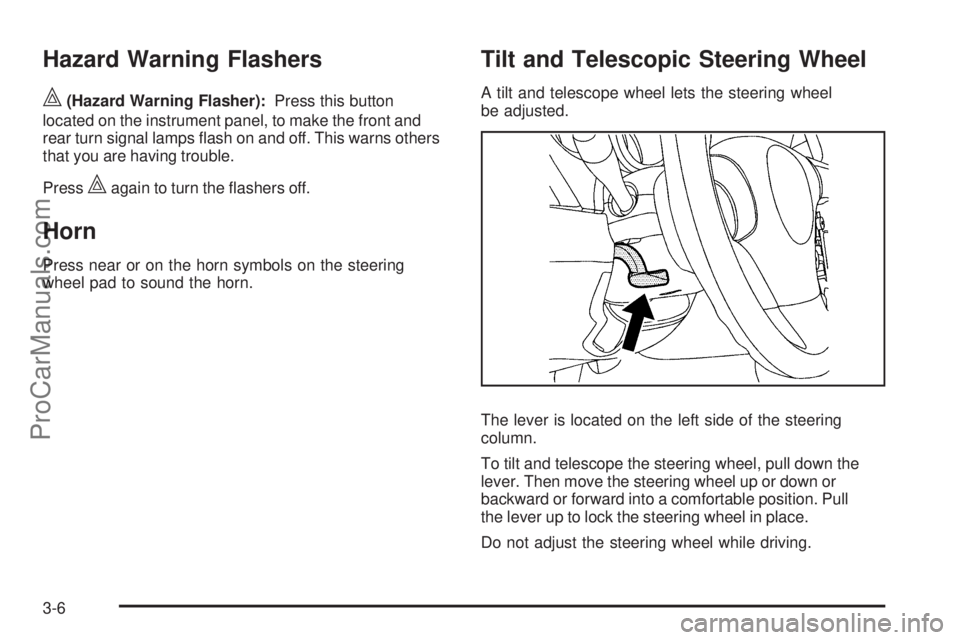
The lever is located on the left side of the steering
column.
To tilt and telescope the steering wheel, pull down the
lever. Then move the steering wheel up or down or
backward or forward into a comfortable position. Pull
the lever up to lock the steering wheel in place.
Do not adjust the steering wheel while driving.
3-6
ProCarManuals.com