2009 RENAULT TWINGO 062
[x] Cancel search: 062Page 13 of 138

21B-13
MR-413-X44-21B000$236.mif
V2
21B
SEQUENTIAL GEARBOX
Fault finding - Replacement of components
COMPUTER - (RE)PROGRAMMING
No setpoint following sequential gearbox computer reprogramming.
COMPUTER: REPLACEMENT
1. DIALOGUE POSSIBLE WITH THE SEQUENTIAL GEARBOX COMPUTER BEFORE REPLACEMENT
A) Before replacement:
Switch on the ignition.
Note the replacement date of the clutch ID024 "Read date new clutch fitted".
Note the value of the clutch released position PR148 "Clutch released position".
B) Replacement / Reprogramming:
C) After reprogramming:
a. Switch on the ignition (important, during the entire procedure, the ignition must not be switched off except
when indicated in the procedure).
b. Rehabilitate the hydraulic unit using command AC007 Hydraulic unit pump rehabilitation.
c. Programming the grille.
Check that PR145 Engine coolant temperature is below 50 ˚C.
Gearbox in neutral position, handbrake engaged, engine speed zero and no fault with the solenoid valves
and the master slave sensors.
Program the gears with command VP008 Program selection/engagement ranges.
Wait for the procedure to end.
Exit fault finding mode and switch off the ignition.
Wait 1 minute and then re-establish dialogue with the computer.
Check that programming has been successful by referring to the following status:
–ET061 “Gear programming” displays “DONE”.
Brake and select all the gears in the gearbox, while checking that they are recognised on the display.
Restart procedure c from the beginning if ET061 does not display "DONE".
d. Biting point programming:
Put the gearbox in neutral.
Start the engine.
Wait 10 seconds without changing gear (to program the clutch biting point).
Check that the programming has been successful by referring to the following statuses:
–ET062 “Biting point programming” displays “DONE”,
–ET063 “Solenoid valve zero point programming” displays “DONE”.
–If “NOT DONE”, repeat procedure F.
e. Programming clutch progressivity:
Check that the PR145 “Engine coolant temperature” is above 80 ˚C and that the PR095 “Clutch
temperature” is below 180 ˚C.
Repeat starting the vehicle briskly at half-load 4 or 5 times to program the clutch progressivity.
Exit fault finding mode and switch off the ignition.
Wait 1 minute and then re-establish dialogue with the computer.
Check that programming has been successfully completed by referring to the following status:
–ET065 “Progressivity programming” displays “DONE”.
Repeat procedure e if status ET065 “Progressivity programming” displays “NOT DONE”.
Vdiag No: 04
MR-413-X44-21B000$236.mif
Page 15 of 138

21B-15
MR-413-X44-21B000$236.mif
V2
Vdiag No: 04SEQUENTIAL GEARBOX
Fault finding - Replacement of components21B
2. DIALOGUE IMPOSSIBLE WITH THE SEQUENTIAL GEARBOX COMPUTER BEFORE REPLACEMENT
A. Replacement / Reprogramming
B. After reprogramming:
a. Switch on the ignition (important, during the entire procedure, the ignition must not be switched off except
when indicated in the procedure).
b. Rehabilitate the hydraulic unit using command AC007 Hydraulic unit pump rehabilitation.
c. Programming the grille.
Check that PR145 Engine coolant temperature is below 50 ˚C.
Gearbox in neutral position, handbrake engaged, engine speed zero and no fault with the solenoid valves
and the master slave sensors.
Program the gears with command VP008 Program selection/engagement ranges.
Wait for the procedure to end.
Exit fault finding mode and switch off the ignition.
Wait 1 minute and then re-establish dialogue with the computer.
Check that programming has been successful by referring to the following status:
–ET061 “Gear programming” displays “DONE”.
Brake and select all the gears in the gearbox, while checking that they are recognised on the display.
Restart procedure c from the beginning if ET061 does not display "DONE".
d. Biting point programming:
Put the gearbox in neutral.
Start the engine.
Wait 10 seconds without changing gear (to program the clutch biting point).
Check that the programming has been successful by referring to the following statuses:
–ET062 “Biting point programming” displays “DONE”,
–ET063 “Solenoid valve zero point programming” displays “DONE”.
If “NOT DONE”, repeat procedure F.
e. Programming clutch progressivity:
Check that the PR145 “Engine coolant temperature” is above 80 ˚C and that the PR095 “Clutch
temperature” is below 180 ˚C.
Repeat starting the vehicle briskly at half-load 4 or 5 times to program the clutch progressivity.
Exit fault finding mode and switch off the ignition.
Wait 1 minute and then re-establish dialogue with the computer.
Check that programming has been successfully completed by referring to the following status:
–ET065 “Progressivity programming” displays “DONE”.
Repeat procedure e if status ET065 “Progressivity programming” displays “NOT DONE”.
f. Program the vehicle identification number code with command VP001 Enter VIN.
g. Enter the last After-Sales operation date using command VP009 Enter last After-Sales operation date.
Check the entry with ID022 "Read date of last After-Sales operation".
Repeat the procedure if unsuccessful.
h. Exit fault finding mode and switch off the ignition.
Wait 1 minute and then re-establish dialogue with the computer.
i. Check the faults and clear the computer fault memory (some faults are stored when the command modes
are used) or deal with the present faults.
j. Carry out a road test followed by another check with the diagnostic tool.
Repeat the procedure if unsuccessful.
Page 17 of 138
21B-17
MR-413-X44-21B000$236.mif
V2
Vdiag No: 04SEQUENTIAL GEARBOX
Fault finding - Replacement of components21B
G) Shift the selector lever to neutral.
Start the engine.
Wait 10 seconds without changing gear (to program the clutch biting point).
Check that the programming has been successful by referring to the following statuses:
–ET062 “Biting point programming” displays “DONE”,
–ET063 “Solenoid valve zero point programming” displays “DONE”.
If “NOT DONE”, repeat procedure E.
H) Check that PR145 "Engine coolant temperature" is above 80 ˚C and that PR095 "Clutch temperature" is
less than 180 ˚C.
Repeat starting at half-load 4 or 5 times to program the clutch progressivity.
Exit fault finding mode and switch off the ignition.
Wait 1 minute and then re-establish dialogue with the computer.
Check that programming has been successfully completed by referring to the following status:
–ET065 “Progressivity programming” displays “DONE”.
Repeat procedure F if status ET065 “Progressivity programming” displays “NOT DONE”.
I) Exit fault finding mode and switch off ignition.
Page 19 of 138
21B-19
MR-413-X44-21B000$236.mif
V2
Vdiag No: 04SEQUENTIAL GEARBOX
Fault finding - Replacement of components21B
CLUTCH OR GEARBOX + CLUTCH
A) Switch on the ignition.
B) Clear all programming using commands
–RZ002 Programming,
–RZ003 Program biting point,
–RZ008 Initial closed position of clutch.
Exit fault finding mode and switch off the ignition.
Wait 1 minute and then re-establish dialogue with the computer.
C) Rehabilitate the hydraulic unit using command AC007 "Hydraulic unit pump rehabilitation".
Bleed the hydraulic circuit.
Open the bleed screw,
Start the engine with the handbrake applied.
Gearbox in neutral and no faults in the solenoid valves or master slave sensors.
Bleed the hydraulic circuit using command AC025 Bleed slave cylinder hydraulic circuit.
Repeat procedure C if not done.
D) Check that PR145 "Engine coolant temperature" is below 50 ˚C.
Program the gears with command VP008 Program selection/engagement ranges.
Wait for the procedure to end.
Exit fault finding mode and switch off the ignition.
Wait 1 minute and then re-establish dialogue with the computer.
Check that programming has been successful by referring to the following status:
–ET061 “Gear programming” displays “DONE”.
Brake and select all the gears in the gearbox, while checking that they are recognised on the display.
Repeat procedure D if not done.
E) Shift the selector lever to neutral.
Start the engine.
Wait 10 seconds without changing gear (to program the clutch biting point).
Repeat the clutch biting point programming 4 or 5 times.
Check that programming has been successful by referring to the following status:
–ET062 “Biting point programming” displays “DONE”.
If “NOT DONE”, repeat procedure E. WARNING
For all operations on the hydraulic circuit, activate commands AC006 "Hydraulic unit pump inhibition"
and AC081 "Discharge pressure accumulator" until the hydraulic pressure PR018 “Hydraulic pressure” is
close to zero.
Page 22 of 138
21B-22
MR-413-X44-21B000$354.mif
V2
21B
SEQUENTIAL GEARBOX
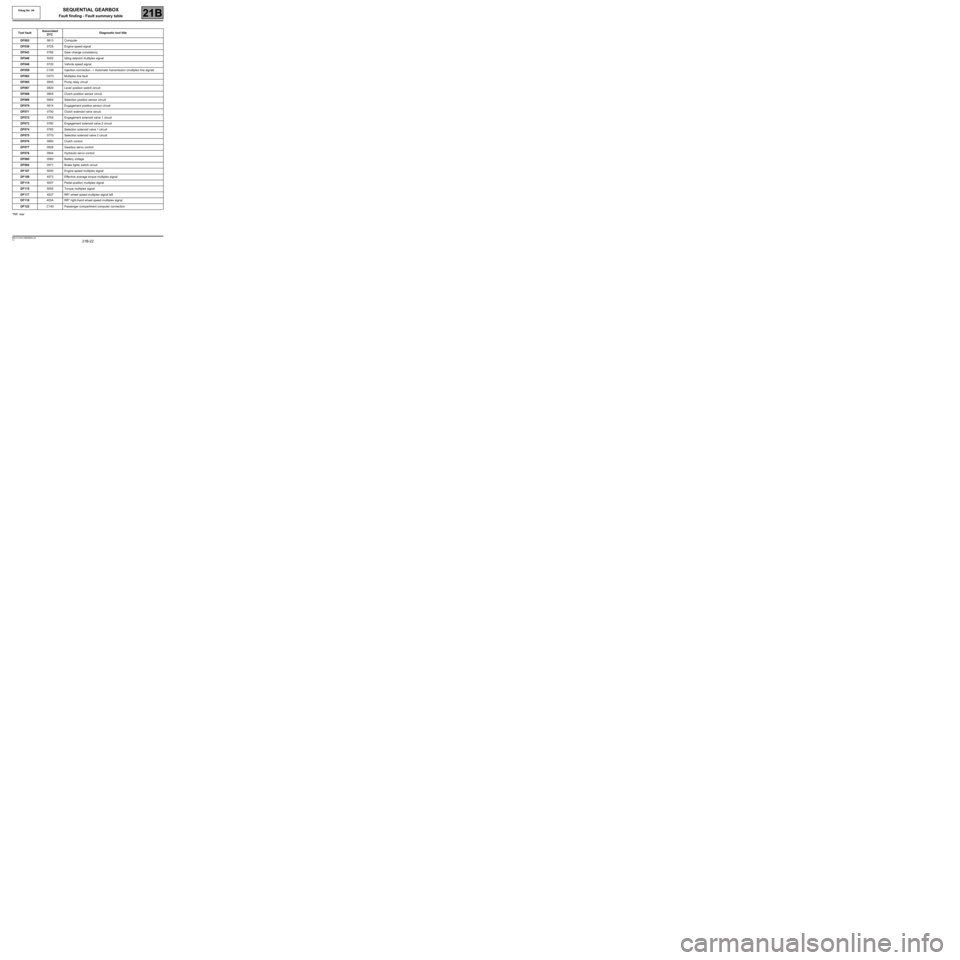
Fault finding - Fault summary table
*RR: rearTool faultAssociated
DTCDiagnostic tool title
DF0020613 Computer
DF0390725 Engine speed signal
DF0430785 Gear change consistency
DF0465002 Idling setpoint multiplex signal
DF0480720 Vehicle speed signal
DF059C100 Injection connection → Automatic transmission (multiplex line signal)
DF062C073 Multiplex line fault
DF0650945 Pump relay circuit
DF0670820 Lever position switch circuit
DF0680805 Clutch position sensor circuit
DF0690904 Selection position sensor circuit
DF0700914 Engagement position sensor circuit
DF0710750 Clutch solenoid valve circuit
DF0720755 Engagement solenoid valve 1 circuit
DF0730760 Engagement solenoid valve 2 circuit
DF0740765 Selection solenoid valve 1 circuit
DF0750770 Selection solenoid valve 2 circuit
DF0760900 Clutch control
DF0770928 Gearbox servo control
DF0780944 Hydraulic servo control
DF0800560 Battery voltage
DF0820571 Brake lights switch circuit
DF1075000 Engine speed multiplex signal
DF1084073 Effective average torque multiplex signal
DF1145007 Pedal position multiplex signal
DF1155005 Torque multiplex signal
DF1174037 RR* wheel speed multiplex signal left
DF118403A RR* right-hand wheel speed multiplex signal
DF122C140 Passenger compartment computer connection
Vdiag No: 04
MR-413-X44-21B000$354.mif
Page 28 of 138

21B-28
MR-413-X44-21B000$413.mif
V2
SEQUENTIAL GEARBOX
Fault finding - Interpretation of faults
Vdiag No.: 04
21B
DF048
PRESENT
OR
STOREDVEHICLE SPEED SIGNAL
1.DEF: Signal incoherent
2.DEF: No signal
NOTESPriorities when dealing with a number of faults:
If fault DF062 Multiplex line fault is present or stored, deal with it first.
Conditions for applying fault finding procedures to stored faults:
The fault is declared present after a road test.
Use the Wiring Diagrams Technical Note for New TWINGO.
Carry out a road test.
Check the concordance between the speed indicated on the speedometer and parameter PR105 Vehicle speed.
Check the connection and condition of the connectors of components 119, 120 and 1094.
If the connector(s) are faulty and if there is a repair method (see Technical Note 6015A, Repairing electrical
wiring, W iring: Precautions for repair), repair the connectors; otherwise, replace the wiring.
Run a multiplex network test (see 88B, Multiplexing, Introduction).
If the fault is still present, run fault finding on the ABS/ESP system (see 38C, Anti-lock braking system).
AFTER REPAIRDeal with any faults displayed by the diagnostic tool.
Clear the computer memory.
Carry out a road test followed by another check with the diagnostic tool.
BVRJH1_V04_DF048
Page 29 of 138
21B-29
MR-413-X44-21B000$413.mif
V2
SEQUENTIAL GEARBOX
Fault finding - Interpretation of faults
Vdiag No.: 04
21B
DF059
PRESENT
OR
STOREDINJECTION → AUTOMATIC TRANSMISSION CONNECTION (CAN
SIGNALS)
1.DEF: No signal
NOTESPriorities when dealing with a number of faults:
In the event of a number of faults, deal with DF062 Multiplex line fault first.
Conditions for applying the fault finding procedure to stored faults:
The fault is declared present after a road test.
Use the Wiring Diagrams Technical Note for New TWINGO.
Check the connection and condition of the connectors of components 120 and 119.
If the connectors are faulty and if there is a repair method (see Technical Note 6015A, Repairing electrical
wiring, W iring: Precautions for repair), repair the connectors; otherwise, replace the wiring.
Run fault finding on the injection system (see 17B, Petrol Injection).
Check the insulation to + 12 V and to earth and check the continuity of the following connections:
●Connection code 3MT,
●Connection code 3MS,
between components 120 and 119.
If the connection(s) are faulty and there is a repair method (see Technical Note 6015A, Repairing electrical
wiring, W iring: Precautions for repair), repair the wiring, otherwise replace it.
AFTER REPAIRDeal with any faults displayed by the diagnostic tool.
Clear the computer memory.
Carry out a road test followed by another check with the diagnostic tool.
BVRJH1_V04_DF059
Page 30 of 138

21B-30
MR-413-X44-21B000$413.mif
V2
SEQUENTIAL GEARBOX
Fault finding - Interpretation of faults
Vdiag No.: 04
21B
DF062
PRESENT
OR
STOREDMULTIPLEX LINE FAULT
1.DEF: Multiplex line connection fault
NOTESConditions for applying the fault finding procedure to stored faults:
The fault is declared present after:
The computer fault memory is cleared, the ignition is switched off and on again and
the engine is started.
Use the Wiring Diagrams Technical Note for New TWINGO.
Perform a multiplex network test (see 88B, Multiplex).
Run fault finding on the injection system (see 17B, Petrol Injection).
Check the connection and condition of the connectors of components 120 and 119.
If the connectors are faulty and if there is a repair method (see Technical Note 6015A, Repairing electrical
wiring, W iring: Precautions for repair), repair the connectors; otherwise, replace the wiring.
Check the insulation to + 12 V and to earth and check the continuity of the following connections:
●Connection code 3MT,
●Connection code 3MS,
between components 120 and 119.
If the connection(s) are faulty and there is a repair method (see Technical Note 6015A, Repairing electrical
wiring, W iring: Precautions for repair), repair the wiring, otherwise replace it.
AFTER REPAIRDeal with any faults displayed by the diagnostic tool.
Clear the computer memory.
Carry out a road test followed by another check with the diagnostic tool.
BVRJH1_V04_DF062