Page 243 of 543

28. Front Fog Light Indicator — If EquippedThis indicator will illuminate when the front fog
lights are on.
29. Anti-Lock Brake (ABS) Light This light monitors the Anti-lock Brake System
(ABS). The light will turn on when the ignition
switch is turned to the ON position and may
stay on for as long as four seconds.
If the ABS light remains on or turns on while driving, it
indicates that the anti-lock portion of the brake system is
not functioning and that service is required. However,
the conventional brake system will continue to operate
normally if the BRAKE warning light is not on.
If the ABS light is on, the brake system should be serviced
as soon as possible to restore the benefits of anti-lock
brakes. If the ABS light does not turn on when the
ignition switch is turned to the ON position, have the
light inspected by an authorized dealer. 30. Transmission Temperature Light
This light indicates that there is excessive trans-
mission fluid temperature that might occur
with severe usage such as trailer towing. It may
also occur when operating the vehicle in a high
torque converter slip condition, such as 4-wheel-drive
operation (e.g., snow plowing, off- road operation). If this
light comes on, stop the vehicle and run the engine at idle
or faster, with the transmission in NEUTRAL until the
light goes off.
For vehicles equipped with a premium cluster this indi-
cator will display in the Electronic Vehicle Information
Center (EVIC). Refer to ”Electronic Vehicle Information
Center (EVIC) — If Equipped” in this section for more
information.
4
UNDERSTANDING YOUR INSTRUMENT PANEL 241
Page 246 of 543
ELECTRONIC VEHICLE INFORMATION CENTER
(EVIC) — IF EQUIPPED
The Electronic Vehicle Information Center (EVIC) fea-
tures a driver-interactive display that is located in the
instrument cluster.NOTE:
The compass on your vehicle is self-calibrating,
eliminating the need to manually calibrate the compass.
This system conveniently allows the driver to select a
variety of useful information by pressing the switches
mounted on the steering wheel. The EVIC consists of the
following:
•System Status display
•Vehicle information warning message displays
•Customer-Programmable Features (SETUP)
•Compass display
•Outside temperature display
•Trip computer functions
•Distance To Empty (DTE) display
•Average Fuel Economy / Fuel Saver Mode display
•Audio Modes displayElectronic Vehicle Information Center (EVIC)
244 UNDERSTANDING YOUR INSTRUMENT PANEL
Page 247 of 543
Steering wheel EVIC control button, as
it appears on the left side of the steer-
ing wheel.
Press and release the UP button to scroll up-
ward through the main menus (DTE, mi/gal,
System Info, Messages, Units, Setup) and sub
menus.
Press and release the DOWN button to scroll
downward through the main menus and sub
menus. Steering wheel EVIC control button as
it appears on the right side of the
steering wheel.
Press and release the SELECT button for access
to main menus, sub menus or to select a
personal setting in the setup menu.
Press the RETURN button to scroll back to a
previous menu or sub menu.
4
UNDERSTANDING YOUR INSTRUMENT PANEL 245
Page 251 of 543

with the engine running. If the ESP/BAS Warning Light
comes on continuously with the engine running, a mal-
function has been detected in either the ESP or the BAS
system. If this light remains on after several ignition
cycles and the vehicle has been driven several miles at
speeds greater than 30 mph (48 km/h), see an authorized
dealer as soon as possible.
•Transmission Temperature LightThis light indicates that there is excessive trans-
mission fluid temperature that might occur
with severe usage such as trailer towing. It may
also occur when operating the vehicle in a high
torque converter slip condition, such as 4-wheel-drive
operation (e.g., snow plowing, off- road operation). If this
light comes on, stop the vehicle and run the engine at idle
or faster, with the transmission in NEUTRAL until the
light goes off.
CAUTION!
Continuous driving with the Transmission Tempera-
ture Indicator illuminated will eventually cause se-
vere transmission damage or transmission failure.
WARNING!
In some circumstances a Transmission Temperature
Indicator, under continued operation, could cause the
fluid to boil over, come in contact with hot engine or
exhaust components and cause a fire.
Oil Change Required
Your vehicle is equipped with an engine oil change
indicator system. The Oil Change Required message will
flash in the EVIC display for approximately 10 seconds
after a single chime has sounded to indicate the next
scheduled oil change interval. The engine oil change
4
UNDERSTANDING YOUR INSTRUMENT PANEL 249
Page 262 of 543

and release the SELECT button until a check-mark ap-
pears next to the feature showing the system has been
activated or the check-mark is removed, showing the
system has been deactivated.
NOTE:The seat will return to the memorized seat
location (if Recall Memory with Remote Key Unlock is set
to ON) when the RKE transmitter is used to unlock the
door. Refer to “Easy Entry/Exit Seat” under “Driver
Memory Seat” in Section 3 of this manual for more
information.
Tilt Mirror In Reverse
When this feature is selected and the shift lever is placed
in reverse gear, the side mirrors tilt downward to allow
the driver to see into the previous blind spot and avoid
objects in close proximity to the rear of the vehicle. To
make your selection, press and release the SELECT
button until a check-mark appears next to the feature showing the system has been activated or the check-mark
is removed, showing the system has been deactivated.
Remote Start Comfort Sys.
When this feature is selected and the remote start is
activated, the heated steering wheel and driver heated
seat features will automatically turn on in cold weather.
In warm weather, the driver vented seat feature will
automatically turn on when the remote start is activated.
These features will stay on through the duration of
remote start or until the key is turned to RUN. To make
your selection, press and release the SELECT button until
a check-mark appears next to the feature showing the
system has been activated or the check-mark is removed,
showing the system has been deactivated.
Display Units of Measure In
The EVIC, odometer, and navigation system (if
equipped) can be changed between English and Metric
260 UNDERSTANDING YOUR INSTRUMENT PANEL
Page 293 of 543

REMOTE SOUND SYSTEM CONTROLS — IF
EQUIPPED
The remote sound system controls are located on the rear
surface of the steering wheel. Reach behind the wheel to
access the switches.The right hand control is a rocker type switch with a
pushbutton in the center. Pressing the top of the switch
will increase the volume, and pressing the bottom of the
switch will decrease the volume.
The button located in the center of the right hand control
will switch modes to Radio or CD.
The left hand control is a rocker type switch with a
pushbutton in the center. The function of the left hand
control is different depending on which mode you are in.
The following describes the left hand control operation in
each mode.
Radio Operation
Pressing the top of the switch will SEEK up for the next
listenable station and pressing the bottom of the switch
will SEEK down for the next listenable station.
The button located in the center of the left hand control
will tune to the next pre-set station that you have
programmed in the radio pre-set pushbuttons.
Remote Sound System Controls
(Back View Of Steering Wheel)
4
UNDERSTANDING YOUR INSTRUMENT PANEL 291
Page 307 of 543
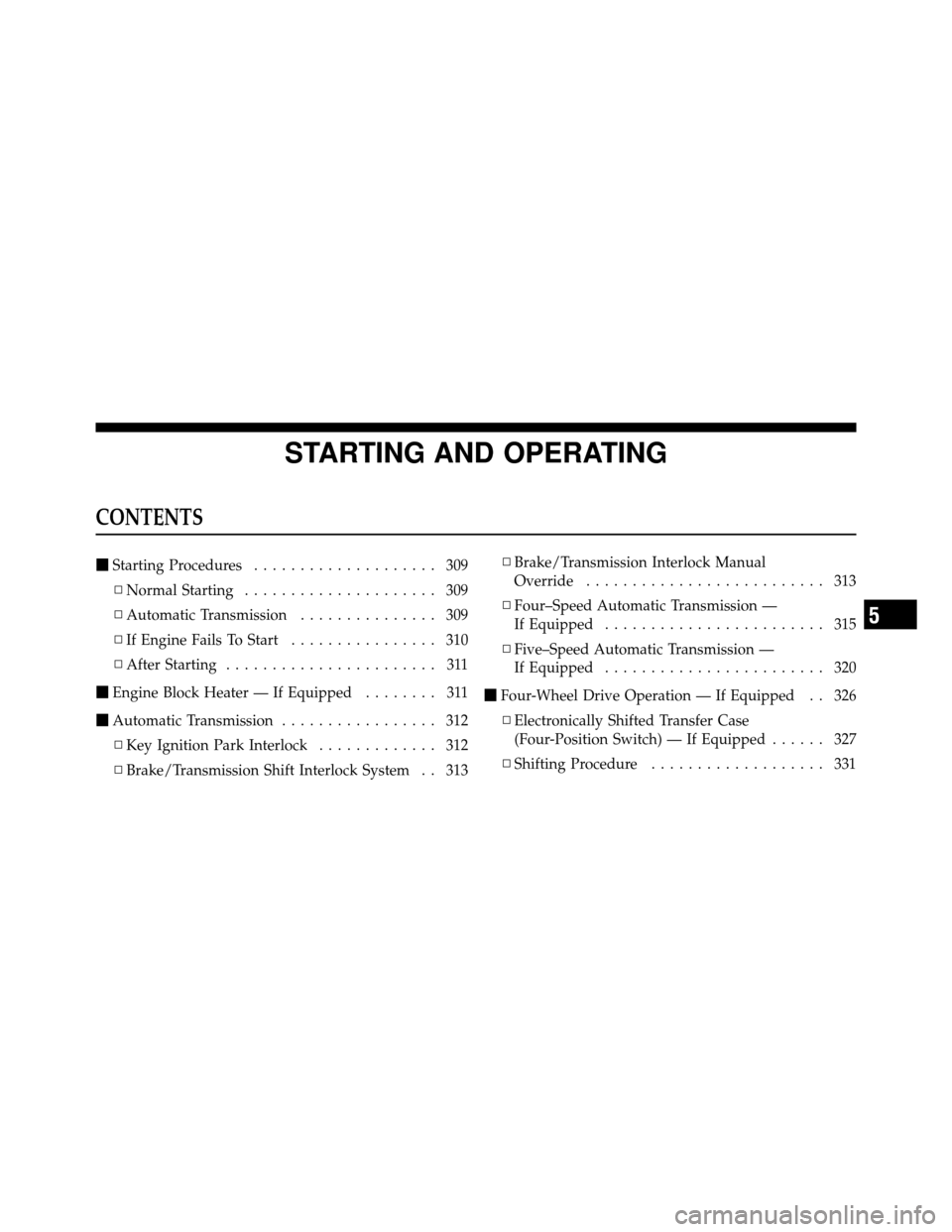
STARTING AND OPERATING
CONTENTS
�Starting Procedures .................... 309
▫ Normal Starting ..................... 309
▫ Automatic Transmission ............... 309
▫ If Engine Fails To Start ................ 310
▫ After Starting ....................... 311
� Engine Block Heater — If Equipped ........ 311
� Automatic Transmission ................. 312
▫ Key Ignition Park Interlock ............. 312
▫ Brake/Transmission Shift Interlock System . . 313 ▫
Brake/Transmission Interlock Manual
Override .......................... 313
▫ Four–Speed Automatic Transmission —
If Equipped ........................ 315
▫ Five–Speed Automatic Transmission —
If Equipped ........................ 320
� Four-Wheel Drive Operation — If Equipped . . 326
▫ Electronically Shifted Transfer Case
(Four-Position Switch) — If Equipped ...... 327
▫ Shifting Procedure ................... 331
5
Page 308 of 543

▫Electronically Shifted Transfer Case
(Five-Position Switch) — If Equipped ...... 333
▫ Shifting Procedure ................... 337
� Limited-Slip Differential – If Equipped ...... 339
� Driving On Slippery Surfaces ............. 340
� Driving Through Water ................. 341
▫ Flowing/Rising Water ................. 341
▫ Shallow Standing Water ............... 341
� Driving Off-Road ..................... 343
� Power Steering ....................... 343
▫ Power Steering Fluid Check ............. 345
� Parking Brake ........................ 346
� Brake System ........................ 347
▫ Four-Wheel Anti-Lock Brake System ....... 348�
Multi-Displacement System (MDS)
(If Equipped) – 5.7L Engine Only ........... 349
� Electronic Brake Control System ........... 350
▫ Anti-Lock Brake System (ABS) ........... 350
▫ Traction Control System (TCS) ........... 351
▫ Brake Assist System (BAS) .............. 351
▫ Hill Start Assist (HSA) ................ 352
▫ Electronic Stability Program (ESP) ........ 356
▫ Trailer Sway Control (TSC) ............. 361
� Tire Safety Information ................. 362
▫ Tire Markings ....................... 362
▫ Tire Identification Number (TIN) ......... 366
▫ Tire Loading And Tire Pressure .......... 367
� Tires — General Information ............. 371
▫ Tire Pressure ....................... 371
306 STARTING AND OPERATING