Page 132 of 284
130
Instruments, On-Board Computer, Warnings
Level gage
When the ignition is on the fuel level is displayed.
f Please see the chapter “CAPACITIES” on
Page 271.
If the vehicle’s inclination changes (e.g. going up
or downhill), minor deviations in the indication may
occur. Note
If a small quantity of fuel
is added to a nearly emp-
ty fuel tank, the fuel ga ge cannot measure the add-
ed fuel accurately. The „remaining range“ readout
will also be incorrect.
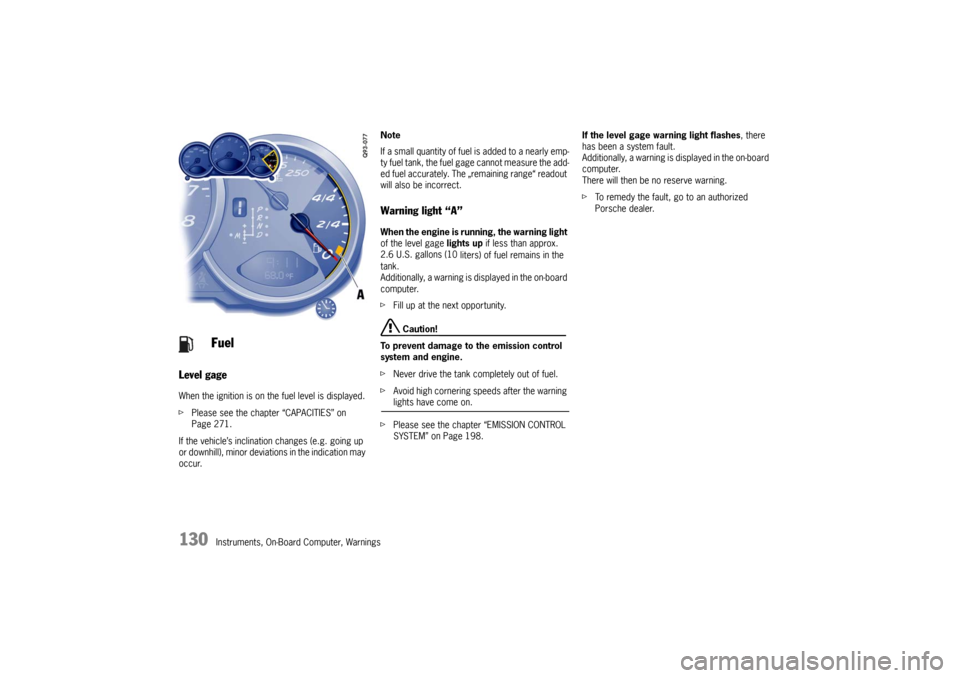
Warning light “A” When the engine is running, the warning light
of the level gage lights up if less than approx.
2.6 U.S. gallons (10 liters) of fuel remains in the
tank.
Additionally, a warning is displayed in the on-board
computer.
f Fill up at the next opportunity.
Caution!
To prevent damage to the emission control
system and engine.
f Never drive the tank completely out of fuel.
f Avoid high cornering speeds after the warning lights have come on.
f Please see the chapter “EMISSION CONTROL
SYSTEM” on Page 198. If the level gage warning light flashes
, there
has been a system fault.
Additionally, a warning is displayed in the on-board
computer.
There will then be no reserve warning.
f To remedy the fault, go to an authorized
Porsche dealer.
Fuel
Page 135 of 284

Instruments, On-Board Computer, Warnings
133
Check Engine
(Emission Control)The emission control system detects malfunctions
early that could, for example, cause increased
pollutant emissions or consequential damage.
Faults are indicated by a continuously lit or
flashing instrument panel warning light.
The faults are recorded in the control unit's fault
memory.
The warning light in the instrument panel lights up
when the ignition is switched on as a bulb check
and goes out approx. 4 seconds after the engine
starts. If the warning light does not light up, have
the bulb replaced promptly.
The warning light in the instrument panel flashes to
indicate operating states (e.g. engine misfiring)
which might cause damage to certain parts of the
emission control system.
fIn this case, immediately reduce the engine
load by easing off the accelerator.
f In order to avoid consequential damage to the
engine or emission control system (e.g. cata-
lytic converter), have the fault diagnosed and
rectified immediately at the nearest authorized
Porsche dealer. If the warning light in the
instrument panel lights up
permanently without flashing before and remains
on while driving, it suggests:
– a potential engine control problem and the need for system service or
– an improperly fastened tank cap or
– the vehicle was refueled while the engine was running.
f Stop immediately at a suitable and secure
place and check tank cap for proper fastening.
If tank cap was fastened correctly, see your au-
thorized Porsche dealer for service as soon as
possible.
Caution!
If the check engine warning light in the in-
strument panel is flashing, serious catalytic
converter damage and power loss will soon
occur.
Prolonged driving with the check engine war-
ning light on could cause damage to the
emission control system. It also could affect
fuel economy and driveability.
f Have the fault remedied at the nearest authorized Porsche dealer immediately.
Warning Light
Page 137 of 284
Instruments, On-Board Computer, Warnings
135
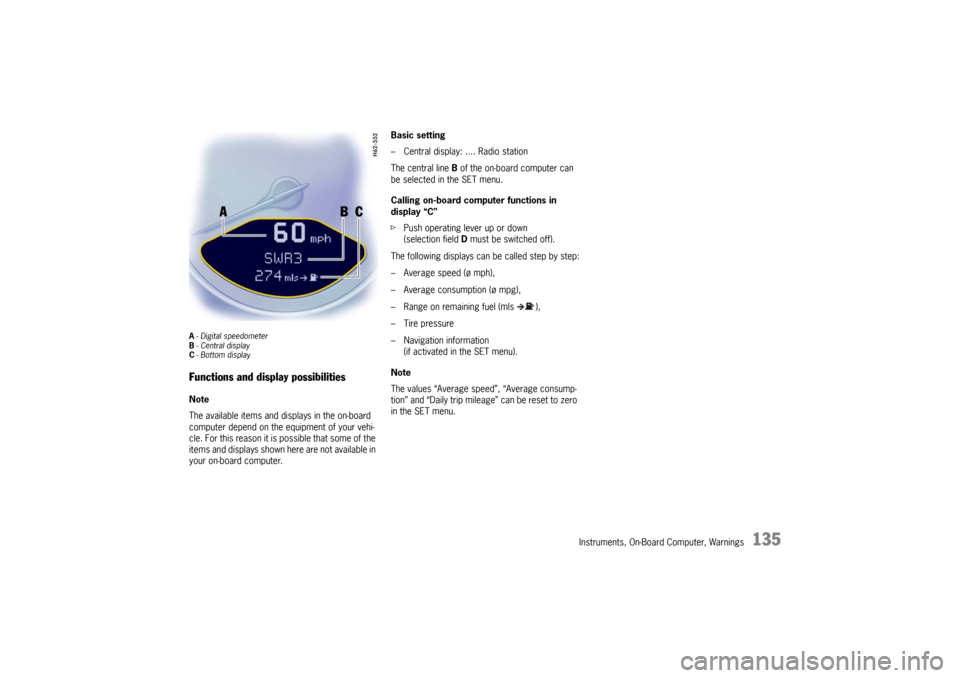
A- Digital speedometer
B -Central display
C - Bottom displayFunctions and display possibilitiesNote
The available items and displays in the on-board
computer depend on the equipment of your vehi-
cle. For this reason it is possible that some of the
items and displays shown here are not available in
your on-board computer. Basic setting
– Central display: .... Radio station
The central line
B of the on-board computer can
be selected in the SET menu.
Calling on-board computer functions in
display “C”
f Push operating lever up or down
(selection field D must be switched off).
The following displays can be called step by step:
– Average speed (ø mph),
– Average consumption (ø mpg),
– Range on remaining fuel (mls ),
– Tire pressure
– Navigation information (if activated in the SET menu).
Note
The values “Average speed”, “Average consump-
tion” and “Daily trip mileag e” can be reset to zero
in the SET menu.
Page 163 of 284
Instruments, On-Board Computer, Warnings
161
OIL
Display and measurement of the engine
oil level
Caution!
Risk of engine damage.
f Regularly check the oil level each time before
refueling.
f Do not allow the oil level to fall below the minimum mark.
Conditions for measuring the oil level
1. Vehicle stationary.
2. It is important to ensure that the vehicle is horizontal for correct oil level measurement
to occur.
3. Engine must be at operating temperature (at least 140 °F/60 °C).
4. Engine must be idling. Initiating oil level measurement
1. Push operating lever forward in order to switch
on the selection field.
2. Select “OIL” with the operating lever.
3. Push operating lever forward. Measurement is started. 4. Allow waiting time to elapse.
5. Once the measurement has been completed,
you can read off the engine oil level on the
segment display.
Page 165 of 284
Instruments, On-Board Computer, Warnings
163
SET
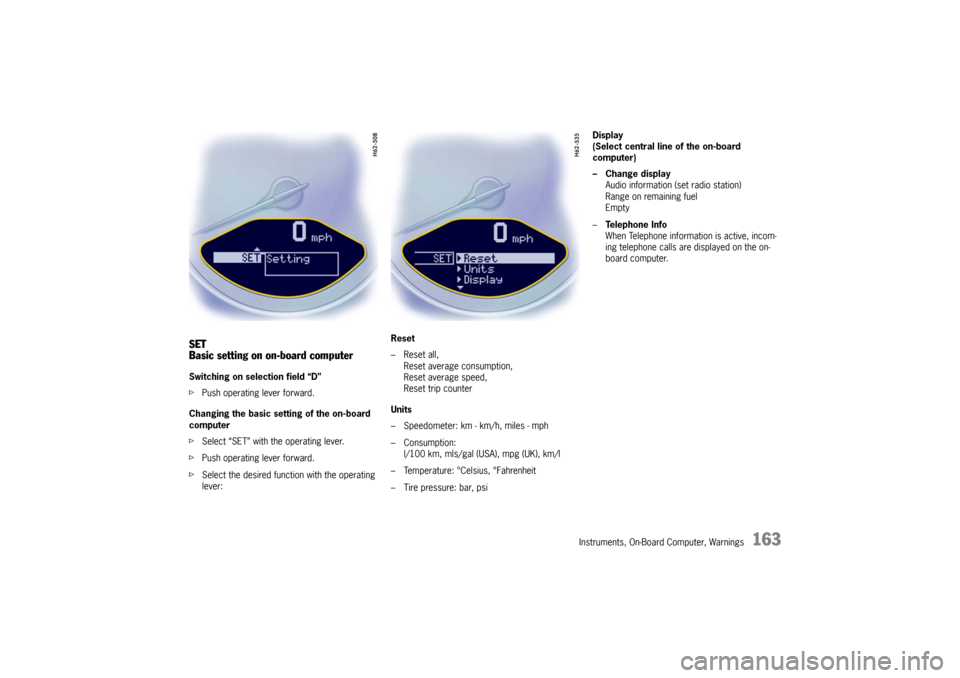
Basic setting on on-board computerSwitching on selection field “D”
fPush operating lever forward.
Changing the basic sett ing of the on-board
computer
f Select “SET” with the operating lever.
f Push operating lever forward.
f Select the desired function with the operating
lever: Reset
– Reset all,
Reset average consumption,
Reset average speed,
Reset trip counter
Units
– Speedometer: km - km/h, miles - mph
– Consumption: l/100 km, mls/gal (USA), mpg (UK), km/l
– Temperature: °Celsius, °Fahrenheit
– Tire pressure: bar, psi Display
(Select central line of the on-board
computer)
– Change display
Audio information (set radio station)
Range on remaining fuel
Empty
– Te l e p h o n e I n f o
When Telephone informat ion is active, incom-
ing telephone calls are displayed on the on-
board computer.
Page 166 of 284
164
Instruments, On-Board Computer, Warnings
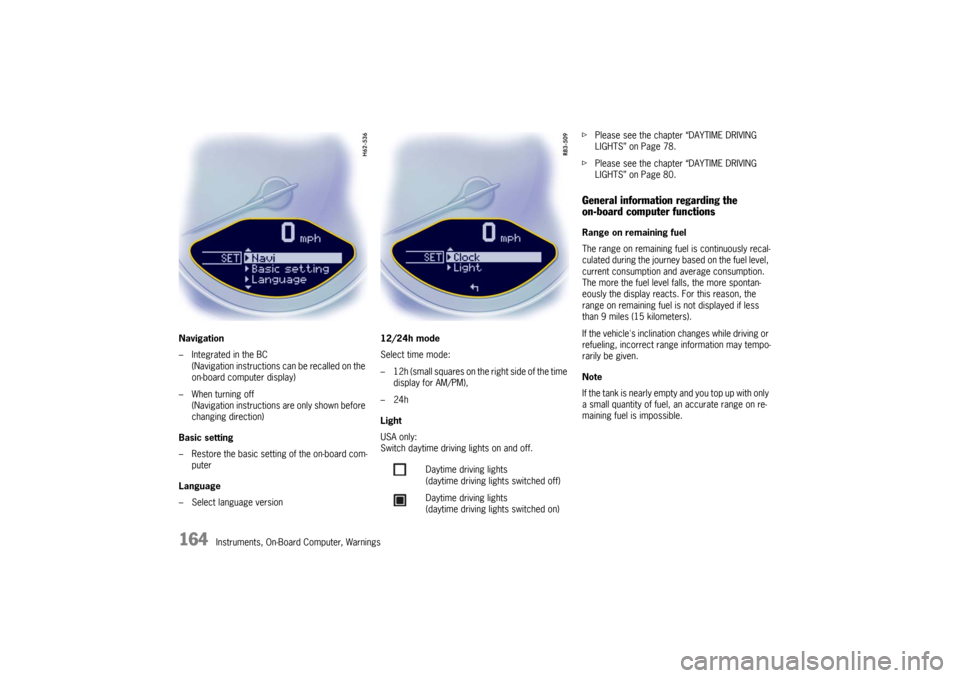
Navigation
– Integrated in the BC
(Navigation instructions can be recalled on the
on-board computer display)
– When turning off (Navigation instructions are only shown before
changing direction)
Basic setting
– Restore the basic setting of the on-board com- puter
Language
– Select language version 12/24h mode
Select time mode:
– 12h (small squares on the right side of the time
display for AM/PM),
–24h
Light
USA only:
Switch daytime driving lights on and off. f
Please see the chapter “DAYTIME DRIVING
LIGHTS” on Page 78.
f Please see the chapter “DAYTIME DRIVING
LIGHTS” on Page 80.
General information regarding the
on-board computer functionsRange on remaining fuel
The range on remaining fuel is continuously recal-
culated during the journey based on the fuel level,
current consumption and average consumption.
The more the fuel level falls, the more spontan-
eously the display reacts. For this reason, the
range on remaining fuel is not displayed if less
than 9 miles (15 kilometers).
If the vehicle's inclination changes while driving or
refueling, incorrect range information may tempo-
rarily be given.
Note
If the tank is nearly empty and you top up with only
a small quantity of fuel, an accurate range on re-
maining fuel is impossible.
Daytime driving lights
(daytime driving lights switched off)
Daytime driving lights
(daytime driving lights switched on)
Page 168 of 284

166
Warnings
Warnings on the instrument panel and the on-board computerIf a warning message appears, always refer to the corresponding chapters in the Owner’s Manual.
Warning messages are issued only if all measurement preconditi ons are met. Therefore, check all fluid levels regularly –
in particular, always check the en gine oil level before refueling.
Instrument
panel On-board
computerText display on on-board
computer Meaning/measure
Seat belt
Driver and passengers must fasten their seat
belts.
Handbrake Handbrake is still on.
Ignition key
not removed
Replace battery
in ignition key Replace the remote-control battery.
Ignition lock faulty,
please go to workshop Have the fault remedied at an authorized
Porsche dealer.
Ignition lock faulty,
visit workshop now Have the fault remedied at an authorized
Porsche dealer.
Relieve steering Relieve the steering l o c k b y m o v i n g t h e s t e e r i n g
wheel to the left or right.
Steering locked The steering wheel lock remains engaged.
Have the fault remedied at an authorized
Porsche dealer.
Lights on Low beam/side marker lamps on
Parking light on Left/right parking light on
Page 170 of 284

168
Warnings
LIMIT
30Selected speed limit (e.g. 30 mph) for the
acoustic warning signal has been exceeded.
Adjust your speed if necessary.
Fuel gage warning
light Consider remaining range Refuel at next opportunity.
Check engine oil level Start engi
ne oil level measurement in the
on-board computer.
Engine oil pressure too low Stop immediately at a suitable place, measure oil level with the on-board computer and, if nec-
essary, add engine oil.
Warning light
Temperature gage Engine temperature too high Switch
engine off and let it cool.
Check coolant level and, if necessary,
add coolant.
Temperature gage
warning light flash-
es Check coolant level Switch en
gine off and let it cool.
Check coolant level and, if necessary, add cool-
ant.
Engine diagnostics – workshop Stop imme diately at a suitale place and check
tank cap for proper fastening. If the tank cap
was fastened correctly, consult your authorized
Porsche dealer.
Reduced engine power Consult yo ur authorized Porsche dealer.
Temperature gage
warning light flash-
es Failure of
engine compartment blower
Consult your authorized Porsche dealer.
Warning battery/generator Stop at a safe place and switch the engine off.
Do not continue driving.
Have the fault remedied at an authorized
Porsche dealer.
Instrument
panel On-board
computerText display on on-board
computer Meaning/measure