Page 11 of 228

In brief
11
Instrument panel overview
1 Light switch ........................ 108
Instrument illumination .......113
Rear fog light
....................... 112
Front fog lights ...................111
Headlight range
adjustment ......................... 109
2 Side air vents ...................... 124
3 Turn signals, headlight
flash, low beam and high
beam .................................. 111
Exit lighting .......................... 114
Parking light ........................ 112
Cruise control ....................... 93
4 Remote control on
steering wheel ......................77
5 Horn ...................................... 78
Driver's airbag ....................... 58
6 Instruments .......................... 83
7 Windscreen wipers,
windscreen washer
system, headlight washer
system .................................. 78
8 Centre air vents ................... 124 9
Left heated seat ....................49
Deflation detection system ..177
Tyre pressure monitoring
system
................................. 176
Ultrasonic parking sensors ... 89
Hazard warning flashers .....111
Central locking system ..........32
Sport mode ........................... 89
Right heated seat ..................49
Fuel selector ........................ 84
10 Info-Display ........................... 93
Trip computer ...................... 102
Electronic climate control
system ................................. 121
11 Front passenger airbag .........58
12 Glovebox .............................. 67
13 Infotainment system ............115
14 Climate control system ........ 118
15 Selector lever, manual
transmission ....................... 136
Manual transmission
automated ........................... 136
Automatic transmission .......131
16 Ashtray .................................. 82
17 Start/Stop button ..................29
18 Accelerator pedal ................127 19
Ignition switch with
steering wheel lock .............128
Sensor panel for
emergency operation of
Open&Start system ...............29
20 Brake pedal ......................... 140
21 Clutch pedal ........................ 127
22 Steering wheel adjustment ...77
23 Bonnet release lever ...........155
Page 23 of 228
In brief
23
Active head restraints on
front seats In the event of a rear-end impact, the
active head restraints tilt forwards
slightly. The head is more effectively
supported by the head restraint and
the risk of whiplash injury is reduced.
Active head restraints can be
recognised by the word
ACTIVE.
Head restraints 3 44. Trip computer
Functions:
■ Range
■ Instantaneous consumption
■ Distance
■ Average speed
■ Absolute consumption
■ Average consumption
■ Stop watch
■ Tyre pressure
Trip computer 3 102, 3 104. Check control
The check control software monitors
■ Fluid levels
■ Tyre pressure
■ Radio remote control battery
■ Anti-theft alarm system
■ Important exterior lighting bulbs, including cables and fuses.
Display messages 3 100.
Page 77 of 228
Instruments and controls
77
Instruments and
controls
Controls ....................................... 77
Warning lights, gauges and
indicators ..................................... 83
Information displays .....................93
Vehicle messages
...................... 100
Trip computer ............................. 102 Controls
Steering wheel adjustment
Unlock lever, adjust steering wheel,
then engage lever and ensure it is
fully locked.
Do not adjust steering wheel unless
vehicle is stationary and steering
wheel lock has been released. Steering wheel controls
The infotainment system and the
Info-Display can be operated by the
controls on the steering wheel.
Further information in the
infotainment system manual.
Page 97 of 228
Instruments and controls
97
Select menu items via the menus and
using the infotainment system
buttons. The OK button is used to
select the highlighted item or confirm
a command.
To exit a menu, press the right or left
arrow button until Return or Main
appear and select.
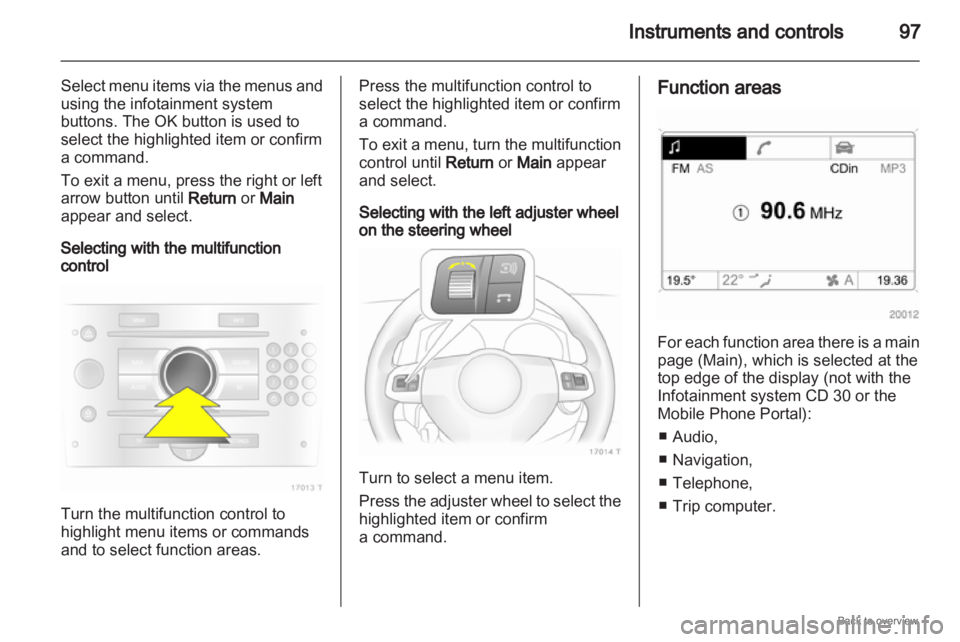
Selecting with the multifunction
control Turn the multifunction control to
highlight menu items or commands
and to select function areas. Press the multifunction control to
select the highlighted item or confirm
a command.
To
exit a menu, turn the multifunction
control until Return or Main appear
and select.
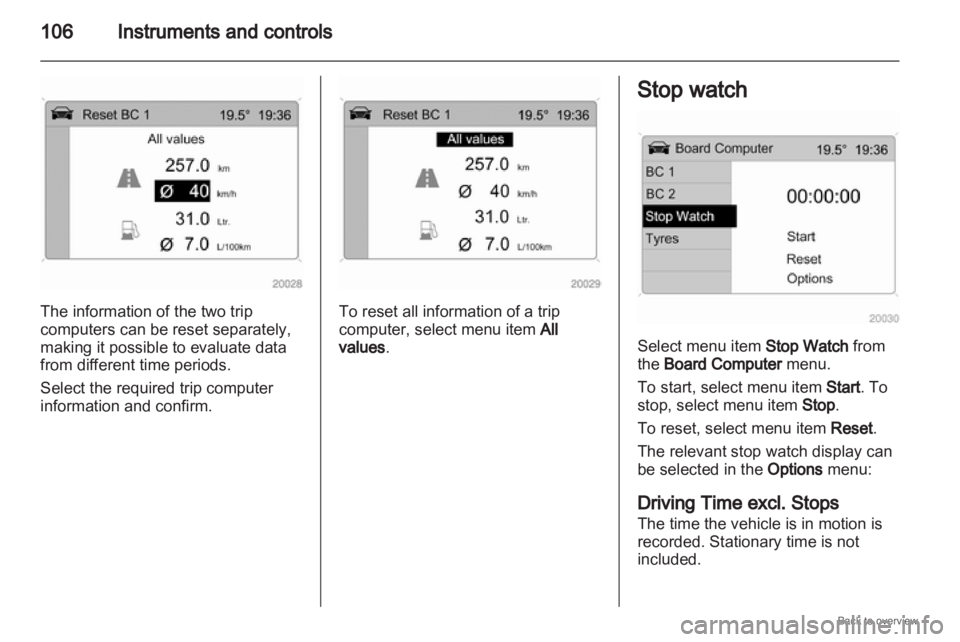
Selecting with the left adjuster wheel
on the steering wheel Turn to select a menu item.
Press
the adjuster wheel to select the
highlighted item or confirm
a command. Function areas
For each function area there is a main
page (Main), which is selected at the
top edge of the display (not with the
Infotainment system CD 30 or the
Mobile Phone Portal):
■
Audio,
■ Navigation,
■ Telephone,
■ Trip computer.
Page 102 of 228
102
Instruments and controls
Reduce speed and check tyre
pressure at the next opportunity. Tyre
pressure monitoring system 3 176.
Check tyre pressure 3 175, 3 220.If there is a considerable loss of
pressure, a corresponding message
appears indicating the tyre.
Steer out of flow of traffic as quickly
as possible without endangering
other vehicles. Stop and check the
tyres. Mount the spare wheel
3 182.
If run-flat tyres are fitted, maximum
speed is 80 km/h. Information
3 174. Tyre pressure monitoring
system 3 176. Washer fluid level
Low washer fluid level. Top up
washer fluid
3 158. Trip computer
Trip computer in Board-
Info-Display
Access the data by pressing the
BC
button on the infotainment system or
the
left adjuster wheel on the steering
wheel.
Some information appears in the
display in an abbreviated form.
Once an audio function has been
selected, the lower row of the trip
computer function is displayed
furthermore.
Page 104 of 228
104
Instruments and controls
Select the function. Press the OK
button or the left adjuster wheel on the
steering wheel to start or stop the stop
watch.
Restart trip computer
The measurement or calculation of
the following trip computer
information can be restarted:
■ Average consumption,
■ Absolute consumption,
■ Average speed,
■ Distance,
■ Stop watch.
Select the desired trip computer
information 3 93. To restart, press the
OK button or the left adjuster wheel
on the steering wheel for approx.
2 seconds. Trip computer in Graphic-
Info-Display or Colour-
Info-Display
The main page of the trip computer
provides information on range,
current consumption and average
consumption of
BC 1.
To display other trip computer data,
press the BC button on the
infotainment system, select the trip
computer menu from the display or
press the left adjuster wheel on the
steering wheel.
Select BC 1 or BC 2 from the trip
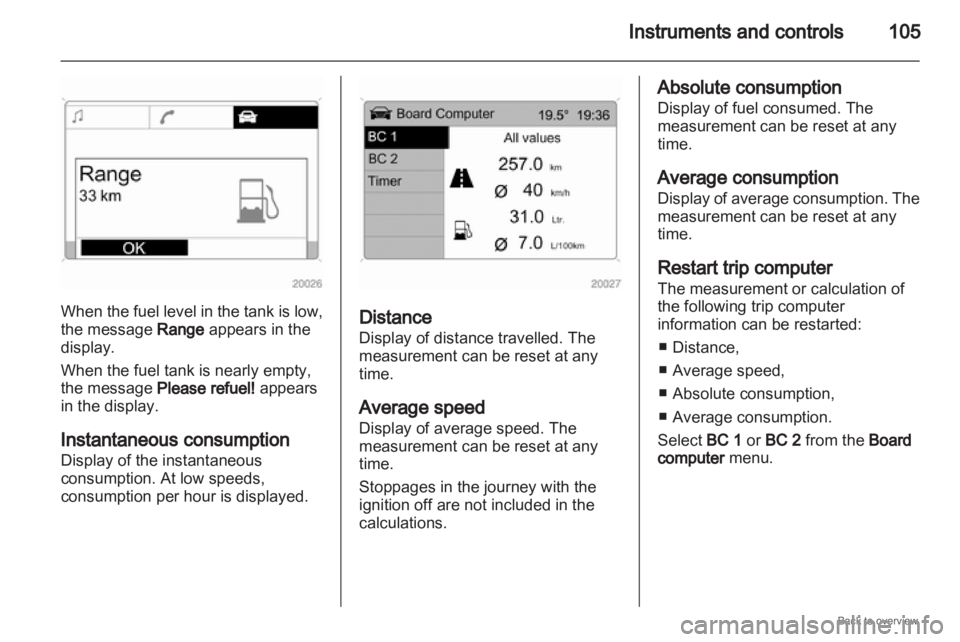
computer menu. Range
Range is calculated from current fuel
tank content and current
consumption. The display shows
average values.
After refuelling, the range is updated
automatically after a brief delay.
Page 105 of 228
Instruments and controls
105When the fuel level in the tank is low,
the message Range appears in the
display.
When the fuel tank is nearly empty,
the message Please refuel! appears
in the display.
Instantaneous consumption
Display of the instantaneous
consumption. At low speeds,
consumption per hour is displayed.
Distance
Display of distance travelled. The
measurement can be reset at any
time.
Average speed
Display of average speed. The
measurement can be reset at any
time.
Stoppages in the journey with the
ignition off are not included in the
calculations. Absolute consumption
Display of fuel consumed. The
measurement can be reset at any
time.
Average consumption
Display
of average consumption. The
measurement can be reset at any
time.
Restart trip computer
The measurement or calculation of
the following trip computer
information can be restarted:
■ Distance,
■ Average speed,
■ Absolute consumption,
■ Average consumption.
Select BC 1 or BC 2 from the Board
computer menu.
Page 106 of 228
106
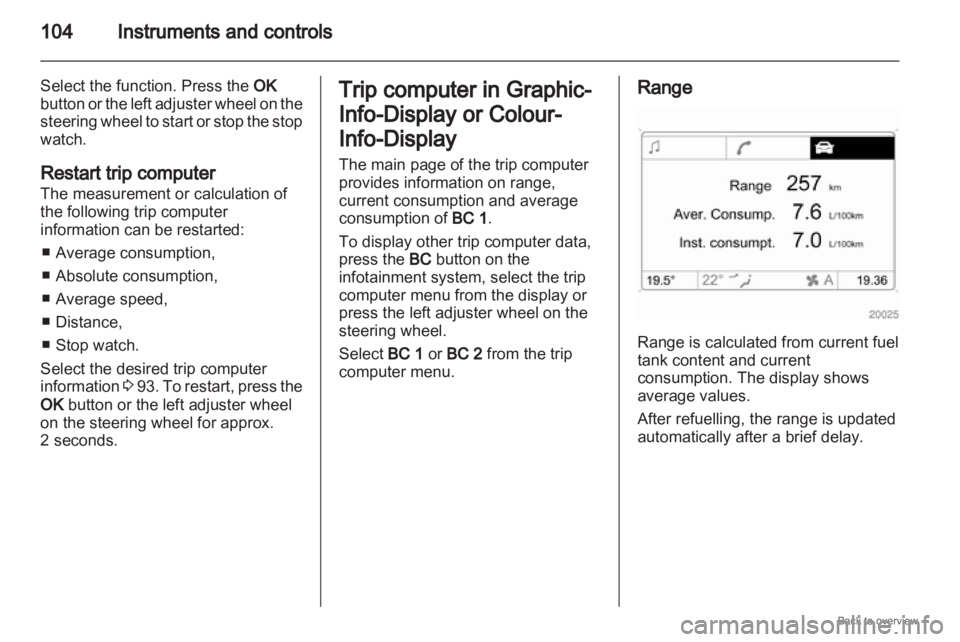
Instruments and controlsThe information of the two trip
computers can be reset separately,
making it possible to evaluate data
from different time periods.
Select the required trip computer
information and confirm. To reset all information of a trip
computer, select menu item
All
values. Stop watch
Select menu item Stop Watch from
the Board Computer menu.
To start, select menu item Start. To
stop, select menu item Stop.
To reset, select menu item Reset.
The relevant stop watch display can
be selected in the
Options menu:
Driving Time excl. Stops
The time the vehicle is in motion is
recorded. Stationary time is not
included.