Page 83 of 228
Instruments and controls
83
Warning lights, gauges
and indicators
Instrument cluster
In some versions, the needles of the
instruments briefly rotate to the end
position
when the ignition is switched
on.
Speedometer Indicates vehicle speed. Odometer
The bottom line displays the recorded
distance.
Trip odometer
The top line displays the counted
kilometres since the last reset.
To reset, hold the reset knob
depressed
for a few seconds with the
ignition on. Tachometer
Displays the engine revolutions per
minute.
Drive
in a low engine speed range for
each gear as much as possible. Caution
If the needle is in the warning
zone, the maximum permitted
engine
speed is exceeded. Engine
at risk.
Page 84 of 228
84
Instruments and controls
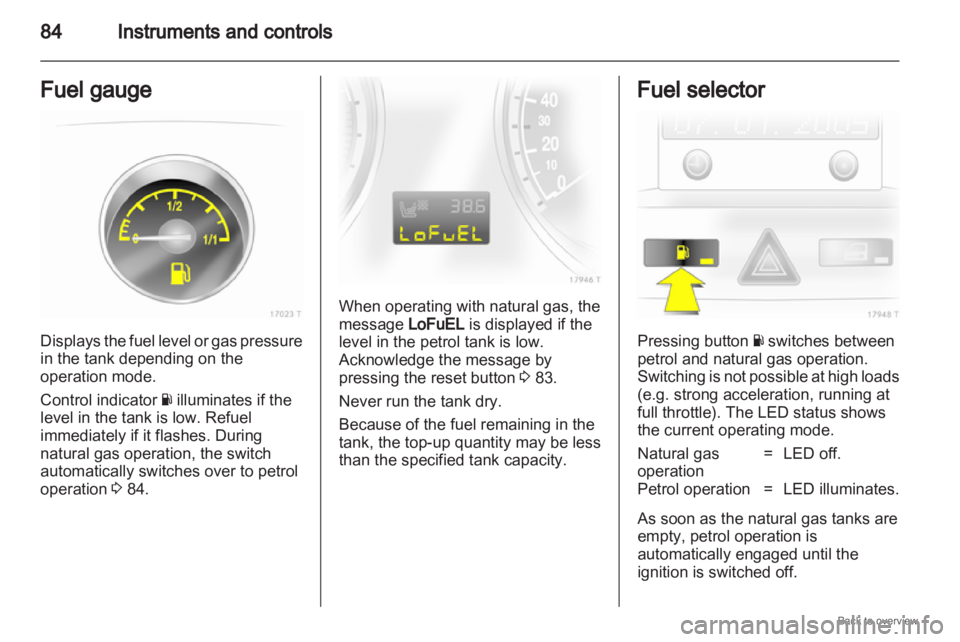
Fuel gauge Displays the fuel level or gas pressure
in the tank depending on the
operation mode.
Control indicator
Y illuminates if the
level in the tank is low. Refuel
immediately if it flashes. During
natural gas operation, the switch
automatically switches over to petrol
operation 3 84. When operating with natural gas, the
message LoFuEL is displayed if the
level in the petrol tank is low.
Acknowledge the message by
pressing the reset button
3 83.
Never run the tank dry.
Because of the fuel remaining in the
tank, the top-up quantity may be less
than the specified tank capacity. Fuel selector
Pressing button
Y switches between
petrol and natural gas operation.
Switching
is not possible at high loads
(e.g. strong acceleration, running at
full throttle). The LED status shows
the current operating mode.
Natural gas
operation = LED off.
Petrol operation = LED illuminates.
As soon as the natural gas tanks are
empty, petrol operation is
automatically engaged until the
ignition is switched off.
Page 103 of 228
Instruments and controls
103
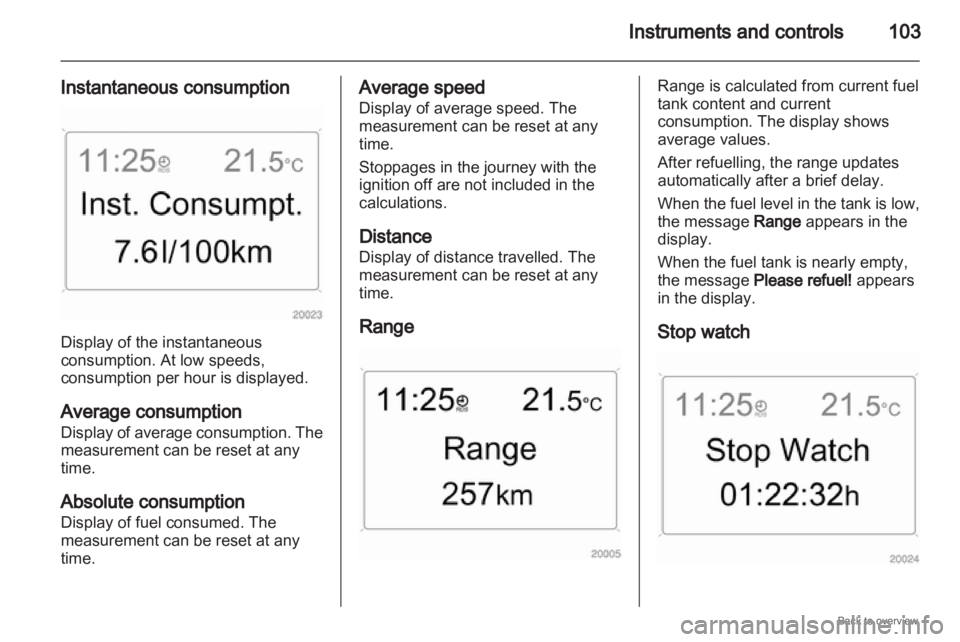
Instantaneous consumption Display of the instantaneous
consumption. At low speeds,
consumption per hour is displayed.
Average consumption
Display
of average consumption. The
measurement can be reset at any
time.
Absolute consumption
Display of fuel consumed. The
measurement can be reset at any
time. Average speed
Display of average speed. The
measurement can be reset at any
time.
Stoppages in the journey with the
ignition off are not included in the
calculations.
Distance
Display of distance travelled. The
measurement can be reset at any
time.
Range Range is calculated from current fuel
tank content and current
consumption. The display shows
average values.
After refuelling, the range updates
automatically after a brief delay.
When
the fuel level in the tank is low,
the message Range appears in the
display.
When the fuel tank is nearly empty,
the message Please refuel! appears
in the display.
Stop watch
Page 105 of 228
Instruments and controls
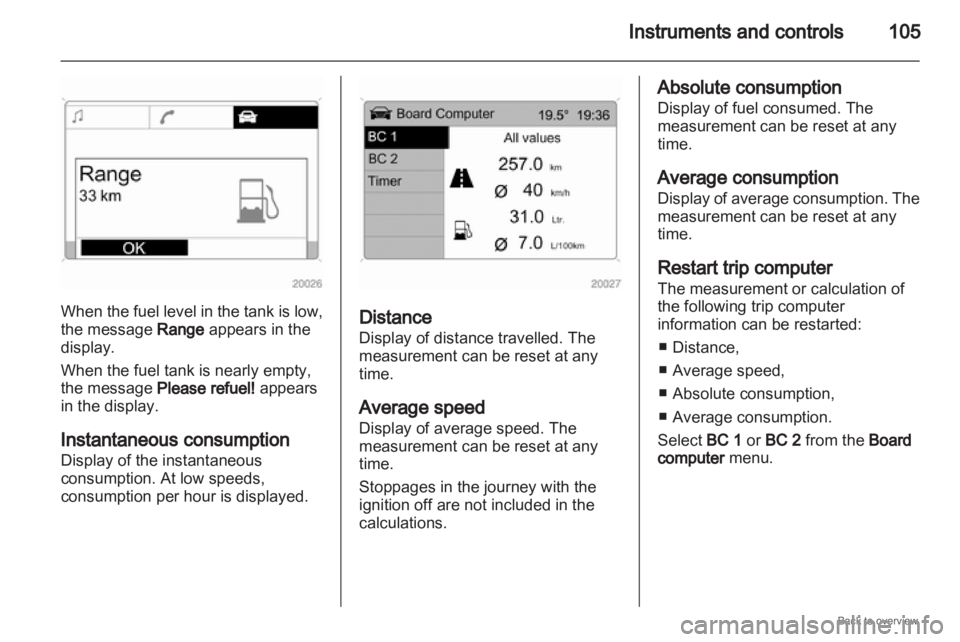
105When the fuel level in the tank is low,
the message Range appears in the
display.
When the fuel tank is nearly empty,
the message Please refuel! appears
in the display.
Instantaneous consumption
Display of the instantaneous
consumption. At low speeds,
consumption per hour is displayed.
Distance
Display of distance travelled. The
measurement can be reset at any
time.
Average speed
Display of average speed. The
measurement can be reset at any
time.
Stoppages in the journey with the
ignition off are not included in the
calculations. Absolute consumption
Display of fuel consumed. The
measurement can be reset at any
time.
Average consumption
Display
of average consumption. The
measurement can be reset at any
time.
Restart trip computer
The measurement or calculation of
the following trip computer
information can be restarted:
■ Distance,
■ Average speed,
■ Absolute consumption,
■ Average consumption.
Select BC 1 or BC 2 from the Board
computer menu.
Page 106 of 228
106
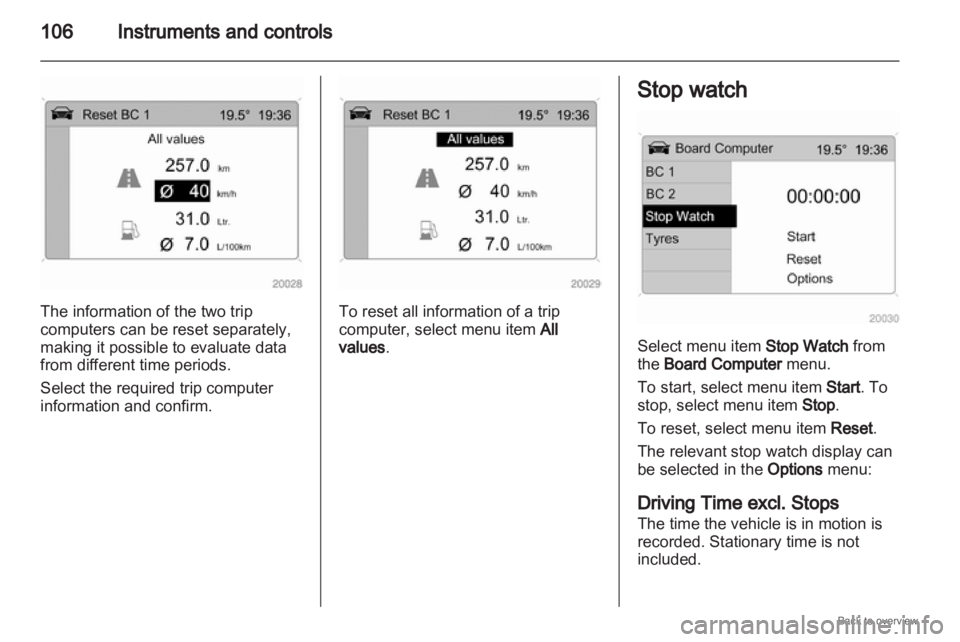
Instruments and controlsThe information of the two trip
computers can be reset separately,
making it possible to evaluate data
from different time periods.
Select the required trip computer
information and confirm. To reset all information of a trip
computer, select menu item
All
values. Stop watch
Select menu item Stop Watch from
the Board Computer menu.
To start, select menu item Start. To
stop, select menu item Stop.
To reset, select menu item Reset.
The relevant stop watch display can
be selected in the
Options menu:
Driving Time excl. Stops
The time the vehicle is in motion is
recorded. Stationary time is not
included.
Page 107 of 228
Instruments and controls
107
Driving Time incl Stops
The time the vehicle is in motion is
recorded. The time the vehicle is
stationary with the ignition switched
on is included.
Travel Time
Measurement of the time from
manual
activation via Start to manual
deactivation via Reset.
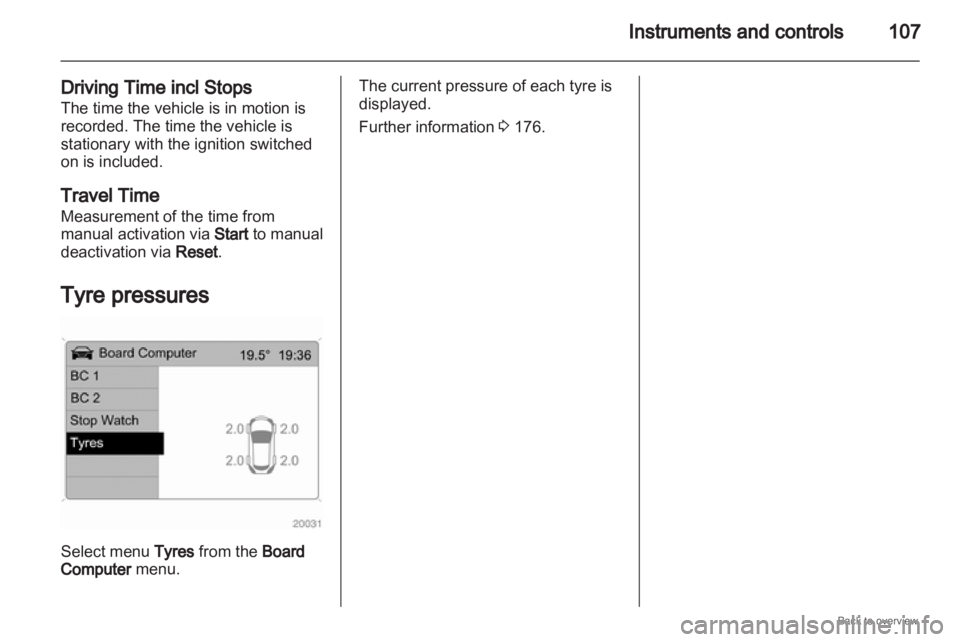
Tyre pressures Select menu Tyres from the Board
Computer menu. The current pressure of each tyre is
displayed.
Further information
3 176.
Page 120 of 228

120
Climate control
■ Open side air vents as required and
direct them towards door windows.
■ For simultaneous warming of the foot well, set air distribution control
to J.
Automatic climate control
system Controls for:
■
Air distribution
■ Temperature
■ Fan speed n
= Cooling
4 = Air recirculation
V = Demisting and defrosting
Heated rear window Ü 3 42.
The preselected temperature is
automatically regulated. In the
automatic mode the fan speed
automatically regulates the air flow.
Automatic mode
Basic setting for maximum comfort: ■
Set fan control to A.
■ Set the air distribution control to the desired setting.
■ Preset temperature to the desired level.
■ Cooling n on.
■ Open all of the air vents.
Air distribution
L =
to head area and foot well
M = to head area
l = to windscreen and front door
windows
J = to windscreen, front door
windows and foot well
K = to foot well Intermediate settings are possible.
Temperature preselection
Set the temperature control to the
required position. Intermediate
settings are possible.
For reasons of comfort, change
temperature
only in small increments.
At the end positions, there is no
temperature regulation. The air
conditioning system works with
maximum cooling or heating.
Heating will not be fully effective until
engine has reached its operating
temperature.
Fan speed
In the automatic mode A the fan
speed automatically regulates the air
flow. If required the air flow can be
manually adjusted.
Cooling n
Operated with the n button and is
functional only when the engine and
fan are running.
Page 193 of 228
Service and maintenance
193
performed by a workshop within one
week or 500 km (whichever occurs
first).
Display of remaining distance: 1.
Switch off ignition.
2. Briefly press the trip odometer reset button. The odometer
reading is shown.
3. Press and hold the reset button for about 2 seconds. InSP and the
remaining distance are displayed.