2009 NISSAN ARMADA trailer
[x] Cancel search: trailerPage 446 of 465
Trailer brakes
When towing a trailer load of 3,500 lbs.
(1587 kg) or more, trailers with a brake
system MUST be used.However, most states
require a separate braking system on trailers with
a loaded weight above a specific amount. Make
sure the trailer meets the local regulations and
the regulations where you plan to tow.
Several types of braking systems are available.
Surge Brakes -The surge brake actuator is
mounted on the trailer tongue with a hydraulic line
running to each trailer wheel. Surge brakes are
activated by the trailer pushing against the hitch
ball when the tow vehicle is braking. Hydraulic
surge brakes are common on rental trailers and
some boat trailers. In this type of system, there is
no hydraulic or electric connection for brake op-
eration between the tow vehicle and the trailer.
Electric Trailer Brakes -Electric braking sys-
tems are activated by an electronic signal sent
from a trailer brake controller (special brake-
sensing module) . If electric trailer brakes are
used, see9Electric trailer brake controller9in this
section.
Have a professional supplier of towing equip-
ment make sure the trailer brakes are properly
installed and demonstrate proper brake function
testing.
WARNING
Never connect a trailer brake system di-
rectly to the vehicle brake system.
Electric trailer brake controller
Trailers equipped with electric brakes may re-
quire the installation of an aftermarket trailer
brake controller.
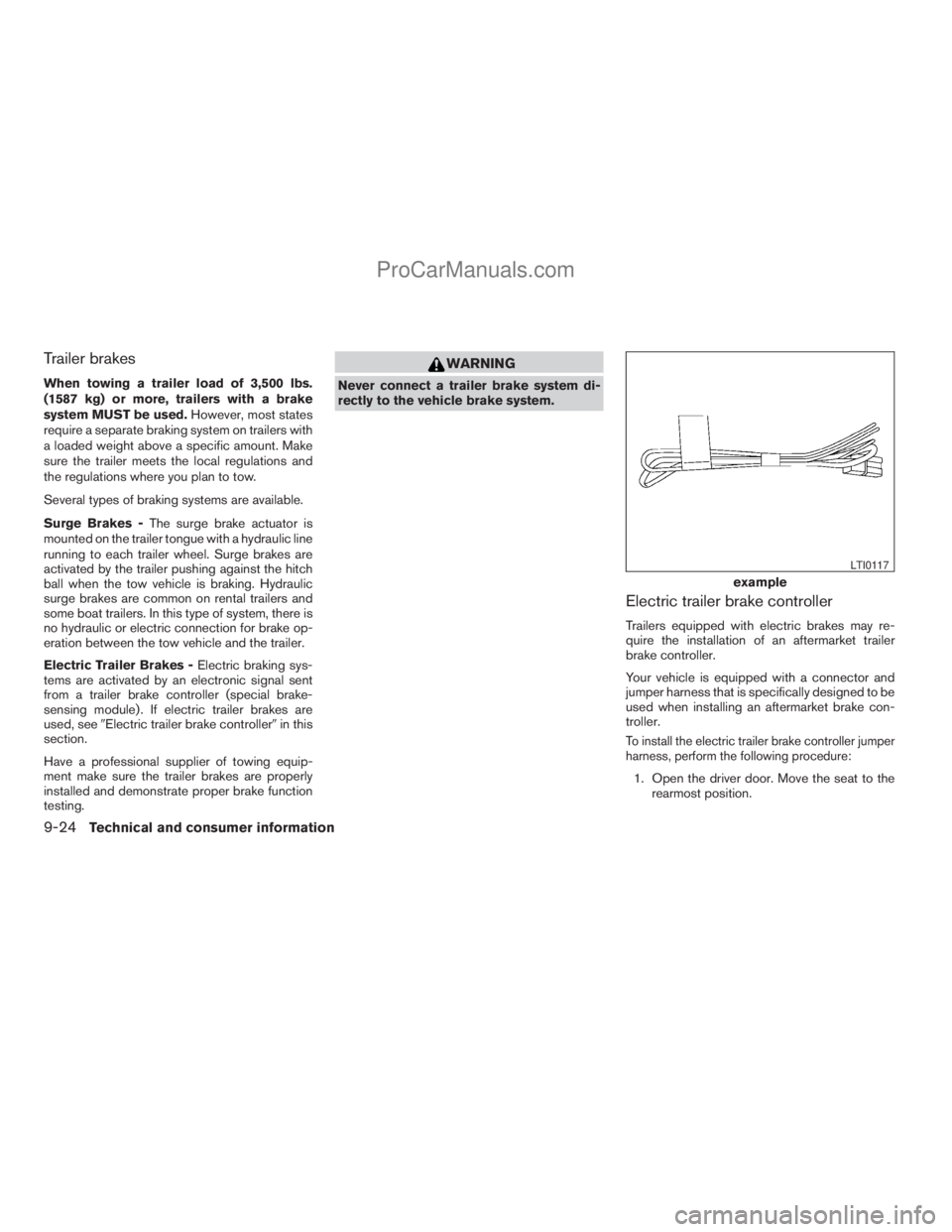
Your vehicle is equipped with a connector and
jumper harness that is specifically designed to be
used when installing an aftermarket brake con-
troller.
To install the electric trailer brake controller jumper
harness, perform the following procedure:
1. Open the driver door. Move the seat to the
rearmost position.
example
LTI0117
9-24Technical and consumer information
ZREVIEW COPYÐ2009 Armada(wzw)
Owners ManualÐUSA_English(nna)
02/26/08Ðdebbie
X
ProCarManuals.com
Page 447 of 465
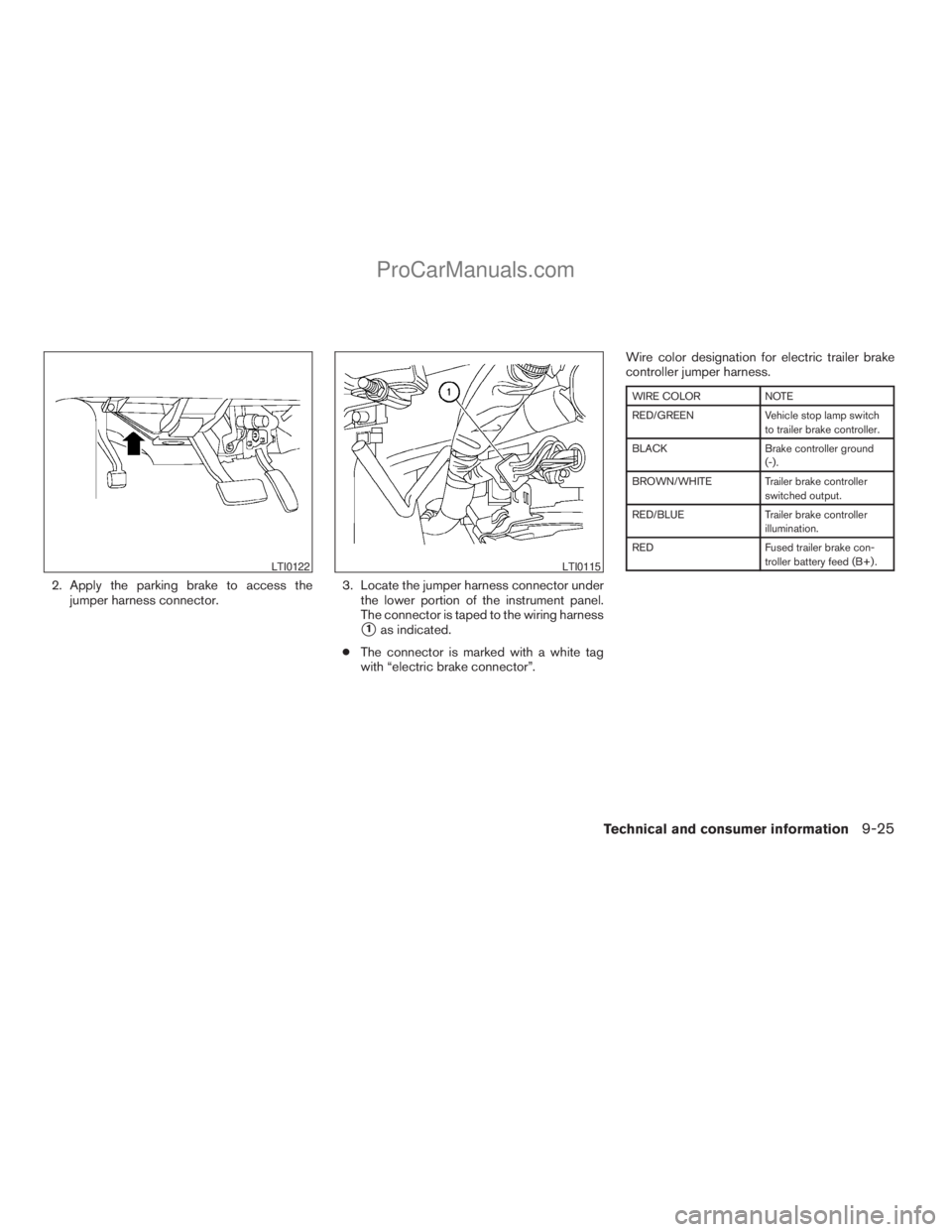
2. Apply the parking brake to access the
jumper harness connector.3. Locate the jumper harness connector under
the lower portion of the instrument panel.
The connector is taped to the wiring harness
s1as indicated.
cThe connector is marked with a white tag
with “electric brake connector”.Wire color designation for electric trailer brake
controller jumper harness.
WIRE COLOR NOTE
RED/GREEN Vehicle stop lamp switch
to trailer brake controller.
BLACK Brake controller ground
(-) .
BROWN/WHITE Trailer brake controller
switched output.
RED/BLUE Trailer brake controller
illumination.
RED Fused trailer brake con-
troller battery feed (B+) .
LTI0122LTI0115
Technical and consumer information9-25
ZREVIEW COPYÐ2009 Armada(wzw)
Owners ManualÐUSA_English(nna)
02/26/08Ðdebbie
X
ProCarManuals.com
Page 448 of 465
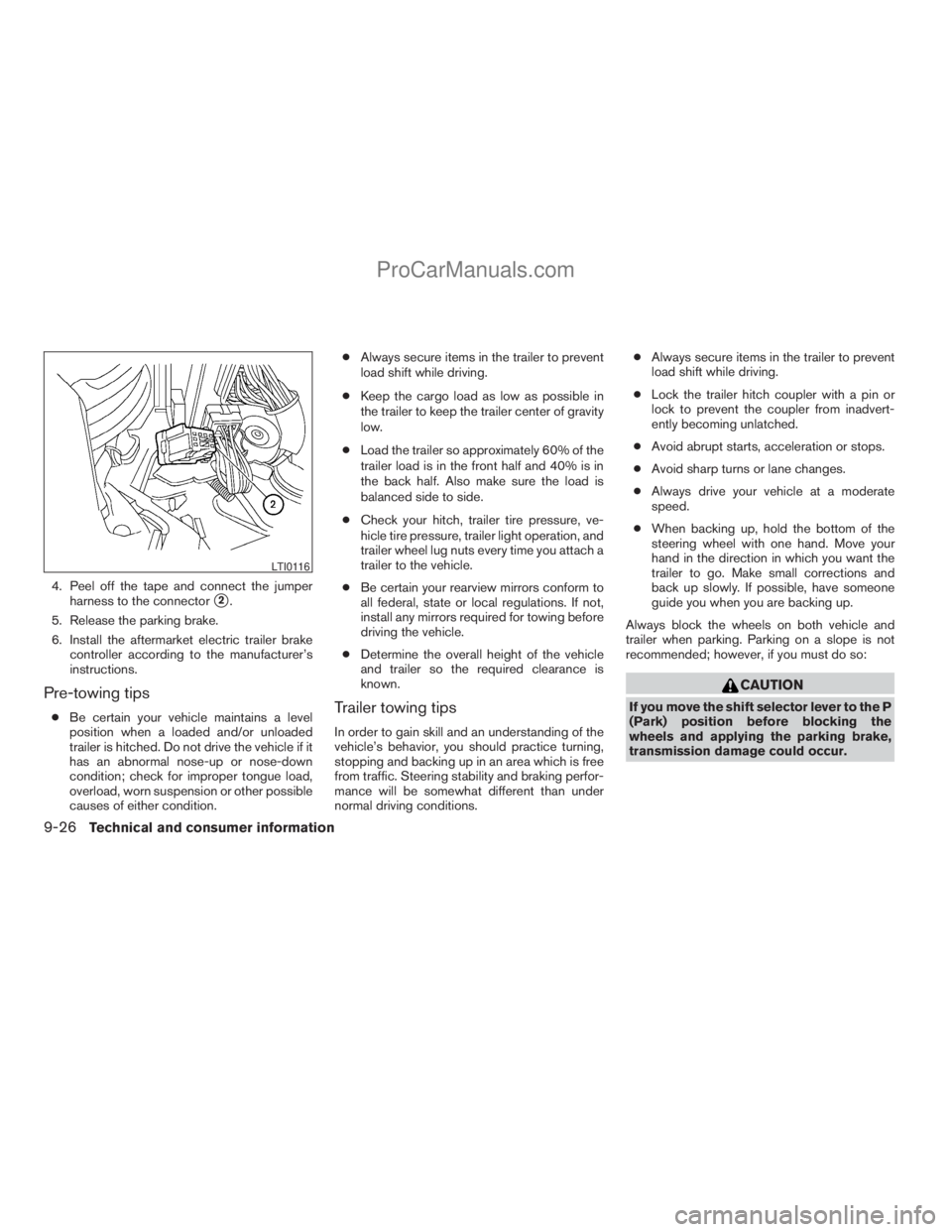
4. Peel off the tape and connect the jumper
harness to the connector
s2.
5. Release the parking brake.
6. Install the aftermarket electric trailer brake
controller according to the manufacturer’s
instructions.
Pre-towing tips
cBe certain your vehicle maintains a level
position when a loaded and/or unloaded
trailer is hitched. Do not drive the vehicle if it
has an abnormal nose-up or nose-down
condition; check for improper tongue load,
overload, worn suspension or other possible
causes of either condition.cAlways secure items in the trailer to prevent
load shift while driving.
cKeep the cargo load as low as possible in
the trailer to keep the trailer center of gravity
low.
cLoad the trailer so approximately 60% of the
trailer load is in the front half and 40% is in
the back half. Also make sure the load is
balanced side to side.
cCheck your hitch, trailer tire pressure, ve-
hicle tire pressure, trailer light operation, and
trailer wheel lug nuts every time you attach a
trailer to the vehicle.
cBe certain your rearview mirrors conform to
all federal, state or local regulations. If not,
install any mirrors required for towing before
driving the vehicle.
cDetermine the overall height of the vehicle
and trailer so the required clearance is
known.Trailer towing tips
In order to gain skill and an understanding of the
vehicle’s behavior, you should practice turning,
stopping and backing up in an area which is free
from traffic. Steering stability and braking perfor-
mance will be somewhat different than under
normal driving conditions.cAlways secure items in the trailer to prevent
load shift while driving.
cLock the trailer hitch coupler with a pin or
lock to prevent the coupler from inadvert-
ently becoming unlatched.
cAvoid abrupt starts, acceleration or stops.
cAvoid sharp turns or lane changes.
cAlways drive your vehicle at a moderate
speed.
cWhen backing up, hold the bottom of the
steering wheel with one hand. Move your
hand in the direction in which you want the
trailer to go. Make small corrections and
back up slowly. If possible, have someone
guide you when you are backing up.
Always block the wheels on both vehicle and
trailer when parking. Parking on a slope is not
recommended; however, if you must do so:
CAUTION
If you move the shift selector lever to the P
(Park) position before blocking the
wheels and applying the parking brake,
transmission damage could occur.
LTI0116
9-26Technical and consumer information
ZREVIEW COPYÐ2009 Armada(wzw)
Owners ManualÐUSA_English(nna)
02/26/08Ðdebbie
X
ProCarManuals.com
Page 449 of 465
1. Apply and hold the brake pedal.
2. Have someone place blocks on the downhill
side of the vehicle and trailer wheels.
3. After the wheel blocks are in place, slowly
release the brake pedal until the blocks ab-
sorb the vehicle load.
4. Apply the parking brake.
5. Shift the transmission into P (Park) .
6. Make sure the
indicator light (if so
equipped) indicates the transfer case is in
4H, 4L, or 2H and that the ATP light is off. If
the
indicator light is flashing, or the
ATP light is ON, make sure the transmission
is in P (Park) (AT) and turn the 4WD switch
to 2WD or 4H. See “Automatic transmission
park warning light” in the “Instruments and
controls” section and “Using four wheel
drive” in the “Starting and driving” section.
7. Turn off the engine.
To drive away:
1. Start the vehicle.
2. Apply and hold the brake pedal.
3. Shift the transmission into gear.
4. Release the parking brake.5. Drive slowly until the vehicle and trailer are
clear from the blocks.
6. Apply and hold the brake pedal.
7. Have someone retrieve and store the blocks.
cWhile going downhill, the weight of the
trailer pushing on the tow vehicle may de-
crease overall stability. Therefore, to main-
tain adequate control, reduce your speed
and shift to a lower gear. Avoid long or
repeated use of the brakes when descend-
ing a hill, as this reduces their effectiveness
and could cause overheating. Shifting to a
lower gear instead provides “engine brak-
ing” and reduces the need to brake as fre-
quently.
cIf the engine coolant temperature rises to a
high temperature, refer to “If your vehicle
overheats” in the “In case of emergency”
section of this owner’s manual.
cTrailer towing requires more fuel than normal
circumstances.
cAvoid towing a trailer for your vehicle’s first
500 miles (805 km) .
cFor the first 500 miles (805 km) that you do
tow, do not drive over 50 MPH (80 km/h).cHave your vehicle serviced more often than
at intervals specified in the recommended
Maintenance Schedule in the “NISSAN Ser-
vice and Maintenance Guide”.
cWhen making a turn, your trailer wheels will
be closer to the inside of the turn than your
vehicle wheels. To compensate for this,
make a larger than normal turning radius
during the turn.
cCrosswinds and rough roads will adversely
affect vehicle/trailer handling, possibly caus-
ing vehicle sway. When being passed by
larger vehicles, be prepared for possible
changes in crosswinds that could affect ve-
hicle handling.
Do the following if the trailer begins to sway:
1. Take your foot off the accelerator pedal to
allow the vehicle to coast and steer as
straight ahead as the road conditions allow.
This combination will help stabilize the ve-
hicle
– Do not correct trailer sway by steering or
applying the brakes.
2. When the trailer sway stops, gently apply the
brakes and pull to the side of the road in a
safe area.
Technical and consumer information9-27
ZREVIEW COPYÐ2009 Armada(wzw)
Owners ManualÐUSA_English(nna)
02/26/08Ðdebbie
X
ProCarManuals.com
Page 450 of 465
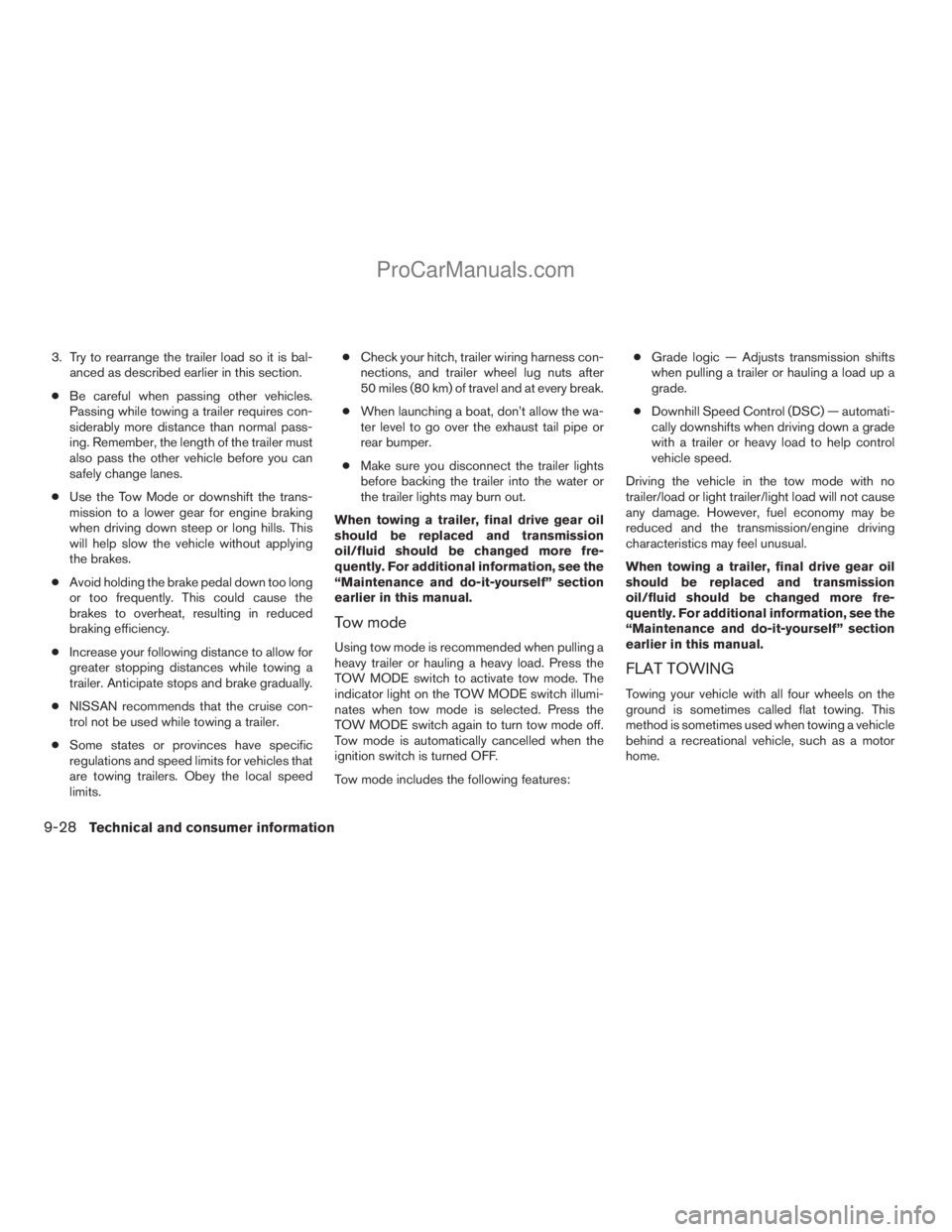
3. Try to rearrange the trailer load so it is bal-
anced as described earlier in this section.
cBe careful when passing other vehicles.
Passing while towing a trailer requires con-
siderably more distance than normal pass-
ing. Remember, the length of the trailer must
also pass the other vehicle before you can
safely change lanes.
cUse the Tow Mode or downshift the trans-
mission to a lower gear for engine braking
when driving down steep or long hills. This
will help slow the vehicle without applying
the brakes.
cAvoid holding the brake pedal down too long
or too frequently. This could cause the
brakes to overheat, resulting in reduced
braking efficiency.
cIncrease your following distance to allow for
greater stopping distances while towing a
trailer. Anticipate stops and brake gradually.
cNISSAN recommends that the cruise con-
trol not be used while towing a trailer.
cSome states or provinces have specific
regulations and speed limits for vehicles that
are towing trailers. Obey the local speed
limits.cCheck your hitch, trailer wiring harness con-
nections, and trailer wheel lug nuts after
50 miles (80 km) of travel and at every break.
cWhen launching a boat, don’t allow the wa-
ter level to go over the exhaust tail pipe or
rear bumper.
cMake sure you disconnect the trailer lights
before backing the trailer into the water or
the trailer lights may burn out.
When towing a trailer, final drive gear oil
should be replaced and transmission
oil/fluid should be changed more fre-
quently. For additional information, see the
“Maintenance and do-it-yourself” section
earlier in this manual.
Tow mode
Using tow mode is recommended when pulling a
heavy trailer or hauling a heavy load. Press the
TOW MODE switch to activate tow mode. The
indicator light on the TOW MODE switch illumi-
nates when tow mode is selected. Press the
TOW MODE switch again to turn tow mode off.
Tow mode is automatically cancelled when the
ignition switch is turned OFF.
Tow mode includes the following features:cGrade logic — Adjusts transmission shifts
when pulling a trailer or hauling a load up a
grade.
cDownhill Speed Control (DSC) — automati-
cally downshifts when driving down a grade
with a trailer or heavy load to help control
vehicle speed.
Driving the vehicle in the tow mode with no
trailer/load or light trailer/light load will not cause
any damage. However, fuel economy may be
reduced and the transmission/engine driving
characteristics may feel unusual.
When towing a trailer, final drive gear oil
should be replaced and transmission
oil/fluid should be changed more fre-
quently. For additional information, see the
“Maintenance and do-it-yourself” section
earlier in this manual.
FLAT TOWING
Towing your vehicle with all four wheels on the
ground is sometimes called flat towing. This
method is sometimes used when towing a vehicle
behind a recreational vehicle, such as a motor
home.
9-28Technical and consumer information
ZREVIEW COPYÐ2009 Armada(wzw)
Owners ManualÐUSA_English(nna)
02/26/08Ðdebbie
X
ProCarManuals.com
Page 463 of 465
T
Tachometer....................2-6
Temperature gauge
Engine coolant temperature gauge.....2-6
Engine oil pressure low/engine coolant
temperature high warning light.......2-15
Theft (NISSAN vehicle immobilizer system) ,
engine start.............2-29, 3-3, 5-11
Third row power folding seats.........1-15
Three-way catalyst................5-2
Tilting steering wheel..............3-28
Tire
Flat tire....................6-2
Spare tire...................6-3
Tire and Loading Information label.....9-12
Tire chains..................8-41
Tire placard.................9-12
Tire pressure................8-34
Tire rotation.................8-41
Tires of 4-wheel drive............8-43
Types of tires................8-40
Uniform tire quality grading.........9-29
Wheels and tires..............8-34
Wheel/tire size................9-9
Tire pressure
Low tire pressure warning light......2-16
Tire pressure display...........4-6, 4-22
Tire Pressure Monitoring System (TPMS) . . .5-3
Tire rotation maintenance reminder . . .4-6, 4-22
Top tether strap child restraint.........1-31
Tow mode switch................2-39
Towing
2-wheel drive models............6-12
4-wheel drive models............6-13Flat towing..................9-28
Tow truck towing..............6-11
Towing load/specification.........9-20
Trailer towing................9-17
Transceiver
HomeLinkTUniversal Transceiver.....2-59
Transmission
Driving with automatic transmission. . . .5-14
Selector lever lock release.........5-16
Travel (See registering your vehicle in another
country).....................9-10
Trip odometer...................2-5
Turn signal switch................2-35
U
Uniform tire quality grading...........9-29
V
Vanity mirror...................3-29
Vehicle
Speed sensing door lock mechanism. . . .3-6
Vehicle dimensions and weights........9-9
Vehicle dynamic control (VDC) off switch. . .2-38
Vehicle dynamic control (VDC) system. . . .5-30
Vehicle electronic system........4-13, 4-28
Vehicle identification..............9-10
Vehicle identification number (VIN)
(Chassis number)................9-10
Vehicle identification number (VIN) plate . . .9-10
Vehicle loading information...........9-13
Vehicle recovery.................6-14
Vehicle security system.............2-27Vehicle security system
(NISSAN vehicle immobilizer system) ,
engine start.............2-29, 3-3, 5-11
Ventilators....................4-35
Visors......................3-28
Voice recognition system...........4-118
Voltmeter.....................2-8
W
Warning
4WD warning light.............2-16
Air bag warning light.........1-64, 2-18
Anti-lock brake warning light. . . .2-13, 2-14
Battery charge warning light........2-15
Brake warning light.............2-14
Engine oil pressure low/engine coolant
temperature high warning light.......2-15
Hazard warning flasher switch.......2-36
Low fuel warning light. . . .2-16, 2-17, 2-26
Low tire pressure warning light......2-16
Low washer fluid warning light.......2-26
Passenger air bag and status light.....1-58
Seat belt warning light...........2-18
Vehicle security system...........2-27
Warning labels (for SRS)..........1-64
Warning/indicator lights and audible
reminders..................2-13
Warning lights..................2-13
Washer switch
Rear window wiper and washer
switches...................2-31
Windshield wiper and washer switch . . .2-30
Weights (See dimensions and weights). . . .9-9
Wheels and tires................8-34
10-7
ZREVIEW COPYÐ2009 Armada(wzw)
Owners ManualÐUSA_English(nna)
02/26/08Ðdebbie
X
ProCarManuals.com