Page 105 of 388
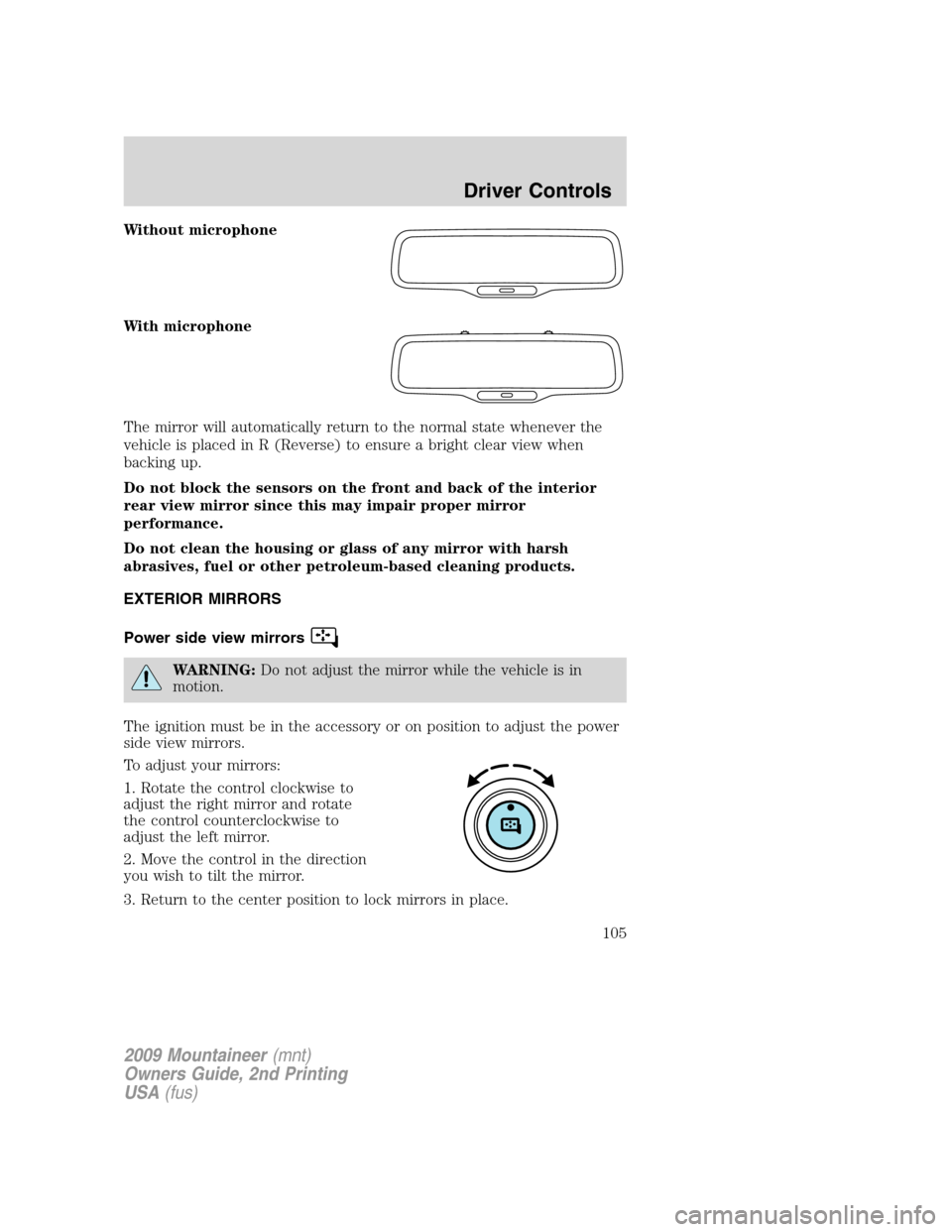
Without microphone
With microphone
The mirror will automatically return to the normal state whenever the
vehicle is placed in R (Reverse) to ensure a bright clear view when
backing up.
Do not block the sensors on the front and back of the interior
rear view mirror since this may impair proper mirror
performance.
Do not clean the housing or glass of any mirror with harsh
abrasives, fuel or other petroleum-based cleaning products.
EXTERIOR MIRRORS
Power side view mirrors
WARNING:Do not adjust the mirror while the vehicle is in
motion.
The ignition must be in the accessory or on position to adjust the power
side view mirrors.
To adjust your mirrors:
1. Rotate the control clockwise to
adjust the right mirror and rotate
the control counterclockwise to
adjust the left mirror.
2. Move the control in the direction
you wish to tilt the mirror.
3. Return to the center position to lock mirrors in place.
2009 Mountaineer(mnt)
Owners Guide, 2nd Printing
USA(fus)
Driver Controls
105
Page 111 of 388
•Press the speed control OFF
control.
Note:When you turn off the speed
control or the ignition, your speed
control set speed memory is erased.
STEERING WHEEL CONTROLS
These controls allow you to operate some radio control features.
Audio control features
Press MEDIA to select:
•AM, FM1, FM2
•SAT1, SAT2 or SAT3 (Satellite
Radio mode if equipped).
•CD (if equipped)
•DVD/FES (if equipped)
•LINE IN (Auxiliary input jack)
In AM, FM1, or FM2 mode:
•Press
SEEKto
select preset stations within the
selected radio band or press and
hold to select the next/previous
radio frequency.
In Satellite radio mode (if
equipped):
•Press
SEEKto
advance through preset channels.
In CD mode (if equipped):
•Press
SEEKto select the next selection on the CD/USB
or press and hold to forward or reverse through the CD/USB.
2009 Mountaineer(mnt)
Owners Guide, 2nd Printing
USA(fus)
Driver Controls
111
Page 114 of 388

To open the moon roof:Press and
release the SLIDE control, the moon
roof will open automatically. Press
the switch again to stop the moon
roof.
To close the moon roof:Pull and
release the SLIDE control, the moon
roof will close automatically. Press
the switch again to stop the moon
roof.
Bounce-back:When an obstacle has been detected in the moon roof
opening as the moon roof is closing, the moon roof will automatically
open and stop at a prescribed position.
Bounce-back override:To override bounce-back function, pull and hold
the SLIDE switch within two seconds of a bounce-back event. The
closing force will begin to increase each time the moon roof is closed for
the first three closing cycles, with bounce-back active. For example:
Bounce-back can be used to overcome the resistance of ice on the moon
roof or seals
To vent the moon roof:Press and release the TILT control, the moon
roof will move to the vent position automatically from any moon roof
position. Press the switch again to stop the moon roof. Pull and hold the
TILT control to close the moon roof.
The moon roof has a built-in sliding shade that can be manually opened
or closed when the glass panel is shut. To close the shade, pull it toward
the front of the vehicle.
Accessory delay:
With accessory delay, the window switches, audio system, and moon roof
may be used for up to 10 minutes after the ignition switch is turned to
the off position or until either front door is opened.
HOMELINK�WIRELESS CONTROL SYSTEM (IF EQUIPPED)
The HomeLink�Wireless Control System, located on the overhead
console or on the driver’s visor, provides a convenient way to replace up
to three hand-held transmitters with a single built-in device. This feature
will learn the radio frequency codes of most transmitters to operate
garage doors, entry gate operators, security systems, entry door locks,
and home or office lighting.
2009 Mountaineer(mnt)
Owners Guide, 2nd Printing
USA(fus)
Driver Controls
114
Page 115 of 388

WARNING:When programming your HomeLink�Wireless
Control System to a garage door or gate, be sure that people and
objects are out of the way to prevent potential injury or damage.
Do not use the HomeLink�Wireless Control System with any garage
door opener that lacks safety stop and reverse features as required by
U.S. federal safety standards (this includes any garage door opener
model manufactured before April 1, 1982). A garage door which cannot
detect an object, signaling the door to stop and reverse, does not meet
current U.S. federal safety standards. For more information, contact
HomeLink�at:www.homelink.comor1–800–355–3515.
Retain the original transmitter for use in other vehicles as well as for
future programming procedures (i.e. new HomeLink�equipped vehicle
purchase). It is also suggested that upon the sale of the vehicle, the
programmed Homelink�buttons be erased for security purposes, refer to
Programmingin this section.
Programming
Do not program HomeLink�with the vehicle parked in the garage.
Note:Some vehicles may require the ignition switch to be turned to the
accessory position for programming and/or operation of the HomeLink�.
It is also recommended that a new battery be placed in the hand-held
transmitter of the device being programmed to HomeLink�for quicker
training and accurate transmission of the radio-frequency signal.
Console mount
2009 Mountaineer(mnt)
Owners Guide, 2nd Printing
USA(fus)
Driver Controls
115
Page 120 of 388
MESSAGE CENTER
With the ignition in the on position,
the message center, located on your
instrument cluster, displays
important vehicle information
through a constant monitor of
vehicle systems. You may select
display features on the message
center for a display of status. The
system will also notify you of potential vehicle problems with a display of
system warnings followed by an indicator chime.
Your display can show up to six reconfigurable telltales at one time.
Whatever is displayed in the top left corner has the highest priority.
Selectable features
Reset
Press this control to select and reset
functions shown in the INFO menu,
SETUP menu, text warnings and
reconfigurable telltale warnings.
2009 Mountaineer(mnt)
Owners Guide, 2nd Printing
USA(fus)
Driver Controls
120
Page 121 of 388

Info menu
The Info menu items are shown on
the top two lines of the message
center. Press the INFO control to
display the following:
•Trip odometer (Trip A and Trip
B)
•Distance to Empty
•Average Fuel Economy
•Instantaneous Fuel Economy
•Fuel Used
•Trip Elapsed Drive Time
•Blank
Trip odometer
Refer toGaugesin theInstrument Clusterchapter.
Distance to empty (DTE)
Selecting this function from the
INFO menu estimates approximately
how far you can drive with the fuel
remaining in your tank under
normal driving conditions.
Remember to turn the ignition off
when refueling to allow this feature
to correctly detect the added fuel.
The DTE function will display LOW FUEL LEVEL and sound a tone for
one second when you have approximately 50 miles (80 km) to empty. If
you RESET this warning message, this display and tone will return
within 10 minutes.
DTE is calculated using a running average fuel economy, which is based
on your recent driving history of 500 miles (800 km). This value is not
the same as the average fuel economy display. The running average fuel
economy is reinitialized to a factory default value if the battery is
disconnected.
2009 Mountaineer(mnt)
Owners Guide, 2nd Printing
USA(fus)
Driver Controls
121
Page 126 of 388

3. Press the RESET control for the next SETUP MENU item or wait for
more than four seconds to return to the INFO menu.
Autolamp
This feature keeps your headlights on for up to three minutes after the
ignition is switched off.
1. To change the delay time of the
autolamp feature, select this
function from the SETUP MENU.
2. Press the RESET control to select
the new Autolamp delay time (in
seconds) value of 0, 10, 20, 30, 60,
90, 120 or 180 and wraps back to 0.
Selecting 0 will result in no delay
feature.
Note:“>” in front of a number indicates current selection.
3. Press the RESET control for the next SETUP MENU item or wait for
more than four seconds to return to the INFO menu.
Autolock
This feature automatically locks all vehicle doors when the vehicle is
shifted into any gear and when the vehicle is in motion over 13 mph
(20 km/h) or higher.
1. To disable/enable the autolock
feature, select this function from the
SETUP MENU.
2. Press the RESET control to turn
the autolock feature ON or OFF.
3. Press the RESET control for the
next SETUP MENU item or wait for
more than four seconds to return to
the INFO menu.
2009 Mountaineer(mnt)
Owners Guide, 2nd Printing
USA(fus)
Driver Controls
126
Page 127 of 388

Autounlock
This feature automatically unlocks all vehicle doors when the driver’s
door is opened within 10 minutes of the ignition being turned off.
1. To disable/enable the autounlock
feature, select this function from the
SETUP MENU.
2. Press the RESET control to turn
the autounlock ON or OFF.
3. Press the RESET control for the
next SETUP MENU item or wait for
more than four seconds to return to
the INFO menu.
Power Running Boards (if equipped)
This feature automatically deploys the side running boards for easy
entry/exit from the vehicle or for cleaning. Refer toRunning boardsin
this chapter for more information.
1. To change operation of the power
running board feature, select this
function from the SETUP MENU.
2. Press the RESET control to select
the running boards setting as
follows:
•AUTOMATIC: the running boards
will automatically deploy when a
door is opened and automatically retract when the door is closed,
•OUT: the running boards will remain OUT regardless of the doors
being open/closed. For example, use this setting when washing the
vehicle, or
•OFF: the running boards will remain IN regardless of the doors being
open/closed.
3. Press the RESET control for the next SETUP MENU item or wait for
more than four seconds to return to the INFO menu.
2009 Mountaineer(mnt)
Owners Guide, 2nd Printing
USA(fus)
Driver Controls
127