2009 MERCEDES-BENZ E-CLASS SALOON automatic transmission
[x] Cancel search: automatic transmissionPage 116 of 373
X
To derestrict the shift range: press and
hold the selector lever towards D+until D
is shown once more in the multi-function
display.
The automatic transmission shifts from the
current shift range directly to D.
X To select the most effective shift
range: press and hold the selector lever to
the left towards D–.
The automatic transmission shifts to a
range which allows ideal acceleration and
deceleration. To do this, the automatic
transmission shifts down one or more
gears.
Shift ranges i
OnAMG vehicles andvehicles with
steering wheel gearshift paddles*, you
can restrict or derestrict the shift range in
the same way as with Touchshift
(Y page 112).
When the automatic transmission is in posi-
tion D, it is possible to restrict or derestrict
the shift range.
X Briefly push the selector lever to the left/
right towards D+/D–.
The shift range selected is shown in the
multi-function display. The automatic
transmission shifts only as far as the selec-
ted gear.
i If the maximum engine speed for the shift
range is reached and you continue to accel-
erate, the automatic transmission shifts up
in order to prevent the engine from over-
revving, even if the shift range is restricted. Driving situations
=
The braking effect of the engine can
be used in this position 5
To use the braking effect of the
engine on downhill gradients and
for driving:
R
on steep mountain roads
R in mountainous terrain
R in arduous conditions 4
To use the braking effect of the
engine on extremely steep downhill
gradients and long downhill
stretches
Program selector button
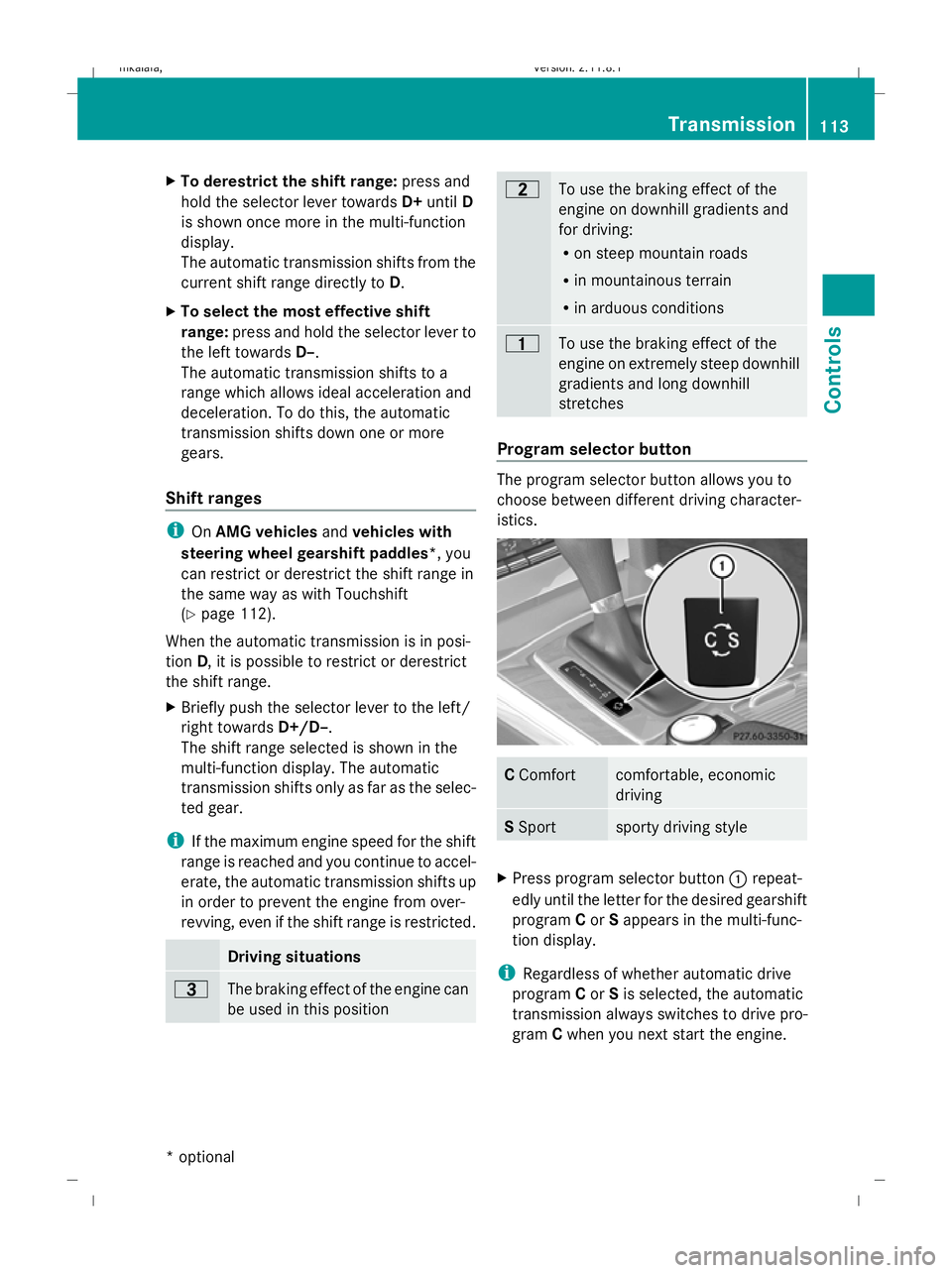
The program selector button allows you to
choose between different driving character-
istics.
C
Comfort comfortable, economic
driving
S
Sport sporty driving style
X
Press program selector button :repeat-
edly until the letter for the desired gearshift
program Cor Sappears in the multi-func-
tion display.
i Regardless of whether automatic drive
program Cor Sis selected, the automatic
transmission always switches to drive pro-
gram Cwhen you next start the engine. Transmission
113Controls
* optional
212_AKB; 2; 4, en-GB
mkalafa,
Version: 2.11.8.1 2009-05-05T14:17:16+02:00 - Seite 113 Z
Dateiname: 6515346702_buchblock.pdf; erzeugt am 07. May 2009 14:16:08; WK
Page 117 of 373
Drive program
Cis characterised by the fol-
lowing:
R comfort-oriented engine and suspension
settings
R optimal fuel consumption resulting from
the automatic transmission shifting up
sooner
R the vehicle pulling away more gently in
forward and reverse gears, unless the
accelerator pedal is depressed fully
R increased sensitivity. This improves driving
stability on slippery road surfaces, for
example
R the automatic transmission shifting up
sooner, which results in the vehicle being
driven at lower engine speeds and the
wheels being less likely to spin
Drive program Sis characterised by the fol-
lowing:
R sporty engine and suspension configura-
tion
R the vehicle pulling away in first gear
R the automatic transmission shifting up
later
R the late shift point of the automatic trans-
mission can lead to higher fuel consump-
tion
Driving tips Accelerator pedal position
Your style of driving influences how the auto-
matic transmission shifts gear:
R little throttle: early upshifts
R more throttle: late upshifts
AMG vehicles
When shifting down, the double-clutch func-
tion is active, regardless of the currently
selected drive program. The double-clutch
function reduces load change reactions and
is conducive to a sporty driving style. The sound generated by the double-clutch func-
tion depends on the drive program selected.
Kickdown
Use kickdown for maximum acceleration.
X
Depress the accelerator pedal beyond the
pressure point.
The transmission shifts to a lower gear
depending on the engine speed.
X Ease off the accelerator pedal once the
desired speed is reached.
The automatic transmission shifts back up.
Trailer towing
X When driving up gradients, keep to the mid-
dle of the engine speed range.
X Shift down to shift range 3or
2 (Y page 113) depending on the incline of
the uphill or downhill gradient, even if
cruise control is activated. Steering wheel gearshift paddles*
and manual drive program*
G
Risk of accident
Do not shift down to brake on a slippery road
surface. This could cause the drive wheels to
lose their grip, and the vehicle could skid.
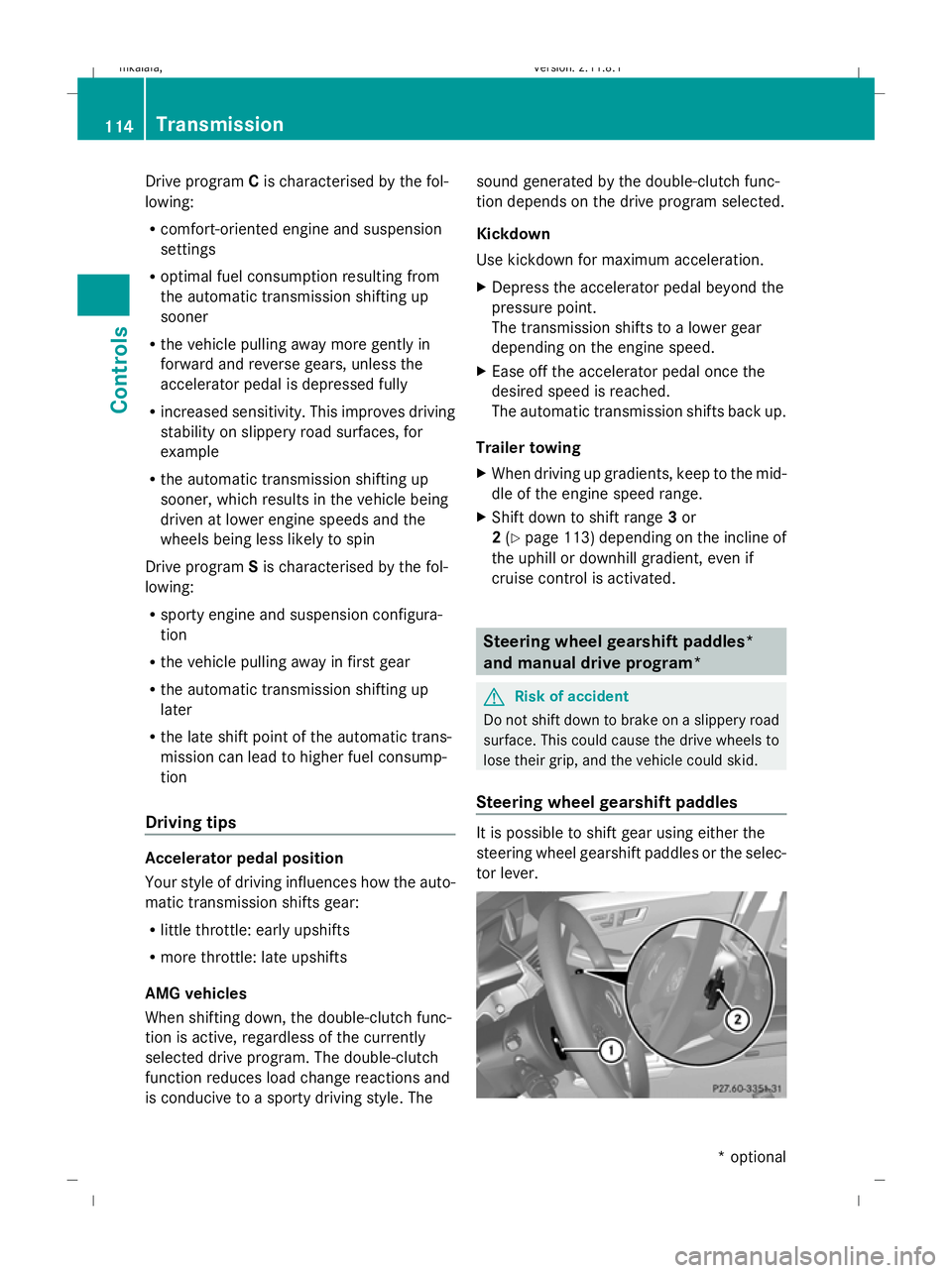
Steering wheel gearshift paddles It is possible to shift gear using either the
steering wheel gearshift paddles or the selec-
tor lever.114
TransmissionControls
* optional
212_AKB; 2; 4, en-GB
mkalafa
,V ersion: 2.11.8.1
2009-05-05T14:17:16+02:00 - Seite 114
Dateiname: 6515346702_buchblock.pdf; erzeugt am 07. May 2009 14:16:08; WK
Page 118 of 373
i
When the transmission is in position P,
N or R, you cannot change gear using the
steering wheel gearshift paddles.
Upshifting
X Pull right-hand paddle ;.
The automatic transmission shifts up to the
next gear.
If you are not driving in manual drive pro-
gram M, then the shift range will be deres-
tricted.
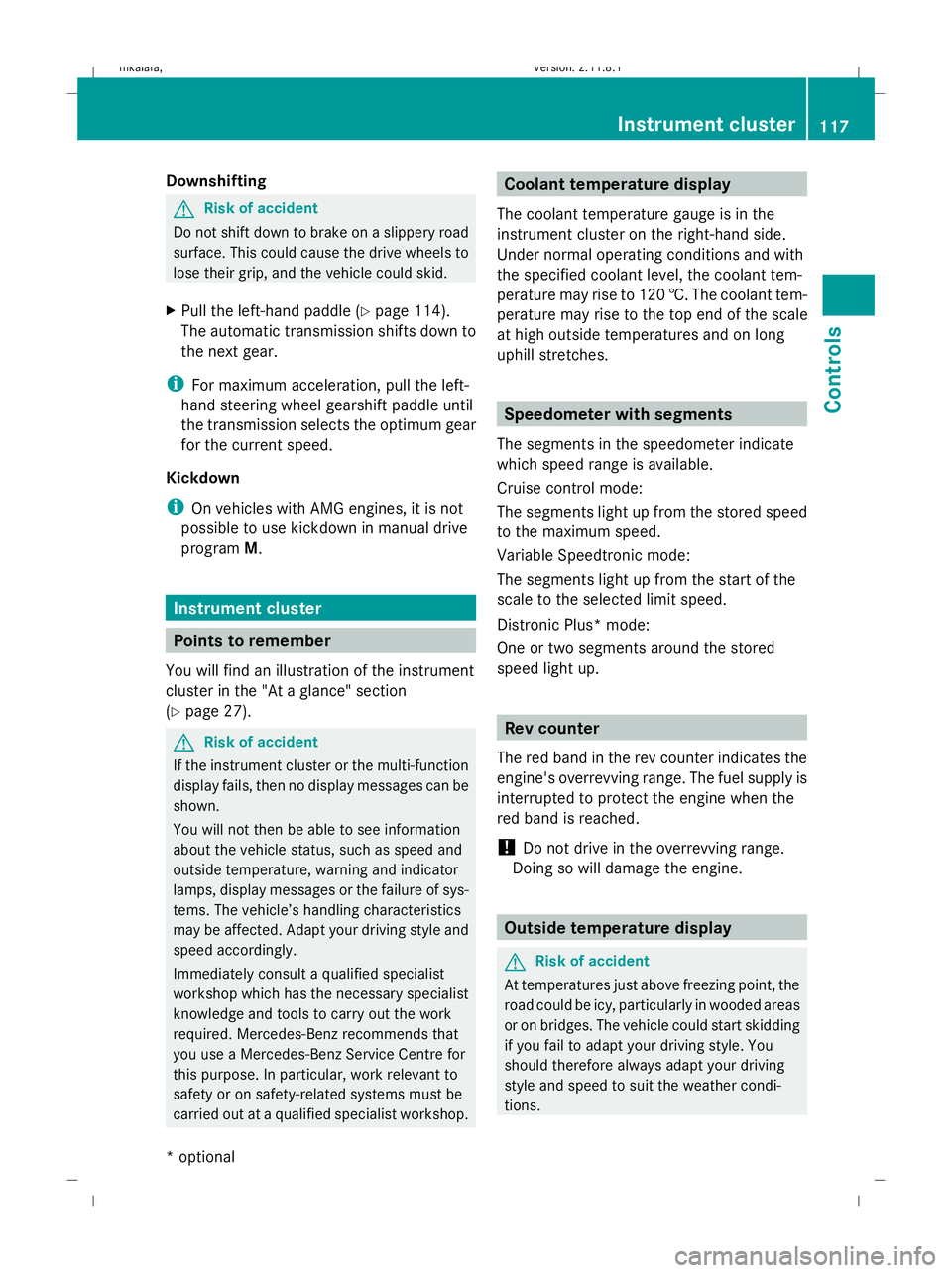
Downshifting
X Pull left-hand paddle :.
The automatic transmission shifts down to
the next gear.
If you are not driving in manual drive pro-
gram M, then the shift range will be restric-
ted.
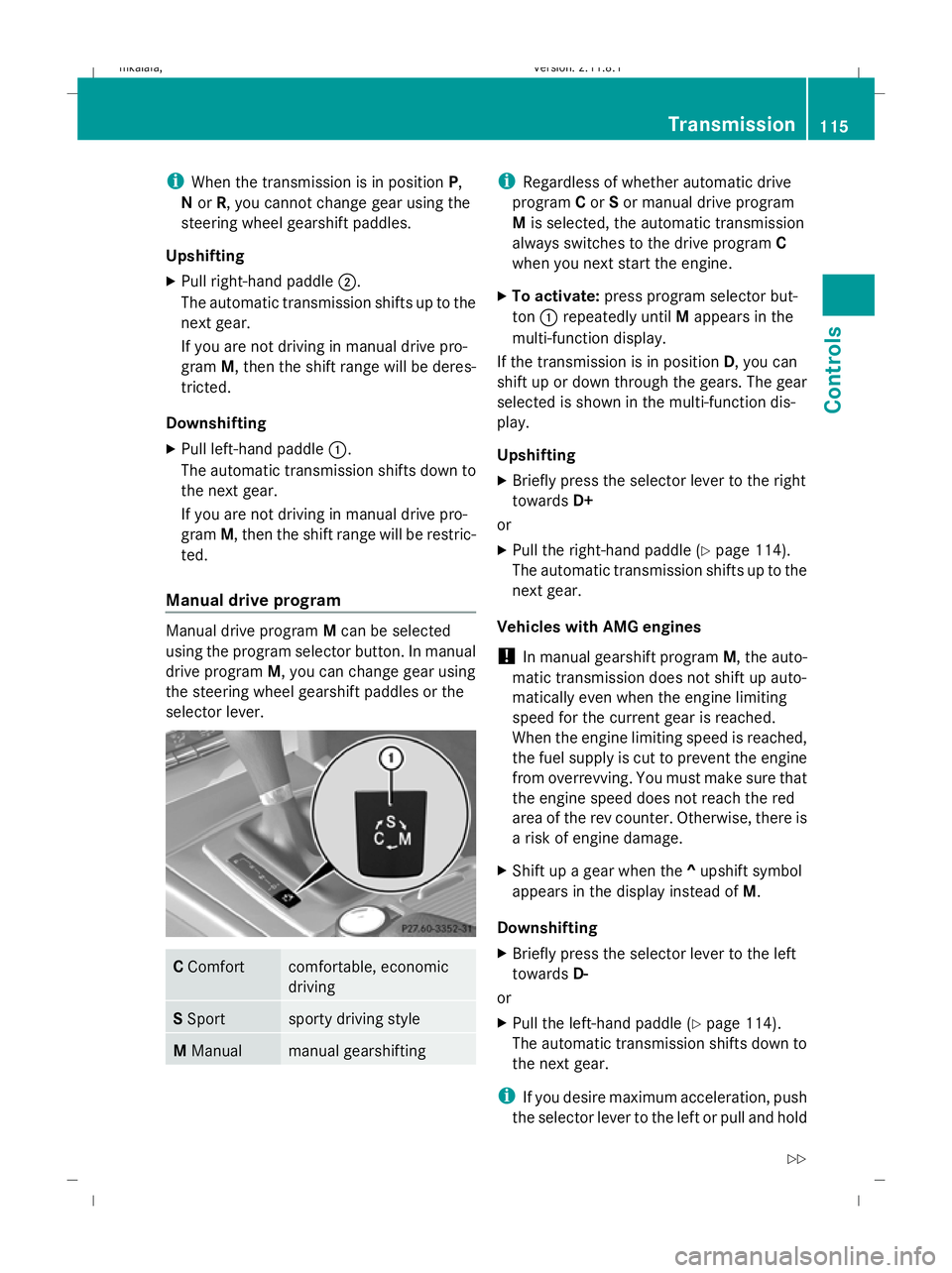
Manual drive program Manual drive program
Mcan be selected
using the program selector button. In manual
drive program M, you can change gear using
the steering wheel gearshift paddles or the
selector lever. C
Comfort comfortable, economic
driving
S
Sport sporty driving style
M
Manual manual gearshifting i
Regardless of whether automatic drive
program Cor Sor manual drive program
M is selected, the automatic transmission
always switches to the drive program C
when you next start the engine.
X To activate: press program selector but-
ton :repeatedly until Mappears in the
multi-function display.
If the transmission is in position D, you can
shift up or down through the gears. The gear
selected is shown in the multi-function dis-
play.
Upshifting
X Briefly press the selector lever to the right
towards D+
or
X Pull the right-hand paddle ( Ypage 114).
The automatic transmission shifts up to the
next gear.
Vehicles with AMG engines
! In manual gearshift program M, the auto-
matic transmission does not shift up auto-
matically even when the engine limiting
speed for the current gear is reached.
When the engine limiting speed is reached,
the fuel supply is cut to prevent the engine
from overrevving. You must make sure that
the engine speed does not reach the red
area of the rev counter. Otherwise, there is
a risk of engine damage.
X Shift up a gear when the ^upshift symbol
appears in the display instead of M.
Downshifting
X Briefly press the selector lever to the left
towards D-
or
X Pull the left-hand paddle ( Ypage 114).
The automatic transmission shifts down to
the next gear.
i If you desire maximum acceleration, push
the selector lever to the left or pull and hold Transmission
115Controls
212_AKB; 2; 4, en-GB
mkalafa, Version: 2.11.8.1 2009-05-05T14:17:16+02:00 - Seite 115 Z
Dateiname: 6515346702_buchblock.pdf; erzeugt am 07. May 2009 14:16:08; WK
Page 119 of 373
the left-hand steering wheel gearshift pad-
dle until the transmission shifts to the opti-
mal gear for the current speed.
X To deactivate: press program selector
button :repeatedly until Cor Sappears
in the display.
Kickdown
i On vehicles with AMG engines, it is not
possible to use kickdown in manual drive
program M.
You can also use kickdown for maximum
acceleration in manual drive program M.
X Depress the accelerator pedal beyond the
pressure point.
The transmission shifts to a lower gear
depending on the engine speed.
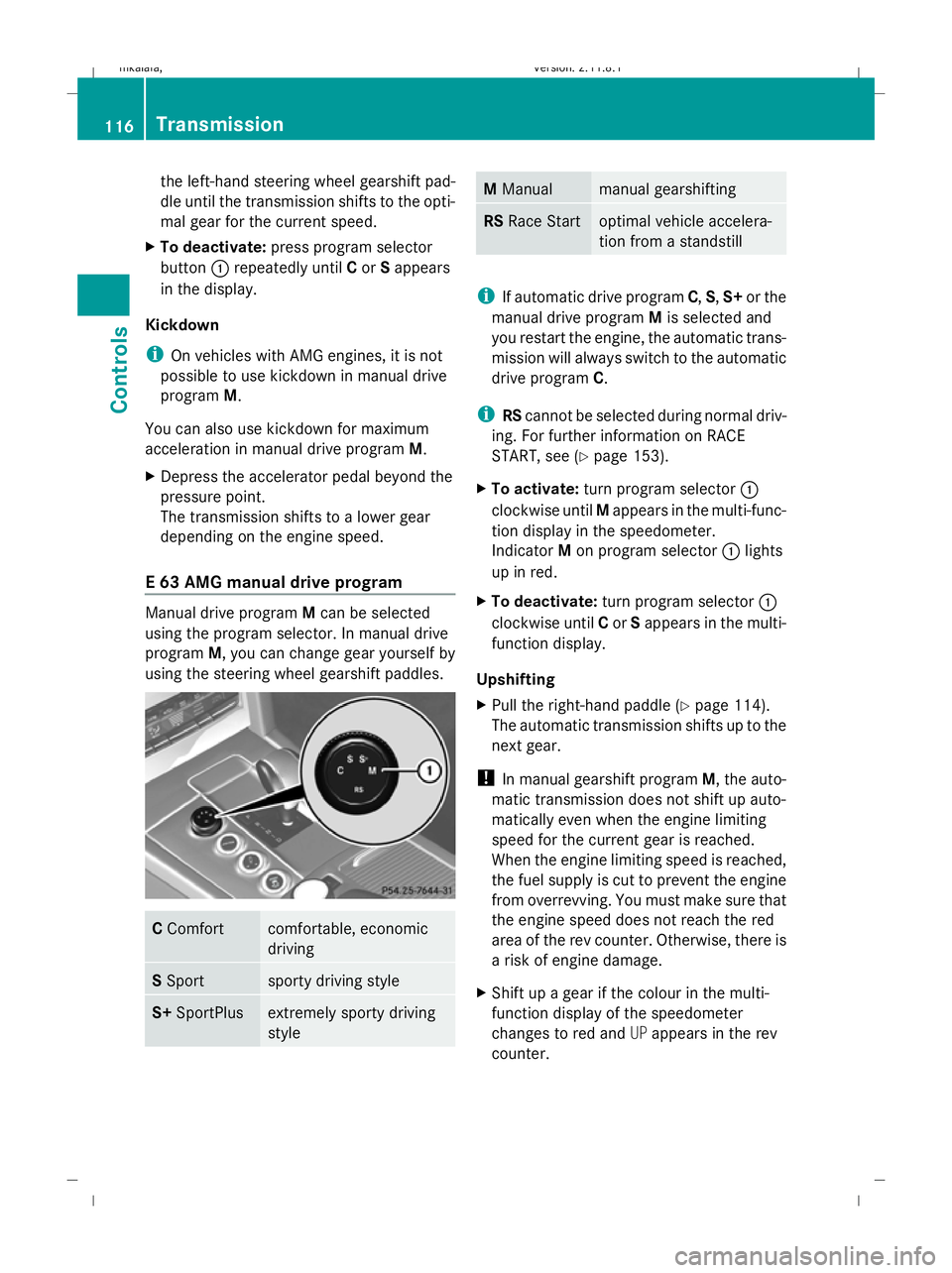
E 63 AMG manual drive program Manual drive program
Mcan be selected
using the program selector. In manual drive
program M, you can change gear yourself by
using the steering wheel gearshift paddles. C
Comfort comfortable, economic
driving
S
Sport sporty driving style
S+
SportPlus extremely sporty driving
style M
Manual manual gearshifting
RS
Race Start optimal vehicle accelera-
tion from a standstill
i
If automatic drive program C,S,S+ or the
manual drive program Mis selected and
you restart the engine, the automatic trans-
mission will always switch to the automatic
drive program C.
i RScannot be selected during normal driv-
ing. For further information on RACE
START, see (Y page 153).
X To activate: turn program selector :
clockwise until Mappears in the multi-func-
tion display in the speedometer.
Indicator Mon program selector :lights
up in red.
X To deactivate: turn program selector :
clockwise until Cor Sappears in the multi-
function display.
Upshifting
X Pull the right-hand paddle (Y page 114).
The automatic transmission shifts up to the
next gear.
! In manual gearshift program M, the auto-
matic transmission does not shift up auto-
matically even when the engine limiting
speed for the current gear is reached.
When the engine limiting speed is reached,
the fuel supply is cut to prevent the engine
from overrevving. You must make sure that
the engine speed does not reach the red
area of the rev counter. Otherwise, there is
a risk of engine damage.
X Shift up a gear if the colour in the multi-
function display of the speedometer
changes to red and UPappears in the rev
counter. 116
TransmissionControls
212_AKB; 2; 4, en-GB
mkalafa
,V ersion: 2.11.8.1
2009-05-05T14:17:16+02:00 - Seite 116
Dateiname: 6515346702_buchblock.pdf; erzeugt am 07. May 2009 14:16:09; WK
Page 120 of 373
Downshifting
G
Risk of accident
Do not shift down to brake on a slippery road
surface. This could cause the drive wheels to
lose their grip, and the vehicle could skid.
X Pull the left-hand paddle ( Ypage 114).
The automatic transmission shifts down to
the next gear.
i For maximum acceleration, pull the left-
hand steering wheel gearshift paddle until
the transmission selects the optimum gear
for the current speed.
Kickdown
i On vehicles with AMG engines, it is not
possible to use kickdown in manual drive
program M. Instrument cluster
Points to remember
You will find an illustration of the instrument
cluster in the "At a glance" section
(Y page 27). G
Risk of accident
If the instrument cluster or the multi-function
display fails, then no display messages can be
shown.
You will not then be able to see information
about the vehicle status, such as speed and
outside temperature, warning and indicator
lamps, display messages or the failure of sys-
tems. The vehicle’s handling characteristics
may be affected. Adapt your driving style and
speed accordingly.
Immediately consult a qualified specialist
workshop which has the necessary specialist
knowledge and tools to carry out the work
required. Mercedes-Benz recommends that
you use a Mercedes-Benz Service Centre for
this purpose. In particular, work relevant to
safety or on safety-related systems must be
carried out at a qualified specialist workshop. Coolant temperature display
The coolant temperature gauge is in the
instrument cluster on the right-hand side.
Under normal operating conditions and with
the specified coolant level, the coolant tem-
perature may rise to 120 †. The coolant tem-
perature may rise to the top end of the scale
at high outside temperatures and on long
uphill stretches. Speedometer with segments
The segments in the speedometer indicate
which speed range is available.
Cruise control mode:
The segments light up from the stored speed
to the maximum speed.
Variable Speedtronic mode:
The segments light up from the start of the
scale to the selected limit speed.
Distronic Plus* mode:
One or two segments around the stored
speed light up. Rev counter
The red band in the rev counter indicates the
engine's overrevving range. The fuel supply is
interrupted to protect the engine when the
red band is reached.
! Do not drive in the overrevving range.
Doing so will damage the engine. Outside temperature display
G
Risk of accident
At temperatures just above freezing point, the
road could be icy, particularly in wooded areas
or on bridges. The vehicle could start skidding
if you fail to adapt your driving style. You
should therefore always adapt your driving
style and speed to suit the weather condi-
tions. Inst
rument cluster
117Controls
* optional
212_AKB; 2; 4, en-GB
mkalafa
,V ersion: 2.11.8.1
2009-05-05T14:17:16+02:00 - Seite 117 Z
Dateiname: 6515346702_buchblock.pdf; erzeugt am 07. May 2009 14:16:09; WK
Page 122 of 373
Multi-function display
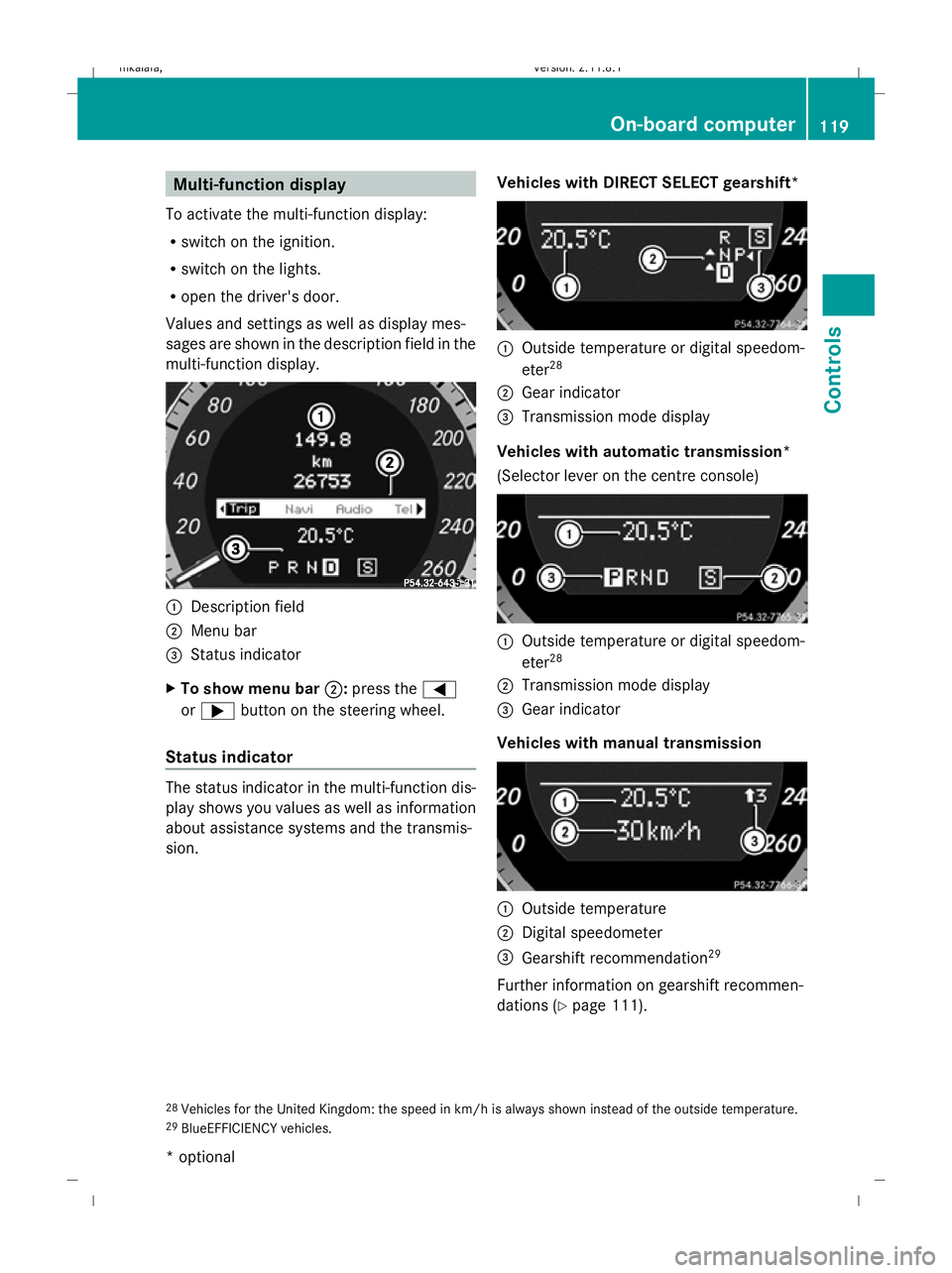
To activate the multi-function display:
R switch on the ignition.
R switch on the lights.
R open the driver's door.
Values and settings as well as display mes-
sages are shown in the description field in the
multi-function display. :
Description field
; Menu bar
= Status indicator
X To show menu bar ;:press the =
or ; button on the steering wheel.
Status indicator The status indicator in the multi-function dis-
play shows you values as well as information
about assistance systems and the transmis-
sion. Vehicles with DIRECT SELECT gearshift* :
Outside temperature or digital speedom-
eter 28
; Gear indicator
= Transmission mode display
Vehicles with automatic transmission*
(Selector lever on the centre console) :
Outside temperature or digital speedom-
eter 28
; Transmission mode display
= Gear indicator
Vehicles with manual transmission :
Outside temperature
; Digital speedometer
= Gearshift recommendation 29
Further information on gearshift recommen-
dations (Y page 111).
28 Vehicles for the United Kingdom: the speed in km/h is always shown instead of the outside temperature.
29 BlueEFFICIENCY vehicles. On-board computer
119Controls
* optional
212_AKB; 2; 4, en-GB
mkalafa,
Version: 2.11.8.1 2009-05-05T14:17:16+02:00 - Seite 119 Z
Dateiname: 6515346702_buchblock.pdf; erzeugt am 07. May 2009 14:16:10; WK
Page 134 of 373
R
call up display messages (Y page 251)
R reset the tyre pressure loss warning system
(Y page 226) or check the tyre pressure
electronically* (Y page 228)
R call up the service due date (Y page 239)Settings menu
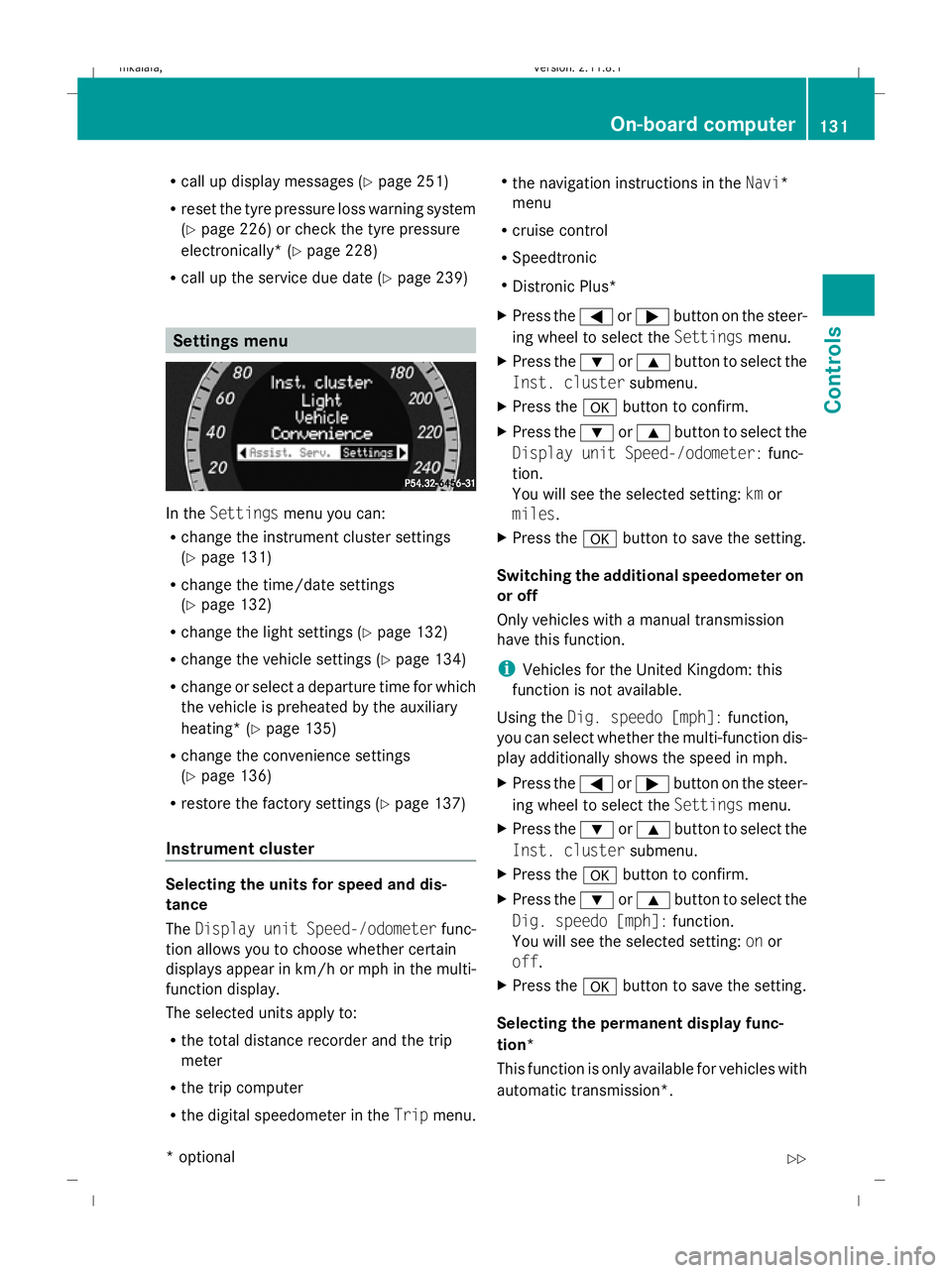
In the
Settings menu you can:
R change the instrument cluster settings
(Y page 131)
R change the time/date settings
(Y page 132)
R change the light settings ( Ypage 132)
R change the vehicle settings (Y page 134)
R change or select a departure time for which
the vehicle is preheated by the auxiliary
heating* (Y page 135)
R change the convenience settings
(Y page 136)
R restore the factory settings (Y page 137)
Instrument cluster Selecting the units for speed and dis-
tance
The
Display unit Speed-/odometer func-
tion allows you to choose whether certain
displays appear in km/h or mph in the multi-
function display.
The selected units apply to:
R the total distance recorder and the trip
meter
R the trip computer
R the digital speedometer in the Tripmenu. R
the navigation instructions in the Navi*
menu
R cruise control
R Speedtronic
R Distronic Plus*
X Press the =or; button on the steer-
ing wheel to select the Settingsmenu.
X Press the :or9 button to select the
Inst. cluster submenu.
X Press the abutton to confirm.
X Press the :or9 button to select the
Display unit Speed-/odometer: func-
tion.
You will see the selected setting: kmor
miles.
X Press the abutton to save the setting.
Switching the additional speedometer on
or off
Only vehicles with a manual transmission
have this function.
i Vehicles for the United Kingdom: this
function is not available.
Using the Dig. speedo [mph]: function,
you can select whether the multi-function dis-
play additionally shows the speed in mph.
X Press the =or; button on the steer-
ing wheel to select the Settingsmenu.
X Press the :or9 button to select the
Inst. cluster submenu.
X Press the abutton to confirm.
X Press the :or9 button to select the
Dig. speedo [mph]: function.
You will see the selected setting: onor
off.
X Press the abutton to save the setting.
Selecting the permanent display func-
tion*
This function is only available for vehicles with
automatic transmission*. On-board computer
131Controls
* optional
212_AKB; 2; 4, en-GB
mkalafa
,V ersion: 2.11.8.1
2009-05-05T14:17:16+02:00 - Seite 131 Z
Dateiname: 6515346702_buchblock.pdf; erzeugt am 07. May 2009 14:16:15; WK
Page 141 of 373
Brake* are described in the "Driving safety
systems" section (Y page 58). Cruise control
Cruise control maintains a constant road
speed for you. It brakes automatically in order
to avoid exceeding the set speed. On long and
steep downhill gradients, especially if the
vehicle is laden or towing a trailer, you must
shift to a lower gear in good time or select
shift range 1,2or 3on vehicles with auto-
matic transmission*. By doing so, you will
make use of the braking effect of the engine,
which relieves the load on the brake system
and prevents the brakes from overheating
and wearing too quickly. G
Risk of accident
Do not change down for additional engine
braking on a slippery road surface. This could
cause the drive wheels to lose their grip and
the vehicle could skid.
Use cruise control only if road and traffic con-
ditions make it appropriate to maintain a
steady speed for a prolonged period. You can
store any road speed above 30 km/h. G
Risk of accident
Cruise control cannot take account of road
and traffic conditions.
Always pay attention to traffic conditions
even when cruise control is activated.
Cruise control is only an aid designed to assist
driving. You are responsible for the vehicle's
speed and for braking in good time. G
Risk of accident
Do not use cruise control:
R in road and traffic conditions which do not
allow you to maintain a constant speed (e.g. heavy traffic or winding roads). You could
otherwise cause an accident.
R on slippery roads. Braking or accelerating
could cause the drive wheels to lose trac-
tion and the vehicle could then skid.
R when there is poor visibility, e.g. due to fog,
heavy rain or snow
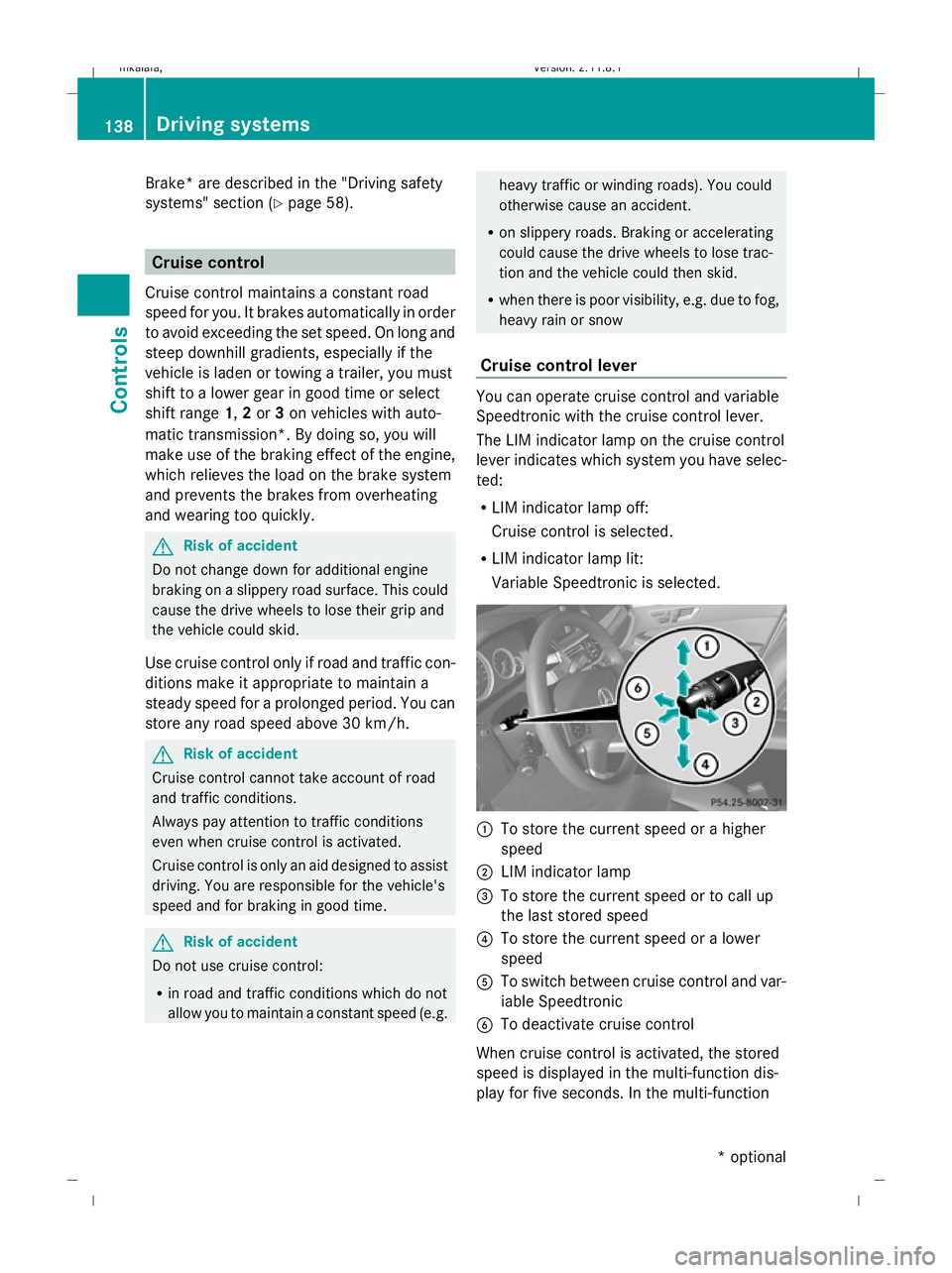
Cruise control lever You can operate cruise control and variable
Speedtronic with the cruise control lever.
The LIM indicator lamp on the cruise control
lever indicates which system you have selec-
ted:
R LIM indicator lamp off:
Cruise control is selected.
R LIM indicator lamp lit:
Variable Speedtronic is selected. :
To store the current speed or a higher
speed
; LIM indicator lamp
= To store the current speed or to call up
the last stored speed
? To store the current speed or a lower
speed
A To switch between cruise control and var-
iable Speedtronic
B To deactivate cruise control
When cruise control is activated, the stored
speed is displayed in the multi-function dis-
play for five seconds. In the multi-function 138
Driving systemsControls
* optional
212_AKB; 2; 4, en-GB
mkalafa
,V ersion: 2.11.8.1
2009-05-05T14:17:16+02:00 - Seite 138
Dateiname: 6515346702_buchblock.pdf; erzeugt am 07. May 2009 14:16:17; WK