Page 226 of 622

Interior features3
225
GS_G_U (OM30B43U)
April 27, 2009 10:42 am
3-3. Using the audio systemAudio system type.................. 245
Using the radio........................ 248
Using the cassette player .... 257
Using the CD player .............. 261
Playing MP3 and WMA discs............................ 266
Using the DVD player........... 270
Playing DVD video/audio .... 273
Playing video CD (with DVD player) .............. 285
CD/DVD player and DVD
video disc information ...... 289
Optimal use of the audio/video system ....... 301
Using the AUX adapter ....... 306
Using the steering switches .................................. 307
3-4. Using the hands-free system (for cellular phone)
Hands-free system (for cellular phone) .............. 310
Using the Bluetooth
®
phone ....................................... 315
Setting the hands-free system .................................... 330 3-5. Using the interior lights
Interior lights list .................... 356
3-6. Using the storage features List of storage features......... 359
3-7. Other interior features Sun visors ................................. 366
Vanity mirrors .......................... 367
Clock ......................................... 368
Outside temperature display..................................... 369
Ashtrays.................................... 370
Cigarette lighter ..................... 371
Power outlet ............................ 372
Seat heaters/ventilators ...... 373
Armrest .................................... 375
Rear sunshade ......................... 376
Floor mats ................................ 378
Trunk features ......................... 379
Garage door opener ............ 382
Compass .................................. 388
Lexus Link System ................. 392
GS_U_G.book Page 225 Monday, April 27, 2009 10:50 AM
Page 227 of 622
226
GS_G_U (OM30B43U)
April 27, 2009 10:48 am
3-1. Using the touch screen
Touch screen
By touching the screen with your finger, you can control the audio system
and air conditioning, adjust the screen display etc.
With navigation system
Without navigation system
The “Information” screen shown in the above illustration is displayed when
is pressed.
GS_U_G.book Page 226 Monday, April 27, 2009 10:50 AM
Page 234 of 622
233
3-1. Using the touch screen
3
Interior features
GS_G_U (OM30B43U)
April 27, 2009 10:48 am
Screen settingsPress .
Touch on the “Information” screen.
The following screen se ttings can be changed.
Automatic transition
20 seconds after air conditioning
or audio system use, the system will
return the display to the previous
screen.
Switch color
You can select the switch color.
Delete personal data
The following personal data is
deleted:
• User selection settings
•Phone book data
• Dialed numbers and receivedcalls
•Speed dial
• Bluetooth
® phone data
•Security code
• Maintenance conditions
*
• Maintenance information off setting
*
•Memory points*
•Areas to avoid*
• Previous points*
• Route trace*
*
: If the navigation system is equipped
STEP1
STEP2
GS_U_G.book Page 233 Monday, April 27, 2009 10:50 AM
Page 246 of 622
245
3
Interior features
GS_G_U (OM30B43U)
April 27, 2009 10:48 am
3-3. Using the audio system
Audio system type
CD and (optional) DVD player with changer, cassette player, and AM/FM
radio
This illustration below is for a vehicle equipped with the DVD player.
The audio system appearance and scr een may differ slightly for vehi-
cles not equipped with the DVD play er. In addition, the position of
is slightly different for vehicles no t equipped with the navigation sys-
tem.
GS_U_G.book Page 245 Monday, April 27, 2009 10:50 AM
Page 247 of 622
246
3-3. Using the audio system
GS_G_U (OM30B43U)
April 27, 2009 10:48 am
■Using cellular phones
Interference may be heard through the audio system’s speakers if a cellular phone is
being used inside or close to the vehicle while the audio system is operating.
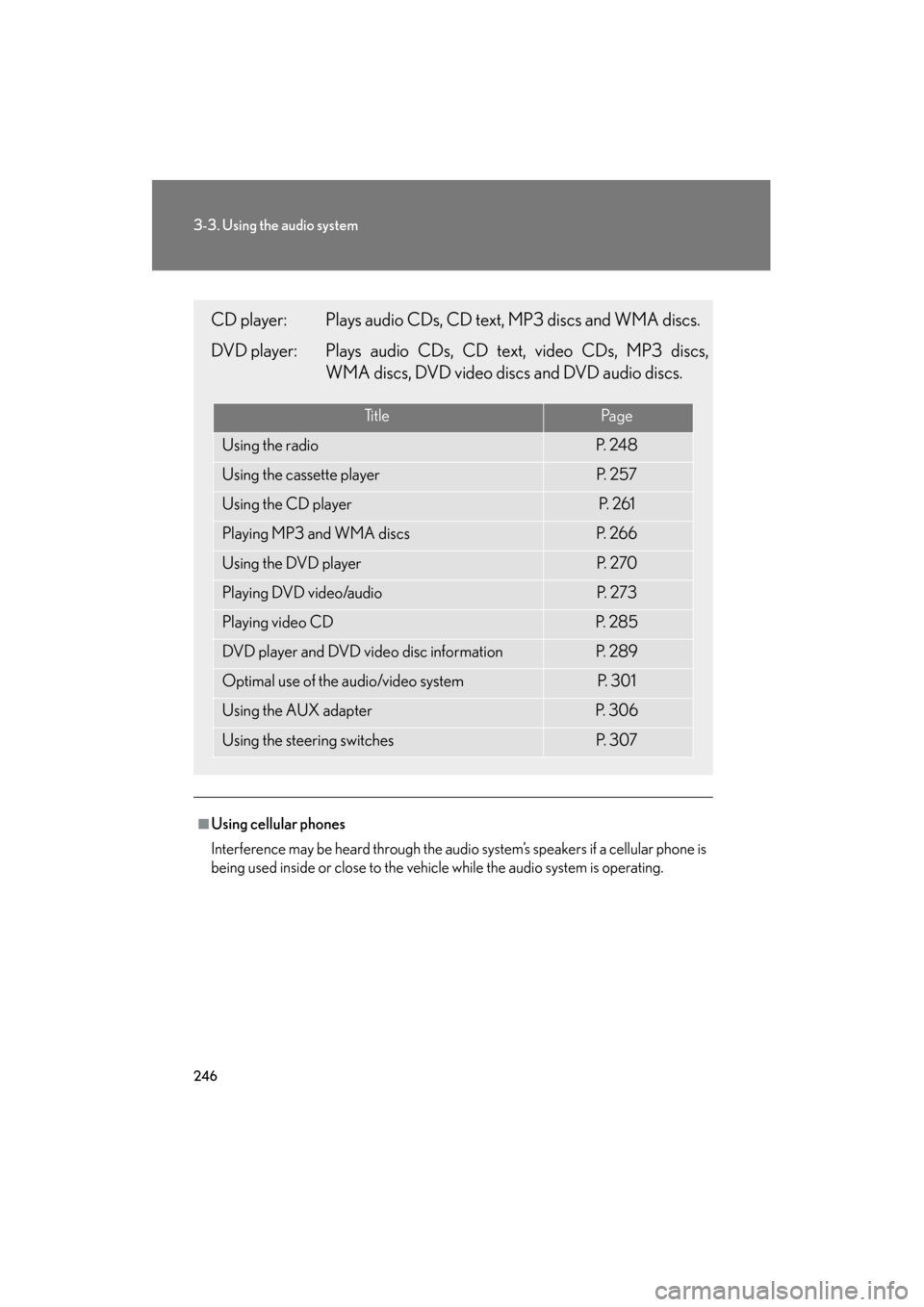
CD player: Plays audio CDs, CD text, MP3 discs and WMA discs.
DVD player: Plays audio CDs, CD text, video CDs, MP3 discs,
WMA discs, DVD video discs and DVD audio discs.
Ti t l ePa g e
Using the radioP. 2 4 8
Using the cassette playerP. 2 5 7
Using the CD playerP. 2 6 1
Playing MP3 and WMA discsP. 2 6 6
Using the DVD playerP. 2 7 0
Playing DVD video/audioP. 2 7 3
Playing video CDP. 2 8 5
DVD player and DVD video disc informationP. 2 8 9
Optimal use of the audio/video systemP. 3 0 1
Using the AUX adapterP. 3 0 6
Using the steering switchesP. 3 0 7
GS_U_G.book Page 246 Monday, April 27, 2009 10:50 AM
Page 248 of 622

247
3-3. Using the audio system
3
Interior features
GS_G_U (OM30B43U)
April 27, 2009 10:48 am
CAUTION
■For vehicles sold in the U.S.A. and Canada
●Pa r t 1 5 o f t h e F CC Ru l e s
FCC Warning:
Any unauthorized changes or modifications to this equipment will void the user’s
authority to operate this device.
●Laser products
• Do not take this unit apart or attempt to make any changes yourself. This is an intricate unit that uses a lase r pickup to retrieve information from the
surface of compact discs. The laser is carefully shielded so that its rays remain
inside the cabinet. Therefore, never try to disassemble the player or alter any
of its parts since you may be exposed to laser rays and dangerous voltages.
• This product utilizes a laser. Use of controls or adjustments or performance of procedures other than
those specified herein may result in hazardous radiation exposure.
NOTICE
■To prevent 12 volt battery discharge
Do not leave the audio system on longer than necessary with the engine off.
■To avoid damaging the audio/video system
Take care not to spill drinks or other fluids over the audio system.
GS_U_G.book Page 247 Monday, April 27, 2009 10:50 AM
Page 249 of 622
248
3-3. Using the audio system
GS_G_U (OM30B43U)
April 27, 2009 10:48 am
Using the radio
Press or to choose either an AM or FM band.
When you press while listening to the radio, the following audio con-
trol screen appears.
Display audio control screen
Pow e r Vo l u m e Scan for receivable stations
Seek frequency Preset tuning
Adjust the
frequency
(AM, FM mode) or
channel (SAT mode)
AM ⋅SAT/FM mode buttons Preset stations
Scan for
receivable stations
(AM mode only)
GS_U_G.book Page 248 Monday, April 27, 2009 10:50 AM
Page 250 of 622
249
3-3. Using the audio system
3
Interior features
GS_G_U (OM30B43U)
April 27, 2009 10:48 am
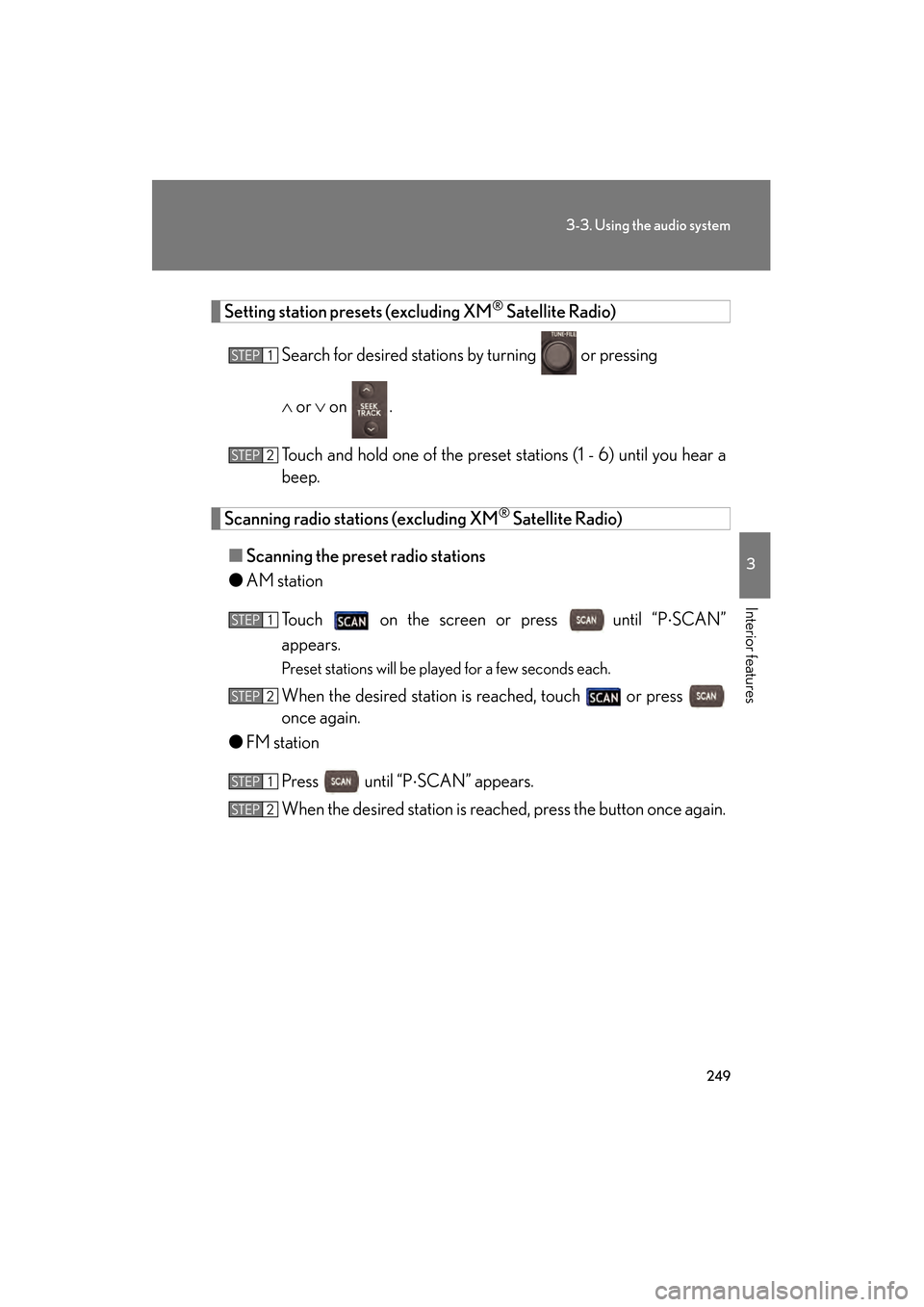
Setting station presets (excluding XM® Satellite Radio)
Search for desired stations by turning
or pressing
∧ or ∨ on .
Touch and hold one of the preset st ations (1 - 6) until you hear a
beep.
Scanning radio stations (excluding XM® Satellite Radio)
■ Scanning the preset radio stations
● AM station
Touch on the screen or press
until “P ⋅SCAN”
appears.
Preset stations will be played for a few seconds each.
When the desired station is reached, touch or press
once again.
● FM station
Press until “P ⋅SCAN” appears.
When the desired station is reach ed, press the button once again.
STEP1
STEP2
STEP1
STEP2
STEP1
STEP2
GS_U_G.book Page 249 Monday, April 27, 2009 10:50 AM