Page 146 of 506
In addition, the headlights will turn off when the wipers
are turned off if they were turned on by this feature.
The Headlights with Wipers feature can be turned on or
off through the Electronic Vehicle Information Center
(EVIC) — if equipped. For details, refer to ”Headlights
On with Wipers,” under “Personal Settings (Customer-
Programmable Features)” under “Electronic Vehicle In-
formation Center (EVIC)” in Section 4.
Headlight Time Delay — If Equipped
This feature is particularly useful when exiting your
vehicle in an unlit area. It provides the safety of headlight
illumination for about 90 seconds after turning the igni-
tion switch to the LOCK position.
To activate the delay, turn the ignition switch to the
LOCK position while the headlights are still on. Then,
turn off the headlights within 45 seconds. The delay
interval begins when you turn off the headlights. Only
the headlights will illuminate during this time.If you turn the headlights, or parking lights, or ignition
switch ON again, the system will cancel the delay.
If you turn the headlights off before the ignition, they will
turn off in the normal manner.
The Headlight delay time is programmable on vehicles
equipped with the Electronic Vehicle Information Center
(EVIC). For details, refer to “Delay Turning Headlights
Off,” “Personal Settings (Customer-Programmable Fea-
tures)” under “Electronic Vehicle Information Center
(EVIC)” in Section 4.
Daytime Running Lights (DRL) — If Equipped
The high beam headlights will turn on as Daytime
Running Lights (DRL) and operate at DRL (lower) inten-
sity, whenever the ignition is ON, the engine is running,
the headlight switch is off, the parking brake is off, the
turn signal is off, and the shift lever is in any position
except PARK.
144 UNDERSTANDING THE FEATURES OF YOUR VEHICLE
Page 147 of 506
NOTE:The Daytime Running Lights will turn off
automatically when the turn signal is in operation and
turn on again when the turn signal is not operating.
Lights-On Reminder
If the headlights or parking lights are on after the ignition
is turned to the LOCK position, a chime will sound to
alert the driver when the driver’s door is opened.
Fog Lights — If Equipped
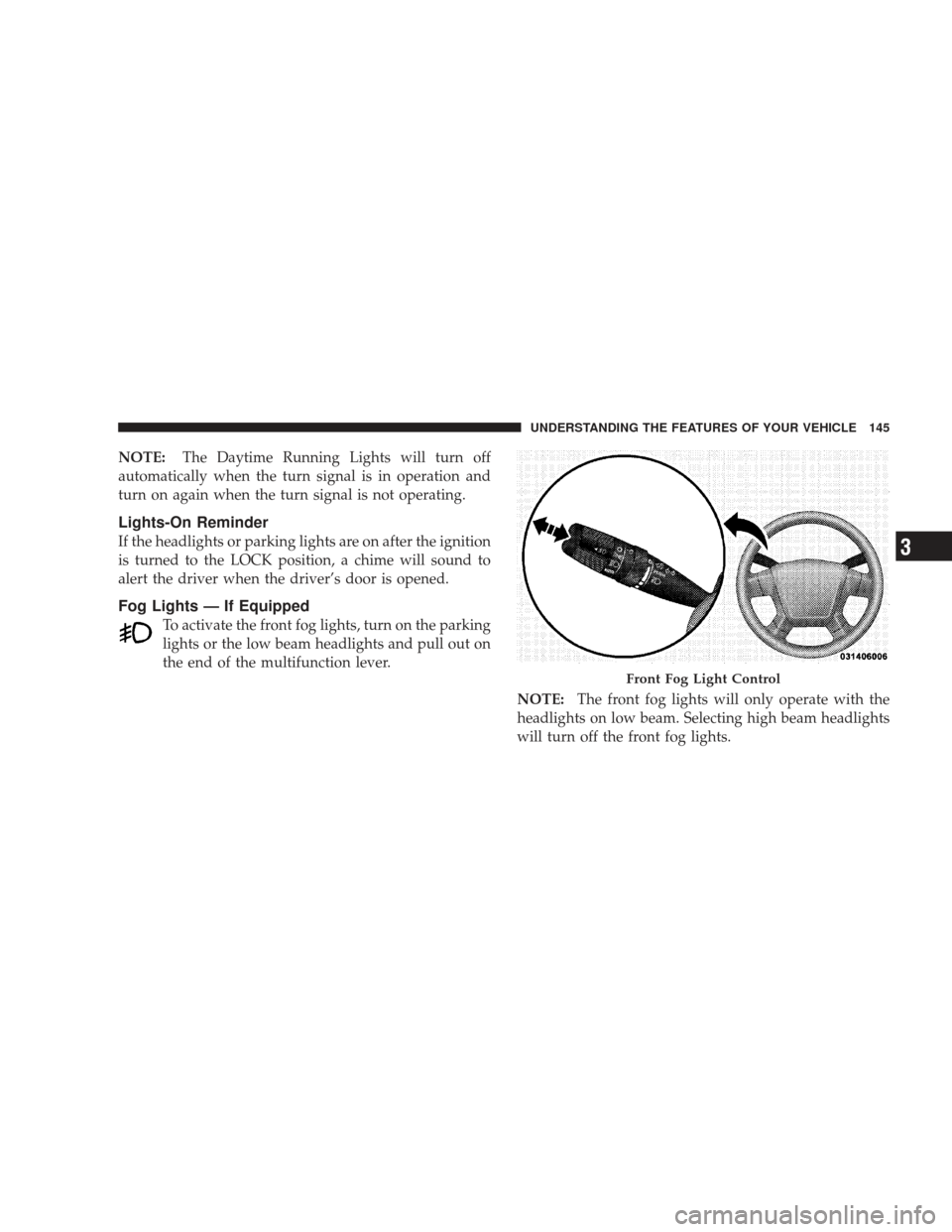
To activate the front fog lights, turn on the parking
lights or the low beam headlights and pull out on
the end of the multifunction lever.
NOTE:The front fog lights will only operate with the
headlights on low beam. Selecting high beam headlights
will turn off the front fog lights.
Front Fog Light Control
UNDERSTANDING THE FEATURES OF YOUR VEHICLE 145
3
Page 148 of 506
Turn Signals
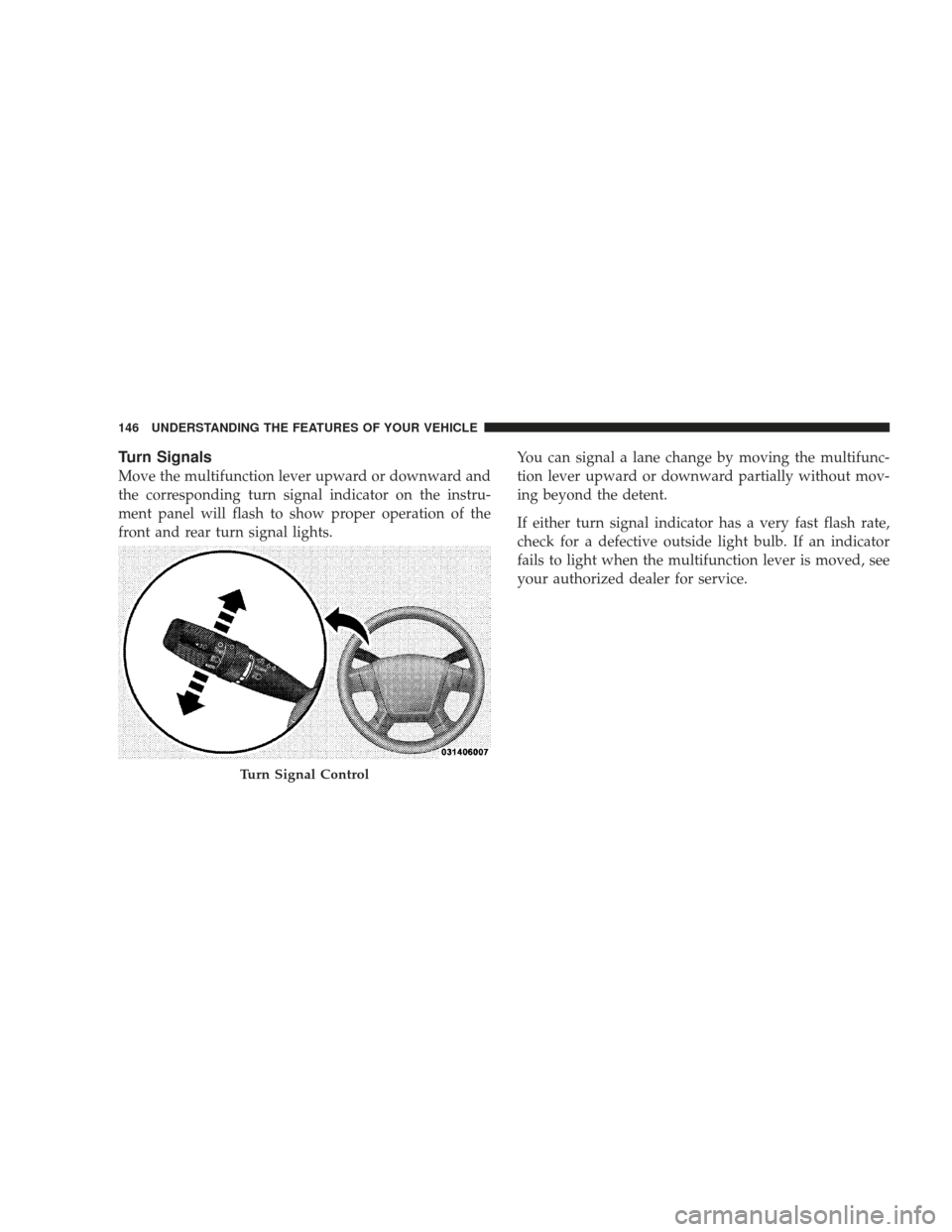
Move the multifunction lever upward or downward and
the corresponding turn signal indicator on the instru-
ment panel will flash to show proper operation of the
front and rear turn signal lights.You can signal a lane change by moving the multifunc-
tion lever upward or downward partially without mov-
ing beyond the detent.
If either turn signal indicator has a very fast flash rate,
check for a defective outside light bulb. If an indicator
fails to light when the multifunction lever is moved, see
your authorized dealer for service.
Turn Signal Control
146 UNDERSTANDING THE FEATURES OF YOUR VEHICLE
Page 149 of 506
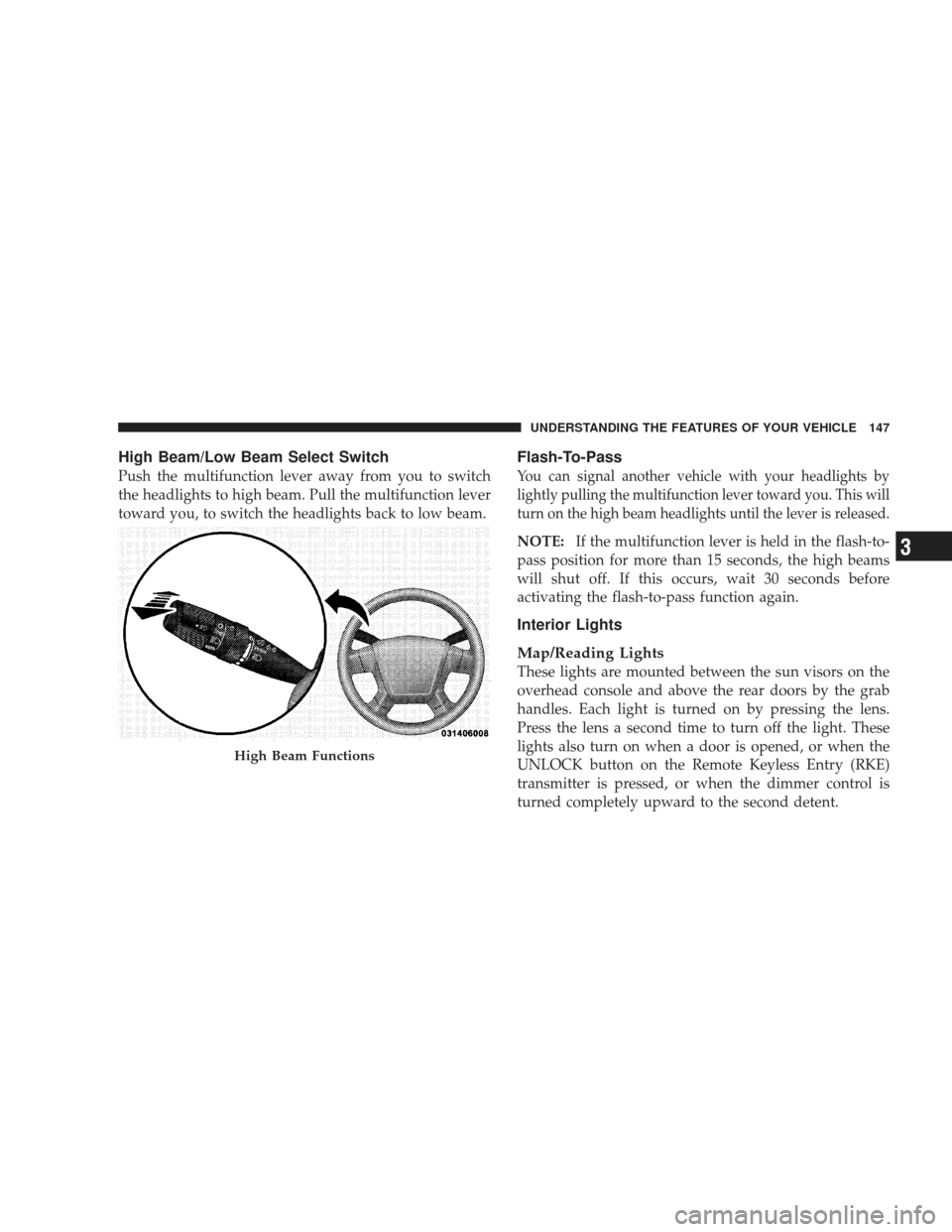
High Beam/Low Beam Select Switch
Push the multifunction lever away from you to switch
the headlights to high beam. Pull the multifunction lever
toward you, to switch the headlights back to low beam.
Flash-To-Pass
You can signal another vehicle with your headlights by
lightly pulling the multifunction lever toward you. This will
turn on the high beam headlights until the lever is released.
NOTE:If the multifunction lever is held in the flash-to-
pass position for more than 15 seconds, the high beams
will shut off. If this occurs, wait 30 seconds before
activating the flash-to-pass function again.
Interior Lights
Map/Reading Lights
These lights are mounted between the sun visors on the
overhead console and above the rear doors by the grab
handles. Each light is turned on by pressing the lens.
Press the lens a second time to turn off the light. These
lights also turn on when a door is opened, or when the
UNLOCK button on the Remote Keyless Entry (RKE)
transmitter is pressed, or when the dimmer control is
turned completely upward to the second detent.
High Beam Functions
UNDERSTANDING THE FEATURES OF YOUR VEHICLE 147
3
Page 150 of 506
Cargo Light
The cargo light is mounted in the headliner above the
rear cargo area. This light will turn on when you open the
liftgate or any door, or if you press the UNLOCK button
on the RKE transmitter, or rotate the dimmer control on
the multifunction lever completely upward to the second
detent.
Battery Saver Feature
To protect the battery, the interior lights will turn off
automatically 10 minutes after the ignition switch is
moved to the LOCK position. This will occur if the
interior lights were switched on manually or are on
because a door is open.
Dimmer Control
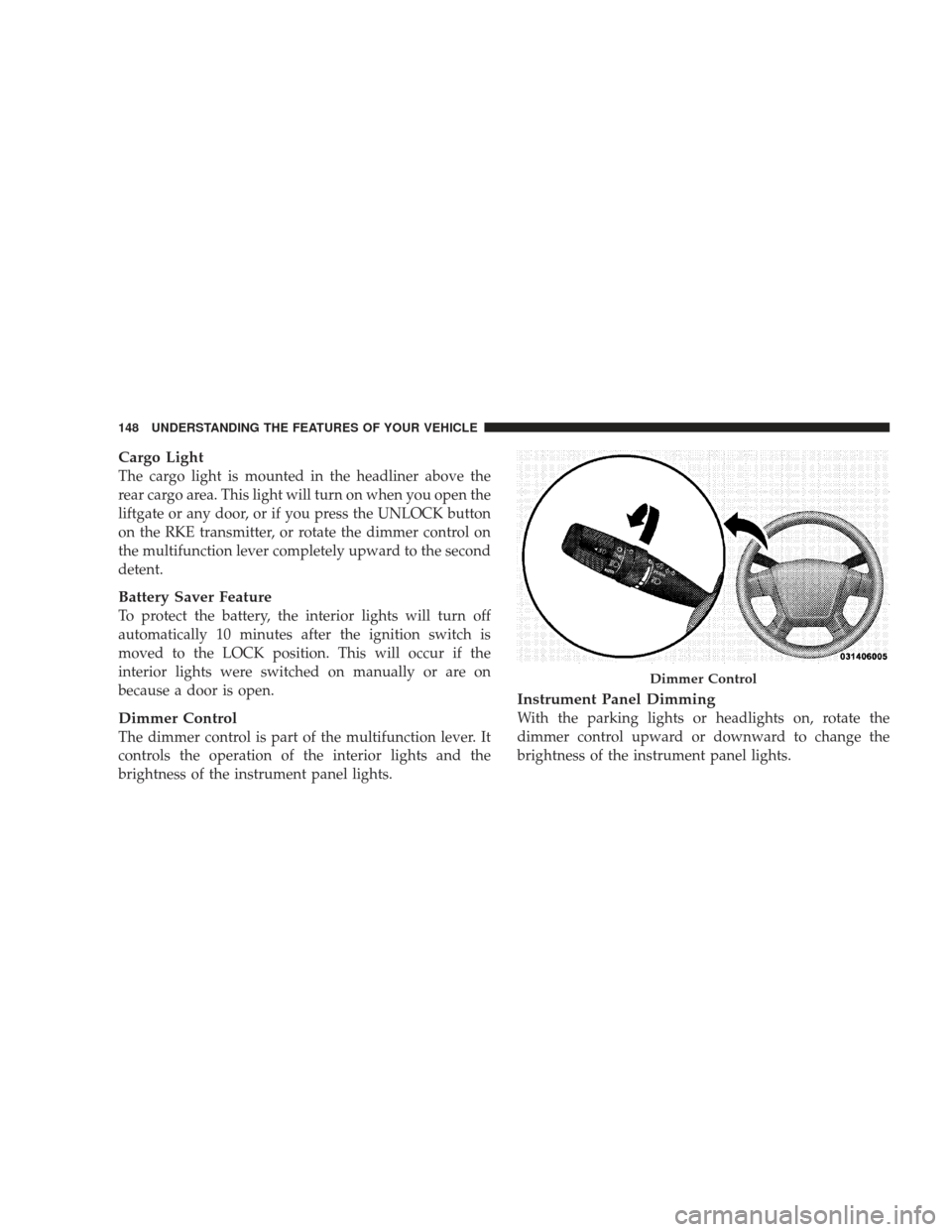
The dimmer control is part of the multifunction lever. It
controls the operation of the interior lights and the
brightness of the instrument panel lights.
Instrument Panel Dimming
With the parking lights or headlights on, rotate the
dimmer control upward or downward to change the
brightness of the instrument panel lights.
Dimmer Control
148 UNDERSTANDING THE FEATURES OF YOUR VEHICLE
Page 151 of 506
Parade Mode (Daytime Brightness Feature)
Rotate the dimmer control to the first detent to brighten
the odometer and radio display when the parking lights
or headlights are on during daylight conditions.
Interior Light On
Rotate the dimmer control completely upward to the
second detent to turn on the interior lights. The interior
lights will remain on when the dimmer control is in this
position.
Interior Light Defeat Off
Rotate the dimmer control completely downward to the
(O) OFF position. The interior lights will remain off when
the doors are open.
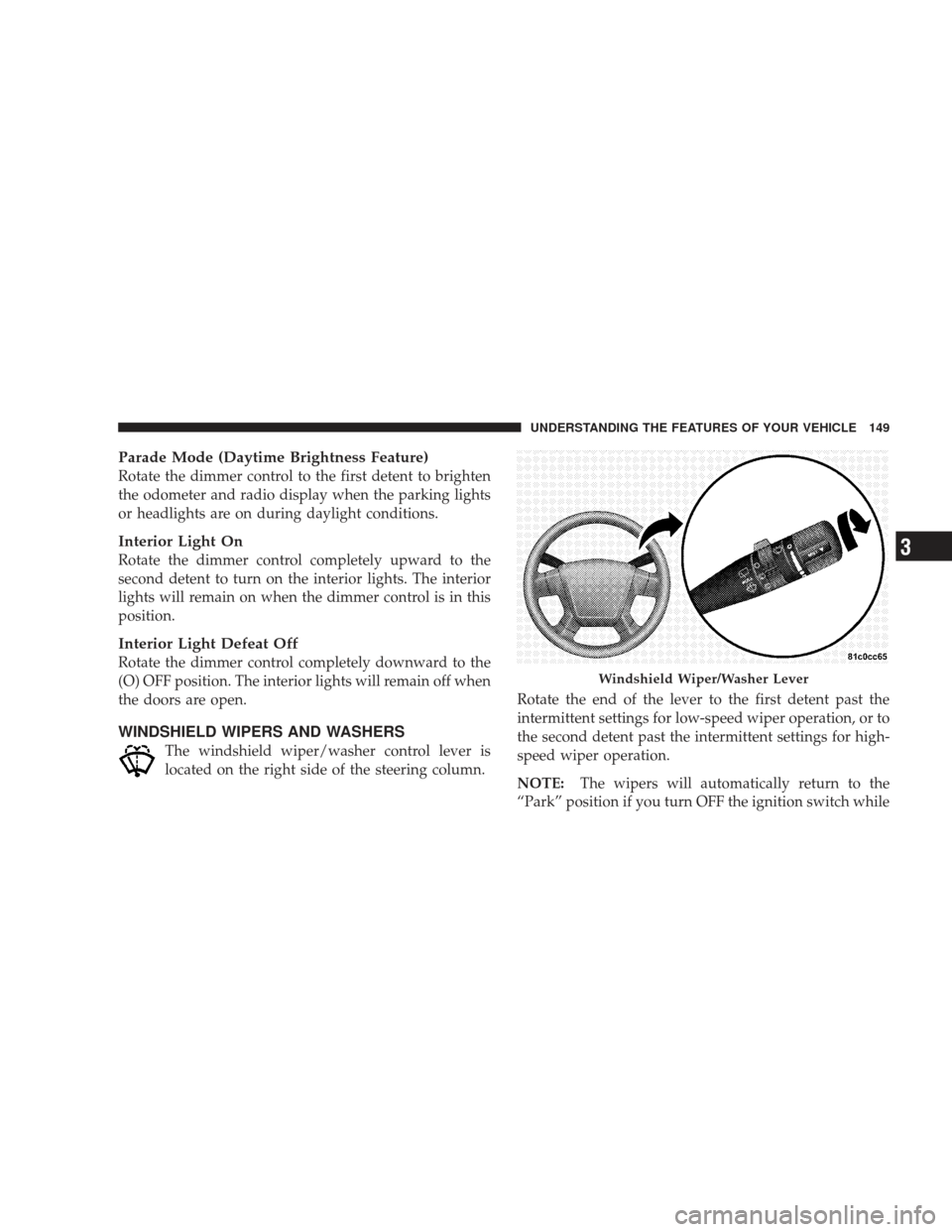
WINDSHIELD WIPERS AND WASHERS
The windshield wiper/washer control lever is
located on the right side of the steering column.Rotate the end of the lever to the first detent past the
intermittent settings for low-speed wiper operation, or to
the second detent past the intermittent settings for high-
speed wiper operation.
NOTE:
The wipers will automatically return to the
“Park” position if you turn OFF the ignition switch while
Windshield Wiper/Washer Lever
UNDERSTANDING THE FEATURES OF YOUR VEHICLE 149
3
Page 154 of 506
Headlights with Wipers (Available with Auto
Headlights Only)
When this feature is active, the headlights will turn on
approximately 10 seconds after the wipers are turned on
if the multifunction lever (on the left side of the steering
column) is placed in the AUTO position. In addition, the
headlights will turn off when the wipers are turned off if
they were turned on by this feature.
The Headlights with Wipers feature can be turned on or
off through the Electronic Vehicle Information Center
(EVIC) — if equipped. For details, refer to ”Headlights
On with Wipers,” under “Personal Settings (Customer-
Programmable Features)” under “Electronic Vehicle In-
formation Center” in Section 4 of this manual.
Rain Sensing Wipers — If Equipped
This feature senses moisture on the windshield and
automatically activates the wipers for the driver. This
feature is especially useful for road splash or oversprayfrom the windshield washers of the vehicle ahead. Rotate
the end of the windshield wiper/washer control lever to
one of the five intermittent wiper settings to activate this
feature.
The sensitivity of the system is adjustable from the
windshield wiper/washer control lever. Wiper delay
position 1 is the least sensitive and wiper delay position
5 is the most sensitive. Choose position 3 for normal rain
conditions. Choose position 2 or 1 if you desire less wiper
sensitivity. Choose position 4 or 5 if you desire more
sensitivity. Place the lever in the off position when not
using the system.
NOTE:
•The rain-sensing feature will not operate when the
wiper speed is in the low or high position.
•The rain-sensing feature may not function properly
when ice or dried salt water is present on the wind-
shield.
152 UNDERSTANDING THE FEATURES OF YOUR VEHICLE
Page 183 of 506
CAUTION!
•Many accessories that can be plugged in draw
power from the vehicle’s battery, even when not in
use (i.e., cellular phones, etc.). Eventually, if
plugged in long enough, the vehicle’s battery will
discharge sufficiently to degrade battery life
and/or prevent the engine from starting.
•Accessories that draw higher power (i.e., coolers,
vacuum cleaners, lights, etc.) will degrade the
battery even more quickly. Only use these inter-
mittently and with greater caution.(Continued)
CAUTION! (Continued)
•After the use of high power draw accessories, or
long periods of the vehicle not being started (with
accessories still plugged in), the vehicle must be
driven a sufficient length of time to allow the
alternator to recharge the vehicle’s battery.
•Power outlets are designed for accessory plugs
only. Do not hang any type of accessory or acces-
sory bracket from the plug.
UNDERSTANDING THE FEATURES OF YOUR VEHICLE 181
3