Page 68 of 506
throat irritation, move to fresh air. If the irritation
continues, see your doctor. If these particles settle on
your clothing, follow the garment manufacturer’s in-
structions for cleaning.
•It is not advisable to drive your vehicle after the
airbags have deployed. If you are involved in another
collision, the airbags will not be in place to protect you.
WARNING!
Deployed airbags and seat belt pretensioners cannot
protect you in another collision. Have the airbags,
seat belt pretensioner, and seat belt retractor assem-
bly replaced by an authorized dealer as soon as
possible. Also, have the Occupant Classification Sys-
tem serviced as well.
Enhanced Accident Response System
In the event of an impact that causes airbag deployment,
with the vehicle stopped, the vehicle communication
network intact, and the power intact, the Enhanced
Accident Response System performs the following func-
tions:
•Cuts off fuel to the engine.
•Flashes hazard lights.
•Turns on the interior lights, which remain on as long as
the battery has power or until the ignition key is
removed.
•Unlocks the doors automatically.
NOTE: The interior lights can only be deactivated if the
key is removed from the ignition switch or the vehicle is
driven.
66 THINGS TO KNOW BEFORE STARTING YOUR VEHICLE
Page 85 of 506
Airbag Warning Light
The light should come on and remain on for six to eight
seconds as a bulb check when the ignition switch is first
turned ON. If the light is not lit during starting, see your
authorized dealer. If the light stays on, flickers, or comes
on while driving, have the system checked by an autho-
rized dealer.
Defroster
Check operation by selecting the defrost mode and place
the blower control on high speed. You should be able to
feel the air directed against the windshield. See your
authorized dealer for service if your defroster is
inoperable.
Periodic Safety Checks You Should Make Outside
the Vehicle
Tires
Examine tires for excessive tread wear and uneven wear
patterns. Check for stones, nails, glass, or other objectslodged in the tread. Inspect the tread and sidewall for
cuts and cracks. Check the wheel nuts for tightness.
Check the tires (including spare) for proper pressure.
Lights
Have someone observe the operation of exterior lights
while you work the controls. Check turn signal and high
beam indicator lights on the instrument panel.
Door Latches
Check for positive closing, latching, and locking.
Fluid Leaks
Check area under vehicle after overnight parking for fuel,
engine coolant, oil, or other fluid leaks. Also, if gasoline
fumes are detected or if fuel, power steering fluid, or
brake fluid leaks are suspected, the cause should be
located and corrected immediately.
THINGS TO KNOW BEFORE STARTING YOUR VEHICLE 83
2
Page 88 of 506
�Voice Recognition (VR) System —
If Equipped .......................... 122
▫ Voice Recognition (VR) System Operation . . . 122
▫ Commands ........................ 124
▫ Voice Training ...................... 127
� Seats .............................. 127
▫ Manual Front Seat Adjustments .......... 127
▫ Recliner Adjustment .................. 128
▫ Lumbar Support — If Equipped .......... 129
▫ Fold-Flat Front Passenger Seat — If
Equipped .......................... 129
▫ Power Seat — If Equipped .............. 130
▫ Head Restraints ..................... 131
▫ Heated Seats — If Equipped ............ 132▫
60/40 Split Folding Rear Seat With Fold-Flat
Feature ........................... 133
� Driver Memory Seat — If Equipped ........ 136
▫ Programming The Memory Feature ....... 136
▫ Linking And Unlinking The Remote Keyless
Entry Transmitter To Memory ........... 138
▫ Memory Position Recall ................ 138
▫ Easy Entry/Exit Seat (Available With
Memory Seat Only) ................... 139
� To Open And Close The Hood ............ 140
� Lights ............................. 142
▫ Exterior And Interior Lighting Control ..... 142
▫ Headlights And Parking Lights .......... 143
▫ Automatic Headlights — If Equipped ...... 143
86 UNDERSTANDING THE FEATURES OF YOUR VEHICLE
Page 89 of 506
▫Headlights With Wipers (Available With
Auto Headlights Only) ................ 143
▫ Headlight Time Delay — If Equipped ...... 144
▫ Daytime Running Lights (DRL) — If
Equipped .......................... 144
▫ Lights-On Reminder .................. 145
▫ Fog Lights — If Equipped .............. 145
▫ Turn Signals ........................ 146
▫ High Beam/Low Beam Select Switch ...... 147
▫ Flash-To-Pass ....................... 147
▫ Interior Lights ...................... 147
� Windshield Wipers And Washers .......... 149
▫ Intermittent Wiper System .............. 150
▫ Mist Feature ........................ 151 ▫
Headlights With Wipers (Available With
Auto Headlights Only) ................ 152
▫ Rain Sensing Wipers — If Equipped ....... 152
▫ Windshield Washers .................. 154
� Tilt Steering Column ................... 154
� Electronic Speed Control — If Equipped ..... 155
▫ To Activate ......................... 156
▫ To Set a Desired Speed ................ 156
▫ To Deactivate ....................... 157
▫ To Resume Speed .................... 157
▫ To Vary The Speed Setting .............. 157
▫ To Accelerate For Passing .............. 158
UNDERSTANDING THE FEATURES OF YOUR VEHICLE 87
3
Page 95 of 506
Heated Mirrors — If Equipped
These mirrors are heated to melt frost or ice. This
feature is activated whenever you turn on the rear
window defroster. Refer to “Rear Window Features” in
this section, for further information.
Illuminated Vanity Mirrors — If Equipped
An illuminated vanity mirror is on each sun visor. To use
the mirror, rotate the sun visor down and swing the
mirror cover upward. The lights will turn on automati-
cally. Closing the mirror cover will turn off the light.
Sun Visor “Slide-On Rod” Feature — If Equipped
The sun visor “Slide-On Rod” feature allows for addi-
tional flexibility in positioning the visor to block out the
sun.
1. Fold down the sun visor.
Illuminated Vanity Mirror
UNDERSTANDING THE FEATURES OF YOUR VEHICLE 93
3
Page 134 of 506
Heated Seats — If Equipped
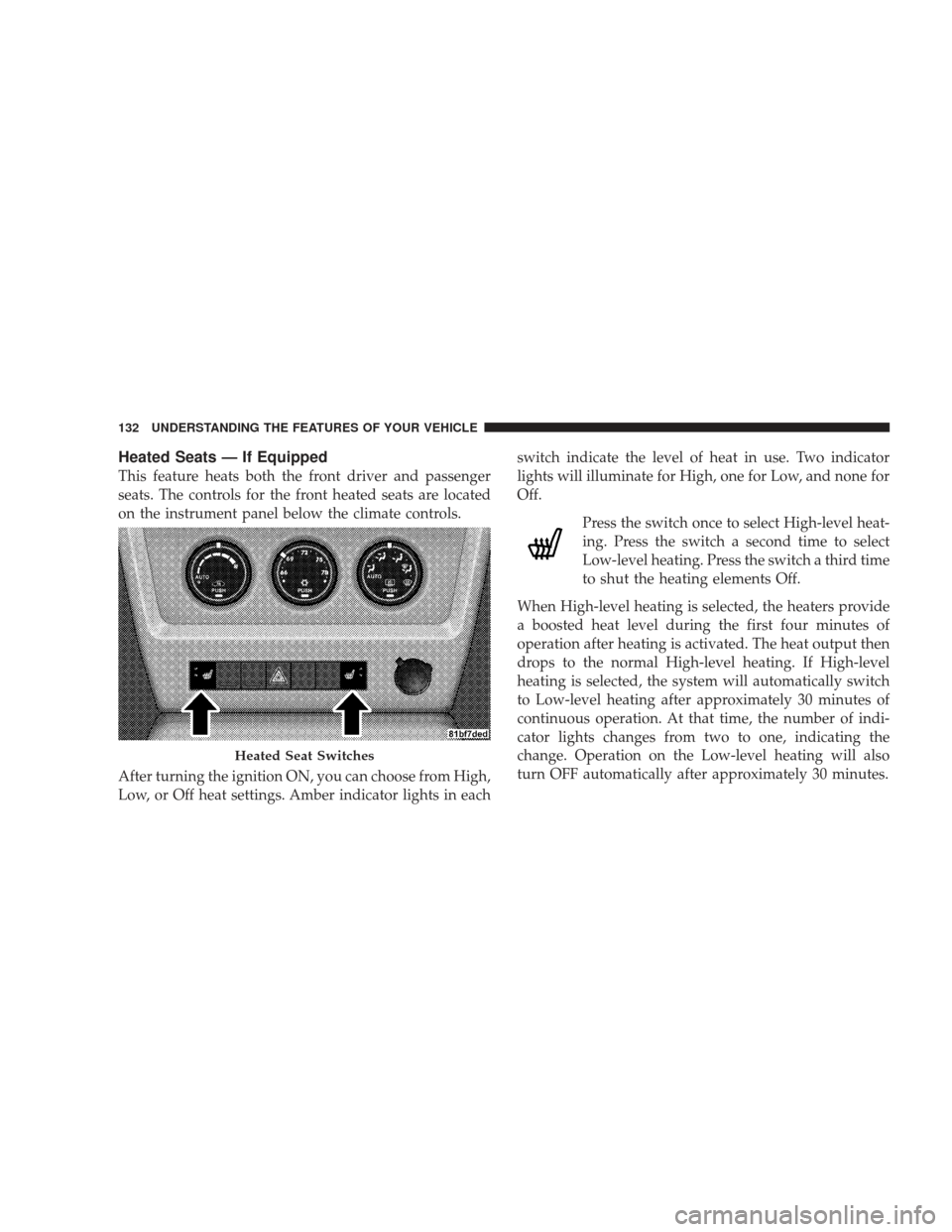
This feature heats both the front driver and passenger
seats. The controls for the front heated seats are located
on the instrument panel below the climate controls.
After turning the ignition ON, you can choose from High,
Low, or Off heat settings. Amber indicator lights in eachswitch indicate the level of heat in use. Two indicator
lights will illuminate for High, one for Low, and none for
Off.
Press the switch once to select High-level heat-
ing. Press the switch a second time to select
Low-level heating. Press the switch a third time
to shut the heating elements Off.
When High-level heating is selected, the heaters provide
a boosted heat level during the first four minutes of
operation after heating is activated. The heat output then
drops to the normal High-level heating. If High-level
heating is selected, the system will automatically switch
to Low-level heating after approximately 30 minutes of
continuous operation. At that time, the number of indi-
cator lights changes from two to one, indicating the
change. Operation on the Low-level heating will also
turn OFF automatically after approximately 30 minutes.
Heated Seat Switches
132 UNDERSTANDING THE FEATURES OF YOUR VEHICLE
Page 144 of 506
CAUTION!
To prevent possible damage:
•Before closing hood, make sure the hood prop rod
is fully seated into its storage retaining clips.
•Do not slam the hood to close it. Use a firm
downward push at the center front edge of the
hood to ensure that both latches engage.
•Never drive your vehicle unless the hood is fully
closed, with both latches engaged.
WARNING!
If the hood is not fully latched, it could fly up when
the vehicle is moving and block your forward vision.
Be sure all hood latches are fully latched before
driving.
LIGHTS
Exterior and Interior Lighting Control
The multifunction lever on the left side of the
steering column controls the operation of the
headlights, parking lights, turn signal lights, in-
strument panel lights, instrument panel light dimming,
interior lights and fog lights (if equipped).
142 UNDERSTANDING THE FEATURES OF YOUR VEHICLE
Page 145 of 506
Headlights and Parking Lights
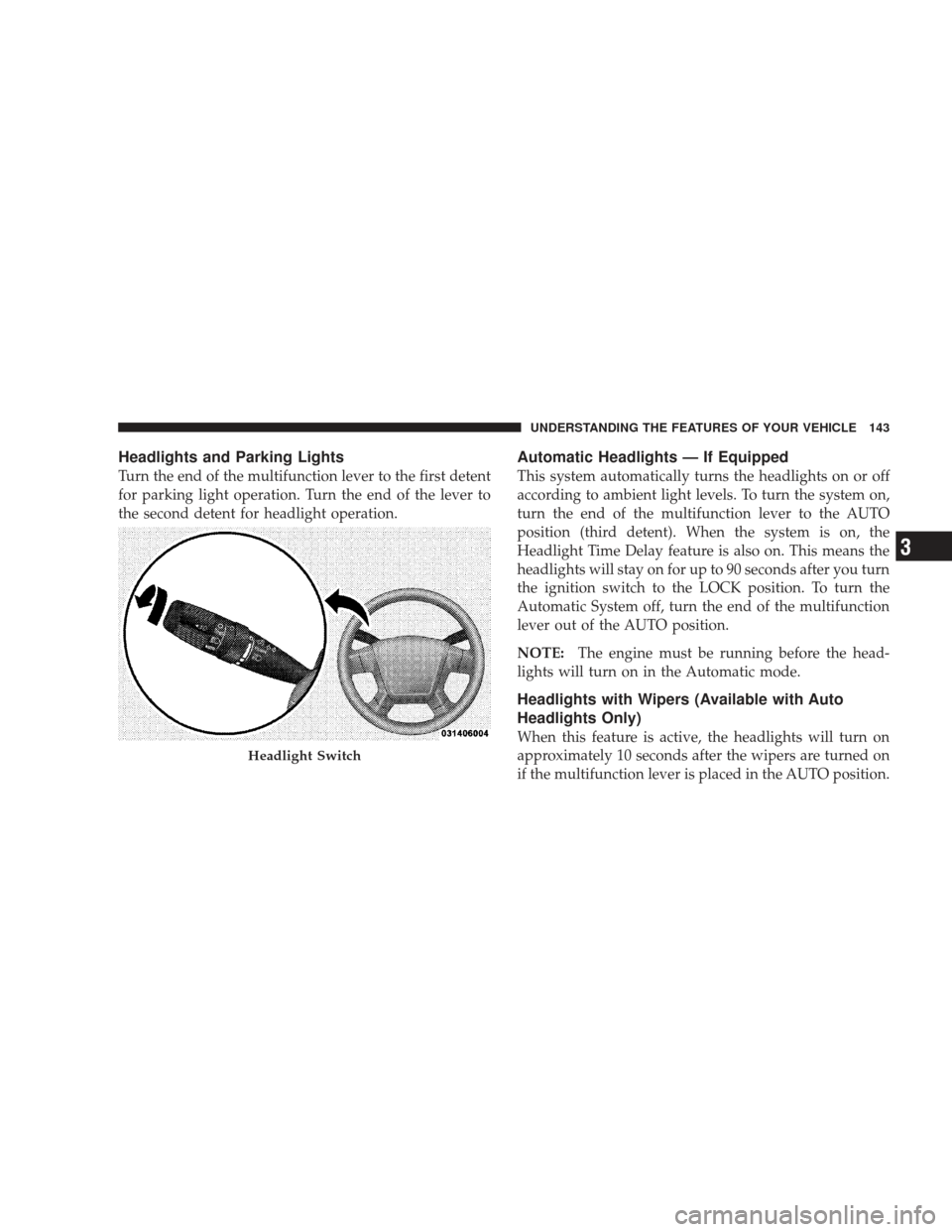
Turn the end of the multifunction lever to the first detent
for parking light operation. Turn the end of the lever to
the second detent for headlight operation.
Automatic Headlights — If Equipped
This system automatically turns the headlights on or off
according to ambient light levels. To turn the system on,
turn the end of the multifunction lever to the AUTO
position (third detent). When the system is on, the
Headlight Time Delay feature is also on. This means the
headlights will stay on for up to 90 seconds after you turn
the ignition switch to the LOCK position. To turn the
Automatic System off, turn the end of the multifunction
lever out of the AUTO position.
NOTE:The engine must be running before the head-
lights will turn on in the Automatic mode.
Headlights with Wipers (Available with Auto
Headlights Only)
When this feature is active, the headlights will turn on
approximately 10 seconds after the wipers are turned on
if the multifunction lever is placed in the AUTO position.
Headlight Switch
UNDERSTANDING THE FEATURES OF YOUR VEHICLE 143
3