Page 325 of 506
WARNING! (Continued)
•The capabilities of an ABS equipped vehicle must
never be exploited in a reckless or dangerous
manner, which could jeopardize the user’s safety
or the safety of others.
CAUTION!
The ABS is subject to possible detrimental effects of
electronic interference caused by improperly in-
stalled aftermarket radios or telephones.
NOTE: During severe braking conditions, a pulsing
sensation may occur and a clicking noise will be heard.
This is normal, indicating that the ABS is functioning.
•Do not “ride” the brakes by resting your foot on the
pedal. This could overheat the brakes and result in
unpredictable braking action, longer stopping dis-
tances, or brake damage.
•When descending mountains or hills, repeated brak-
ing can cause brake fade with loss of braking control.
Avoid repeated heavy braking by downshifting the
transmission or locking out overdrive whenever pos-
sible.
•Engines may idle at higher speeds during warm-up,
which could cause rear wheels to spin and result in
loss of vehicle control. Be especially careful while
driving on slippery roads, in close-quarter maneuver-
ing, parking, or stopping.
•Do not drive too fast for road conditions, especially
when roads are wet or slushy. A wedge of water can
STARTING AND OPERATING 323
5
Page 326 of 506
build up between the tire tread and the road. This
hydroplaning action can cause loss of traction, braking
ability, and control.
•After going through deep water or a car wash, brakes
may become wet, resulting in decreased performance
and unpredictable braking action. Dry the brakes by
gentle, intermittent pedal action while driving at very
slow speeds.
ELECTRONIC BRAKE CONTROL SYSTEM
Your vehicle is equipped with an advanced electronic
brake control system commonly referred to as ESP. This
system includes Anti-Lock Brake System (ABS), Traction
Control System (TCS), Brake Assist System (BAS), Hill
Start Assist (HSA), Electronic Roll Mitigation (ERM), and
Electronic Stability Program (ESP). These systems work
together to enhance both vehicle stability and control in
various driving conditions.Two additional electronic brake control system options
are Hill Descent Control (HDC) and Trailer Sway Control
(TSC). Your vehicle may be equipped with one or both of
these options.
Anti-Lock Brake System (ABS)
This system aids the driver in maintaining vehicle control
under adverse braking conditions. The system controls
hydraulic brake pressure to prevent wheel lock-up to
help avoid skidding on slippery surfaces during braking.
Refer to “Anti-Lock Brake System” in Section 5 of this
manual for more information about ABS.
324 STARTING AND OPERATING
Page 327 of 506
WARNING!
The Anti-Lock Brake System (ABS) cannot prevent
the natural laws of physics from acting on the ve-
hicle, nor can it increase the traction afforded by
prevailing road conditions. ABS cannot prevent acci-
dents, including those resulting from excessive speed
in turns, driving on very slippery surfaces, or hydro-
planing. Only a safe, attentive, and skillful driver can
prevent accidents. The capabilities of an ABS-
equipped vehicle must never be exploited in a reck-
less or dangerous manner, which could jeopardize
the user’s safety or the safety of others.
Traction Control System (TCS)
This system monitors the amount of wheel spin of each of
the driven wheels. If wheel spin is detected, brake
pressure is applied to the slipping wheel(s) and engine
power is reduced to provide enhanced acceleration andstability. A feature of the TCS system functions similar to
a limited slip differential and controls the wheel spin
across a driven axle. If one wheel on a driven axle is
spinning faster than the other, the system will apply the
brake of the spinning wheel. This will allow more engine
torque to be applied to the wheel that is not spinning.
This feature remains active even if TCS and ESP are in the
“Partial Off” mode or the “Full Off” mode. Refer to
“Electronic Stability Program (ESP)” in this section for
more information.
Brake Assist System (BAS)
The BAS is designed to optimize the vehicle’s braking
capability during emergency braking maneuvers. The
system detects an emergency braking situation by sens-
ing the rate and amount of brake application and then
applies optimum pressure to the brakes. This can help
reduce braking distances. The BAS complements the
anti-lock brake system (ABS). Applying the brakes very
quickly results in the best BAS assistance. To receive the
STARTING AND OPERATING 325
5
Page 386 of 506
•Safety chains must always be used between your
vehicle and trailer. Always connect the chains to the
frame or hook retainers of the vehicle hitch. Cross the
chains under the trailer tongue and allow enough
slack for turning corners.
•Vehicles with trailers should not be parked on a grade.
When parking, apply the parking brake on the tow
vehicle. Put the tow vehicle transmission in PARK.
Always, block or�chock�the trailer wheels.
•GCWR must not be exceeded.
•Total weight must be distributed between the tow
vehicle and the trailer such that the following four
ratings are not exceeded:
1. GVWR
2. GTW
3. GAWR 4. Tongue weight rating for the trailer hitch utilized
(This requirement may limit the ability to always
achieve the 10% to 15% range of tongue weight as a
percentage of total trailer weight).
Towing Requirements — Tires
Do not attempt to tow a trailer while using a compact
spare tire.
Proper tire inflation pressures are essential to the safe
and satisfactory operation of your vehicle. Refer to
“Tires–General Information” in this section for infor-
mation on tire pressures and for proper tire inflation
procedures.
Check the trailer tires for proper tire inflation pres-
sures before trailer usage.
384 STARTING AND OPERATING
Page 393 of 506
10. Repeat Steps 8 and 9 with the transmission in DRIVE.
11. Turn OFF the engine.
12. Turn the ignition switch to the unlocked OFF posi-
tion.
13. Shift the transmission into PARK.
14. Attach the vehicle to a tow vehicle with a tow bar.
15. Disconnect the battery negative cable.
NOTE:Steps 1 through 5 are requirements for shifting
the transfer case. If these requirements are not met prior
to depressing the NEUTRAL selection button or while
the shift attempt is in process, then the NEUTRAL
indicator light will flash continuously until all require-
ments are met or until the NEUTRAL button is released.
The ignition switch must be in the ON position for a shift
to take place and for the position indicator lights to be operable. If the ignition switch is not in the ON position,
the shift will not take place and no position indicator
lights will be on or flashing.
Flashing NEUTRAL position indicator light indicates
that shift requirements have not been met.
CAUTION!
Damage to the transmission may occur if the trans-
mission is shifted into PARK with the transfer case in
NEUTRAL and the engine RUNNING. With the
transfer case in NEUTRAL, ensure that the engine is
OFF prior to shifting the transmission into PARK.
Shifting Out of NEUTRAL
Perform the following procedure to prepare your vehicle
for normal usage:
1. Bring the vehicle to a complete stop.
STARTING AND OPERATING 391
5
Page 394 of 506
2. Reconnect the battery negative cable.
3. Place the ignition switch in the LOCK position (if it
has been moved or the engine has been started).
4. Turn the ignition switch to the ON position, but do not
start the engine.
5. Press the brake pedal.
6. Shift the transmission into NEUTRAL.
7. Use the point of a ballpoint pen or similar object to
press the recessed transfer case NEUTRAL button. Re-
lease the NEUTRAL button after the NEUTRAL indicator
light turns off (approximately one second). After the
NEUTRAL button is released, the transfer case will shift
to the position identified by the selector switch.
8. Start the engine.
9. Shift the transmission into DRIVE.10. Set the parking brake.
11. Shift the transmission into PARK.
NOTE:
Steps 1 through 6 are requirements for shifting
the transfer case. If these requirements are not met prior
to depressing the NEUTRAL selection button or while
the shift attempt is in process, then all of the mode
position indicator lights will flash continuously until all
requirements are met or until the NEUTRAL button is
released.
The ignition switch must be in the ON position for a shift
to take place and for the position indicator lights to be
operable. If the ignition switch in not in the ON position,
the shift will not take place and no position indicator
lights will be on or flashing.
Flashing NEUTRAL position indicator light indicates
that shift requirements have not been met.
392 STARTING AND OPERATING
Page 396 of 506
HAZARD WARNING FLASHER
The Hazard Warning flasher switch is located in the
switch bank below the climate controls.Press the switch to turn on the Hazard Warning
flasher. When the switch is activated, all directional
turn signals will flash on and off to warn oncoming
traffic of an emergency. Press the switch a second time to
turn off the Hazard Warning flasher.
This is an emergency warning system and it should not
be used when the vehicle is in motion. Use it when your
vehicle is disabled and it is creating a safety hazard for
other motorists.
When you must leave the vehicle to seek assistance, the
Hazard Warning flasher will continue to operate even
though the ignition switch is in the LOCK position.
NOTE: With extended use, the Hazard Warning flasher
may wear down your battery.
IF YOUR ENGINE OVERHEATS
In any of the following situations, you can reduce the
potential for overheating your engine by taking the
appropriate action.
•On the highways — slow down.
•In city traffic — while stopped, put transmission in
NEUTRAL, but do not increase engine idle speed.
CAUTION!
Driving with a hot cooling system could damage
your vehicle. If the temperature gauge reads “H,”
pull over and stop the vehicle. Idle the vehicle with
the air conditioner turned off until the pointer drops
back into the normal range. If the pointer remains on
the “H” and you hear continuous chimes, turn the
engine off immediately and call for service.
394 WHAT TO DO IN EMERGENCIES
Page 398 of 506
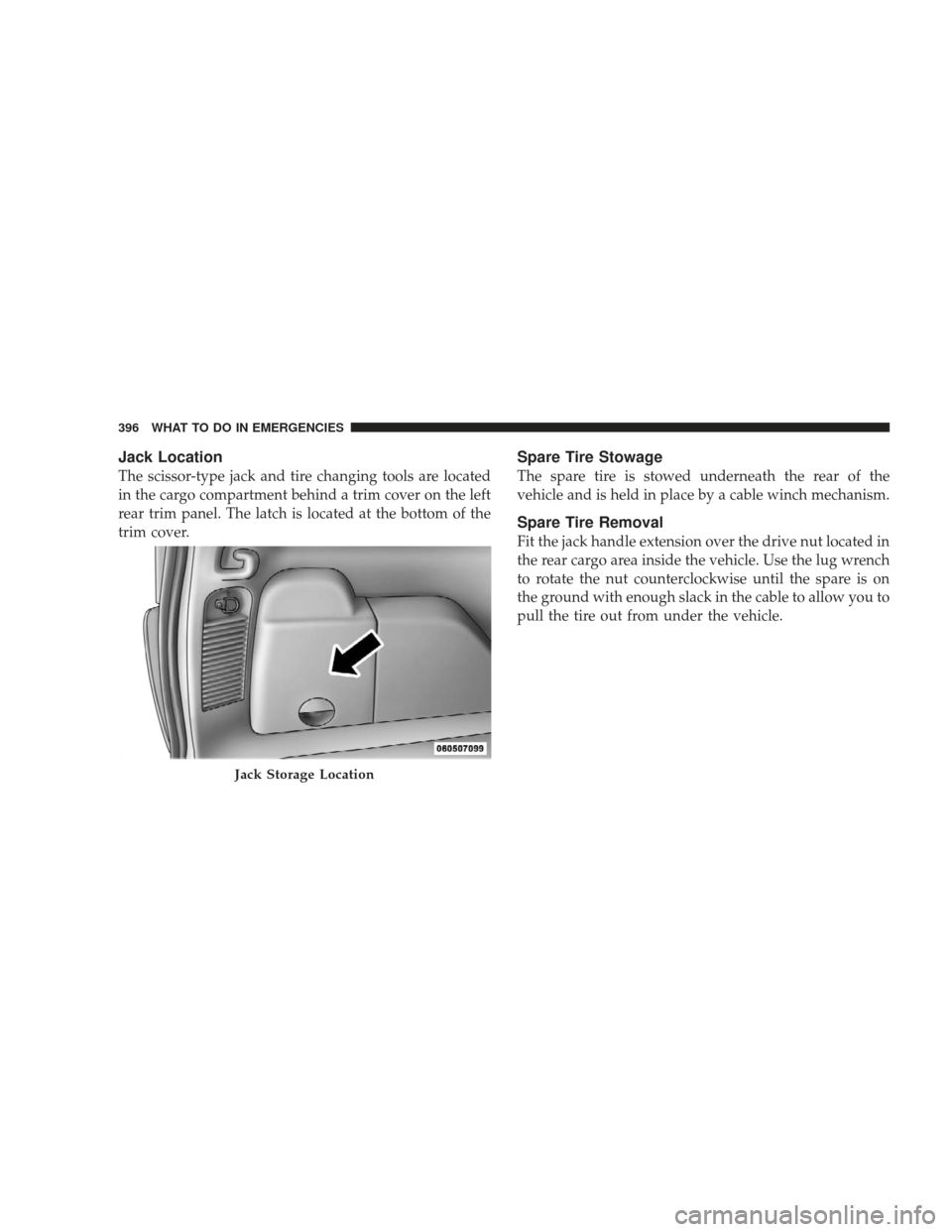
Jack Location
The scissor-type jack and tire changing tools are located
in the cargo compartment behind a trim cover on the left
rear trim panel. The latch is located at the bottom of the
trim cover.
Spare Tire Stowage
The spare tire is stowed underneath the rear of the
vehicle and is held in place by a cable winch mechanism.
Spare Tire Removal
Fit the jack handle extension over the drive nut located in
the rear cargo area inside the vehicle. Use the lug wrench
to rotate the nut counterclockwise until the spare is on
the ground with enough slack in the cable to allow you to
pull the tire out from under the vehicle.
Jack Storage Location
396 WHAT TO DO IN EMERGENCIES