Page 142 of 521
To use the washer, pull the lever toward you and hold
while spray is desired. If the lever is pulled while in the
delay range, the wiper will operate for several seconds
after the lever is released, and then resume the intermit-
tent interval previously selected.
If the lever is pulled while in the off position, the wipers
will operate for several wipe cycles, then turn off.
WARNING!
Sudden loss of visibility through the windshield
could lead to an accident. You might not see other
vehicles or other obstacles. To avoid sudden icing of
the windshield during freezing weather, warm the
windshield with the defroster before and during
windshield washer use.
Mist
Use the Mist feature when weather conditions make
occasional usage of the wipers necessary. Pull down and
release the control lever for a single wiping cycle.
Speed Sensitive Intermittent Wiper System
Use one of the five intermittent wiper speeds when
weather conditions make a single wiping cycle, with a
variable pause between cycles, desirable. Turn the end of
the lever to one of the five delay positions for the desired
delay interval. The delay can be regulated from a maxi-
mum of approximately 18 seconds between cycles, to a
cycle every 1/2 second.
NOTE:The wiper delay times depend on vehicle speed.
If the vehicle is moving less than 10 mph (16 km/h),
delay times will be doubled.
140 UNDERSTANDING THE FEATURES OF YOUR VEHICLE
Page 145 of 521
the steering wheel outward or push it inward as desired.
To lock the steering column in position, push the control
handle upward until fully engaged.
WARNING!
Do not adjust the steering wheel while driving. The
telescoping adjustment must be locked while driv-
ing. Adjusting the steering wheel while driving or
driving without the telescoping adjustment locked
could cause the driver to lose control of the vehicle.
ADJUSTABLE PEDALS — IF EQUIPPED
This feature allows both the brake and accelerator pedals
to move toward or away from the driver to provide
improved position with the steering wheel. The adjust-
able pedal system is designed to allow a greater range of
driver comfort for steering wheel tilt and seat position.
The position of the brake and accelerator pedals can beadjusted without compromising safety or comfort in
actuating the pedals.
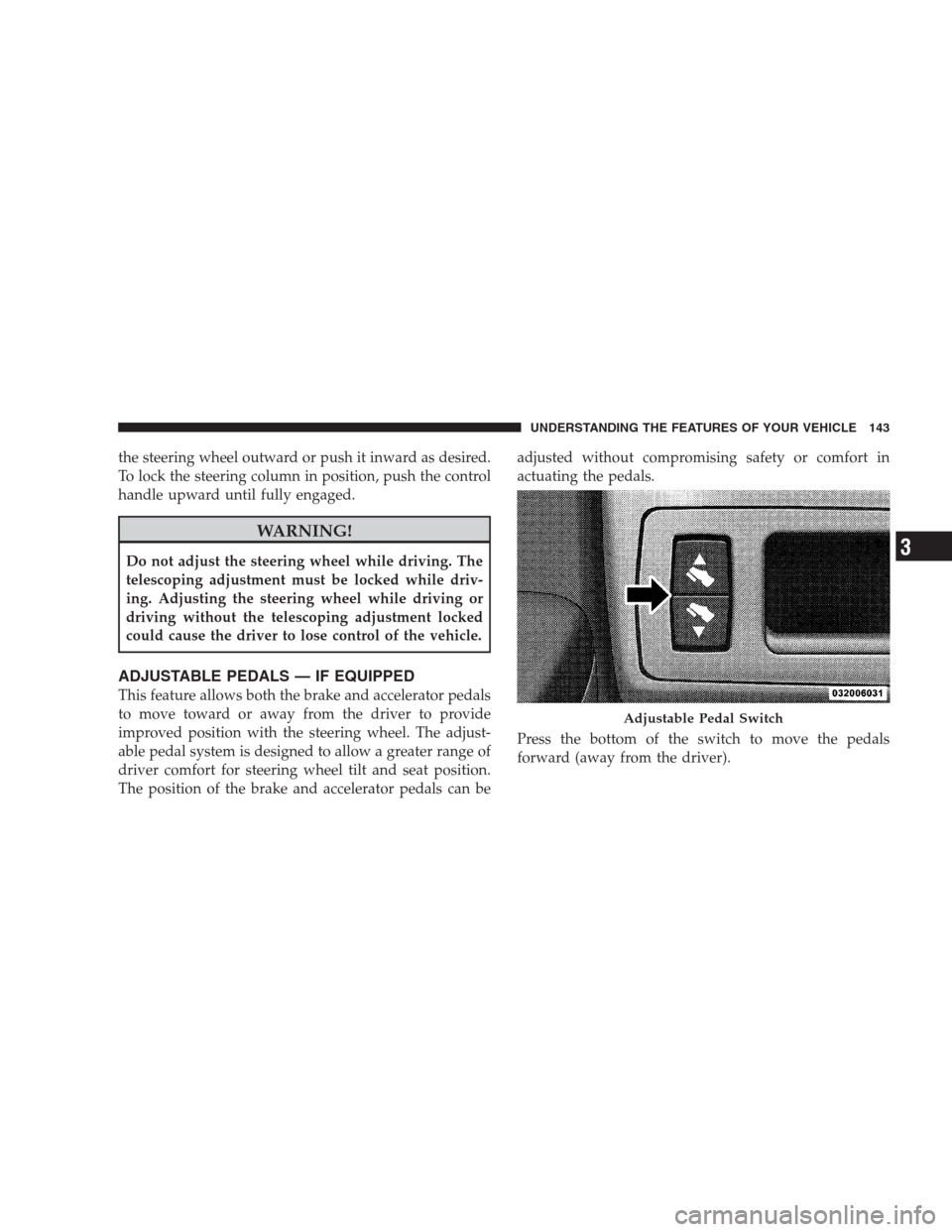
Press the bottom of the switch to move the pedals
forward (away from the driver).
Adjustable Pedal Switch
UNDERSTANDING THE FEATURES OF YOUR VEHICLE 143
3
Page 147 of 521
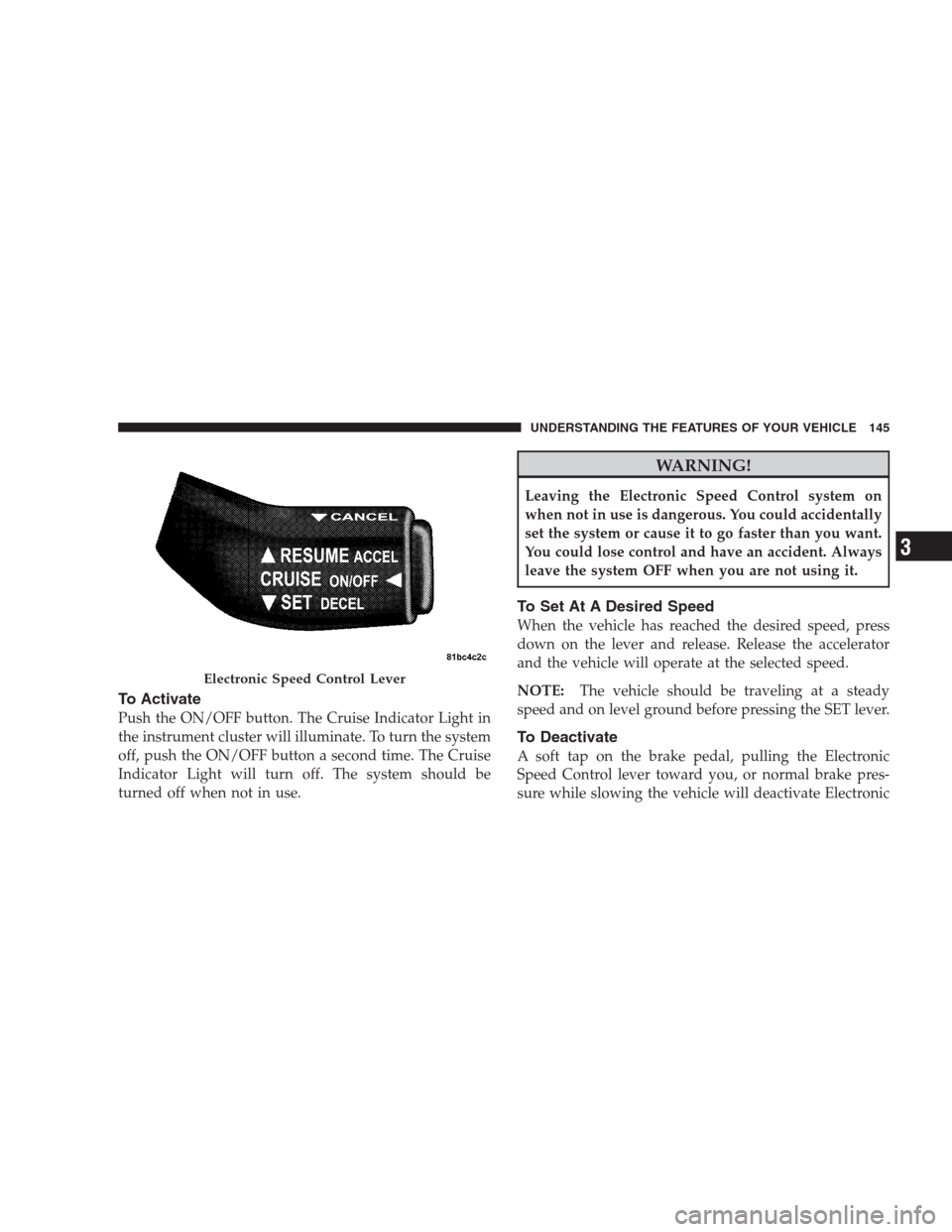
To Activate
Push the ON/OFF button. The Cruise Indicator Light in
the instrument cluster will illuminate. To turn the system
off, push the ON/OFF button a second time. The Cruise
Indicator Light will turn off. The system should be
turned off when not in use.
WARNING!
Leaving the Electronic Speed Control system on
when not in use is dangerous. You could accidentally
set the system or cause it to go faster than you want.
You could lose control and have an accident. Always
leave the system OFF when you are not using it.
To Set At A Desired Speed
When the vehicle has reached the desired speed, press
down on the lever and release. Release the accelerator
and the vehicle will operate at the selected speed.
NOTE:The vehicle should be traveling at a steady
speed and on level ground before pressing the SET lever.
To Deactivate
A soft tap on the brake pedal, pulling the Electronic
Speed Control lever toward you, or normal brake pres-
sure while slowing the vehicle will deactivate Electronic
Electronic Speed Control Lever
UNDERSTANDING THE FEATURES OF YOUR VEHICLE 145
3
Page 149 of 521

To Accelerate For Passing
Press the accelerator as you would normally. When the
pedal is released, the vehicle will return to the set speed.
Using Electronic Speed Control On Hills
The transmission may downshift on hills to maintain the
vehicle set speed.
NOTE:The Electronic Speed Control system maintains
speed up and down hills. A slight speed change on
moderate hills is normal.
On steep hills, a greater speed loss or gain may occur so
it may be preferable to drive without Electronic Speed
Control.
REAR PARK ASSIST — IF EQUIPPED
The Rear Park Assist provides visible and audible indi-
cations of the distance between the rear fascia and the
detected obstacle when backing up. Refer to the WarningSection and Note Section for limitations of this system
and recommendations.
The Rear Park Assist will remember the last system state
(enabled or disabled) from the last ignition cycle when
the ignition is changed to the ON position.
The Rear Park Assist can be active only when the shift
lever is in REVERSE. If the Rear Park Assist is enabled at
this shift lever position, the system will be active until the
vehicle speed is increased to approximately 11 mph
(18 km/h) or above. The system will be active again if the
vehicle speed is decreased to speeds less than approxi-
mately 10 mph (16 km/h).
Rear Park Assist Sensors
The four Rear Park Assist Sensors, located in the rear
fascia, monitor the area behind the vehicle that is within
the sensors’ field of view.
UNDERSTANDING THE FEATURES OF YOUR VEHICLE 147
3
Page 150 of 521
The sensors can detect obstacles from approximately 12
to 59 in (30 to 150 cm) from the rear fascia in the
horizontal direction, depending on the location and
orientation of the obstacle and the type of obstacle.
Rear Park Assist Warning Display
The Rear Park Assist Warning Display, located in the
headliner near the flipper glass, provides both visible and
audible warnings to indicate the distance between the
rear fascia and the detected obstacle.
When the ignition is turned to the ON position, the
warning display will turn ON all of its LEDs for about
one second. Each side of the warning display has six
yellow and two red LEDs. The vehicle is close to the
obstacle when the red LED is ON.
148 UNDERSTANDING THE FEATURES OF YOUR VEHICLE
Page 151 of 521
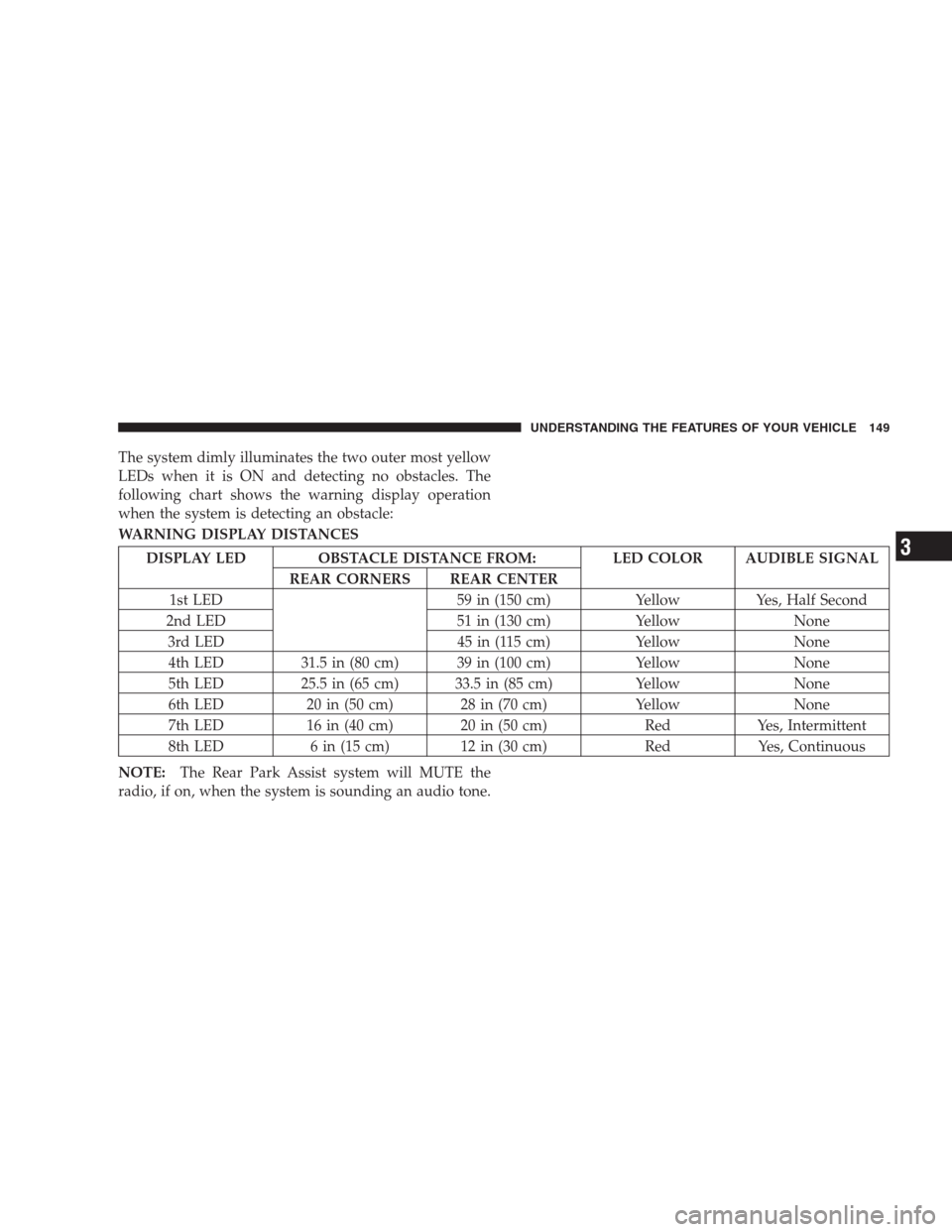
The system dimly illuminates the two outer most yellow
LEDs when it is ON and detecting no obstacles. The
following chart shows the warning display operation
when the system is detecting an obstacle:
WARNING DISPLAY DISTANCES
DISPLAY LED OBSTACLE DISTANCE FROM: LED COLOR AUDIBLE SIGNAL
REAR CORNERS REAR CENTER
1st LED 59 in (150 cm) Yellow Yes, Half Second
2nd LED 51 in (130 cm) Yellow None
3rd LED 45 in (115 cm) Yellow None
4th LED 31.5 in (80 cm) 39 in (100 cm) Yellow None
5th LED 25.5 in (65 cm) 33.5 in (85 cm) Yellow None
6th LED 20 in (50 cm) 28 in (70 cm) Yellow None
7th LED 16 in (40 cm) 20 in (50 cm) Red Yes, Intermittent
8th LED 6 in (15 cm) 12 in (30 cm) Red Yes, Continuous
NOTE:The Rear Park Assist system will MUTE the
radio, if on, when the system is sounding an audio tone.
UNDERSTANDING THE FEATURES OF YOUR VEHICLE 149
3
Page 153 of 521

Cleaning The Rear Park Assist
Clean the Rear Park Assist Sensors with water, car wash
soap and a soft cloth. Do not use rough or hard cloths. Do
not scratch or poke the sensors. Otherwise, you could
damage the sensors.
REAR CAMERA — IF EQUIPPED
Vehicles with a uconnect�tunes radio may be equipped
with a rearview camera (located on the rear liftgate) that
allows you to see an on-screen image (on the navigation
radio screen) of the rear of your vehicle, whenever the
vehicle is put into REVERSE.
WARNING!
Drivers must be careful when backing up even when
using the Rear Camera System. Always check care-
fully behind your vehicle, and be sure to check for
pedestrians, animals, other vehicles, obstructions, or
blind spots before backing up. You are responsible
for the safety of your surroundings and must con-
tinue to pay attention while backing up. Failure to do
so can result in serious injury or death.
CAUTION!
•To avoid vehicle damage, the Rear Camera system
should only be used as a parking aid. The Rear
Camera system is unable to view every obstacle or
object in your drive path.
(Continued)
UNDERSTANDING THE FEATURES OF YOUR VEHICLE 151
3
Page 157 of 521
WARNING!
•Your motorized door or gate will open and close
while you are training the Universal Transceiver.
Do not train the transceiver if people or pets are in
the path of the door or gate. Only use this trans-
ceiver with a garage door opener that has a “stop
and reverse” feature as required by federal safety
standards. This includes most garage door opener
models manufactured after 1982. Do not use a
garage door opener without these safety features.
Call toll-free 1–800–355–3515 or, on the Internet at
www.HomeLink.com for safety information or as-
sistance.
•Vehicle exhaust contains carbon monoxide, a dan-
gerous gas. Do not run your vehicle in the garage
while training the transceiver. Exhaust gas can
cause serious injury or death.
Programming HomeLink�
Before You Begin
If you have not trained any of the HomeLink�buttons,
erase all channels before you begin training.
To do this, press and hold the two outside buttons for up
to 20 seconds. The EVIC will display “CLEARING
CHANNELS.” Release the buttons when the EVIC mes-
sage states “CHANNELS CLEARED.”
It is recommended that a new battery be placed in the
hand-held transmitter of the device being programmed
to HomeLink�for more efficient training and accurate
transmission of the radio-frequency signal.
Your vehicle should be parked outside of the garage
while training.
1. Turn the ignition switch to the ON/RUN position.
UNDERSTANDING THE FEATURES OF YOUR VEHICLE 155
3