2009 JAGUAR XF instrument panel
[x] Cancel search: instrument panelPage 107 of 391

107
Information displays
TRIP COMPUTER
The computer memory stores data for a
journey or series of journeys until it is reset to
zero.
The displayed information is for guidance only,
as it can be affected by traffic, road and
weather conditions.
Three independent memories are available, A,
B and Auto. A and B me mories can be set
independently, while the Auto trip will reset
after every ignition cycle as the vehicle moves.
Full trip computer information for the trip
memories can be displayed on the vehicle
touch-screen located in the centre console,
while current selected trip computer
information is displayed on the instrument
panel message centre.
To access the trip computer touch-screen
settings:
• From the touch-screen Home menu, select
Vehicle .
• Select Trip computer .
• Select requirement s from the menu.
Trip computer information centre display
Vehicle total distance travelled ( 1) and trip
distance ( 2) are displayed, as well as average
fuel economy and average speed if selected via
the touch-screen. Also A, B or Auto will be
displayed, depending on the current memory
selected.
Odometer
The odometer shows the total vehicle distance
travelled since the vehicle was new.
The odometer and trip distance reading is
displayed in either miles or kilometres,
depending on the settings selected via the
touch-screen.
Changing the display
Press the TRIP button on the end of the left
column stalk switch repeatedly to display the
message centre data in the following order:
• Trip distance
• Average speed
• Average fuel consumption
• Range.
Trip distance (A, B and Auto)
Distance travelled since the last memory reset.
The maximum trip reading is 16 090 kilometres
(9 999.9 miles). The computer will
automatically reset to zero if this distance is
exceeded.
Average speed (A, B and Auto)
The average speed since the last press of the
reset button.
km
10849
A :238.7
1
2
E91243
E91244
Page 112 of 391

Information displays
112
Further adjustment of the touch-screen
brightness can be achieved by using the + or -
buttons in the Cont./Bright. screen or by
adjustment of the inst rument panel dimmer
switch. See INSTRUMENT LIGHTING DIMMER
(page 123).
Pop-up messages
The operation of certain functions will cause a
small message (pop-up) to appear, overlaying
the touch-screen display.
The pop-up is mainly for information and will
disappear automatically after a few seconds, or
can be dismissed by touching the pop-up
screen area. If any action or adjustment is
required, the message will clearly indicate what
is required and which button to touch.
Touch-screen systems
There are five major systems controlled via the
touch-screen with thei r individual levels of
operation and settings . They are as follows:
• Audio
• Climate
• Phone/Comms/Voice
• Navigation
• Vehicle .
Note: The Phone entry is renamed Comms if
the JaguarVoice system is fitted and renamed
Voice if the JaguarVoice system is fitted but
without telephone.
Audio system
The vehicle Audio syst em interacts with
Navigation, In-car Telephone and Climate
Control systems.
The Audio system can be controlled from the
switches on the console, the touch-screen
buttons and from the multi-function controls
on the left-hand side of the steering wheel.
See AUDIO CONTROL (page 69).
Detailed instructions on the use of the audio
system are provided later in this handbook.
See Audio unit operation (page 271).
Automatic climate control
The automatic climate control system can be
controlled from the switches on the console
and the touch-screen buttons.
SeeAUTOMATIC CLIMATE CONTROL
(page 116).
Phone/Comms/Voice
The communications system is composed of
the following facilities:
• Digit dial
• Phonebook
• Last ten calls made, received, missed.
• Voice
The telephone system can be controlled from
the touch-screen, by voice recognition or by
using the multi-function controls on the
left-hand side of the steering wheel.
See ADJUSTING THE STEERING WHEEL
(page 67). Detailed instructions on the use of
the phone are provided later in this handbook.
See Telephone (page 307).
Navigation system
Detailed instructions on the use of the
navigation system are pr ovided later in this
handbook. See Navigation system (page 334).
Audio/TV
DAB radio
CD
AM/FM
12 : 26 pm
TP TA PTY DPLIITr 04
Portable audio
00:36
Settings
89.9 89.9 BBC R2
Cancel
Please wait... Audio
E95072
Page 134 of 391

Starting the engine
134
Engine block heaters
Engines are more difficult to start when the
ambient temperature is very low. In
geographical areas where temperatures below
-10°C (14°F) are experienced frequently, it is
advisable to fit an engine block heater. The
block heater will have an insulated connector at
the front of the vehicle, which is connected to a
mains supply using a suitable extension cable.
The heater can remain in use overnight if
required. Typically, an e ngine block heater will
use between 400W and 1000W per hour.
For further information consult your Jaguar
Dealer/Authorised Repairer.
If the engine fails to start
When pressing the engine START/STOP button
to start the engine, if the security status
indicator lamp on the top surface of the
instrument panel rema ins flashing, a fault
condition is indicate d. Seek qualified
assistance as soon as possible.
Note: If the Jaguar Smart Key is placed in the
door pocket, it may be outside the range of the
sensors when the door is opened.
Note: If the fuel system inertia switch has
tripped, the ignition circuit will be isolated.
See FUEL CUT-OFF (page 177).
Petrol engines
If the engine persistently fails to start, press the
START/STOP button (without applying the
brake pedal) to return the ignition to
convenience mode. Slowly depress the
accelerator pedal fully, hold it in this position
and press the START/STOP button with the
brake pedal applied, the engine will start to
crank. Release the accelerator pedal when the
engine starts.
If the engine still fails to start, consult your
Dealer/Authorised Repairer.
Diesel engines
If the engine persistently fails to start, press
and hold the START/STOP button (with the
brake pedal applied). Keep the START/STOP
button and the brake pedal pressed until the
engine starts, then release.
If the engine still fails to start, consult your
Dealer/Authorised Repairer.
SWITCHING OFF THE ENGINE
With the gear selector in position P, press the
engine START/STOP button. The engine will
stop and the ignition syst em will return to
convenience mode. The audio, telephone and
touch-screen systems will revert to stand-by
mode and the JaguarDrive selector will retract
into the centre console. Pressing the
START/STOP button ag ain (without pressing
the brake pedal) will activate the systems.
CAUTION
The fitting of an engine block heater
does not eliminate the need for
antifreeze.
WARNING
Never switch off the engine when the
vehicle is in motion.
Page 146 of 391

Brakes
146
Emergency Brake Assist (EBA)
The EBA system measures the rate at which the
brake pressure increases. If the system detects
an emergency braking situation, EBA
automatically init iates full braking effect. This
can reduce stopping dist ances in critical
situations.
EBA stops operating as soon as the brake pedal
is released.
EBA is part of the Dynamic Stability
Control (DSC) system and a fault
with the EBA system is indicated by
the amber DSC warning indicator illuminating
and DSC NOT AVAILABLE (with amber
backlight) displaying in the message centre.
Seek qualified assistan ce as soon as possible.
Brake vacuum assist
(V6 petrol models only)
When the engine is cold and/or engine vacuum
is low, Brake vacuum assist provides additional
brake pedal assistance. When the function is
operating, a pulsation ma y be felt through the
brake pedal - this is not a cause for concern.
A fault is indicate d by the message BRAKE
ASSIST FAULT (with amber backlight)
appearing in the message centre. Increased
brake pedal effort may be required to slow the
vehicle when the engine is cold and/or engine
vacuum is low. Seek qualified assistance.
ELECTRIC PARKING BRAKE (EPB)
The switch which operate s the parking brake is
mounted on the centre c onsole to the rear of
the gear selector.
To engage the parking brake (1): Pull the
parking brake switch up wards and release. The
switch will return to the neutral position. The
Parking brake warning and Brake fluid low
warning indicator on the instrument panel will
illuminate.
The Drive Away Release feature allows the
parking brake to release automatically as the
vehicle is driven away.
To disengage the parking brake (2): With the
ignition system on or with the engine running,
apply the foot brake and press the parking
brake switch down.
If the parking brake is a pplied while the vehicle
is stationary and D or R is selected, applying
the throttle will auto matically release the
parking brake.
The parking brake is also automatically
released when the gear selector is moved from
the P position.
WARNING
The EBA system is an additional
safety system; it is not intended to
relieve the driver of his or her
responsibility for exercising due care and
attention when driving.12
E95148
Page 147 of 391
147
Brakes
If the parking brake is inadvertently applied
when the vehicle is moving at above 3 km/h
(1.8 mph), PARK BRAKE APPLIED is displayed
in the message centre, the warning indicator in
the instrument panel will illuminate and a
warning chime will sound.
If the parking brake is a pplied whilst the vehicle
is moving, releasing the switch will disengage
the parking brake. The parking brake cannot be
applied when the vehicle is moving, if the
accelerator pedal is pressed.
Note: If the vehicle is in motion, the parking
brake should only be used as an emergency
brake.
The warning indicator in the instrument panel
will remain on for a short time, if the parking
brake is applied when the ignition system is
reverted to the convenience mode.
If a fault in the system is detected,
the amber brake warning indicator
will illuminate and PARK BRAKE
FAULT or CANNOT APPLY PARK BRAKE will
be displayed in the message centre. Seek
qualified assistance as soon as possible.
If the battery has been discharged or
disconnected, APPLY FOOT AND PARK BRAKE
will be displayed in the message centre when
the ignition is next switched on. Depress the
foot brake and pull the parking brake switch up
to apply the parking brake. This is required to
reset the parking brake system. The parking
brake will now function correctly.
CAUTION
Always apply the parking brake when
the vehicle is parked.
Page 160 of 391
Adaptive cruise control (ACC)
160
Setting the speed
Accelerate as normal until the required speed is
reached.
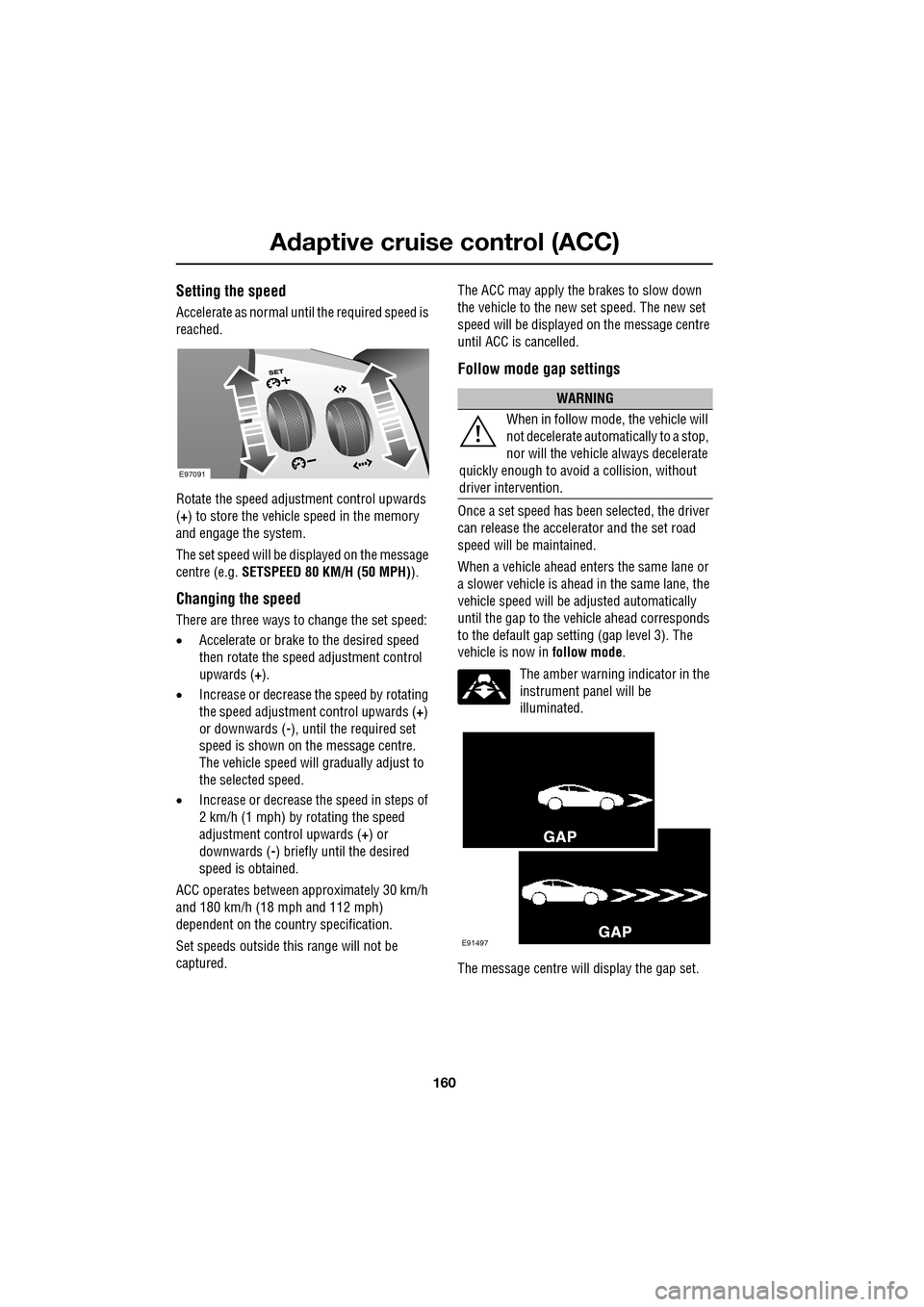
Rotate the speed adjustment control upwards
(+) to store the vehicle speed in the memory
and engage the system.
The set speed will be displayed on the message
centre (e.g. SETSPEED 80 KM/H (50 MPH) ).
Changing the speed
There are three ways to change the set speed:
•Accelerate or brake to the desired speed
then rotate the speed adjustment control
upwards ( +).
• Increase or decrease the speed by rotating
the speed adjustment control upwards ( +)
or downwards ( -), until the required set
speed is shown on the message centre.
The vehicle speed will gradually adjust to
the selected speed.
• Increase or decrease the speed in steps of
2 km/h (1 mph) by rotating the speed
adjustment control upwards (+) or
downwards ( -) briefly until the desired
speed is obtained.
ACC operates between approximately 30 km/h
and 180 km/h (18 mph and 112 mph)
dependent on the c ountry specification.
Set speeds outside th is range will not be
captured. The ACC may apply the brakes to slow down
the vehicle to the new set speed. The new set
speed will be displayed on the message centre
until ACC is cancelled.
Follow mode gap settings
Once a set speed has been selected, the driver
can release the accelerator and the set road
speed will be maintained.
When a vehicle ahead enters the same lane or
a slower vehicle is ahead in the same lane, the
vehicle speed will be adjusted automatically
until the gap to the vehicle ahead corresponds
to the default gap setting (gap level 3). The
vehicle is now in
follow mode.
The amber warning indicator in the
instrument panel will be
illuminated.
The message centre will display the gap set.
E97091
WARNING
When in follow mode, the vehicle will
not decelerate automatically to a stop,
nor will the vehicle always decelerate
quickly enough to avoid a collision, without
driver intervention.
E91497
Page 164 of 391

Adaptive cruise control (ACC)
164
Adverse weather conditions
During adverse weather conditions such as
heavy rain or snowfall, the sensitivity of radar
blockage detection is incr eased, so that it can
correctly detect any reduced performance
caused by a blocked sensor.
During these conditions, the warning message
ACC SENSOR BLOCKED may be displayed
more frequently, especially in areas where
there are few roadside objects for the radar to
detect.
FORWARD ALERT FUNCTION
Limited detection and warning of objects
ahead, is provided during ACC operation by the
ACC FORWARD ALERT warning. The enhanced
forward alert feature additionally provides
warnings when ACC is not engaged; if an object
is detected close ahead, then the warning tone
and message will be issued. The brakes will not
be applied. The forward alert system does not initiate any
action. The driver must
take appropriate action
when the FORWARD ALERT message is
displayed. However, the system monitors
driver actions (e.g. braking, steering or
indicating) and may not initiate the warning
display if the appropriate action has been taken
early enough.
The Forward alert function may be switched on
or off using the forward alert switch, located
where shown.
When the indicator in the
instrument panel is on, Forward
alert is active.
The sensitivity of the warning may be changed:
• Press the gap decrease button when ACC
is disengaged to displa y and then decrease
the sensitivity of the alert.
• Press the gap increase button to display
and then increase the sensitivity of the
alert.
FORWARD ALERT is
displayed in the
message centre.
WARNING
Do not use in poor visibility,
specifically fog, heavy rain, spray or
snow.
Do not use on icy or slippery roads.
JAG1303
Page 167 of 391
167
Automatic speed limiter (ASL)
PRINCIPLE OF OPERATION
ASL can be used in a situation where varying
vehicle speed is likely but a maximum speed
must not be exceeded. For example, where a
local speed limit is 80 km/h (50 mph), the set
speed could be at that limit or just under.
If ASL is not selected, cr uise control is always
available by simply rotating the thumb wheel
on the right-hand side of the steering wheel to
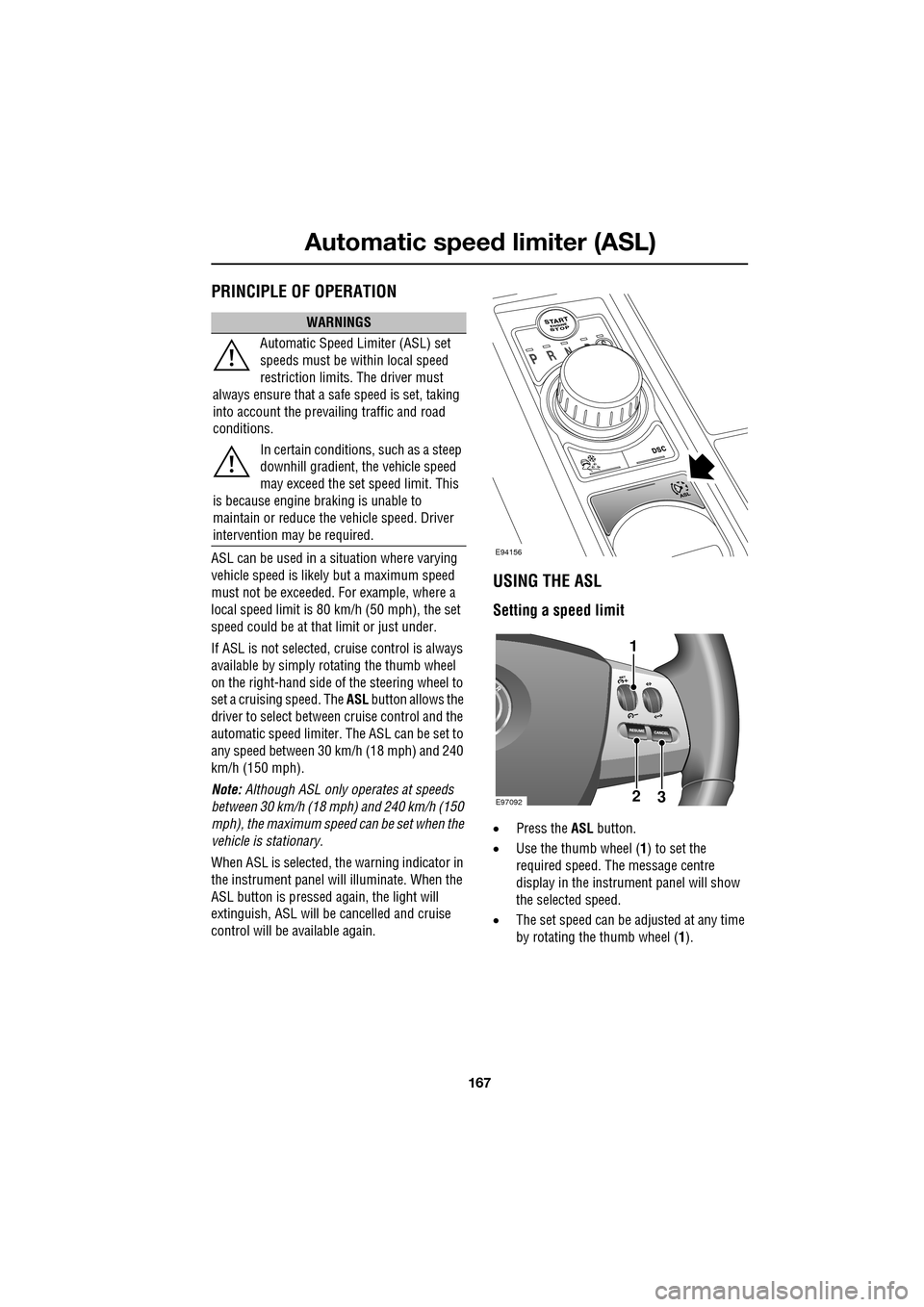
set a cruising speed. The ASL button allows the
driver to select betwee n cruise control and the
automatic speed limiter. The ASL can be set to
any speed between 30 km/h (18 mph) and 240
km/h (150 mph).
Note: Although ASL only operates at speeds
between 30 km/h (18 mph) and 240 km/h (150
mph), the maximum speed can be set when the
vehicle is stationary.
When ASL is selected, the warning indicator in
the instrument panel will illuminate. When the
ASL button is pressed ag ain, the light will
extinguish, ASL will be cancelled and cruise
control will be available again.
USING THE ASL
Setting a speed limit
• Press the ASL button.
• Use the thumb wheel ( 1) to set the
required speed. The message centre
display in the instru ment panel will show
the selected speed.
• The set speed can be adjusted at any time
by rotating the thumb wheel (1).
WARNINGS
Automatic Speed Limiter (ASL) set
speeds must be within local speed
restriction limits. The driver must
always ensure that a safe speed is set, taking
into account the prevailing traffic and road
conditions.
In certain conditions, such as a steep
downhill gradient, the vehicle speed
may exceed the set speed limit. This
is because engine br aking is unable to
maintain or reduce the vehicle speed. Driver
intervention may be required.
E94156
E9709223
1