Page 79 of 286
1FEATURES OF YOUR HYUNDAI66
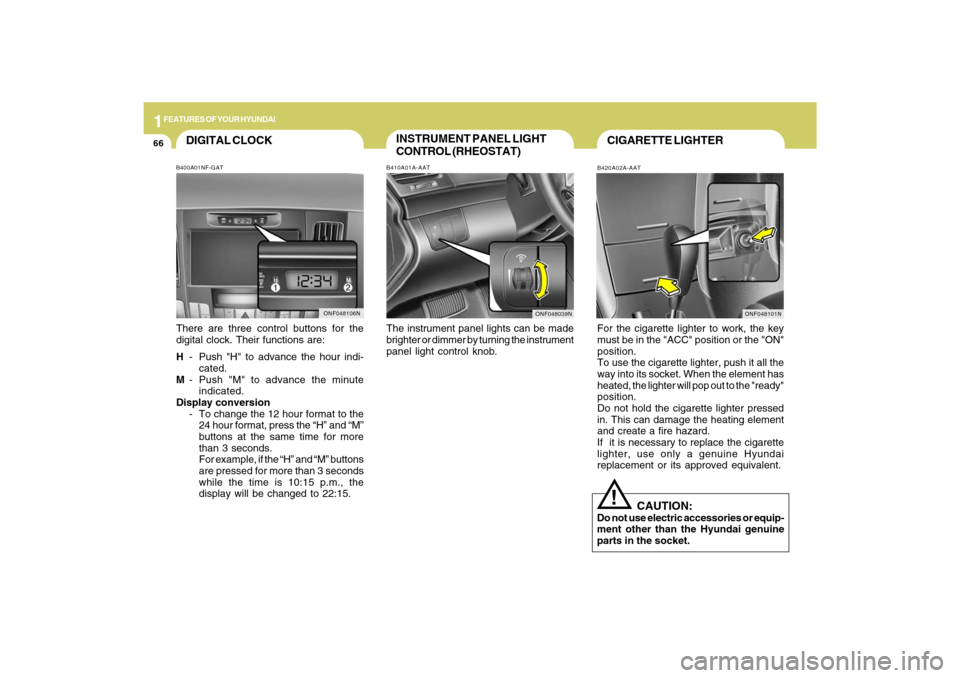
INSTRUMENT PANEL LIGHT
CONTROL (RHEOSTAT)B410A01A-AATThe instrument panel lights can be made
brighter or dimmer by turning the instrument
panel light control knob.
CIGARETTE LIGHTERB420A02A-AATFor the cigarette lighter to work, the key
must be in the "ACC" position or the "ON"
position.
To use the cigarette lighter, push it all the
way into its socket. When the element has
heated, the lighter will pop out to the "ready"
position.
Do not hold the cigarette lighter pressed
in. This can damage the heating element
and create a fire hazard.
If it is necessary to replace the cigarette
lighter, use only a genuine Hyundai
replacement or its approved equivalent.
!
CAUTION:
Do not use electric accessories or equip-
ment other than the Hyundai genuine
parts in the socket.
ONF048039N
DIGITAL CLOCKB400A01NF-GATThere are three control buttons for the
digital clock. Their functions are:
H- Push "H" to advance the hour indi-
cated.
M- Push "M" to advance the minute
indicated.
Display conversion
- To change the 12 hour format to the
24 hour format, press the “H” and “M”
buttons at the same time for more
than 3 seconds.
For example, if the “H” and “M” buttons
are pressed for more than 3 seconds
while the time is 10:15 p.m., the
display will be changed to 22:15.
ONF048106N
ONF048101N
Page 82 of 286
1
FEATURES OF YOUR HYUNDAI
69
!SUNROOFB460A02Y-AAT(If Installed)
Sun Shade
B460A01NF
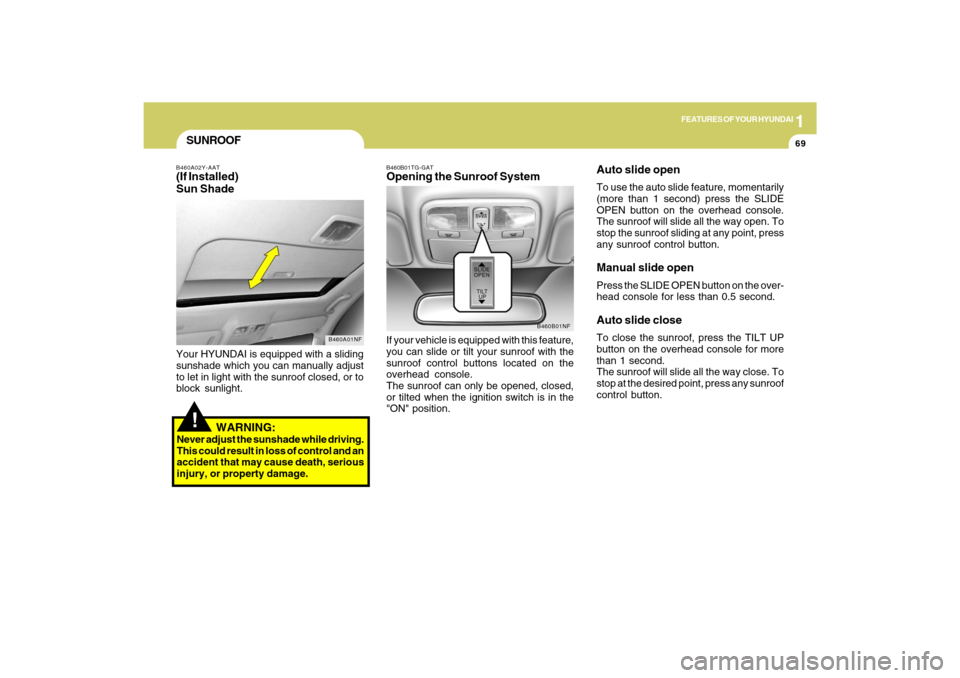
Your HYUNDAI is equipped with a sliding
sunshade which you can manually adjust
to let in light with the sunroof closed, or to
block sunlight.
WARNING:
Never adjust the sunshade while driving.
This could result in loss of control and an
accident that may cause death, serious
injury, or property damage.
B460B01TG-GATOpening the Sunroof SystemIf your vehicle is equipped with this feature,
you can slide or tilt your sunroof with the
sunroof control buttons located on the
overhead console.
The sunroof can only be opened, closed,
or tilted when the ignition switch is in the
"ON" position.
B460B01NF
Auto slide openTo use the auto slide feature, momentarily
(more than 1 second) press the SLIDE
OPEN button on the overhead console.
The sunroof will slide all the way open. To
stop the sunroof sliding at any point, press
any sunroof control button.Manual slide openPress the SLIDE OPEN button on the over-
head console for less than 0.5 second.Auto slide closeTo close the sunroof, press the TILT UP
button on the overhead console for more
than 1 second.
The sunroof will slide all the way close. To
stop at the desired point, press any sunroof
control button.
Page 85 of 286
1FEATURES OF YOUR HYUNDAI72
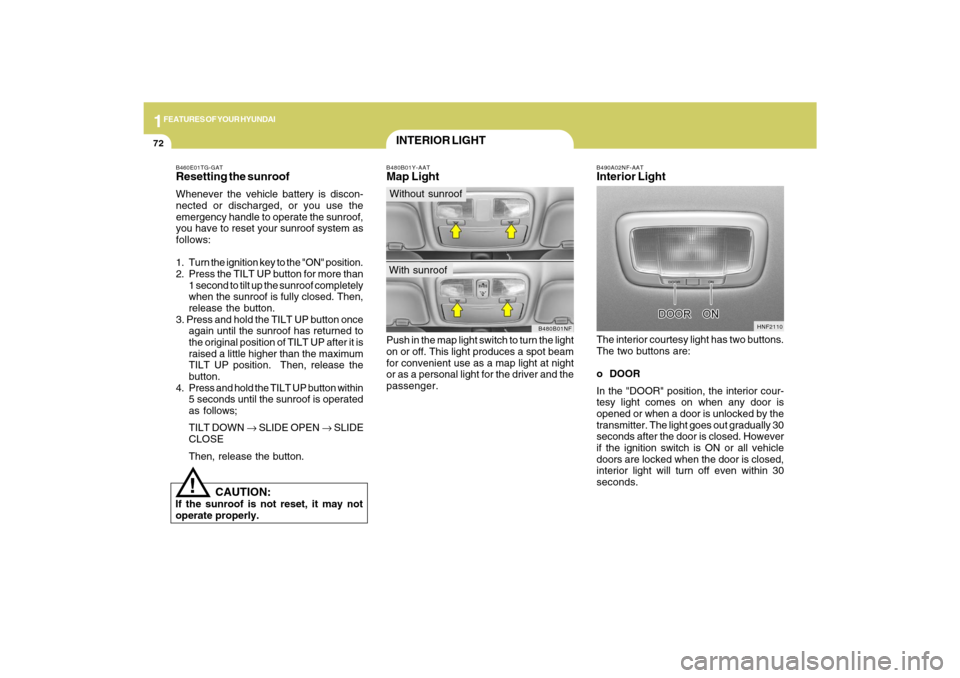
B490A02NF-AATInterior LightThe interior courtesy light has two buttons.
The two buttons are:
o DOOR
In the "DOOR" position, the interior cour-
tesy light comes on when any door is
opened or when a door is unlocked by the
transmitter. The light goes out gradually 30
seconds after the door is closed. However
if the ignition switch is ON or all vehicle
doors are locked when the door is closed,
interior light will turn off even within 30
seconds.
HNF2110
!
CAUTION:
If the sunroof is not reset, it may not
operate properly.B460E01TG-GATResetting the sunroofWhenever the vehicle battery is discon-
nected or discharged, or you use the
emergency handle to operate the sunroof,
you have to reset your sunroof system as
follows:
1. Turn the ignition key to the "ON" position.
2. Press the TILT UP button for more than
1 second to tilt up the sunroof completely
when the sunroof is fully closed. Then,
release the button.
3. Press and hold the TILT UP button once
again until the sunroof has returned to
the original position of TILT UP after it is
raised a little higher than the maximum
TILT UP position. Then, release the
button.
4. Press and hold the TILT UP button within
5 seconds until the sunroof is operated
as follows;
TILT DOWN → SLIDE OPEN → SLIDE
CLOSE
Then, release the button.
B480B01Y-AATMap LightPush in the map light switch to turn the light
on or off. This light produces a spot beam
for convenient use as a map light at night
or as a personal light for the driver and the
passenger.
B480B01NF
INTERIOR LIGHTWithout sunroofWith sunroof
Page 86 of 286
1
FEATURES OF YOUR HYUNDAI
73
CAUTION:
Do not leave this button pressed for an
extended period of time when the ve-
hicle is not running.
!
SUNGLASS HOLDER!
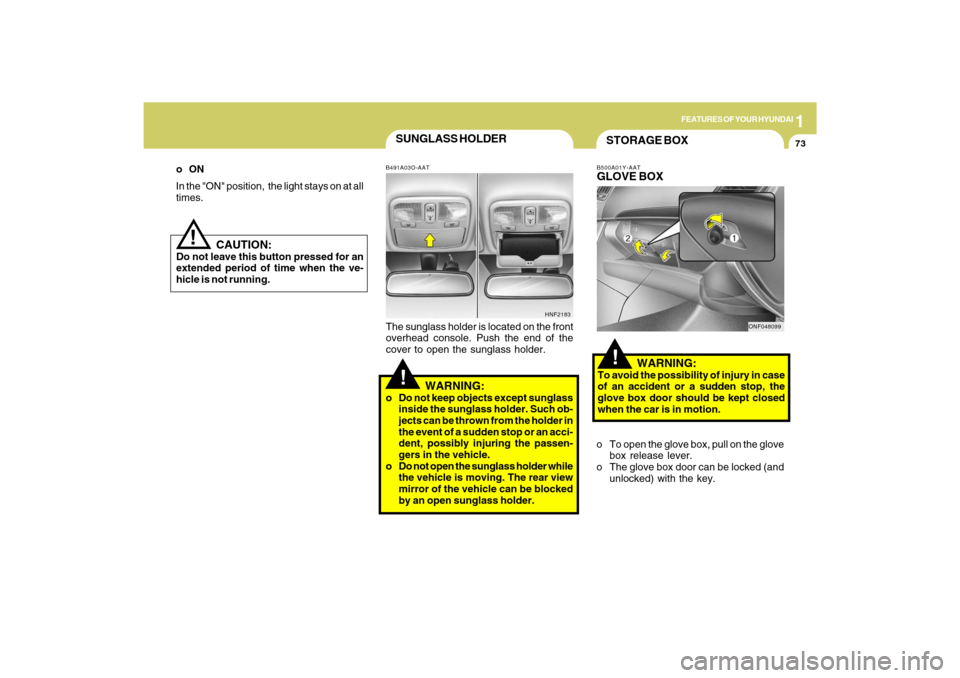
B491A03O-AATThe sunglass holder is located on the front
overhead console. Push the end of the
cover to open the sunglass holder.
WARNING:
o Do not keep objects except sunglass
inside the sunglass holder. Such ob-
jects can be thrown from the holder in
the event of a sudden stop or an acci-
dent, possibly injuring the passen-
gers in the vehicle.
o Do not open the sunglass holder while
the vehicle is moving. The rear view
mirror of the vehicle can be blocked
by an open sunglass holder.
HNF2183
oON
In the "ON" position, the light stays on at all
times.
!STORAGE BOXB500A01Y-AATGLOVE BOX
WARNING:To avoid the possibility of injury in case
of an accident or a sudden stop, the
glove box door should be kept closed
when the car is in motion.
o To open the glove box, pull on the glove
box release lever.
o The glove box door can be locked (and
unlocked) with the key.
ONF048099
Page 87 of 286
1FEATURES OF YOUR HYUNDAI74
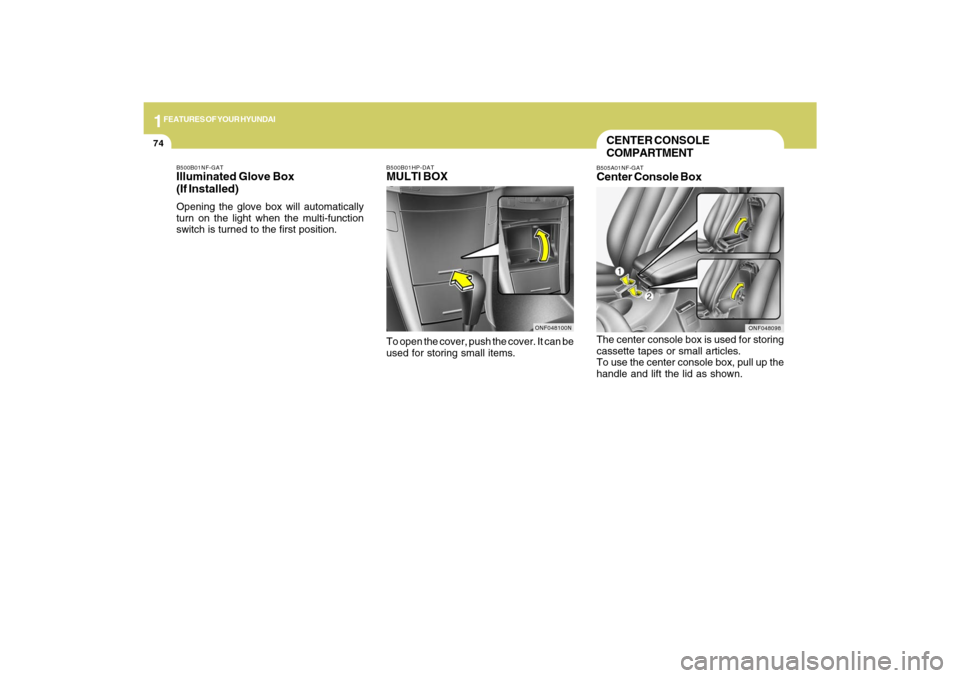
The center console box is used for storing
cassette tapes or small articles.
To use the center console box, pull up the
handle and lift the lid as shown.CENTER CONSOLE
COMPARTMENTB505A01NF-GATCenter Console Box
ONF048098
B500B01HP-DATMULTI BOXTo open the cover, push the cover. It can be
used for storing small items.
B500B01NF-GATIlluminated Glove Box
(If Installed)Opening the glove box will automatically
turn on the light when the multi-function
switch is turned to the first position.
ONF048100N
Page 89 of 286
1FEATURES OF YOUR HYUNDAI76
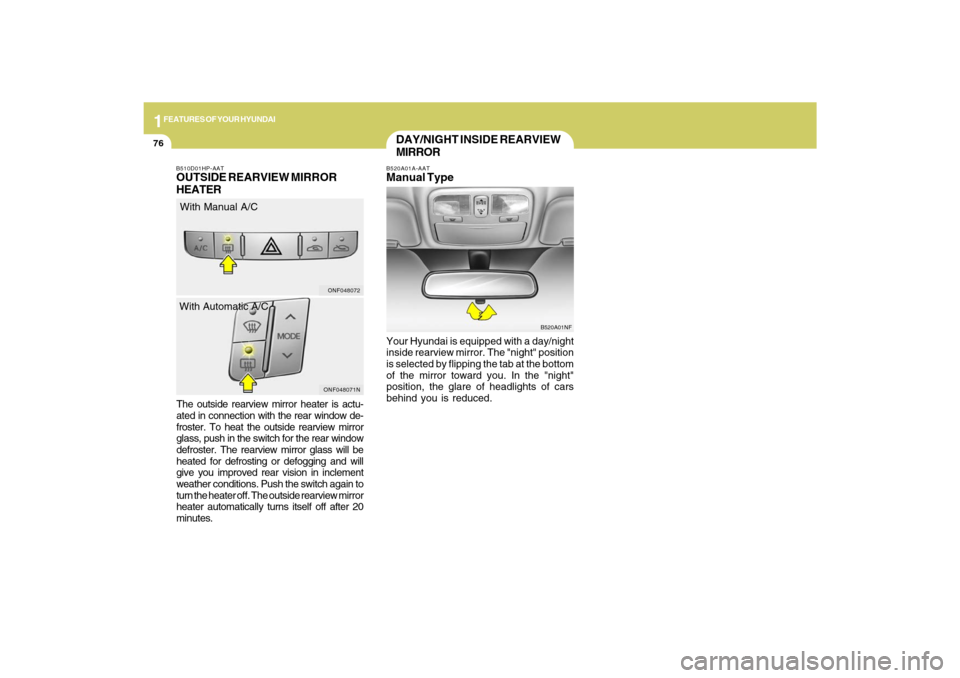
The outside rearview mirror heater is actu-
ated in connection with the rear window de-
froster. To heat the outside rearview mirror
glass, push in the switch for the rear window
defroster. The rearview mirror glass will be
heated for defrosting or defogging and will
give you improved rear vision in inclement
weather conditions. Push the switch again to
turn the heater off. The outside rearview mirror
heater automatically turns itself off after 20
minutes.B510D01HP-AATOUTSIDE REARVIEW MIRROR
HEATER
DAY/NIGHT INSIDE REARVIEW
MIRRORB520A01A-AATManual TypeYour Hyundai is equipped with a day/night
inside rearview mirror. The "night" position
is selected by flipping the tab at the bottom
of the mirror toward you. In the "night"
position, the glare of headlights of cars
behind you is reduced.
B520A01NF
ONF048071NONF048072
With Manual A/C
With Automatic A/C
Page 90 of 286
1
FEATURES OF YOUR HYUNDAI
77
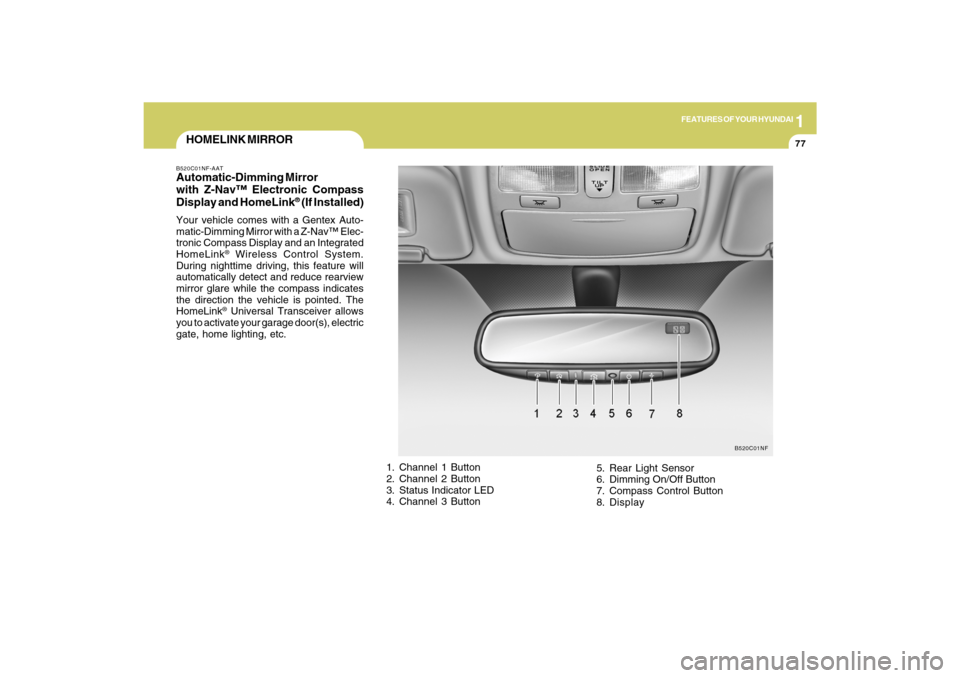
HOMELINK MIRRORB520C01NF-AATAutomatic-Dimming Mirror
with Z-Nav™ Electronic Compass
Display and HomeLink
® (If Installed)
Your vehicle comes with a Gentex Auto-
matic-Dimming Mirror with a Z-Nav™ Elec-
tronic Compass Display and an Integrated
HomeLink
® Wireless Control System.
During nighttime driving, this feature will
automatically detect and reduce rearview
mirror glare while the compass indicates
the direction the vehicle is pointed. The
HomeLink® Universal Transceiver allows
you to activate your garage door(s), electric
gate, home lighting, etc.
1. Channel 1 Button
2. Channel 2 Button
3. Status Indicator LED
4. Channel 3 Button5. Rear Light Sensor
6. Dimming On/Off Button
7. Compass Control Button
8. Display
B520C01NF
Page 91 of 286
1FEATURES OF YOUR HYUNDAI78
Automatic-Dimming Night Vision
Safety™ (NVS
®) Mirror
The NVS
® Mirror in your vehicle is the most
advanced way to reduce annoying glare in
the rearview mirror during any driving
situation. For more information regarding
NVS
® mirrors and other applications,
please refer to the Gentex website:
www.gentex.com. CAUTION:
The NVS
® Mirror automatically reduces
glare during driving conditions based
upon light levels monitored in front of the
vehicle and from the rear of the vehicle.
These light sensors are visible through
openings in the front and rear of the
mirror case. Any object that would
obstruct either light sensor will degrade
the automatic dimming control feature.
!
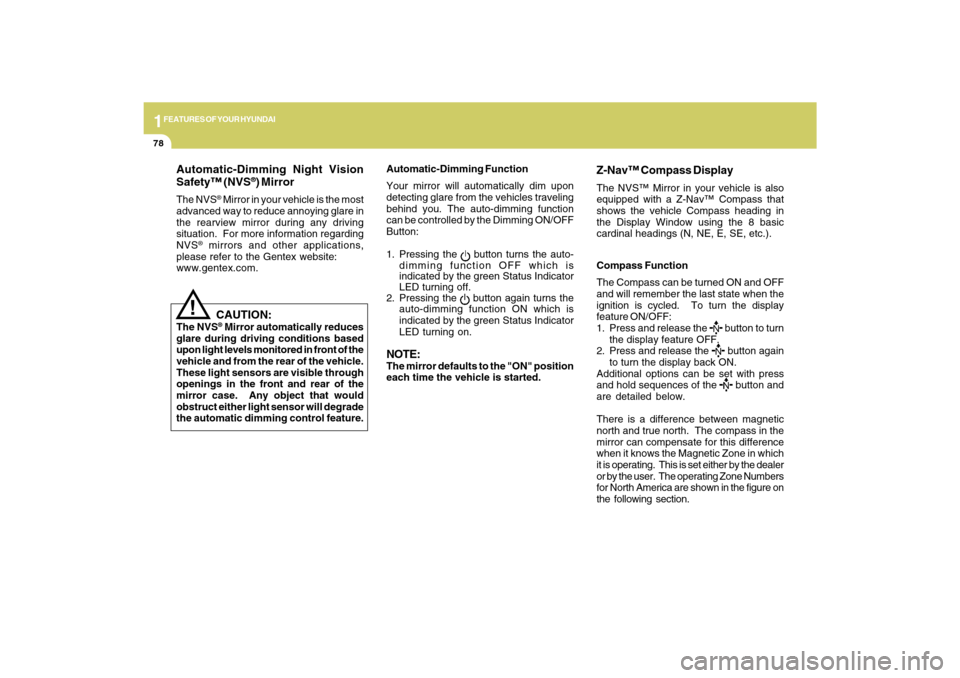
Automatic-Dimming Function
Your mirror will automatically dim upon
detecting glare from the vehicles traveling
behind you. The auto-dimming function
can be controlled by the Dimming ON/OFF
Button:
1. Pressing the
button turns the auto-
dimming function OFF which is
indicated by the green Status Indicator
LED turning off.
2. Pressing the button again turns the
auto-dimming function ON which is
indicated by the green Status Indicator
LED turning on.
NOTE:The mirror defaults to the "ON" position
each time the vehicle is started.Compass Function
The Compass can be turned ON and OFF
and will remember the last state when the
ignition is cycled. To turn the display
feature ON/OFF:
1. Press and release the
button to turn
the display feature OFF.
2. Press and release the button again
to turn the display back ON.
Additional options can be set with press
and hold sequences of the button and
are detailed below.
There is a difference between magnetic
north and true north. The compass in the
mirror can compensate for this difference
when it knows the Magnetic Zone in which
it is operating. This is set either by the dealer
or by the user. The operating Zone Numbers
for North America are shown in the figure on
the following section.
Z-Nav™ Compass DisplayThe NVS™ Mirror in your vehicle is also
equipped with a Z-Nav™ Compass that
shows the vehicle Compass heading in
the Display Window using the 8 basic
cardinal headings (N, NE, E, SE, etc.).