2009 Hyundai Elantra ignition
[x] Cancel search: ignitionPage 69 of 308
Features of your vehicle
14
4
Power windows (if equipped)
The ignition switch must be in the ON
position for power windows to operate.
Each door has a power window switch
that controls the door’s window. However,
the driver has a power window lock
switch which can block the operation of
passenger windows.
The power windows can be operated for
approximately 30 seconds after the igni-
tion key is removed or turned to the ACC
or LOCK position. However, if the front
doors are opened, the power windows
cannot be operated even within the 30
seconds after the ignition key removal.
✽✽
NOTICE
While driving with the rear windows
down or with the sunroof (if equipped)
in an open (or partially open) position,
your vehicle may demonstrate a wind
buffeting or pulsation noise. This noise
is a normal occurrence and can be
reduced or eliminated by taking the fol-lowing actions. If the noise occurs with
one or both of the rear windows down,
partially lower both front windows
approximately one inch. If you experi-
ence the noise with the sunroof open,
slightly reduce the size of the sunroofopening.
Window opening and closing
The driver’s door has a master power
window switch that controls all the win-
dows in the vehicle.
To open or close a window, press down or pull up the front portion of the corre-
sponding switch to the first detent posi-tion (5).
Auto down window (if equipped)
(driver’s window)
Depressing the power window switch
momentarily to the second detent posi-
tion (6) completely lowers the driver’s
window even when the switch is
released. To stop the window at the
desired position while the window is in
operation, pull up the switch momentarily
to the opposite direction of the window
movement.
WARNING - Windows
Always double check to make sure
all arms, hands, head and other
obstructions are safely out of the
way before closing a window.
Do not allow children to play with the power windows. Keep the dri-
ver’s door power window lock
switch in the LOCK position
(depressed). Serious injury can
result from unintentional window
operation by the child.
Do not extend any face or arms outside through the windowopening while driving.
CAUTION
To prevent the power window
system from the possibility ofdamage, do not open or close twowindows at the same time. This
will also ensure the longevity ofthe fuse.
Never try to operate the main switch on the driver's door andthe individual door window
switch in opposing directions atthe same time. If this is done, thewindow will stop and cannot be
opened or closed.
Page 70 of 308
415
Features of your vehicle
Auto up/down window (if equipped)(Driver's window)
Depressing or pulling up the power win-
dow switch momentarily to the second
detent position (6) completely lowers or
lifts the window even when the switch is
released. To stop the window at the
desired position while the window is in
operation, pull up or depress and release
the switch to the opposite direction of the
movement.
If the power window is not operated cor-
rectly, the automatic power window sys-
tem must be reset as follows:
1. Turn the ignition switch to the ON posi- tion.
2. Close driver’s window and continue pulling up on driver’s power window
switch for at least 1 second after the
window is completely closed. Automatic reversal
If the upward movement of the window is
blocked by an object or part of the body,
the window will detect the resistance and
will stop upward movement. The window
will then lower approximately 30 cm (11.8
in.) to allow the object to be cleared.
If the window detect the resistance while
the power window switch is pulled up
continuously, the window will stop
upward movement then lower approxi-
mately 2.5cm(1in.). And if the power win-
dow switch is pulled up continuously
again within 5 seconds after the window
is lowered by the automatic window
reversal feature, the automatic window
reversal will not operate.WARNING
The automatic reverse feature for the driver’s window is only active
when the “auto up” feature is
used by fully pulling up the
switch. The automatic reverse
feature will not operate if the win-
dow is raised using the halfway
position on the power window
switch.
Always check for obstructions before raising any window to
avoid injuries or vehicle damage.If an object less than 4 mm (0.16in.) in diameter is caught between
the window glass and the upper
window channel, the automatic
reverse window may not detectthe resistance and will not stop
and reverse direction.
Page 71 of 308
Features of your vehicle
16
4
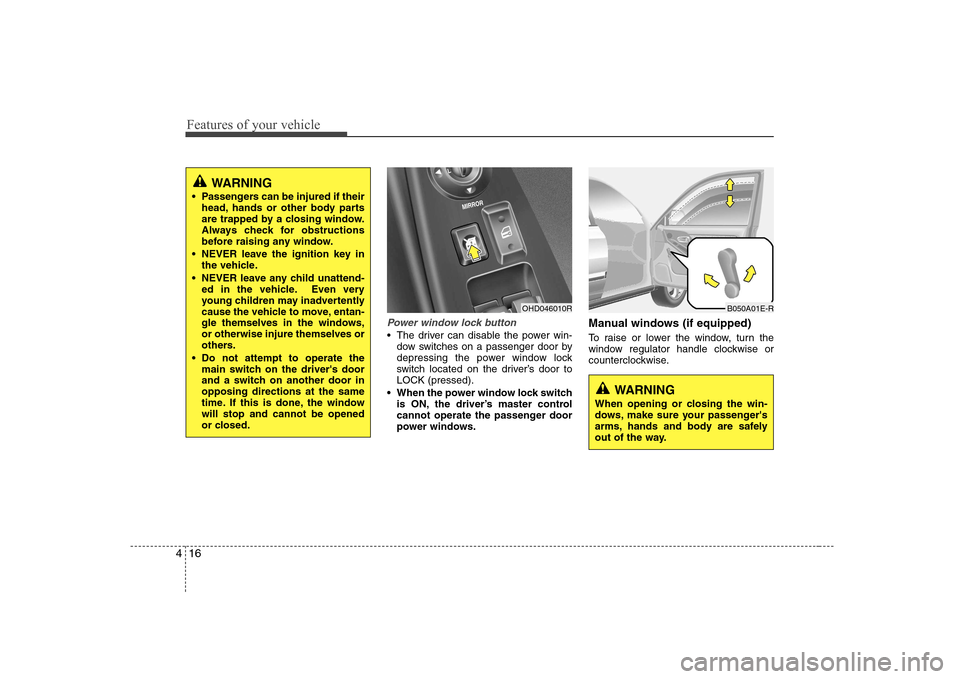
Power window lock button
The driver can disable the power win-
dow switches on a passenger door by
depressing the power window lock
switch located on the driver’s door toLOCK (pressed).
When the power window lock switch is ON, the driver’s master control
cannot operate the passenger door
power windows. Manual windows (if equipped)
To raise or lower the window, turn the
window regulator handle clockwise or
counterclockwise.
OHD046010R
WARNING
When opening or closing the win-
dows, make sure your passenger's
arms, hands and body are safely
out of the way.
B050A01E-R
WARNING
Passengers can be injured if their head, hands or other body parts
are trapped by a closing window.
Always check for obstructions
before raising any window.
NEVER leave the ignition key in the vehicle.
NEVER leave any child unattend- ed in the vehicle. Even very
young children may inadvertently
cause the vehicle to move, entan-
gle themselves in the windows,or otherwise injure themselves or
others.
Do not attempt to operate the main switch on the driver's door
and a switch on another door inopposing directions at the same
time. If this is done, the windowwill stop and cannot be opened
or closed.
Page 77 of 308
Features of your vehicle
22
4
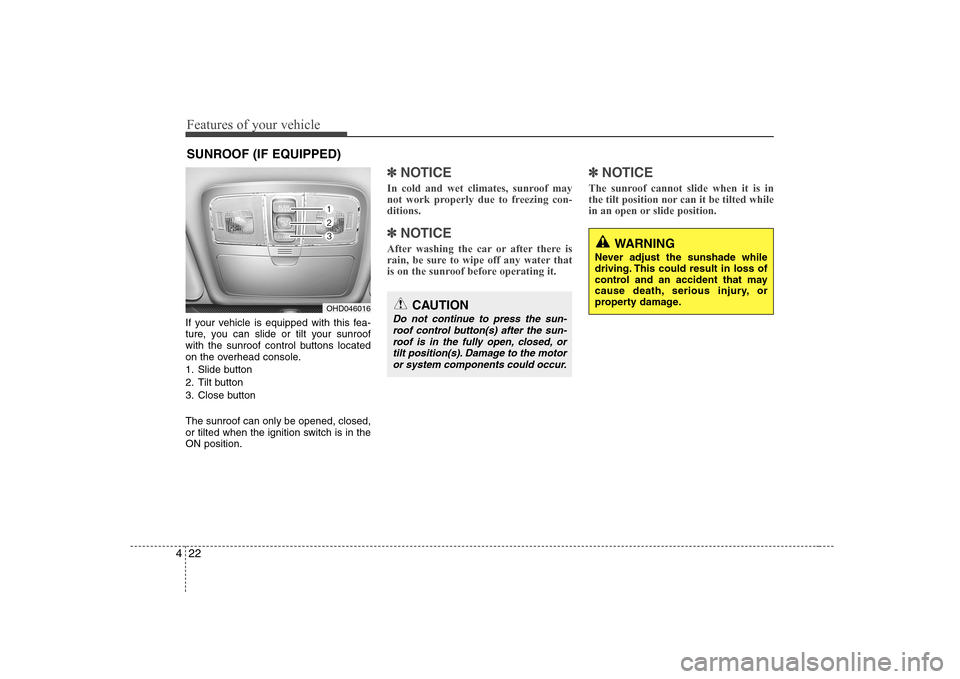
If your vehicle is equipped with this fea-
ture, you can slide or tilt your sunroof
with the sunroof control buttons located
on the overhead console.
1. Slide button
2. Tilt button
3. Close button The sunroof can only be opened, closed,
or tilted when the ignition switch is in theON position.
✽✽
NOTICE
In cold and wet climates, sunroof may
not work properly due to freezing con-ditions.
✽
✽ NOTICE
After washing the car or after there is
rain, be sure to wipe off any water that
is on the sunroof before operating it. ✽
✽
NOTICE
The sunroof cannot slide when it is in
the tilt position nor can it be tilted while
in an open or slide position.
SUNROOF (IF EQUIPPED)
OHD046016CAUTION
Do not continue to press the sun- roof control button(s) after the sun- roof is in the fully open, closed, ortilt position(s). Damage to the motoror system components could occur.
WARNING
Never adjust the sunshade while
driving. This could result in loss of
control and an accident that may
cause death, serious injury, or
property damage.
Page 80 of 308
425
Features of your vehicle
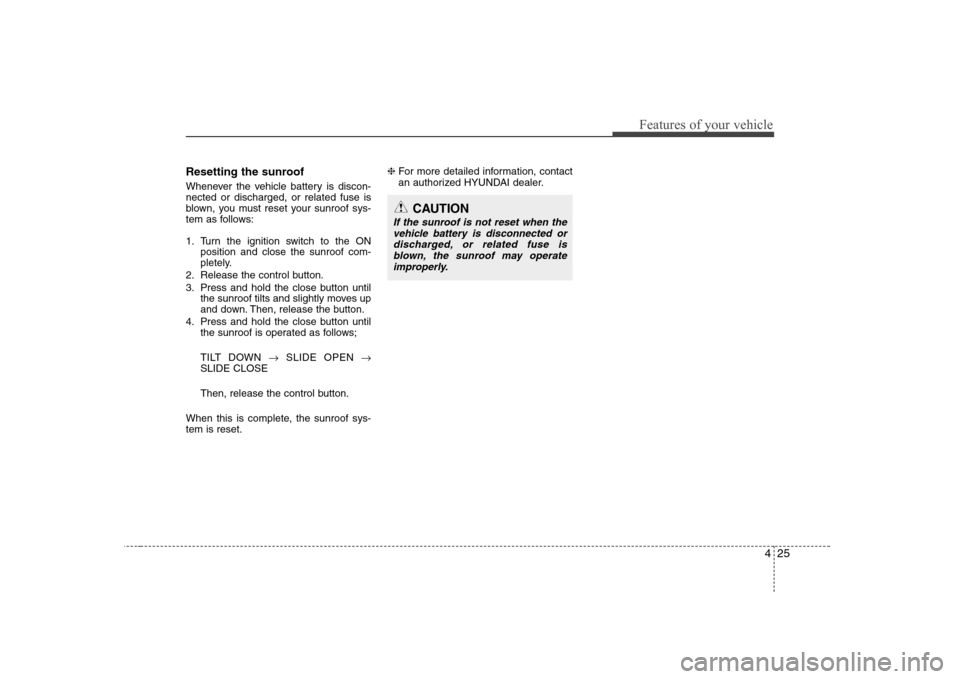
Resetting the sunroof
Whenever the vehicle battery is discon- nected or discharged, or related fuse is
blown, you must reset your sunroof sys-
tem as follows:
1. Turn the ignition switch to the ONposition and close the sunroof com-
pletely.
2. Release the control button.
3. Press and hold the close button until the sunroof tilts and slightly moves up
and down. Then, release the button.
4. Press and hold the close button until the sunroof is operated as follows;
TILT DOWN SLIDE OPEN
SLIDE CLOSE
Then, release the control button.
When this is complete, the sunroof sys- tem is reset. ❈
For more detailed information, contact
an authorized HYUNDAI dealer.
CAUTION
If the sunroof is not reset when the
vehicle battery is disconnected or discharged, or related fuse isblown, the sunroof may operate
improperly.
Page 81 of 308
Features of your vehicle
26
4
STEERING WHEEL
Electronic power steering
Power steering uses the motor to assist
you in steering the vehicle. If the engine
is off or if the power steering system
becomes inoperative, the vehicle may
still be steered, but it will require
increased steering effort.
The motor driven power steering is con-
trolled by power steering control unit
which sense the steering wheel torque,
steering wheel position and vehicle
speed to command the motor.
The steering wheel becomes heavier as
the vehicle’s speed increases and
becomes lighter as the vehicle’s speed
decreases for the better control of the
steering wheel.
Should you notice any change in the
effort required to steer during normal
vehicle operation, have the power steer-
ing checked by an authorised Hyundai
dealer.
✽✽ NOTICE
The following symptoms may be
occurred during normal vehicle opera-
tion and if there is no illumination ofEPS warning light, it is not malfunction
of EPS system. After turning the igni-tion switch on, the steering wheel
becomes heavier while it performs EPS
system diagnostics for a few seconds,
then it returns to be normal steering
condition. The click sound of EPS relay
may occur after turning the ignition
switch on or off, this is normal opera-
tion. When it is steered in the stop posi-
tion or low driving speed, motor noise
may occur again, this is normal opera-tion.Tilt steering
A tilt steering wheel allows you to adjust
the steering wheel before you drive. You
can also raise it to the highest level to
give your legs more room when you exit
and enter the vehicle.
The steering wheel should be positioned
so that it is comfortable for you to drive,
while permitting you to see the instru-
ment panel warning lights and gauges.
Page 85 of 308
Features of your vehicle
30
4
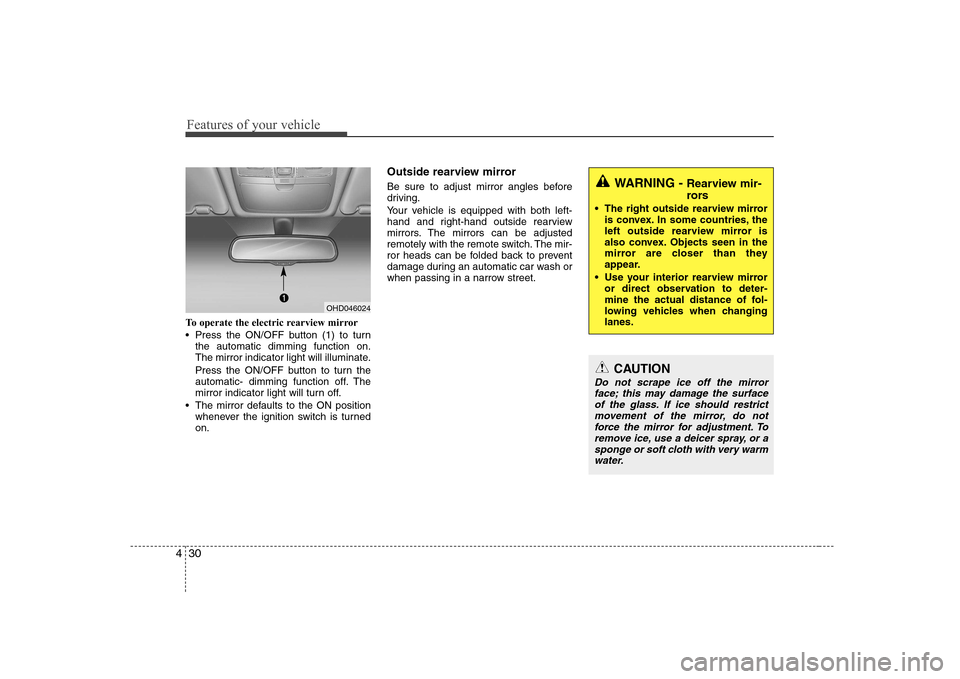
To operate the electric rearview mirror
Press the ON/OFF button (1) to turn
the automatic dimming function on.
The mirror indicator light will illuminate.
Press the ON/OFF button to turn the
automatic- dimming function off. The
mirror indicator light will turn off.
The mirror defaults to the ON position whenever the ignition switch is turnedon. Outside rearview mirror
Be sure to adjust mirror angles before
driving.
Your vehicle is equipped with both left-
hand and right-hand outside rearview
mirrors. The mirrors can be adjusted
remotely with the remote switch. The mir-
ror heads can be folded back to prevent
damage during an automatic car wash or
when passing in a narrow street.
WARNING -
Rearview mir-
rors
The right outside rearview mirror is convex. In some countries, the
left outside rearview mirror is
also convex. Objects seen in the
mirror are closer than they
appear.
Use your interior rearview mirror or direct observation to deter-
mine the actual distance of fol-
lowing vehicles when changinglanes.
CAUTION
Do not scrape ice off the mirror
face; this may damage the surface of the glass. If ice should restrict
movement of the mirror, do not force the mirror for adjustment. Toremove ice, use a deicer spray, or asponge or soft cloth with very warm
water.
OHD046024
Page 89 of 308
Features of your vehicle
34
4
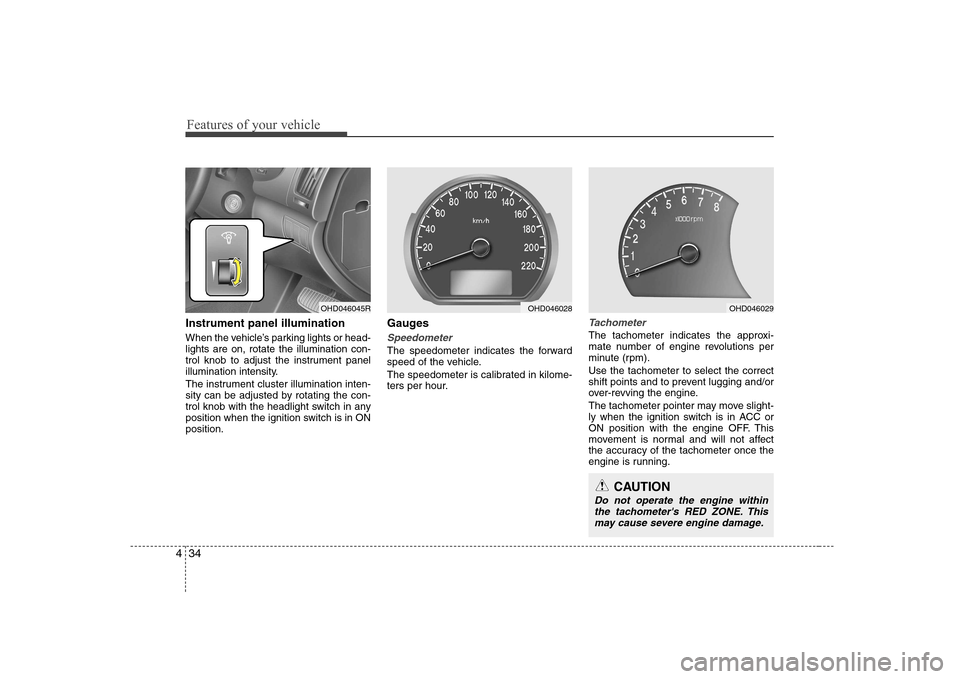
Instrument panel illumination
When the vehicle’s parking lights or head- lights are on, rotate the illumination con-
trol knob to adjust the instrument panel
illumination intensity.
The instrument cluster illumination inten-
sity can be adjusted by rotating the con-
trol knob with the headlight switch in any
position when the ignition switch is in ONposition. Gauges
Speedometer
The speedometer indicates the forward
speed of the vehicle.
The speedometer is calibrated in kilome-
ters per hour.
Tachometer
The tachometer indicates the approxi-
mate number of engine revolutions per
minute (rpm). Use the tachometer to select the correct
shift points and to prevent lugging and/or
over-revving the engine.
The tachometer pointer may move slight-
ly when the ignition switch is in ACC or
ON position with the engine OFF. This
movement is normal and will not affect
the accuracy of the tachometer once the
engine is running.
OHD046045ROHD046028OHD046029
CAUTION
Do not operate the engine within
the tachometer's RED ZONE. This may cause severe engine damage.