Page 382 of 578

Press and release the Talk button.
After the beep, say the name you
would like to store. For example,
say ‘‘Neil at work.’’ The HFL
response is, ‘‘Neil at work will be
stored.Isthiscorrect?’’If you want to continue to store
any other numbers, press and
release the Talk button. After the
beep, say ‘‘Yes.’’ The HFL
response is, ‘‘HFL is now waiting
to receive a contact f rom a
Bluetooth device.’’
Select a desired number f rom the
list on your phone, and transmit/
send (individual steps will vary f or
each type of phone, ref er to your
phone’s owner’s manual) via
Bluetooth. The HFL response is
‘‘One phone number has been
received f or this contact. What
name would you like to store f or
the mobile number? To discard
this number, say ‘Discard.’ ’’Press and release the Talk button.
After the beep, say the name you
would like to store. For example,
say ‘‘Susan at work.’’ The HFL
response is, ‘‘Susan at work will be
stored.Isthiscorrect?’’
Press and release the Talk button.
Af ter the beep, say either ‘‘Yes’’ or
‘‘No.’’ The HFL response is ‘‘Susan
at work has been stored. Would
you like HFL to receive another
contact?’’
If you do not want to continue to
store any other numbers, press
and release the Talk button. After
the beep, say ‘‘No.’’ The HFL
response is ‘‘Returning to the main
menu.’’
Press and release the Talk button.
Af ter the beep, say either ‘‘Yes’’ or
‘‘No.’’ If you say ‘‘Yes,’’ the HFL
response is, ‘‘Neil at work has
been stored. Would you like HFL
to receive another contact?’’ Go to
step 6.
If you say ‘‘No,’’ the HFL response
is ‘‘Returning to the main menu.’’
5. 4.
6.
7.8.
9.
10.
BluetoothHandsFreeL ink
378
�����—�����—�
���y�
����
����
�
�y���
�(�/���������y���������y
2009 Pilot
Page 383 of 578
CONT INUED
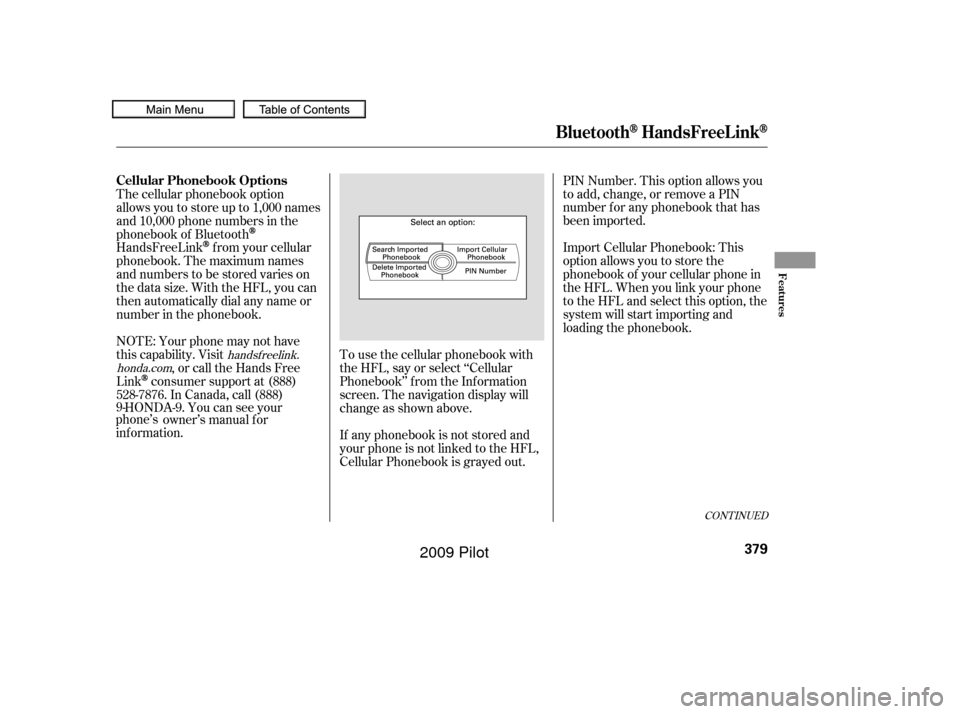
To use the cellular phonebook with
the HFL, say or select ‘‘Cellular
Phonebook’’ f rom the Inf ormation
screen. The navigation display will
change as shown above.
If any phonebook is not stored and
your phone is not linked to the HFL,
Cellular Phonebook is grayed out.PIN Number. This option allows you
to add, change, or remove a PIN
number f or any phonebook that has
been imported.
Import Cellular Phonebook: This
option allows you to store the
phonebook of your cellular phone in
the HFL. When you link your phone
to the HFL and select this option, the
system will start importing and
loading the phonebook.
The cellular phonebook option
allows you to store up to 1,000 names
and 10,000 phone numbers in the
phonebook of Bluetooth
HandsFreeLinkf rom your cellular
phonebook. The maximum names
and numbers to be stored varies on
the data size. With the HFL, you can
then automatically dial any name or
number in the phonebook.
NOTE: Your phone may not have
this capability. Visit , or call the Hands Free
Link
consumer support at (888)
528-7876. In Canada, call (888)
9- HONDA-9. You can see your
phone’s owner’s manual f or
inf ormation.
handsf reelink.
honda.com
Cellular Phonebook Options
BluetoothHandsFreeL ink
Features
379
�����—�����—�
���y�
����
����
���y���
�(�/���������y���������y
2009 Pilot
Page 384 of 578
Search Imported Phonebook: This
option allows you to search the
phone numbers stored in the HFL.
When you enter keyword f or a
person’s name, such as the f irst
name or last name, the system will
f ind the number you want and let
you make calls.
Delete Imported Phonebook: This
option allows you to delete the stored
phonebook f rom the HFL. When you
link your phone to the HFL and
select this option, the system will
automatically delete the phonebook
of the linked phone f rom the HFL
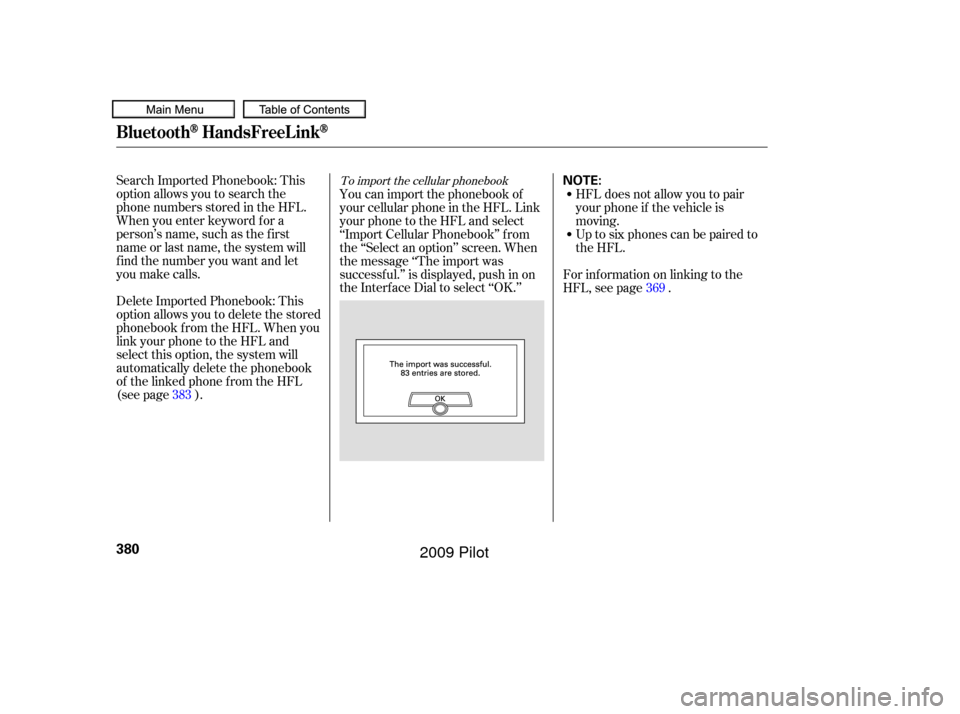
(see page ).You can import the phonebook of
your cellular phone in the HFL. Link
your phone to the HFL and select
‘‘Import Cellular Phonebook’’ f rom
the ‘‘Select an option’’ screen. When
the message ‘‘The import was
successf ul.’’ is displayed, push in on
the Interf ace Dial to select ‘‘OK.’’
HFL does not allow you to pair
your phone if the vehicle is
moving.
Up to six phones can be paired to
the HFL.
For inf ormation on linking to the
HFL, see page . 369
383To import the cellular phonebook
BluetoothHandsFreeL ink
380
NOTE:
�����—�����—�
���y�
����
��������y���
�(�/���������y���������y
2009 Pilot
Page 385 of 578
To search the imported phonebook
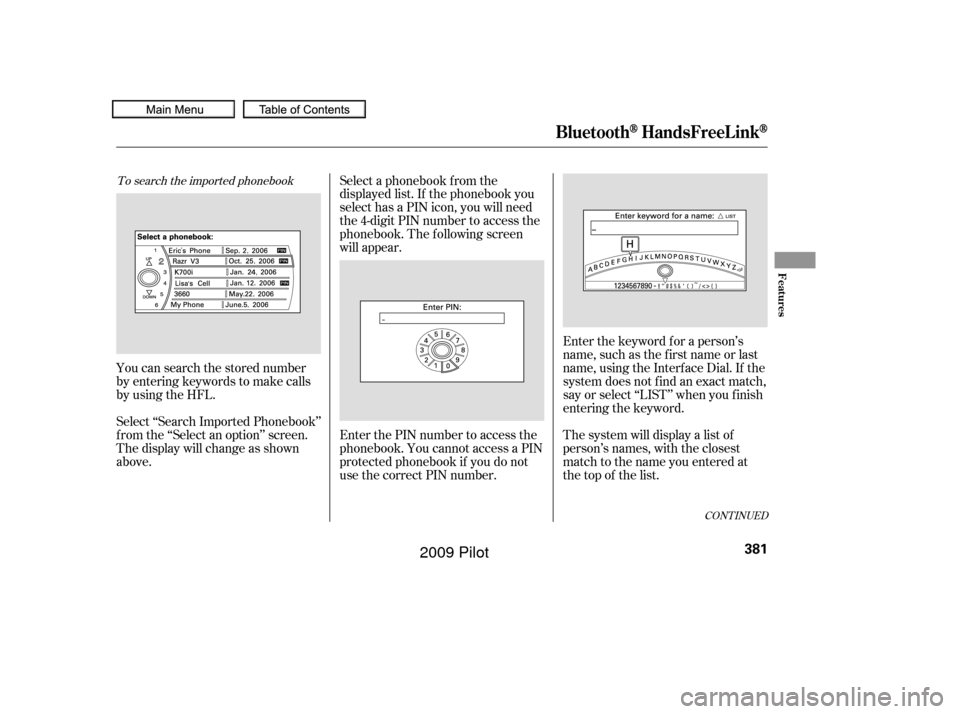
You can search the stored number
by entering keywords to make calls
by using the HFL.
Select ‘‘Search Imported Phonebook’’
f rom the ‘‘Select an option’’ screen.
The display will change as shown
above.Select a phonebook f rom the
displayed list. If the phonebook you
select has a PIN icon, you will need
the 4-digit PIN number to access the
phonebook. The f ollowing screen
will appear.
Enter the PIN number to access the
phonebook. You cannot access a PIN
protected phonebook if you do not
use the correct PIN number.
Enter the keyword f or a person’s
name, such as the f irst name or last
name, using the Interf ace Dial. If the
system does not f ind an exact match,
say or select ‘‘LIST’’ when you f inish
entering the keyword.
The system will display a list of
person’s names, with the closest
match to the name you entered at
the top of the list.
CONT INUED
BluetoothHandsFreeL ink
Features
381
�����—�����—�
���y�
����
��������y���
�(�/���������y���������y
2009 Pilot
Page 386 of 578
�µ
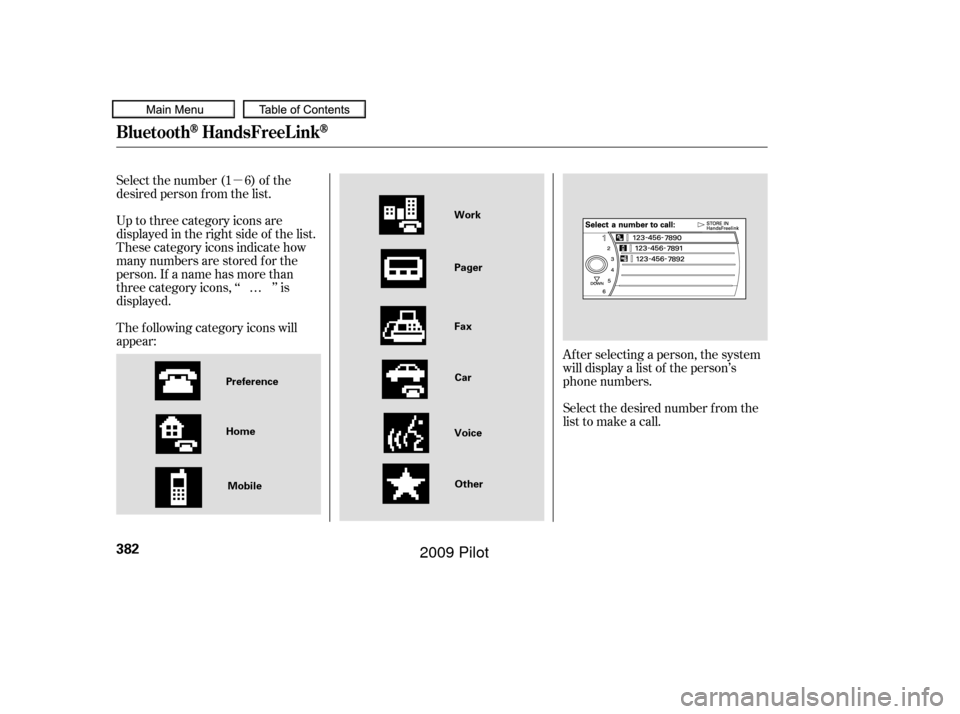
Select the number (1 6) of the
desired person f rom the list.
Up to three category icons are
displayed in the right side of the list.
These category icons indicate how
many numbers are stored f or the
person. If a name has more than
threecategoryicons,‘‘ ’’is
displayed.
The f ollowing category icons will
appear:
Af ter selecting a person, the system
will display a list of the person’s
phone numbers.
Select the desired number f rom the
list to make a call.
…
BluetoothHandsFreeL ink
382
Home
Mobile Work
Pager
Fax
Car
Voice Other
Preference
�����—�����—�
���y�
����
��������y���
�(�/���������y���������y
2009 Pilot
Page 387 of 578
To store a number in the Bluetooth
HandsFreeLink
To delete the imported phonebook
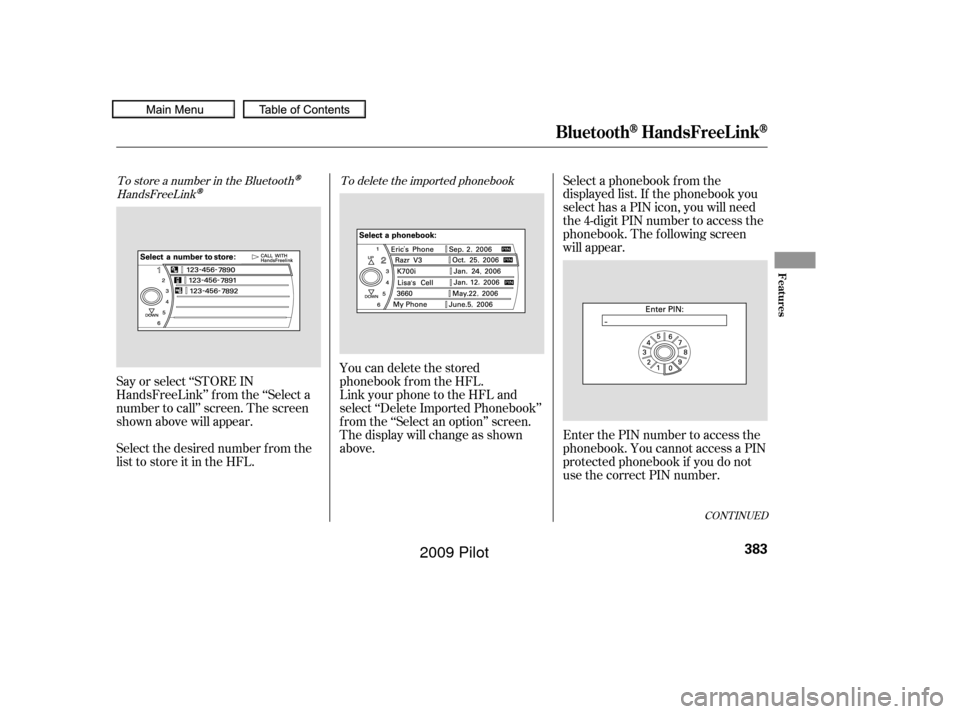
You can delete the stored
phonebook f rom the HFL.
Link your phone to the HFL and
select ‘‘Delete Imported Phonebook’’
f rom the ‘‘Select an option’’ screen.
The display will change as shown
above.Select a phonebook f rom the
displayed list. If the phonebook you
select has a PIN icon, you will need
the 4-digit PIN number to access the
phonebook. The f ollowing screen
will appear.
Enter the PIN number to access the
phonebook. You cannot access a PIN
protected phonebook if you do not
use the correct PIN number.
Select the desired number f rom the
list to store it in the HFL. Say or select ‘‘STORE IN
HandsFreeLink’’ f rom the ‘‘Select a
number to call’’ screen. The screen
shown above will appear.
CONT INUED
BluetoothHandsFreeL ink
Features
383
�����—�����—�
���y�
����
��������y���
�(�/���������y���������y
2009 Pilot
Page 388 of 578
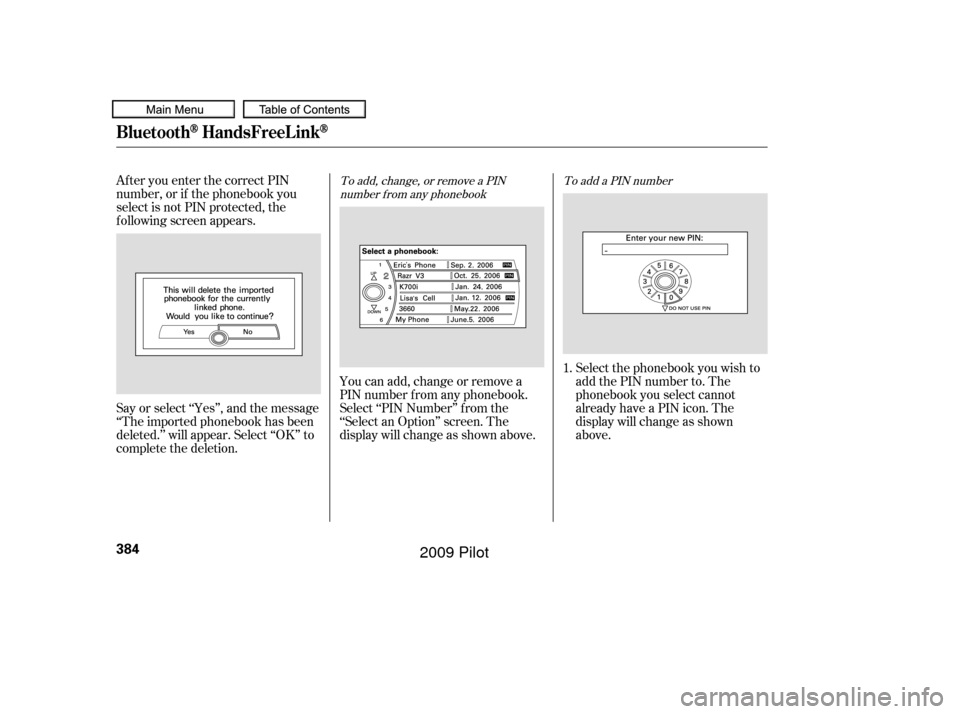
After you enter the correct PIN
number, or if the phonebook you
select is not PIN protected, the
f ollowing screen appears.
Say or select ‘‘Yes’’, and the message
‘‘The imported phonebook has been
deleted.’’ will appear. Select ‘‘OK’’ to
complete the deletion.You can add, change or remove a
PIN number f rom any phonebook.
Select ‘‘PIN Number’’ f rom the
‘‘Select an Option’’ screen. The
display will change as shown above. Select the phonebook you wish to
add the PIN number to. The
phonebook you select cannot
already have a PIN icon. The
display will change as shown
above.
1.To add, change, or remove a PIN
number f rom any phonebook To add a PIN number
BluetoothHandsFreeL ink
384
�����—�����—�
���y�
����
��������y���
�(�/���������y���������y
2009 Pilot
Page 389 of 578
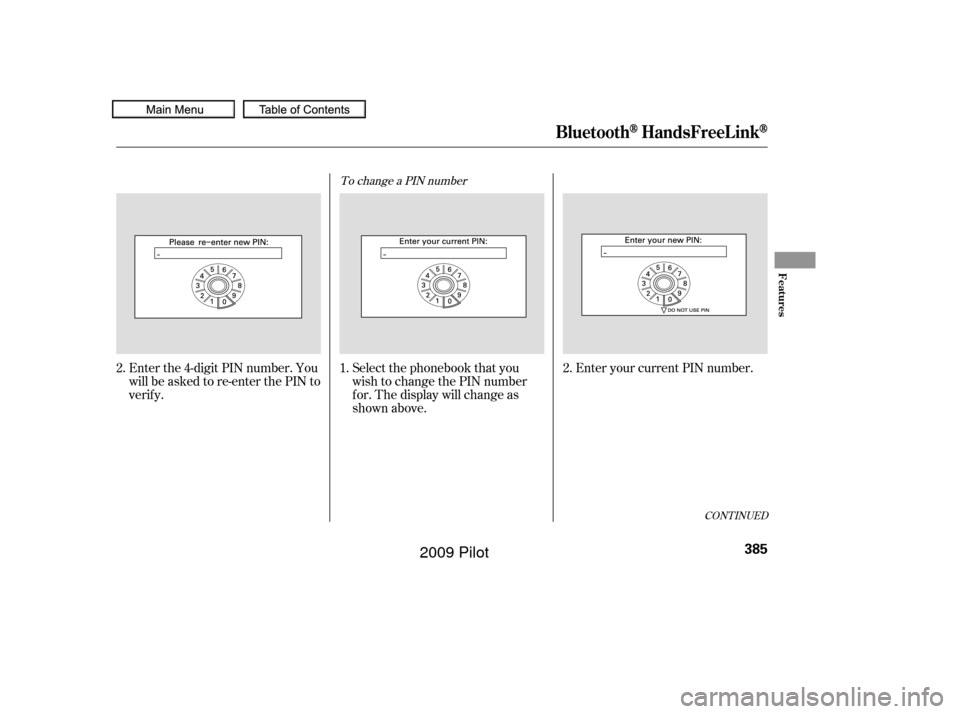
Enter the 4-digit PIN number. You
will be asked to re-enter the PIN to
verify.Select the phonebook that you
wish to change the PIN number
f or. The display will change as
shown above.Enter your current PIN number.
2. 2.
1.
To change a PIN number
CONT INUED
BluetoothHandsFreeL ink
Features
385
�����—�����—�
���y�
����
����
���y���
�(�/���������y���������y
2009 Pilot