Page 408 of 578
�µ�µ�µ
�µ �µ
�µ �µ
Aggressive driving (hard
acceleration and braking)
Excessive idling, accelerating and
braking in stop-and-go traf f ic
Cold engine operation (engines
aremoreefficientwhenwarmed
up)
Driving with a heavy load or the
air conditioner running
Improperly inf lated tires
The f ollowing f actors can lower your
vehicle’s f uel economy:
A properly maintained vehicle
maximizes f uel economy. Poor
maintenance can signif icantly reduce
f uel economy. Always maintain your
vehicle according to the maintenance
messages displayed on the
inf ormation display (see
on page ).
For example: An underinf lated tire increases
‘‘rolling resistance,’’ which reduces
f uel economy.
It puts a heavier
load on the engine, increasing f uel
consumption. In
particular, a build-up of snow or
mud on your vehicle’s underside
adds weight and rolling resistance.
Frequent cleaning helps your f uel
economy.
Rapid
acceleration, abrupt cornering,
and hard braking increase fuel
consumption. Aerodynamic drag has a big ef f ect
on f uel mileage at speeds above 45
mph (75 km/h). Reduce your
speed and you reduce the drag.
Trailers, car top carriers, roof
racks and bike racks are also big
contributors to increased drag.
If your vehicle has a
manual transmission, you can
boost your f uel economy by up
shif ting as early as possible. Idling
results in 0 miles per gallon.
471
Fuel Economy Factors
Use the recommended viscosity
motor oil, displaying the A PI
Certif ication Seal (see page ).
Improving Fuel Economy Owner’s
Maintenance Checks Maintain proper tire inf lation
A void carrying excess weight in
your vehicle
K eep your vehicle clean
Drive moderatelyObserve the speed limit
Always drive in the highest gear
possible
Avoid excessive idling
476
Vehicle Maint enance
Drive Ef f icient ly
Fuel Economy
404
�����—�����—�
���y�
������
������y���
�(�/���������y���������y
2009 Pilot
Page 417 of 578

This section gives you tips on
starting the engine under various
conditions, and how to operate the
automatic transmission. It also
includes important inf ormation on
parking your vehicle, the braking
system, the VTM-4 system (4WD
models only), the vehicle stability
assist (VSA) system, the tire
pressure monitoring system (TPMS),
and f acts you need if you are
planning to tow a trailer or drive off-
highway.........................
Driving Guidelines .414
........................
Preparing to Drive .414
.......................
Starting the Engine .415
Check Starter System .................................
Message .416
..............
Automatic Transmission . 417
..............................
VTM-4 System .422
...........................................
Parking .423
Tire Pressure Monitoring System ......................................
(TPMS) .424
.............................
Braking System .432
...............
Anti-lock Brakes (ABS) . 433
Vehicle Stability Assist (VSA
),
aka Electronic Stability ........
Control (ESC), System . 435
...........................
Towing a Trailer .438
Of f -Highway Driving ..................................
Guidelines .453
Driving
Driving
413
�����—�����—�
���y�
�������������y���
�(�/���������y�����
���y
2009 Pilot
Page 421 of 578
CONT INUED
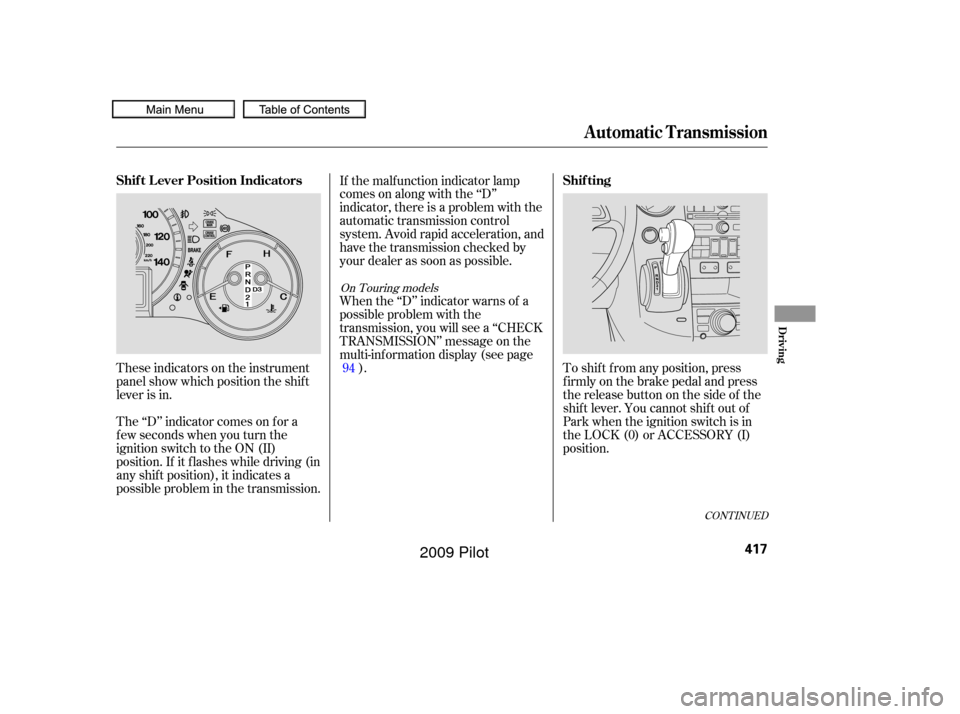
These indicators on the instrument
panel show which position the shif t
lever is in.
The ‘‘D’’ indicator comes on f or a
f ew seconds when you turn the
ignition switch to the ON (II)
position. If it f lashes while driving (in
any shif t position), it indicates a
possible problem in the transmission.If the malf unction indicator lamp
comes on along with the ‘‘D’’
indicator, there is a problem with the
automatic transmission control
system. Avoid rapid acceleration, and
have the transmission checked by
your dealer as soon as possible.
When the ‘‘D’’ indicator warns of a
possible problem with the
transmission, you will see a ‘‘CHECK
TRANSMISSION’’ message on the
multi-inf ormation display (see page
). To shif t f rom any position, press
f irmly on the brake pedal and press
the release button on the side of the
shiftlever.Youcannotshiftoutof
Park when the ignition switch is in
the LOCK (0) or ACCESSORY (I)
position.
94
On Touring models
Shif t L ever Position Indicators
Shif ting
Automatic Transmission
Driving
417
�����—�����—�
���y�
�������������y���
�(�/���������y���������y
2009 Pilot
Page 422 of 578

�µ
�µ
�µ Use neutral if you
need to restart a stalled engine, or if
it is necessary to stop brief ly with
the engine idling. Shif t to the Park
position if you need to leave your
vehicle for any reason. Press on the
brake pedal when you are moving
the shift lever from neutral to
another gear.
If you have done all of the above and
still cannot move the lever out of
Park, see
on
page .
To avoid transmission damage, come
to a complete stop bef ore shif ting
into Park. The shif t lever must be in
Park bef ore you can remove the key
from the ignition switch.
Press the brake
pedal and press the release button
on the f ront of the shif t lever to shif t
f rom Park to reverse. To shif t f rom
reverse to neutral, come to a
completestop,andthenshift.Press
the release button bef ore shif ting
into reverse f rom neutral.
This position mechani-
cally locks the transmission. Use
Park whenever you are turning of f or
starting the engine. To shif t out of
Park, you must press on the brake
pedal and press the release button
on the shif t lever. Make sure your
f oot is of f the accelerator pedal. 420To shift from:
PtoR
RtoP
NtoR Dto2 2to1
1to2
2toD
DtoN
NtoD RtoN
DtoD
DtoD Do this:
Press the brake pedal and
press the shift lever release
button.
Press the shift lever release
button.
Move the shift lever.
Press the D button.
3
3 3
Automatic Transmission
Neutral (N)
Shif t L ock Release
Reverse (R)
Park (P)
418
�����—�����—�
���y�
�������������y���
�(�/���������y���������y
2009 Pilot
Page 423 of 578

�µ�µ�µ
CONT INUED
Use this position f or
your normal driving. The
transmission automatically selects a
suitable gear (1 through 5) f or your
speed and acceleration. You may
notice the transmission shif ting up at
higher engine speeds when the
engine is cold. This helps the engine
warm up f aster. To use D , press the
D button when the shif t lever is in
the ‘‘D’’ position. This position is simi-
lartoD,exceptonlythefirstthree
gears are selected instead of all f ive.
Use D when towing a trailer in hilly
terrain, or to provide engine braking
when going down a steep hill. D can
also keep the transmission f rom
cycling between third and f ourth
gears in stop-and-go driving. This position locks
the transmission in second gear. It
does not downshif t to f irst gear
when you come to a stop.
Use second gear: For more power when climbing.
To increase engine braking when
going down steep hills.
For starting out on a slippery
surf ace or in deep snow.
When driving downhill with a
trailer.3
3
3 3
Automatic Transmission
Drive (D) Drive (D ) Second (2)3
Driving
419
�����—�����—�
���y�
�������������y���
�(�/���������y���������y
2009 Pilot
Page 424 of 578

�µIf you exceed the maximum speed
f or the gear you are in, the engine
speed will enter into the tachometer’s
red zone. If this occurs, you may f eel
the engine cut in and out. This is
caused by a limiter in the engine’s
computer controls. The engine will
run normally when you reduce the
rpm below the red zone.
Bef ore downshif ting, make sure the
engine will not go into the
tachometer’s red zone. This allows you to move the shif t
lever out of Park if the normal
method of pushing on the brake
pedal and pressing the release
button does not work.
Remove the key from the ignition
switch. Set the parking brake.
To shif t f rom second to
first, press the release button on the
side of the shif t lever. This position
locks the transmission in f irst gear.
By upshif ting and downshif ting
through 1, 2, D , and D, you can
operate the transmission much like a
manual transmission without a
clutch pedal. 1.
2.
3
Engine Speed Limiter
Shift Lock Release
First (1)
Automatic Transmission
420
�����—�����—�
���y�
���������
���y���
�(�/���������y���������y
2009 Pilot
Page 425 of 578
Insert the built-in key into the shift
lock release slot.
Put a cloth on the edge of the shif t
lock release slot cover. Use a small
f lat-tipped screwdriver or metal
f ingernail f ile to caref ully pry up
the edge of the cover and remove
it f rom the slot. Push down on the key while you
pressthereleasebuttononthe
shif t lever and move the shif t lever
out of Park to neutral.Remove the key from the shift
lock release slot, then install the
cover. Make sure the notch on the
cover is on the underside.
Return the key to the ignition
switch, press the brake pedal, and
restart the engine.
If you need to use the shif t lock
release, it means your vehicle is
developing a problem. Have the
vehicle checked by a dealer.
3. 4.
5.6.
Automatic Transmission
Driving
421
COVER
RELEASE BUTTON
SHIFT LOCK RELEASE SLOT
�����—�����—�
���y�
���������
���y���
�(�/���������y���������y
2009 Pilot
Page 426 of 578
The vehicle must be stopped with
the engine running.do
any of the f ollowing: Press the VTM-4 LOCK button.
Move the shift lever to D or D .
Move the shift lever to first (1),
second (2), or reverse (R) gear.
Turn the ignition switch to the
LOCK (0) position.
Press the VTM-4 LOCK button.
The indicator in the button comes
on.
The VTM-4 Lock will temporarily
disengage when the vehicle speed
exceeds 18 mph (30 km/h). The
indicator in the button will remain on.
To get unstuck, apply light pressure
to the accelerator pedal. Do not spin
the f ront tires f or more than a f ew
seconds. Because of the amount of
torque applied to the rear tires, they
should not spin. This is normal. If
you are not able to move the vehicle,
stop and reverse direction.
If more traction is needed when your
vehicle is stuck, or is likely to
become stuck, you can use the
VTM-4 LOCK button to increase
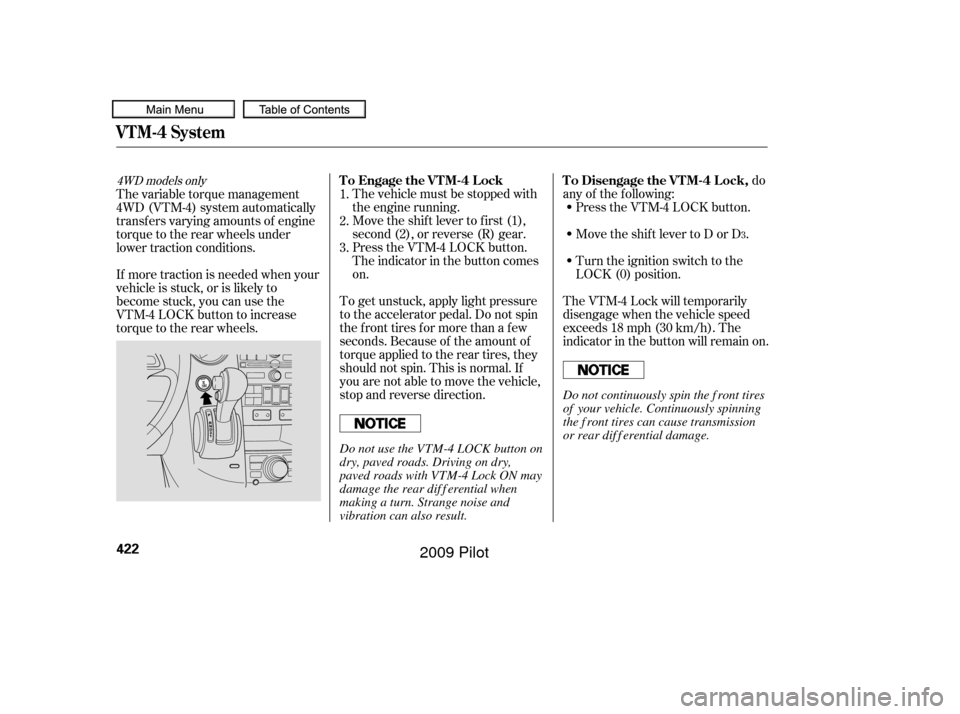
torque to the rear wheels. The variable torque management
4WD (VTM-4) system automatically
transf ers varying amounts of engine
torque to the rear wheels under
lower traction conditions.
1.
2.
3.
3
4WD models onlyTo Engage the VTM-4 Lock To Disengage the VTM-4 Lock,
VTM-4 System
422
Do not continuously spin the f ront tires
of your vehicle. Continuously spinning
the f ront tires can cause transmission
or rear dif f erential damage.
Do not use the VTM-4 LOCK button on
dry, paved roads. Driving on dry,
paved roads with VTM-4 Lock ON may
damage the rear dif f erential when
making a turn. Strange noise and
vibration can also result.
�����—�����—�
���y�
�������������y���
�(�/���������y���������y
2009 Pilot