2009 GMC YUKON radio
[x] Cancel search: radioPage 188 of 576

Oil Pressure Gage........................................3-46
Oil Pressure Light.........................................3-48
Security Light...............................................3-48
Fog Lamp Light............................................3-49
Cruise Control Light......................................3-49
Highbeam On Light.......................................3-49
Tow/Haul Mode Light....................................3-49
Fuel Gage...................................................3-50
Low Fuel Warning Light.................................3-51
Driver Information Center (DIC).......................3-51
DIC Operation and Displays
(With DIC Buttons)....................................3-52
DIC Operation and Displays (Without
DIC Buttons).............................................3-57
DIC Compass..............................................3-61
DIC Warnings and Messages.........................3-64
DIC Vehicle Customization
(With DIC Buttons)....................................3-74Audio System(s).............................................3-83
Setting the Clock..........................................3-84
Radio(s)......................................................3-86
Using an MP3 (Radio with CD or
Six-Disc CD Player).................................3-102
Using an MP3 (Radio with CD and
DVD Player)...........................................3-107
XM Radio Messages...................................3-113
Navigation/Radio System..............................3-114
Bluetooth
®.................................................3-114
Rear Seat Entertainment (RSE) System.........3-125
Rear Seat Audio (RSA)................................3-134
Theft-Deterrent Feature................................3-136
Audio Steering Wheel Controls......................3-136
Radio Reception.........................................3-137
Rear Side Window Antenna..........................3-138
XM™ Satellite Radio Antenna System............3-138
Section 3 Instrument Panel
3-2
Page 202 of 576

Headlamps on Reminder
A reminder chime will sound when the headlamps or
parking lamps are manually turned on and the ignition is
off and a door is open. To disable the chime, turn the
light off.
Daytime Running Lamps (DRL)
Daytime Running Lamps (DRL) can make it easier for
others to see the front of your vehicle during the day.
Fully functional daytime running lamps are required on all
vehicles rst sold in Canada.
The DRL system will come on when the following
conditions are met:
The ignition is on.
The exterior lamps control is in AUTO.
The transmission is not in P (Park).
The light sensor determines it is daytime.
When the DRL are on, only the DRL lamps will be on.
The taillamps, sidemarker, instrument panel lights,
and other lamps will not be on.
When it begins to get dark, the automatic headlamp
system will switch from DRL to the headlamps.To turn off the DRL lamps, turn the exterior lamps control
to the OFF position and then release. For vehicles rst
sold in Canada, the transmission must be in the P (Park)
position, before the DRL lamps can be turned off.
Automatic Headlamp System
When it is dark enough outside, the automatic headlamp
system turns on the headlamps at the normal brightness,
along with the taillamps, sidemarker, parking lamps,
and the instrument panel lights. The radio lights will also
be dim.
To turn off the automatic headlamp system, turn the
exterior lamps switch to the off position and then release
it. For vehicles rst sold in Canada, the transmission
must be in the P (Park) position, before the automatic
headlamp system can be turned off.
The vehicle has a light sensor located on the top of the
instrument panel in the defroster grille that regulates
when the automatic headlamps turn on. Do not cover the
sensor or the headlamps will come on whenever the
ignition is on.
The system may also turn on the headlamps when
driving through a parking garage, heavy overcast
weather, or a tunnel. This is normal.
3-16
Page 225 of 576
If, after several seconds, both status indicator lights
remain on, or if there are no lights at all, there may be a
problem with the lights or the passenger sensing
system. See your dealer/retailer for service.
{CAUTION:
If the airbag readiness light ever comes on and
stays on, it means that something may be wrong
with the airbag system. To help avoid injury to
yourself or others, have the vehicle serviced right
away. SeeAirbag Readiness Light on page 3-37
for more information, including important safety
information.
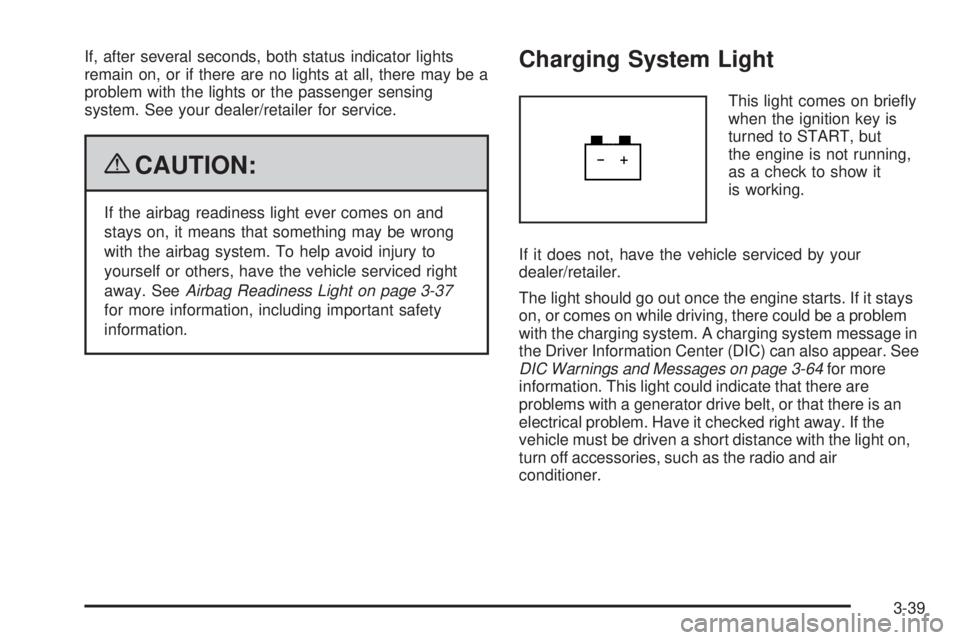
Charging System Light
This light comes on briey
when the ignition key is
turned to START, but
the engine is not running,
as a check to show it
is working.
If it does not, have the vehicle serviced by your
dealer/retailer.
The light should go out once the engine starts. If it stays
on, or comes on while driving, there could be a problem
with the charging system. A charging system message in
the Driver Information Center (DIC) can also appear. See
DIC Warnings and Messages on page 3-64for more
information. This light could indicate that there are
problems with a generator drive belt, or that there is an
electrical problem. Have it checked right away. If the
vehicle must be driven a short distance with the light on,
turn off accessories, such as the radio and air
conditioner.
3-39
Page 269 of 576

Audio System(s)
Determine which radio the vehicle has and read the
following pages to become familiar with its features.
{CAUTION:
Taking your eyes off the road for extended periods
could cause a crash resulting in injury or death to
you or others. Do not give extended attention to
entertainment tasks while driving.
This system provides access to many audio and non
audio listings.To minimize taking your eyes off the road while driving,
do the following while the vehicle is parked:
Become familiar with the operation and controls of
the audio system.
Set up the tone, speaker adjustments, and preset
radio stations.
For more information, seeDefensive Driving on page 4-2.
Notice:Contact your dealer/retailer before adding
any equipment.
Adding audio or communication equipment could
interfere with the operation of the vehicle’s engine,
radio, or other systems, and could damage them.
Follow federal rules covering mobile radio and
telephone equipment.
The vehicle has Retained Accessory Power (RAP). With
RAP, the audio system can be played even after the
ignition is turned off. SeeRetained Accessory Power
(RAP) on page 2-26for more information.
3-83
Page 270 of 576

Setting the Clock
MP3 Radios with a Single CD or a
Single CD and DVD Player
If the vehicle has a radio with a single CD or a CD and
DVD player, it has a
H(clock) button for setting the
time and date.
To set the time and date:
1. Press the
Hbutton and the HR, MIN, MM, DD,
YYYY (hour, minute, month, day, and year) displays.
2. Press the pushbutton located under any one of the
labels to change it. Every time the pushbutton is
pressed again, the time or the date if selected,
increases by one.
Another way to increase the time or date,
is to press the right
¨SEEK arrow or
the
\FWD (forward) button.
To decrease the time or date, press the left©
SEEK arrow or thesREV (reverse) button,
or turn the
f(tune) knob, located on the upper
right side of the radio, to adjust the selected
setting.
Changing the Time and Date Default
Settings
To change the time default setting from 12 hour to
24 hour or to change the date default setting from
month/day/year to day/month/year, follow these
instructions:
1. Press the
Hbutton and then the pushbutton located
under the forward arrow that is currently displayed on
the radio screen until the time 12H and 24H, and the
date MM/DD/YYYY (month, day, and year) and
DD/MM/YYYY (day, month, and year) displays.
2. Press the pushbutton located under the desired
option.
3. Press the
Hbutton again to apply the selected
default, or let the screen time out.
3-84
Page 271 of 576

MP3 Radio with a Six-Disc CD Player
If the vehicle has a radio with a six-disc CD player, the
radio has a MENU button instead of the
H(clock)
button to set the time and date.
To set the time and date:
1. Press the MENU button.
2. Once the
H(clock) option displays, press the
pushbutton located under that label. The HR,
MIN, MM, DD, YYYY (hour, minute, month, day,
and year) displays.
3. Press the pushbutton located under any one of the
labels to change it. Every time the pushbutton is
pressed again, the time or the date if selected,
increases by one.
Another way to increase the time or date,
is to press the right
¨SEEK arrow or the
\FWD (forward) button.
To decrease the time or date, press the left©
SEEK arrow or thesREV (reverse) button, or
turn the
f(tune) knob, located on the upper right
side of the radio, to adjust the selected setting.
Changing the Time and Date Default
Settings
To change the time default setting from 12 hour to
24 hour or to change the date default setting from
month/day/year to day/month/year, follow these
instructions:
1. Press the MENU button. Once the
Hoption
displays, press the pushbutton located under
the forward arrow that is currently displayed on the
radio screen until the 12H (hour) and 24H (hour),
and the date MM/DD (month and day) and DD/MM
(day and month) displays.
2. Press the pushbutton located under the desired
option.
3. Press the MENU button again to apply the selected
default, or let the screen time out.
3-85
Page 272 of 576

Radio(s)
The vehicle has one of these radios as its audio
system. Radio with CD shown, Radio with Six-Disc CD
similar
Radio with CD and DVD
3-86
Page 273 of 576

Radios with CD and DVD
Radios with CD and DVD have a Bose®Surround
Sound System. Some of its features are explained later
in this section under, “Adjusting the Speakers
(Balance/Fade)”.
If the vehicle has a Rear Seat Entertainment (RSE)
system, it has a CD/DVD radio. SeeRear Seat
Entertainment (RSE) System on page 3-125
The DVD player is the top slot on the radio faceplate.
The player is capable of reading the DTS programmed
DVD Audio or DVD Video media, (DTS and DTS
Digital Surround are registered trademarks of Digital
Theater Systems, Inc.).
Manufactured under license from Dolby Laboratories.
Dolby and the double-D symbol are trademarks of Dolby
Laboratories.
Radio Data System (RDS)
The audio system has a Radio Data System (RDS). The
RDS feature is available for use only on FM stations that
broadcast RDS information. This system relies upon
receiving specic information from these stations and
only works when the information is available. While the
radio is tuned to an FM-RDS station, the station name or
call letters displays. In rare cases, a radio station could
broadcast incorrect information that causes the radio
features to work improperly. If this happens, contact the
radio station.
Playing the Radio
O
(Power/Volume):Press to turn the system on
and off.
Turn clockwise or counterclockwise to increase or
decrease the volume.
Speed Compensated Volume (SCV):Radios with
Speed Compensated Volume (SCV) automatically
adjusts the radio volume to compensate for road and
wind noise as the vehicle speeds up or slows down. The
volume level should be consistent while driving.
3-87