2009 FORD EXPLORER ECO mode
[x] Cancel search: ECO modePage 138 of 407
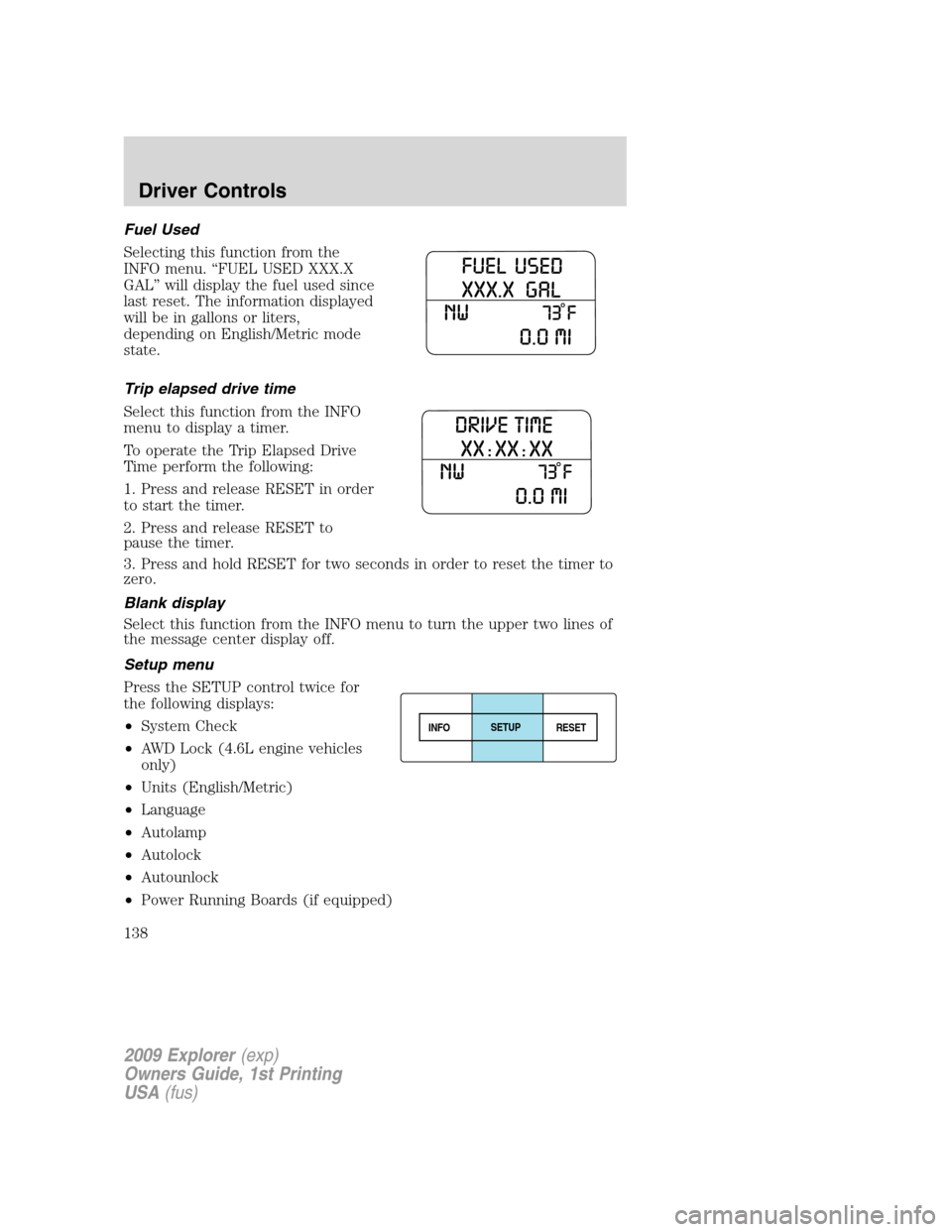
Fuel Used
Selecting this function from the
INFO menu. “FUEL USED XXX.X
GAL” will display the fuel used since
last reset. The information displayed
will be in gallons or liters,
depending on English/Metric mode
state.
Trip elapsed drive time
Select this function from the INFO
menu to display a timer.
To operate the Trip Elapsed Drive
Time perform the following:
1. Press and release RESET in order
to start the timer.
2. Press and release RESET to
pause the timer.
3. Press and hold RESET for two seconds in order to reset the timer to
zero.
Blank display
Select this function from the INFO menu to turn the upper two lines of
the message center display off.
Setup menu
Press the SETUP control twice for
the following displays:
•System Check
•AWD Lock (4.6L engine vehicles
only)
•Units (English/Metric)
•Language
•Autolamp
•Autolock
•Autounlock
•Power Running Boards (if equipped)
INFOSETUP
RESET
2009 Explorer(exp)
Owners Guide, 1st Printing
USA(fus)
Driver Controls
138
Page 139 of 407
•Easy Entry/Exit Seat (if equipped)
•Park Aid (if equipped)
•Trailer sway control
•Compass display
•Compass zone adjustment
•Compass calibration adjustment
•Oil Life Reset and Start Value
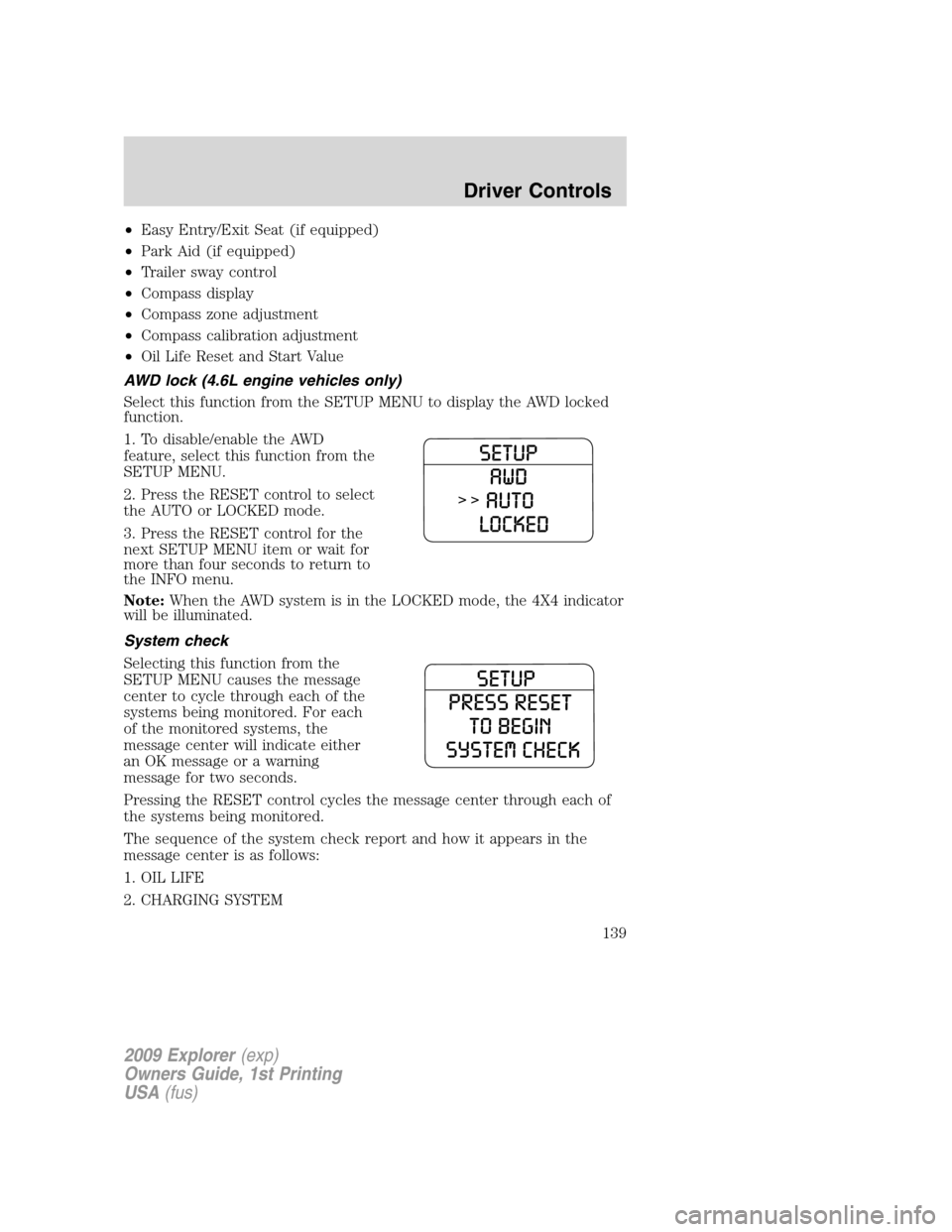
AWD lock (4.6L engine vehicles only)
Select this function from the SETUP MENU to display the AWD locked
function.
1. To disable/enable the AWD
feature, select this function from the
SETUP MENU.
2. Press the RESET control to select
the AUTO or LOCKED mode.
3. Press the RESET control for the
next SETUP MENU item or wait for
more than four seconds to return to
the INFO menu.
Note:When the AWD system is in the LOCKED mode, the 4X4 indicator
will be illuminated.
System check
Selecting this function from the
SETUP MENU causes the message
center to cycle through each of the
systems being monitored. For each
of the monitored systems, the
message center will indicate either
an OK message or a warning
message for two seconds.
Pressing the RESET control cycles the message center through each of
the systems being monitored.
The sequence of the system check report and how it appears in the
message center is as follows:
1. OIL LIFE
2. CHARGING SYSTEM
2009 Explorer(exp)
Owners Guide, 1st Printing
USA(fus)
Driver Controls
139
Page 143 of 407

1. To disable/enable the reverse
sensing system feature with the
vehicle in P (Park), select this
function from the SETUP MENU or
put the vehicle in R (Reverse).
2. Press the RESET control to turn
the park aid ON or OFF.
3. Press the RESET control for the
next SETUP MENU item or wait for more than four seconds to return to
the INFO menu.
Trailer sway control
This feature uses the electronic stability control to mitigate trailer sway,
1. To disable/enable the trailer sway
feature, select this function from the
SETUP menu for the current display
mode.
2. Press the RESET control to turn
the trailer sway ON or OFF.
Compass display (if equipped)
The compass reading may be affected when you drive near large
buildings, bridges, power lines and powerful broadcast antenna. Magnetic
or metallic objects placed in, on or near the vehicle may also affect
compass accuracy.
Usually, when something affects the compass readings, the compass will
correct itself after a few days of operating your vehicle in normal
conditions. If the compass still appears to be inaccurate, a manual
calibration may be necessary. Refer toCompass zone/calibration
adjustment.
Most geographic areas (zones) have a magnetic north compass point that
varies slightly from the northerly direction on maps. This variation is four
degrees between adjacent zones and will become noticeable as the
vehicle crosses multiple zones. A correct zone setting will eliminate this
error. Refer toCompass zone or calibration adjustment.
Note:Compass zone and calibration adjustments can be entered by
using the INFO and SETUP MENU controls or using the reset button on
top of the compass sensor mounted behind the mirror.
2009 Explorer(exp)
Owners Guide, 1st Printing
USA(fus)
Driver Controls
143
Page 158 of 407

Power door lock/unlock inhibit feature (if equipped)
If the key is not in the ignition, all doors are closed, and the vehicle has
been locked using the remote entry transmitter, keypad (if equipped) or
the power door unlock control on the door panel while a front door is
open (then subsequently closed), the power door unlock control on the
door panel will become disabled 20 seconds after the lock event
occurred. Your vehicle comes with this feature enabled, but there are
two methods to disable it:
•Through your authorized dealer, or
•Performing the following power door lock control procedure.
Before following the activation or deactivation procedures, make sure
that the anti-theft system is not armed, ignition is in the off position, and
all vehicle doors, liftgate and liftgate window are closed.
You must complete Steps 1-5 within 30 seconds or the procedure will
have to be repeated. If the procedure needs to be repeated, you must
wait 30 seconds.Note: Alldoors must be closed and remain closed
throughout the configuration process.
1. Place the key in the ignition and turn the ignition to the on position.
2. Press the power door unlock control on the door panel three times.
3. Turn the ignition from the on position to the off position.
4. Press the power door unlock control on the door panel three times.
5. Turn the ignition back to the on position. The horn will chirp one time
to confirm programming mode has been entered and is active.
6. Press the power door lock control on the door panel two times within
five seconds. The horn will chirp once if trim switch inhibit was
deactivated or twice (one short and one long chirp) if trim switch inhibit
was activated.
7. Turn the ignition to the off position. The horn will chirp once to
confirm the procedure is complete.
2009 Explorer(exp)
Owners Guide, 1st Printing
USA(fus)
Locks and Security
158
Page 164 of 407
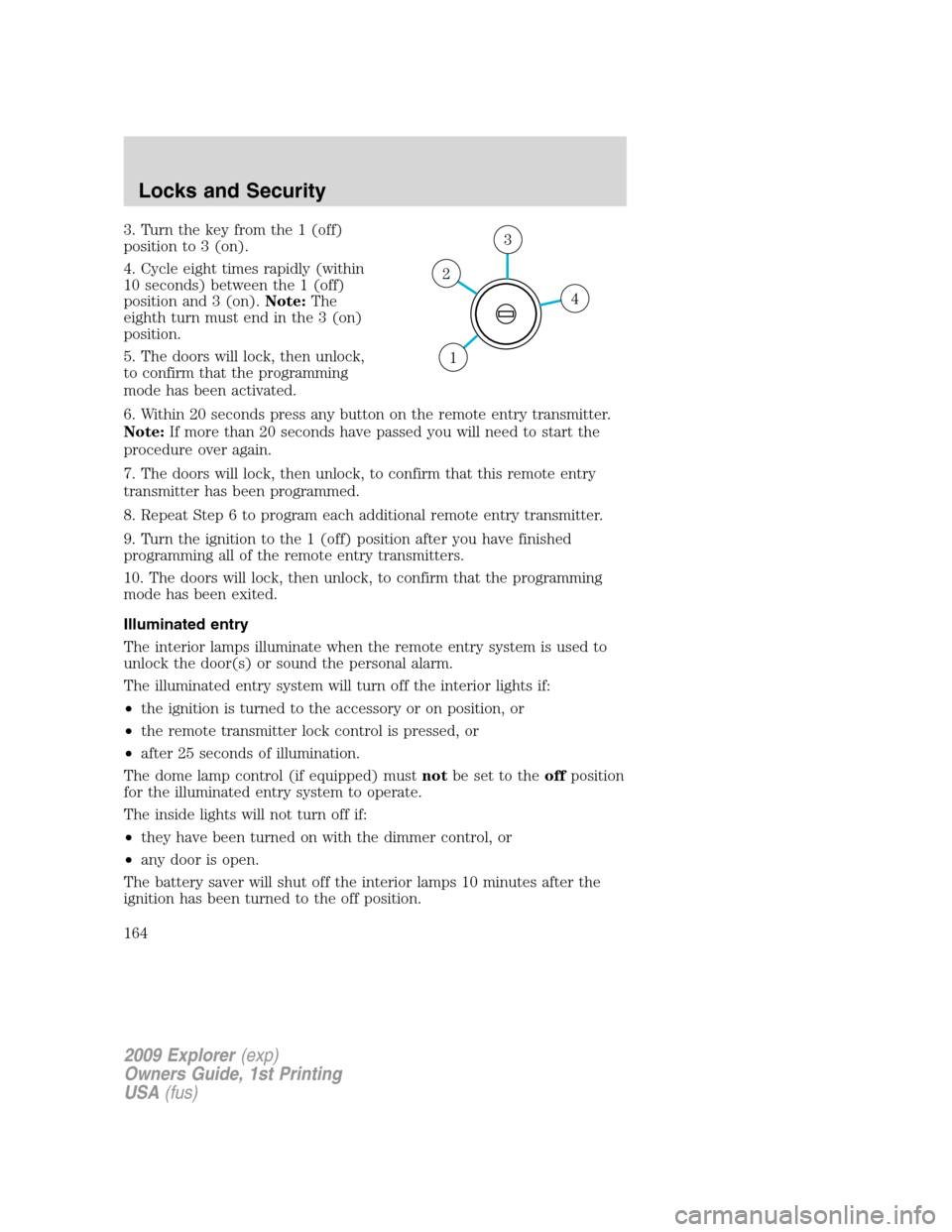
3. Turn the key from the 1 (off)
position to 3 (on).
4. Cycle eight times rapidly (within
10 seconds) between the 1 (off)
position and 3 (on).Note:The
eighth turn must end in the 3 (on)
position.
5. The doors will lock, then unlock,
to confirm that the programming
mode has been activated.
6. Within 20 seconds press any button on the remote entry transmitter.
Note:If more than 20 seconds have passed you will need to start the
procedure over again.
7. The doors will lock, then unlock, to confirm that this remote entry
transmitter has been programmed.
8. Repeat Step 6 to program each additional remote entry transmitter.
9. Turn the ignition to the 1 (off) position after you have finished
programming all of the remote entry transmitters.
10. The doors will lock, then unlock, to confirm that the programming
mode has been exited.
Illuminated entry
The interior lamps illuminate when the remote entry system is used to
unlock the door(s) or sound the personal alarm.
The illuminated entry system will turn off the interior lights if:
•the ignition is turned to the accessory or on position, or
•the remote transmitter lock control is pressed, or
•after 25 seconds of illumination.
The dome lamp control (if equipped) mustnotbe set to theoffposition
for the illuminated entry system to operate.
The inside lights will not turn off if:
•they have been turned on with the dimmer control, or
•any door is open.
The battery saver will shut off the interior lamps 10 minutes after the
ignition has been turned to the off position.
4
3
2
1
2009 Explorer(exp)
Owners Guide, 1st Printing
USA(fus)
Locks and Security
164
Page 166 of 407

•If you program a code to a position that already contains a set code,
the previously-set code will be erased.
Erasing personal code
1. Enter the factory set 5–digit code.
2. Within five seconds, press the 1•2 on the keypad and release.
3. Press and hold the 1•2 for two seconds. This must be done within
five seconds of completing Step 2.
Allpersonal codes are now erased and only the factory set 5–digit code
will work.
Anti-scan feature
If the wrong code has been entered seven times (35 consecutive button
presses), the keypad will go into an anti-scan mode. This mode disables
the keypad for one minute and the keypad lamp will flash.
The anti-scan feature will turn off after:
•one minute of keypad inactivity.
•pressing the
control on the remote entry transmitter.
•the ignition is turned to the on position.
Unlocking and locking the doors, liftgate and liftgate window using
keyless entry
To unlock the driver’s door,enter the factory set 5-digit code or one
of the vehicle’s personal codes. Each number must be pressed within five
seconds of each other. The interior lamps will illuminate.
To unlock all doors and liftgate,press the 3•4 control within five
seconds.
To open the liftgate window,press the 5•6 control within five
seconds.
To lock all doors, liftgate and liftgate window,press the 7•8 and
the 9•0 at the same time.Note:The driver’s door must be closed. You
do notneed to enter the keypad code first.
SECURILOCK™ PASSIVE ANTI-THEFT SYSTEM
SecuriLock™ passive anti-theft system is an engine immobilization
system. This system is designed to help prevent the engine from being
started unless acoded key programmed to your vehicleis used. The
use of the wrong type of coded key may lead to a “no-start” condition.
2009 Explorer(exp)
Owners Guide, 1st Printing
USA(fus)
Locks and Security
166
Page 184 of 407

Note:When folding down the seat, lift the handle only once. When the
seatback releases and folds, the handle should be released. Any further
turning of the handle while the seatback releases, may damage the
handle. Once the seatback is folded, a second lifting of the handle will
detach the seat rear leg locking mechanism from the floor allowing the
seat to tumble forward.
2. Pull the handle up again until the
seat releases from the floor.
3. Push the seat upward and fold it
away from the third row.
WARNING:Always return the seat to the fully latched position
before operating the vehicle.
Returning the seat to the upright position
Note: To return the seat from its tumbled position to its upright
position, its rear legs should first be latched to the floor by dumping the
seat down into position. The interlock mechanism will not allow the
release of the seatback until the seat’s rear legs are fully latched to the
floor. Once the rear legs are fully latched, the interlock will release the
seatback, and it can then be returned to the upright position.
To return the seat to a seating position:
1. Push the seat down and latch to
the floor with a moderate amount of
effort and speed.
2. Make sure the seat is latched to
the floor.
3. Bring the seat back to an upright
position. The seatback should lock
into position.
2009 Explorer(exp)
Owners Guide, 1st Printing
USA(fus)
Seating and Safety Restraints
184
Page 185 of 407
Note: If the seat back will not return to the upright position, tumble the
seat again and re-latch it to the floor. Be sure that cargo or other objects
are not trapped underneath the seatback.
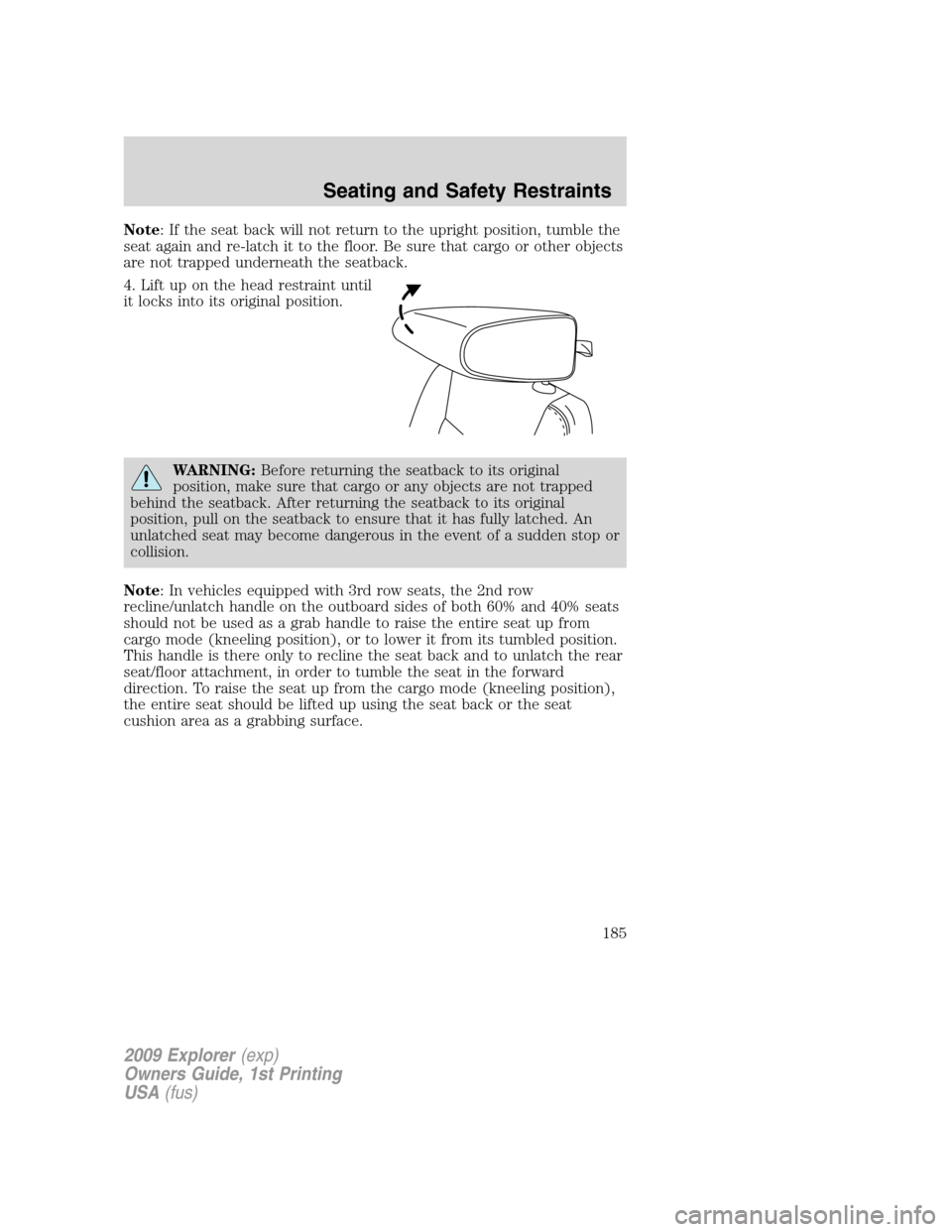
4. Lift up on the head restraint until
it locks into its original position.
WARNING:Before returning the seatback to its original
position, make sure that cargo or any objects are not trapped
behind the seatback. After returning the seatback to its original
position, pull on the seatback to ensure that it has fully latched. An
unlatched seat may become dangerous in the event of a sudden stop or
collision.
Note: In vehicles equipped with 3rd row seats, the 2nd row
recline/unlatch handle on the outboard sides of both 60% and 40% seats
should not be used as a grab handle to raise the entire seat up from
cargo mode (kneeling position), or to lower it from its tumbled position.
This handle is there only to recline the seat back and to unlatch the rear
seat/floor attachment, in order to tumble the seat in the forward
direction. To raise the seat up from the cargo mode (kneeling position),
the entire seat should be lifted up using the seat back or the seat
cushion area as a grabbing surface.
2009 Explorer(exp)
Owners Guide, 1st Printing
USA(fus)
Seating and Safety Restraints
185