2009 FORD EXPLORER warning
[x] Cancel search: warningPage 289 of 407

AUTOMATIC TRANSMISSION OPERATION
Brake-shift interlock
This vehicle is equipped with a brake-shift interlock feature that prevents
the gearshift lever from being moved from P (Park) when the ignition is
in the on position unless brake pedal is depressed.
If you cannot move the gearshift lever out of P (Park) with ignition in
the on position and the brake pedal depressed:
1. Apply the parking brake, turn ignition key to off, then remove the key.
2. Remove the rubber pad at the
bottom of the cup holder to locate
the access cap of the floor shifter
assembly.
3. Using a screwdriver (or
equivalent), remove the access
panel and depress the shifter lever
on the shift mechanism.
4. Apply the brake and shift into N
(Neutral).
5. Return the cover plug to the console access hole. Start the vehicle.
If it is necessary to use the above procedure to move the gearshift lever,
it is possible that a fuse has blown or the vehicle’s brakelamps are not
operating properly. Refer toFuses and relaysin theRoadside
Emergencieschapter.
WARNING:Do not drive your vehicle until you verify that the
brakelamps are working.
WARNING:Always set the parking brake fully and make sure
the gearshift is latched in P (Park). Turn the ignition to the off
position and remove the key whenever you leave your vehicle.
WARNING:If the parking brake is fully released, but the brake
warning lamp remains illuminated, the brakes may not be
working properly. See your authorized dealer.
2009 Explorer(exp)
Owners Guide, 1st Printing
USA(fus)
Driving
289
Page 291 of 407

P (Park)
This position locks the transmission
and prevents the rear wheels from
turning.
To put your vehicle in gear:
•Start the engine
•Depress the brake pedal
•Press the gearshift release button
on the front of the lever and
move the gearshift lever into the
desired gear
To put your vehicle in P (Park):
•Come to a complete stop
•Move the gearshift lever and
securely latch it in P (Park)
WARNING:Always set the parking brake fully and make sure
the gearshift is latched in P (Park). Turn the ignition to the
LOCK position and remove the key whenever you leave your vehicle.
R (Reverse)
With the gearshift lever in R (Reverse), the vehicle will move backward.
Always come to a complete stop before shifting into and out of R
(Reverse).
N (Neutral)
With the gearshift lever in N (Neutral), the vehicle can be started and is
free to roll. Hold the brake pedal down while in this position.
D (Drive) with Overdrive
The normal driving position for the best fuel economy. Transmission
operates in gears one through five.
2009 Explorer(exp)
Owners Guide, 1st Printing
USA(fus)
Driving
291
Page 294 of 407

P (Park)
This position locks the transmission
and prevents the rear wheels from
turning.
To put your vehicle in gear:
•Depress the brake pedal
•Start the engine
•Press the gearshift lever release
button (on the front of the lever)
and shift into the desired gear
To put your vehicle in P (Park):
•Come to a complete stop
•Move the gearshift lever and
securely latch it in P (Park)
WARNING:Always set the parking brake fully and make sure
the gearshift is latched in P (Park). Turn the ignition to the off
position and remove the key whenever you leave your vehicle.
R (Reverse)
With the gearshift lever in R (Reverse), the vehicle will move backward.
Always come to a complete stop before shifting into and out of R
(Reverse).
N (Neutral)
With the gearshift lever in N (Neutral), the vehicle can be started and is
free to roll. Hold the brake pedal down while in this position.
D (Drive) with Overdrive
The normal driving position for the best fuel economy. Transmission
operates in gears one through six.
2009 Explorer(exp)
Owners Guide, 1st Printing
USA(fus)
Driving
294
Page 296 of 407
•Allows upshifts by moving gearshift lever.
•Will not downshift into 1 (First) at high speeds; allows for 1 (First)
when vehicle reaches slower speeds.
Forced downshifts
•Allowed in D (Drive) only.
•Depress the accelerator to the floor.
•Allows transmission to select an appropriate gear.
If your vehicle gets stuck in mud or snow
If your vehicle gets stuck in mud or snow, it may be rocked out by
shifting between forward and reverse gears, stopping between shifts in a
steady pattern. Press lightly on the accelerator in each gear.
Do not rock the vehicle if the engine is not at normal operating
temperature or damage to the transmission may occur.
Do not rock the vehicle for more than a minute or damage to the
transmission and tires may occur, or the engine may overheat.
REVERSE SENSING SYSTEM (IF EQUIPPED)
The reverse sensing system sounds a tone to warn the driver of obstacles
near the rear bumper when the R (Reverse) gear is selected.
WARNING:To help avoid personal injury, please read and
understand the limitations of the reverse sensing system as
contained in this section. The park assist is only an aid for some
(generally large and fixed) objects when moving in reverse on a flat
surface at “parking speeds”. Inclement weather may also affect the
function of the RSS; this may include reduced performance or a false
activation.
WARNING:To help avoid personal injury, always use caution
when in R (Reverse) and when using the reverse sensing system.
WARNING:This system is not designed to prevent contact with
small or moving objects. The system is designed to provide a
warning to assist the driver in detecting objects to avoid damaging the
vehicle. The system may not detect smaller objects, particularly those
close to the ground.
2009 Explorer(exp)
Owners Guide, 1st Printing
USA(fus)
Driving
296
Page 297 of 407
WARNING:Certain add-on devices such as large trailer hitches,
bike or surfboard racks and any device that may block the
normal detection zone of the reverse sensing system may create false
beeps.
The system will assist the driver in detecting certain objects while the
vehicle moves in reverse at speeds less than 6 mph (10 km/h). The
system is not effective at speeds greater than 6 mph (10 km/h) and may
not detect certain angular or moving objects.
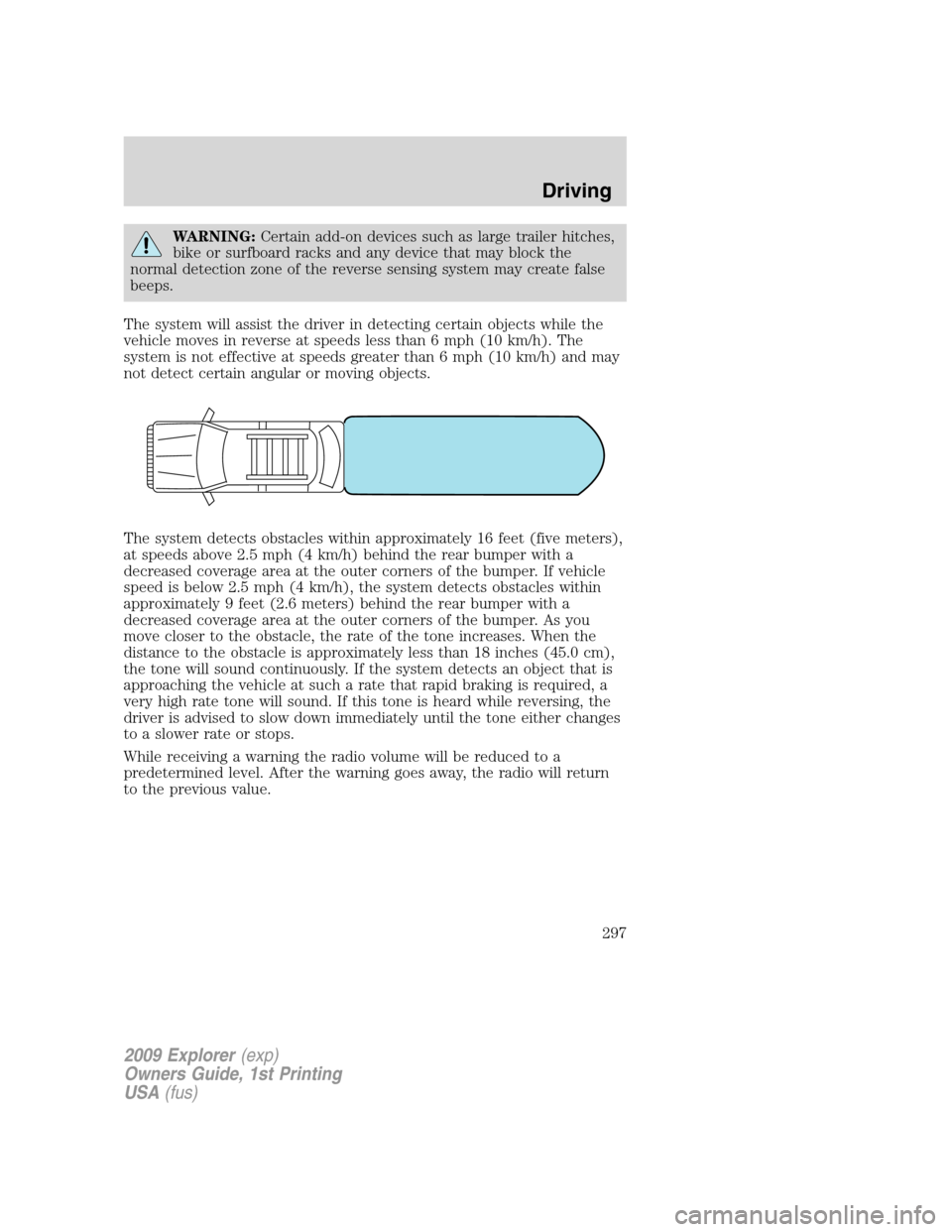
The system detects obstacles within approximately 16 feet (five meters),
at speeds above 2.5 mph (4 km/h) behind the rear bumper with a
decreased coverage area at the outer corners of the bumper. If vehicle
speed is below 2.5 mph (4 km/h), the system detects obstacles within
approximately 9 feet (2.6 meters) behind the rear bumper with a
decreased coverage area at the outer corners of the bumper. As you
move closer to the obstacle, the rate of the tone increases. When the
distance to the obstacle is approximately less than 18 inches (45.0 cm),
the tone will sound continuously. If the system detects an object that is
approaching the vehicle at such a rate that rapid braking is required, a
very high rate tone will sound. If this tone is heard while reversing, the
driver is advised to slow down immediately until the tone either changes
to a slower rate or stops.
While receiving a warning the radio volume will be reduced to a
predetermined level. After the warning goes away, the radio will return
to the previous value.
2009 Explorer(exp)
Owners Guide, 1st Printing
USA(fus)
Driving
297
Page 298 of 407
Audible Warnings
Distance to Object Warning
Speed above 2.5 mph (4 km/h)
up to 1.6 feet (.5 meters) Solid
1.6 feet (.5 meters) to 3.1 feet
(1 meter)Fast beep
3.1 feet (1 meter) to 5.7 feet
(1.8 meters)Medium/fast beep
5.7 feet (1.8 meters) to 9 feet
(2.8 meters)Medium beep
9 feet (2.8 meters) to 13 feet
(4 meters)Medium/slow beep
13 feet (4 meters) to 19.6 feet
(6 meters)Slow beep
Speed below 2.5 mph (4 km/h)
up to 1.4 feet (.4 meters) Solid
1.4 feet (.4 meters) to 3 feet
(.9 meters)Fast beep
3 feet (.9 meters) to 4.5 feet
(1.4 meters)Medium beep
4.5 feet (1.4 meters) to
6.3 feet (1.9 meters)Medium/slow beep
6.3 feet (1.9 meters) to
8.7 feet (2.6 meters)Slow beep
8.7 feet (2.6 meters) to
16.4 feet (5 meters)No sound
The reverse sensing system is automatically enabled when the gear
selector is placed in R (Reverse) and the ignition is on. A control in the
message center allows the driver to disable the system only when the
ignition is on and the gear selector is in R (Reverse). Refer toMessage
centerin theDriver Controlschapter.
The message center will indicate the system is off and will not allow the
driver to switch the system on to indicate a failure of the reverse sensing
system.
2009 Explorer(exp)
Owners Guide, 1st Printing
USA(fus)
Driving
298
Page 299 of 407
The radar sensor is located behind the rear bumper/fascia. Always
keep the rear bumper/fascia free from snow, ice and large
accumulations of dirt. These elements may cause the system to
operate inaccurately.
If the vehicle sustains damage to the rear bumper/fascia, leaving
it misaligned or bent, the sensing zone may be altered causing
inaccurate measurement of obstacles or false alarms.
FOUR-WHEEL DRIVE (4WD) OPERATION (IF EQUIPPED)
WARNING:For important information regarding safe operation
of this type of vehicle, seePreparing to drive your vehiclein
this chapter.
Four–wheel drive (4WD) supplies power to all four wheels. Do not use
4X4 High or 4X4 Low on dry, hard surfaced roads. Doing so will produce
excessive noise, increase tire wear and may damage drive components.
4X4 High and 4X4 Low are only intended for consistently slippery or
loose surfaces. The use of 4X4 High or 4X4 Low on these surfaces may
produce some noise, such as occasional clunks, but will not damage the
drive system.
If equipped with the Electronic Shift 4WD System, and 4WD Low
is selected while the vehicle is moving above 3 mph (5 km/h), the
4WD system will not engage. This is normal and should be no
reason for concern.Refer toShifting to/from 4WD Lowfor proper
operation.
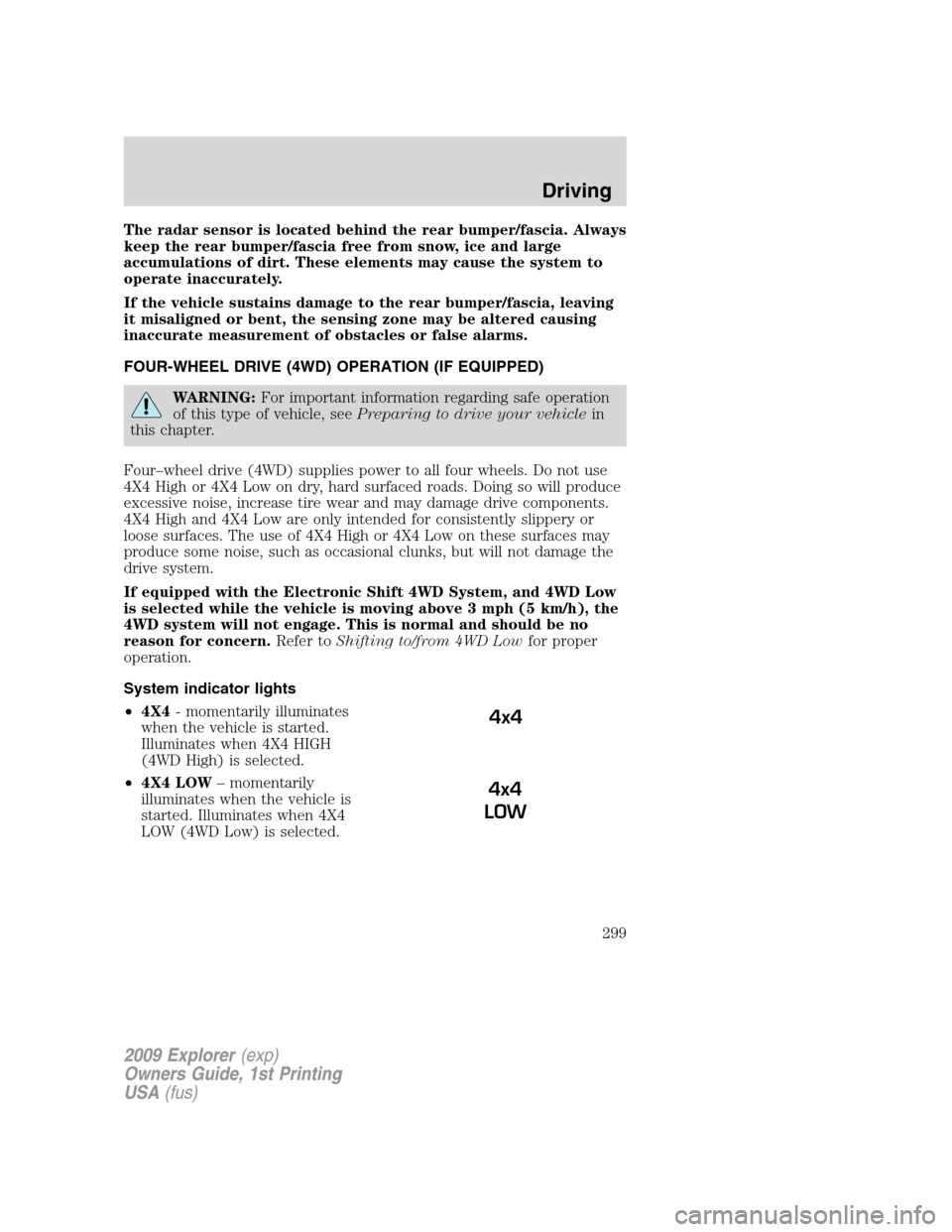
System indicator lights
•4X4- momentarily illuminates
when the vehicle is started.
Illuminates when 4X4 HIGH
(4WD High) is selected.
•4X4 LOW– momentarily
illuminates when the vehicle is
started. Illuminates when 4X4
LOW (4WD Low) is selected.
4x4
4x4
LOW
2009 Explorer(exp)
Owners Guide, 1st Printing
USA(fus)
Driving
299
Page 301 of 407
WARNING:If your vehicle is equipped with AWD, a spare tire of
a different size than the road tires should never be used. Such a
tire could make the vehicle difficult to control as well as result in
damage to driveline components.
WARNING:Utility and four-wheel drive vehicles arenot
designed for cornering at speeds as high as passenger cars any
more than low-slung sports cars are designed to perform satisfactorily
under off-road conditions. Avoid sharp turns or abrupt maneuvers in
these vehicles.
Normal operation (4.0L engine vehicles only)
The AWD system is always active and requires no driver input. It is
capable of handling all road conditions, including street and highway
driving as well as off-road conditions such as deep snow, ice or shallow
sand.
Normal operation (4.6L engine vehicles only)
During normal operation the AWD system is in AWD AUTO mode (AWD
LOCKED will illuminate in the message center for four seconds when
you first start your vehicle). The 4X4 indicator in the instrument cluster
will also come on.
For instructions on selecting the AWD LOCKED mode, refer toMessage
centerin theDriver Controlschapter. This mode is not intended for use
on dry pavement. This mode is appropriate for severe winter or off-road
conditions such as deep snow, ice or shallow sand. The use of AWD
LOCKED on dry or hard surfaces may produce some noise, such as
occasional clunks, but will not damage the drive system.
Autolock operation (4.6L engine vehicles only)
If the AWD system begins to overheat, the system will place itself in the
Autolock mode:
•AWD LOCKED will be displayed in the message center for four
seconds and the 4x4 indicator light will illuminate in the instrument
cluster. A warning chime will also sound. This condition may clear
without any action being taken by the driver once the AWD system
has reached a safe operating temperature.
•The 4X4 indicator light in the instrument cluster will turn off when
the AWD system reaches a safe operating temperature and normal
AWD operation is restored.
2009 Explorer(exp)
Owners Guide, 1st Printing
USA(fus)
Driving
301