Page 99 of 416
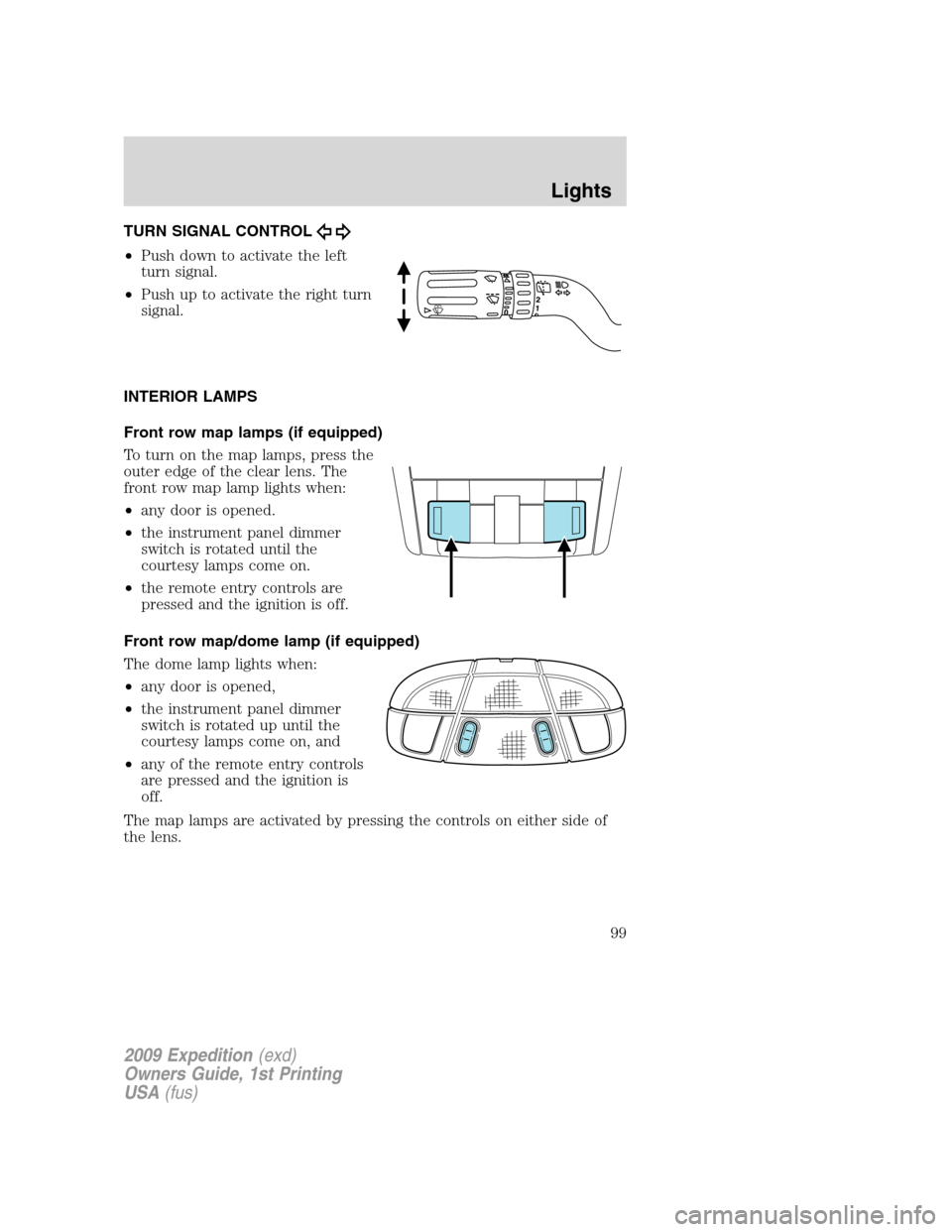
TURN SIGNAL CONTROL
•Push down to activate the left
turn signal.
•Push up to activate the right turn
signal.
INTERIOR LAMPS
Front row map lamps (if equipped)
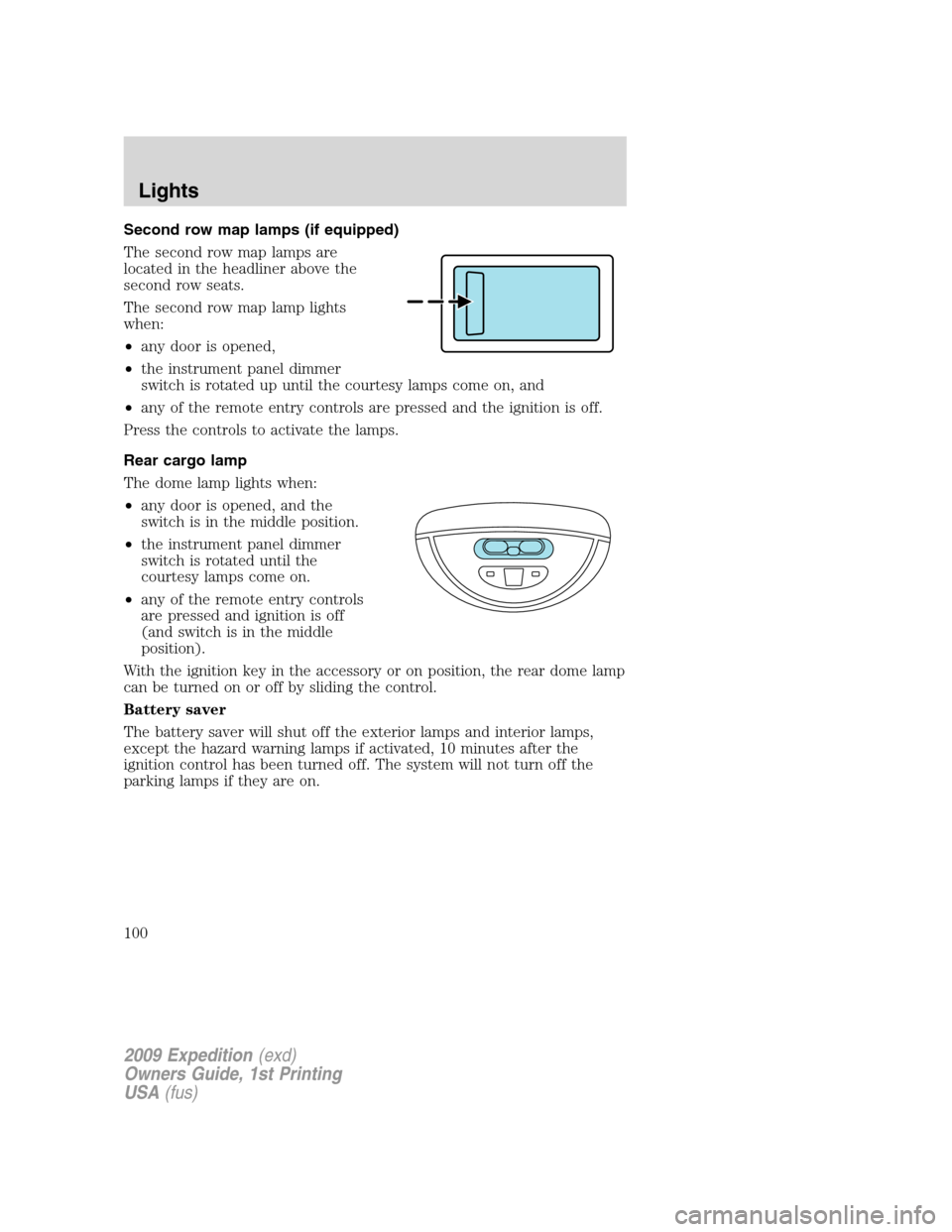
To turn on the map lamps, press the
outer edge of the clear lens. The
front row map lamp lights when:
•any door is opened.
•the instrument panel dimmer
switch is rotated until the
courtesy lamps come on.
•the remote entry controls are
pressed and the ignition is off.
Front row map/dome lamp (if equipped)
The dome lamp lights when:
•any door is opened,
•the instrument panel dimmer
switch is rotated up until the
courtesy lamps come on, and
•any of the remote entry controls
are pressed and the ignition is
off.
The map lamps are activated by pressing the controls on either side of
the lens.
2009 Expedition(exd)
Owners Guide, 1st Printing
USA(fus)
Lights
99
Page 100 of 416
Second row map lamps (if equipped)
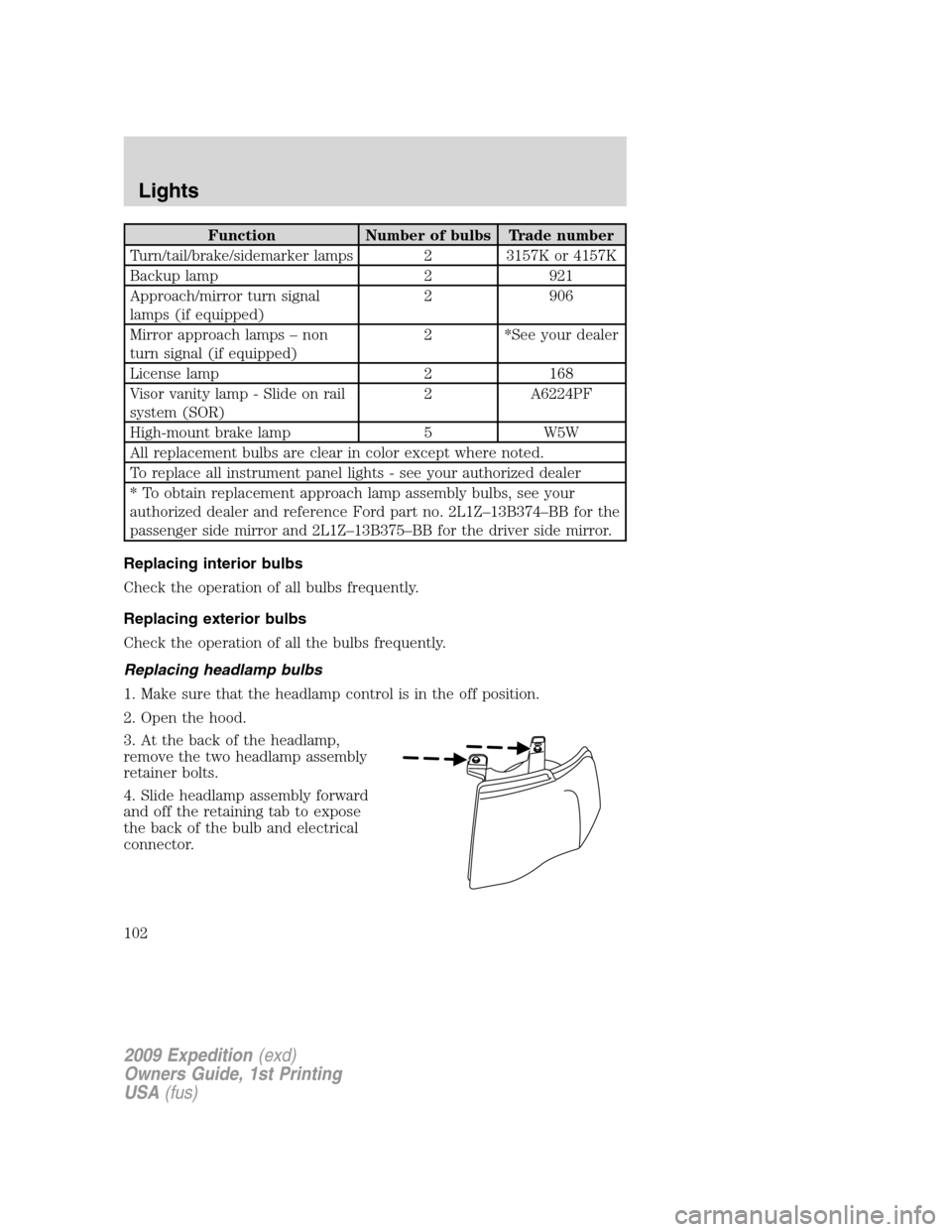
The second row map lamps are
located in the headliner above the
second row seats.
The second row map lamp lights
when:
•any door is opened,
•the instrument panel dimmer
switch is rotated up until the courtesy lamps come on, and
•any of the remote entry controls are pressed and the ignition is off.
Press the controls to activate the lamps.
Rear cargo lamp
The dome lamp lights when:
•any door is opened, and the
switch is in the middle position.
•the instrument panel dimmer
switch is rotated until the
courtesy lamps come on.
•any of the remote entry controls
are pressed and ignition is off
(and switch is in the middle
position).
With the ignition key in the accessory or on position, the rear dome lamp
can be turned on or off by sliding the control.
Battery saver
The battery saver will shut off the exterior lamps and interior lamps,
except the hazard warning lamps if activated, 10 minutes after the
ignition control has been turned off. The system will not turn off the
parking lamps if they are on.
2009 Expedition(exd)
Owners Guide, 1st Printing
USA(fus)
Lights
100
Page 102 of 416
Function Number of bulbs Trade number
Turn/tail/brake/sidemarker lamps 2 3157K or 4157K
Backup lamp 2 921
Approach/mirror turn signal
lamps (if equipped)2 906
Mirror approach lamps – non
turn signal (if equipped)2 *See your dealer
License lamp 2 168
Visor vanity lamp - Slide on rail
system (SOR)2 A6224PF
High-mount brake lamp 5 W5W
All replacement bulbs are clear in color except where noted.
To replace all instrument panel lights - see your authorized dealer
* To obtain replacement approach lamp assembly bulbs, see your
authorized dealer and reference Ford part no. 2L1Z–13B374–BB for the
passenger side mirror and 2L1Z–13B375–BB for the driver side mirror.
Replacing interior bulbs
Check the operation of all bulbs frequently.
Replacing exterior bulbs
Check the operation of all the bulbs frequently.
Replacing headlamp bulbs
1. Make sure that the headlamp control is in the off position.
2. Open the hood.
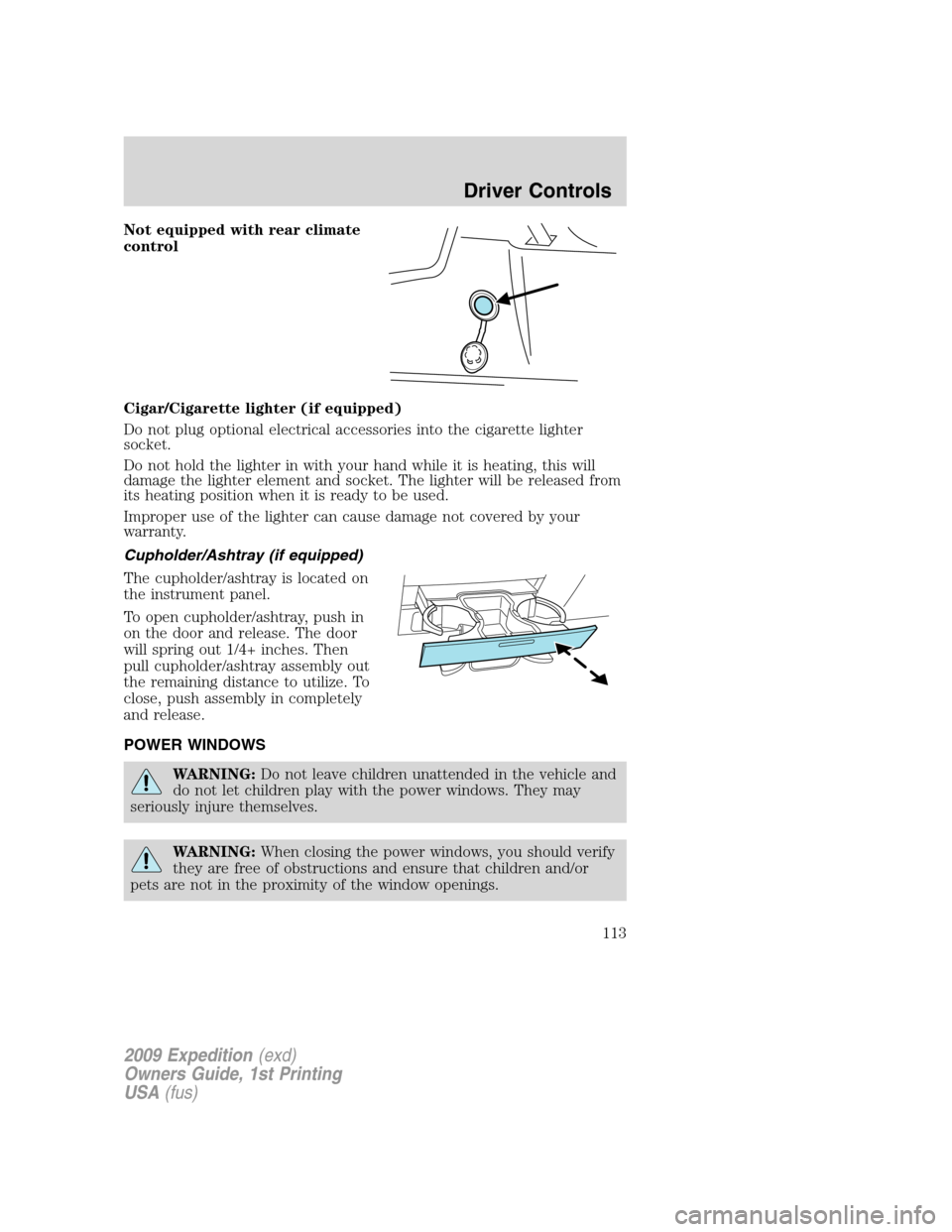
3. At the back of the headlamp,
remove the two headlamp assembly
retainer bolts.
4. Slide headlamp assembly forward
and off the retaining tab to expose
the back of the bulb and electrical
connector.
2009 Expedition(exd)
Owners Guide, 1st Printing
USA(fus)
Lights
102
Page 111 of 416

CENTER CONSOLE (IF EQUIPPED)
Your vehicle may be equipped with a variety of console features. These
include:
1. Cupholders
2. Utility compartment, coin holder
slots, tissue box holder, audio input
jack and USB port (if equipped)
3. Power point, rear audio controls
(if equipped) and rear heated seat
controls (if equipped)
4. Rear Cupholders
WARNING:Use only soft
cups in the cupholder. Hard
objects can injure you in a
collision.
AUXILIARY POWER POINT (12VDC)
Power outlets are designed for accessory plugs only. Do not insert
any other object in the power outlet as this will damage the
outlet and blow the fuse. Do not hang any type of accessory or
accessory bracket from the plug. Improper use of the power
outlet can cause damage not covered by your warranty.
The auxiliary power point is located
on the instrument panel.
Do not use the power point for
operating the cigarette lighter
element (if equipped).
To prevent the fuse from being
blown, do not use the power
point(s) over the vehicle capacity of
12 VDC/180W. If the power point or
cigar lighter socket is not working, a
fuse may have blown. Refer toFuses and relaysin theRoadside
Emergencieschapter for information on checking and replacing fuses.
2009 Expedition(exd)
Owners Guide, 1st Printing
USA(fus)
Driver Controls
111
Page 113 of 416
Not equipped with rear climate
control
Cigar/Cigarette lighter (if equipped)
Do not plug optional electrical accessories into the cigarette lighter
socket.
Do not hold the lighter in with your hand while it is heating, this will
damage the lighter element and socket. The lighter will be released from
its heating position when it is ready to be used.
Improper use of the lighter can cause damage not covered by your
warranty.
Cupholder/Ashtray (if equipped)
The cupholder/ashtray is located on
the instrument panel.
To open cupholder/ashtray, push in
on the door and release. The door
will spring out 1/4+ inches. Then
pull cupholder/ashtray assembly out
the remaining distance to utilize. To
close, push assembly in completely
and release.
POWER WINDOWS
WARNING:Do not leave children unattended in the vehicle and
do not let children play with the power windows. They may
seriously injure themselves.
WARNING:When closing the power windows, you should verify
they are free of obstructions and ensure that children and/or
pets are not in the proximity of the window openings.
2009 Expedition(exd)
Owners Guide, 1st Printing
USA(fus)
Driver Controls
113
Page 148 of 416
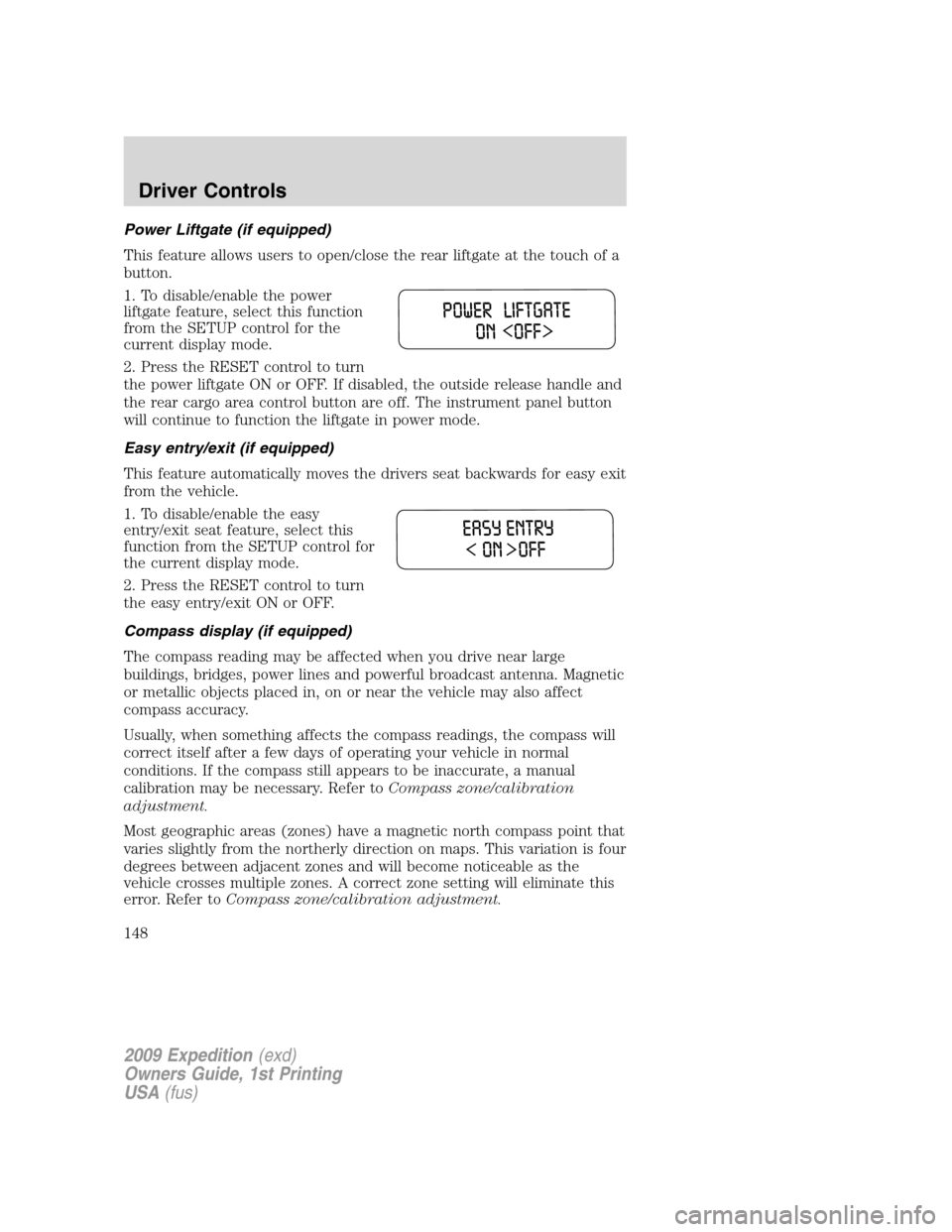
Power Liftgate (if equipped)
This feature allows users to open/close the rear liftgate at the touch of a
button.
1. To disable/enable the power
liftgate feature, select this function
from the SETUP control for the
current display mode.
2. Press the RESET control to turn
the power liftgate ON or OFF. If disabled, the outside release handle and
the rear cargo area control button are off. The instrument panel button
will continue to function the liftgate in power mode.
Easy entry/exit (if equipped)
This feature automatically moves the drivers seat backwards for easy exit
from the vehicle.
1. To disable/enable the easy
entry/exit seat feature, select this
function from the SETUP control for
the current display mode.
2. Press the RESET control to turn
the easy entry/exit ON or OFF.
Compass display (if equipped)
The compass reading may be affected when you drive near large
buildings, bridges, power lines and powerful broadcast antenna. Magnetic
or metallic objects placed in, on or near the vehicle may also affect
compass accuracy.
Usually, when something affects the compass readings, the compass will
correct itself after a few days of operating your vehicle in normal
conditions. If the compass still appears to be inaccurate, a manual
calibration may be necessary. Refer toCompass zone/calibration
adjustment.
Most geographic areas (zones) have a magnetic north compass point that
varies slightly from the northerly direction on maps. This variation is four
degrees between adjacent zones and will become noticeable as the
vehicle crosses multiple zones. A correct zone setting will eliminate this
error. Refer toCompass zone/calibration adjustment.
2009 Expedition(exd)
Owners Guide, 1st Printing
USA(fus)
Driver Controls
148
Page 155 of 416
POSITIVE RETENTION FLOOR MAT (IF EQUIPPED)
WARNING:Do not install additional floor mats on top of the
factory installed floor mats as they may interfere with the
accelerator or the brake pedals.
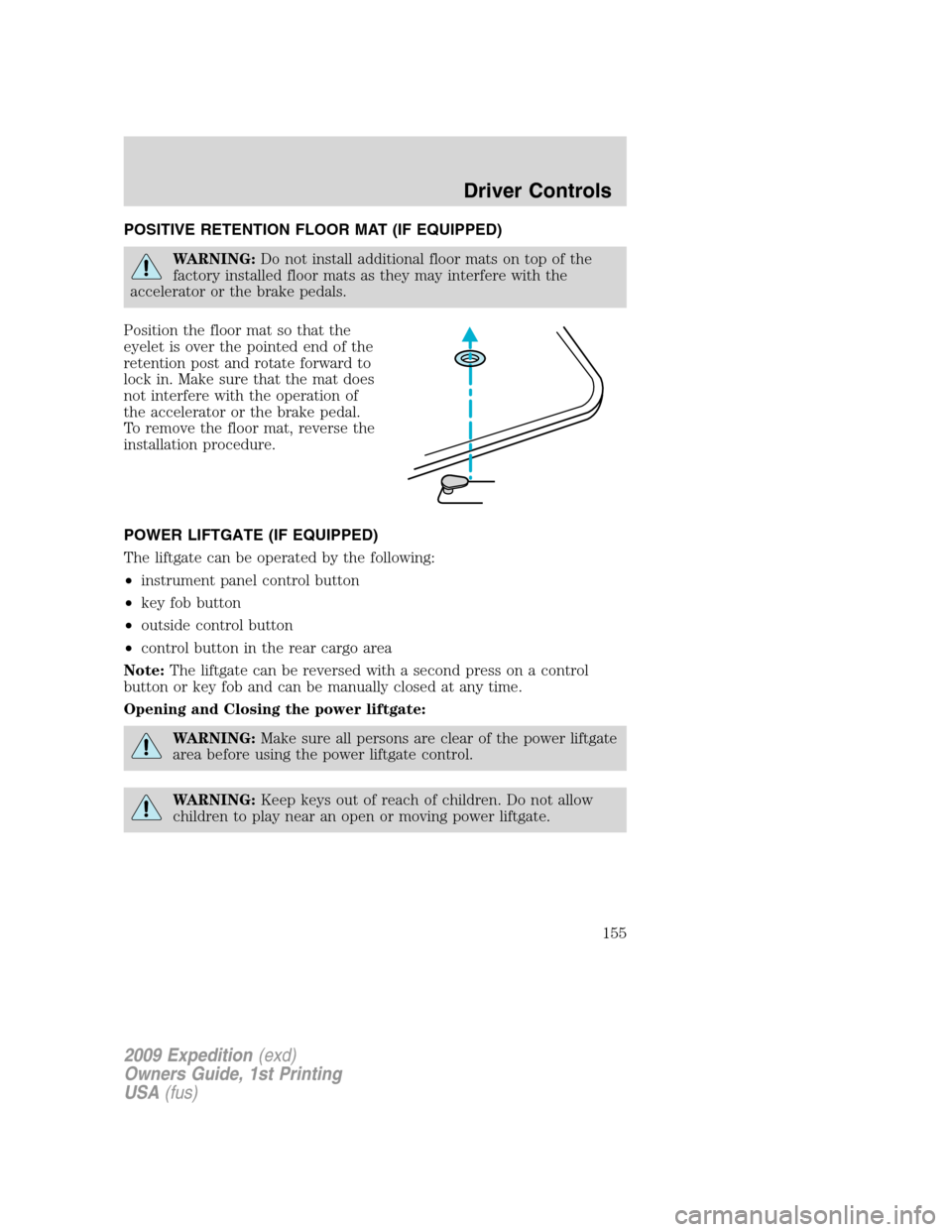
Position the floor mat so that the
eyelet is over the pointed end of the
retention post and rotate forward to
lock in. Make sure that the mat does
not interfere with the operation of
the accelerator or the brake pedal.
To remove the floor mat, reverse the
installation procedure.
POWER LIFTGATE (IF EQUIPPED)
The liftgate can be operated by the following:
•instrument panel control button
•key fob button
•outside control button
•control button in the rear cargo area
Note:The liftgate can be reversed with a second press on a control
button or key fob and can be manually closed at any time.
Opening and Closing the power liftgate:
WARNING:Make sure all persons are clear of the power liftgate
area before using the power liftgate control.
WARNING:Keep keys out of reach of children. Do not allow
children to play near an open or moving power liftgate.
2009 Expedition(exd)
Owners Guide, 1st Printing
USA(fus)
Driver Controls
155
Page 156 of 416

The liftgate will only operate with the vehicle in P (Park). The chime will
beep once if conditions are not correct to start an operation. These
conditions include:
•or the ignition is in on and the transmission is not in P (Park)
•or the battery voltage is below the minimum operating voltage
•the vehicle speed is at or above 3 mph (5 km/h)
If the liftgate reverses and starts to close after a open request, a fast
continuous chime indicates excessive load on the gate or a possible strut
failure. If any excessive load is removed and you still have a faster
chime, have the system serviced immediately by your authorized dealer.
Do not attempt to manually force the liftgate to travel faster than the
power system will permit. This will activate the obstacle detection
feature.
Note:Cycling the ignition prior to completely latching the liftgate could
result in damage to the liftgate and/or its power components. Make sure
the liftgate is fully latched before operating the vehicle.
Care should be exercised in starting the engine before the liftgate is fully
closed (latched). If the ignition is cycled during a Liftgate Power Close
cycle and the liftgate is 6-10 inches (15–24 cm) from being latched, the
liftgate may reverse to the full open position. Verify that the gate is
closed before operating or moving the vehicle, especially in an enclosure,
like a garage or a parking structure. The liftgate or it components could
be damaged in an enclosure, if the liftgate is open.
When power operating the liftgate at temperatures below 32° F (0° C),
the liftgate may stop about 5 inches (12.7 cm) from the full open
position. The liftgate can be fully opened by pushing it upward to the
maximum open position.
To open the liftgate from the
Instrument panel:
Press the button once to open the
liftgate, press it again to close.
2009 Expedition(exd)
Owners Guide, 1st Printing
USA(fus)
Driver Controls
156