2009 FORD EXPEDITION EL battery
[x] Cancel search: batteryPage 170 of 415

The inside lights will not turn off if:
• they have been turned on using the dimmer control or
• any door is open.
The battery saver feature will turn off the interior lamps 10 minutes after
the ignition is turned to the off position.
Two stage unlocking may be disabled or re-enabled by simultaneously
pressing the
and controls on the IKT for four seconds (disabling
two stage unlock allows all vehicle doors to unlock simultaneously). The
turn lamps will flash twice to indicate that two-stage unlock was enabled
or disabled.
Locking the doors
1. Press and release to lock all the doors. The turn lamps will flash.
2. Press and release again within three seconds to confirm that all
the doors are closed. Note: The doors will lock again, the horn will chirp
and the turn lamps will flash once if all the doors and liftgate are closed.
Note: If any door or the liftgate is not closed, or if the hood is not
closed in vehicles equipped with the perimeter alarm feature, the horn
will chirp twice and the lamps will not flash.
Opening the power liftgate or liftgate window (if equipped)
If equipped with a power liftgate, this control will not operate the liftgate
window.
• Press twice within three seconds to open the power liftgate (if
equipped) or
• Press twice within three seconds to unlatch the liftgate window
(if not equipped with a power liftgate).
WARNING: Make sure all persons are clear of the power liftgate
area before using the control.
To close the power liftgate, press the control twice.
If the power liftgate stops mid travel, it may have detected an obstacle,
Check to ensure the power liftgate swing zone is free from obstruction
and reset the power assist by manually closing the power liftgate. Normal
operation can then be resumed.
2009 Expedition (exd)
Owners Guide, 2nd Printing
USA (fus)Locks and Security
170
Page 172 of 415

3. Within three seconds press the control on the remote entry
transmitter.
4. A tone will be heard when the activation is complete.
5. Repeat this procedure for another remote entry transmitter if desired.
Deactivating the memory feature
To deactivate this feature:
1. Press and hold either the 1 or 2 control on the driver’s seat for five
seconds. (A tone will be heard after 1 1
2
seconds when the memory store
is done) continue to hold until a second tone is heard after five seconds.
2. Within three seconds press the control on the remote entry
transmitter.
3. A tone will be heard when the deactivation is complete.
4. Repeat this procedure for another remote entry transmitter if desired.
Replacing the battery
The Integrated Keyhead Transmitter uses one coin type three-volt
lithium battery CR2032 or equivalent.
To replace the battery:
1. Twist a thin coin in the slot of the
IKT near the key ring in order to
remove the battery cover.
Note: Do not wipe off any grease on
the battery terminals on the back
surface of the circuit board.
2. Remove the old battery.
Note: Please refer to local
regulations when disposing of
transmitter batteries.
3. Insert the new battery. Refer to the instructions inside the IKT for the
correct orientation of the battery. Press the battery down to ensure that
the battery is fully seated in the battery housing cavity.
2009 Expedition (exd)
Owners Guide, 2nd Printing
USA (fus)Locks and Security
172
Page 173 of 415
4. Snap the battery cover back onto the key.
Note: Replacement of the battery will not cause the IKT to become
deprogrammed from your vehicle. The IKT should operate normally after
battery replacement.
Replacing lost Integrated Keyhead Transmitters (IKTs)
If you would like to have your Integrated Keyhead Transmitters
reprogrammed because you lost one, or would like to buy additional
IKTs, you can either reprogram them yourself, or take all IKTs to your
authorized dealer for reprogramming.
How to reprogram your Integrated Keyhead Transmitters (IKTs)
To program a new Integrated Keyhead Transmitter yourself, refer to
Programming spare keys in the SecuriLock™ passive anti-theft
system section of this chapter. Note: At least two IKTs are required to
perform this procedure yourself.
Illuminated entry
The interior lamps and puddle lamps (if equipped) illuminate when the
Integrated Keyhead Transmitter or the keyless entry system keypad is
used to unlock the door(s).
The illuminated entry system will turn off the interior lights if:
• the ignition is turned to the on position, or
• the Integrated Keyhead Transmitter lock control is pressed, or
• the vehicle is locked using the keyless entry keypad, or
• after 25 seconds of illumination.
The inside lights will not turn off if:
• they have been turned on with the dimmer control, or
• any door is open.
Perimeter lamps illuminated entry
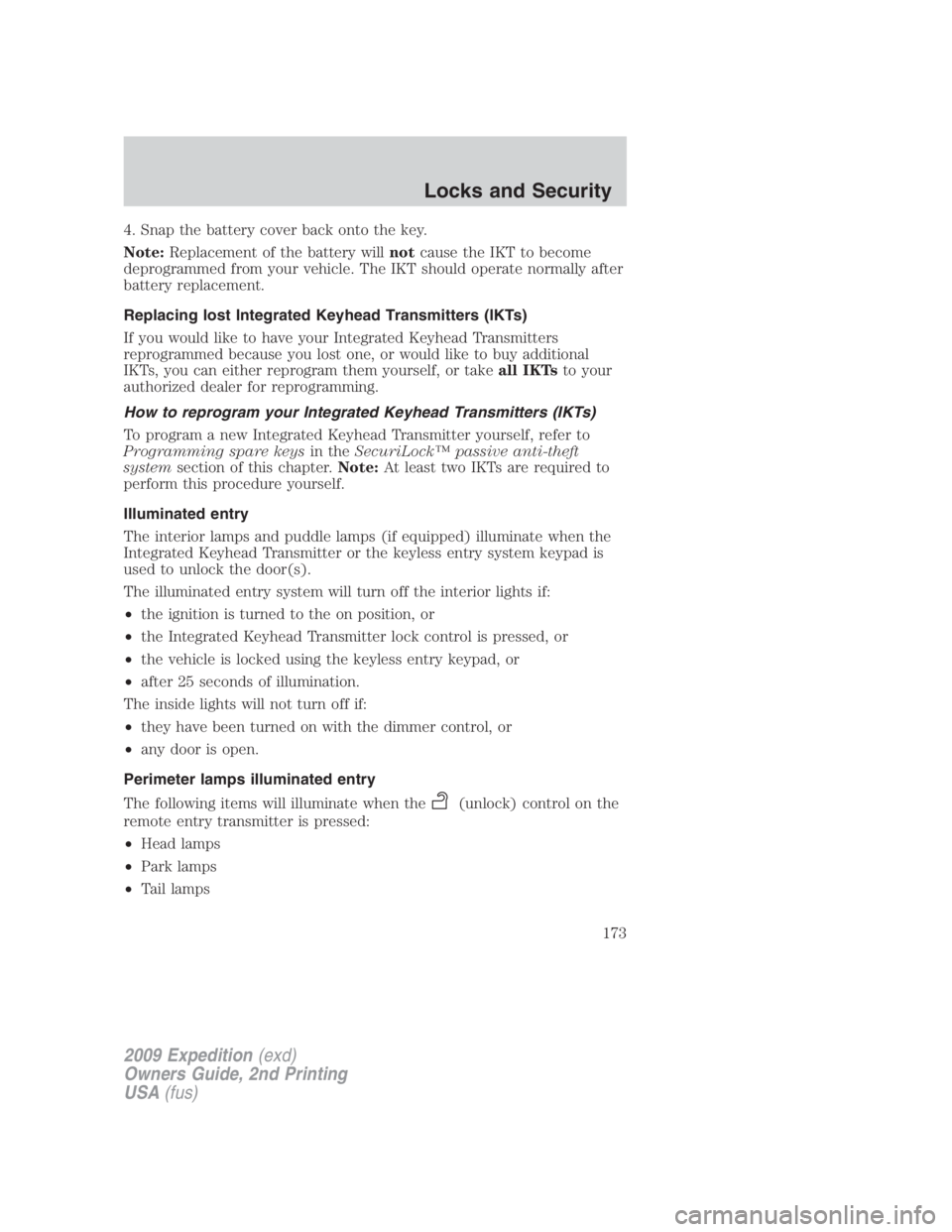
The following items will illuminate when the (unlock) control on the
remote entry transmitter is pressed:
• Head lamps
• Park lamps
• Tail lamps
2009 Expedition (exd)
Owners Guide, 2nd Printing
USA (fus) Locks and Security
173
Page 175 of 415
The lights will turn off if all the doors remain closed and
• 25 seconds elapse, or
• the key is inserted in the ignition.
Battery saver
The battery saver will shut off the interior lamps 10 minutes after the
ignition has been turned to the off position.
• If the dome lamps were turned on using the panel dimmer control, the
battery saver will shut them off 10 minutes after the ignition has been
turned to the off position.
• If the courtesy lamps were turned on because one of the vehicle doors
or the liftgate was opened, the battery saver will shut them off
10 minutes after the ignition has been turned to the off position.
• The battery saver will shut off the headlamps 10 minutes after the
ignition has been turned to the off position.
SECURICODE™ KEYLESS ENTRY SYSTEM (IF EQUIPPED)
You can use the keyless entry keypad to:
• lock or unlock the doors without using a key,
• activate or deactivate the Autolock feature if equipped
• release the liftgate glass,
The keypad can be operated with the factory set 5–digit entry code; this
code is located on the owner’s wallet card in the glove box and is
available from your authorized dealer. You can also create your own
5–digit personal entry code.
When pressing the controls on the keyless entry keypad, press the
middle of the controls to ensure a good activation.
Programming your own personal entry code
To create your own personal entry code:
1. Enter the factory set code.
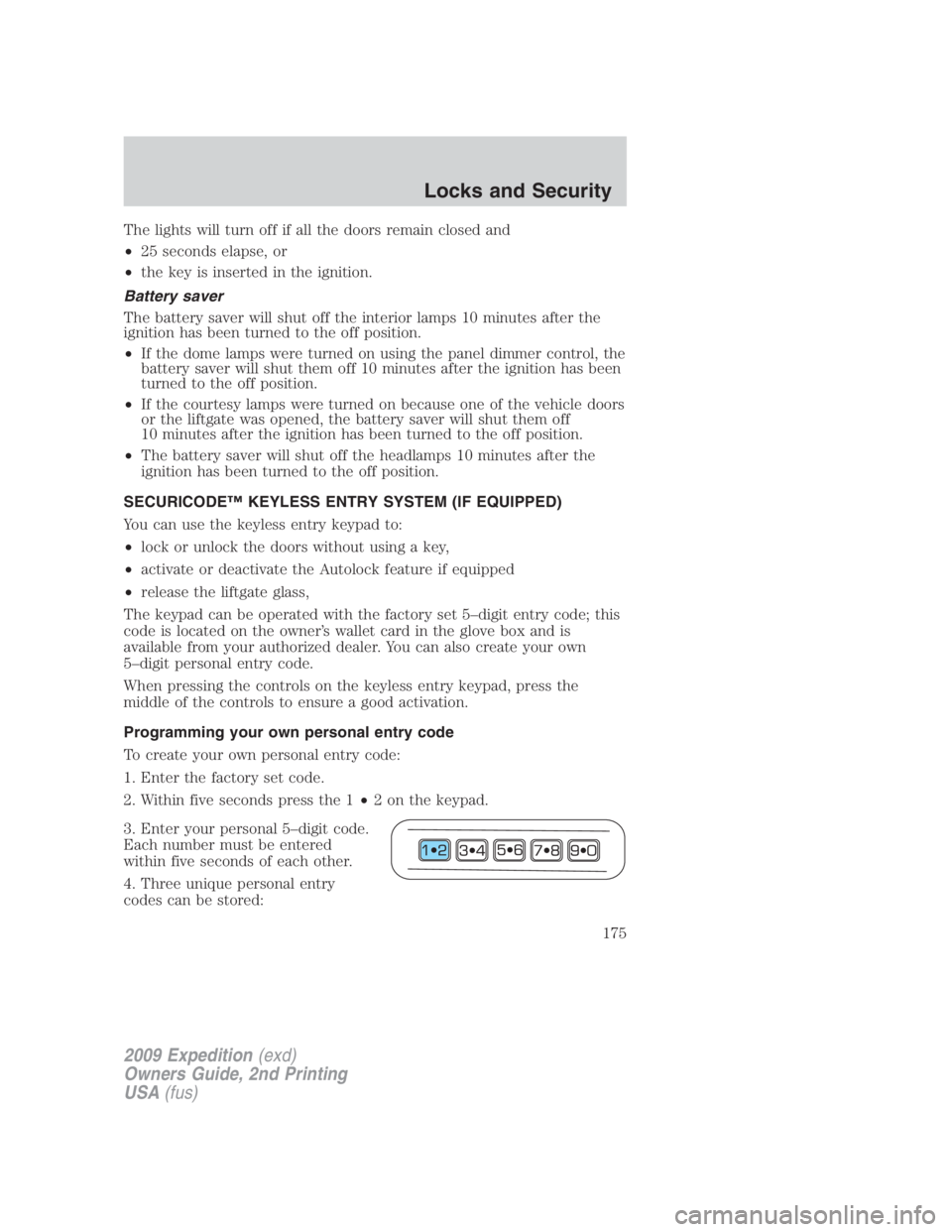
2. Within five seconds press the 1 • 2 on the keypad.
3. Enter your personal 5–digit code.
Each number must be entered
within five seconds of each other.
4. Three unique personal entry
codes can be stored:
2009 Expedition (exd)
Owners Guide, 2nd Printing
USA (fus) Locks and Security
175
Page 203 of 415

Third row power folding seat (if equipped)
Note : Be sure that the head
restraints are folded down before
powering the 3rd row seat down.
The control buttons are located on
the right-hand rear quarter trim
panel (accessible from the liftgate
area).
Push the bottom portion of the
control button to lower the desired
seatback.
Push the top of the control button
to return the seatback to its original
position.
The power fold down seats will operate for 10 minutes after the
ignition switch is in off. The transmission must be in P (Park),
and the liftgate, or liftgate glass must be open. Similar to the
battery saver feature, the power 3rd row seat will be disabled
10 minutes after turning the vehicle off. If the power 3rd row
seat is disabled after 10 minutes, the seat can be enabled by
2009 Expedition (exd)
Owners Guide, 2nd Printing
USA (fus) Seating and Safety Restraints
203
Page 301 of 415
engine while decelerating. This fuel economy benefit may be perceived
as a light to medium braking sensation when removing your foot from
the accelerator pedal.
This vehicle is equipped with an Adaptive Transmission Shift Strategy.
The Adaptive Transmission Shift Strategy offers the optimal transmission
operation and shift quality. When the engine is turned off, the shift data
which includes the adaptive information will be stored automatically in
the Powertrain Control Module (PCM) and Transmission Control Module
(TCM). If the battery is disconnected for any reason, the stored
information from the last time the key was turned to OFF will be read.
This way, no information will be lost with any battery removal or battery
disconnect.
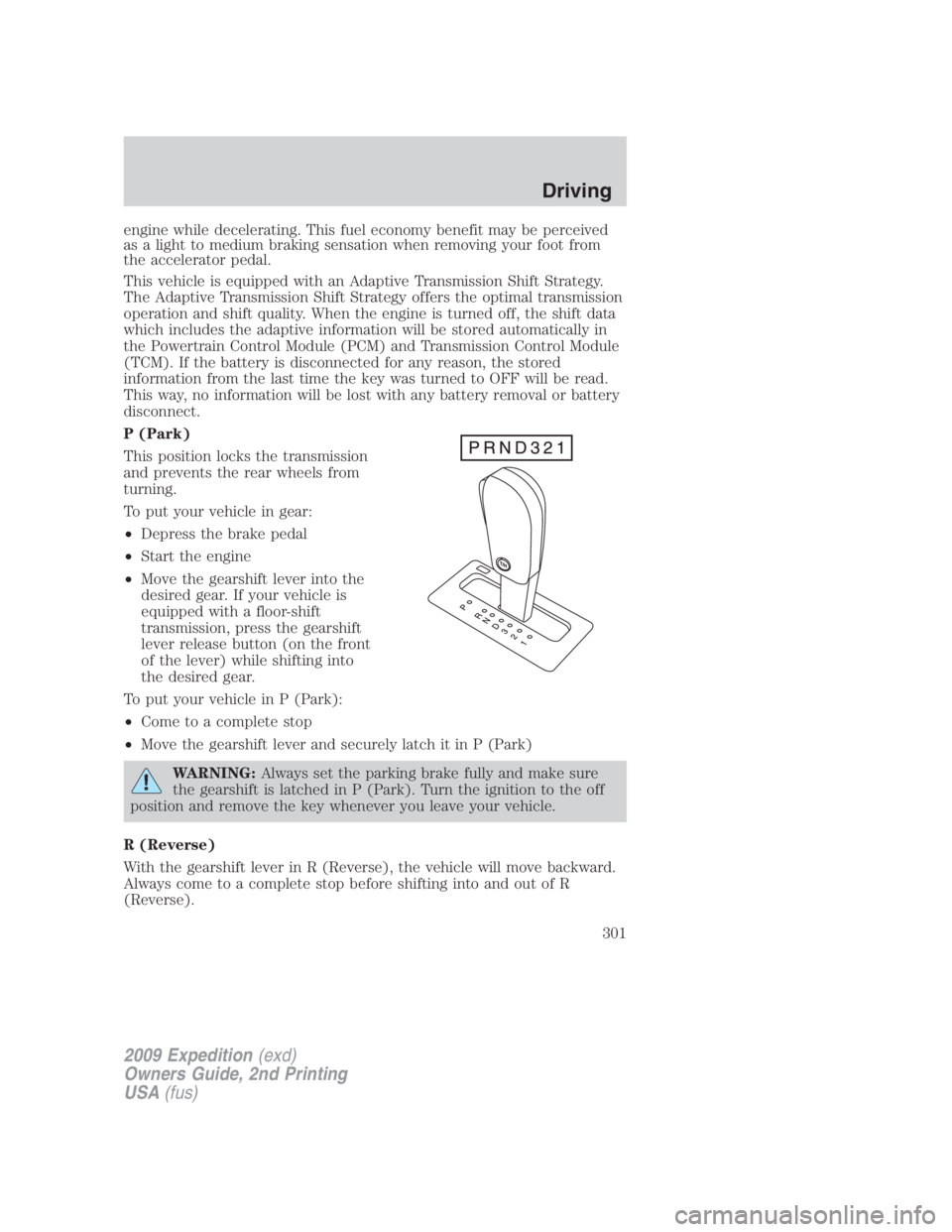
P (Park)
This position locks the transmission
and prevents the rear wheels from
turning.
To put your vehicle in gear:
• Depress the brake pedal
• Start the engine
• Move the gearshift lever into the
desired gear. If your vehicle is
equipped with a floor-shift
transmission, press the gearshift
lever release button (on the front
of the lever) while shifting into
the desired gear.
To put your vehicle in P (Park):
• Come to a complete stop
• Move the gearshift lever and securely latch it in P (Park)
WARNING: Always set the parking brake fully and make sure
the gearshift is latched in P (Park). Turn the ignition to the off
position and remove the key whenever you leave your vehicle.
R (Reverse)
With the gearshift lever in R (Reverse), the vehicle will move backward.
Always come to a complete stop before shifting into and out of R
(Reverse).
2009 Expedition (exd)
Owners Guide, 2nd Printing
USA (fus) Driving
301
Page 319 of 415

ROADSIDE ASSISTANCE
Getting roadside assistance
To fully assist you should you have a vehicle concern, Ford Motor
Company offers a complimentary roadside assistance program. This
program is separate from the New Vehicle Limited Warranty. The service
is available:
• 24–hours, seven days a week
• for the coverage period listed on the Roadside Assistance Card
included in your Owner Guide portfolio.
Roadside assistance will cover:
• a flat tire change with a good spare (except vehicles that have been
supplied with a tire inflation kit)
• battery jump start
• lock-out assistance (key replacement cost is the customer’s
responsibility)
• fuel delivery – Independent Service Contractors, if not prohibited by
state, local or municipal law shall deliver up to 2.0 gallons (7.5L) of
gasoline or 5 gallons (18.9L) of diesel fuel to a disabled vehicle. Fuel
delivery service is limited to two no-charge occurrences within a
12-month period.
• winch out – available within 100 feet (30.5 meters) of a paved or
county maintained road, no recoveries.
• towing – Ford/Mercury/Lincoln eligible vehicle towed to an authorized
dealer within 35 miles (56.3 km) of the disablement location or to the
nearest authorized dealer. If a member requests to be towed to an
authorized dealer more than 35 miles (56.3 km) from the disablement
location, the member shall be responsible for any mileage costs in
excess of 35 miles (56.3 km).
Trailers shall be covered up to $200 if the disabled eligible vehicle
requires service at the nearest authorized dealer. If the trailer is disabled,
but the towing vehicle is operational, the trailer does not qualify for any
roadside services.
2009 Expedition (exd)
Owners Guide, 2nd Printing
USA (fus) Roadside Emergencies
319
Page 320 of 415

Canadian customers refer to your Customer Information Guide
for information on:
• coverage period
• exact fuel amounts
• towing of your disabled vehicle
• emergency travel expense reimbursement
• travel planning benefits
In Canada, for uninterrupted Roadside Assistance coverage, you may
purchase extended coverage prior to your Basic Warranty’s Roadside
Assistance expiring. For more information and enrollment, contact
1–877–294–2582 or visit our website at www.ford.ca.
Using roadside assistance
Complete the roadside assistance identification card and place it in your
wallet for quick reference. In the United States, this card is found in the
Owner Guide portfolio in the glove compartment. In Canada, the card is
found in the Customer Information Guide in the glove compartment.
U.S. Ford, Mercury and Lincoln vehicle customers who require Roadside
Assistance, call 1-800-241-3673.
Canadian customers who require roadside assistance, call 1-800-665-2006.
If you need to arrange roadside assistance for yourself, Ford Motor
Company will reimburse a reasonable amount for towing to the nearest
dealership within 35 miles. To obtain reimbursement information, U.S.
Ford, Mercury and Lincoln vehicle customers call 1-800-241-3673.
Customers will be asked to submit their original receipts.
Canadian customers who need to obtain reimbursement information, call
1–800–665–2006.
HAZARD FLASHER CONTROL
The hazard flasher control is located
on the instrument panel by the
radio. The hazard flashers will
operate when the ignition is in any
position or if the key is not in the
ignition.
Push in the flasher control and all front and rear direction signals will
flash. Press the flasher control again to turn them off. Use it when your
vehicle is disabled and is creating a safety hazard for other motorists.
Note: With extended use, the flasher may run down your battery.
2009 Expedition (exd)
Owners Guide, 2nd Printing
USA (fus)Roadside Emergencies
320