Page 18 of 271
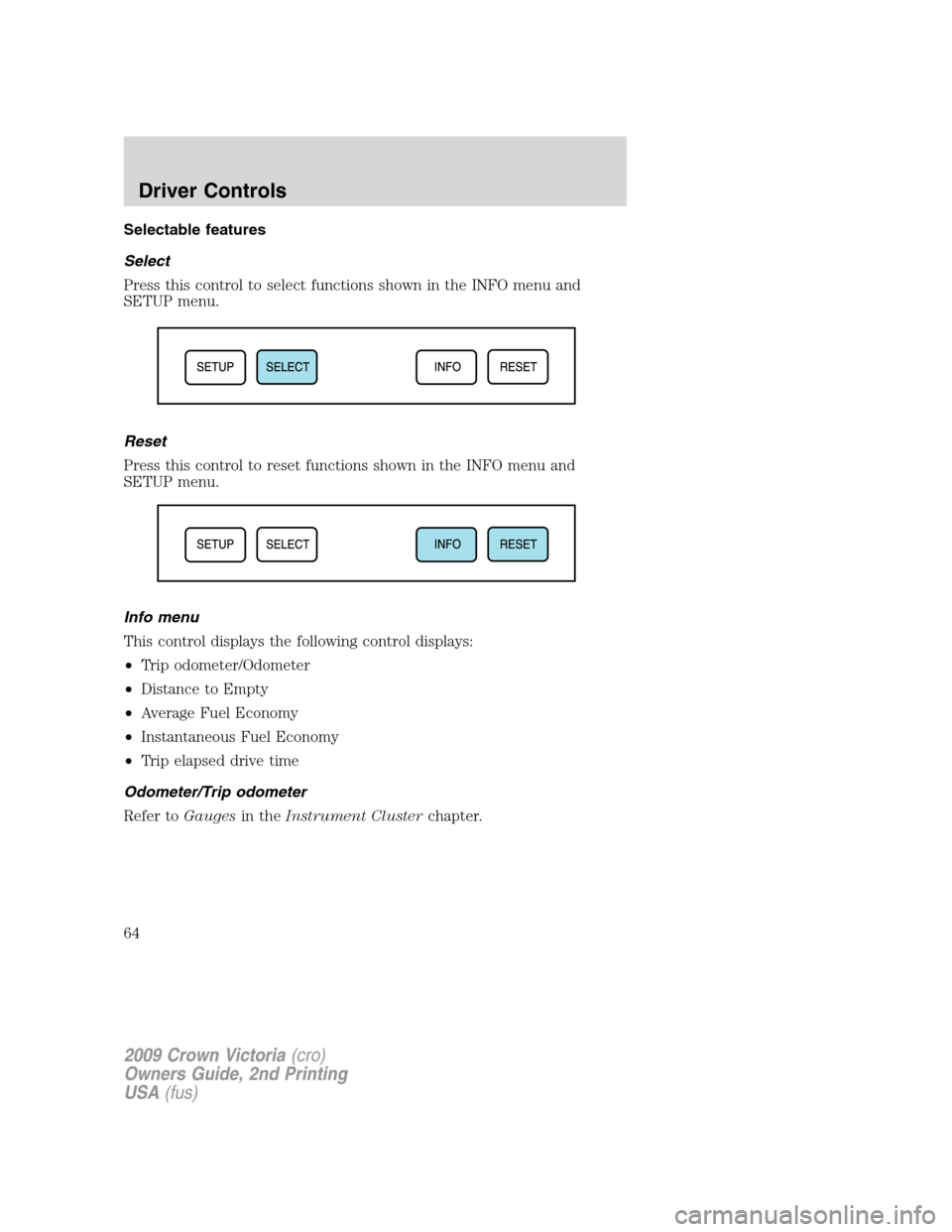
Engine coolant temperature
gauge:Indicates engine coolant
temperature. At normal operating
temperature, the needle will be in
the normal range (between “H” and
“C”).If it enters the red section,
the engine is overheating. Stop
the vehicle as soon as safely
possible, switch off the engine and let the engine cool.
WARNING:Never remove the coolant reservoir cap while the
engine is running or hot.
Odometer:Registers the total miles (kilometers) of the vehicle.
•Without Message center
To switch the display from Metric to
English, press and hold the button
on the cluster for three seconds.
•With Message center
Refer toMessage centerin the
Driver Controlschapter on how to
switch the display from Metric to
English and the odometer to the
speedometer.
Trip odometer:Registers the miles (kilometers) of individual journeys.
•Without message center
Press and release the button on the
cluster to toggle between odometer
and trip odometer display. To reset,
press the button again until the trip
reading is 000000.0 miles.
2009 Crown Victoria(cro)
Owners Guide, 2nd Printing
USA(fus)
Instrument Cluster
18
Page 64 of 271
Selectable features
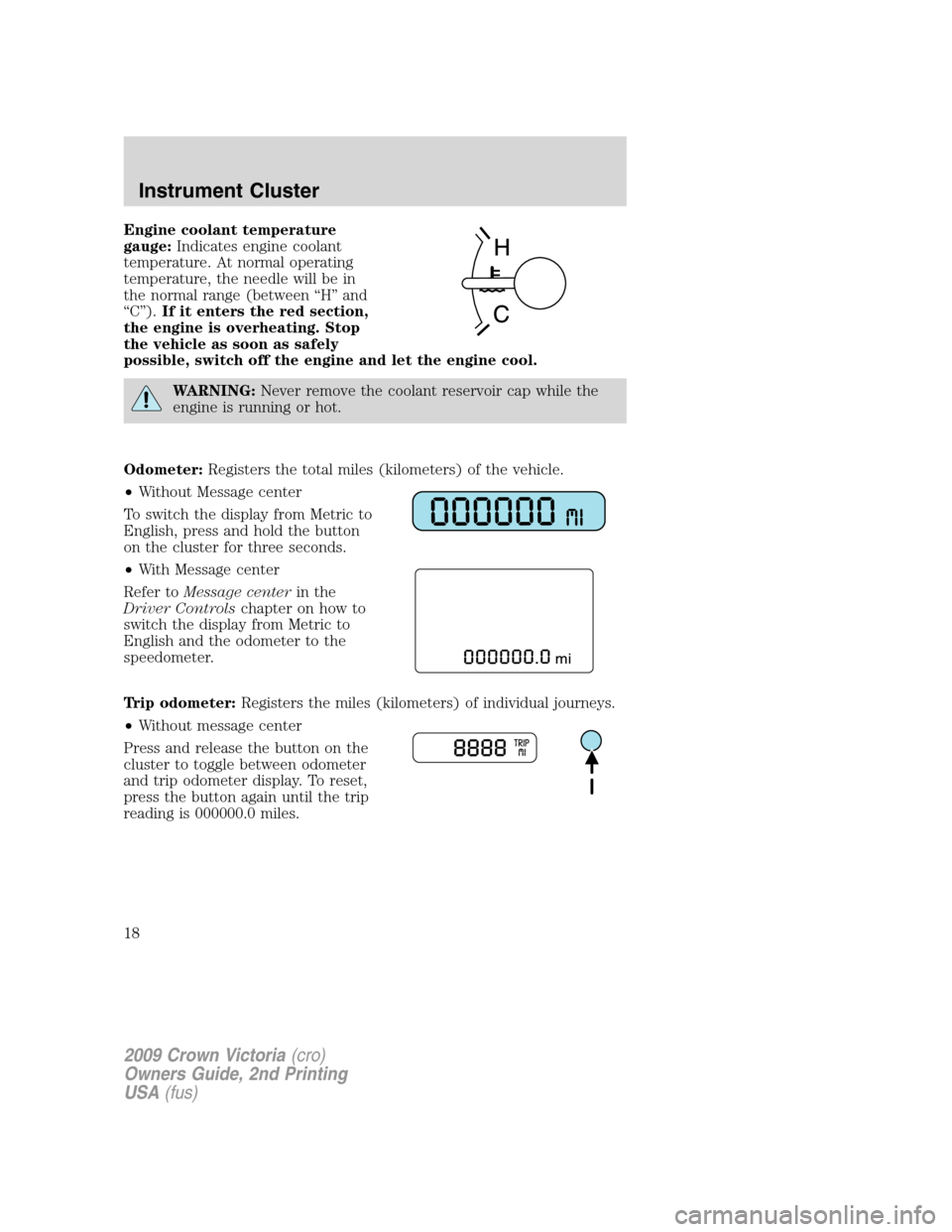
Select
Press this control to select functions shown in the INFO menu and
SETUP menu.
Reset
Press this control to reset functions shown in the INFO menu and
SETUP menu.
Info menu
This control displays the following control displays:
•Trip odometer/Odometer
•Distance to Empty
•Average Fuel Economy
•Instantaneous Fuel Economy
•Trip elapsed drive time
Odometer/Trip odometer
Refer toGaugesin theInstrument Clusterchapter.
2009 Crown Victoria(cro)
Owners Guide, 2nd Printing
USA(fus)
Driver Controls
64
Page 66 of 271
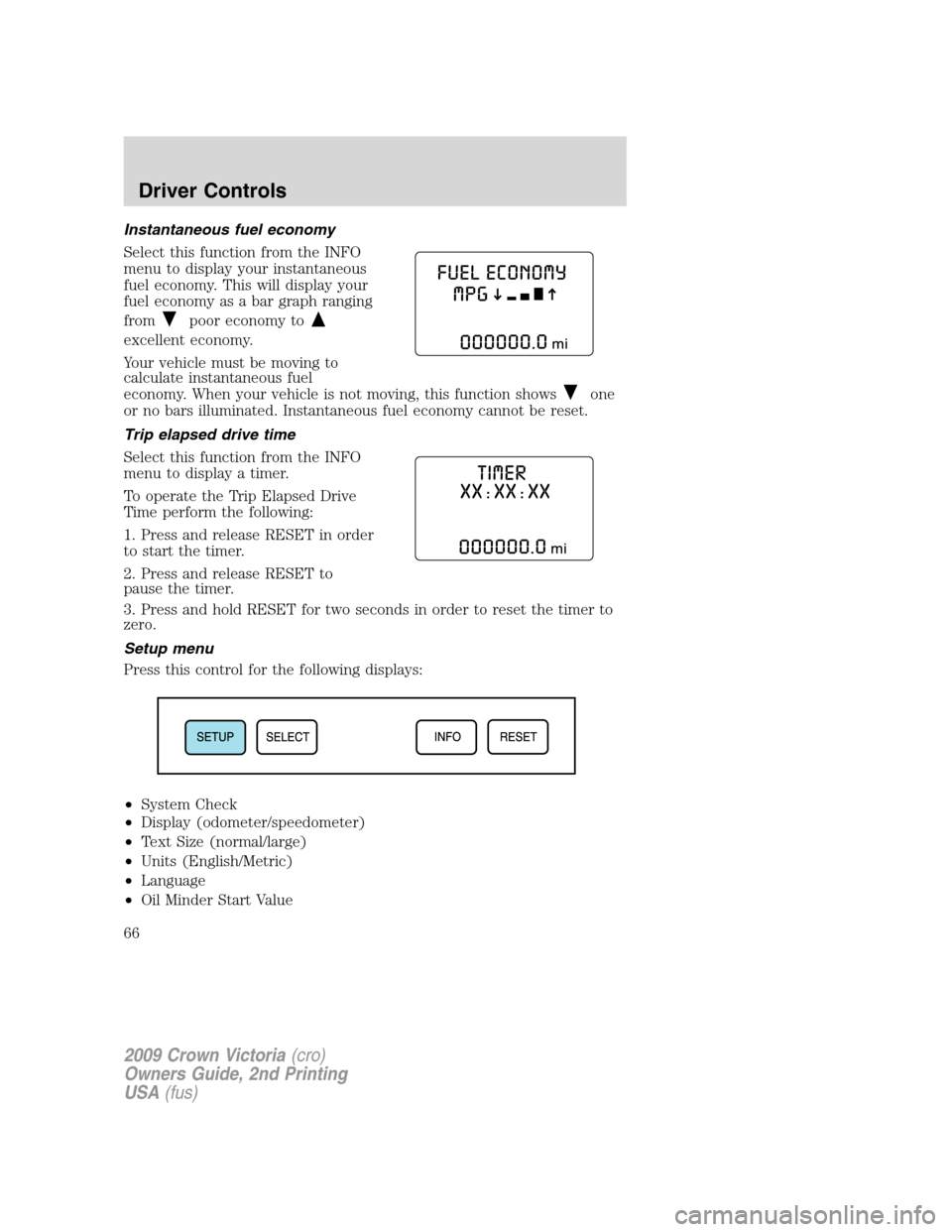
Instantaneous fuel economy
Select this function from the INFO
menu to display your instantaneous
fuel economy. This will display your
fuel economy as a bar graph ranging
from
poor economy to
excellent economy.
Your vehicle must be moving to
calculate instantaneous fuel
economy. When your vehicle is not moving, this function shows
one
or no bars illuminated. Instantaneous fuel economy cannot be reset.
Trip elapsed drive time
Select this function from the INFO
menu to display a timer.
To operate the Trip Elapsed Drive
Time perform the following:
1. Press and release RESET in order
to start the timer.
2. Press and release RESET to
pause the timer.
3. Press and hold RESET for two seconds in order to reset the timer to
zero.
Setup menu
Press this control for the following displays:
•System Check
•Display (odometer/speedometer)
•Text Size (normal/large)
•Units (English/Metric)
•Language
•Oil Minder Start Value
2009 Crown Victoria(cro)
Owners Guide, 2nd Printing
USA(fus)
Driver Controls
66
Page 211 of 271
In Canada:
Mailing Address (Ford vehicles)
Customer Relationship Centre
Ford Motor Company of Canada, Limited
P.O. Box 2000
Oakville, Ontario L6J 5E4
Telephone
1-800-565-3673 (FORD)
Online
www.ford.ca
Mailing Address (Lincoln vehicles)
Lincoln Centre
Ford Motor Company of Canada, Limited
P.O. Box 2000
Oakville, Ontario L6J 5E4
Telephone
1-800-387-9333
Online
www.lincolncanada.com
Additional Assistance
If you have questions or concerns, or are unsatisfied with the service you
are receiving, follow these steps:
1. Contact your Sales Representative or Service Advisor at your
selling/servicing authorized dealer.
2. If your inquiry or concern remains unresolved, contact the Sales
Manager, Service Manager or Customer Relations Manager.
3. If you require assistance or clarification on Ford Motor Company
policies, please contact the Ford Customer Relationship Center
In order to help you serve you better, please have the following
information available when contacting a Customer Relationship Center:
•Vehicle Identification Number (VIN)
•Your telephone number (home and business)
•The name of the authorized dealer and city where located
•The vehicle’s current odometer reading
In some states, you must directly notify Ford in writing before pursuing
remedies under your state’s warranty laws. Ford is also allowed a final
repair attempt in some states.
2009 Crown Victoria(cro)
Owners Guide, 2nd Printing
USA(fus)
Customer Assistance
211
Page 247 of 271
•Use the same filling rate setting (low — medium — high) each time
the tank is filled.
•Allow no more than two automatic click-offs when filling.
•Always use fuel with the recommended octane rating.
•Use a known quality gasoline, preferably a national brand.
•Use the same side of the same pump and have the vehicle facing the
same direction each time you fill up.
•Have the vehicle loading and distribution the same every time.
Your results will be most accurate if your filling method is consistent.
Calculating fuel economy
1. Fill the fuel tank completely and record the initial odometer reading
(in miles or kilometers).
2. Each time you fill the tank, record the amount of fuel added (in
gallons or liters).
3. After at least three to five tank fill-ups, fill the fuel tank and record
the current odometer reading.
4. Subtract your initial odometer reading from the current odometer
reading.
5. Follow one of the simple calculations in order to determine fuel
economy:
Calculation 1:Divide total miles traveled by total gallons used.
Calculation 2:Multiply liters used by 100, then divide by total
kilometers traveled.
Keep a record for at least one month and record the type of driving (city
or highway). This will provide an accurate estimate of the vehicle’s fuel
economy under current driving conditions. Additionally, keeping records
during summer and winter will show how temperature impacts fuel
economy. In general, lower temperatures give lower fuel economy.
Driving style — good driving and fuel economy habits
Give consideration to the lists that follow and you may be able to change
a number of variables and improve your fuel economy.
Habits
•Smooth, moderate operation can yield up to 10% savings in fuel.
•Steady speeds without stopping will usually give the best fuel
economy.
2009 Crown Victoria(cro)
Owners Guide, 2nd Printing
USA(fus)
Maintenance and Specifications
247