Page 22 of 271
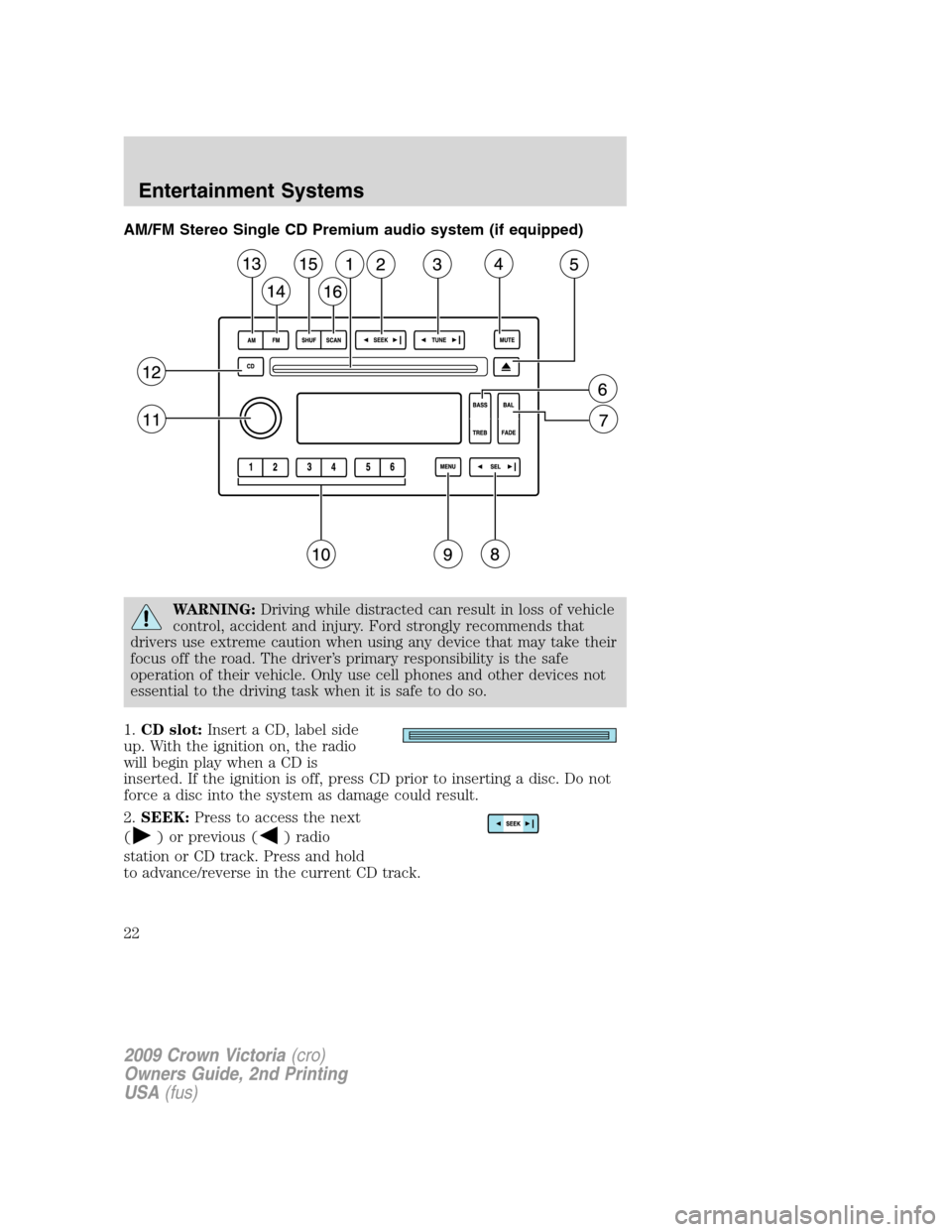
AM/FM Stereo Single CD Premium audio system (if equipped)
WARNING:Driving while distracted can result in loss of vehicle
control, accident and injury. Ford strongly recommends that
drivers use extreme caution when using any device that may take their
focus off the road. The driver’s primary responsibility is the safe
operation of their vehicle. Only use cell phones and other devices not
essential to the driving task when it is safe to do so.
1.CD slot:Insert a CD, label side
up. With the ignition on, the radio
will begin play when a CD is
inserted. If the ignition is off, press CD prior to inserting a disc. Do not
force a disc into the system as damage could result.
2.SEEK:Press to access the next
(
) or previous () radio
station or CD track. Press and hold
to advance/reverse in the current CD track.
2009 Crown Victoria(cro)
Owners Guide, 2nd Printing
USA(fus)
Entertainment Systems
22
Page 25 of 271
14.FM:Press to select the FM
frequency. Press repeatedly to
toggle between FM1 and FM2.
15.SHUF (Shuffle):Press to play
all tracks on the current CD in
random order. Press again to stop.
16.SCAN:Press SCAN to hear a
brief sampling of radio stations or
CD tracks. Press again to stop.
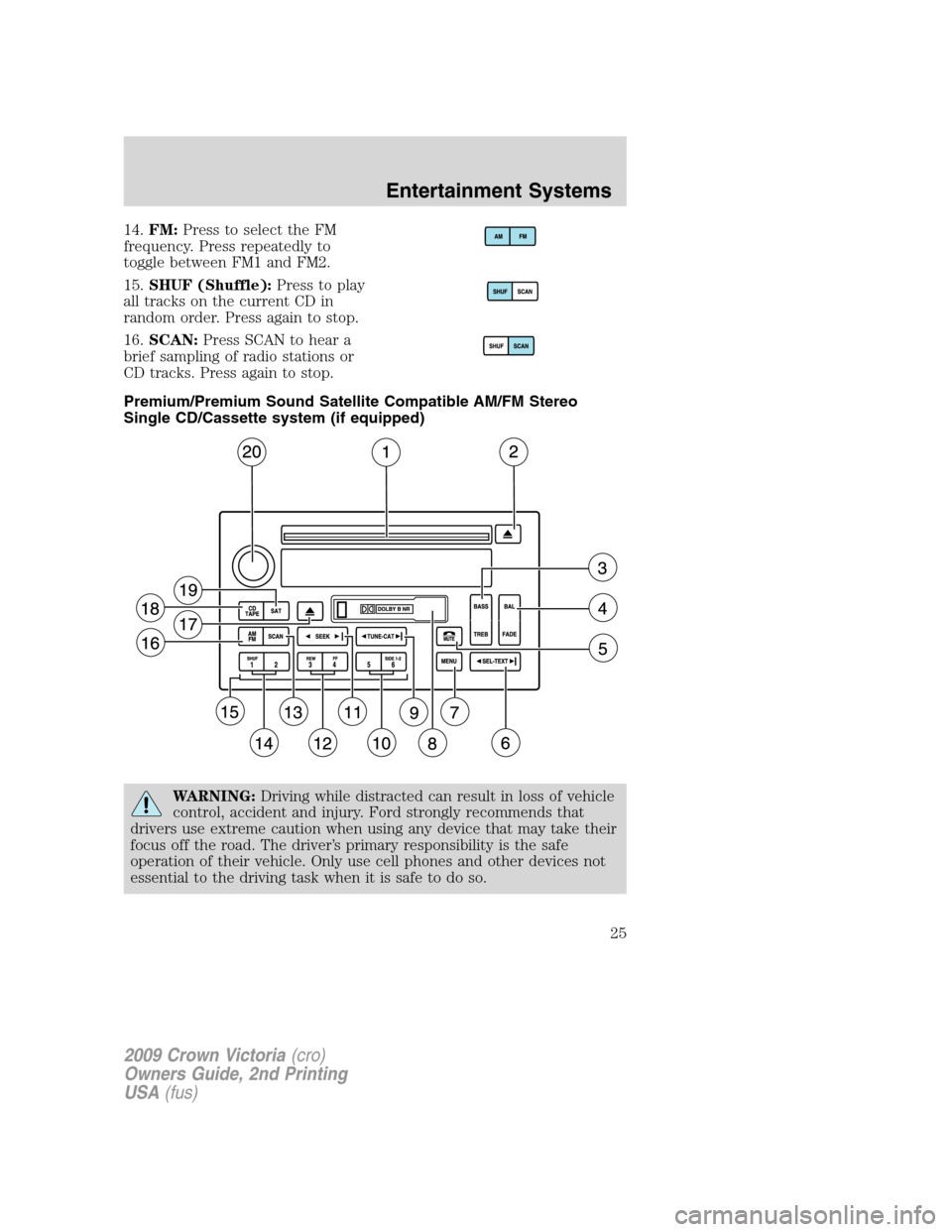
Premium/Premium Sound Satellite Compatible AM/FM Stereo
Single CD/Cassette system (if equipped)
WARNING:Driving while distracted can result in loss of vehicle
control, accident and injury. Ford strongly recommends that
drivers use extreme caution when using any device that may take their
focus off the road. The driver’s primary responsibility is the safe
operation of their vehicle. Only use cell phones and other devices not
essential to the driving task when it is safe to do so.
2009 Crown Victoria(cro)
Owners Guide, 2nd Printing
USA(fus)
Entertainment Systems
25
Page 31 of 271
WARNING:Driving while distracted can result in loss of vehicle
control, accident and injury. Ford strongly recommends that
drivers use extreme caution when using any device that may take their
focus off the road. The driver’s primary responsibility is the safe
operation of their vehicle. Only use cell phones and other devices not
essential to the driving task when it is safe to do so.
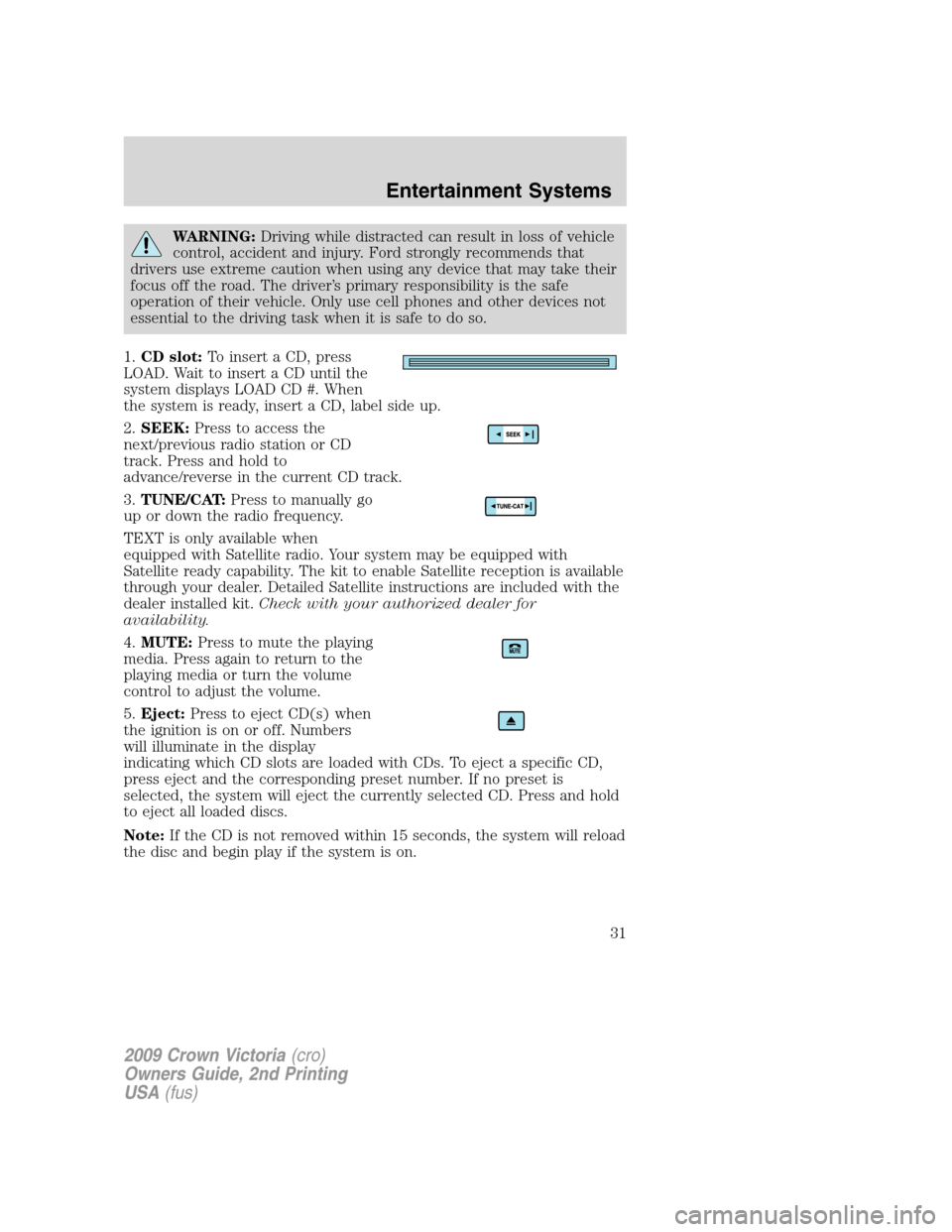
1.CD slot:To insert a CD, press
LOAD. Wait to insert a CD until the
system displays LOAD CD #. When
the system is ready, insert a CD, label side up.
2.SEEK:Press to access the
next/previous radio station or CD
track. Press and hold to
advance/reverse in the current CD track.
3.TUNE/CAT:Press to manually go
up or down the radio frequency.
TEXT is only available when
equipped with Satellite radio. Your system may be equipped with
Satellite ready capability. The kit to enable Satellite reception is available
through your dealer. Detailed Satellite instructions are included with the
dealer installed kit.Check with your authorized dealer for
availability.
4.MUTE:Press to mute the playing
media. Press again to return to the
playing media or turn the volume
control to adjust the volume.
5.Eject:Press to eject CD(s) when
the ignition is on or off. Numbers
will illuminate in the display
indicating which CD slots are loaded with CDs. To eject a specific CD,
press eject and the corresponding preset number. If no preset is
selected, the system will eject the currently selected CD. Press and hold
to eject all loaded discs.
Note:If the CD is not removed within 15 seconds, the system will reload
the disc and begin play if the system is on.
2009 Crown Victoria(cro)
Owners Guide, 2nd Printing
USA(fus)
Entertainment Systems
31
Page 42 of 271
5. At the desired autolamp time delay, place the headlamp switch in the
off position.
•At this point, the exterior lamps turn off and the time delay is set.
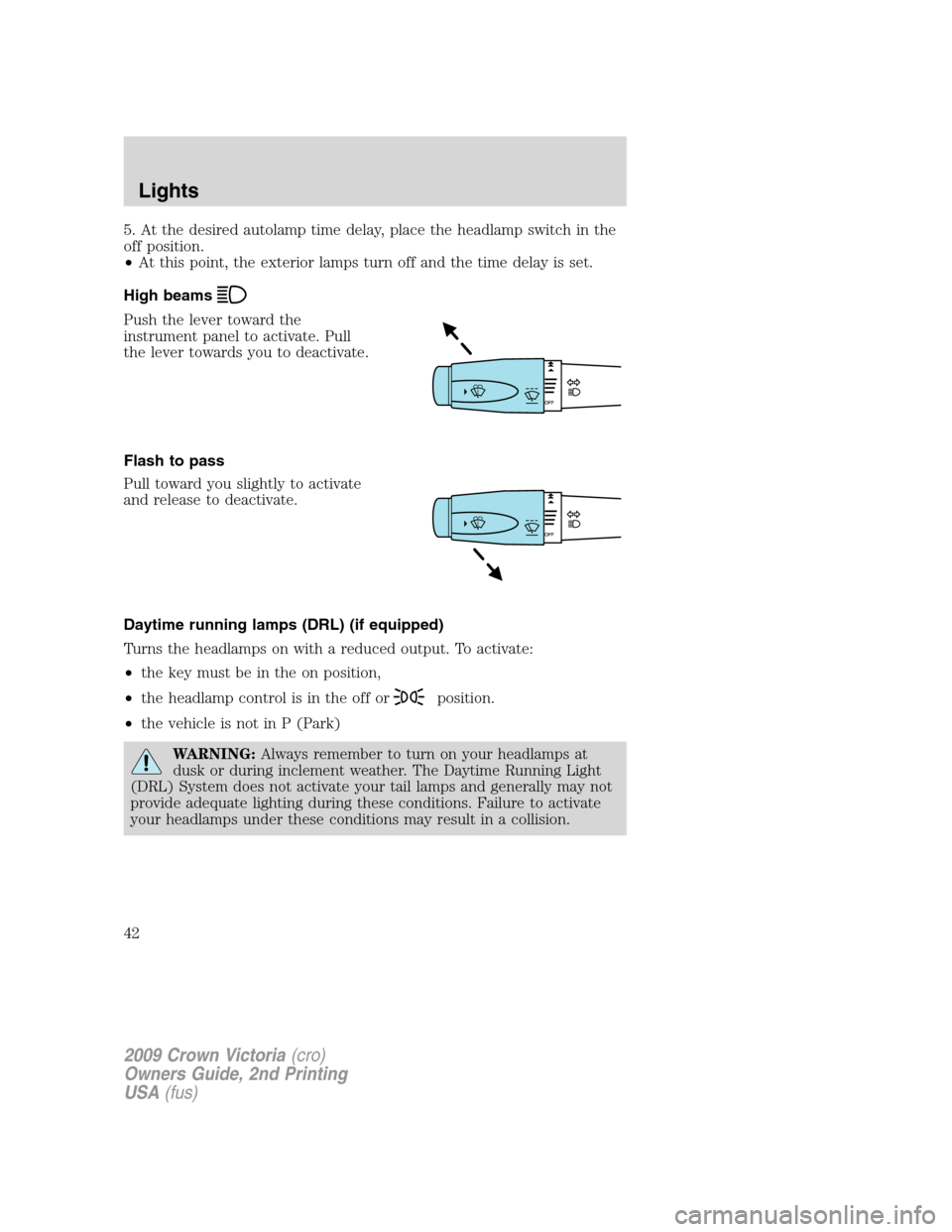
High beams
Push the lever toward the
instrument panel to activate. Pull
the lever towards you to deactivate.
Flash to pass
Pull toward you slightly to activate
and release to deactivate.
Daytime running lamps (DRL) (if equipped)
Turns the headlamps on with a reduced output. To activate:
•the key must be in the on position,
•the headlamp control is in the off or
position.
•the vehicle is not in P (Park)
WARNING:Always remember to turn on your headlamps at
dusk or during inclement weather. The Daytime Running Light
(DRL) System does not activate your tail lamps and generally may not
provide adequate lighting during these conditions. Failure to activate
your headlamps under these conditions may result in a collision.
2009 Crown Victoria(cro)
Owners Guide, 2nd Printing
USA(fus)
Lights
42
Page 48 of 271
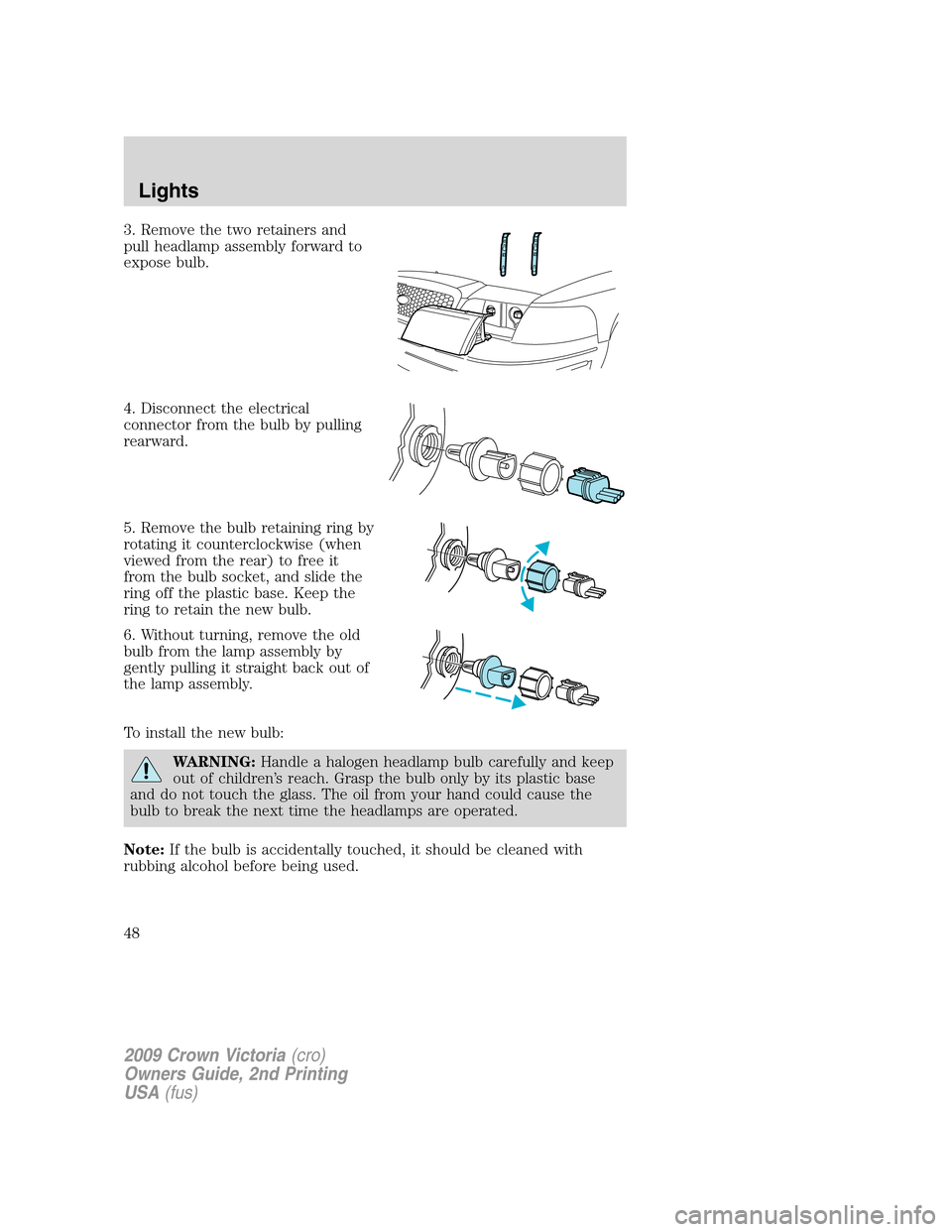
3. Remove the two retainers and
pull headlamp assembly forward to
expose bulb.
4. Disconnect the electrical
connector from the bulb by pulling
rearward.
5. Remove the bulb retaining ring by
rotating it counterclockwise (when
viewed from the rear) to free it
from the bulb socket, and slide the
ring off the plastic base. Keep the
ring to retain the new bulb.
6. Without turning, remove the old
bulb from the lamp assembly by
gently pulling it straight back out of
the lamp assembly.
To install the new bulb:
WARNING:Handle a halogen headlamp bulb carefully and keep
out of children’s reach. Grasp the bulb only by its plastic base
and do not touch the glass. The oil from your hand could cause the
bulb to break the next time the headlamps are operated.
Note:If the bulb is accidentally touched, it should be cleaned with
rubbing alcohol before being used.
2009 Crown Victoria(cro)
Owners Guide, 2nd Printing
USA(fus)
Lights
48
Page 54 of 271
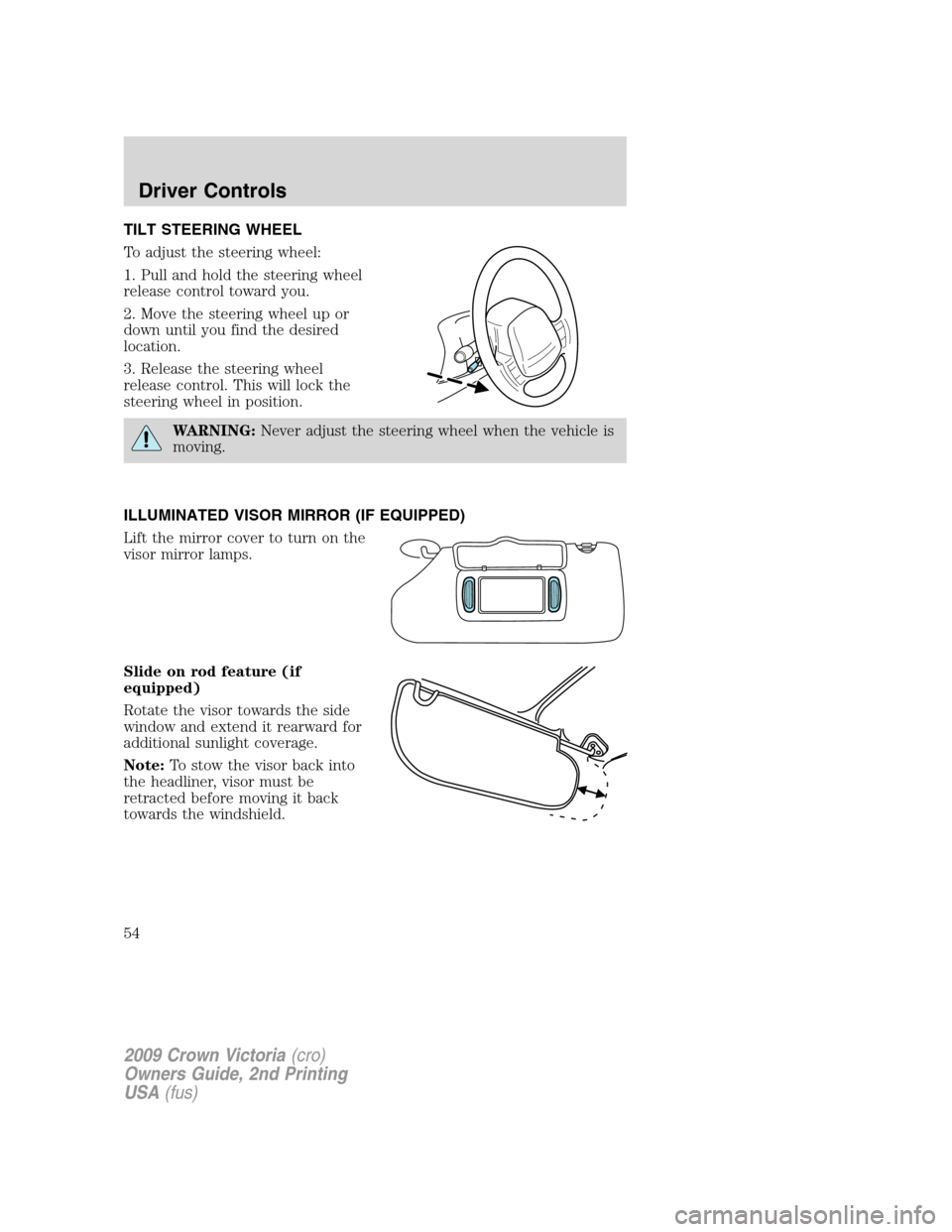
TILT STEERING WHEEL
To adjust the steering wheel:
1. Pull and hold the steering wheel
release control toward you.
2. Move the steering wheel up or
down until you find the desired
location.
3. Release the steering wheel
release control. This will lock the
steering wheel in position.
WARNING:Never adjust the steering wheel when the vehicle is
moving.
ILLUMINATED VISOR MIRROR (IF EQUIPPED)
Lift the mirror cover to turn on the
visor mirror lamps.
Slide on rod feature (if
equipped)
Rotate the visor towards the side
window and extend it rearward for
additional sunlight coverage.
Note:To stow the visor back into
the headliner, visor must be
retracted before moving it back
towards the windshield.
2009 Crown Victoria(cro)
Owners Guide, 2nd Printing
USA(fus)
Driver Controls
54
Page 55 of 271
CENTER CONSOLE (IF EQUIPPED)
Your vehicle may be equipped with a variety of console features. These
include:
•Utility compartment
•Power point (inside storage bin)
•Cupholders
•Air vents to the rear seating positions (heat only)
WARNING:Use only soft cups in the cupholder. Hard objects
can injure you in a collision.
AUXILIARY POWER POINT (12VDC)
Power outlets are designed for accessory plugs only. Do not insert
any other object in the power outlet as this will damage the
outlet and blow the fuse. Do not hang any type of accessory or
accessory bracket from the plug. Improper use of the power
outlet can cause damage not covered by your warranty.
The auxiliary power point is located under the cup holder and ashtray
drawer in the center stack. The auxiliary power point for five passenger
vehicles is located in the floor console storage bin.
Do not use the power point for operating the cigarette lighter element (if
equipped).
To prevent the fuse from being blown, do not use the power point(s)
over the vehicle capacity of 12 VDC/180W. If the power point or cigar
lighter socket is not working, a fuse may have blown. Refer toFuses and
relaysin theRoadside Emergencieschapter for information on
checking and replacing fuses.
To have full capacity usage of your power point, the engine is required to
be running to avoid unintentional discharge of the battery. To prevent
the battery from being discharged:
•do not use the power point longer than necessary when the engine is
not running,
•do not leave battery chargers, video game adapters, computers and
other devices plugged in overnight or when the vehicle is parked for
extended periods.
Always keep the power point caps closed when not being used.
2009 Crown Victoria(cro)
Owners Guide, 2nd Printing
USA(fus)
Driver Controls
55
Page 56 of 271
Cigar/Cigarette lighter (if equipped)
Do not plug optional electrical accessories into the cigarette lighter
socket.
Do not hold the lighter in with your hand while it is heating, this will
damage the lighter element and socket. The lighter will be released from
its heating position when it is ready to be used.
Note:Improper use of the lighter can cause damage not covered by your
warranty, and can result in fire or serious injury.
POWER WINDOWS
WARNING:Do not leave children unattended in the vehicle and
do not let children play with the power windows. They may
seriously injure themselves.
WARNING:When closing the power windows, you should verify
they are free of obstructions and ensure that children and/or
pets are not in the proximity of the window openings.
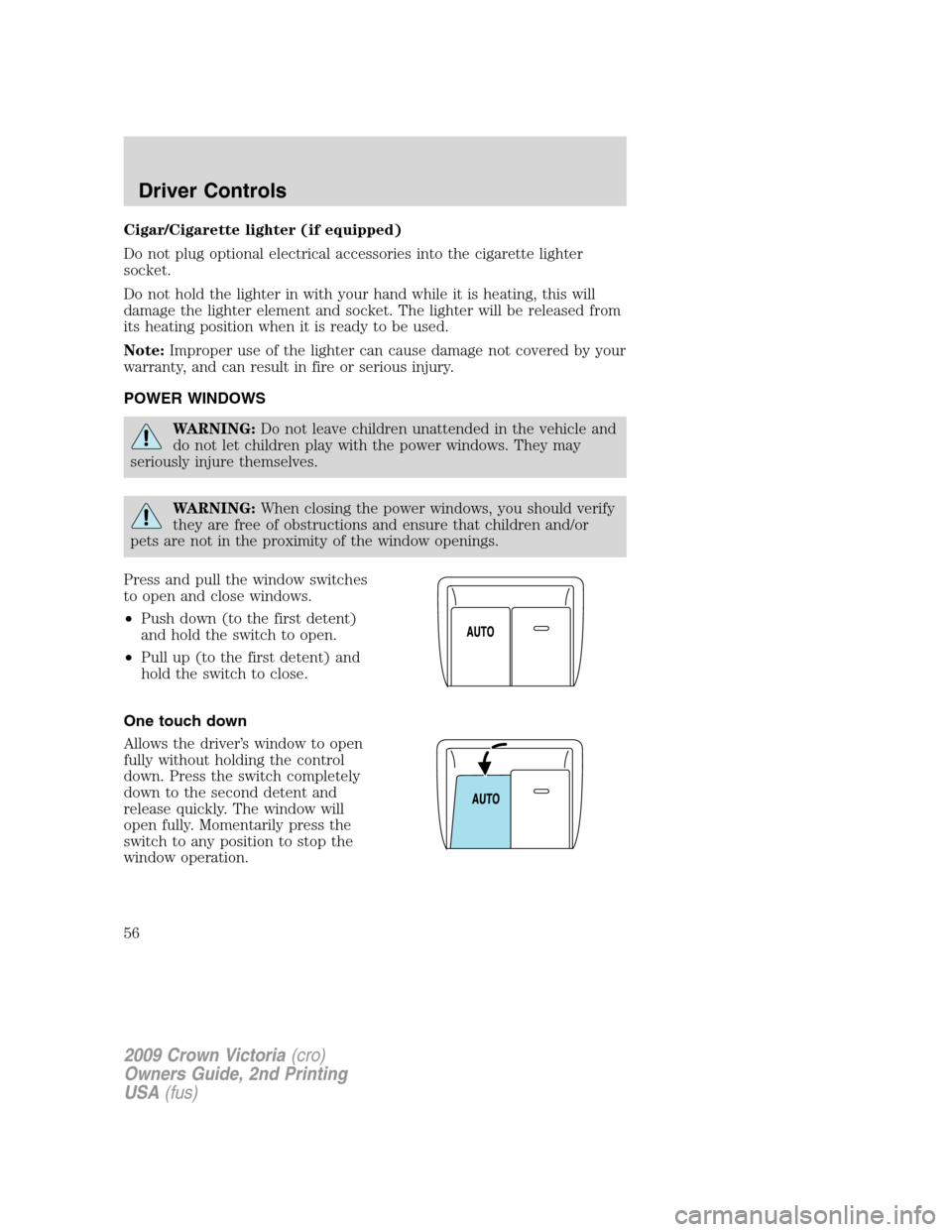
Press and pull the window switches
to open and close windows.
•Push down (to the first detent)
and hold the switch to open.
•Pull up (to the first detent) and
hold the switch to close.
One touch down
Allows the driver’s window to open
fully without holding the control
down. Press the switch completely
down to the second detent and
release quickly. The window will
open fully. Momentarily press the
switch to any position to stop the
window operation.
2009 Crown Victoria(cro)
Owners Guide, 2nd Printing
USA(fus)
Driver Controls
56