2009 FIAT PUNTO EVO ad blue
[x] Cancel search: ad bluePage 7 of 34
INTRODUCTION
FUNCTIONS AND
ADJUSTMENTS
RADIO
CD PLAYER
CD MP3
PLAYER
6
QUICK
GUIDE
Q Q
U U
I I
C C
K K
G G
U U
I I
D D
E E
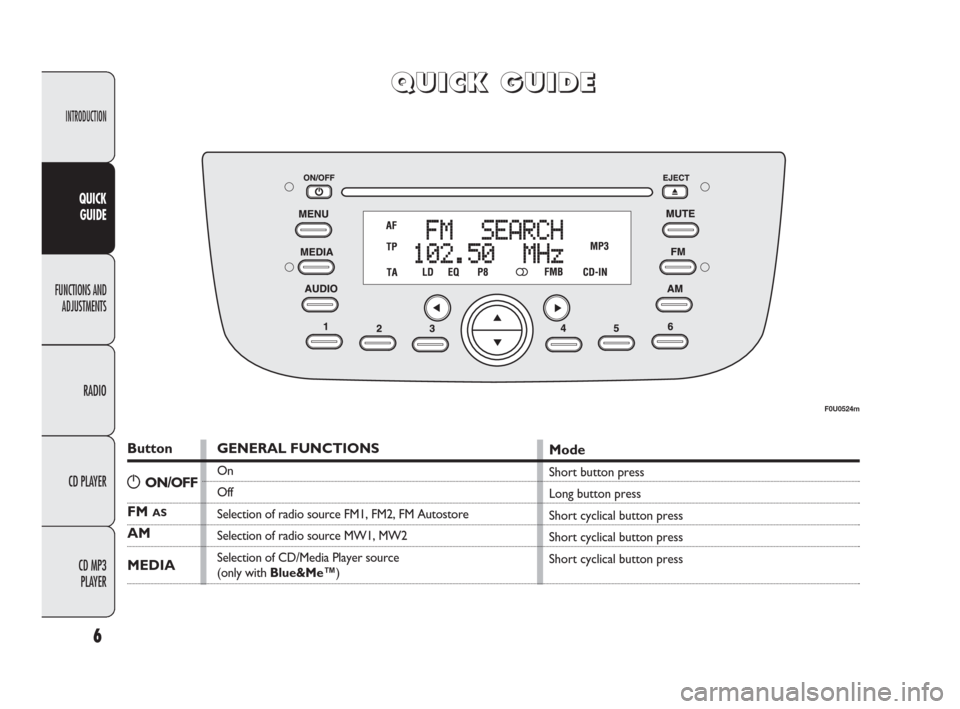
Button
FM AS
AM
MEDIA
GENERAL FUNCTIONS
On
Off
Selection of radio source FM1, FM2, FM Autostore
Selection of radio source MW1, MW2
Selection of CD/Media Player source
(only with Blue&Me™)
Mode
Short button press
Long button press
Short cyclical button press
Short cyclical button press
Short cyclical button press
F0U0524m
gON/OFF
603_97_285 Radio Punto FL GB 1ed 8-09-2009 9:55 Pagina 6
Page 9 of 34
INTRODUCTION
FUNCTIONS AND
ADJUSTMENTS
RADIO
CD PLAYER
CD MP3
PLAYER
8
QUICK
GUIDE
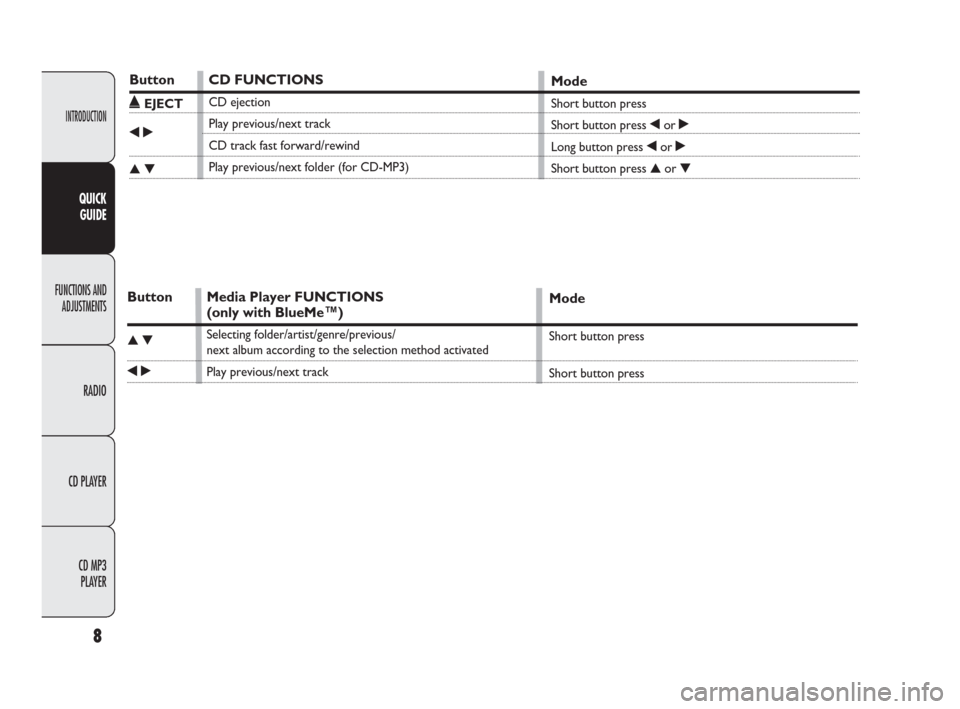
Button
˚EJECT
¯˙
▲▼
CD FUNCTIONS
CD ejection
Play previous/next track
CD track fast forward/rewind
Play previous/next folder (for CD-MP3)
Mode
Short button press
Short button press ¯or ˙
Long button press ¯or ˙
Short button press ▲or ▼
Button
▲▼
¯˙
Media Player FUNCTIONS
(only with BlueMe™)
Selecting folder/artist/genre/previous/
next album according to the selection method activated
Play previous/next track
Mode
Short button press
Short button press
603_97_285 Radio Punto FL GB 1ed 8-09-2009 9:55 Pagina 8
Page 10 of 34
9
INTRODUCTION
FUNCTIONS AND
ADJUSTMENTS
RADIO
CD PLAYER
CD MP3
PLAYER
QUICK
GUIDE
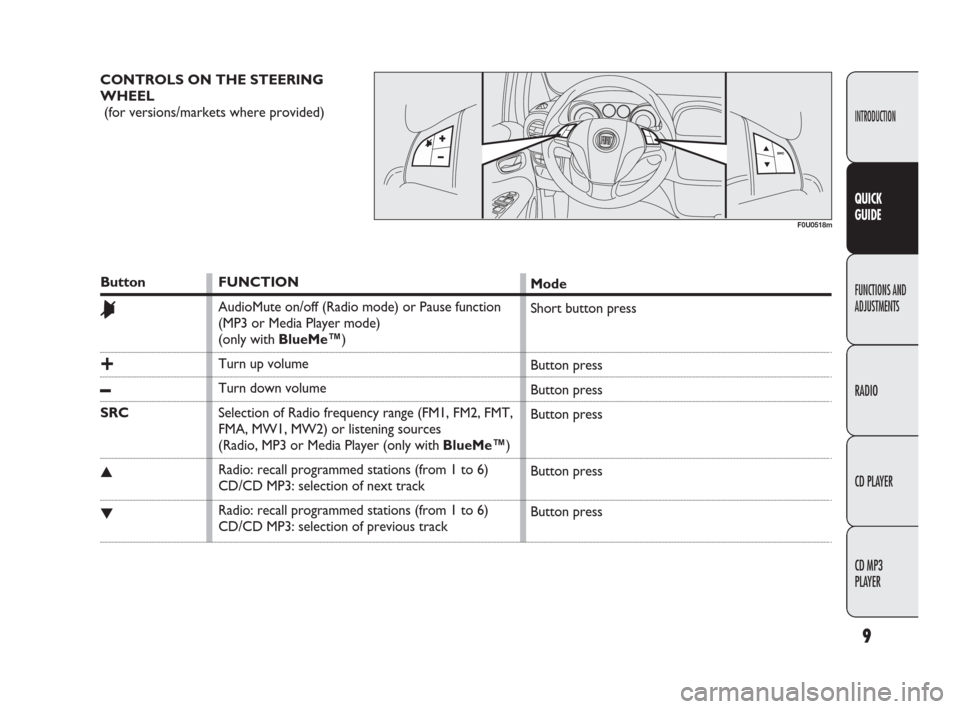
CONTROLS ON THE STEERING
WHEEL
(for versions/markets where provided)
F0U0518m
Button
&
+
–
SRC
▲
▼
FUNCTION
AudioMute on/off (Radio mode) or Pause function
(MP3 or Media Player mode)
(only with BlueMe™)
Turn up volume
Turn down volume
Selection of Radio frequency range (FM1, FM2, FMT,
FMA, MW1, MW2) or listening sources
(Radio, MP3 or Media Player (only with BlueMe™)
Radio: recall programmed stations (from 1 to 6)
CD/CD MP3: selection of next track
Radio: recall programmed stations (from 1 to 6)
CD/CD MP3: selection of previous trackMode
Short button press
Button press
Button press
Button press
Button press
Button press
603_97_285 Radio Punto FL GB 1ed 8-09-2009 9:55 Pagina 9
Page 12 of 34
11
INTRODUCTION
FUNCTIONS AND
ADJUSTMENTS
RADIO
CD PLAYER
CD MP3
PLAYER
QUICK
GUIDE
Audio section
❒Mute/Pause function;
❒Soft Mute function;
❒Loudness function;
❒7 band graphic equalizer;
❒Separate bass/treble adjustment;
❒Right/left channel balancing. CD MP3 section
❒MP3-Info function (ID3-TAG);
❒Select folder (previous/next);
❒Track selection (forward/backward);
❒Fast track search (forward/backward);
❒MP3 Display funciton: display of name
of folder, ID3-TAG information, time
elapsed since the start of the track, file
name);
❒Audio or data CDs, CD-R and CD-RW
playback.Media Player section
(only with Blue&Me™)
See the description in the Blue&Me™
Supplement for the operation of the Me-
dia Player.
603_97_285 Radio Punto FL GB 1ed 8-09-2009 9:55 Pagina 11
Page 14 of 34
13
INTRODUCTION
FUNCTIONS AND
ADJUSTMENTS
RADIO
CD PLAYER
CD MP3
PLAYER QUICK
GUIDE
❒LOUDNESS (LOUDNESS function
on/off);
❒EQUALIZER (activation and selection
of factory equaliztion settings);
❒USER EQUALIZER (customised equal-
ization setting).
TONE ADJUSTMENT
(bass/treble)
Proceed as follows:
❒Use button ▲or▼to set the “Bass” or
“Treble” in the AUDIO menu;
❒press the button ¯or ˙to in-
crease/decrease the bass or treble set-
tings.
By pressing the buttons briefly there is a
gradual change in steps. By pressing them
down longer, the levels will change quick-
ly.BALANCING ADJUSTMENT
Proceed as follows:
❒Use button ▲or ▼to set the “Bal-
ance” in the AUDIO menu;
❒press button ¯to increase the sound
from the right speakers or the button
˙to increase the sound from the left
speakers.
By pressing the buttons briefly there is a
gradual change in steps. By pressing them
down longer, the levels will change quick-
ly.
Select the “¯or ˙” value to set the right
and left audio outputs at the same value. AUDIO ADJUSTMENTS
The functions in the audio menu are dif-
ferent depending on the status activated:
AM/FM/CE/Media Player (only with
Blue&Me™).
Press the AUDIO button briefly to change
the Audio functions. After the AUDIO
button is first pressed, the display will
show the bass level value for the source
activated at that time (e.g. in FM mode the
display will show “FM Bass + 2”).
To scroll through the Menu functions use
button ▲or ▼. To change the setting of
the selected function, use the buttons ¯
or ˙.
The current status of the function select-
ed will be shown on the display.
The functions managed by the Menu are:
❒BASS (bass adjustment);
❒TREBLE (treble adjustment);
❒BALANCE (right/left balance adjust-
ment);
❒FADER (front/rear balance adjustment);
603_97_285 Radio Punto FL GB 1ed 8-09-2009 9:55 Pagina 13
Page 20 of 34
19
INTRODUCTION
FUNCTIONS AND
ADJUSTMENTS
RADIO
CD PLAYER
CD MP3
PLAYER QUICK
GUIDE
EXTERNAL AUDIO function
(telephone volume adjustment)
This function makes it possible to adjust
(settings from 1 to 40), by turning the con-
trol fig. 1or pressing the ¯/ ˙buttons
or exclude (OFF setting) the volume of the
Telephone, the Blue&Me™(except the
Media Player function).
The display shows the current function
status:
❒“EXT Audio Off”: function deactivated.
❒“EXT Audio Volume 23”: function acti-
vated with volume setting 23.RADIO OFF function
(on and off mode)
This function is used to select the mode
of turning off the radio between two dif-
ferent procedures. To activate the func-
tion, use the ¯or ˙buttons.
The selected mode will appear on the dis-
play:
❒“00 MIN”: the radio turns off automat-
ically in connection with the ignition
key; the radio turns off automatically as
soon as the key is turned to the STOP
position;
❒“20 MIN”: the radio turns off indepen-
dently from the ignition key; the radio
remains on for a maximum period of 20
minutes after the key has been turned
to the STOP position.
SYSTEM RESET function
This function is used to restore all settings
to the factory values. The options are:
❒NO: no restore intervention;
❒YES: the default parameters are re-
stored. The display will show Resetting
during this operation. At the end of the
operation, the source does not change
and the previous situation will be dis-
played.TELEPHONE PREPARATION
If a hands-free kit is installed on the car,
when there is an incoming phonecall the
radio audio will be connected to the tele-
phone output. The telephone volume is
always fixed, but it can be adjusted dur-
ing a conversation using the rotating con-
trol fig. 1.
The fixed telephone audio volume can be
adjusted using the “EXT Audio” function
in the Menu. The word PHONE will ap-
pear on the display during the deactivation
of the audio for the phonecall.
603_97_285 Radio Punto FL GB 1ed 8-09-2009 9:55 Pagina 19
Page 22 of 34
21
INTRODUCTION
FUNCTIONS AND
ADJUSTMENTS
RADIO
CD PLAYER
CD MP3
PLAYER QUICK
GUIDE
FREQUENCY BAND
SELECTION
With the Radio mode active, press the
FMas or AM button briefly and repeated-
ly to select the desired reception band.
Each time the button is pressed the fol-
lowing bands are selected cyclically:
❒Pressing the FMas button: “FM1”,
“FM2” o “FMA”;
❒Pressing the AM button: “MW”.
Each band is highlighted by the name in the
display. The last station selected on the re-
spective frequency band will be tuned in-
to.
The FM band is divided into sections: FM1,
FM1 or “FMA”; the FMA reception band
is reserved for broadcasters stored auto-
matically using the AutoSTore function.PRESELECTION BUTTONS
The buttons numbered from 1 to 6 are
used to set the following preselections:
❒18 on the FM band FM (6 on FM1, 6 on
FM2, 6 on FMT or “FMA” (on some
versions);
❒12 on the MW band;
To listen to a preset station, select the de-
sired frequency band and then briefly press
the corresponding preset button (from 1
to 6).
By pressing the preset button for more
than 2 seconds, the tuned station will be
stored. The storing phase is confirmed by
an acoustic signal. INTRODUCTION
When the radio is turned on the last func-
tion selected before it was switched off
is activated: Radio, CD, CD MP3 or Me-
dia Player (only with Blue&Me™).
To select the Radio function when an-
other audio source is being listened to,
briefly press the FMas or AM buttons de-
pending on the desired band.
Once the Radio mode has been activated,
the display will show the name (RDS sta-
tions only) and the frequency of the se-
lected radio station, the frequency band
selected (e.g. FM1) and the preselect but-
ton number (e.g. P1).
R R
A A
D D
I I
O O
( (
T T
u u
n n
e e
r r
) )
603_97_285 Radio Punto FL GB 1ed 8-09-2009 9:55 Pagina 21