Page 153 of 523

NOTE:If the multifunction lever is held in the Flash to
Pass position for more than 15 seconds, the high beams
will shut off. If this occurs, wait 30 seconds before
activating the Flash to Pass function again.
Interior Lights
Courtesy/Reading Lights
Models with Overhead Console
These lights are mounted in the overhead console be-
tween the sun visors. They are also located in the
headliner above the second row passenger seats. Press
and release the lens to turn ON or turn OFF the light
manually. These lights also turn on when you press the
UNLOCK button on the Remote Keyless Entry (RKE)
transmitter, open a door or the liftgate, or turn the
Dimmer Control completely upward to the second de-
tent. For models equipped with LED lighting, you can
swivel the lens socket to direct the light as desired. Models without Overhead Console
There are two courtesy/reading lights mounted in the
headliner between the sun visors. Press and release the
button next to the lens to turn ON or turn OFF the light
manually. A courtesy light is also mounted in the head-
liner above the second row passenger seats. Press and
release the lens to turn ON or turn OFF the light
manually. These lights also turn on when you press the
UNLOCK button on the RKE transmitter, open a door or
the liftgate, or turn the Dimmer Control completely
upward to the second detent.
Cargo Light
This light is mounted in the liftgate trim panel. It turns on
when you press the UNLOCK button on the RKE trans-
mitter, open a door or the liftgate, or turn the Dimmer
Control completely upward to the second detent.
UNDERSTANDING THE FEATURES OF YOUR VEHICLE 151
3
Page 154 of 523
Battery Saver Feature
To protect the battery, the interior lights will turn off
automatically within 10 minutes of turning the ignition
switch to the LOCK position. This will occur if the
interior lights were switched ON manually or are on
because a door is open.
Dimmer Control
The Dimmer Control is part of the multifunction lever. It
controls the operation of the interior lights and the
brightness of the instrument panel lights.
Instrument Panel Dimming
With the parking lights or headlights on, rotate the
Dimmer Control upward or downward to change the
brightness of the instrument panel lights.
Dimmer Control
152 UNDERSTANDING THE FEATURES OF YOUR VEHICLE
Page 155 of 523
Parade Mode (Daytime Brightness Feature)
Rotate the Dimmer Control to the first detent to brighten
the odometer and radio display when the parking lights
or headlights are on during daylight conditions.
Interior Light ON
Rotate the Dimmer Control completely upward to the
second detent to turn ON the interior lights.
NOTE:The Battery Saver feature will not activate until
the ignition switch is in the LOCK position. Refer to
“Battery Saver Feature” for additional information.
Interior Light Defeat OFF
Rotate the Dimmer Control completely downward to the
(O) OFF position. The interior lights will remain off when
the doors are open.
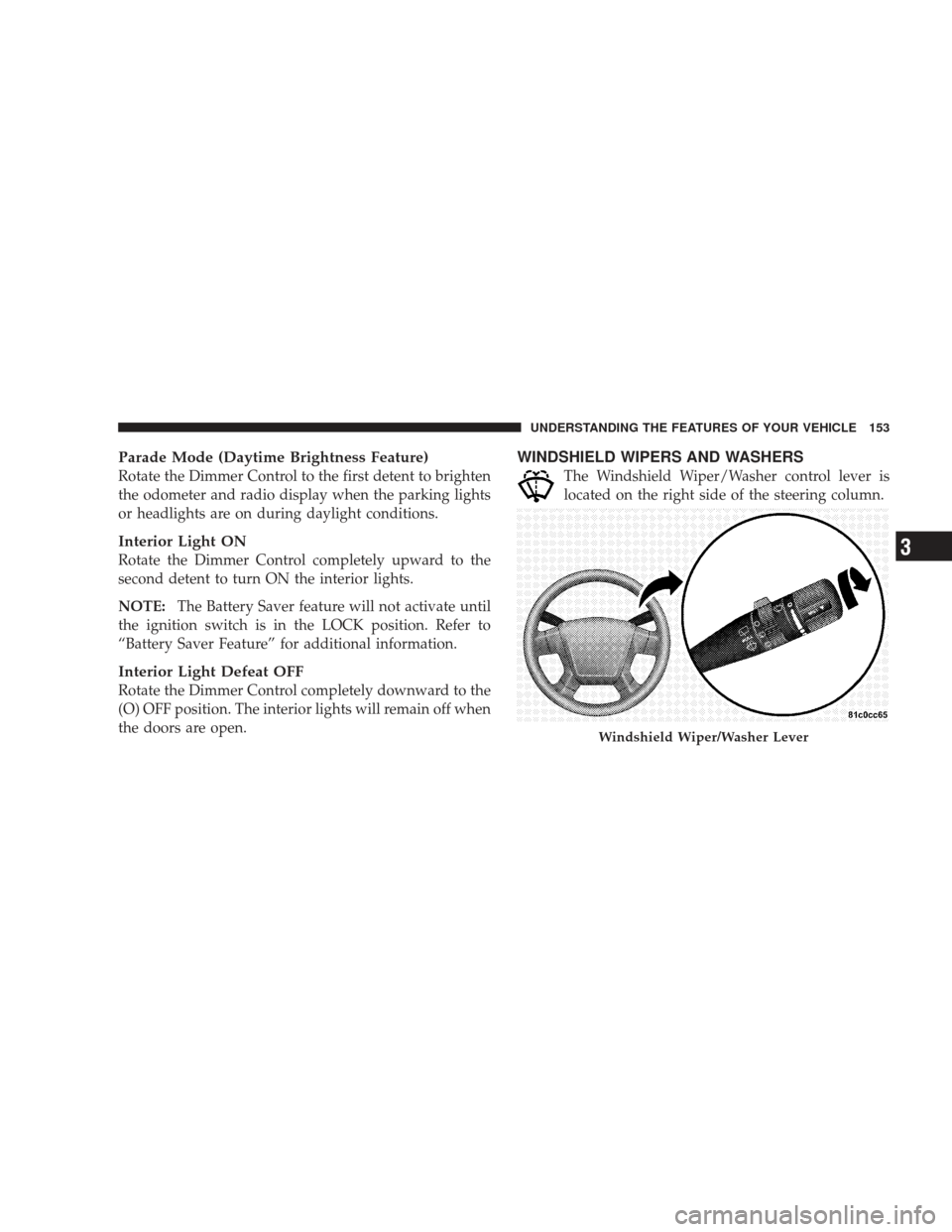
WINDSHIELD WIPERS AND WASHERS
The Windshield Wiper/Washer control lever is
located on the right side of the steering column.
Windshield Wiper/Washer Lever
UNDERSTANDING THE FEATURES OF YOUR VEHICLE 153
3
Page 158 of 523

Headlights with Wipers (Available with Auto
Headlights Only)
When this feature is active, the headlights will turn on
approximately 10 seconds after the wipers are turned ON
if the multifunction lever (on the left side of the steering
column) is placed in the (A) AUTO position. In addition,
the headlights will turn off when the wipers are turned
OFF if they were turned ON by this feature.
The Headlights with Wipers feature can be turned on or
off through the Electronic Vehicle Information Center
(EVIC) (if equipped). Refer to ”Headlights With Wipers,”
under “Personal Settings (Customer Programmable Fea-
tures),” under “Electronic Vehicle Information Center” in
Section 4.
Windshield Washers
To use the washer, pull the Windshield Wiper/Washer
control lever toward you and hold it for as long as
washer spray is desired.
If you activate the washer while the wiper control is in
the delay range, the wipers will operate in low speed for
two wipe cycles after releasing the lever and then resume
the intermittent interval previously selected.
If you activate the washer while the wiper control is in
the OFF position, the wipers will operate for two wipe
cycles and then turn OFF.
156 UNDERSTANDING THE FEATURES OF YOUR VEHICLE
Page 161 of 523

ELECTRONIC SPEED CONTROL — IF EQUIPPED
When engaged, this device takes over the accelerator
operation at speeds greater than 25 mph (40 km/h).
Electronic Speed Control Operation
The speed control lever is located on the right side of the
steering wheel.
To Activate
Push and release the ON/OFF button located
on the end of the speed control lever. The
Cruise Indicator Light in the instrument cluster
will illuminate. To turn the system OFF, push
and release the ON/OFF button a second time. The
Cruise Indicator Light will turn off. Be sure to turn the
system OFF when not in use.
NOTE:
•The Electronic Speed Control System will automati-
cally turn off when the engine is turned OFF.
•The Electronic Speed Control System is designed to
shut down if you operate multiple speed control
switch-functions simultaneously (i.e., Set and Cancel).
If this occurs, push and release the ON/OFF button to
reactivate the system and then reestablish the desired
Set speed.
Speed Control Lever
UNDERSTANDING THE FEATURES OF YOUR VEHICLE 159
3
Page 163 of 523

To Vary the Speed Setting
When the speed control is set, you can increase speed by
pushing up and holding the lever in RESUME ACCEL.
Release the lever when the desired speed is reached, and
the new set speed will be established.
Tapping RESUME ACCEL once will result in a 1 mph (1.6
km/h) speed increase. Each time the lever is tapped,
speed increases so that tapping the lever three times will
increase speed by 3 mph (5 km/h), etc.
To decrease speed while the speed control is set, push
downward and hold the lever in SET DECEL. Release the
lever when the desired speed is reached, and the new set
speed will be established.
Tapping SET DECEL once will result in a 1 mph (1.6
km/h) speed decrease. Each time the lever is tapped,
speed decreases.
To Accelerate For Passing
Depress the accelerator pedal as you would normally.
When the pedal is released, the vehicle will return to the
set speed.
Using Speed Control on Hills
NOTE:The speed control system maintains speed up
and down hills. A slight speed change on moderate hills
is normal.
On steep hills, a greater speed loss or gain may occur so
it may be preferable to drive without speed control.
UNDERSTANDING THE FEATURES OF YOUR VEHICLE 161
3
Page 164 of 523
WARNING!
Speed Control can be dangerous where the system
can’t maintain a constant speed. Your vehicle could
go too fast for the conditions, and you could lose
control. An accident could be the result. Don’t use
Speed Control in heavy traffic or on roads that are
winding, icy, snow-covered, or slippery.
OVERHEAD CONSOLE
The overhead console contains courtesy/reading lights,
storage for sunglasses, an interior observation mirror,
and an optional power sunroof switch.
Courtesy/Reading Lights
Refer to “Courtesy/Reading Lights” under “Lights” in
Section 3.
Overhead Console
162 UNDERSTANDING THE FEATURES OF YOUR VEHICLE
Page 165 of 523

Sunglasses Storage
To access the storage compartment, press on the raised
bars on the compartment door in the center of the console
and release and the door will swing downward.
Interior Observation Mirror
The convex interior observation mirror provides the
driver and front seat passenger a wide field of view to
conveniently view passengers sitting in the rear passen-
ger seats. To use the interior observation mirror, first,
press on the raised bars on the compartment door and
release. The door will swing downward. Then, raise the
door until it is almost closed and release. The door will
latch in position to use the interior observation mirror.
Power Sunroof Switch — If Equipped
Refer to “Power Sunroof” in Section 3.
GARAGE DOOR OPENER — IF EQUIPPED
HomeLink�replaces up to three remote controls (hand-
held transmitters) that operate devices such as garage
door openers, motorized gates, lighting, or home security
systems. The HomeLink� unit operates off your vehicle’s
battery.
The HomeLink� buttons that are located in the sun visor
designate the three different HomeLink� channels.
UNDERSTANDING THE FEATURES OF YOUR VEHICLE 163
3