Page 97 of 523

Phone ButtonThe rearview mirror contains the microphone
for the system (depending on the type of
mirror and radio equipped), and either the
radio or the mirror has the two control buttons
(PHONE Button and VOICE RECOGNITION button)
that will enable you to access the system.
Voice Recognition Button Actual button location may vary with radio.
The individual buttons are described in the
“Operation” section.
The UConnect� system can be used with any Hands-Free
Profile certified Bluetooth� cellular phone. See the
UConnect� website for supported phones. If your cellu-
lar phone supports a different profile (e.g., Headset
Profile) you may not be able to use any UConnect �
features. Refer to your cellular service provider or the
phone manufacturer for details. The UConnect�
system is fully integrated with the vehi-
cle’s audio system. The volume of the UConnect� system
can be adjusted either from the radio volume control
knob or from the steering wheel radio control (right
switch), if so equipped.
The radio display will be used for visual prompts from
the UConnect� system such as �CELL�or caller ID on
certain radios.
Operation
Voice commands can be used to operate the UConnect �
system and to navigate through the UConnect� menu
structure. Voice commands are required after most
UConnect� system prompts. You will be prompted for a
specific command and then guided through the available
options.
•Prior to giving a voice command, one must wait for
the beep, which follows the �Ready�prompt or another
prompt.
UNDERSTANDING THE FEATURES OF YOUR VEHICLE 95
3
Page 148 of 523
LIGHTS
Exterior and Interior Lighting Control
The multifunction lever on the left side of the
steering column controls the operation of the
headlights, parking lights, turn signal lights, in-
strument panel lights, instrument panel light dimming,
interior lights, and fog lights (if equipped).
Headlights and Parking Lights
Turn the end of the multifunction lever to the first detent
for parking light operation. Turn the end of the lever to
the second detent for headlight operation.
Headlight Switch
146 UNDERSTANDING THE FEATURES OF YOUR VEHICLE
Page 155 of 523
Parade Mode (Daytime Brightness Feature)
Rotate the Dimmer Control to the first detent to brighten
the odometer and radio display when the parking lights
or headlights are on during daylight conditions.
Interior Light ON
Rotate the Dimmer Control completely upward to the
second detent to turn ON the interior lights.
NOTE:The Battery Saver feature will not activate until
the ignition switch is in the LOCK position. Refer to
“Battery Saver Feature” for additional information.
Interior Light Defeat OFF
Rotate the Dimmer Control completely downward to the
(O) OFF position. The interior lights will remain off when
the doors are open.
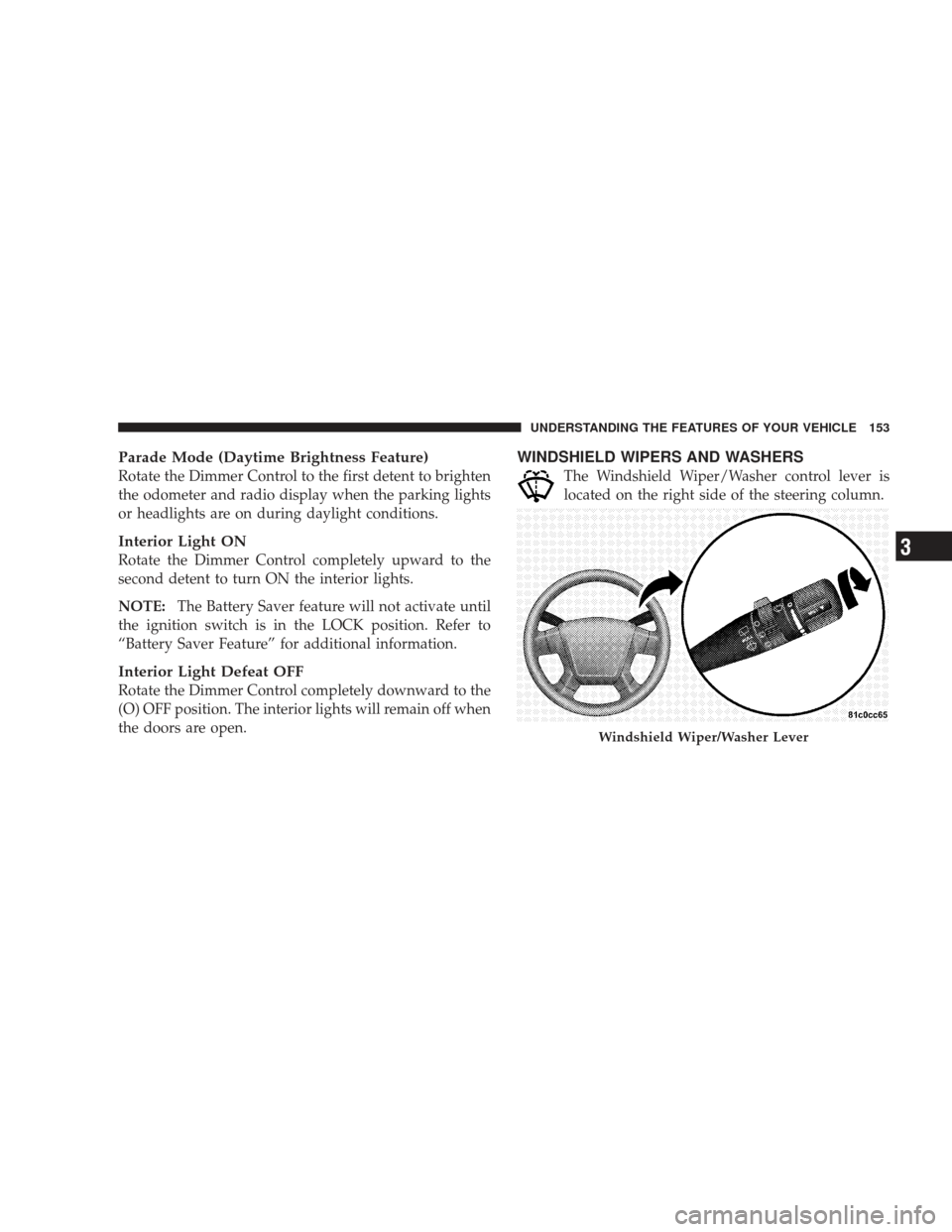
WINDSHIELD WIPERS AND WASHERS
The Windshield Wiper/Washer control lever is
located on the right side of the steering column.
Windshield Wiper/Washer Lever
UNDERSTANDING THE FEATURES OF YOUR VEHICLE 153
3
Page 158 of 523

Headlights with Wipers (Available with Auto
Headlights Only)
When this feature is active, the headlights will turn on
approximately 10 seconds after the wipers are turned ON
if the multifunction lever (on the left side of the steering
column) is placed in the (A) AUTO position. In addition,
the headlights will turn off when the wipers are turned
OFF if they were turned ON by this feature.
The Headlights with Wipers feature can be turned on or
off through the Electronic Vehicle Information Center
(EVIC) (if equipped). Refer to ”Headlights With Wipers,”
under “Personal Settings (Customer Programmable Fea-
tures),” under “Electronic Vehicle Information Center” in
Section 4.
Windshield Washers
To use the washer, pull the Windshield Wiper/Washer
control lever toward you and hold it for as long as
washer spray is desired.
If you activate the washer while the wiper control is in
the delay range, the wipers will operate in low speed for
two wipe cycles after releasing the lever and then resume
the intermittent interval previously selected.
If you activate the washer while the wiper control is in
the OFF position, the wipers will operate for two wipe
cycles and then turn OFF.
156 UNDERSTANDING THE FEATURES OF YOUR VEHICLE
Page 159 of 523

WARNING!
Sudden loss of visibility through the windshield
could lead to an accident. You might not see other
vehicles or other obstacles. To avoid sudden icing of
the windshield during freezing weather, warm the
windshield with the defroster before and during
windshield washer use.
Adding Washer Fluid
NOTE:Refer to the “Engine Compartment” diagram in
Section 7 for the location of the washer fluid reservoir.
The fluid reservoir for the windshield washers is located
in the engine compartment. Be sure to check the fluid
level in the reservoir at regular intervals. Fill the reservoir with windshield washer solvent (not radiator antifreeze)
and operate the system for a few seconds to flush out the
residual water.
WARNING!
Commercially available windshield washer solvents
are flammable. They could ignite and burn you. Care
must be exercised when filling or working around
the washer solution.
TILT/TELESCOPING STEERING COLUMN — IF
EQUIPPED
This feature allows you to tilt the steering column
upward or downward. It also allows you to lengthen or
shorten the steering column. The tilt/telescoping control
handle is located below the steering wheel at the end of
the steering column.
UNDERSTANDING THE FEATURES OF YOUR VEHICLE 157
3
Page 160 of 523
To unlock the steering column, push the control handle
downward. To tilt the steering column, move the steering
wheel upward or downward as desired. To lengthen or
shorten the steering column, pull the steering wheeloutward or push it inward as desired. To lock the steering
column in position, pull the control handle upward until
fully engaged.
WARNING!
Do not adjust the steering wheel while driving. The
tilt/telescoping adjustment must be locked while
driving. Adjusting the steering wheel while driving
or driving without the tile/telescoping adjustment
locked could cause the driver to lose control of the
vehicle. Failure to follow this warning may result in
serious injury or death.
Tilt/Telescoping Steering Wheel Lock
158 UNDERSTANDING THE FEATURES OF YOUR VEHICLE
Page 161 of 523

ELECTRONIC SPEED CONTROL — IF EQUIPPED
When engaged, this device takes over the accelerator
operation at speeds greater than 25 mph (40 km/h).
Electronic Speed Control Operation
The speed control lever is located on the right side of the
steering wheel.
To Activate
Push and release the ON/OFF button located
on the end of the speed control lever. The
Cruise Indicator Light in the instrument cluster
will illuminate. To turn the system OFF, push
and release the ON/OFF button a second time. The
Cruise Indicator Light will turn off. Be sure to turn the
system OFF when not in use.
NOTE:
•The Electronic Speed Control System will automati-
cally turn off when the engine is turned OFF.
•The Electronic Speed Control System is designed to
shut down if you operate multiple speed control
switch-functions simultaneously (i.e., Set and Cancel).
If this occurs, push and release the ON/OFF button to
reactivate the system and then reestablish the desired
Set speed.
Speed Control Lever
UNDERSTANDING THE FEATURES OF YOUR VEHICLE 159
3
Page 195 of 523
REAR WINDOW FEATURES
Rear Window Wiper/Washer — If Equipped
The Rear Window Wiper/Washer Control is lo-
cated on the right side of the steering column.The rotary ring switch on the lever controls rear wiper
and washer operation. Rotate the switch upward to the
first detent to activate the rear wiper. Rotate the switch
upward to the second detent to activate the rear washer.
The washer will continue to operate until you release the
switch. Once released, the wiper will cycle three times,
return to the park position, and then resume normal
operation.
NOTE:
The rear wiper will automatically return to the
park position if you turn OFF the ignition switch while it
is operating. The rear wiper will resume operation when
you turn the ignition switch to the ON position again.
Rear Window Wiper/Washer Control
UNDERSTANDING THE FEATURES OF YOUR VEHICLE 193
3