Page 151 of 523
NOTE:The front fog lights will only operate with the
headlights on low beam. Selecting high beam headlights
will turn off the front fog lights.
Turn Signals
Move the multifunction lever upward or downward and
the corresponding turn signal indicator on the instru-
ment panel will flash to show proper operation of the
front and rear turn signal lights.
Front Fog Light
Turn Signal Control
UNDERSTANDING THE FEATURES OF YOUR VEHICLE 149
3
Page 152 of 523
You can signal a lane change by moving the lever upward
or downward partially without moving beyond the de-
tent.
NOTE:If either turn signal indicator has a very fast
flash rate, check for an inoperative outside light bulb. If
an indicator fails to light when the lever is moved, see
your authorized dealer for service.
Highbeam/Lowbeam Select Switch
Push the multifunction lever away from you to switch
the headlights to HIGH beam. Pull the Lever toward you,
to switch the headlights back to LOW beam.
Flash to Pass
You can signal another vehicle with your headlights by
lightly pulling the multifunction lever toward you. This
will cause the headlights to turn on at high beam and
remain on until the lever is released.
Highbeam Control
150 UNDERSTANDING THE FEATURES OF YOUR VEHICLE
Page 154 of 523
Battery Saver Feature
To protect the battery, the interior lights will turn off
automatically within 10 minutes of turning the ignition
switch to the LOCK position. This will occur if the
interior lights were switched ON manually or are on
because a door is open.
Dimmer Control
The Dimmer Control is part of the multifunction lever. It
controls the operation of the interior lights and the
brightness of the instrument panel lights.
Instrument Panel Dimming
With the parking lights or headlights on, rotate the
Dimmer Control upward or downward to change the
brightness of the instrument panel lights.
Dimmer Control
152 UNDERSTANDING THE FEATURES OF YOUR VEHICLE
Page 155 of 523
Parade Mode (Daytime Brightness Feature)
Rotate the Dimmer Control to the first detent to brighten
the odometer and radio display when the parking lights
or headlights are on during daylight conditions.
Interior Light ON
Rotate the Dimmer Control completely upward to the
second detent to turn ON the interior lights.
NOTE:The Battery Saver feature will not activate until
the ignition switch is in the LOCK position. Refer to
“Battery Saver Feature” for additional information.
Interior Light Defeat OFF
Rotate the Dimmer Control completely downward to the
(O) OFF position. The interior lights will remain off when
the doors are open.
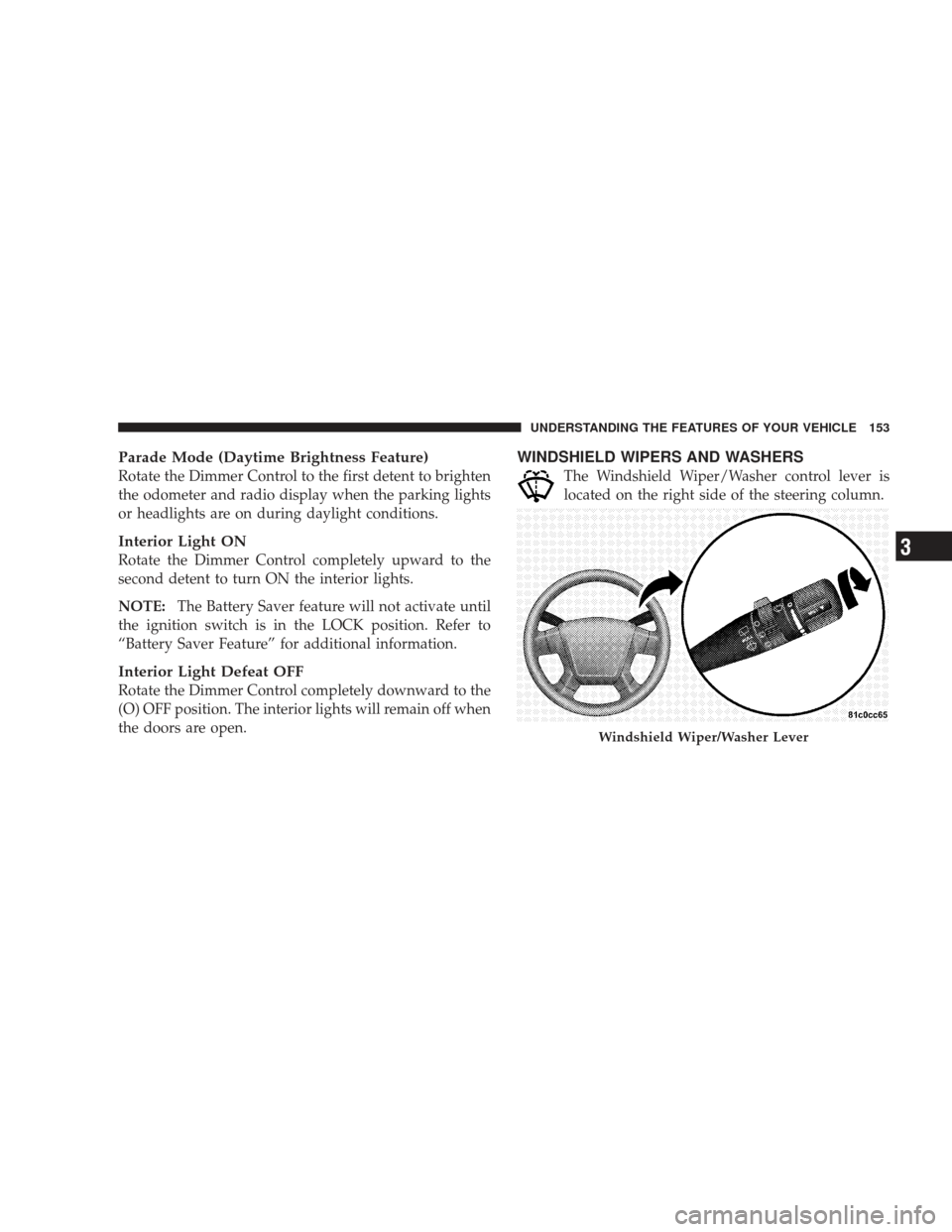
WINDSHIELD WIPERS AND WASHERS
The Windshield Wiper/Washer control lever is
located on the right side of the steering column.
Windshield Wiper/Washer Lever
UNDERSTANDING THE FEATURES OF YOUR VEHICLE 153
3
Page 158 of 523

Headlights with Wipers (Available with Auto
Headlights Only)
When this feature is active, the headlights will turn on
approximately 10 seconds after the wipers are turned ON
if the multifunction lever (on the left side of the steering
column) is placed in the (A) AUTO position. In addition,
the headlights will turn off when the wipers are turned
OFF if they were turned ON by this feature.
The Headlights with Wipers feature can be turned on or
off through the Electronic Vehicle Information Center
(EVIC) (if equipped). Refer to ”Headlights With Wipers,”
under “Personal Settings (Customer Programmable Fea-
tures),” under “Electronic Vehicle Information Center” in
Section 4.
Windshield Washers
To use the washer, pull the Windshield Wiper/Washer
control lever toward you and hold it for as long as
washer spray is desired.
If you activate the washer while the wiper control is in
the delay range, the wipers will operate in low speed for
two wipe cycles after releasing the lever and then resume
the intermittent interval previously selected.
If you activate the washer while the wiper control is in
the OFF position, the wipers will operate for two wipe
cycles and then turn OFF.
156 UNDERSTANDING THE FEATURES OF YOUR VEHICLE
Page 209 of 523

WARNING!
A hot engine cooling system is dangerous. You or
others could be badly burned by steam or boiling
coolant. You may want to call a service center if your
vehicle overheats. If you decide to look under the
hood yourself, refer to Section 7 and follow the
warnings under the Cooling System Pressure Cap
paragraph.
5. Front Fog Light Indicator Light — If Equipped This light shows when the fog lights are ON. (See
page 148 for more information.)
6. Low Fuel Warning Light This indicator lights when the fuel level drops to
approximately one-eighth tank. (See page 372 for
more information.) 7. Turn Signal Indicator Light
The left or right arrow will flash in unison with the
corresponding front and rear turn signal lights when
the turn signal switch is operated. (See page 149 for more
information.)
NOTE: A chime will sound if the vehicle is driven more
than 1 mi (1.6 km) with either turn signal on.
NOTE: Check for an inoperative outside light bulb if
either indicator flashes at a rapid rate.
8. High Beam Indicator Light This light shows that the headlights are on high
beam. Pull the multifunction lever on the left side
of the steering column toward you to switch to low beam.
(See page 150 for more information.)
9. Speedometer
Shows the vehicle speed.
UNDERSTANDING YOUR INSTRUMENT PANEL 207
4
Page 233 of 523

“RKE UNLOCK”
WhenDriver Door 1st Press is selected, only the driver’s
door will unlock on the first press of the Remote Keyless
Entry (RKE) UNLOCK button. When Driver Door 1st
Press is selected, you must press the RKE UNLOCK
button twice to unlock the passenger doors and liftgate.
When All Doors 1st Press is selected, all doors and the
liftgate will unlock on the first press of the RKE UN-
LOCK button. To make your selection, press and release
the RESET button until “Driver Door 1st Press” or “All
Doors 1st Press” appears.
“SOUND HORN WITH LOCK”
When ON is selected, a short horn sound will occur when
the RKE LOCK button is pressed. This feature may be
selected with or without the flash lights with lock feature.
To make your selection, press and release the RESET
button until “ON” or “OFF” appears.
“FLASH LAMP WITH LOCK”
When ON is selected, the front and rear turn signals will
flash when the doors are locked or unlocked with the
RKE transmitter. This feature may be selected with or
without the sound horn on lock feature selected. To make
your selection, press and release the RESET button until
“ON” or “OFF” appears.
“HEADLAMP OFF DELAY”
When this feature is selected, the driver can choose to
have the headlights remain on for 0, 30, 60, or 90 seconds
after turning the ignition to the LOCK position. To make
your selection, press and release the RESET button until
“0,” “30,” “60,” or “90” appears.
“HEADLAMPS WITH WIPERS” (Available with
Auto Headlights Only)
When ON is selected, and the multifunction lever is
placed in the AUTO position, the headlights will turn on
approximately 10 seconds after the wipers are turned
UNDERSTANDING YOUR INSTRUMENT PANEL 231
4
Page 234 of 523

ON. The headlights will also turn off when the wipers are
turned OFF if they were turned ON by this feature. To
make your selection, press and release the RESET button
until “ON” or “OFF” appears.
“KEY-OFF POWER DELAY”
When this feature is selected, the power window
switches, radio, hands-free system (if equipped), DVD
video system (if equipped), power sunroof (if equipped),
and ignition powered outlets will remain active for up to
10 minutes after the ignition switch is turned OFF.
Opening a vehicle door will cancel this feature. To make
your selection, press and release the RESET button until
“Off,” “45 sec.,” “5 min.,” or “10 min.” appears.
“ILLUMIN APPROACH”
When this feature is selected, the headlights will activate
and remain on for up to 90 seconds when the doors areunlocked with the RKE transmitter. To make your selec-
tion, press and hold the RESET button until “Off,” “30
sec,” “60 sec,” or “90 sec” appears.
“DISPLAY UNITS IN”
The EVIC, odometer, and navigation system (if
equipped) can be changed between English and Metric
units of measure. To make your selection, press and
release the RESET button until “U.S.” or “METRIC”
appears.
“NAV TURN BY TURN” — If Equipped
When ON is selected, the Turn-by-Turn directions will
appear in the display as the vehicle approaches a desig-
nated turn within a programmed route. To make your
selection, press and release the RESET button until “ON”
or “OFF” appears.
COMPASS VARIANCE
Refer to “Compass Variance” under “Compass Display.”
232 UNDERSTANDING YOUR INSTRUMENT PANEL