Page 122 of 484
Radio FM
To switch to the FM band say “FM” or “Radio FM”. In
this mode, you may say the following commands:
•“Frequency” (to change the frequency)
•“Next Station” (to select the next station)
•“Previous Station” (to select the previous station)
•“Radio Menu” (to switch to the radio menu)
•“Main Menu” (to switch to the main menu)
Satellite Radio
To switch to satellite radio mode say “Sat” or “Satellite
Radio”. In this mode, you may say the following com-
mands:
•“Channel Number” (to change the channel by its
spoken number)
•“Next Channel” (to select the next channel)
•“Previous Channel” (to select the previous channel)
•“List Channel” (to hear a list of available channels)
•“Select Name” (to say the name of a channel)
•“Radio Menu” (to switch to the radio menu)
•“Main Menu” (to switch to the main menu)
Disc
To switch to the disc mode say “Disc”. In this mode, you
may say the following commands:
•“Track” (#) (to change the track)
•“Next Track” (to play the next track)
•“Previous Track” (to play the previous track)
•“Main Menu” (to switch to the main menu)
120 UNDERSTANDING THE FEATURES OF YOUR VEHICLE
Page 138 of 484
because a door is open. This includes the glove box light,
but not the trunk light. To restore interior light operation,
either turn the ignition switch ON or cycle the light
switch.
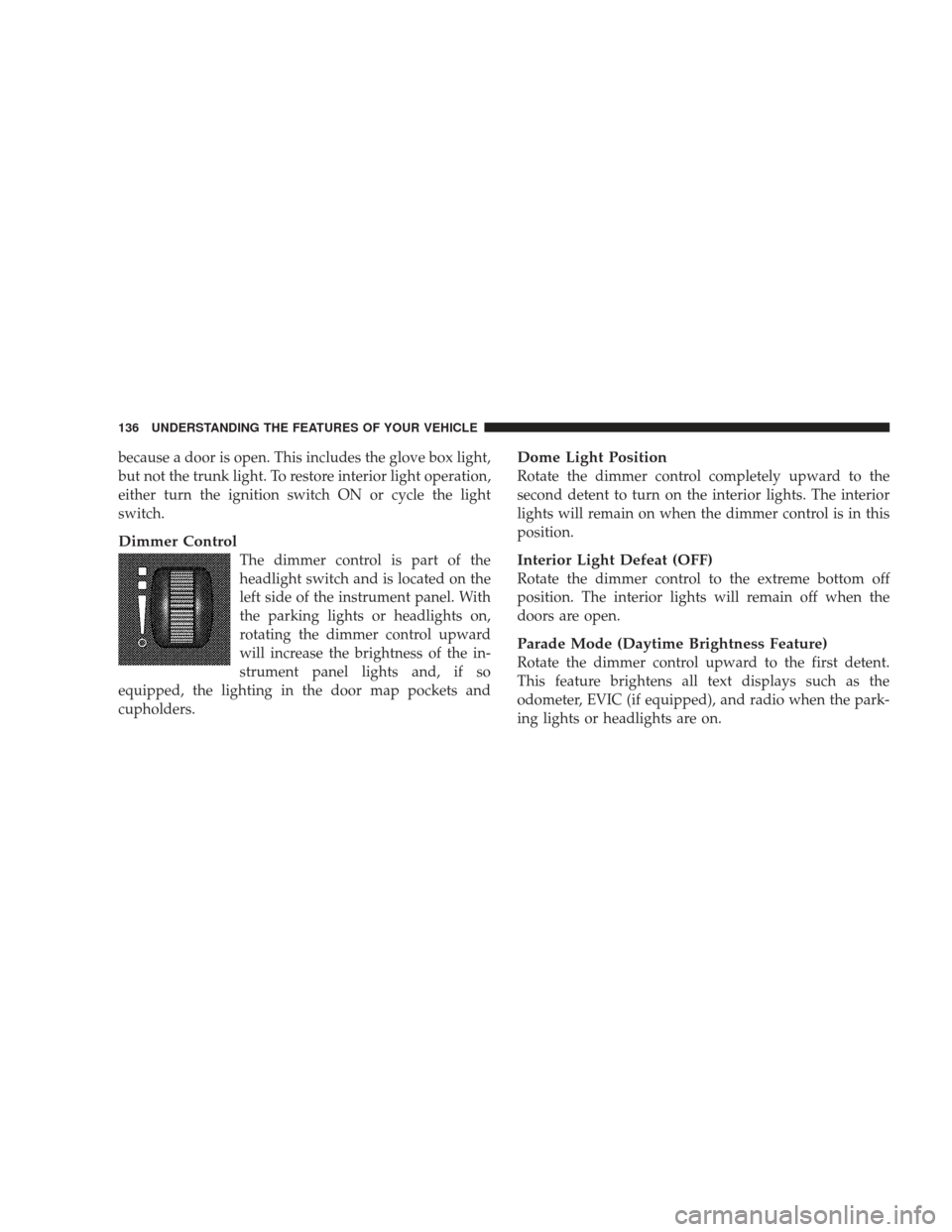
Dimmer Control
The dimmer control is part of the
headlight switch and is located on the
left side of the instrument panel. With
the parking lights or headlights on,
rotating the dimmer control upward
will increase the brightness of the in-
strument panel lights and, if so
equipped, the lighting in the door map pockets and
cupholders.
Dome Light Position
Rotate the dimmer control completely upward to the
second detent to turn on the interior lights. The interior
lights will remain on when the dimmer control is in this
position.
Interior Light Defeat (OFF)
Rotate the dimmer control to the extreme bottom off
position. The interior lights will remain off when the
doors are open.
Parade Mode (Daytime Brightness Feature)
Rotate the dimmer control upward to the first detent.
This feature brightens all text displays such as the
odometer, EVIC (if equipped), and radio when the park-
ing lights or headlights are on.
136 UNDERSTANDING THE FEATURES OF YOUR VEHICLE
Page 149 of 484
WARNING!
•Your motorized door or gate will open and close
while you are training the Universal Transceiver.
Do not train the transceiver if people or pets are in
the path of the door or gate. Only use this trans-
ceiver with a garage door opener that has a “stop
and reverse” feature as required by federal safety
standards. This includes most garage door opener
models manufactured after 1982. Do not use a
garage door opener without these safety features.
Call toll-free 1–800–355–3515 or, on the Internet at
www.HomeLink.com for safety information or as-
sistance.
•Vehicle exhaust contains carbon monoxide, a dan-
gerous gas. Do not run your vehicle in the garage
while training the transceiver. Exhaust gas can
cause serious injury or death.
Programming HomeLink�
Before You Begin
If you have not trained any of the HomeLink� buttons,
erase all channels before you begin training.
To do this, press and hold the two outside buttons for up
to 20 seconds. The EVIC will display “CLEARING
CHANNELS.” Release the buttons when the EVIC mes-
sage states “CHANNELS CLEARED.”
It is recommended that a new battery be placed in the
hand-held transmitter of the device being programmed
to HomeLink� for more efficient training and accurate
transmission of the radio-frequency signal.
Your vehicle should be parked outside of the garage
while training.
1. Turn the ignition switch to the ON/RUN position.
UNDERSTANDING THE FEATURES OF YOUR VEHICLE 147
3
Page 152 of 484
Gate Operator/Canadian Programming
Canadian radio-frequency laws require transmitter sig-
nals to “time-out” (or quit) after several seconds of
transmission – which may not be long enough for
HomeLink�to pick up the signal during programming.
Similar to this Canadian law, some U.S. gate operators are
designed to “time-out” in the same manner.
It may be helpful to unplug the device during the cycling
process to prevent possible overheating of the garage
door or gate motor.
If you are having difficulties programming a garage door
opener or a gate operator, replace “Programming
HomeLink” Step 3 with the following:
3. Continue to press and hold the HomeLink� button
while you press and release - every two seconds
(“cycle”) your hand-held transmitter until HomeLink �has successfully accepted the frequency signal. The
EVIC display will change from “CHANNEL # TRAIN-
ING” to “CHANNEL # TRAINED.”
If you unplugged the device for training, plug it back in
at this time.
Then proceed with Step 4 under “Programming
HomeLink�” earlier in this section.
Using HomeLink�
To operate, simply press and release the programmed
HomeLink�
button. Activation will now occur for the
trained device (i.e., garage door opener, gate operator,
security system, entry door lock, home/office lighting,
etc.) The hand-held transmitter of the device may also be
used at any time.
150 UNDERSTANDING THE FEATURES OF YOUR VEHICLE
Page 161 of 484
Rear Seat Cupholders
The rear seat cupholders are located in the center armrest
between the rear seats. The cupholders are positioned
forward in the armrest and side-by-side to provide
convenient access to beverage cans or bottles while
maintaining a resting place for the rear occupants elbows.
STORAGE
Console Features
The center console contains two shift bezel cubby bins
with rubber mats for holding small items. For vehicles
not equipped with navigation radio, the console also
contains an extra storage bin located below the climate
control, which holds up to four CD jewel cases.
Rear Seat Cupholders
UNDERSTANDING THE FEATURES OF YOUR VEHICLE 159
3
Page 167 of 484
UNDERSTANDING YOUR INSTRUMENT PANEL
CONTENTS
�Instrument Panel Features ............... 169
� Instrument Cluster – Base ............... 170
� Instrument Cluster – Premium ............ 171
� Instrument Cluster Descriptions ........... 172
� Electronic Vehicle Information Center (EVIC) –
If Equipped .......................... 183
▫ Electronic Vehicle Information Center (EVIC)
Displays ........................... 185
▫ Oil Change Required .................. 186
▫ Trip Functions ...................... 187 ▫
Automatic All Wheel Drive (AWD) Displays
— If Equipped ...................... 189
▫ Compass Display .................... 190
▫ Driver-Selectable Surround Sound (DSS) – If
Equipped .......................... 192
▫ uconnect� gps (Navigation) — If Equipped . . 193
▫ Personal Settings (Customer-Programmable
Features) .......................... 193
� Sales Code REQ — AM/FM Stereo Radio And
6–Disc CD/DVD Changer (MP3/WMA AUX
Jack) ............................... 1974
Page 168 of 484
▫Operating Instructions - Radio Mode ...... 198
▫ Operation Instructions - (Disc Mode For CD
And MP3/WMA Audio Play, DVD-Video) . . . 206
▫ Notes On Playing MP3/WMA Files ....... 208
▫ List Button (Disc Mode For
MP3/WMA Play) .................... 210
▫ Info Button (Disc Mode For MP3/WMA
Play) ............................. 210
� AM/FM/CD/DVD Radio (RER/REN) – If
Equipped ............................ 213
▫ Operating Instructions — Voice Recognition
System (VR) — If Equipped ............. 213
▫ Operating Instructions — uconnect� phone
— If Equipped ...................... 213
▫ Clock Setting Procedure ............... 213 �
Sales Code RES — AM/FM Stereo Radio With
CD Player (MP3 AUX Jack) ............... 215
▫ Operating Instructions — Radio Mode ..... 216
▫ Operation Instructions — CD Mode For CD
And MP3 Audio Play ................. 219
▫ Notes On Playing MP3 Files ............ 221
▫ Operation Instructions - Auxiliary Mode .... 223
� Sales Code RES/RSC — AM/FM Stereo Radio
With CD Player (MP3 AUX Jack) And Sirius
Radio ............................... 224
▫ Operating Instructions — Radio Mode ..... 225
▫ Operation Instructions — CD Mode For CD
And MP3 Audio Play ................. 230
▫ Notes On Playing MP3 Files ............ 232
▫ List Button (CD Mode For MP3 Play) ...... 235
166 UNDERSTANDING YOUR INSTRUMENT PANEL
Page 169 of 484
▫Info Button (CD Mode For MP3 Play) ...... 235
� Universal Consumer Interface (UCI) — If
Equipped ............................ 236
▫ Connecting The iPod� ................. 237
▫ Using This Feature ................... 237
▫ Controlling The iPod� Using Radio
Buttons ........................... 237
▫ Play Mode ......................... 238
▫ List Or Browse Mode ................. 239
� uconnect� studios (Satellite Radio) — If
Equipped (REN/REQ/RER/RES/REU Radios
Only) ............................... 241
▫ System Activation .................... 241
▫ Electronic Serial Number/Sirius
Identification Number (ESN/SID) ......... 242▫
Selecting uconnect� studios
(Satellite) Mode ..................... 243
▫ Satellite Antenna ..................... 243
▫ Reception Quality .................... 243
▫ Operating Instructions — uconnect� studios
(Satellite) Mode ..................... 243
▫ Operating Instructions — uconnect� phone
(If Equipped) ....................... 246
▫ Operating Instructions — Video
Entertainment System (VES)™
(If Equipped) ....................... 246
� Kicker� High Performance Sound System With
Driver-Selectable Surround (DSS) –
If Equipped .......................... 246
� uconnect studios� (Sirius Backseat TV™) —
If Equipped .......................... 247
UNDERSTANDING YOUR INSTRUMENT PANEL 167
4