Page 24 of 469
•When not using the EVIC, perform the following
steps:
1. Press and hold the UNLOCK button on a programmed
transmitter for at least 4 seconds, but no longer than
10 seconds. Then, press and hold the LOCK button while
still holding the UNLOCK button.
2. Release both buttons at the same time.
3. Test the feature while outside of the vehicle by press-
ing the LOCK/UNLOCK buttons on the transmitter with
the ignition switch in the LOCK position and the key
removed.
4. Repeat these steps if you want to return this feature to
its previous setting.
NOTE:Pressing the LOCK button on the transmitter
while you are in the vehicle will activate the SecurityAlarm. Opening a door with the Security Alarm activated
will cause the alarm to sound. Press the UNLOCK button
to deactivate the Security Alarm.
Turn Headlights On with Remote Key Unlock
This feature activates the headlights for up to 90 seconds
when the doors are unlocked with the transmitter. The
time for this feature is programmable. Refer to “Turn
Headlights On with Remote Key Unlock,” under “Per-
sonal Settings (Customer-Programmable Features),” un-
der “Electronic Vehicle Information Center (EVIC)” in
Section 4.
To Lock The Doors
Press and release the LOCK button on the transmitter to
lock both doors. The turn signal lights will flash and the
horn will chirp to acknowledge the signal.
Sound Horn with Remote Key Lock
This feature will cause the horn to chirp when the doors
are locked with the transmitter. This feature can be
22 THINGS TO KNOW BEFORE STARTING YOUR VEHICLE
Page 25 of 469
turned on or turned off. Refer to “Sound Horn with
Remote Key Lock,” under “Personal Settings (Customer-
Programmable Features),” under “Electronic Vehicle In-
formation Center (EVIC)” in Section 4.
•When not using the EVIC, perform the following
steps:
1. Press the LOCK button on a programmed transmitter
for at least 4 seconds, but no longer than 10 seconds.
Then, press the PANIC button while still holding the
LOCK button.
2. Release both buttons at the same time.
3. Test the feature while outside of the vehicle by press-
ing the LOCK button on the transmitter with the ignition
switch in the LOCK position and the key removed.
4. Repeat these steps if you want to return this feature to
its previous setting.NOTE:Pressing the LOCK button on the transmitter
while you are in the vehicle will activate the Security
Alarm. Opening a door with the Security Alarm activated
will cause the alarm to sound. Press the UNLOCK button
to deactivate the Security Alarm.
Express Down Window Feature
This feature allows you to remotely lower both door
windows at the same time. To use this feature, press and
release the UNLOCK button on the transmitter and then
immediately press and hold the UNLOCK button until
the windows lower to the level desired or until they
lower completely.
To Open The Trunk
Press the TRUNK button on the transmitter two times
within five seconds to open the trunk.
Using The Panic Alarm
To turn the Panic Alarm feature ON or OFF, press and
hold the PANIC button on the transmitter for at least one
2
THINGS TO KNOW BEFORE STARTING YOUR VEHICLE 23
Page 28 of 469
REMOTE STARTING SYSTEM
This system uses the Remote Keyless Entry
(RKE) transmitter to start the engine conve-
niently from outside the vehicle while still
maintaining security. The system has a range of
328 ft (100 m).
NOTE:The vehicle must be equipped with an auto-
matic transmission to be equipped with Remote Start.
How To Use Remote Start
All of the following conditions must be met before the
engine will remote start:
•Shift lever in PARK
•Doors closed
•Hood closed
•Hazard switch off
•Brake switch inactive (brake pedal not pressed)
•Ignition key removed from ignition switch
•Battery at an acceptable charge level, and
•RKE PANIC button not pressed.
WARNING!
•Do not start or run an engine in a closed garage or
confined area. Exhaust gas contains Carbon Mon-
oxide (CO) which is odorless and colorless. Car-
bon monoxide is poisonous and can cause serious
injury or death when inhaled.
•Keep Remote Keyless Entry (RKE) transmitters
away from children. Operation of the Remote Start
System, windows, door locks or other controls
could cause serious injury or death.
26 THINGS TO KNOW BEFORE STARTING YOUR VEHICLE
Page 29 of 469

To Enter Remote Start Mode
Press and release the REMOTE START button
on the RKE transmitter twice, within five sec-
onds. The parking lights will flash and the horn
will chirp twice (if programmed). Then, the
engine will start and the vehicle will remain in the
Remote Start mode for a 15-minute cycle.
NOTE:
•If an engine fault is present the vehicle will start and
then shut down 10 seconds later.
•The park lamps will turn on and remain on during
Remote Start mode.
•For security, power window and power sunroof op-
eration (if equipped) are disabled when the vehicle is
in the Remote Start mode.
•The engine can be started two consecutive times with
the RKE transmitter. However, the ignition must becycled by pushing the START/STOP button twice (or
the ignition switch must be cycled to the ON position)
before you can repeat the start sequence for a third
cycle.
To Exit Remote Start Mode without Driving the
Vehicle
•
Press and release the REMOTE START button one time
or allow the engine to run for the entire 15-minute
cycle.
NOTE:To avoid unintentional shut downs, the system
will disable the one time press of the REMOTE START
button for two seconds after receiving a valid Remote
Start request.
To Exit Remote Start Mode and Drive the Vehicle
Before the end of 15 minute cycle, press and release the
UNLOCK button on the RKE transmitter to unlock the
doors and disarm the Vehicle Security Alarm (if
2
THINGS TO KNOW BEFORE STARTING YOUR VEHICLE 27
Page 32 of 469
locking the key in the vehicle. Removing the key or
closing the door will allow the locks to operate. If a door
is open, the key is in the ignition, and the ignition is in the
LOCK or ACC position, a chime will sound as a reminder
to remove the key.
Automatic Door Locks
The doors will lock automatically if all of the following
conditions are met:
1. The Automatic Door Locks feature is enabled
2. The transmission is in gear
3. All doors are closed
4. The throttle is pressed
5. The vehicle speed is above 15 mph (24 km/h), and
6. The doors were not previously locked using the power
door lock switch or Remote Keyless Entry (RKE)
transmitter.
Automatic Door Locks — If Equipped
The auto door lock feature can be enabled or disabled by
your authorized dealer. See your authorized dealer for
programming.
Automatic Unlock Doors on Exit
The doors will unlock automatically if:
1. The Automatic Unlock Doors On Exit feature is en-
abled
2. The transmission was in gear and the vehicle speed
returned to 0 mph (0 km/h)
3. The transmission is in NEUTRAL or PARK
4. The driver door is opened
5. The doors were not previously unlocked, and
6. The vehicle speed is 0 mph (0 km/h).
30 THINGS TO KNOW BEFORE STARTING YOUR VEHICLE
Page 34 of 469
WINDOWS
Power Windows
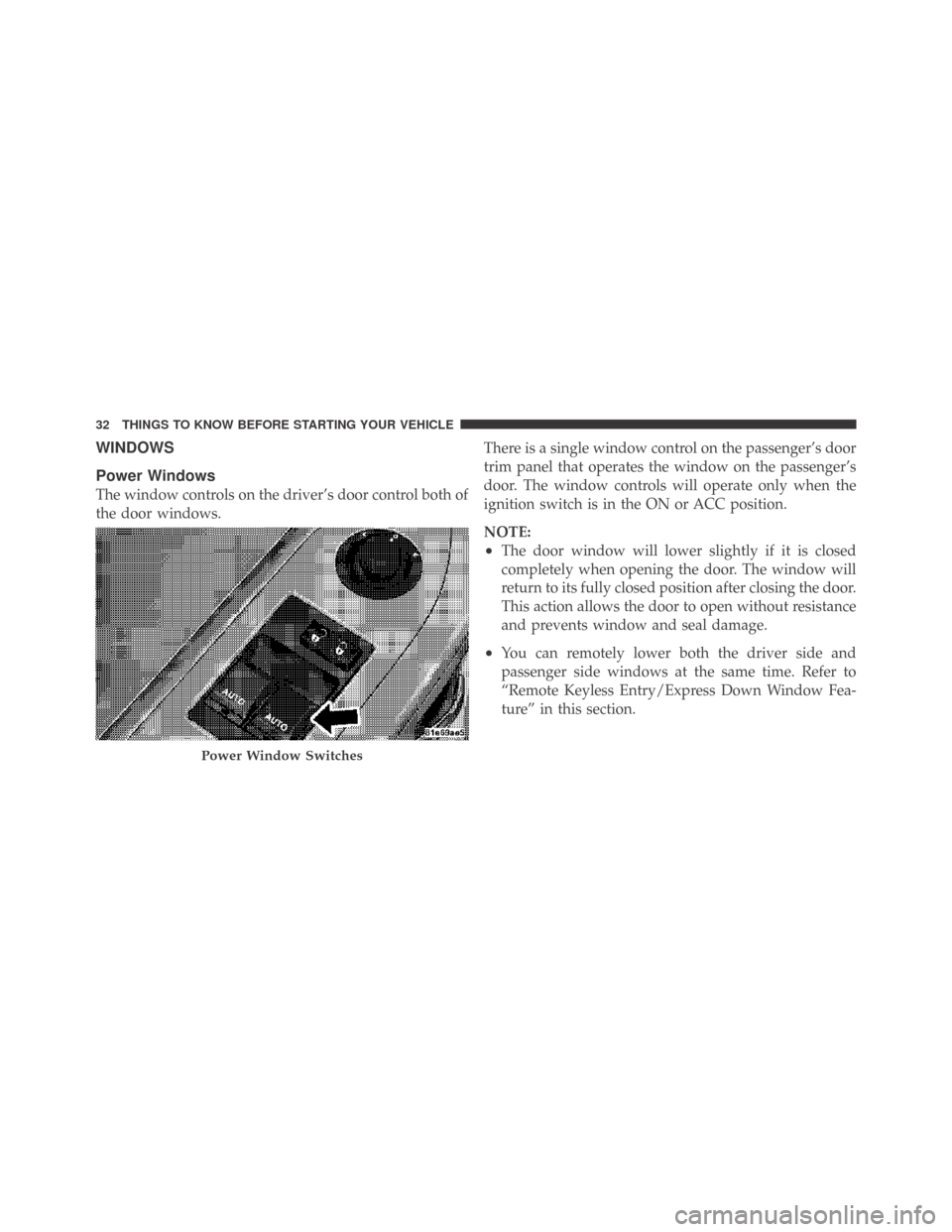
The window controls on the driver’s door control both of
the door windows.There is a single window control on the passenger’s door
trim panel that operates the window on the passenger’s
door. The window controls will operate only when the
ignition switch is in the ON or ACC position.
NOTE:
•The door window will lower slightly if it is closed
completely when opening the door. The window will
return to its fully closed position after closing the door.
This action allows the door to open without resistance
and prevents window and seal damage.
•You can remotely lower both the driver side and
passenger side windows at the same time. Refer to
“Remote Keyless Entry/Express Down Window Fea-
ture” in this section.
Power Window Switches
32 THINGS TO KNOW BEFORE STARTING YOUR VEHICLE
Page 51 of 469

WARNING!
•Relying on the airbags alone could lead to more
severe injuries in a collision. The airbags work
with your seat belt to restrain you properly. In
some collisions, the airbags won’t deploy at all.
Always wear your seat belts even though you have
airbags.
•Being too close to the steering wheel or instrument
panel during airbag deployment could cause seri-
ous injury. Airbags need room to inflate. Sit back,
comfortably extending your arms to reach the
steering wheel or instrument panel.
•This vehicle has supplemental side curtain air-
bags, and they need room to inflate. Do not lean
against the door or window. Sit upright in the
center of the seat.
Airbag System Components
The airbag system consists of the following:
•Occupant Restraint Controller (ORC)
•Side Remote Acceleration Sensors
•Side Door Pressure Sensors
•Airbag Warning Light
•Driver Airbag
•Front Passenger Airbag
•Supplemental Side Curtain Airbags above Side Win-
dows
•Steering Wheel and Column
•Instrument Panel
•Interconnecting Wiring
•Seat Belt Reminder Light
2
THINGS TO KNOW BEFORE STARTING YOUR VEHICLE 49
Page 173 of 469

•Right Front Low Pressure (with a single chime)
•Right Rear Low Pressure (with a single chime)
•Check TPM System (with a single chime)
•ESP Off – Electronic Stability Program is deactivated
•ECO – Fuel Saver Indicator
•Check Gascap
•Key FOB Battery Low
•Service Keyless System
•Wrong Key
•Push Button or Insert Key/Turn To Run (refer to
“Remote Starting System” in Section 2)
•1–4 SKIPSHIFT
•Stereo (If Equipped with Driver-Selectable Surround
Sound [DSS])
•Audio Surround (If Equipped with Driver-Selectable
Surround Sound [DSS])
Engine Oil Change Indicator System
Oil Change Required
Your vehicle is equipped with an engine oil change
indicator system. The “Oil Change Required” message
will flash in the EVIC display for approximately 10 sec-
onds after a single chime has sounded, to indicate the
next scheduled oil change interval. The engine oil change
indicator system is duty cycle based, which means the
engine oil change interval may fluctuate, dependent
upon your personal driving style.
Unless reset, this message will continue to display each
time you turn the ignition switch to the ON/RUN
position. To turn off the message temporarily, press and
release the MENU button. To reset the oil change indica-
tor system (after performing the scheduled maintenance)
refer to the following procedure.
4
UNDERSTANDING YOUR INSTRUMENT PANEL 171