Page 136 of 473
WARNING!
If the hood is not fully latched it could fly up when
the vehicle is moving and block your forward vision.
You could have a collision. Be sure all hood latches
are fully latched before driving.
LIGHTS
Map/Reading/Interior Lights
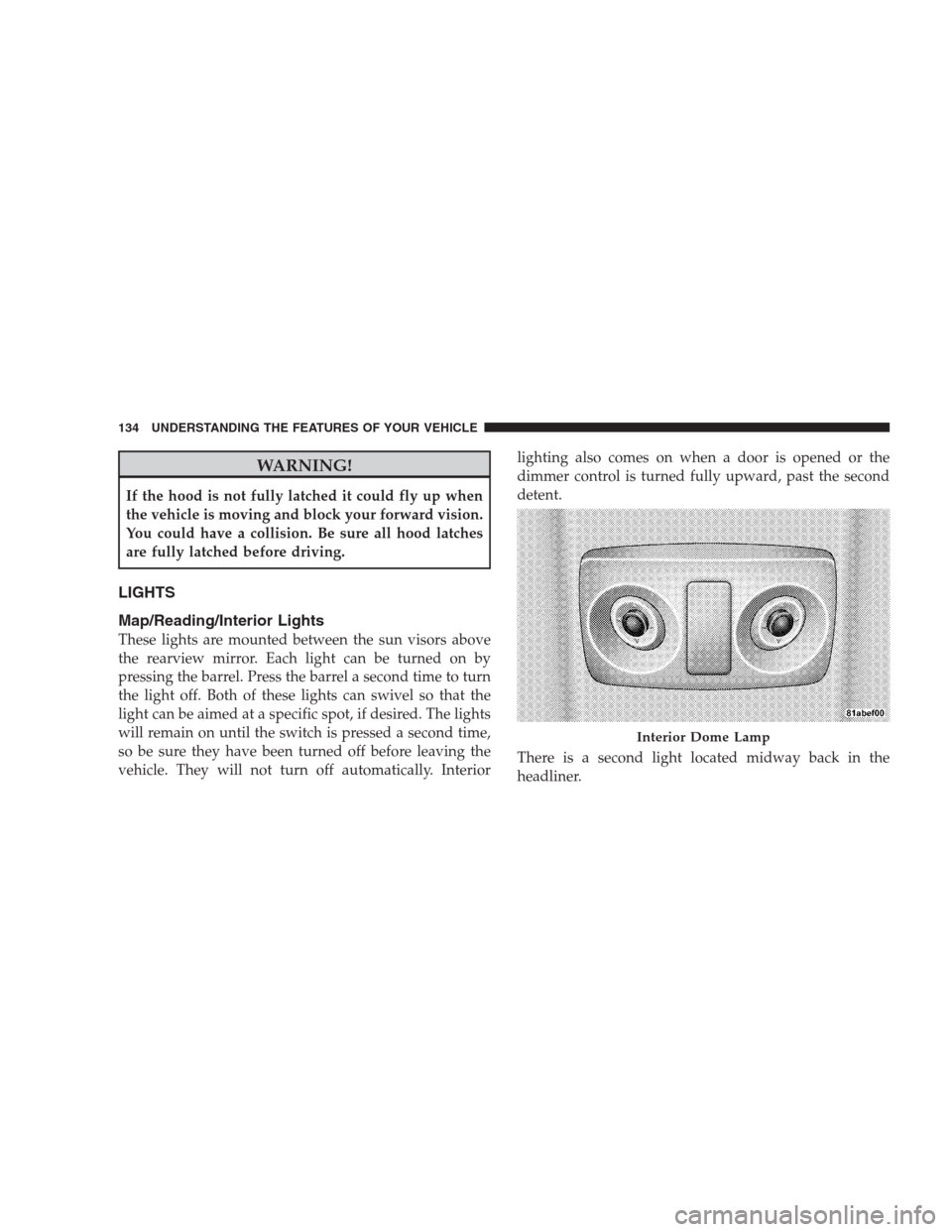
These lights are mounted between the sun visors above
the rearview mirror. Each light can be turned on by
pressing the barrel. Press the barrel a second time to turn
the light off. Both of these lights can swivel so that the
light can be aimed at a specific spot, if desired. The lights
will remain on until the switch is pressed a second time,
so be sure they have been turned off before leaving the
vehicle. They will not turn off automatically. Interiorlighting also comes on when a door is opened or the
dimmer control is turned fully upward, past the second
detent.
There is a second light located midway back in the
headliner.
Interior Dome Lamp
134 UNDERSTANDING THE FEATURES OF YOUR VEHICLE
Page 137 of 473
To protect the battery, the interior lights will turn off
automatically 10 minutes after the ignition switch is
moved to the LOCK position. This will occur if the
interior lights were switched on manually or are on
because a door is open. To restore interior light operation,
either turn the ignition switch ON or cycle the light
switch.
Headlights, Parking Lights and Instrument Panel
Lights
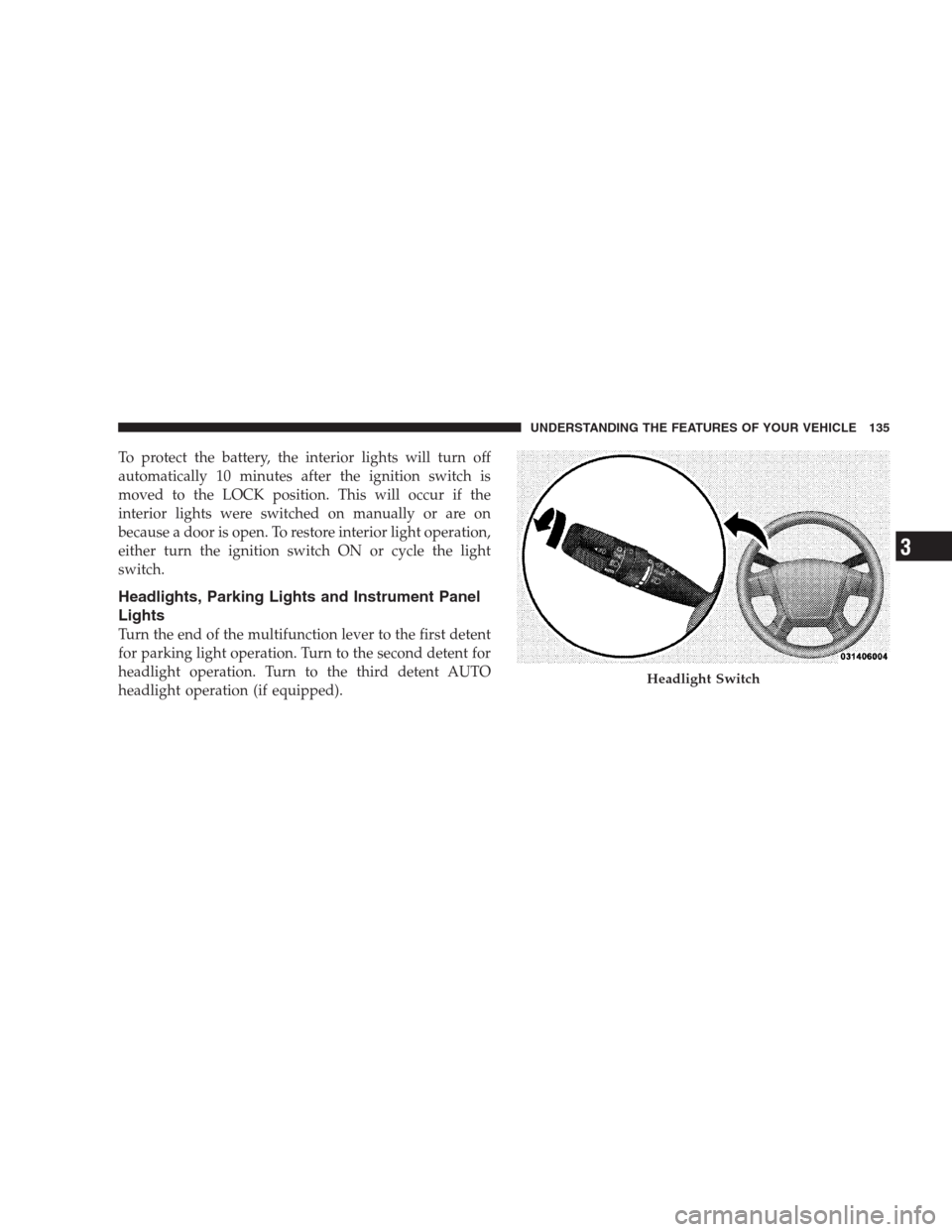
Turn the end of the multifunction lever to the first detent
for parking light operation. Turn to the second detent for
headlight operation. Turn to the third detent AUTO
headlight operation (if equipped).
Headlight Switch
UNDERSTANDING THE FEATURES OF YOUR VEHICLE 135
3
Page 146 of 473
To unlock the steering column, pull the control handle
outward. To tilt the steering column, move the steering
wheel upward or downward as desired. To lengthen or
shorten the steering column, pull the steering wheel
outward or push it inward as desired. To lock the steering
column in position, push the control handle inward until
fully engaged.
WARNING!
Do not adjust the steering wheel while driving. The
telescoping adjustment must be locked while driv-
ing. Adjusting the steering wheel while driving or
driving without the telescoping adjustment locked
could cause the driver to lose control of the vehicle.
ELECTRONIC SPEED CONTROL — IF EQUIPPED
When engaged, the Electronic Speed Control takes over
the accelerator operation at speeds greater than 25 mph
(40 km/h).
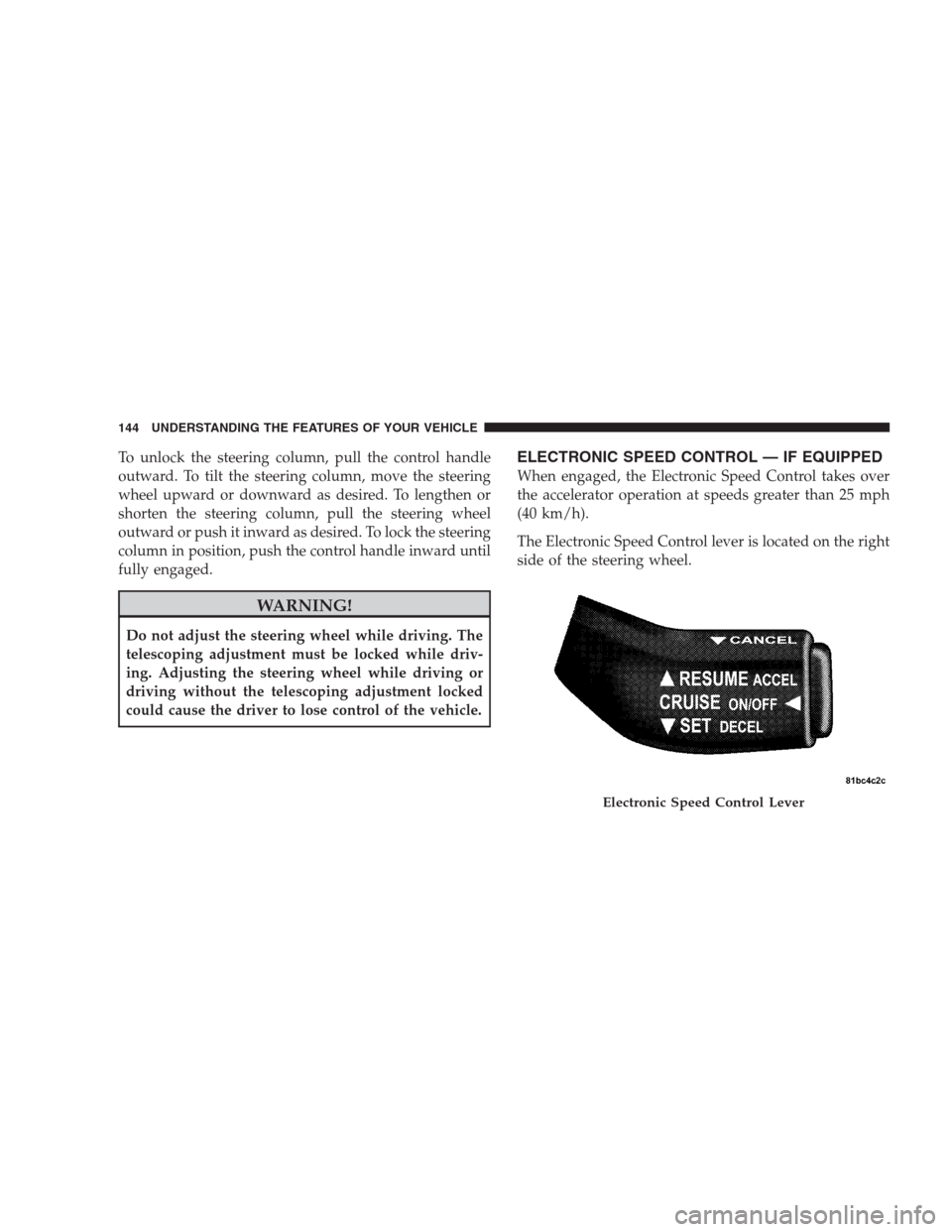
The Electronic Speed Control lever is located on the right
side of the steering wheel.
Electronic Speed Control Lever
144 UNDERSTANDING THE FEATURES OF YOUR VEHICLE
Page 153 of 473

Using HomeLink�
To operate, simply press and release the programmed
HomeLink�button. Activation will now occur for the
trained device (i.e., garage door opener, gate operator,
security system, entry door lock, home/office lighting,
etc. The handheld transmitter of the device may also be
used at any time.
Reprogramming a Single Homelink�Button
To reprogram a channel that has been previously trained,
follow these steps:
1. Turn the ignition switch to the ON/RUN position.
2. Press and hold the desired HomeLink�button until
the indicator light begins to flash after 20 seconds.Do not
release the button.
3.Without releasing the button,proceed with Program-
ming Homelink�Step 2 and follow all remaining steps.
Gate Operator/Canadian Programming
Canadian radio frequency laws require transmitter sig-
nals to time-out (or quit) after several seconds of trans-
mission – which may not be long enough for HomeLink�
to pick up the signal during programming. Similar to this
Canadian law, some U.S. gate operators are designed to
time-out in the same manner.
It may be helpful to unplug the device during the cycling
process to prevent possible overheating of the garage
door or gate motor.
If you are having difficulties programming a garage door
opener or a gate operator, replace “Programming
HomeLink�” Step 3, with the following:
3. Continue to press and hold the HomeLink�button
while you press and release - every two seconds
(“cycle”) your handheld transmitter until HomeLink�
UNDERSTANDING THE FEATURES OF YOUR VEHICLE 151
3
Page 159 of 473
NOTE:If desired, the instrument panel power outlet
can be converted by your authorized dealer to provide
power with the ignition switch while in the LOCK
position.The center console power outlet is powered directly from
the battery (power available at all times). Items plugged
into this outlet may discharge the battery and/or prevent
engine starting.
Instrument Panel Power Outlet
Console Interior
UNDERSTANDING THE FEATURES OF YOUR VEHICLE 157
3
Page 165 of 473
When the seatback is folded to the upright position, make
sure it is latched by strongly pulling on the top of the
seatback above the seat strap.
WARNING!
•Be certain that the seatback is securely locked into
position. If the seatback in not securely locked
into position, the seat will not provide the proper
stability for child seats and/or passengers. An
improperly latched seat could cause serious injury.
•The cargo area in the rear of the vehicle (with the
rear seatbacks in the locked-up or folded down
position) should not be used as a play area by
children when the vehicle is in motion. They could
be seriously injured in an accident. Children
should be seated and using the proper restraint
system.
(Continued)
WARNING! (Continued)
•To help protect against personal injury, passengers
should not be seated in the rear cargo area. The
rear cargo space is intended for load carrying
purposes only, not for passengers, who should sit
in seats and use seat belts.
•The weight and position of cargo and passengers
can change the vehicle center of gravity and ve-
hicle handling. To avoid loss of control resulting
in personal injury, follow these guidelines for
loading your vehicle:
Always place cargo evenly on the cargo floor. Put heavier
objects as low and as far forward as possible.
Place as much cargo as possible in front of the rear axle.
Too much weight or improperly placed weight over or
behind the rear axle can cause the rear of the vehicle to
sway.
UNDERSTANDING THE FEATURES OF YOUR VEHICLE 163
3
Page 174 of 473

▫List Button (Disc Mode For
MP3/WMA Play)..................... 211
▫Info Button (Disc Mode For MP3/WMA
Play)............................. 211
�AM/FM/CD/DVD Multimedia System Radio
(RER/REN) – If Equipped................ 214
▫Operating Instructions — Voice Recognition
System (VR) — If Equipped............. 214
▫Operating Instructions — Hands-Free
Communication (UConnect�)—
If Equipped......................... 214
▫Clock Setting Procedure................ 214
�Sales Code RES — AM/FM Stereo Radio With
CD Player (MP3 AUX Jack)................ 217
▫Operating Instructions — Radio Mode...... 217▫Operation Instructions — CD Mode For CD
And MP3 Audio Play.................. 220
▫Notes On Playing MP3 Files............. 222
▫Operation Instructions - Auxiliary Mode.... 225
�Sales Code RES/RSC — AM/FM Stereo Radio
With CD Player (MP3 AUX Jack) And Sirius
Radio............................... 226
▫Operating Instructions — Radio Mode...... 226
▫Operation Instructions — CD Mode For CD
And MP3 Audio Play.................. 232
▫Notes On Playing MP3 Files............. 234
▫List Button (CD Mode For MP3 Play)...... 237
▫Info Button (CD Mode For MP3 Play)...... 237
172 UNDERSTANDING YOUR INSTRUMENT PANEL
Page 183 of 473

GASCAP
If the vehicle diagnostic system detects a leak or change
in the evaporative system, or the fuel filler cap is loose,
improperly installed, or damaged, the words “GASCAP”
will display in the odometer. If this occurs, tighten the
fuel filler cap properly and press the odometer reset
button to turn off the “GASCAP” message. (Refer to
“Onboard Diagnostic System — OBDII” in Section 7 of
this manual for more information). If the problem con-
tinues, the message will appear the next time the vehicle
is started. See your authorized dealer service center as
soon as possible.
CHAngE OIL
Your vehicle is equipped with an engine oil change
indicator system. The “CHAngE OIL” message will flash
in the instrument cluster odometer for approximately
12 seconds after a single chime has sounded to indicate
the next scheduled oil change interval. The engine oil
change indicator system is duty cycle based, whichmeans the engine oil change interval may fluctuate
dependent upon your personal driving style.
Unless reset, this message will continue to display each
time you turn the ignition switch to the “ON” position.
To turn off the message temporarily, press and release the
Trip Odometer button on the instrument cluster. To reset
the oil change indicator system (after performing the
scheduled maintenance) perform the following proce-
dure:
1. Turn the ignition switch to the ON position (Do not
start the engine).
2. Fully depress the accelerator pedal slowly 3 times
within 10 seconds.
3. Turn the ignition switch to the LOCK position.
NOTE:If the indicator message illuminates when you
start the vehicle, the oil change indicator system did not
reset. If necessary repeat this procedure.
UNDERSTANDING YOUR INSTRUMENT PANEL 181
4