Page 146 of 543
General Information
This device complies with Part 15 of the FCC rules and
RSS 210 of Industry Canada. Operation is subject to the
following conditions:
•Changes or modifications not expressly approved by
the party responsible for compliance could void the
user’s authority to operate the equipment.
•This device may not cause harmful interference.
•This device must accept any interference received,
including interference that may cause undesired
operation.
VOICE RECOGNITION (VR) SYSTEM — IF
EQUIPPED
Voice Recognition (VR) System Operation
This Voice Recognition system allows you to
control your AM, FM radio, satellite radio, disc
player, and a memo recorder.
NOTE: Take care to speak into the Voice Interface
System as calmly and normally as possible. The ability of
the Voice Interface System to recognize user voice com-
mands may be negatively affected by rapid speaking or a
raised voice level.
WARNING!
Any voice commanded system should be used only
in safe driving conditions and all attention should be
kept on the roadway ahead. Failure to do so may
result in an accident causing serious injury or death.
144 UNDERSTANDING THE FEATURES OF YOUR VEHICLE
Page 224 of 543
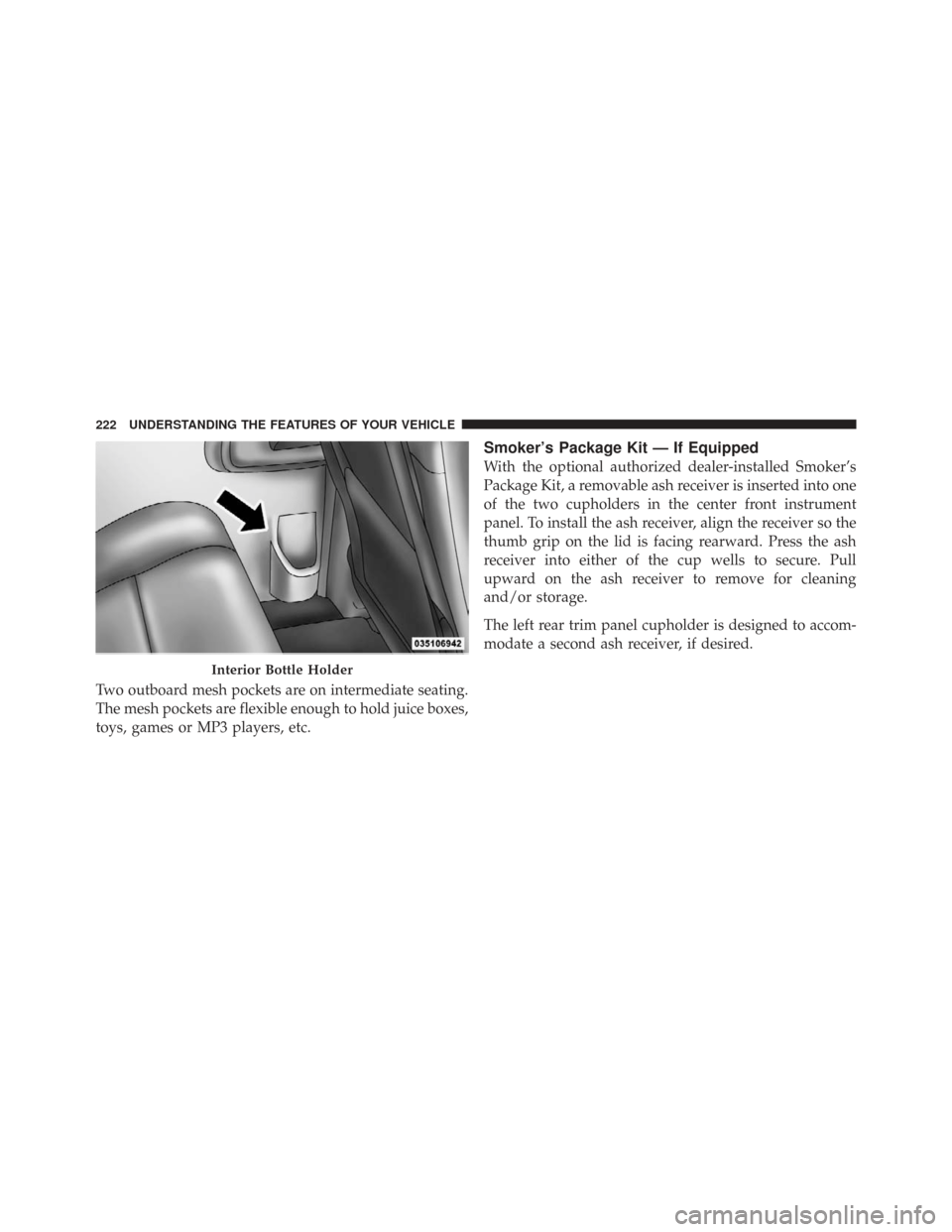
Two outboard mesh pockets are on intermediate seating.
The mesh pockets are flexible enough to hold juice boxes,
toys, games or MP3 players, etc.
Smoker’s Package Kit — If Equipped
With the optional authorized dealer-installed Smoker’s
Package Kit, a removable ash receiver is inserted into one
of the two cupholders in the center front instrument
panel. To install the ash receiver, align the receiver so the
thumb grip on the lid is facing rearward. Press the ash
receiver into either of the cup wells to secure. Pull
upward on the ash receiver to remove for cleaning
and/or storage.
The left rear trim panel cupholder is designed to accom-
modate a second ash receiver, if desired.
Interior Bottle Holder
222 UNDERSTANDING THE FEATURES OF YOUR VEHICLE
Page 242 of 543

▫Operating Instructions — uconnect� phone
— If Equipped ...................... 273
▫ Clock Setting Procedure .............. 273
� Sales Code RES — AM/FM Stereo Radio With
CD Player (MP3 AUX Jack) ............... 276
▫ Operating Instructions — Radio Mode .... 276
▫ Operation Instructions — CD Mode For CD
And MP3 Audio Play ................. 279
▫ Notes On Playing MP3 Files ........... 281
▫ Operation Instructions - Auxiliary Mode . . . 284
� Sales Code RES/RSC — AM/FM Stereo Radio
With CD Player (MP3 AUX Jack) And Sirius
Radio ............................... 285
▫ Operating Instructions — Radio Mode .... 285▫
Operation Instructions — CD Mode For CD
And MP3 Audio Play ................. 290
▫ Notes On Playing MP3 Files ........... 293
▫ List Button (CD Mode For MP3 Play) ..... 295
▫ Info Button (CD Mode For MP3 Play) .... 295
� Universal Consumer Interface (UCI) — If
Equipped ............................ 296
▫ Connecting The iPod� ................ 297
▫ Using This Feature .................. 298
▫ Controlling The iPod� Using Radio Buttons 298
▫ Play Mode ........................ 298
▫ List Or Browse Mode ................ 300
240 UNDERSTANDING YOUR INSTRUMENT PANEL
Page 243 of 543
�uconnect� studios (Satellite Radio) — If
Equipped (REN/REQ/RER/RES/REU Radios
Only) ............................... 302
▫ System Activation ................... 302
▫ Electronic Serial Number/Sirius
Identification Number (ESN/SID) ......... 302
▫ Selecting uconnect� studios (Satellite) Mode 303
▫ Satellite Antenna ................... 303
▫ Reception Quality ................... 303
▫ Operating Instructions — uconnect� studios
(Satellite) Mode ..................... 304
▫ Operating Instructions — uconnect� phone
(If Equipped) ....................... 306 ▫
Operating Instructions — Video
Entertainment System (VES)™
(If Equipped) ....................... 306
� uconnect� studios (Sirius Backseat TV™) — If
Equipped ............................ 307
� Video Entertainment System (VES)™ — If
Equipped ............................ 307
� Remote Sound System Controls — If Equipped 309
▫ Radio Operation .................... 309
▫ CD Player ........................ 310
� CD/DVD Maintenance ................ 310
� Radio Operation And Cellular Phones ...... 311
� Climate Controls ..................... 311
▫ Manual Heating And Air Conditioning
System ............................ 311
4
UNDERSTANDING YOUR INSTRUMENT PANEL 241
Page 275 of 543

Rain Sensing Intermittent Wipers — If Equipped
When ON is selected, the system will automatically
activate the windshield wipers if it senses moisture on
the windshield. To make your selection, press and release
the RESET button until “ON” or “OFF” appears. When
OFF is selected, the system reverts to the standard
intermittent wiper operation.
SALES CODE (RER/REN) — AM/FM/CD/DVD
RADIO – IF EQUIPPED
NOTE:The sales code is located on the lower right side
of the unit’s faceplate.
The REN and RER radios contain a CD/DVD player, USB
port, and a 30-gigabyte hard drive (HDD). Sirius Satellite
Radio is optional. The 6.5 in (16.5 cm) touch screen allows
for easy menu selection.
The RER radio also contains a Global Positioning System
(GPS)-based Navigation system. Refer to your uconnect�
tunes (REN) or (RER) user’s
manual for detailed operating instructions.
Operating Instructions — Voice Recognition
System (VR) — If Equipped
For the radio, refer to “Voice Recognition System (VR)” in
Section 3.
Operating Instructions — uconnect �phone — If
Equipped
Refer to “uconnect� phone” in Section 3.
Clock Setting Procedure
uconnect�gps — RER only
The GPS receiver used in this system is synchronized to
the time data being transmitted by the GPS satellite. The
satellite clock is Greenwich Mean Time (GMT). This is the
worldwide standard for time. This makes the system’s
clock very accurate once the appropriate time zone and
daylight savings information is set.
4
UNDERSTANDING YOUR INSTRUMENT PANEL 273
Page 278 of 543
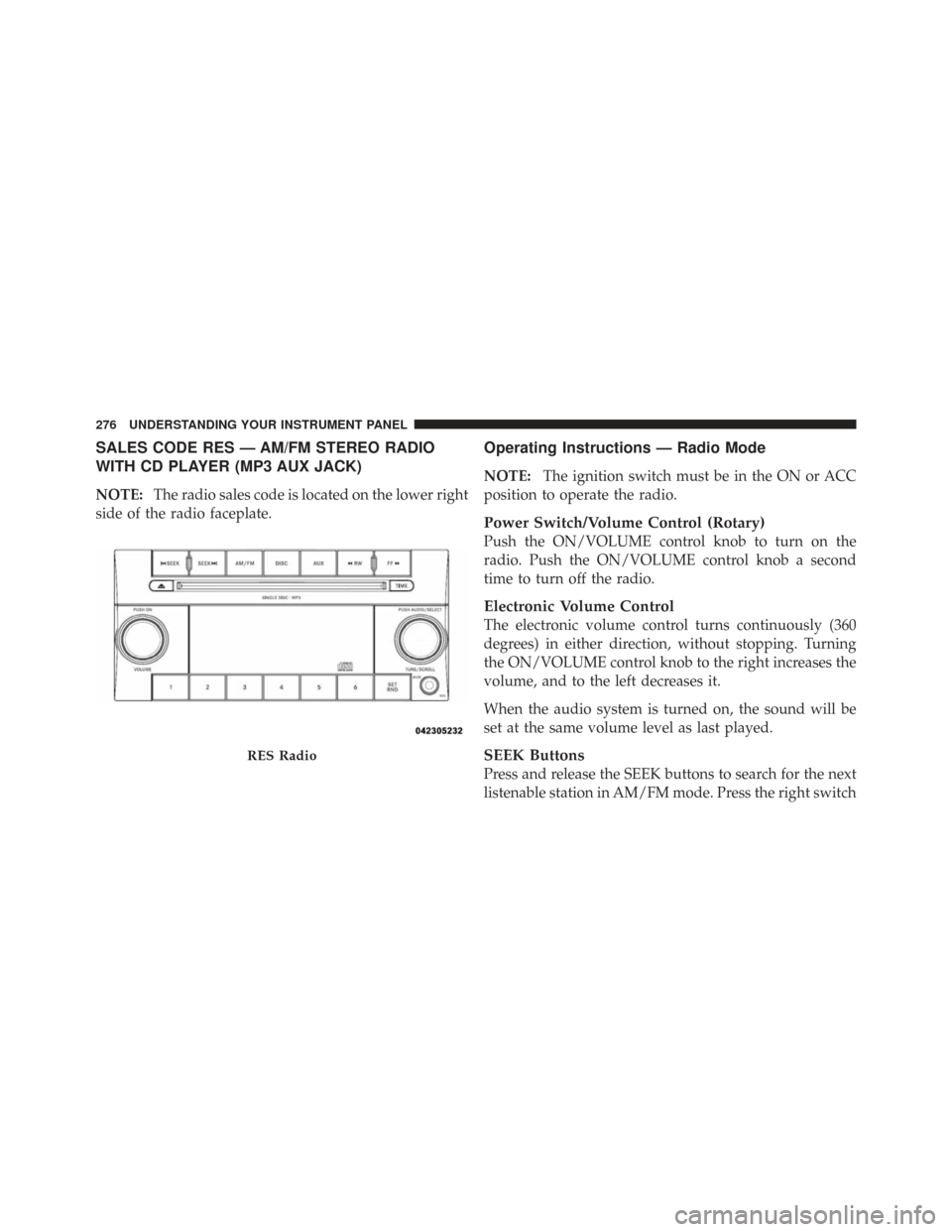
SALES CODE RES — AM/FM STEREO RADIO
WITH CD PLAYER (MP3 AUX JACK)
NOTE:The radio sales code is located on the lower right
side of the radio faceplate.
Operating Instructions — Radio Mode
NOTE: The ignition switch must be in the ON or ACC
position to operate the radio.
Power Switch/Volume Control (Rotary)
Push the ON/VOLUME control knob to turn on the
radio. Push the ON/VOLUME control knob a second
time to turn off the radio.
Electronic Volume Control
The electronic volume control turns continuously (360
degrees) in either direction, without stopping. Turning
the ON/VOLUME control knob to the right increases the
volume, and to the left decreases it.
When the audio system is turned on, the sound will be
set at the same volume level as last played.
SEEK Buttons
Press and release the SEEK buttons to search for the next
listenable station in AM/FM mode. Press the right switch
RES Radio
276 UNDERSTANDING YOUR INSTRUMENT PANEL
Page 281 of 543
SET 2 in both AM and FM. This allows a total of 12 AM
and 12 FM stations to be stored into pushbutton memory.
The stations stored in SET 2 memory can be selected by
pressing the pushbutton twice.
Every time a preset button is used, a corresponding
button number will display.
Buttons1-6
These buttons tune the radio to the stations that you
commit to pushbutton memory (12 AM and 12 FM
stations).
DISC Button
Pressing the DISC button will allow you to switch from
AM/FM modes to Disc modes.
Operation Instructions — CD MODE For CD And
MP3 Audio Play
NOTE:
•The ignition switch must be in the ON or ACC
position to operate the radio.
•This radio is capable of playing compact discs (CD),
recordable compact discs (CD-R), rewritable compact
discs (CD-RW), compact discs with MP3 tracks and
multisession compact discs with CD and MP3 tracks.
Inserting Compact Disc(s)
Gently insert one CD into the CD player with the CD
label facing up. The CD will automatically be pulled into
the CD player and the CD icon will illuminate on the
radio display. If a CD does not go into the slot more than
1.0 in (2.5 cm), a disc may already be loaded and must be
ejected before a new disc can be loaded.
4
UNDERSTANDING YOUR INSTRUMENT PANEL 279
Page 282 of 543
If you insert a disc with the ignition ON and the radio
ON, the unit will switch from radio to CD mode and
begin to play when you insert the disc. The display will
show the track number, and index time in minutes and
seconds. Play will begin at the start of track 1.
CAUTION!
•This CD player will accept 4-3/4 in (12 cm) discs
only. The use of other sized discs may damage the
CD player mechanism.
•Do not use adhesive labels. These labels can peel
away and jam the player mechanism.
•RES is a single CD player. Do not attempt to insert
a second CD if one is already loaded.
•Dual-media disc types (one side is a DVD, the
other side is a CD) should not be used, and they
can cause damage to the player.
EJECT Button - Ejecting a CD
Press the EJECT button to eject the CD.
If you have ejected a disc and have not removed it within
10 seconds, it will be reloaded. If the CD is not removed,
the radio will reinsert the CD but will not play it.
A disc can be ejected with the radio and ignition OFF.
NOTE: Ejecting with the ignition OFF is not allowed on
convertible or soft-top models (if equipped).
SEEK Button
Press the right SEEK button for the next selection on the
CD. Press the left SEEK button to return to the beginning
of the current selection, or return to the beginning of the
previous selection if the CD is within the first second of
280 UNDERSTANDING YOUR INSTRUMENT PANEL