Page 156 of 475

If you activate the washer while the wiper control is in
the delay range, the wipers will operate in low speed for
two wipe cycles after releasing the lever and then resume
the intermittent interval previously selected.
If you activate the washer while the wiper control is in
the off position, the wipers will operate for two wipe
cycles and then turn off.
TILT/TELESCOPING STEERING COLUMN
This feature allows you to tilt the steering column
upward or downward. It also allows you to lengthen or
shorten the steering column. The tilt/telescoping control
handle is located below the steering wheel at the end of
the steering column.To unlock the steering column, push the control handle
downward. To tilt the steering column, move the steering
wheel upward or downward as desired. To lengthen or
shorten the steering column, pull the steering wheel
outward or push it inward as desired. To lock the steering
column in position, pull the control handle upward until
fully engaged.
154 UNDERSTANDING THE FEATURES OF YOUR VEHICLE
Page 157 of 475
WARNING!
Do not adjust the steering wheel while driving. The
tilt/telescoping adjustment must be locked while
driving. Adjusting the steering wheel while driving
or driving without the tilt/telescoping adjustment
locked could cause the driver to lose control of the
vehicle.
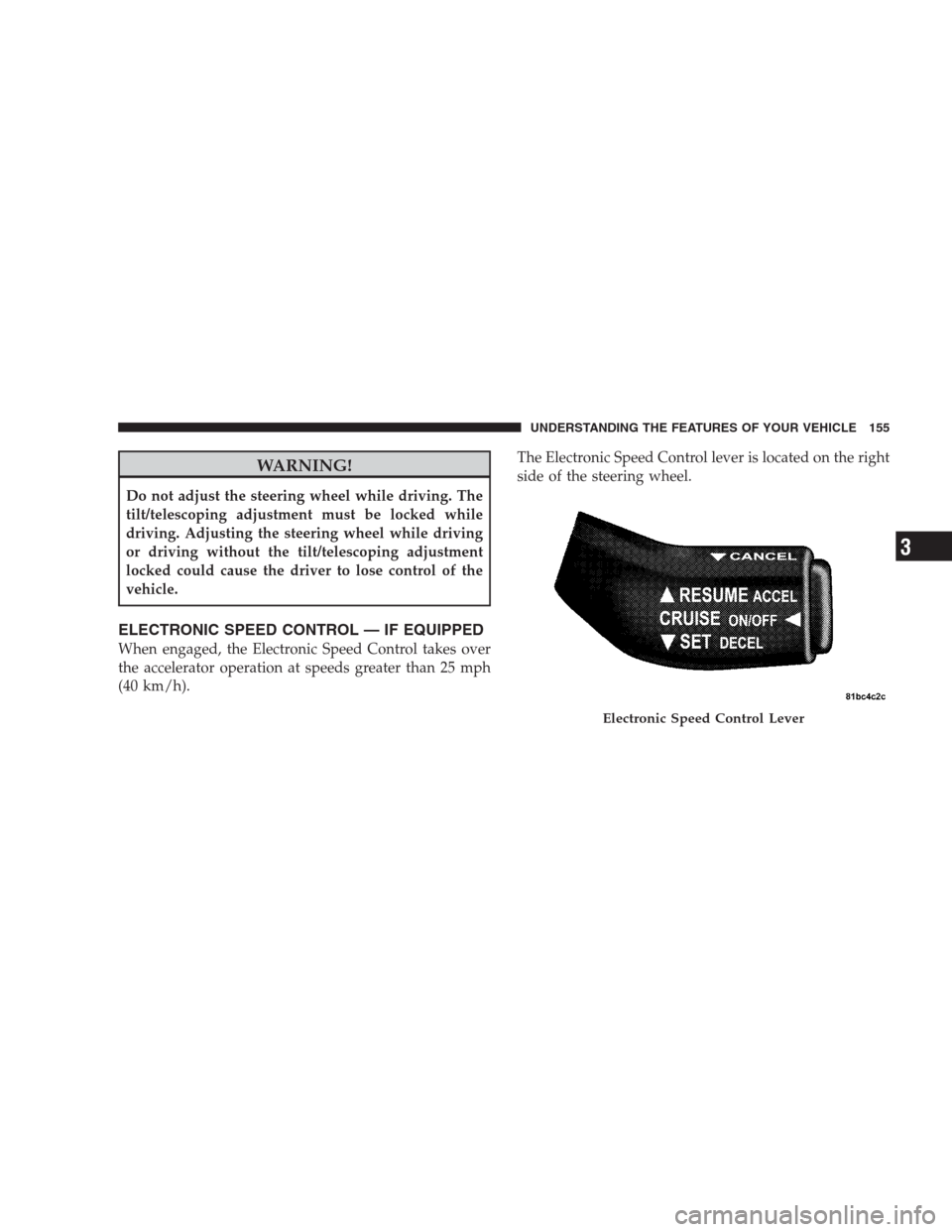
ELECTRONIC SPEED CONTROL — IF EQUIPPED
When engaged, the Electronic Speed Control takes over
the accelerator operation at speeds greater than 25 mph
(40 km/h).The Electronic Speed Control lever is located on the right
side of the steering wheel.
Electronic Speed Control Lever
UNDERSTANDING THE FEATURES OF YOUR VEHICLE 155
3
Page 193 of 475

Your vehicle has also been equipped with a TPMS
malfunction indicator to indicate when the system is not
operating properly. The TPMS malfunction indicator is
combined with the low tire pressure telltale. When the
system detects a malfunction, the telltale will flash for
approximately one minute and then remain continuously
illuminated. This sequence will continue upon subse-
quent vehicle start-ups as long as the malfunction exists.
When the malfunction indicator is illuminated, the sys-
tem may not be able to detect or signal low tire pressure
as intended. TPMS malfunctions may occur for a variety
of reasons, including the installation of replacement or
alternate tires or wheels on the vehicle that prevent the
TPMS from functioning properly. Always check the
TPMS malfunction telltale after replacing one or more
tires or wheels on your vehicle, to ensure that the
replacement or alternate tires and wheels allow the TPMS
to continue to function properly.CAUTION!
The TPMS has been optimized for the original
equipment tires and wheels. TPMS pressures and
warning have been established for the tire size
equipped on your vehicle. Undesirable system opera-
tion or sensor damage may result when using re-
placement equipment that is not of the same size,
type, and/or style. Aftermarket wheels can cause
sensor damage. Do not use tire sealant from a can, or
balance beads if your vehicle is equipped with a
TPMS, as damage to the sensors may result.
UNDERSTANDING YOUR INSTRUMENT PANEL 191
4
Page 194 of 475

25. Malfunction Indicator Light (MIL)
The Malfunction Indicator Light (MIL) is part of
an onboard diagnostic system called OBD that
monitors emissions, engine, and automatic trans-
axle control systems. The light will illuminate when the
key is in the ON position before engine start. If the bulb
does not come on when turning the key from LOCK to
ON, have the condition checked promptly.
Certain conditions such as a loose or missing gas cap,
poor fuel quality, etc. may illuminate the light after
engine start. The vehicle should be serviced if the light
stays on through several of your typical driving cycles. In
most situations the vehicle will drive normally and will
not require towing.If the MIL flashes when the engine is running, serious
conditions may exist that could lead to immediate loss of
power or severe catalytic converter damage. The vehicle
should be serviced as soon as possible if this occurs.
26. High Beam Indicator
This light indicates that the headlights are on high
beam. Pull the turn signal lever toward the steer-
ing wheel to switch the headlights to low beam.
27. Electronic Vehicle Information Center (EVIC)
Display — Premium Cluster Only
This display shows the EVIC messages when the appro-
priate conditions exist. Refer to “Electronic Vehicle Infor-
mation Center (EVIC)” in this section for more
information.
192 UNDERSTANDING YOUR INSTRUMENT PANEL
Page 250 of 475
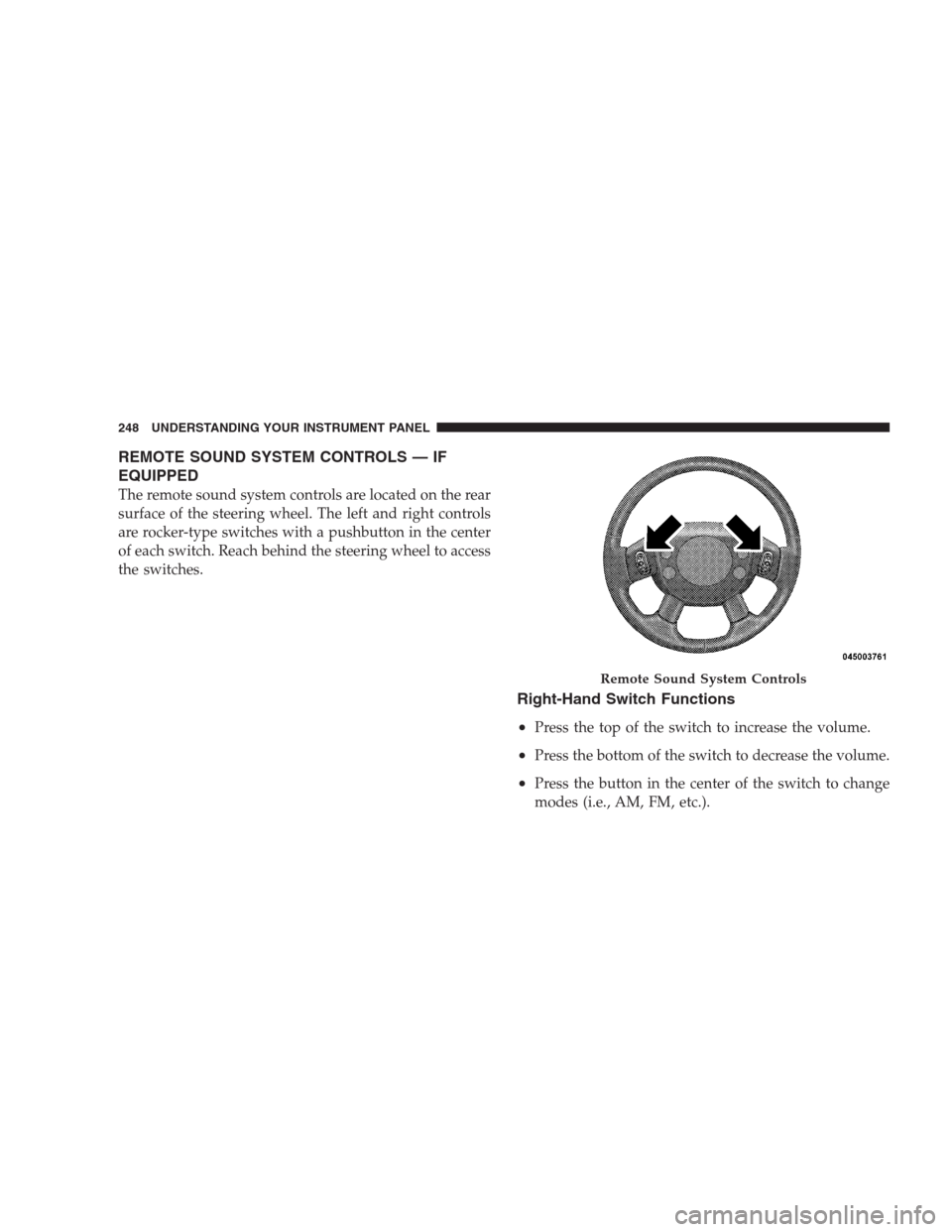
REMOTE SOUND SYSTEM CONTROLS — IF
EQUIPPED
The remote sound system controls are located on the rear
surface of the steering wheel. The left and right controls
are rocker-type switches with a pushbutton in the center
of each switch. Reach behind the steering wheel to access
the switches.
Right-Hand Switch Functions
•
Press the top of the switch to increase the volume.
•Press the bottom of the switch to decrease the volume.
•Press the button in the center of the switch to change
modes (i.e., AM, FM, etc.).
Remote Sound System Controls
248 UNDERSTANDING YOUR INSTRUMENT PANEL
Page 268 of 475

▫Starting........................... 333
▫Cruising Range...................... 333
▫Replacement Parts................... 333
▫Maintenance........................ 334
�Adding Fuel......................... 334
▫Fuel Filler Cap (Gas Cap).............. 334
▫Loose Filler Cap Message.............. 336
�Vehicle Loading...................... 337
▫Vehicle Certification Label.............. 337
▫Gross Vehicle Weight Rating (GVWR)...... 337
▫Gross Axle Weight Rating (GAWR)........ 337
▫Overloading........................ 338
▫Loading........................... 338�Trailer Towing........................ 339
▫Common Towing Definitions............ 339
▫Trailer Hitch Classification.............. 341
▫Trailer Towing Weights (Maximum Trailer
Weight Ratings)..................... 342
▫Trailer And Tongue Weight............. 343
▫Towing Requirements................. 344
▫Towing Tips........................ 347
�Recreational Towing
(Behind Motorhome, Etc.)................ 349
▫Towing This Vehicle Behind Another Vehicle
(Flat Towing With All Four Wheels On The
Ground)........................... 349
266 STARTING AND OPERATING
Page 276 of 475
Gear Ranges
PARK
Supplements the parking brake by locking the transaxle.
The engine can be started in this range. Never attempt to
use PARK while vehicle is in motion. Apply parking
brake when leaving vehicle in this range.
When parking on a flat surface, place the shift lever into
the PARK position first, and then apply the parking
brake.
When parking on a hill, it is important to set the parking
brake before placing the shift lever in PARK, otherwise
the load on the transaxle locking mechanism may make it
difficult to move the shift lever out of PARK. As an added
precaution, turn the front wheels toward the curb on a
downhill grade and away from the curb on an uphill
grade.
WARNING!
Never use PARK as a substitute for the parking
brake. Always apply parking brake fully when
parked to guard against vehicle movement and pos-
sible injury or damage.
CAUTION!
DO NOT race the engine when shifting from PARK
or NEUTRAL positions into another gear range as
this can damage the drivetrain.
REVERSE
Use this range for moving the vehicle rearward. Shift into
this range only after the vehicle has come to a complete
stop.
274 STARTING AND OPERATING
Page 281 of 475
DRIVING ON SLIPPERY SURFACES
Acceleration
Rapid acceleration on snow covered, wet, or other slip-
pery surfaces may cause the front wheels to pull errati-
cally to the right or left. This phenomenon occurs when
there is a difference in the surface traction under the front
(driving) wheels.
WARNING!
Rapid acceleration on slippery surfaces is dangerous.
Unequal traction can cause sudden pulling of the
front wheels. You could lose control of the vehicle
and possibly have an accident. Accelerate slowly and
carefully whenever there is likely to be poor traction
(ice, snow, wet, mud, loose sand, etc.).
Traction
When driving on wet or slushy roads, it is possible for a
wedge of water to build up between the tire and road
surface. This is hydroplaning and may cause partial or
complete loss of vehicle control and stopping ability. To
reduce this possibility, the following precautions should
be observed:
1. Slow down during rainstorms or when roads are
slushy.
2. Slow down if the road has standing water or puddles.
3. Replace the tires when tread wear indicators first
become visible.
4. Keep the tires properly inflated.
5. Maintain enough distance between your vehicle and
the vehicle in front of you to avoid a collision in a sudden
stop.
STARTING AND OPERATING 279
5