Page 172 of 493
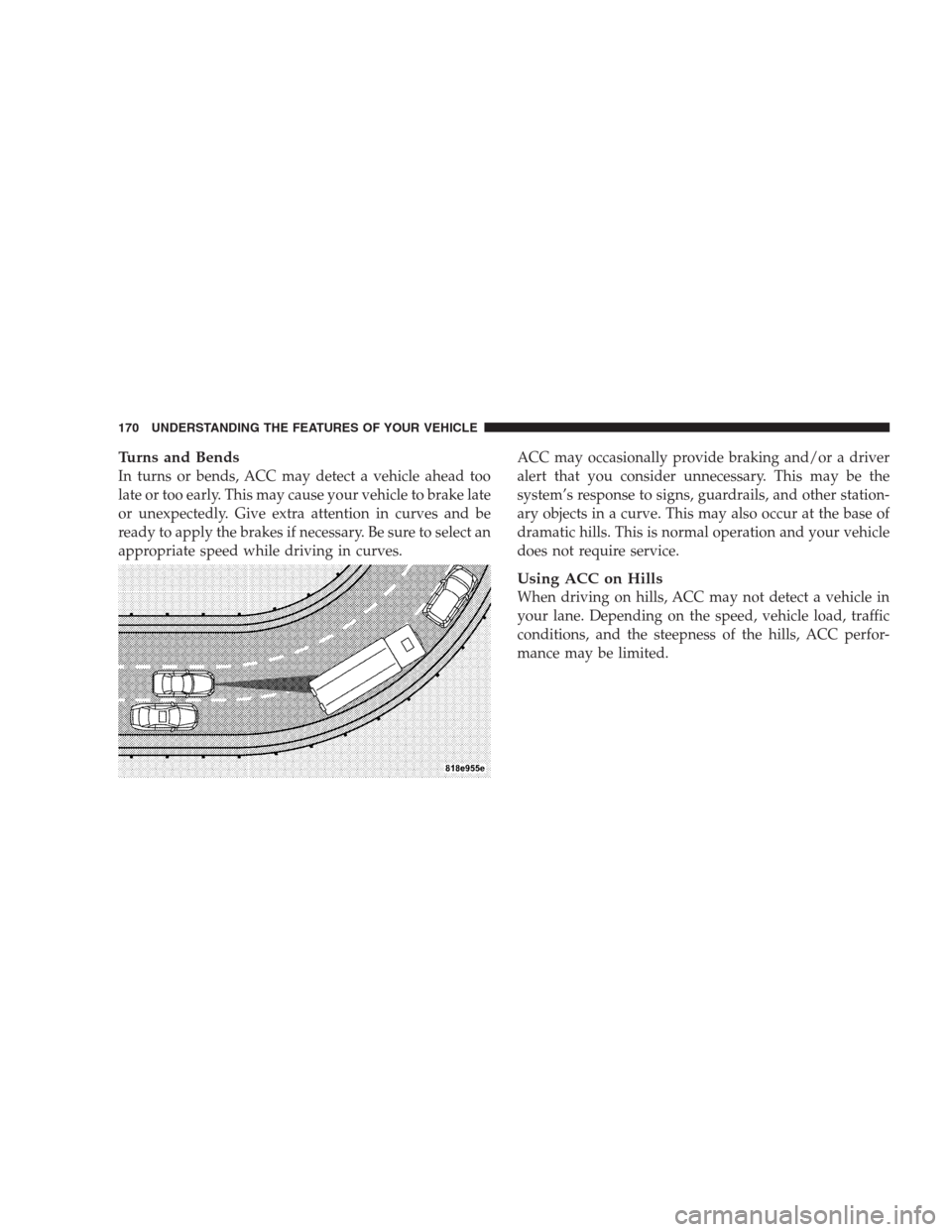
Turns and Bends
In turns or bends, ACC may detect a vehicle ahead too
late or too early. This may cause your vehicle to brake late
or unexpectedly. Give extra attention in curves and be
ready to apply the brakes if necessary. Be sure to select an
appropriate speed while driving in curves.ACC may occasionally provide braking and/or a driver
alert that you consider unnecessary. This may be the
system’s response to signs, guardrails, and other station-
ary objects in a curve. This may also occur at the base of
dramatic hills. This is normal operation and your vehicle
does not require service.
Using ACC on Hills
When driving on hills, ACC may not detect a vehicle in
your lane. Depending on the speed, vehicle load, traffic
conditions, and the steepness of the hills, ACC perfor-
mance may be limited.
170 UNDERSTANDING THE FEATURES OF YOUR VEHICLE
Page 176 of 493
To set a Desired Speed
When the vehicle reaches the speed desired, tap the lever
down and release (“SET/DECEL”). The EVIC will dis-
play the set speed.
NOTE:You must observe the display when setting or
changing speed, not the speedometer.
To Vary the Speed Setting
There are two ways to change the set speed:
•Use the accelerator pedal to adjust the vehicle to the
desired speed and push the lever down (“SET/
DECEL”).
•Tap the stalk up (“ACCEL”) or down (“DECEL”) to
increase or decrease the set speed in 1 mph (1 km/h)
increments respectively. Hold for 5 mph (10 km/h)
increments.
To Cancel
The system will disable Normal cruise control without
erasing the memory if:
•You softly tap or depress the brake pedal.
•You pull the speed control lever toward you (“CAN-
CEL”).
•The Electronic Stability Program/Traction Control
System (ESP/TCS) activates.
To Resume
Push the lever up and release (“RESUME/ACCEL”) and
then remove your foot from the accelerator pedal. The
EVIC will display the last set speed.
174 UNDERSTANDING THE FEATURES OF YOUR VEHICLE
Page 177 of 493
To Turn Off
The system will turn off and erase the set speed in
memory if:
•You push and release the “ON/OFF/MODE” button.
•You turn off the ignition.
•You switch off ESP.
If the cruise control system is turned off and reactivated,
the system will return to the Vehicle-to-vehicle (adaptive)
distance control mode.
REAR PARK ASSIST SYSTEM
The Rear Park Assist system is a driver aid that senses for
obstacles behind the vehicle. Refer to the Warnings,
Cautions, and Notes in this section for system limitations
and usage recommendations.
The Rear Park Assist system is active when the driver
shifts the transmission into the REVERSE position, and
the parking brake is not applied, and the vehicle speed is
less than 10 mph (16 km/h).
The system can be turned on or off through the Electronic
Vehicle Information Center (EVIC) when the vehicle is in
PARK. Refer to “Personal Settings (Customer-
Programmable Features)” under “Electronic Vehicle In-
formation Center (EVIC)” in Section 4.
UNDERSTANDING THE FEATURES OF YOUR VEHICLE 175
3
Page 180 of 493

WARNING!
•Drivers must be careful when backing up even
when using the Rear Park Assist system. Always
check carefully behind your vehicle, look behind
you, and be sure to check for pedestrians, animals,
other vehicles, obstructions, and blind spots be-
fore backing up. You are responsible for safety and
must continue to pay attention to your surround-
ings. Failure to do so can result in serious injury or
death.
(Continued)
WARNING! (Continued)
•Before using the Rear Park Assist system, it is
strongly recommended that the ball mount and
hitch ball assembly is disconnected from the ve-
hicle when the vehicle is not used for towing.
Failure to do so can result in injury or damage to
vehicles or obstacles because the hitch ball will be
much closer to the obstacle than the rear fascia
when the warning display turns the red indicators
on. Also, the sensors could detect the ball mount
and hitch ball assembly, depending on its size and
shape, giving a false indication that an obstacle is
behind the vehicle.
178 UNDERSTANDING THE FEATURES OF YOUR VEHICLE
Page 189 of 493
General Information
This device complies with FCC rules Part 15 and Industry
Canada RSS-210. Operation is subject to the following
two conditions:
1. This device may not cause harmful interference
2. This device must accept any interference that may be
received including interference that may cause undesired
operation
NOTE:The transmitter has been tested and it complies
with FCC and IC rules. Changes or modifications not
expressly approved by the party responsible for compli-
ance could void the user ’s authority to operate the
device.
The term “IC:” before the certification/registration num-
ber only signifies that Industry Canada technical specifi-
cations were met.
POWER SUNROOF — IF EQUIPPED
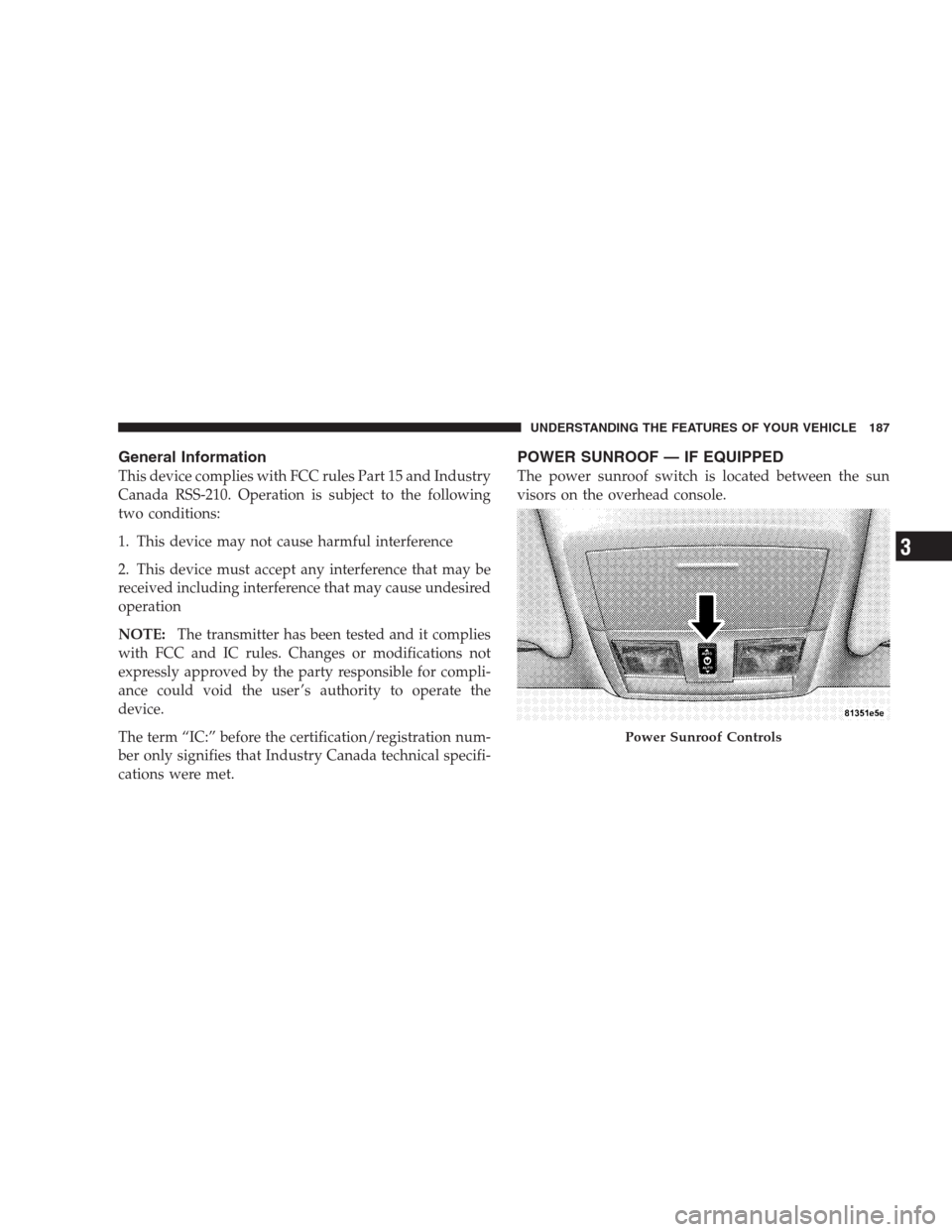
The power sunroof switch is located between the sun
visors on the overhead console.
Power Sunroof Controls
UNDERSTANDING THE FEATURES OF YOUR VEHICLE 187
3
Page 209 of 493

10. Electronic Stability Program (ESP) / Brake Assist
System (BAS) Malfunction Indicator Light
The yellow Electronic Stability Program (ESP)
/ Brake Assist System (BAS) Malfunction Indi-
cator Light will turn on when the key in the
ignition switch is turned to the ON position.
The light should go out with the engine running. If the
light remains on after several ignition cycles, and the
vehicle has been driven several miles (kilometers) at
speeds greater than 30 mph (48 km/h), see an authorized
dealer as soon as possible to have the problem diagnosed
and corrected.
11. Airbag Warning Light
This light will turn on for six to eight seconds
as a bulb check when the ignition switch is first
turned ON. If the light is either not on during
starting, or stays on, or turns on while driving,
then have the system inspected at an authorized dealer as
soon as possible.12. Brake Warning Light
This light monitors various brake functions,
including brake fluid level and parking brake
application. If the brake light turns on, it may
indicate that the parking brake is applied, that
the brake fluid level is low, or that there is a problem with
the anti-lock brake system reservoir.
If the light remains on when the parking brake has been
disengaged, and the fluid level is at the full mark on the
master cylinder reservoir, it indicates a possible brake
hydraulic system malfunction or a problem with the
Brake Booster has been detected by the Anti-Lock Brake
System (ABS) / Electronic Stability Program (ESP) sys-
tem. In this case, the light will remain on until the
condition has been corrected. If the problem is related to
the brake booster, the ABS pump will run when applying
the brake and a brake pedal pulsation may be felt during
each stop.
UNDERSTANDING YOUR INSTRUMENT PANEL 207
4
Page 211 of 493
The light also will turn on when the parking brake is
applied with the ignition switch in the ON position.
NOTE:This light shows only that the parking brake is
applied. It does not show the degree of brake application.
13. Electronic Stability Program (ESP) / Traction
Control System (TCS) Indicator Light
If this indicator light flashes during accelera-
tion, ease up on the accelerator and apply as
little throttle as possible. Adapt your speed and
driving to the prevailing road conditions, and
do not switch off the Electronic Stability Program (ESP).
14. Temperature Gauge
The temperature gauge shows engine coolant tempera-
ture. Any reading within the normal range indicates that
the engine cooling system is operating satisfactorily.The gauge pointer will likely indicate a higher tempera-
ture when driving in hot weather, up mountain grades,
or when towing a trailer. It should not be allowed to
exceed the upper limits of the normal operating range.
CAUTION!
Driving with a hot cooling system could damage
your vehicle. If the temperature gauge reads 240°F
(116°C) or greater, pull over and stop the vehicle. Idle
the vehicle with the air conditioner turned off until
the pointer drops back into the normal range 200–
230°F (93–110°C). If the pointer remains at 240°F
(116°C) or greater and you hear a chime, turn the
engine OFF immediately, and call for service.
UNDERSTANDING YOUR INSTRUMENT PANEL 209
4
Page 214 of 493
As an added safety feature, your vehicle has been
equipped with a Tire Pressure Monitoring System
(TPMS) that illuminates a low tire pressure telltale when
one or more of your tires is significantly under-inflated.
Accordingly, when the low tire pressure telltale illumi-
nates, you should stop and check your tires as soon as
possible, and inflate them to the proper pressure. Driving
on a significantly under-inflated tire causes the tire to
overheat and can lead to tire failure. Under-inflation also
reduces fuel efficiency and tire tread life, and may affect
the vehicle’s handling and stopping ability.
Please note that the TPMS is not a substitute for proper
tire maintenance, and it is the driver ’s responsibility to
maintain correct tire pressure, even if under-inflation has
not reached the level to trigger illumination of the TPMS
low tire pressure telltale.Your vehicle has also been equipped with a TPMS
malfunction indicator to indicate when the system is not
operating properly. The TPMS malfunction indicator is
combined with the low tire pressure telltale. When the
system detects a malfunction, the telltale will flash for
approximately one minute and then remain continuously
illuminated. This sequence will continue upon subse-
quent vehicle start-ups as long as the malfunction exists.
When the malfunction indicator is illuminated, the sys-
tem may not be able to detect or signal low tire pressure
as intended. TPMS malfunctions may occur for a variety
of reasons, including the installation of replacement or
alternate tires or wheels on the vehicle that prevent the
TPMS from functioning properly. Always check the
TPMS malfunction telltale after replacing one or more
tires or wheels on your vehicle, to ensure that the
replacement or alternate tires and wheels allow the TPMS
to continue to function properly.
212 UNDERSTANDING YOUR INSTRUMENT PANEL