Page 33 of 493
•For vehicles not equipped with the EVIC, perform the
following procedure:
1. Close all doors and place the key in the ignition.
2. Cycle the ignition switch between LOCK and ON and
then back to LOCK four times ending up in the LOCK
position.
3. Depress the power door UNLOCK switch to unlock
the doors.
4. A single chime will indicate the completion of the
programming.
5. Repeat these steps if you want to return this feature to
its previous setting.
NOTE:Use the Automatic Unlock Doors On Exit feature
in accordance with local laws.Passive Entry System — If Equipped
The Passive Entry system allows you to unlock the
vehicle’s door(s) without using the Remote Keyless Entry
(RKE) transmitter unlock button, or the unlock button
located on the vehicle’s interior door panel. To use this
feature you must have a valid RKE transmitter within 3 ft
(1.5 m) of the door handle you desire to use.
To Unlock the Vehicle’s Doors
To unlock the vehicle’s door(s), grasp the door handle
and the door(s) will unlock.
NOTE:
•If the vehicle has not been used for 72 hours or it has
been raining for 24 hours, you may have to pull a door
handle to reactivate this feature.
•If the vehicle’s door locks are programmed to “Unlock
Driver’s Door 1st Press”, only the driver’s door will
unlock when the driver’s door handle is grasped. If the
vehicle’s door locks are programmed to “Unlock All
THINGS TO KNOW BEFORE STARTING YOUR VEHICLE 31
2
Page 37 of 493
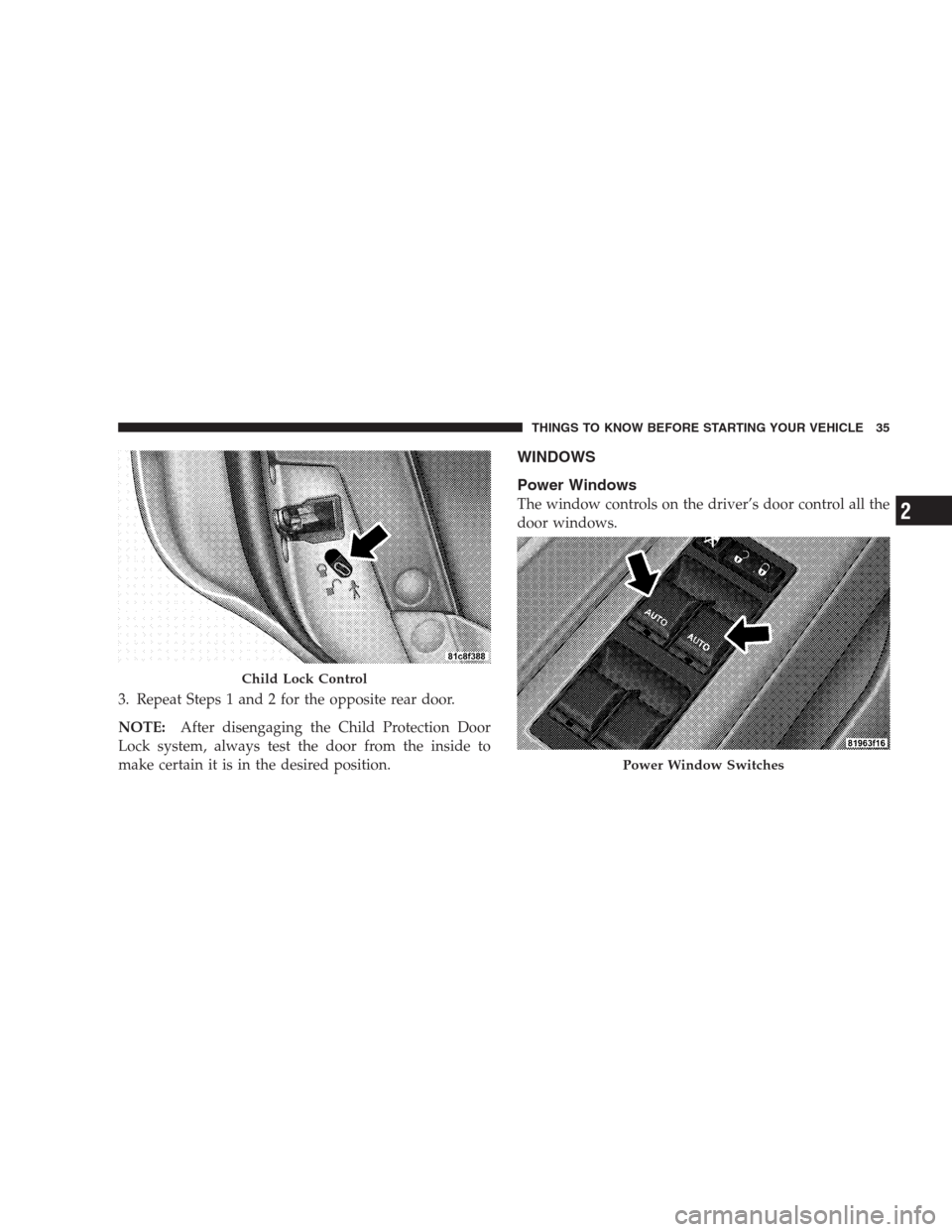
3. Repeat Steps 1 and 2 for the opposite rear door.
NOTE:After disengaging the Child Protection Door
Lock system, always test the door from the inside to
make certain it is in the desired position.
WINDOWS
Power Windows
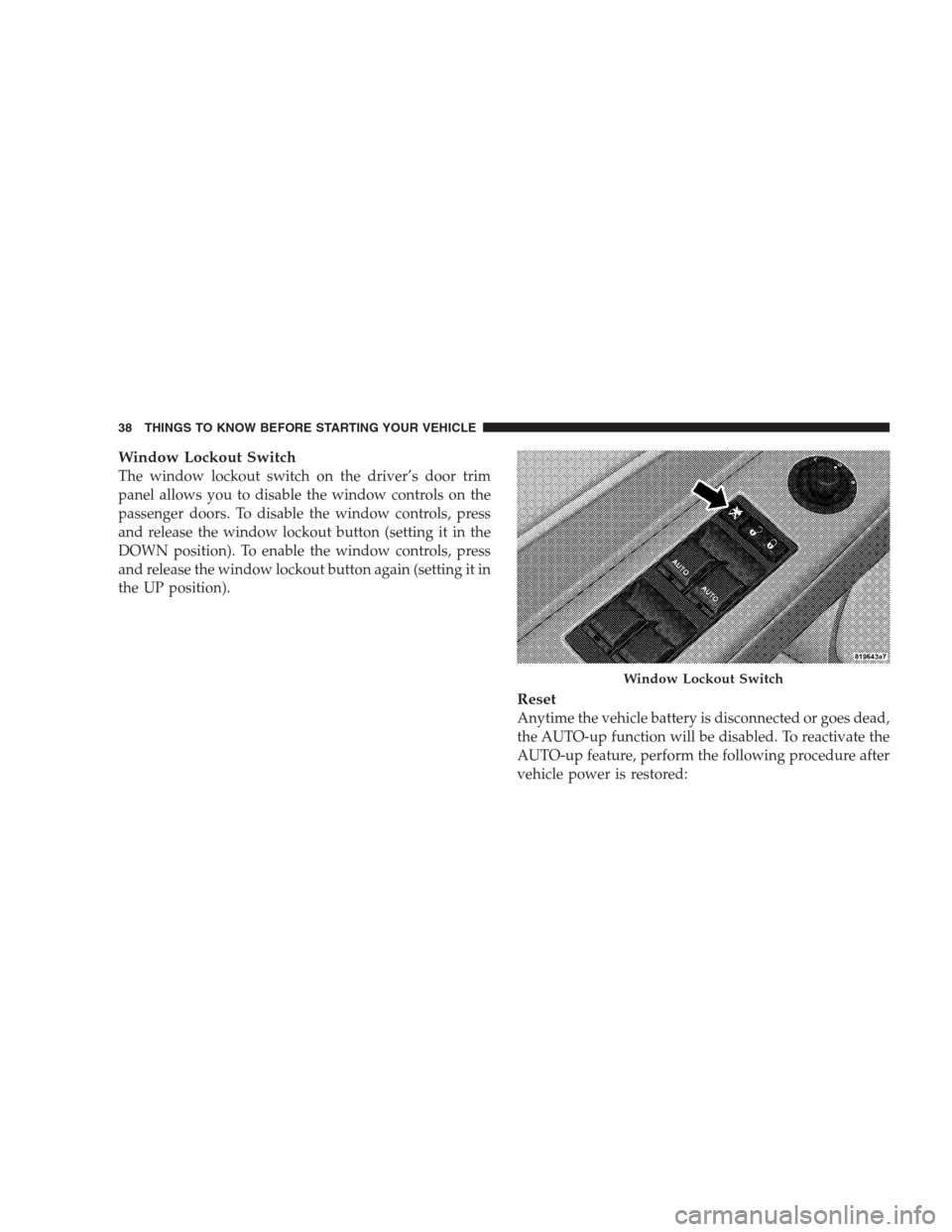
The window controls on the driver’s door control all the
door windows.
Child Lock Control
Power Window Switches
THINGS TO KNOW BEFORE STARTING YOUR VEHICLE 35
2
Page 38 of 493
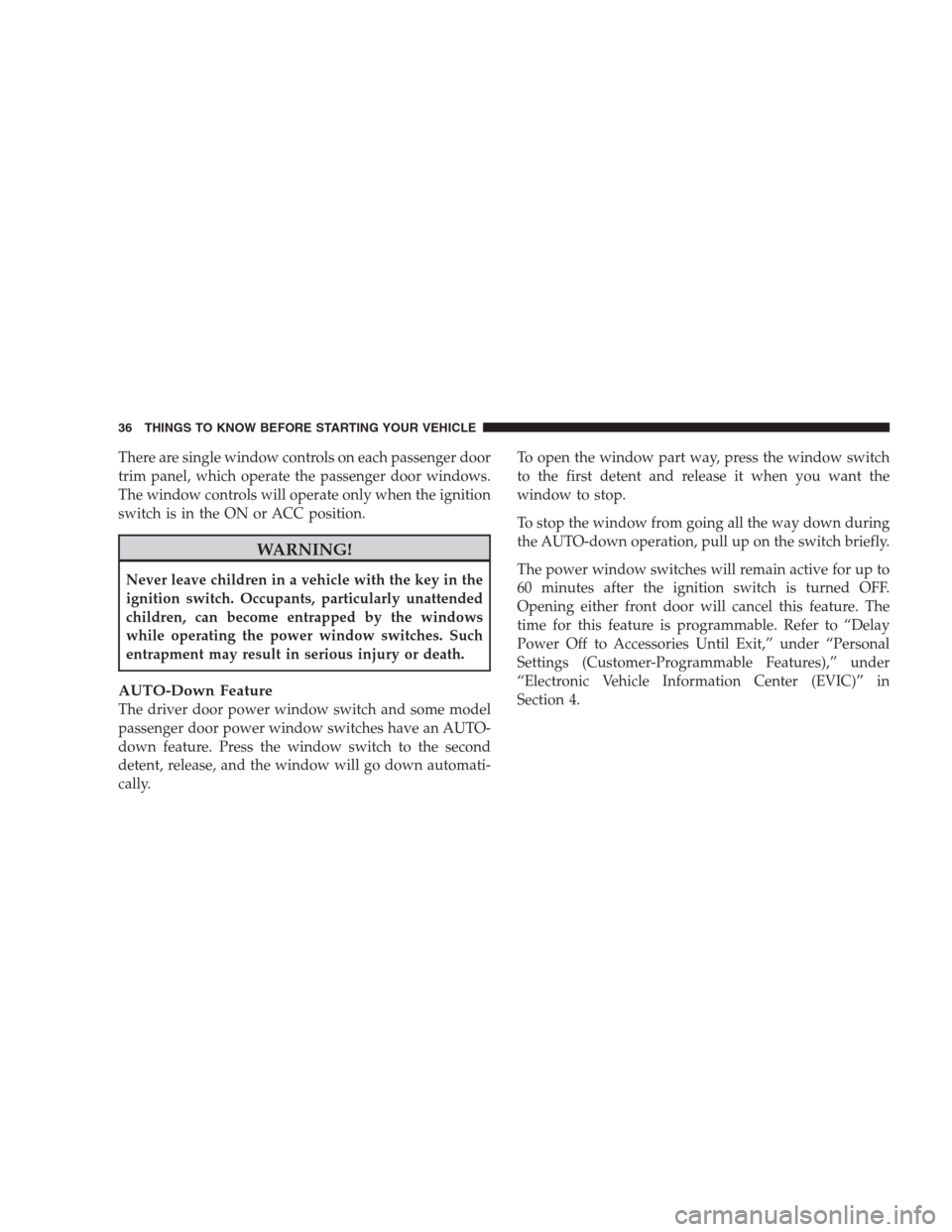
There are single window controls on each passenger door
trim panel, which operate the passenger door windows.
The window controls will operate only when the ignition
switch is in the ON or ACC position.
WARNING!
Never leave children in a vehicle with the key in the
ignition switch. Occupants, particularly unattended
children, can become entrapped by the windows
while operating the power window switches. Such
entrapment may result in serious injury or death.
AUTO-Down Feature
The driver door power window switch and some model
passenger door power window switches have an AUTO-
down feature. Press the window switch to the second
detent, release, and the window will go down automati-
cally.To open the window part way, press the window switch
to the first detent and release it when you want the
window to stop.
To stop the window from going all the way down during
the AUTO-down operation, pull up on the switch briefly.
The power window switches will remain active for up to
60 minutes after the ignition switch is turned OFF.
Opening either front door will cancel this feature. The
time for this feature is programmable. Refer to “Delay
Power Off to Accessories Until Exit,” under “Personal
Settings (Customer-Programmable Features),” under
“Electronic Vehicle Information Center (EVIC)” in
Section 4.
36 THINGS TO KNOW BEFORE STARTING YOUR VEHICLE
Page 39 of 493
AUTO-Up Feature with Anti–Pinch Protection — If
Equipped
Lift the window switch to the second detent, release, and
the window will go up automatically.
To stop the window from going all the way up during the
AUTO-up operation, push down on the switch briefly.
To close the window part way, lift the window switch to
the first detent and release it when you want the window
to stop.
The power window switches will remain active for up to
60 minutes after the ignition switch is turned off. Open-
ing either front door will cancel this feature. The time for
this feature is programmable. Refer to “Delay Power Off
to Accessories Until Exit,” under “Personal Settings
(Customer-Programmable Features),” under “Electronic
Vehicle Information Center (EVIC)” in Section 4.NOTE:
•If the window runs into any obstacle during auto-
closure, it will reverse direction and then stop. Remove
the obstacle and use the window switch again to close
the window.
•Any impact due to rough road conditions may trigger
the auto-reverse function unexpectedly during auto-
closure. If this happens, pull the switch lightly to the
first detent and hold to close the window manually.
WARNING!
There is no anti-pinch protection when the window
is almost closed. Be sure to clear all objects from the
window before closing.
THINGS TO KNOW BEFORE STARTING YOUR VEHICLE 37
2
Page 40 of 493
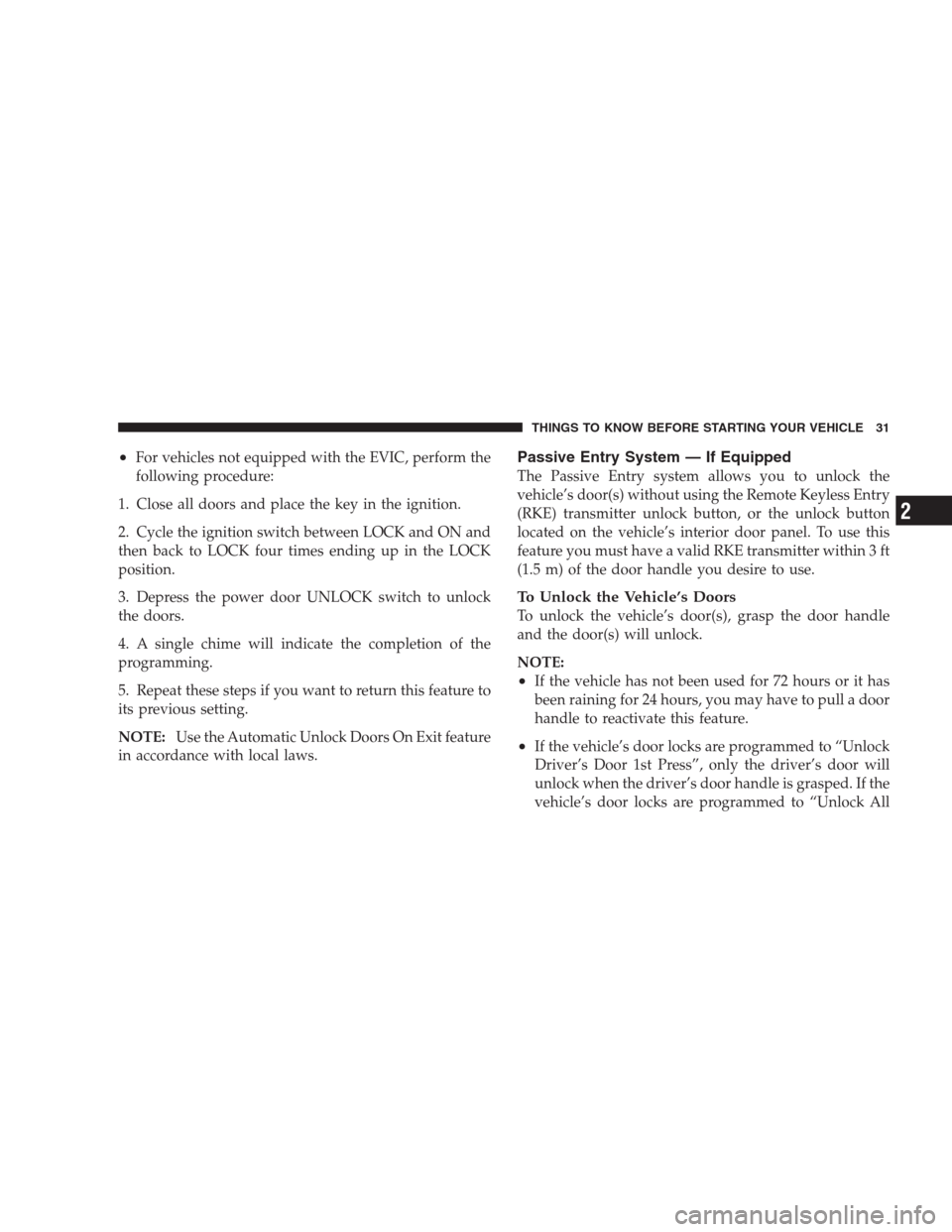
Window Lockout Switch
The window lockout switch on the driver’s door trim
panel allows you to disable the window controls on the
passenger doors. To disable the window controls, press
and release the window lockout button (setting it in the
DOWN position). To enable the window controls, press
and release the window lockout button again (setting it in
the UP position).
Reset
Anytime the vehicle battery is disconnected or goes dead,
the AUTO-up function will be disabled. To reactivate the
AUTO-up feature, perform the following procedure after
vehicle power is restored:
Window Lockout Switch
38 THINGS TO KNOW BEFORE STARTING YOUR VEHICLE
Page 64 of 493

However, if you haven’t healed significantly within a
few days or if you have any blistering, see your doctor
immediately.
•As the airbags deflate, you may see some smoke-like
particles. The particles are a normal by-product of the
process that generates the nontoxic gas used for airbag
inflation. These airborne particles may irritate the skin,
eyes, nose, or throat. If you have skin or eye irritation,
rinse the area with cool water. For nose or throat
irritation, move to fresh air. If the irritation continues,
see your doctor. If these particles settle on your
clothing, follow the garment manufacturer’s instruc-
tions for cleaning.
•It is not advisable to drive your vehicle after the
airbags have been deployed. If you are involved in
another collision, the airbags will not be in place to
protect you.
WARNING!
Deployed airbags can’t protect you in another colli-
sion. Have the airbags replaced by an authorized
dealer as soon as possible.
Enhanced Accident Response System
In the event of an impact that causes airbag deployment,
with the vehicle stopped, and the vehicle communication
network intact, and the power intact, the Enhanced
Accident Response System performs the following func-
tions:
•Cuts off fuel to the engine.
•Flashes hazard lights.
•Turns on the interior lights, which remain on as long as
the battery has power or until the ignition key is
removed.
•Unlocks the doors automatically.
62 THINGS TO KNOW BEFORE STARTING YOUR VEHICLE
Page 66 of 493

•The light remains on or flickers after the six to eight
second interval.
•The light flickers or comes on and remains on while
driving.
Event Data Recorder (EDR)
In the event of an accident, your vehicle is designed to
record up to five seconds of specific vehicle data param-
eters (see the following list) in an event data recorder
prior to the moment of airbag deployment, or near
deployment, and up to a quarter second of high-speed
deceleration data during and/or after airbag deploy-
ment. EDR data are ONLY recorded if an airbag deploys,
or nearly deploys, and are otherwise unavailable.
NOTE:
1. A near-deployment event occurs when the airbag
sensor detects severe vehicle deceleration usually indica-
tive of a crash, but not severe enough to warrant airbag
deployment.2. Under certain circumstances, EDR data may not be
recorded (e.g., loss of battery power).
In conjunction with other data gathered during a com-
plete accident investigation, the electronic data may be
used by Chrysler LLC and others to learn more about the
possible causes of crashes and associated injuries in order
to assess and improve vehicle performance. In addition
to crash investigations initiated by Chrysler LLC, such
investigations may be requested by customers, insurance
carriers, government officials, and professional crash
researchers, such as those associated with universities,
and with hospital and insurance organizations.
In the event that an investigation is undertaken by
Chrysler LLC (regardless of initiative), the company or its
designated representative will first obtain permission of
the appropriate custodial entity for the vehicle (usually
the vehicle owner or lessee) before accessing the elec-
tronic data stored, unless ordered to download data by a
64 THINGS TO KNOW BEFORE STARTING YOUR VEHICLE
Page 80 of 493

Defroster
Check operation by selecting the defrost mode and place
the blower control on high speed. You should be able to
feel the air directed against the windshield. See your
authorized dealer for service if your defroster is
inoperable.
Periodic Safety Checks You Should Make Outside
The Vehicle
Tires
Examine tires for excessive tread wear and uneven wear
patterns. Check for stones, nails, glass, or other objects
lodged in the tread. Inspect the tread and sidewall for
cuts and cracks. Check the wheel nuts for tightness.
Check the tires (including spare) for proper pressure.
Lights
Have someone observe the operation of exterior lights
while you work the controls. Check turn signal and high
beam indicator lights on the instrument panel.
Door Latches
Check for positive closing, latching, and locking.
Fluid Leaks
Check area under vehicle after overnight parking for fuel,
engine coolant, oil, or other fluid leaks. Also, if gasoline
fumes are detected or if fuel, power steering fluid, or
brake fluid leaks are suspected, the cause should be
located and corrected immediately.
78 THINGS TO KNOW BEFORE STARTING YOUR VEHICLE