Page 166 of 526
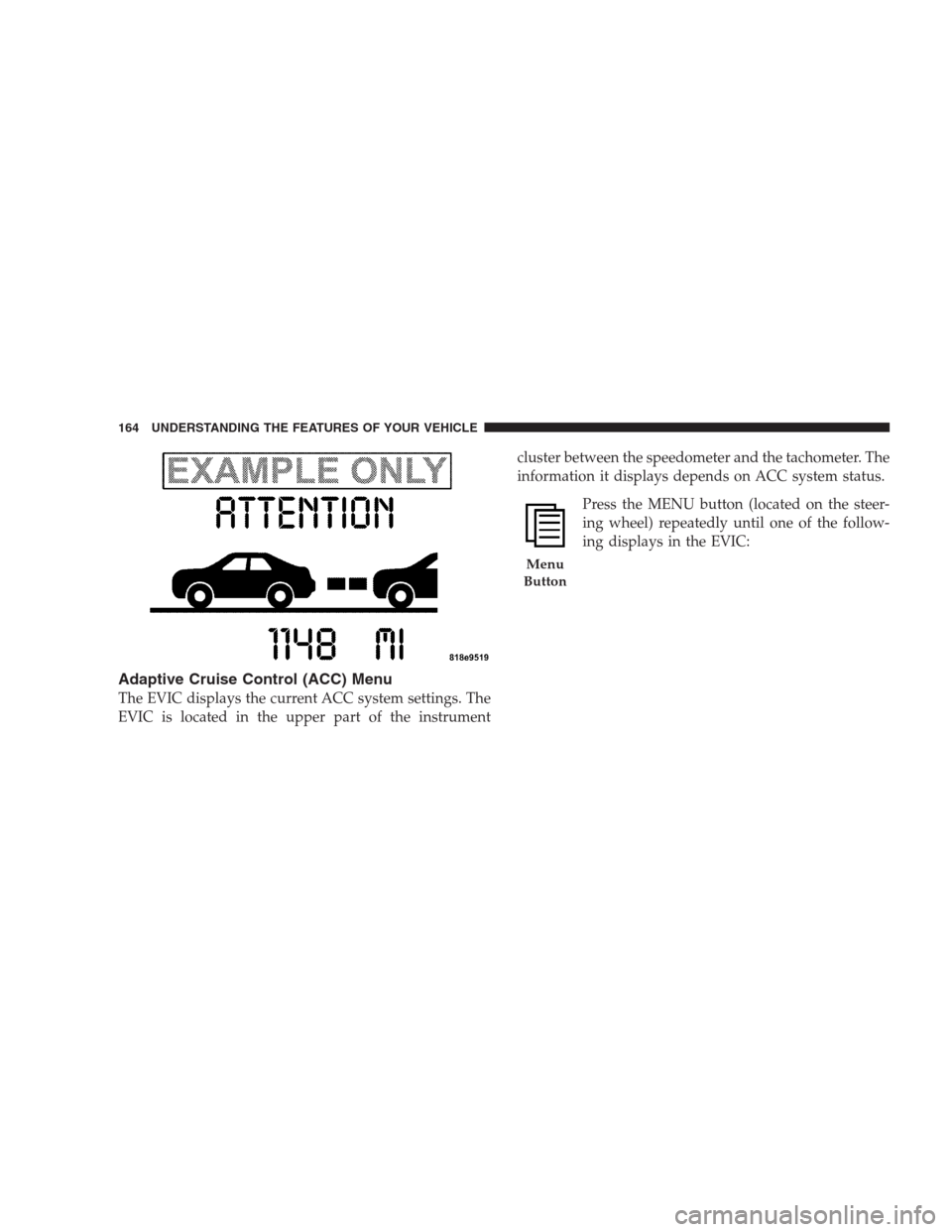
Adaptive Cruise Control (ACC) Menu
The EVIC displays the current ACC system settings. The
EVIC is located in the upper part of the instrumentcluster between the speedometer and the tachometer. The
information it displays depends on ACC system status.
Press the MENU button (located on the steer-
ing wheel) repeatedly until one of the follow-
ing displays in the EVIC:
Menu
Button
164 UNDERSTANDING THE FEATURES OF YOUR VEHICLE
Page 170 of 526
Display Warnings and Maintenance
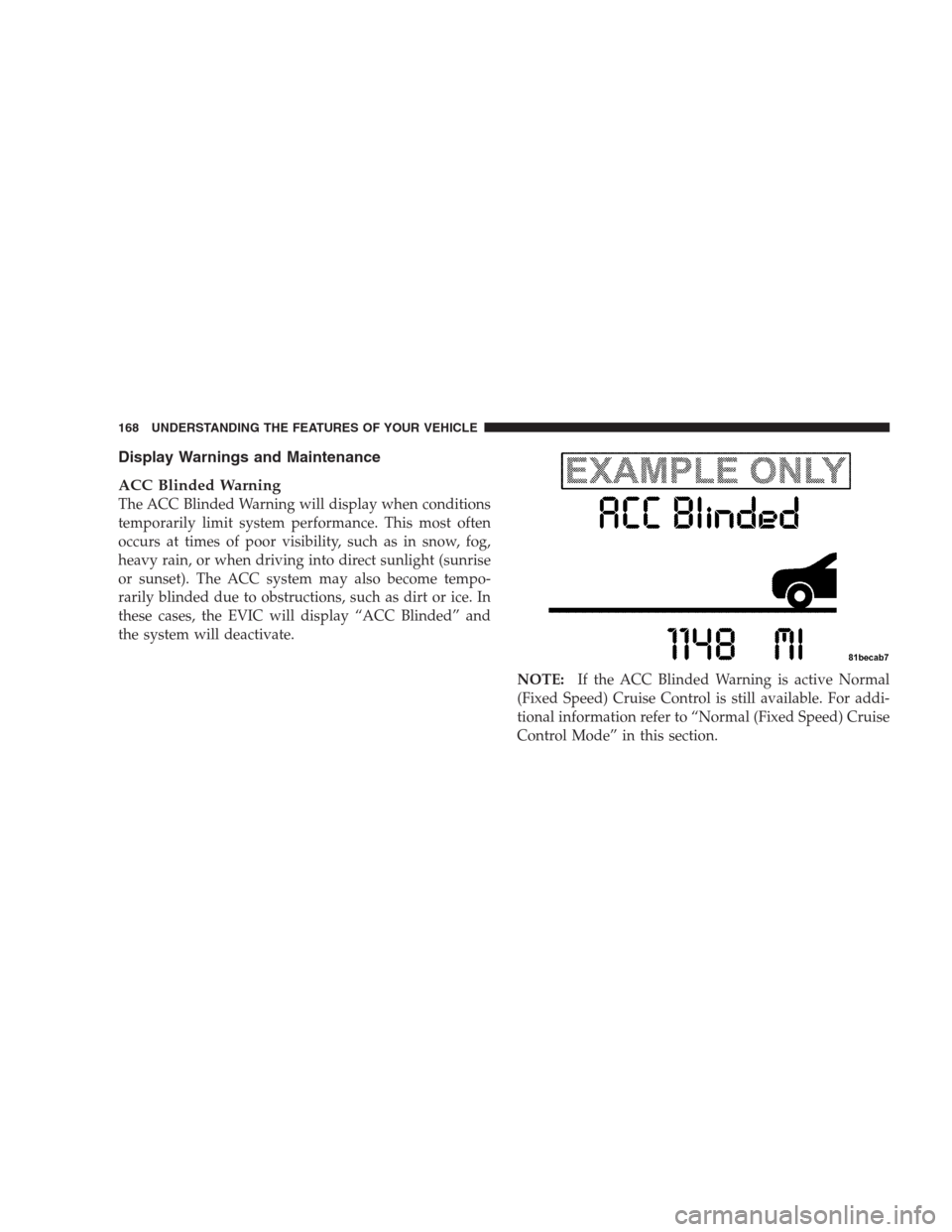
ACC Blinded Warning
The ACC Blinded Warning will display when conditions
temporarily limit system performance. This most often
occurs at times of poor visibility, such as in snow, fog,
heavy rain, or when driving into direct sunlight (sunrise
or sunset). The ACC system may also become tempo-
rarily blinded due to obstructions, such as dirt or ice. In
these cases, the EVIC will display “ACC Blinded” and
the system will deactivate.
NOTE:If the ACC Blinded Warning is active Normal
(Fixed Speed) Cruise Control is still available. For addi-
tional information refer to “Normal (Fixed Speed) Cruise
Control Mode” in this section.
168 UNDERSTANDING THE FEATURES OF YOUR VEHICLE
Page 177 of 526
Normal (Fixed Speed) Cruise Control Mode
In addition to adaptive cruise control mode, a normal
(fixed speed) cruise control mode is available for cruising
at fixed speeds. The Normal cruise control mode is
designed to maintain a set cruising speed without requir-
ing the driver to operate the accelerator. Cruise control
can only be operated if the vehicle speed is above 25 mph
(40 km/h).
To change modes, press and hold the�ON/OFF/MODE�
button for at least one second in either the OFF state or
the READY state.�Normal Cruise Ready�will be dis-
played once the mode becomes available. To switch back
to ACC, press and hold the “ON/OFF/MODE” button
again for at least one second.WARNING!
In the normal cruise control mode, the system will
not react to vehicles ahead. In addition, the proximity
warning does not activate and no alarm will sound
even if you are too close to the vehicle ahead since
the presence of the vehicle ahead nor the vehicle-to-
vehicle distance is detected. Be sure to maintain a
safe distance between your vehicle and the vehicle
ahead. Always be aware which mode is selected.
To set a Desired Speed
When the vehicle reaches the speed desired, tap the lever
down and release (“SET/DECEL”). The EVIC will dis-
play the set speed.
NOTE:You must observe the display when setting or
changing speed, not the speedometer.
UNDERSTANDING THE FEATURES OF YOUR VEHICLE 175
3
Page 178 of 526
To Vary the Speed Setting
There are two ways to change the set speed:
•Use the accelerator pedal to adjust the vehicle to the
desired speed and push the lever down (“SET/
DECEL”).
•Tap the stalk up (“ACCEL”) or down (“DECEL”) to
increase or decrease the set speed in 1 mph (1 km/h)
increments respectively. Hold for 5 mph (10 km/h)
increments.
To Cancel
The system will disable Normal cruise control without
erasing the memory if:
•You softly tap or depress the brake pedal.
•You pull the speed control lever toward you (“CAN-
CEL”).
•The Electronic Stability Program/Traction Control
System (ESP/TCS) activates.
To Resume
Push the lever up and release (“RESUME/ACCEL”) and
then remove your foot from the accelerator pedal. The
EVIC will display the last set speed.
To Turn Off
The system will turn off and erase the set speed in
memory if:
•You push and release the “ON/OFF/MODE” button.
•You turn off the ignition.
•You switch off ESP.
If the cruise control system is turned off and reactivated,
the system will return to the Vehicle-to-vehicle (adaptive)
distance control mode.
176 UNDERSTANDING THE FEATURES OF YOUR VEHICLE
Page 210 of 526
INSTRUMENT CLUSTER DESCRIPTIONS
1. Electronic Speed Control / Adaptive Cruise Control
(ACC) Indicator Light — If Equipped
This light will turn on when the electronic
speed control or Adaptive Cruise Control
(ACC) is ON.
2. Low Fuel Indicator Light
This light will turn on and a single chime will
sound when the fuel level drops to 1/8 tank.
3. Front Fog Light Indicator — If Equipped
This light will turn on when the front fog lights are
ON.
4. Turn Signal Indicators
The arrow will flash with the exterior turn signal
when the turn signal lever is operated.NOTE:•A continuous chime will sound if the vehicle is driven
more than 1 mile (1.6 km) with either turn signal on.
•Check for an inoperative outside light bulb if either
indicator flashes at a rapid rate.
5. Speedometer
Indicates vehicle speed.
6. Odometer/Trip Odometer Display / Electronic
Vehicle Information Center (EVIC) Display — If
Equipped
The odometer shows the total distance the vehicle has
been driven. The trip odometer shows individual trip
mileage. Refer to “Trip Odometer Button” for additional
information.
NOTE:U.S. Federal regulations require upon transfer of
vehicle ownership, the seller certify the mileage the
vehicle has been driven. Therefore, if the odometer
208 UNDERSTANDING YOUR INSTRUMENT PANEL
Page 225 of 526
•SERVICE AWD SYSTEM — All Wheel Drive (AWD)
system is not functioning properly and service is
required.
•Normal Cruise Ready — When Adaptive Cruise Con-
trol (ACC) system is turned off and Normal (Fixed
Speed) Cruise Control mode is available. Refer to
“Adaptive Cruise Control (ACC)” in Section 3 (if
equipped).
•Cruise Off — When the Adaptive Cruise Control
(ACC) system is turned off. Refer to “Adaptive Cruise
Control (ACC)” in Section 3 (if equipped).
•ACC Ready — When the ACC system is activated.
Refer to “Adaptive Cruise Control (ACC)” in Section 3
(if equipped).
•ACC Set — After setting the desired speed in the ACC
system. Refer to “Adaptive Cruise Control (ACC)” in
Section 3 (if equipped).
•ACC Cancelled — To disable the ACC system. Refer to
“Adaptive Cruise Control (ACC)” in Section 3 (if
equipped).
•Sensed Vehicle Indicator — The system detects a
slower moving vehicle in the same lane. Refer to
“Adaptive Cruise Control (ACC)” in Section 3 (if
equipped).
•Driver Override — If you apply the accelerator after
setting the desired speed in the ACC system. Refer to
“Adaptive Cruise Control (ACC)” in Section 3 (if
equipped).
•Distance Set — After changing the desired following
distance in the ACC system, this message will display
momentarily. Refer to “Adaptive Cruise Control
(ACC)” in Section 3 (if equipped).
UNDERSTANDING YOUR INSTRUMENT PANEL 223
4
Page 226 of 526
•Attention — If the ACC system predicts that its
maximum braking level is not sufficient to maintain
the set distance, this message will flash and a chime
will sound while ACC continues to apply its maxi-
mum braking capacity. When this occurs, you should
immediately apply the brakes as needed to maintain a
safe distance from the vehicle ahead. Refer to “Adap-
tive Cruise Control (ACC)” in Section 3 (if equipped).
•ACC Blinded — If the ACC system deactivates due to
performance limiting conditions. Refer to “Adaptive
Cruise Control (ACC)” in Section 3 (if equipped).
•ACC Unavailable — If the ACC system turns off due
to a temporary malfunction that limits functionality.
Refer to “Adaptive Cruise Control (ACC)” in Section 3
(if equipped).
•Service ACC — If the ACC system turns off due to an
internal system fault that requires service from an
authorized dealer. Refer to “Adaptive Cruise Control
(ACC)” in Section 3 (if equipped).
•Adjustable Pedals Disabled – Cruise Engaged (with a
single chime) — only available on vehicles equipped
with memory seats.
•Adjustable Pedals Disabled – Vehicle In REVERSE
(with a single chime) — only available on vehicles
equipped with memory seats.
•Channel # Transmit
•Channel # Training
•Channel # Trained
•Clearing Channels
•Channels Cleared
224 UNDERSTANDING YOUR INSTRUMENT PANEL
Page 456 of 526
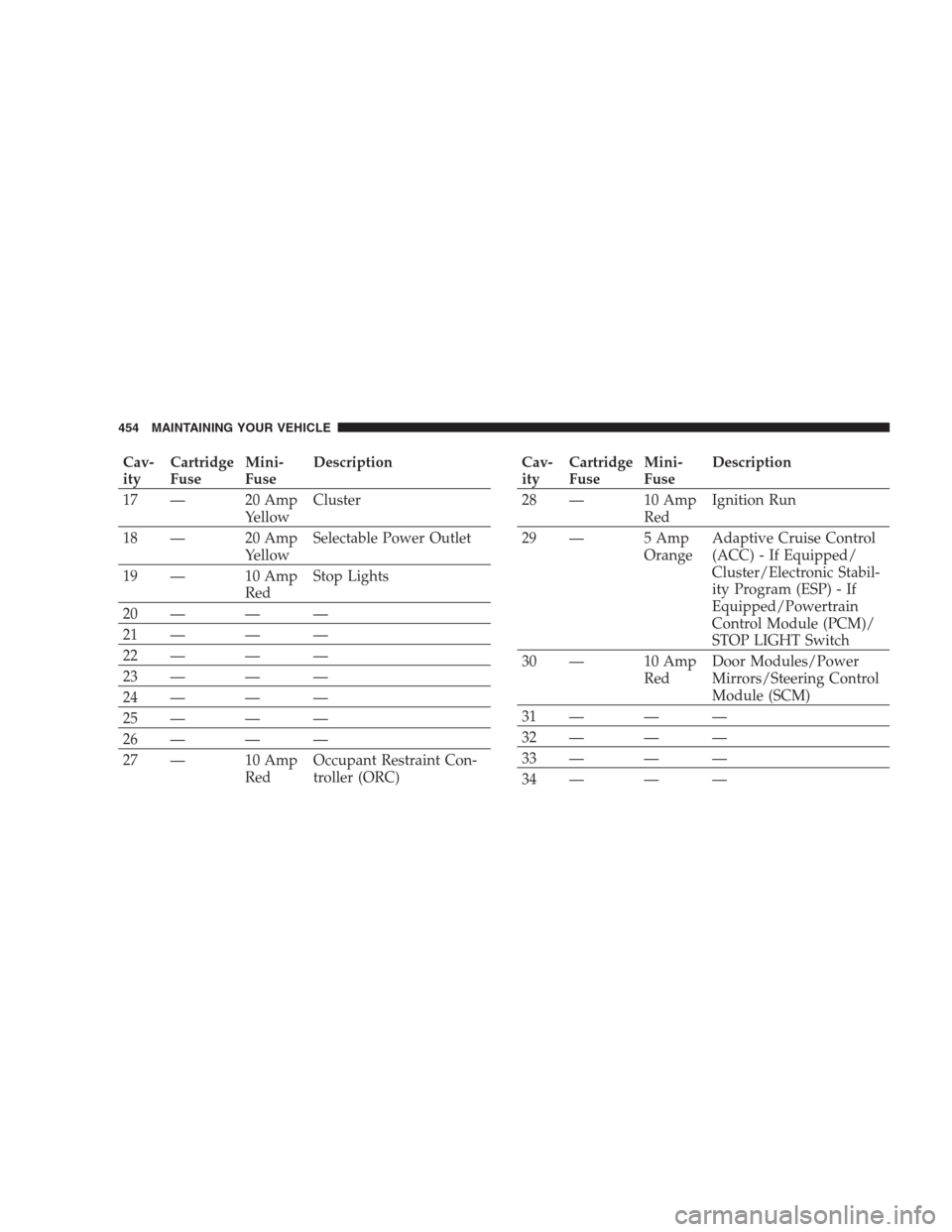
Cav-
ityCartridge
FuseMini-
FuseDescription
17 — 20 Amp
YellowCluster
18 — 20 Amp
YellowSelectable Power Outlet
19 — 10 Amp
RedStop Lights
20 — — —
21 — — —
22 — — —
23 — — —
24 — — —
25 — — —
26 — — —
27 — 10 Amp
RedOccupant Restraint Con-
troller (ORC)Cav-
ityCartridge
FuseMini-
FuseDescription
28 — 10 Amp
RedIgnition Run
29 — 5 Amp
OrangeAdaptive Cruise Control
(ACC) - If Equipped/
Cluster/Electronic Stabil-
ity Program (ESP) - If
Equipped/Powertrain
Control Module (PCM)/
STOP LIGHT Switch
30 — 10 Amp
RedDoor Modules/Power
Mirrors/Steering Control
Module (SCM)
31 — — —
32 — — —
33 — — —
34 — — —
454 MAINTAINING YOUR VEHICLE