Page 98 of 537

Voice Recognition Button
Actual button location may vary with the ra-
dio. The individual buttons are described in the
“Operation” section.
The UConnect�system can be used with any Hands-Free
Profile certified Bluetooth�cellular phone. See the
UConnect�website for supported phones. If your cellu-
lar phone supports a different profile (e.g., Headset
Profile) you may not be able to use any UConnect�
features. Refer to your cellular service provider or the
phone manufacturer for details.
The UConnect�system is fully integrated with the vehi-
cle’s audio system. The volume of the UConnect�system
can be adjusted either from the radio volume control
knob or from the steering wheel radio control (right
switch), if so equipped.The radio display will be used for visual prompts from
the UConnect�system such as�CELL�or caller ID on
certain radios.
Operation
Voice commands can be used to operate the UConnect�
system and to navigate through the UConnect�menu
structure. Voice commands are required after most
UConnect�system prompts. You will be prompted for a
specific command and then guided through the available
options.
•Prior to giving a voice command, one must wait for
the beep, which follows the�Ready�prompt or another
prompt.
•For certain operations, compound commands can be
used. For example, instead of saying�Setup�and then
�Phone Pairing,�the following compound command
can be said:�Setup Phone Pairing.�
96 UNDERSTANDING THE FEATURES OF YOUR VEHICLE
Page 136 of 537

WARNING!
•Be certain that the seatback is securely locked into
position. If the seatback is not securely locked into
position, the seat will not provide the proper
stability for child seats and/or passengers. An
improperly latched seat could cause serious injury.
•The cargo area in the rear of the vehicle (with the
rear seatbacks in the locked-up or folded down
position) should not be used as a play area by
children when the vehicle is in motion. They could
be seriously injured in an accident. Children
should be seated and using the proper restraint
system.
DRIVER MEMORY SEAT — IF EQUIPPED
This feature allows the driver to store up to two different
memory profiles for easy recall through a memory
switch. Each memory profile contains desired position
settings for the driver seat, side mirror, adjustable pedals
(if equipped), and power tilt and telescopic steering
column (if equipped) and a set of desired radio station
presets.
NOTE:Only one Remote Keyless Entry (RKE) transmit-
ter can be linked to each of the memory positions.
The memory switch is located on the driver’s door trim
panel. The switch contains an (S) button to activate the
memory save function. It also contains a rocker switch
labeled with the number (1) and the number (2). The
rocker switch allows the driver to recall either of two
pre-programmed memory profiles by pressing the appro-
priate side of the switch.
134 UNDERSTANDING THE FEATURES OF YOUR VEHICLE
Page 137 of 537
Programming The Memory Feature
NOTE:Saving a new memory profile will erase an
existing profile from memory.
To create a new memory profile, perform the following:
1. Turn your ignition to the ON position.2. Adjust all memory profile settings to desired prefer-
ences (i.e., seat, side mirror, adjustable pedals [if
equipped], power tilt and telescopic steering column [if
equipped], and radio station presets).
3. Press and release the SET (S) button on the memory
switch.
4. Within five seconds, press and release the memory
button 1 or 2. The Electronic Vehicle Information Center
(EVIC) (if equipped) will display which memory position
has been set.
NOTE:
•Memory is not linked to Passive Entry (if equipped).
•Memory profiles can be set without the vehicle in
PARK, but the vehicle must be in PARK to recall a
memory profile.
Memory Switch
UNDERSTANDING THE FEATURES OF YOUR VEHICLE 135
3
Page 139 of 537

To recall the memory settings for driver one, press
MEMORY button number 1 on the driver’s door or the
UNLOCK button on the RKE transmitter linked to
memory position 1.
To recall the memory setting for driver two, press
MEMORY button number 2 on the driver’s door or the
UNLOCK button on the RKE transmitter linked to
memory position 2.
A recall can be cancelled by pressing any of the
MEMORY buttons (S, 1, or 2) on the driver’s door during
a recall. When a recall is cancelled, the driver seat, side
mirror, adjustable pedals (if equipped), and power tilt
and telescopic steering column (if equipped) stop mov-
ing. A delay of one second will occur before another recall
can be selected.Easy Entry/Exit Seat (Available with Memory Seat
Only)
This feature provides automatic driver seat positioning to
enhance driver mobility when entering and exiting the
vehicle.
The distance the driver seat moves depends on where
you have the driver seat positioned when you remove the
key from the ignition switch.
•When you remove the key from the ignition switch,
the driver seat will move about 2.4 in (60 mm)
rearward if the driver seat position is greater than or
equal to 2.7 in (67.7 mm) forward of the rear stop. The
seat will return to its previously set position when you
insert the key into the ignition switch and turn it out of
the LOCK position.
•When you remove the key from the ignition switch,
the driver seat will move to a position 0.3 in (7.7 mm)
forward of the rear stop if the driver seat position is
UNDERSTANDING THE FEATURES OF YOUR VEHICLE 137
3
Page 146 of 537
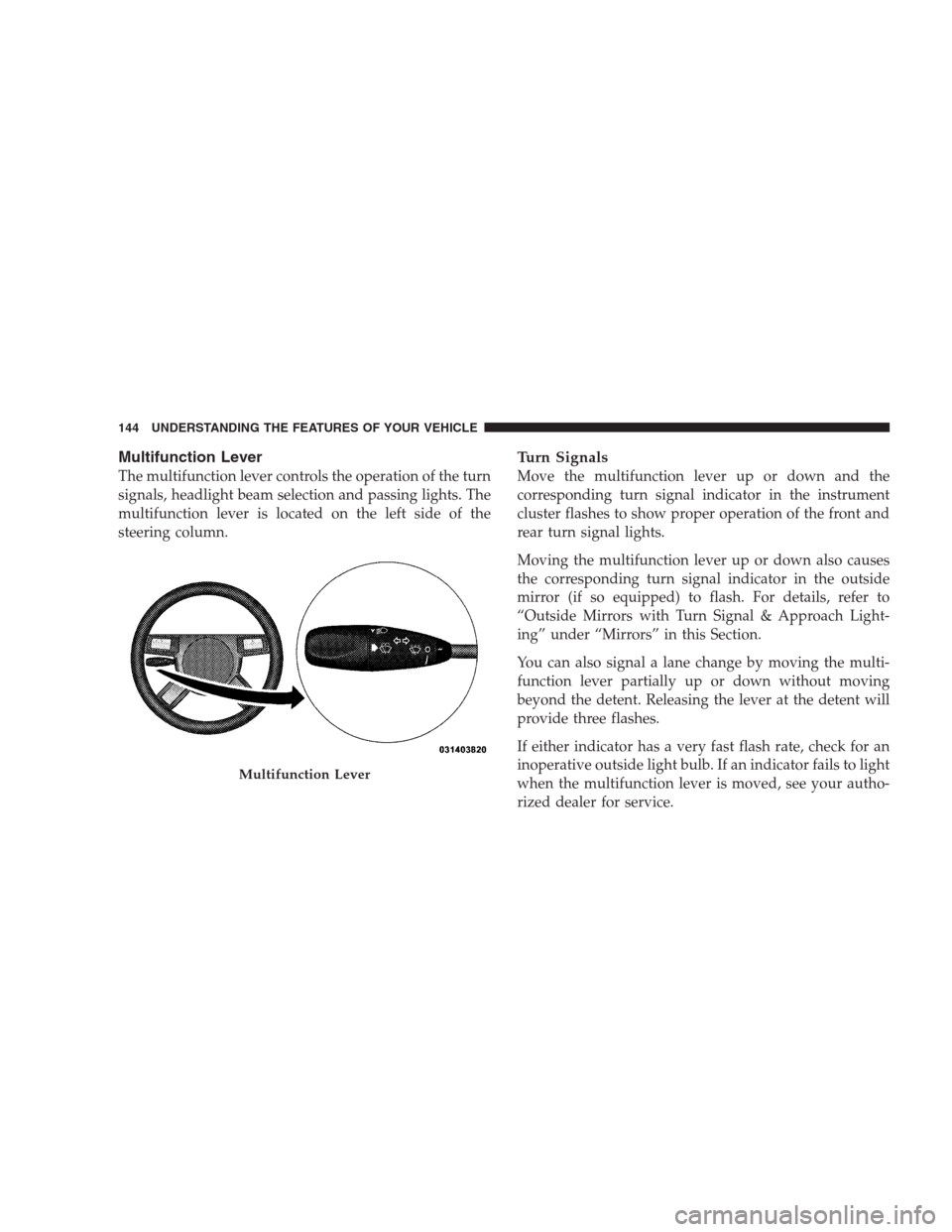
Multifunction Lever
The multifunction lever controls the operation of the turn
signals, headlight beam selection and passing lights. The
multifunction lever is located on the left side of the
steering column.
Turn Signals
Move the multifunction lever up or down and the
corresponding turn signal indicator in the instrument
cluster flashes to show proper operation of the front and
rear turn signal lights.
Moving the multifunction lever up or down also causes
the corresponding turn signal indicator in the outside
mirror (if so equipped) to flash. For details, refer to
“Outside Mirrors with Turn Signal & Approach Light-
ing” under “Mirrors” in this Section.
You can also signal a lane change by moving the multi-
function lever partially up or down without moving
beyond the detent. Releasing the lever at the detent will
provide three flashes.
If either indicator has a very fast flash rate, check for an
inoperative outside light bulb. If an indicator fails to light
when the multifunction lever is moved, see your autho-
rized dealer for service.
Multifunction Lever
144 UNDERSTANDING THE FEATURES OF YOUR VEHICLE
Page 149 of 537

WINDSHIELD WIPERS AND WASHERS
The multifunction lever operates the windshield wipers
and washer when the ignition switch is in the ON
position. The multifunction lever is located on the left
side of the steering column.Rotate the end of the multifunction lever to the first
detent, past the intermittent settings for low speed wiper
operation, or to the second detent past the intermittent
settings for high speed wiper operation.
CAUTION!
Turn the windshield wipers off when driving
through an automatic car wash. Damage to the wind-
shield wipers may result if the wiper switch is left in
any position other than off.
Intermittent Wiper System
Use the intermittent wiper when weather conditions
make a single wiping cycle with a variable pause be-
tween cycles desirable. Rotate the end of the multifunc-
tion lever to the first detent position, and then turn the
end of the multifunction lever to select the desired delay
interval. There are six delay settings which allow you to
Windshield Wiper/Washer Control
UNDERSTANDING THE FEATURES OF YOUR VEHICLE 147
3
Page 150 of 537

regulate the wipe interval from a minimum of one cycle
every second to a maximum of approximately 23 seconds
between cycles.
WARNING!
Sudden loss of visibility through the windshield
could lead to an accident. You might not see other
vehicles or other obstacles. To avoid sudden icing of
the windshield during freezing weather, warm the
windshield with the defroster before and during
windshield washer use.
Mist Feature
Lightly push the multifunction lever inward (toward the
steering column) to activate a single wipe cycle to clear
off road mist or spray from a passing vehicle. The wipers
will continue to operate until you release the multifunc-
tion lever.
Windshield Washers
To use the washer, push the multifunction lever inward
completely (toward the steering column) and hold it for
as long as washer spray is desired.
If you activate the washer while the windshield wiper
control is in the delay range, the wipers will operate for
two wipe cycles after releasing the lever and then resume
the intermittent interval previously selected.
If you activate the washer while the windshield wiper is
turned off, the wipers will operate for three wipe cycles
and then turn off.
Headlights On with Wipers (Available with Auto
Headlights Only)
When this feature is active, the headlights will turn on
approximately 10 seconds after the wipers are turned on
if the headlight switch is placed in the AUTO position. In
addition, the headlights will turn off when the wipers are
turned off if they were turned on by this feature.
148 UNDERSTANDING THE FEATURES OF YOUR VEHICLE
Page 152 of 537

The rain sensing system has protective features for the
wiper blades and arms. It will not operate under the
following conditions:
•Low Temperature Wipe Inhibit— The rain sensing
feature will not operate when the ignition is first
switched ON, and the vehicle is stationary, and the
outside temperature is below 32°F (0°C), unless the
wiper control on the multifunction lever is moved, or
the vehicle speed becomes greater than 0 mph
(0 km/h), or the outside temperature rises above
freezing.
•Neutral Wipe Inhibit— The rain sensing feature will
not operate when the ignition is ON, and the trans-
mission shift lever is in the NEUTRAL position, and
the vehicle speed is less than 5 mph (8 km/h), unless
the wiper control on the multifunction lever is moved
or the shift lever is moved out of the NEUTRAL
position.
TILT/TELESCOPING STEERING COLUMN
This feature allows you to tilt the steering column
upward or downward. It also allows you to lengthen or
shorten the steering column. The tilt/telescoping control
handle is located below the steering wheel at the end of
the steering column.
150 UNDERSTANDING THE FEATURES OF YOUR VEHICLE
