Page 150 of 578
7. If the engine is running, verify that the transfer case
is in N (Neutral) by shifting the transmission to
R (Reverse) for one second, then shift the
transmission to D (Drive) for one second.
8. Turn the ignition to ACC/ACCESSORY, which will
turn the engine off.
9. Place the transmission shift lever in P (Park).
10. Release the parking brake prior to moving the
vehicle.
11. Turn the ignition to LOCK/OFF.
Shifting Out of Neutral
To shift out of N Neutral do the following:
1. Set the parking brake and apply the regular brake
pedal.
2. Turn the ignition to ON/RUN with the engine off,
and shift the transmission to N (Neutral).3. Turn the transfer case dial to the desired transfer
case shift position (Two-Wheel Drive High,
Four-Wheel Drive High, AUTO).
After the transfer case has shifted out of N (Neutral),
the N (Neutral) light will go out.
4. Release the parking brake prior to moving the
vehicle.
Notice:Shifting the transmission into gear before
the Four-Wheel Drive Low indicator light has
stopped ashing could damage the transfer case.
To help avoid damaging the vehicle, always wait for
the Four-Wheel Drive Low indicator light to stop
ashing before shifting the transmission into gear.
5. Start the engine and shift the transmission to
the desired position.
Excessively shifting the transfer case into or out of the
different modes may cause the transfer case to enter the
shift protection mode. This will protect the transfer case
from possible damage and will only allow the transfer
case to respond to one shift per 10 seconds. The transfer
case may stay in this mode for up to three minutes.
2-44
Page 151 of 578
Parking Brake
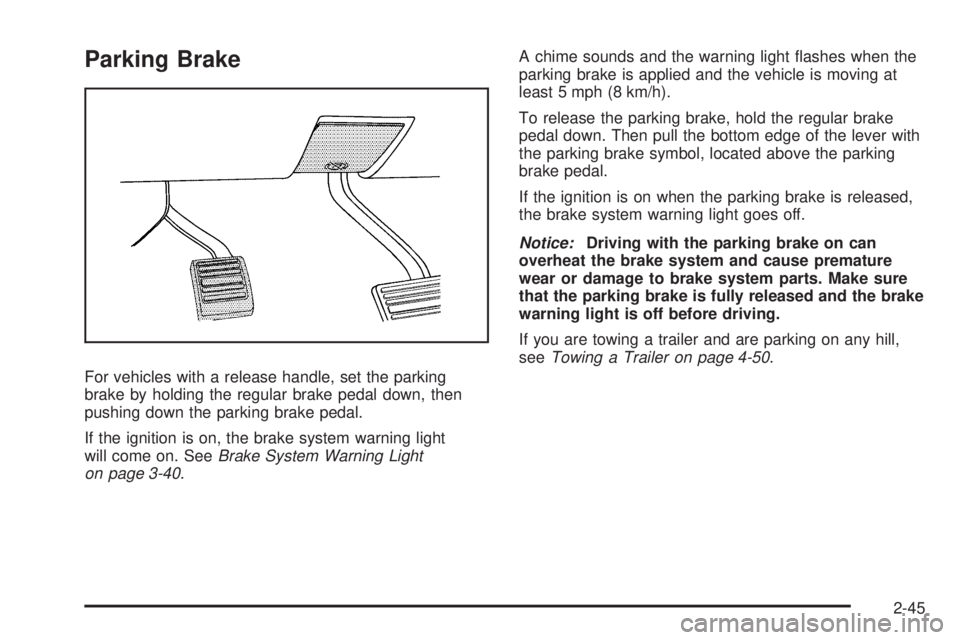
For vehicles with a release handle, set the parking
brake by holding the regular brake pedal down, then
pushing down the parking brake pedal.
If the ignition is on, the brake system warning light
will come on. SeeBrake System Warning Light
on page 3-40.A chime sounds and the warning light ashes when the
parking brake is applied and the vehicle is moving at
least 5 mph (8 km/h).
To release the parking brake, hold the regular brake
pedal down. Then pull the bottom edge of the lever with
the parking brake symbol, located above the parking
brake pedal.
If the ignition is on when the parking brake is released,
the brake system warning light goes off.
Notice:Driving with the parking brake on can
overheat the brake system and cause premature
wear or damage to brake system parts. Make sure
that the parking brake is fully released and the brake
warning light is off before driving.
If you are towing a trailer and are parking on any hill,
seeTowing a Trailer on page 4-50.
2-45
Page 152 of 578
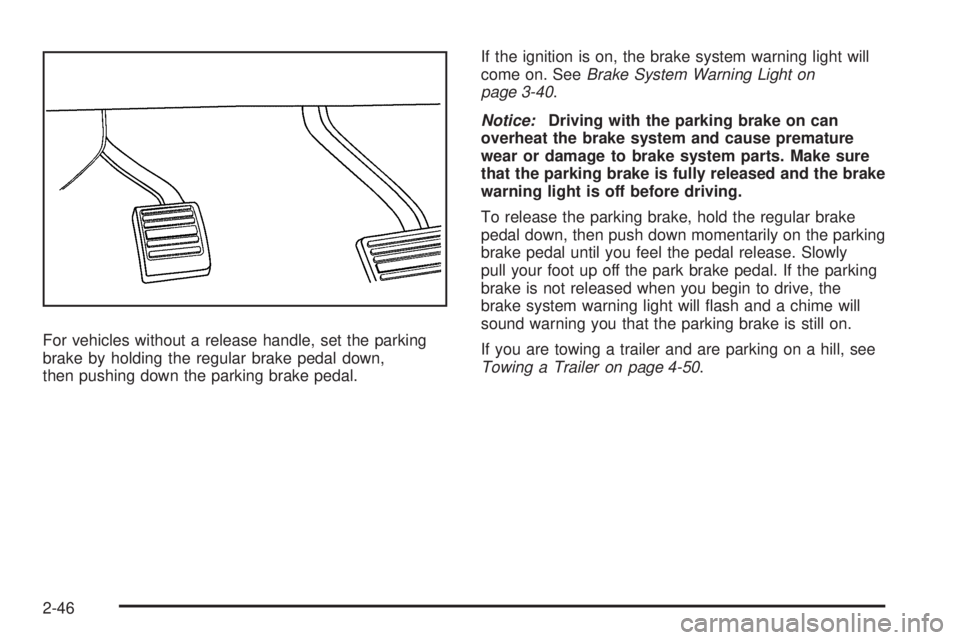
For vehicles without a release handle, set the parking
brake by holding the regular brake pedal down,
then pushing down the parking brake pedal.If the ignition is on, the brake system warning light will
come on. SeeBrake System Warning Light on
page 3-40.
Notice:Driving with the parking brake on can
overheat the brake system and cause premature
wear or damage to brake system parts. Make sure
that the parking brake is fully released and the brake
warning light is off before driving.
To release the parking brake, hold the regular brake
pedal down, then push down momentarily on the parking
brake pedal until you feel the pedal release. Slowly
pull your foot up off the park brake pedal. If the parking
brake is not released when you begin to drive, the
brake system warning light will ash and a chime will
sound warning you that the parking brake is still on.
If you are towing a trailer and are parking on a hill, see
Towing a Trailer on page 4-50.
2-46
Page 158 of 578
Mirrors
Manual Rearview Mirror
Hold the inside rearview mirror in the center to move
it for a clearer view behind your vehicle. Adjust the
mirror to avoid glare from the headlamps behind you.
Push the tab forward for daytime use and pull it for
nighttime use.
Automatic Dimming Rearview Mirror
The vehicle may have an automatic dimming inside
rearview mirror.
Vehicles with OnStar
®have three additional control
buttons for the OnStar®system. See your dealer/retailer
for more information about OnStar®and how to
subscribe to it. SeeOnStar®System on page 2-68for
more information about the services OnStar®provides.
O(On/Off):Press to turn the dimming feature on
or off.
The vehicle may also have a Rear Vision Camera (RVC).
SeeRear Vision Camera (RVC) on page 2-62for more
information.
If the vehicle has RVC, the
O(On/Off) button for turning
the automatic dimming feature on or off will not be
available.
Automatic Dimming Mirror Operation
Automatic dimming reduces the glare from the
headlamps of the vehicle behind you. The dimming
feature comes on and the indicator light illuminates
each time the ignition is turned to start.
Cleaning the Mirror
Do not spray glass cleaner directly on the mirror.
Use a soft towel dampened with water.
Outside Manual Mirrors
Adjust the outside mirror so that the side of the vehicle
and the area behind are seen.
Manually fold the mirrors inward to prevent damage
when going through an automatic car wash. To fold, push
the mirror toward the vehicle. Push the mirror outward, to
return to its original position.
Using hood-mounted air deectors and add-on convex
mirror attachments could decrease mirror performance.
2-52
Page 162 of 578

Object Detection Systems
Ultrasonic Rear Parking
Assist (URPA)
For vehicles with the Ultrasonic Rear Parking Assist
(URPA) system, it operates at speeds less than 5 mph
(8 km/h), and assists the driver with parking and
avoiding objects while in R (Reverse). The sensors
on the rear bumper are used to detect the distance to
an object up to 8 feet (2.5 m) behind the vehicle, and
at least 10 inches (25.4 cm) off the ground.
{CAUTION:
The Ultrasonic Rear Parking Assist (URPA)
system does not replace driver vision. It cannot
detect:
objects that are below the bumper,
underneath the vehicle, or if they are too
close or far from the vehicle
children, pedestrians, bicyclists, or pets.
CAUTION: (Continued)
CAUTION: (Continued)
If you do not use proper care before and while
backing; vehicle damage, injury, or death could
occur. Even with URPA, always check behind the
vehicle before backing up. While backing, be sure
to look for objects and check the vehicle’s mirrors.
The display is located near
the passenger side rear
window and can be seen
by looking over your right
shoulder.
URPA uses three color-coded lights to provide distance
and system information.
2-56
Page 163 of 578
How the System Works
URPA comes on automatically when the shift lever is
moved into R (Reverse). The rear display briey
illuminates to indicate the system is working.
URPA operates only at speeds less than 5 mph
(8 km/h). If the vehicle is above this speed, the red
light on the rear display will ash.
To be detected, objects must be at least 10 inches
(25.4 cm) off the ground and below liftgate level.
Objects must also be within 8 feet (2.5 m) from the
rear bumper. This distance may be less during warmer
or humid weather.
A single beep will sound the rst time an object is
detected between 40 inches (1 m) and 8 feet (2.5 m)
away. Beeping will occur continuously when the vehicle
is at 23 inches (0.6 m) or closer to an object.The following describes what will occur with the URPA
display as the vehicle gets closer to a detected object:
Description English Metric
amber light 8 ft 2.5 m
amber/amber lights 40 in 1.0 m
amber/amber/red lights
and continuous beeping
for ve seconds23 in 0.6 m
amber/amber/red lights
ashing and continuous
beeping for ve seconds1 ft 0.3 m
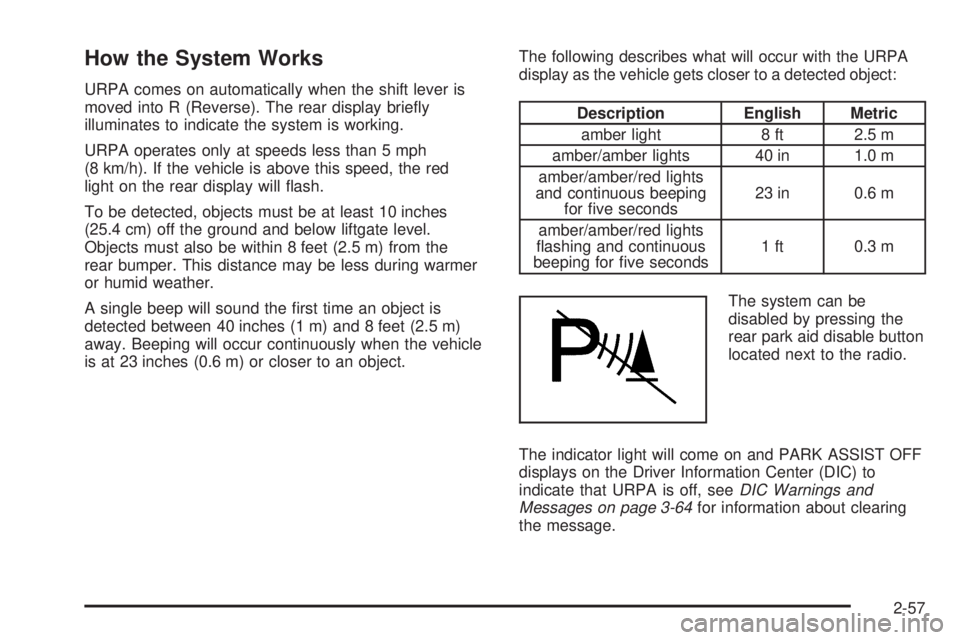
The system can be
disabled by pressing the
rear park aid disable button
located next to the radio.
The indicator light will come on and PARK ASSIST OFF
displays on the Driver Information Center (DIC) to
indicate that URPA is off, seeDIC Warnings and
Messages on page 3-64for information about clearing
the message.
2-57
Page 164 of 578
When the System Does Not Seem to
Work Properly
If the URPA system will not activate due to a temporary
condition, the message PARK ASSIST OFF will be
displayed on the DIC and a red light will be shown on
the rear URPA display when the shift lever is moved into
R (Reverse). This occurs under the following conditions:
The driver disables the system.
The ultrasonic sensors are not clean. Keep the
vehicle’s rear bumper free of mud, dirt, snow,
ice and slush. For cleaning instructions, see
Washing Your Vehicle on page 5-110.
A trailer was attached to the vehicle, or a bicycle or
an object was hanging out of the liftgate during the
last drive cycle, the red light may illuminate in
the rear display. Once the attached object is
removed, URPA will return to normal operation.
A tow bar is attached to the vehicle.
The vehicle’s bumper is damaged. Take the vehicle
to your dealer/retailer to repair the system.
Other conditions may affect system performance,
such as vibrations from a jackhammer or the
compression of air brakes on a very large truck.
If the system is still disabled, after driving forward at
least 15 mph (25 km/h), take the vehicle to your
dealer/retailer.
Side Blind Zone Alert (SBZA)
The vehicle may have a Side Blind Zone Alert (SBZA)
system. Read this entire section before using the
system.
The SBZA system operates on a radio frequency
subject to Federal Communications Commission (FCC)
Rules and with Industry Canada.
This device complies with Part 15 of the FCC Rules.
Operation is subject to the following two conditions:
1. This device may not cause harmful interference.
2. This device must accept any interference received,
including interference that may cause undesired
operation.
This device complies with RSS-310 of Industry Canada.
Operation is subject to the following two conditions:
1. This device may not cause harmful interference.
2. This device must accept any interference received,
including interference that may cause undesired
operation.
Frequency of operation: 24.05GHz – 24.25GHz
Field Strength: Not greater than 2.5V/m peak
(0.25V/m average) at a distance of 3m
2-58
Page 165 of 578
The manufacturer is not responsible for any radio or TV
interference caused by unauthorized modications to
this equipment. Such modications could void the user’s
authority to operate the equipment.
{CAUTION:
SBZA is only a lane changing aid and does not
replace driver vision. SBZA does not detect:
Vehicles outside the side blind zones which
may be rapidly approaching.
Pedestrians, bicyclists, or animals.
Failure to use proper care when changing lanes
may result in damage to the vehicle, injury, or
death. Always check the outside and rearview
mirrors, glance over your shoulder, and use the
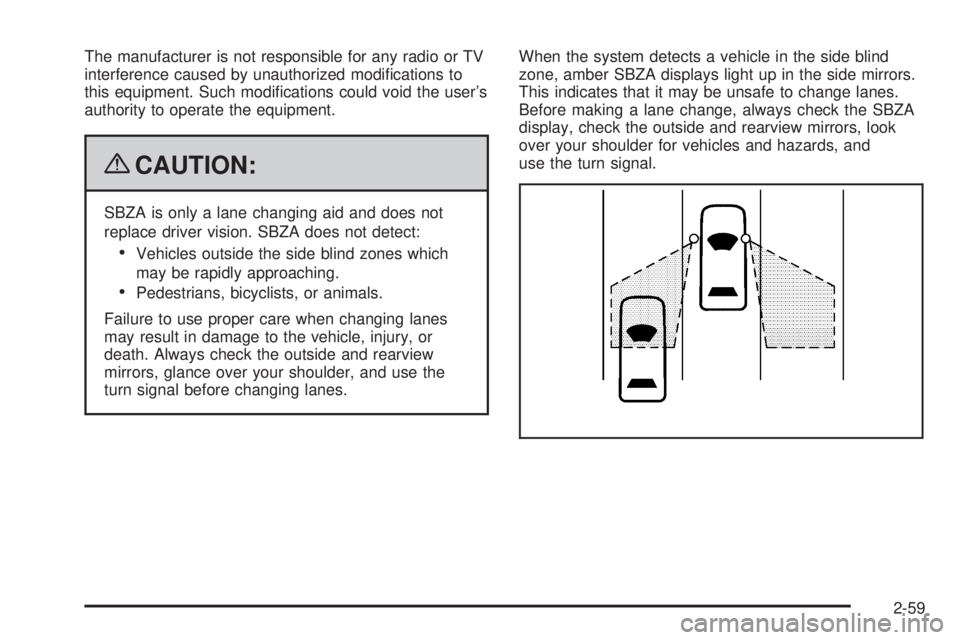
turn signal before changing lanes.When the system detects a vehicle in the side blind
zone, amber SBZA displays light up in the side mirrors.
This indicates that it may be unsafe to change lanes.
Before making a lane change, always check the SBZA
display, check the outside and rearview mirrors, look
over your shoulder for vehicles and hazards, and
use the turn signal.
2-59