2009 CHEVROLET MALIBU sunroof
[x] Cancel search: sunroofPage 1 of 420

Seats and Restraint System............................. 1-1
Head Restraints
......................................... 1-2
Front Seats
............................................... 1-3
Rear Seats
..............................................1-10
Safety Belts
.............................................1-12
Child Restraints
.......................................1-32
Airbag System
.........................................1-58
Restraint System Check
............................1-73
Features and Controls..................................... 2-1
Keys
........................................................ 2-3
Doors and Locks
......................................2-10
Windows
.................................................2-15
Theft-Deterrent Systems
............................2-18
Starting and Operating Your Vehicle
...........2-21
Mirrors
....................................................2-37
OnStar
®System
......................................2-40
Universal Home Remote System
................2-43
Storage Areas
.........................................2-50
Sunroof
..................................................2-51
Instrument Panel............................................. 3-1
Instrument Panel Overview
.......................... 3-4
Climate Controls
......................................3-20
Warning Lights, Gages, and Indicators
........3-28
Driver Information Center (DIC)
..................3-43
Audio System(s)
.......................................3-56Driving Your Vehicle....................................... 4-1
Your Driving, the Road, and the Vehicle
....... 4-2
Towing
...................................................4-26
Service and Appearance Care.......................... 5-1
Service
..................................................... 5-3
Fuel
......................................................... 5-5
Checking Things Under the Hood
...............5-14
Headlamp Aiming
.....................................5-47
Bulb Replacement
....................................5-47
Windshield Wiper Blade Replacement
.........5-50
Tires
......................................................5-51
Appearance Care
.....................................5-90
Vehicle Identication
.................................5-97
Electrical System
......................................5-98
Capacities and Specications
...................5-108
Maintenance Schedule..................................... 6-1
Maintenance Schedule
................................ 6-2
Customer Assistance Information.................... 7-1
Customer Assistance and Information
........... 7-2
Reporting Safety Defects
...........................7-15
Vehicle Data Recording and Privacy
...........7-17
Index................................................................ 1
2009 Chevrolet Malibu Owner ManualM
Page 80 of 420
OnStar®System.............................................2-40
Universal Home Remote System......................2-43
Universal Home Remote System Operation
(With Three Round LED)............................2-44
Storage Areas................................................2-50
Glove Box...................................................2-50
Cupholders..................................................2-50Instrument Panel Storage...............................2-50
Front Storage Area.......................................2-50
Center Console Storage.................................2-50
Driver Storage Compartment..........................2-51
Convenience Net..........................................2-51
Sunroof.........................................................2-51
Section 2 Features and Controls
2-2
Page 101 of 420
R(ON/RUN):This position can be used to operate the
electrical accessories and to display some instrument
panel warning lights. The switch will stay in this position
while the engine is running.
If you leave the key in the ACC/ACCESSORY or
ON/RUN position with the engine off, the battery could
be drained. You may not be able to start the vehicle
if the battery is allowed to drain for an extended period
of time.
/(START):This position starts the engine. When the
engine starts, release the key. The ignition switch will
return to the ON/RUN position for driving.
A warning tone will sound when the driver door is opened,
the ignition is in ACC/ACCESSORY or LOCK/OFF and
the key is in the ignition.
Retained Accessory Power (RAP)
These vehicle accessories can be used for up to
10 minutes after the engine is turned off:
Audio System
Power Windows
Heated Seats (if equipped)
Sunroof (if equipped)
These features continue to work up to 10 minutes after
the ignition is turned to LOCK/OFF.
The power windows, heated seats, and sunroof will
work until any door is opened.
The radio continues to work until the driver door is
opened.
All these features operate when the key is in the
ON/RUN or ACC/ACCESSORY.
2-23
Page 129 of 420
Driver Storage Compartment
A driver storage compartment is located near the
left side of the steering column on the bottom of
the instrument panel. Pull the cover down to open.
Pull out to remove for cleaning.
Convenience Net
Use the convenience net, located in the rear, to store
small loads as far forward as possible. The net should not
be used to store heavy loads.
Sunroof
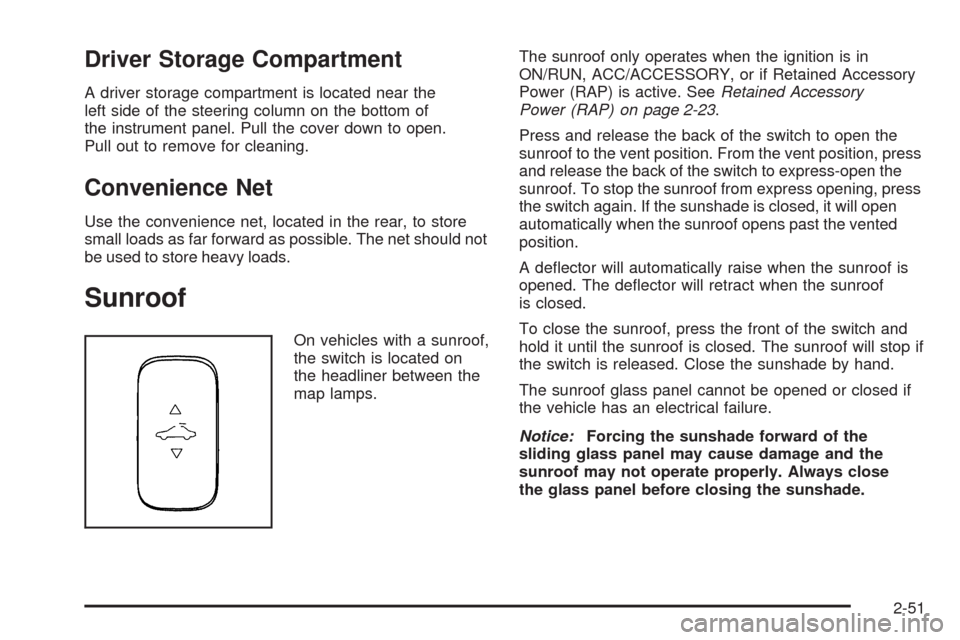
On vehicles with a sunroof,
the switch is located on
the headliner between the
map lamps.The sunroof only operates when the ignition is in
ON/RUN, ACC/ACCESSORY, or if Retained Accessory
Power (RAP) is active. SeeRetained Accessory
Power (RAP) on page 2-23.
Press and release the back of the switch to open the
sunroof to the vent position. From the vent position, press
and release the back of the switch to express-open the
sunroof. To stop the sunroof from express opening, press
the switch again. If the sunshade is closed, it will open
automatically when the sunroof opens past the vented
position.
A deector will automatically raise when the sunroof is
opened. The deector will retract when the sunroof
is closed.
To close the sunroof, press the front of the switch and
hold it until the sunroof is closed. The sunroof will stop if
the switch is released. Close the sunshade by hand.
The sunroof glass panel cannot be opened or closed if
the vehicle has an electrical failure.
Notice:Forcing the sunshade forward of the
sliding glass panel may cause damage and the
sunroof may not operate properly. Always close
the glass panel before closing the sunshade.
2-51
Page 222 of 420
Backglass Antenna
The AM-FM antenna is integrated with the rear window
defogger, located in the rear window. Make sure that
the inside surface of the rear window is not scratched
and that the lines on the glass are not damaged. If the
inside surface is damaged, it could interfere with radio
reception. For proper radio reception, the antenna
connector needs to be properly attached to the post
on the glass.
If a cellular telephone antenna needs to be attached to
the glass, make sure that the grid lines for the AM-FM
antenna are not damaged. There is enough space
between the grid lines to attach a cellular telephone
antenna without interfering with radio reception.
Notice:Using a razor blade or sharp object to clear
the inside rear window can damage the rear window
antenna and/or the rear window defogger. Repairs
would not be covered by the vehicle warranty. Do not
clear the inside rear window with sharp objects.
Notice:Do not apply aftermarket glass tinting
with metallic lm. The metallic lm in some tinting
materials will interfere with or distort the incoming
radio reception. Any damage caused to your
backglass antenna due to metallic tinting materials
will not be covered by the vehicle warranty.
XM™ Satellite Radio Antenna
System
The XM Satellite Radio antenna is located on the roof of
the vehicle. Keep the antenna clear of obstructions for
clear radio reception.
If the vehicle has a sunroof, the performance of the XM
system may be affected if the sunroof is open.
Chime Level Adjustment
The radio may be used to adjust the vehicle’s chime
level. If the radio can be used to change the volume
level of the chime, press and hold the sixth numbered
pushbutton or the sixth FAV pushbutton with the ignition
on and the radio power off. The volume level changes
between Normal and Loud. The selected volume
level appears on the radio display.
Removing the radio and not replacing it with a factory
radio or chime module will disable vehicle chimes.
3-92
Page 359 of 420
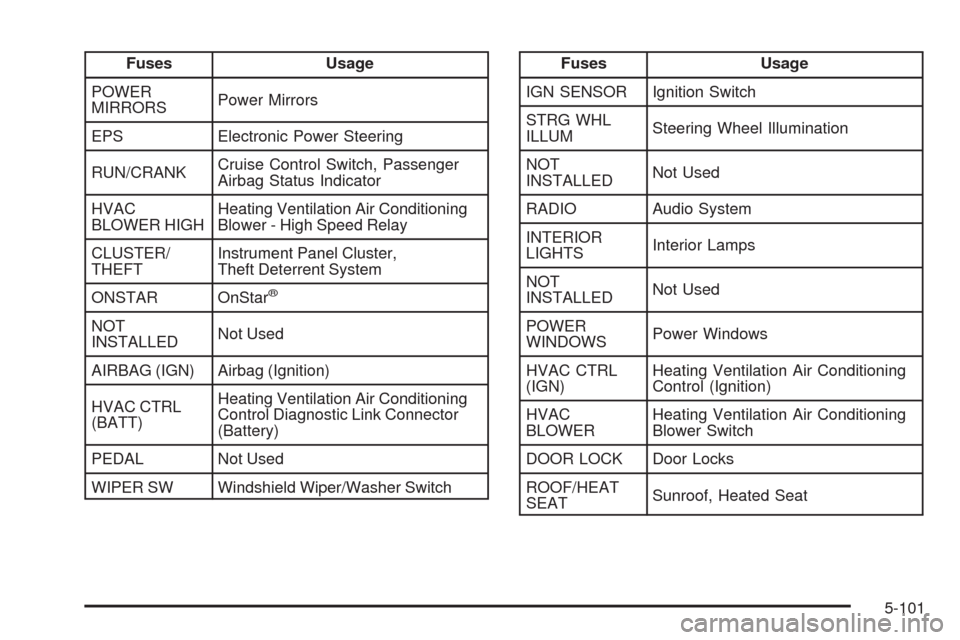
Fuses Usage
POWER
MIRRORSPower Mirrors
EPS Electronic Power Steering
RUN/CRANKCruise Control Switch, Passenger
Airbag Status Indicator
HVAC
BLOWER HIGHHeating Ventilation Air Conditioning
Blower - High Speed Relay
CLUSTER/
THEFTInstrument Panel Cluster,
Theft Deterrent System
ONSTAR OnStar
®
NOT
INSTALLEDNot Used
AIRBAG (IGN) Airbag (Ignition)
HVAC CTRL
(BATT)Heating Ventilation Air Conditioning
Control Diagnostic Link Connector
(Battery)
PEDAL Not Used
WIPER SW Windshield Wiper/Washer Switch
Fuses Usage
IGN SENSOR Ignition Switch
STRG WHL
ILLUMSteering Wheel Illumination
NOT
INSTALLEDNot Used
RADIO Audio System
INTERIOR
LIGHTSInterior Lamps
NOT
INSTALLEDNot Used
POWER
WINDOWSPower Windows
HVAC CTRL
(IGN)Heating Ventilation Air Conditioning
Control (Ignition)
HVAC
BLOWERHeating Ventilation Air Conditioning
Blower Switch
DOOR LOCK Door Locks
ROOF/HEAT
SEATSunroof, Heated Seat
5-101
Page 365 of 420

Fuses Usage
9 Not Used
10 Sunroof Controls
11 Not Used
12 Not Used
13 Audio Amplier
14 Heated Seat Controls
15 Not Used
16Remote Keyless Entry (RKE)
System, XM™ Satellite
Radio, UGDO
17 Back-up Lamps
18 Not Used
19 Not Used
20 Auxiliary Power Outlets
21 Not Used
22 Trunk Release
23 Rear Defog
24 Heated Mirrors
25 Fuel PumpRelays Usage
26 Rear Window Defogger
27 Park Lamps
28 Not Used
29 Not Used
30 Not Used
31 Not Used
32 Not Used
33 Back-up Lamps
34 Not Used
35 Not Used
36 Trunk Release
37 Fuel Pump
38 (Diode) Cargo Lamp
5-107
Page 417 of 420
Ride Control Systems....................................... 4-6
Electronic Stability (ESC)................................ 4-6
Roadside Assistance Program............................ 7-7
Rocking Your Vehicle to Get it Out....................4-20
Roof
Sunroof......................................................2-51
Running the Vehicle While Parked.....................2-36
S
Safety Belt Reminders.....................................3-30
Safety Belts
Care of ......................................................5-93
Extender....................................................1-32
How to Wear Safety Belts Properly................1-17
Lap-Shoulder Belt........................................1-26
Safety Belts Are for Everyone.......................1-12
Use During Pregnancy.................................1-31
Safety Defects
Reporting to the Canadian Government..........7-16
Reporting to General Motors.........................7-16
Reporting to the United States Government.....7-15
Safety Warnings and Symbols.............................. iii
Scheduled Maintenance..................................... 6-4
Additional Required Services........................... 6-6
Scheduling Appointments.................................7-10Seatback Latches............................................. 1-8
Seats
Head Restraints............................................ 1-2
Heated Seats............................................... 1-5
Manual Lumbar............................................. 1-4
Power Lift Seat............................................. 1-9
Power Seats................................................. 1-4
Reclining Seatbacks...................................... 1-6
Seatback Latches.......................................... 1-8
Split Folding Rear Seat................................1-10
Securing a Child Restraint
Rear Seat Position......................................1-52
Right Front Seat Position..............................1-54
Security Light.................................................3-41
Service........................................................... 5-3
Accessories and Modications......................... 5-3
Adding Equipment to the Outside of the
Vehicle..................................................... 5-5
Doing Your Own Work................................... 5-4
Engine Soon Lamp......................................3-38
Publications Ordering Information...................7-16
Scheduling Appointments..............................7-10
Service Parts Identication Label.......................5-98
Servicing Your Airbag-Equipped Vehicle..............1-71
Setting the Clock............................................3-57
Sheet Metal Damage.......................................5-96
11