2009 CHEVROLET HHR service indicator
[x] Cancel search: service indicatorPage 195 of 450

If this message turns on while you are driving, pull off the
road as soon as possible and stop carefully. Try resetting
the system by turning the ignition off and then back on.
If this message still stays on or turns back on again while
you are driving, your vehicle needs service. Have the
ESC inspected by your dealer/retailer as soon as
possible.
SERVICE TRACTION
If your vehicle has the Enhanced Traction System (ETS)
or Traction Control System (TCS), this message displays
and a chime sounds when the system is not functioning
properly. The ETS light or the ESC/TCS light also
appears on the instrument panel cluster. This light stays
on solid as long as the detected problem remains
present. When this message displays, the system is not
working. Adjust your driving accordingly. SeeEnhanced
Traction System (ETS) on page 4-12orTraction Control
System (TCS) on page 4-10andEnhanced Traction
System (ETS) Indicator/Warning Light on page 3-34or
Electronic Stability Control (ESC)/Traction Control
System (TCS) Indicator/Warning Light on page 3-35for
more information. Have the system serviced by your
dealer/retailer as soon as possible.
SVC (Service) BRAKE SYSTEM
This message may display if you have a turbocharged
vehicle with Electronic Stability Control (ESC) and if
the hydraulic brake boost is not working or is working
improperly. Have the brake system serviced by your
dealer/retailer as soon as possible.
SVC (Service) TIRE MONITOR
If your vehicle has a Tire Pressure Monitor System
(TPMS), this message displays if a part on the TPMS is
not working properly. The tire pressure light also ashes
and then remains on during the same ignition cycle. See
Tire Pressure Light on page 3-37. Several conditions may
cause this message to appear. SeeTire Pressure Monitor
Operation on page 5-64for more information. If the
warning comes on and stays on, there may be a problem
with the TPMS. See your dealer/retailer.
TRACTION OFF
If your vehicle has the Enhanced Traction System (ETS)
or Traction Control System (TCS), this message displays
and the ETS light or the ESC/TCS light on the instrument
panel cluster comes on solid when the system is turned
off. Adjust your driving accordingly. SeeEnhanced
Traction System (ETS) on page 4-12orTraction Control
System (TCS) on page 4-10andEnhanced Traction
System (ETS) Indicator/Warning Light on page 3-34or
Electronic Stability Control (ESC)/Traction Control
System (TCS) Indicator/Warning Light on page 3-35for
more information.
3-55
Page 243 of 450
Electronic Stability Control (ESC)
The vehicle has an Electronic Stability Control (ESC)
system which combines antilock brake, and traction and
stability control systems that help the driver maintain
directional control of the vehicle in most driving
conditions.
When the vehicle is started and begins to move, the
system performs several diagnostic checks to ensure
there are no problems. The system may be heard or felt
while it is working. This is normal and does not mean
there is a problem with the vehicle. The system should
initialize before the vehicle reaches 20 mph (32 km/h).
If the system fails to turn on or activate, the ESC/TCS
light comes on, and the ESC OFF and/or SERVICE ESC
message displays.
For more information, seeDriver Information Center
(DIC) on page 3-48andElectronic Stability Control
(ESC)/Traction Control System (TCS) Indicator/Warning
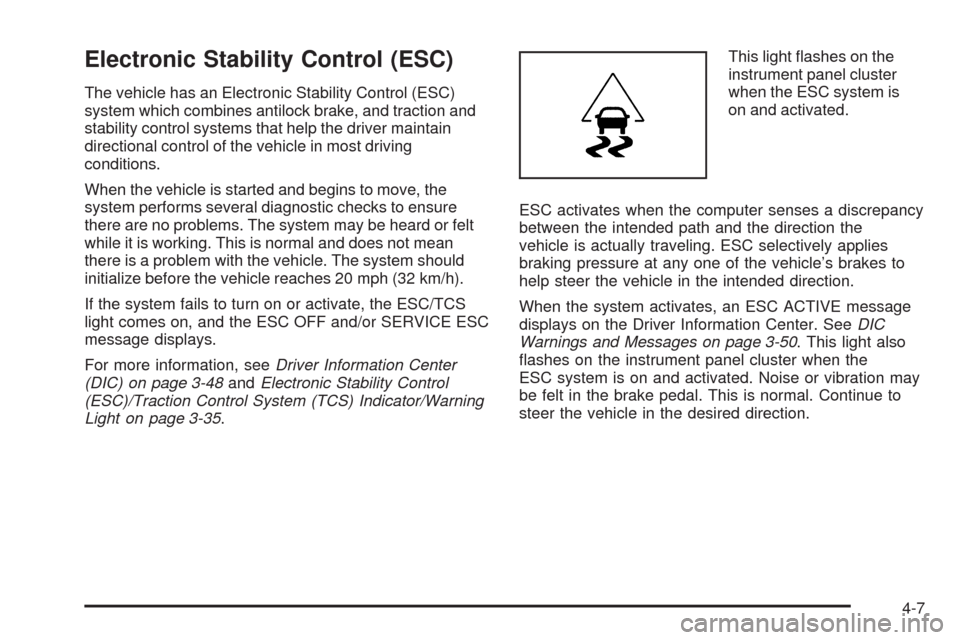
Light on page 3-35.This light ashes on the
instrument panel cluster
when the ESC system is
on and activated.
ESC activates when the computer senses a discrepancy
between the intended path and the direction the
vehicle is actually traveling. ESC selectively applies
braking pressure at any one of the vehicle’s brakes to
help steer the vehicle in the intended direction.
When the system activates, an ESC ACTIVE message
displays on the Driver Information Center. SeeDIC
Warnings and Messages on page 3-50. This light also
ashes on the instrument panel cluster when the
ESC system is on and activated. Noise or vibration may
be felt in the brake pedal. This is normal. Continue to
steer the vehicle in the desired direction.
4-7
Page 246 of 450
Traction Control System (TCS)
The vehicle has a Traction Control System (TCS) that
limits wheel spin. This is especially useful in slippery road
conditions. The system operates only if it senses that the
front wheels are spinning too much or are beginning to
lose traction. When this happens, the system works the
front brakes and reduces engine power by closing the
throttle and managing engine spark to limit wheel spin.
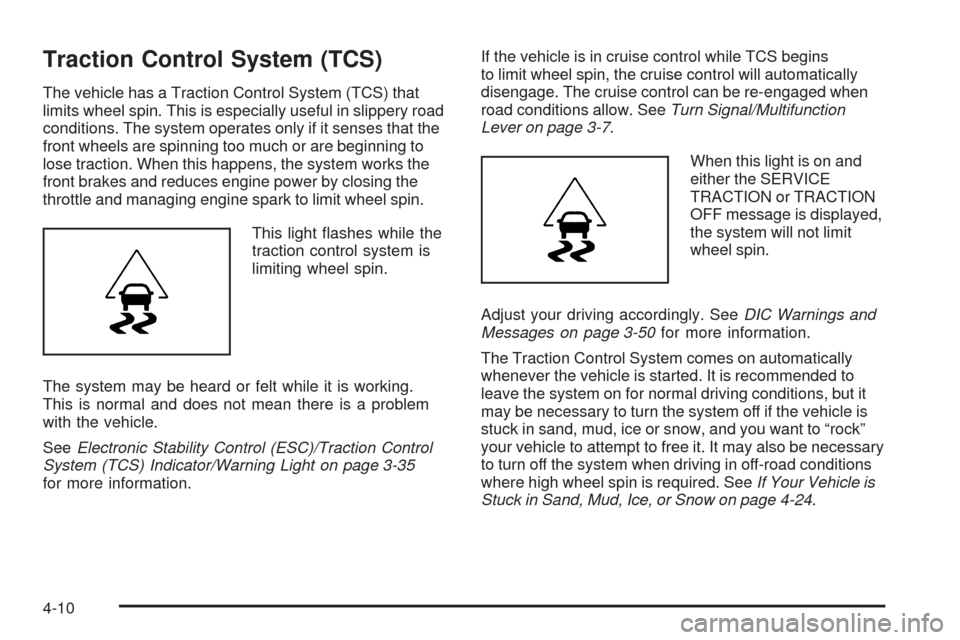
This light ashes while the
traction control system is
limiting wheel spin.
The system may be heard or felt while it is working.
This is normal and does not mean there is a problem
with the vehicle.
SeeElectronic Stability Control (ESC)/Traction Control
System (TCS) Indicator/Warning Light on page 3-35
for more information.If the vehicle is in cruise control while TCS begins
to limit wheel spin, the cruise control will automatically
disengage. The cruise control can be re-engaged when
road conditions allow. SeeTurn Signal/Multifunction
Lever on page 3-7.
When this light is on and
either the SERVICE
TRACTION or TRACTION
OFF message is displayed,
the system will not limit
wheel spin.
Adjust your driving accordingly. SeeDIC Warnings and
Messages on page 3-50for more information.
The Traction Control System comes on automatically
whenever the vehicle is started. It is recommended to
leave the system on for normal driving conditions, but it
may be necessary to turn the system off if the vehicle is
stuck in sand, mud, ice or snow, and you want to “rock”
your vehicle to attempt to free it. It may also be necessary
to turn off the system when driving in off-road conditions
where high wheel spin is required. SeeIf Your Vehicle is
Stuck in Sand, Mud, Ice, or Snow on page 4-24.
4-10
Page 249 of 450
If the ETS indicator/warning light comes on and stays on
for an extended period of time when the transmission
shift lever is in any position other than L (Low), the
vehicle may need service.
When this light is on solid, the system will not limit
wheel spin. Adjust your driving accordingly.
Check the DIC messaging to determine whether it is
because of the driver turning off the system, or that the
system may not be working properly and the vehicle
requires service. When this light is turned on, either the
SERVICE TRACTION or TRACTION OFF message
will be displayed.
SeeDIC Warnings and Messages on page 3-50for
more information on the messages associated with
this light.
To limit wheel spin, especially in slippery road
conditions, ETS should always be left on. But the
system can be turned off if needed.
To turn the system off, shift to L (Low) or R (Reverse).
When the system is turned off, the ETS indicator/warning
light will come on and stay on and the TRACTION OFF
message will be displayed when the gear shift is in
L (Low). The indicator/warning light and message will
not come on when the gear shift is in R (Reverse).If the ETS is limiting wheel spin when the transmission is
shifted to L (Low) or R (Reverse) to turn the system off,
the indicator/warning light and TRACTION OFF will come
on in L (Low). But the system will not turn off right away.
It will wait until there is no longer a current need to limit
wheel spin. SeeDIC Warnings and Messages on
page 3-50for more information on the messages
associated with this light.
The system can be turned back on at any time by
shifting to D (Automatic Overdive) or I (Intermediate).
The ETS indicator/warning light should go off.
Adding non-dealer/non-retailer accessories can affect
the vehicle’s performance. SeeAccessories and
Modifications on page 5-3for more information.
Limited-Slip Differential
Vehicles with a limited-slip differential can give more
traction on snow, mud, ice, sand or gravel. It works like
a standard axle most of the time, but when traction
is low, this feature allows the drive wheel with the most
traction to move the vehicle. The limited slip design
has minimal impact to the steering feel, but boosts the
traction performance under all conditions.
4-13
Page 285 of 450
Gasolines containing oxygenates, such as ethers and
ethanol, and reformulated gasolines might be available in
your area. We recommend that you use these gasolines,
if they comply with the specications described earlier.
However, E85 (85% ethanol) and other fuels containing
more than 10% ethanol must not be used in vehicles that
were not designed for those fuels.
Notice:This vehicle was not designed for fuel that
contains methanol. Do not use fuel containing
methanol. It can corrode metal parts in the fuel
system and also damage plastic and rubber parts.
That damage would not be covered under the vehicle
warranty.
Some gasolines that are not reformulated for low
emissions can contain an octane-enhancing additive
called methylcyclopentadienyl manganese tricarbonyl
(MMT); ask the attendant where you buy gasoline
whether the fuel contains MMT. We recommend against
the use of such gasolines. Fuels containing MMT can
reduce the life of spark plugs and the performance
of the emission control system could be affected.
The malfunction indicator lamp might turn on. If this
occurs, return to your dealer/retailer for service.Fuel E85 (85% Ethanol)
The 8th digit of the Vehicle Identication Number (VIN)
shows the code letter or number that identies the
vehicle’s engine. The VIN is at the top left of the
instrument panel. SeeVehicle Identification Number
(VIN) on page 5-107.
If your vehicle has the 2.2L L4 engine (VIN Code B)
or the 2.4L L4 engine (VIN Code V), you can use either
unleaded gasoline or ethanol fuel containing up to
85% ethanol (E85). SeeFuel on page 5-5. In all other
engines, use only the unleaded gasoline described
underGasoline Octane on page 5-5.
Only vehicles that have the 2.2L L4 engine (VIN Code B)
or the 2.4L L4 engine (VIN Code V) can use 85% ethanol
fuel (E85). We encourage the use of E85 in vehicles
that are designed to use it. The ethanol in E85 is a
“renewable” fuel, meaning it is made from renewable
sources such as corn and other crops.
Many service stations will not have an 85% ethanol
fuel (E85) pump available. The U. S. Department
of Energy has an alternative fuels website
(www.eere.energy.gov/afdc/infrastructure/locator.html)
that can help you nd E85 fuel. Those stations that
do have E85 should have a label indicating ethanol
content. Do not use the fuel if the ethanol content
is greater than 85%.
5-7
Page 310 of 450
8. By this time, the coolant level inside the radiator
ller port may be lower. If the level is lower, add
more of the proper DEX-COOL
®coolant mixture
through the ll port until the level reaches the base
of the ll port.
9. Then replace the pressure cap. At any time during
this procedure, if coolant begins to ow out of the
ll port, reinstall the pressure cap. Be sure the
pressure cap is hand-tight and fully seated.
10. When the engine has cooled, check the coolant in
the coolant recovery tank. The level in the coolant
recovery tank should be at the COLD FILL line
when the engine is cold.
Pressure Cap
Notice:If the pressure cap is not tightly installed,
coolant loss and possible engine damage may
occur. Be sure the cap is properly and tightly
secured.
SeeEngine Compartment Overview on page 5-14for
more information on location.
Engine Overheating
The vehicle has several indicators to warn of engine
overheating.
You will nd a coolant temperature warning light and a
coolant temperature gage on your vehicle’s instrument
panel. SeeEngine Coolant Temperature Warning
Light on page 3-36andEngine Coolant Temperature
Gage on page 3-36for more information.
You may decide not to lift the hood when this warning
appears, but instead get service help right away.
SeeRoadside Assistance Program on page 7-7.
If you do decide to lift the hood, make sure the vehicle
is parked on a level surface.
Then check to see if the engine cooling fans are
running. If the engine is overheating, both fans should
be running. If they are not, do not continue to run
the engine and have the vehicle serviced.
Notice:Engine damage from running the engine
without coolant is not covered by the warranty.
Notice:If the engine catches re because of being
driven with no coolant, your vehicle can be badly
damaged. The costly repairs would not be covered
by the vehicle warranty.
5-32
Page 315 of 450
Brake Wear
This vehicle has front disc brakes and could have rear
drum brakes or rear disc brakes.
Disc brake pads have built-in wear indicators that make
a high-pitched warning sound when the brake pads are
worn and new pads are needed. The sound can come
and go or be heard all the time the vehicle is moving,
except when applying the brake pedal rmly.
{CAUTION:
The brake wear warning sound means that soon
the brakes will not work well. That could lead to an
accident. When the brake wear warning sound is
heard, have the vehicle serviced.
Notice:Continuing to drive with worn-out brake
pads could result in costly brake repair.
Some driving conditions or climates can cause a brake
squeal when the brakes are rst applied or lightly applied.
This does not mean something is wrong with the brakes.Properly torqued wheel nuts are necessary to help
prevent brake pulsation. When tires are rotated, inspect
brake pads for wear and evenly tighten wheel nuts in
the proper sequence to torque specications in
Capacities and Specifications on page 5-114.
If the vehicle has rear drum brakes, they do not have
wear indicators, but if a rear brake rubbing noise is heard,
have the rear brake linings inspected immediately. Rear
brake drums should be removed and inspected each time
the tires are removed for rotation or changing. When the
front brake pads are replaced, have the rear brakes
inspected, too.
Brake linings should always be replaced as complete
axle sets.
Brake Pedal Travel
See your dealer/retailer if the brake pedal does not
return to normal height, or if there is a rapid increase in
pedal travel. This could be a sign that brake service
might be required.
Brake Adjustment
Every time the brakes are applied, with or without the
vehicle moving, the brakes adjust for wear.
5-37
Page 341 of 450
Please note that the TPMS is not a substitute for proper
tire maintenance, and it is the driver’s responsibility to
maintain correct tire pressure, even if under-ination
has not reached the level to trigger illumination of
the TPMS low tire pressure telltale.
Your vehicle has also been equipped with a TPMS
malfunction indicator to indicate when the system is
not operating properly. The TPMS malfunction indicator
is combined with the low tire pressure telltale. When
the system detects a malfunction, the telltale will
ash for approximately one minute and then remain
continuously illuminated. This sequence will continue
upon subsequent vehicle start-ups as long as the
malfunction exists.
When the malfunction indicator is illuminated, the system
may not be able to detect or signal low tire pressure as
intended. TPMS malfunctions may occur for a variety of
reasons, including the installation of replacement or
alternate tires or wheels on the vehicle that prevent the
TPMS from functioning properly. Always check the TPMS
malfunction telltale after replacing one or more tires or
wheels on your vehicle to ensure that the replacement or
alternate tires and wheels allow the TPMS to continue to
function properly.
SeeTire Pressure Monitor Operation on page 5-64for
additional information.Federal Communications Commission
(FCC) and Industry and Science
Canada
The Tire Pressure Monitor System (TPMS) operates
on a radio frequency and complies with Part 15 of
the FCC Rules. Operation is subject to the following
two conditions:
1. This device may not cause harmful interference.
2. This device must accept any interference received,
including interference that may cause undesired
operation.
Vehicles with TPMS operate on a radio frequency and
comply with RSS-210 of Industry and Science Canada.
Operation is subject to the following two conditions:
1. This device may not cause interference.
2. This device must accept any interference received,
including interference that may cause undesired
operation of the device.
Changes or modications to this system by other than
an authorized service facility could void authorization to
use this equipment.
5-63