2009 CHEVROLET EQUINOX reset
[x] Cancel search: resetPage 137 of 442
9(Off):Turns off the windshield wipers.
8(Mist):Move the lever all the way down to mist and
release for a single wiping cycle. The windshield wipers
stop after one wipe and the lever returns to its starting
position. Hold the lever on mist longer for more wipes.
Clear ice and snow from the wiper blades before
using them. If they are frozen to the windshield,
gently loosen or thaw them. If the blades do become
damaged, install new blades or blade inserts. See
Windshield Wiper Blade Replacement on page 5-51.
Heavy snow or ice can overload the wiper motor.
A circuit breaker will stop the motor until it cools down.
Clear away snow or ice to prevent an overload.
Windshield Washer
{CAUTION:
In freezing weather, do not use your washer until
the windshield is warmed. Otherwise the washer
uid can form ice on the windshield, blocking your
vision.There is a button marked with the windshield washer
symbol at the end of the windshield wiper lever.
Press this button to spray washer uid on the
windshield. The wipers will run for a few cycles to clear
the window and then either stop or return to your
preset speed. For more wash cycles, press and hold the
button longer.
Rear Window Wiper/Washer
The rear wiper and rear wash buttons are located on
the instrument panel above the audio system.
Z(Rear Wiper):Press to turn the rear wiper on
and off. When the wiper is on it runs intermittently at a
preset speed.
Y(Wash):Press to spray washer uid on the rear
window. The window wiper will also come on. Release
the button when enough uid has been sprayed on
the window. The rear wiper will run a few more cycles
after it is released. If the rear wiper function was already
on, prior to pressing the wash button, it stays on until
the wiper button is pressed again.
The rear window washer uses the same uid that is
in the windshield washer reservoir. SeeWindshield
Washer Fluid on page 5-32.
3-9
Page 139 of 442
J(On/Off):Press to turn the cruise control system on
and off. The indicator light is on when cruise control
is on and turns off when cruise control is off.
+RES (Resume):Press to resume a set speed and to
accelerate the speed.
SET−(Set):Press to set a speed and to decrease the
speed.
[(Cancel):Press to cancel cruise control without
erasing the set speed from memory.
Setting Cruise Control
This instrument panel cluster lightJcomes on after
the cruise control has been set to the desired speed.
1. Press the on/off button to turn cruise control on.
2. Get up to the desired speed.
3. Press the SET−button and release it.
4. Take your foot off the accelerator pedal.
Resuming a Set Speed
If the cruise control is at a set speed and the brakes are
applied, this disengages the cruise control. The
instrument panel cluster light
Jalso goes out,
indicating cruise is no longer engaged. To return to the
previously set speed, it does not need to be reset.
Once the vehicle is going about 25 mph (40 km/h) or
more, press +RES. The vehicle goes back to the
previous set speed and stays there.
Increasing Speed While Using Cruise
Control
There are two ways to go to a higher speed.
Press and hold the +RES button until the desired
speed is reached, then release it.
To increase vehicle speed in small amounts, press
the +RES button. Each time this is done, the
vehicle goes about 1 mph (1.6 km/h) faster.
3-11
Page 153 of 442
Speedometer and Odometer
Your speedometer lets you see your speed in both
miles per hour (mph) and kilometers per hour (km/h).
Your odometer shows how far your vehicle has
been driven, in either miles (used in the United States)
or kilometers (used in Canada).
Your vehicle has a tamper resistant odometer.
The digital odometer will read 999,999 if someone tries
to turn it back.
You may wonder what happens if your vehicle needs a
new odometer installed. If the new one can be set to
the mileage total of the old odometer, then it must be.
If not, then it is set at zero and a label must be put
on the driver’s door to show the old mileage reading
when the new odometer was installed.
Trip Odometer
Your trip odometer is located in the Driver Information
Center and shows how far your vehicle has been driven
since the trip odometer was last reset. For more
information seeDIC Operation and Displays on
page 3-42.
Tachometer
The tachometer shows your engine speed in revolutions
per minute (rpm).
Notice:If the engine is operated with the
tachometer in the solid red area, the vehicle could
be damaged. The damages would not be covered by
the vehicle warranty. Do not operate the engine in
the solid red area.
3-25
Page 158 of 442
When the ignition is on, the brake light will come on
when you set your parking brake. The light will stay on
if your parking brake does not release fully. A chime
will also sound if the parking brake is not fully released
and the vehicle is moving. If it stays on after your
parking brake is fully released, it means you have a
brake problem.
The brake light will also come on to indicate a low brake
uid level. SeeBrakes on page 5-33for more information.
If the light comes on while you are driving, pull off the
road and stop carefully. You may notice that the pedal is
harder to push or the pedal may go closer to the oor.
It may take longer to stop. If the light is still on, have
the vehicle towed for service. SeeTowing Your Vehicle
on page 4-26.
{CAUTION:
The brake system might not be working properly if
the brake system warning light is on. Driving with
the brake system warning light on can lead to a
crash. If the light is still on after the vehicle has
been pulled off the road and carefully stopped,
have the vehicle towed for service.
Antilock Brake System (ABS)
Warning Light
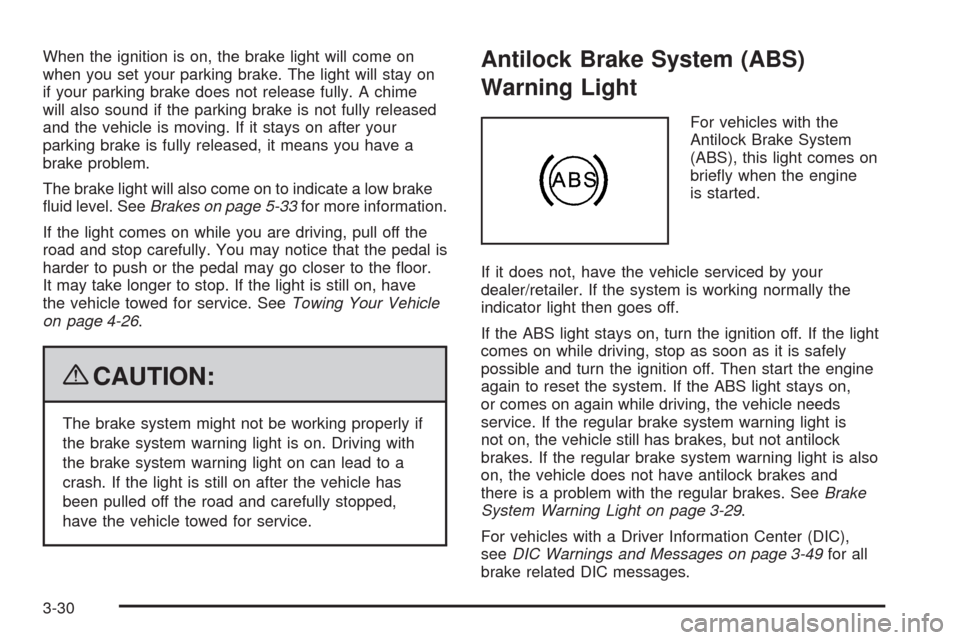
For vehicles with the
Antilock Brake System
(ABS), this light comes on
briey when the engine
is started.
If it does not, have the vehicle serviced by your
dealer/retailer. If the system is working normally the
indicator light then goes off.
If the ABS light stays on, turn the ignition off. If the light
comes on while driving, stop as soon as it is safely
possible and turn the ignition off. Then start the engine
again to reset the system. If the ABS light stays on,
or comes on again while driving, the vehicle needs
service. If the regular brake system warning light is
not on, the vehicle still has brakes, but not antilock
brakes. If the regular brake system warning light is also
on, the vehicle does not have antilock brakes and
there is a problem with the regular brakes. SeeBrake
System Warning Light on page 3-29.
For vehicles with a Driver Information Center (DIC),
seeDIC Warnings and Messages on page 3-49for all
brake related DIC messages.
3-30
Page 165 of 442
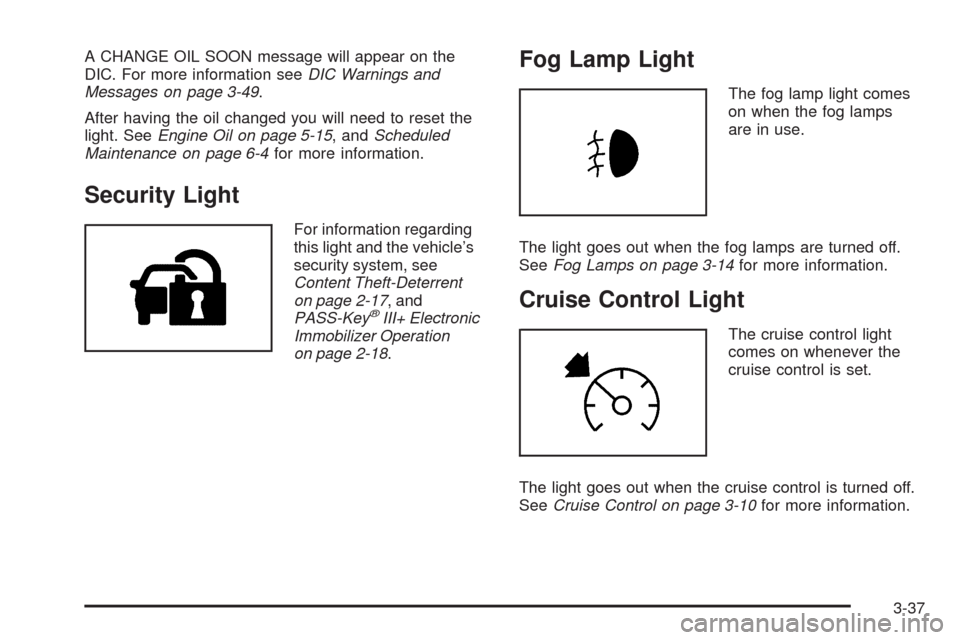
A CHANGE OIL SOON message will appear on the
DIC. For more information seeDIC Warnings and
Messages on page 3-49.
After having the oil changed you will need to reset the
light. SeeEngine Oil on page 5-15, andScheduled
Maintenance on page 6-4for more information.
Security Light
For information regarding
this light and the vehicle’s
security system, see
Content Theft-Deterrent
on page 2-17, and
PASS-Key
®III+ Electronic
Immobilizer Operation
on page 2-18.
Fog Lamp Light
The fog lamp light comes
on when the fog lamps
are in use.
The light goes out when the fog lamps are turned off.
SeeFog Lamps on page 3-14for more information.
Cruise Control Light
The cruise control light
comes on whenever the
cruise control is set.
The light goes out when the cruise control is turned off.
SeeCruise Control on page 3-10for more information.
3-37
Page 167 of 442
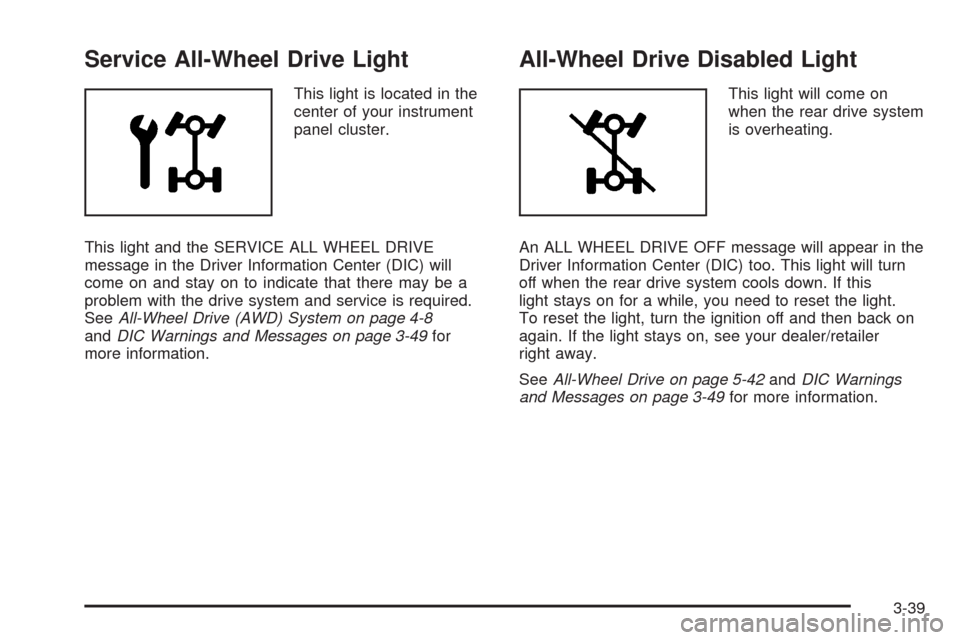
Service All-Wheel Drive Light
This light is located in the
center of your instrument
panel cluster.
This light and the SERVICE ALL WHEEL DRIVE
message in the Driver Information Center (DIC) will
come on and stay on to indicate that there may be a
problem with the drive system and service is required.
SeeAll-Wheel Drive (AWD) System on page 4-8
andDIC Warnings and Messages on page 3-49for
more information.
All-Wheel Drive Disabled Light
This light will come on
when the rear drive system
is overheating.
An ALL WHEEL DRIVE OFF message will appear in the
Driver Information Center (DIC) too. This light will turn
off when the rear drive system cools down. If this
light stays on for a while, you need to reset the light.
To reset the light, turn the ignition off and then back on
again. If the light stays on, see your dealer/retailer
right away.
SeeAll-Wheel Drive on page 5-42andDIC Warnings
and Messages on page 3-49for more information.
3-39
Page 170 of 442
Driver Information Center (DIC)
Your vehicle has a Driver Information Center (DIC).
All messages will appear in the DIC display located in the
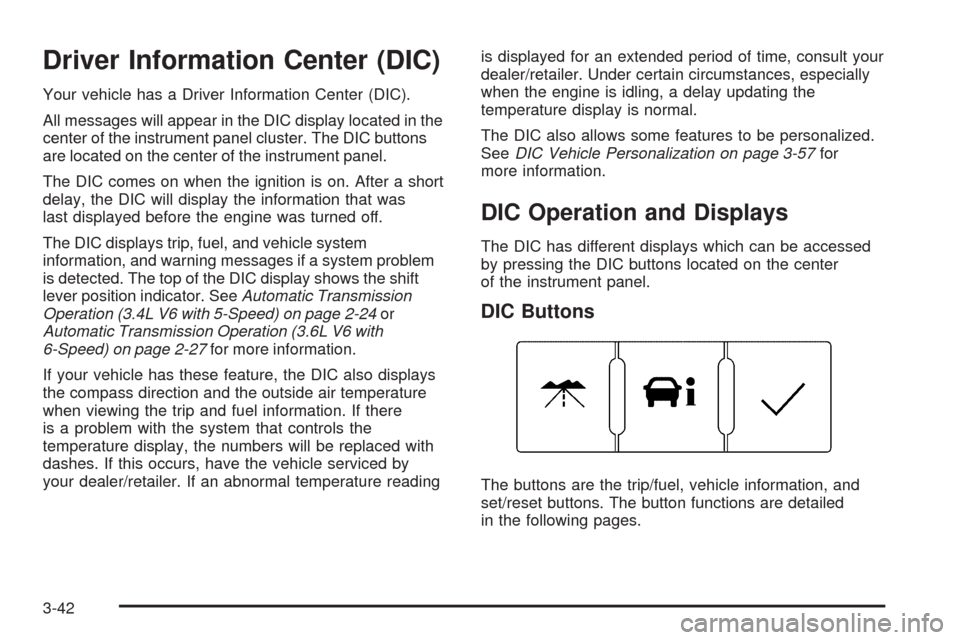
center of the instrument panel cluster. The DIC buttons
are located on the center of the instrument panel.
The DIC comes on when the ignition is on. After a short
delay, the DIC will display the information that was
last displayed before the engine was turned off.
The DIC displays trip, fuel, and vehicle system
information, and warning messages if a system problem
is detected. The top of the DIC display shows the shift
lever position indicator. SeeAutomatic Transmission
Operation (3.4L V6 with 5-Speed) on page 2-24or
Automatic Transmission Operation (3.6L V6 with
6-Speed) on page 2-27for more information.
If your vehicle has these feature, the DIC also displays
the compass direction and the outside air temperature
when viewing the trip and fuel information. If there
is a problem with the system that controls the
temperature display, the numbers will be replaced with
dashes. If this occurs, have the vehicle serviced by
your dealer/retailer. If an abnormal temperature readingis displayed for an extended period of time, consult your
dealer/retailer. Under certain circumstances, especially
when the engine is idling, a delay updating the
temperature display is normal.
The DIC also allows some features to be personalized.
SeeDIC Vehicle Personalization on page 3-57for
more information.
DIC Operation and Displays
The DIC has different displays which can be accessed
by pressing the DIC buttons located on the center
of the instrument panel.
DIC Buttons
The buttons are the trip/fuel, vehicle information, and
set/reset buttons. The button functions are detailed
in the following pages.
3-42
Page 171 of 442
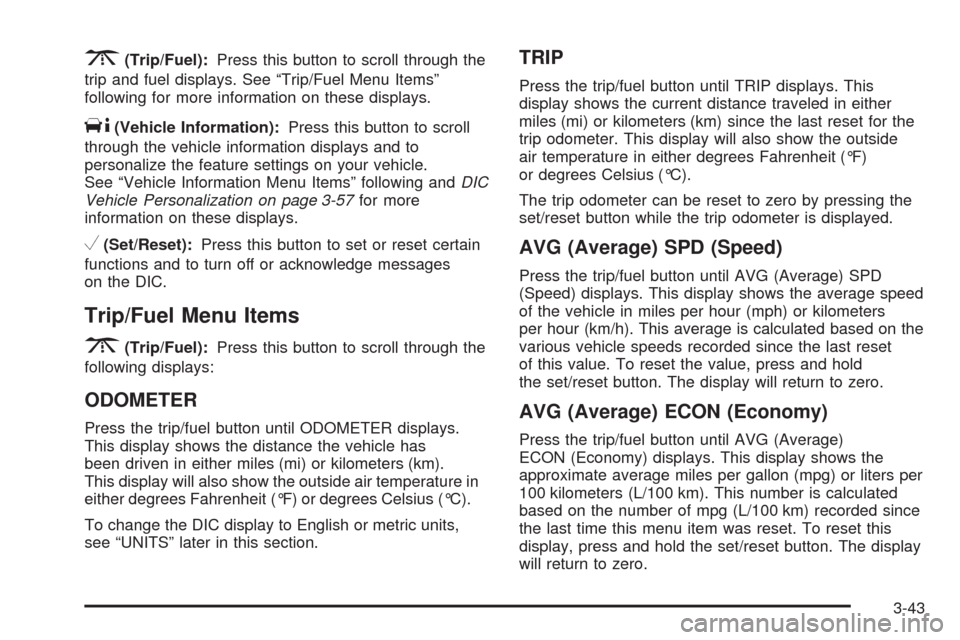
3(Trip/Fuel):Press this button to scroll through the
trip and fuel displays. See “Trip/Fuel Menu Items”
following for more information on these displays.
T(Vehicle Information):Press this button to scroll
through the vehicle information displays and to
personalize the feature settings on your vehicle.
See “Vehicle Information Menu Items” following andDIC
Vehicle Personalization on page 3-57for more
information on these displays.
V(Set/Reset):Press this button to set or reset certain
functions and to turn off or acknowledge messages
on the DIC.
Trip/Fuel Menu Items
3
(Trip/Fuel):Press this button to scroll through the
following displays:
ODOMETER
Press the trip/fuel button until ODOMETER displays.
This display shows the distance the vehicle has
been driven in either miles (mi) or kilometers (km).
This display will also show the outside air temperature in
either degrees Fahrenheit (°F) or degrees Celsius (°C).
To change the DIC display to English or metric units,
see “UNITS” later in this section.
TRIP
Press the trip/fuel button until TRIP displays. This
display shows the current distance traveled in either
miles (mi) or kilometers (km) since the last reset for the
trip odometer. This display will also show the outside
air temperature in either degrees Fahrenheit (°F)
or degrees Celsius (°C).
The trip odometer can be reset to zero by pressing the
set/reset button while the trip odometer is displayed.
AVG (Average) SPD (Speed)
Press the trip/fuel button until AVG (Average) SPD
(Speed) displays. This display shows the average speed
of the vehicle in miles per hour (mph) or kilometers
per hour (km/h). This average is calculated based on the
various vehicle speeds recorded since the last reset
of this value. To reset the value, press and hold
the set/reset button. The display will return to zero.
AVG (Average) ECON (Economy)
Press the trip/fuel button until AVG (Average)
ECON (Economy) displays. This display shows the
approximate average miles per gallon (mpg) or liters per
100 kilometers (L/100 km). This number is calculated
based on the number of mpg (L/100 km) recorded since
the last time this menu item was reset. To reset this
display, press and hold the set/reset button. The display
will return to zero.
3-43