2009 CHEVROLET EQUINOX lock
[x] Cancel search: lockPage 158 of 442
When the ignition is on, the brake light will come on
when you set your parking brake. The light will stay on
if your parking brake does not release fully. A chime
will also sound if the parking brake is not fully released
and the vehicle is moving. If it stays on after your
parking brake is fully released, it means you have a
brake problem.
The brake light will also come on to indicate a low brake
uid level. SeeBrakes on page 5-33for more information.
If the light comes on while you are driving, pull off the
road and stop carefully. You may notice that the pedal is
harder to push or the pedal may go closer to the oor.
It may take longer to stop. If the light is still on, have
the vehicle towed for service. SeeTowing Your Vehicle
on page 4-26.
{CAUTION:
The brake system might not be working properly if
the brake system warning light is on. Driving with
the brake system warning light on can lead to a
crash. If the light is still on after the vehicle has
been pulled off the road and carefully stopped,
have the vehicle towed for service.
Antilock Brake System (ABS)
Warning Light
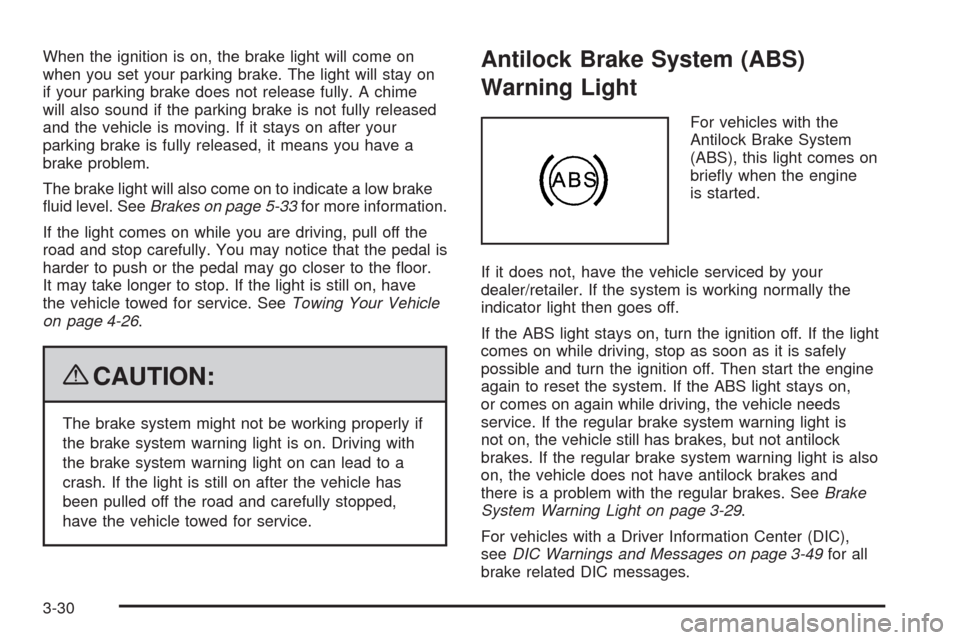
For vehicles with the
Antilock Brake System
(ABS), this light comes on
briey when the engine
is started.
If it does not, have the vehicle serviced by your
dealer/retailer. If the system is working normally the
indicator light then goes off.
If the ABS light stays on, turn the ignition off. If the light
comes on while driving, stop as soon as it is safely
possible and turn the ignition off. Then start the engine
again to reset the system. If the ABS light stays on,
or comes on again while driving, the vehicle needs
service. If the regular brake system warning light is
not on, the vehicle still has brakes, but not antilock
brakes. If the regular brake system warning light is also
on, the vehicle does not have antilock brakes and
there is a problem with the regular brakes. SeeBrake
System Warning Light on page 3-29.
For vehicles with a Driver Information Center (DIC),
seeDIC Warnings and Messages on page 3-49for all
brake related DIC messages.
3-30
Page 174 of 442
LEARN REMOTE KEY
This display allows you to match Remote Keyless
Entry (RKE) transmitters to your vehicle. To match an
RKE transmitter to your vehicle:
1. Make sure the vehicle is in P (Park).
2. Press the vehicle information button until LEARN
REMOTE KEY PRESS
VTO BEGIN displays.
3. Press the set/reset button until REMOTE KEY
LEARNING ACTIVE is displayed.
4. Press and hold the lock and unlock buttons on
the rst transmitter at the same time for about
15 seconds.
A chime will sound indicating that the transmitter
is matched.
5. To match additional transmitters at this time,
repeat Step 3.
Each vehicle can have a maximum of
four transmitters matched to it.
6. To exit the programming mode, you must cycle
the key to LOCK/OFF.
CALIBRATE COMPAS (Compass)
Your vehicle may have this feature. The compass can
be manually calibrated. To calibrate the compass
through the DIC, seeDIC Compass on page 3-47.
CHANGE COMPASS ZONE
Your vehicle may have this feature. To change the
compass zone through the DIC, seeDIC Compass on
page 3-47.
Blank Display
This display shows no information.
FEATURE SETTNGS (Settings): PRESSV
TO SELCT (Select)
This display allows you to personalize the feature
settings on your vehicle. SeeDIC Vehicle
Personalization on page 3-57for more information.
3-46
Page 181 of 442
PASSENGER DOOR FRONT/
REAR OPEN
This message displays when one or more of the
passenger doors are not closed properly. Close the
doors completely.
REMOTE KEY LEARNING ACTIVE
This message displays while you are matching a
Remote Keyless Entry (RKE) transmitter to your vehicle.
See “LEARN REMOTE KEY” underDIC Operation
and Displays on page 3-42for more information.
SERVICE A/C (Air Conditioning)
SYSTEM
This message displays when there is a problem
detected in the air conditioning system. Have the
vehicle serviced by your dealer/retailer.
SERVICE AIR BAG
This message displays when there is a problem with
the airbag system. Have your vehicle serviced by your
dealer/retailer immediately. SeeAirbag Readiness
Light on page 3-27for more information.
SERVICE ALL WHEEL DRIVE
If your vehicle has the All-Wheel Drive (AWD) system,
this message displays along with the service all-wheel
drive light if a problem occurs with this system.
SeeService All-Wheel Drive Light on page 3-39. If this
message appears, stop as soon as possible and
turn off the vehicle. Restart the vehicle and check for
the message on the DIC display. If the message is still
displayed or appears again when you begin driving,
the AWD system needs service. See your dealer/retailer.
SERVICE BATTERY CHARGING
SYSTEM
This message displays when there is a problem with the
generator and battery charging systems. Driving with
this problem could drain the vehicle’s battery. Turn off all
unnecessary accessories. Stop and turn off the vehicle
as soon as it is safe to do so. Have the electrical
system checked by your dealer/retailer immediately.
Connecting a battery charger to your vehicle while the
ignition is in any position other than LOCK/OFF may
cause this message to appear. If you need to charge
your vehicle, make sure that the key is in LOCK/OFF
or out of the ignition during charging.
3-53
Page 186 of 442
Feature Settings Menu Items
The following are personalization features that allow you
to program settings to the vehicle:
DISPLAY ENGLISH
This feature will only display if a language other than
English has been set. This feature allows you to change
the language in which the DIC messages appear to
English.
Press the vehicle information button until the PRESS
V
TO DISPLAY ENGLISH screen appears on the DIC
display. Press the set/reset button to display all
DIC messages in English.
DISPLAY LANG. (Language)
This feature allows you to select the language in which
the DIC messages will appear.
Press the vehicle information button until DISPLAY
LANG. (Language) appears on the DIC display. Press
the set/reset button to access the settings for this
feature. Then press the vehicle information button to
scroll through the following settings:
ENGLISH (default):All messages will appear in English.
FRENCH:All messages will appear in French.
SPANISH:All messages will appear in Spanish.NO CHANGE:No change will be made to this feature.
The current setting will remain.
To select a setting, press the set/reset button while the
desired setting is displayed on the DIC.
AUTO LOCK
This feature allows you to select when the vehicle’s
doors will automatically lock. SeeProgrammable
Automatic Door Locks on page 2-11for more
information.
Press the vehicle information button until AUTO LOCK
appears on the DIC display. Press the set/reset button
to access the settings for this feature. Then press the
vehicle information button to scroll through the following
settings:
OUT OF PARK (default):The vehicle’s doors
automatically lock when the doors are closed and the
vehicle is shifted out of P (Park).
AT SPEED:The vehicle’s doors automatically lock
when the vehicle speed is above 5 mph (8 km/h)
for three seconds.
NO CHANGE:No change will be made to this feature.
The current setting will remain.
To select a setting, press the set/reset button while the
desired setting is displayed on the DIC.
3-58
Page 187 of 442
AUTO UNLOCK
This feature allows you to select whether or not to
turn off the automatic door unlocking feature. It also
allows you to select which doors and when the doors will
automatically unlock. SeeProgrammable Automatic
Door Locks on page 2-11for more information.
Press the vehicle information button until AUTO
UNLOCK appears on the DIC display. Press the
set/reset button to access the settings for this feature.
Then press the vehicle information button to scroll
through the following settings:
OFF:None of the doors will automatically unlock.
DRIVER KEY OUT:Only the driver’s door will unlock
when the key is taken out of the ignition.
DRIVER IN PARK:Only the driver’s door will unlock
when the vehicle is shifted into P (Park).
ALL AT KEY OUT:All of the doors will unlock when
the key is taken out of the ignition.
ALL IN PARK (default):All of the doors will unlock
when the vehicle is shifted into P (Park).
NO CHANGE:No change will be made to this feature.
The current setting will remain.
To select a setting, press the set/reset button while the
desired setting is displayed on the DIC.
REMOTE LOCK
This feature allows you to select the type of feedback
you will receive when locking the vehicle with the
Remote Keyless Entry (RKE) transmitter. You will not
receive feedback when locking the vehicle with the RKE
transmitter if any of the doors are open. SeeRemote
Keyless Entry (RKE) System Operation on page 2-5for
more information.
Press the vehicle information button until REMOTE
LOCK appears on the DIC display. Press the set/reset
button to access the settings for this feature. Then
press the vehicle information button to scroll through the
following settings:
HORN/LIGHTS OFF:There will be no feedback when
you press the lock button on the RKE transmitter.
LIGHTS ONLY:The exterior lamps will ash when you
press the lock button on the RKE transmitter.
HORN CHIRP ONLY:The horn will sound on the
second press of the lock button on the RKE transmitter.
HORN/LIGHTS ON (default):The exterior lamps will
ash when you press the lock button on the RKE
transmitter, and the horn will sound when the lock button
is pressed again within ve seconds of the previous
command.
3-59
Page 188 of 442
NO CHANGE:No change will be made to this feature.
The current setting will remain.
To select a setting, press the set/reset button while the
desired setting is displayed on the DIC.
REMOTE UNLOCK
This feature allows you to select the type of feedback
you will receive when unlocking the vehicle with the
RKE transmitter. You will not receive feedback when
unlocking the vehicle with the RKE transmitter if
the doors are open. SeeRemote Keyless Entry (RKE)
System Operation on page 2-5for more information.
Press the vehicle information button until REMOTE
UNLOCK appears on the DIC display. Press the
set/reset button to access the settings for this feature.
Then press the vehicle information button to scroll
through the following settings:
LIGHTS OFF:The exterior lamps will not ash when
you press the unlock button on the RKE transmitter.
LIGHTS ON (default):The exterior lamps will
ash when you press the unlock button on the RKE
transmitter.
NO CHANGE:No change will be made to this feature.
The current setting will remain.
To select a setting, press the set/reset button while the
desired setting is displayed on the DIC.
DELAY LOCK
This feature allows you to select whether or not the
locking of the vehicle’s doors and liftgate will be delayed.
When locking the doors and liftgate with the power
door lock switch and a door or the liftgate is open, this
feature will delay locking the doors and liftgate until
ve seconds after the last door is closed. You will hear
three chimes to signal that the delayed locking feature
is in use. The key must be out of the ignition for
this feature to work. You can temporarily override
delayed locking by pressing the power door lock switch
twice or the lock button on the RKE transmitter twice.
SeeDelayed Locking on page 2-10for more information.
Press the vehicle information button until DELAY LOCK
appears on the DIC display. Press the set/reset button
to access the settings for this feature. Then press
the vehicle information button to scroll through the
following settings:
LOCK DELAY OFF:There will be no delayed locking
of the vehicle’s doors.
LOCK DELAY ON (default):The doors will not lock
until ve seconds after the last door or the liftgate
is closed.
NO CHANGE:No change will be made to this feature.
The current setting will remain.
To select a setting, press the set/reset button while the
desired setting is displayed on the DIC.
3-60
Page 189 of 442
EXIT LIGHTNG (Lighting)
This feature allows you to select the amount of time you
want the exterior lamps to remain on when it is dark
enough outside. This happens after the key is turned
from ON/RUN to LOCK/OFF.
Press the vehicle information button until EXIT
LIGHTNG (Lighting) appears on the DIC display.
Press the set/reset button to access the settings for this
feature. Then press the vehicle information button to
scroll through the following settings:
OFF:The exterior lamps will not turn on.
30 SECONDS (default):The exterior lamps will stay
on for 30 seconds.
1 MINUTE:The exterior lamps will stay on for
one minute.
2 MINUTES:The exterior lamps will stay on for
two minutes.
NO CHANGE:No change will be made to this feature.
The current setting will remain.
To select a setting, press the set/reset button while the
desired setting is displayed on the DIC.
APPRCH (Approach) LIGHTNG (Lighting)
This feature allows you to select whether or not to have
the exterior lights turn on briey during low light periods
after unlocking the vehicle using the RKE transmitter.
Press the vehicle information button until APPRCH
(Approach) LIGHTNG (Lighting) appears on the DIC
display. Press the set/reset button to access the settings
for this feature. Then press the vehicle information
button to scroll through the following settings:
OFF:The exterior lights will not turn on when you
unlock the vehicle with the RKE transmitter.
ON (default):If it is dark enough outside, the exterior
lights will turn on briey when you unlock the vehicle
with the RKE transmitter.
The lights will remain on for 20 seconds or until the
lock button on the RKE transmitter is pressed, or
the vehicle is no longer off. SeeRemote Keyless
Entry (RKE) System Operation on page 2-5for more
information.
NO CHANGE:No change will be made to this feature.
The current setting will remain.
To select a setting, press the set/reset button while the
desired setting is displayed on the DIC.
3-61
Page 192 of 442
Audio System(s)
Determine which radio the vehicle has and read the
following pages to become familiar with its features.
{CAUTION:
Taking your eyes off the road for extended periods
could cause a crash resulting in injury or death to
you or others. Do not give extended attention to
entertainment tasks while driving.
This system provides access to many audio and non
audio listings.
To minimize taking your eyes off the road while driving,
do the following while the vehicle is parked:
Become familiar with the operation and controls of
the audio system.
Set up the tone, speaker adjustments, and preset
radio stations.
For more information, seeDefensive Driving on
page 4-2.Notice:Contact your dealer/retailer before adding
any equipment.
Adding audio or communication equipment could
interfere with the operation of the vehicle’s engine,
radio, or other systems, and could damage them.
Follow federal rules covering mobile radio and
telephone equipment.
The vehicle has Retained Accessory Power (RAP).
With RAP, the audio system can be played even after
the ignition is turned off. SeeRetained Accessory
Power (RAP) on page 2-21for more information.
Setting the Clock
AM/FM Base Radio with a Single
CD Player
If the vehicle has a AM/FM Base Radio with a Single
CD Player, it has a
Hbutton for setting the time.
To adjust the time:
1. Turn the radio on.
2. Press the
Hbutton until the hour begins ashing
on the display. Press
Ha second time and the
minutes begin ashing on the display.
3-64