2009 CADILLAC ESCALADE audio
[x] Cancel search: audioPage 360 of 586
Day:Touch this screen button and the system will
make the navigation screen background darken.
Monitor:From the DVD Setup screen, touch this button
to adjust the viewing angle of the DVD on the
navigation screen. This is not available on all DVDs.
This button is not available for DVD audio
Touch the
ebutton to close the screen in from the
left and right sides.
Touch the
Jbutton to ll the screen on the left and
right sides.
Touch the
dbutton to ll the screen on the top and
bottom.
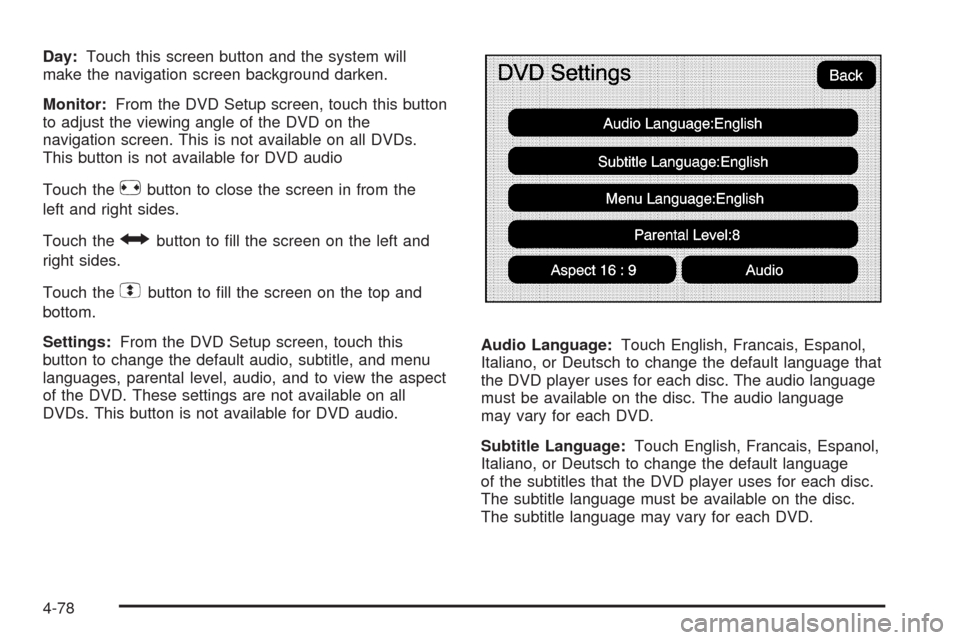
Settings:From the DVD Setup screen, touch this
button to change the default audio, subtitle, and menu
languages, parental level, audio, and to view the aspect
of the DVD. These settings are not available on all
DVDs. This button is not available for DVD audio.Audio Language:Touch English, Francais, Espanol,
Italiano, or Deutsch to change the default language that
the DVD player uses for each disc. The audio language
must be available on the disc. The audio language
may vary for each DVD.
Subtitle Language:Touch English, Francais, Espanol,
Italiano, or Deutsch to change the default language
of the subtitles that the DVD player uses for each disc.
The subtitle language must be available on the disc.
The subtitle language may vary for each DVD.
4-78
Page 362 of 586

DVD Messages
If Disc Read Error appears on the display and/or the
DVD comes out, it could be for one of the following
reasons:
If a disc was inserted with an invalid or unknown
format.
If the disc is not from a correct region.
If the map DVD disc was installed into the DVD
audio/video slot. See “Installing the Map DVD”
underMaps on page 4-14for more information.
It is very hot. When the temperature returns to
normal, the DVD should play.
You are driving on a very rough road. When the
road becomes smoother, the DVD should play.
The DVD is dirty, scratched, wet, or upside down.
The air is very humid. If so, wait about an hour and
try again.
There may have been a problem while burning
the DVD.
The label may be caught in the DVD player.
If the DVD is not playing correctly, for any other reason,
try a known good DVD.
If any error occurs repeatedly or if an error cannot be
corrected, contact your dealer/retailer.
Care of Your CDs and DVDs
If playing recorded media such as a CD or DVD, the
sound quality may be reduced due to CD or DVD quality,
the method of recording, the quality of the music that has
been recorded, recording speed. Max media recording
speed, and the way the CD or DVD has been handled.
There may be an increase in skipping, difficulty in nding
tracks, and/or difficulty in loading and ejecting. If these
problems occur, check the bottom surface of the CD or
DVD. If the surface is damaged, such as cracked, broken,
or scratched, it will not play properly. If the surface is
soiled, see “Care of Your CDs and DVDs” in the Index of
the vehicle’s owner manual.
If there is no apparent damage, try a known good
CD or DVD.
Notice:If a label is added to a CD or DVD, or more
than one CD or DVD is inserted into the slot at a
time, or an attempt is made to play scratched
or damaged CDs or DVDs, the player could be
damaged. While using the CD or DVD player, use
only CDs or DVDs in good condition without
any label, load one CD or DVD at a time, and keep
the player and the loading slot free of foreign
materials, liquids, and debris.
4-80
Page 363 of 586

Do not add any label to a CD or DVD, it could get
caught in the player. If a CD or DVD is recorded on a
personal computer and a description label is needed, try
labeling the top of the recorded CD or DVD with a
soft marker.
Auxiliary Devices
The vehicle may have a rear entertainment system
(RSE) with a second and third row screen. The RSE has
audio adapters to allow you to connect auxiliary
devices. The audio can be heard through the speakers
or through the wireless or wired headphones. See
“Audio/Video Jacks” under,Rear Seat Entertainment
(RSE) System (Overhead) on page 3-85orRear
Seat Entertainment (RSE) System (Headrest DVD) on
page 3-95for more information.
Drivers are encouraged to set up any auxiliary device
while the vehicle is in P (Park). SeeDefensive
Driving on page 5-2for more information on driver
distraction.To switch the RSE system to use an auxiliary device:
1. Connect the auxiliary device to the RSE system, for
the second or third row.
2. Press the AUDIO key then press the AUDIO key
repeatedly until AUX (auxiliary) is selected or
touch the AUX screen button. An auxiliary device
must be connected for the AUX screen button
to appear as an option to select.
4-81
Page 364 of 586
3. For the second row display select the Rear AUX
screen button next to Rear Display 1 and for the
third row display select the Rear AUX screen button
next to Rear Display 2. Each screen works
independently of the other. The second row screen
can watch a DVD while the third row screen can
use the auxiliary device.
The rear seat passengers can also use the remote
control to change the functions of the RSE. SeeRear
Seat Entertainment (RSE) System (Overhead) on
page 3-85orRear Seat Entertainment (RSE) System
(Headrest DVD) on page 3-95for more information.
Voice Recognition
The navigation system’s voice recognition allows for
hands-free operation of the navigation system,
audio system, and OnStar
®features. The DVD map
disc must be installed in the navigation system for voice
recognition to work. See “Installing the DVD Map
Disc” underMaps on page 4-14for more information.
Voice recognition can be used when the ignition is on or
when Retained Accessory Power (RAP) is active. See
“Retained Accessory Power (RAP)” in the Index of
your vehicle’s owner manual for more information.To use voice recognition, do the following:
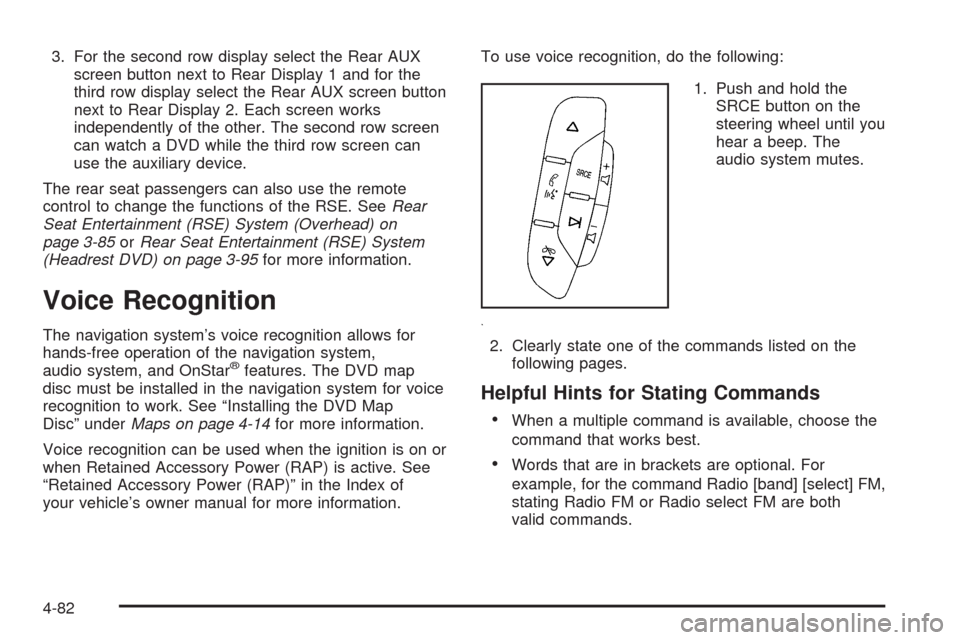
1. Push and hold the
SRCE button on the
steering wheel until you
hear a beep. The
audio system mutes.
2. Clearly state one of the commands listed on the
following pages.
Helpful Hints for Stating Commands
When a multiple command is available, choose the
command that works best.
Words that are in brackets are optional. For
example, for the command Radio [band] [select] FM,
stating Radio FM or Radio select FM are both
valid commands.
4-82
Page 367 of 586

CD Commands
The following are CD, MP3, and DVD commands that
can be accessed by clearly stating the commands
exactly as they are written.
CD, DVD, Disc:Use this command to select a CD,
DVD, or disc that is currently loaded.
CD, DVD, Disc, [select] track (one, two, three,
etc.):Instructs the system to select a specic track
number.
CD, DVD, Disc select next folder:Use this command
to select the next folder on the MP3 or audio DVD.
CD, DVD, Disc select previous folder:Use this
command to select the previous folder on the MP3 or
audio DVD.
CD help, DVD help, Disc help:Instructs the system to
assist with CD and DVD commands.
Auxiliary Commands
The following auxiliary commands can be accessed by
clearly stating the commands exactly as they are
written. The commands are available when the auxiliary
source is available.
Aux, Auxiliary:Use this command to select the
auxiliary device, when a device is connected.
Voice Help
Voice help:Provides a description of help commands
that can be used.
4-85
Page 532 of 586

Fuses Usage
25 Trailer Park Lamps
26 Driver Side Park Lamps
27 Passenger Side Park Lamps
28 Fog Lamps
29 Horn
30Passenger Side High-Beam
Headlamp
31 Daytime Running Lamps
32 Driver Side High-Beam Headlamp
33 Daytime Running Lights 2
34 Sunroof
35Key Ignition System, Theft Deterrent
System
36 Windshield Wiper
37 SEO B2 Uptter Usage (Battery)
38 Electric Adjustable Pedals
39 Climate Controls (Battery)
40 Airbag System (Ignition)
41 Amplier
42 Audio SystemFuses Usage
43Miscellaneous (Ignition), Cruise
Control
44 Liftgate Release
45 Airbag System (Battery)
46 Instrument Panel Cluster
47 Not Used
48 Auxiliary Climate Control (Ignition)
49Center High-Mounted Stoplamp
(CHMSL)
50 Rear Defogger
51 Heated Mirror
52 SEO B1 Uptter Usage (Battery)
53Cigarette Lighter, Auxiliary Power
Outlet
54Automatic Level Control Compressor
Relay, SEO Uptter Usage
55 Climate Controls (Ignition)
56Engine Control Module, Secondary
Fuel Pump (Ignition)
6-108
Page 574 of 586

Audio System.........................................3-72, 4-59
Audio Steering Wheel Controls....................3-113
Radio Reception........................................3-114
Rear Seat Audio (RSA)...............................3-111
Theft-Deterrent Feature...............................3-113
XM™ Satellite Radio Antenna System...........3-115
Audio System(s)
Rear Side Window Antenna.........................3-115
Automatic Headlamp System............................3-19
Automatic Transmission
Fluid..........................................................6-21
Operation...................................................2-29
Autoride
®.......................................................5-42
B
Battery..........................................................6-39
Electric Power Management..........................3-22
Run-Down Protection...................................3-23
Bench Seat, Split (60/40).................................1-10
Bluetooth
®.....................................................3-73
Brake
Emergencies................................................ 5-6
Brake Fluid....................................................6-36
Brakes..........................................................6-36
System Warning Light..................................3-37
Braking........................................................... 5-4
Braking in Emergencies..................................... 5-6
Break-In, New Vehicle.....................................2-24Bucket Seats, Rear.........................................1-16
Bulb Replacement...........................................6-50
Back-Up Lamps...........................................6-51
Headlamp Aiming........................................6-48
High Intensity Discharge (HID) Lighting...........6-51
License Plate Lamps....................................6-53
Replacement Bulbs......................................6-53
Buying New Tires...........................................6-70
C
Calibration.....................................................3-51
California Fuel.................................................. 6-6
California Perchlorate Materials Requirements....... 6-4
California Proposition 65 Warning....................... 6-4
Canadian Owners................................................ ii
Capacities and Specications..........................6-110
Carbon Monoxide...................2-12, 2-14, 2-38, 5-28
Care of
Safety Belts................................................6-97
Center Console Storage Area...........................2-63
Center Seat...................................................1-10
Chains, Tire...................................................6-75
Charging System Light....................................3-36
Check
Engine Lamp..............................................3-40
Checking Things Under the Hood......................6-12
Chemical Paint Spotting.................................6-101
2
Page 582 of 586

Phone
Bluetooth®..................................................3-73
Power
Door Locks.................................................2-10
Electrical System.......................................6-103
Liftgate......................................................2-14
Lumbar Controls........................................... 1-4
Reclining Seatbacks...................................... 1-8
Retained Accessory.....................................2-26
Seat ............................................................ 1-3
Steering Fluid.............................................6-34
Windows....................................................2-18
Power Assist Steps.........................................2-16
Privacy..........................................................8-17
Event Data Recorders..................................8-17
Navigation System.......................................8-18
OnStar .......................................................8-18
Radio Frequency Identication.......................8-18
Problems with Route Guidance.........................4-58
Programmable Automatic Door Locks.................2-11
R
Radio............................................................4-59
Radio Frequency Identication (RFID), Privacy....8-18
Radios
Rear Seat Audio........................................3-111
Reception.................................................3-114
Theft-Deterrent..........................................3-113Rainsense™ II Wipers....................................... 3-9
Reading Lamps..............................................3-22
Rear Air Conditioning and Heating System
and Electronic Climate Controls.....................3-30
Rear Axle......................................................6-46
Locking........................................................ 5-9
Rear Door Security Locks................................2-11
Rear Heated Seats.........................................1-10
Rear Seat Armrest..........................................2-65
Rear Seat Audio (RSA)..................................3-111
Rear Seat Entertainment System..............3-85, 3-95
Rear Side Window Antenna............................3-115
Rear Storage Area..........................................2-65
Rear Vision Camera........................................2-48
Rear Windshield Washer/Wiper.........................3-11
Rearview Mirror, Automatic Dimming..................2-40
Rearview Mirrors.............................................2-40
Reclining Seatbacks, Power............................... 1-8
Recommended Fluids and Lubricants.................7-13
Recovery Hooks.............................................5-31
Recreational Vehicle Towing.............................5-38
Remote Keyless Entry (RKE) System.................. 2-4
Remote Keyless Entry (RKE) System, Operation..... 2-5
Remote Vehicle Start........................................ 2-8
Removing the Flat Tire and Installing
the Spare Tire.............................................6-82
Removing the Spare Tire and Tools...................6-78
Replacement Bulbs.........................................6-53
Replacement Parts, Maintenance......................7-15
10