2009 CADILLAC ESCALADE reset
[x] Cancel search: resetPage 236 of 586

MEMORY SEAT RECALL
This feature allows you to select your preference for the
remote memory seat recall feature. SeeMemory
Features on page 1-7for more information.
Press the customization button until MEMORY SEAT
RECALL appears on the DIC display. Press the set/reset
button once to access the settings for this feature.
Then press the customization button to scroll through
the following settings:
OFF (default):No remote memory seat recall
will occur.
ON:The driver’s seat, and on some vehicles, the
outside mirrors will automatically move to the stored
driving position when the unlock button on the Remote
Keyless Entry (RKE) transmitter is pressed. On
some vehicles with the adjustable throttle and brake
pedal feature, the pedals will also automatically move.
See “Relearn Remote Key” underDIC Operation
and Displays on page 3-46for more information on
matching transmitters to driver ID numbers.
NO CHANGE:No change will be made to this feature.
The current setting will remain.
To select a setting, press the set/reset button while the
desired setting is displayed on the DIC.
REMOTE START
If your vehicle has this feature, it allows you to turn the
remote start off or on. The remote start feature allows
you to start the engine from outside of the vehicle using
the Remote Keyless Entry (RKE) transmitter. See
Remote Vehicle Start on page 2-8for more information.
Press the customization button until REMOTE START
appears on the DIC display. Press the set/reset
button once to access the settings for this feature.
Then press the customization button to scroll through
the following settings:
OFF:The remote start feature will be disabled.
ON (default):The remote start feature will be enabled.
NO CHANGE:No change will be made to this
feature. The current setting will remain.
To select a setting, press the set/reset button while the
desired setting is displayed on the DIC.
3-70
Page 237 of 586

DISPLAY DIGITAL SPEED
This feature allows you to enable or disable the digital
speedometer on the DIC.
Press the customization button until DISPLAY DIGITAL
SPEED appears on the DIC display. Press the
set/reset button once to access the settings for this
feature. Then press the customization button to scroll
through the following settings:
OFF:The digital speedometer will be disabled.
ON (default):The digital speedometer will be enabled.
NO CHANGE:No change will be made to this
feature. The current setting will remain.
To select a setting, press the set/reset button while the
desired setting is displayed on the DIC.
FACTORY SETTINGS
This feature allows you to set all of the customization
features back to their factory default settings.
Press the customization button until FACTORY
SETTINGS appears on the DIC display. Press the
set/reset button once to access the settings for
this feature. Then press the customization button to
scroll through the following settings:
RESTORE ALL (default):The customization features
will be set to their factory default settings.
DO NOT RESTORE:The customization features will
not be set to their factory default settings.
To select a setting, press the set/reset button while the
desired setting is displayed on the DIC.
EXIT FEATURE SETTINGS
This feature allows you to exit the feature
settings menu.
Press the customization button until PRESS
VTO EXIT
FEATURE SETTINGS appears in the DIC display.
Press the set/reset button once to exit the menu.
If you do not exit, pressing the customization button
again will return you to the beginning of the feature
settings menu.
3-71
Page 238 of 586

Exiting the Feature Settings Menu
The feature settings menu will be exited when any of
the following occurs:
The vehicle is no longer in ON/RUN.
The trip/fuel or vehicle information DIC buttons are
pressed.
The end of the feature settings menu is reached
and exited.
A 40 second time period has elapsed with no
selection made.
Audio System(s)
Determine which radio the vehicle has and read the
following pages to become familiar with its features.
{CAUTION:
Taking your eyes off the road for extended periods
could cause a crash resulting in injury or death to
you or others. Do not give extended attention to
entertainment tasks while driving.
This system provides access to many audio and non
audio listings.
To minimize taking your eyes off the road while driving,
do the following while the vehicle is parked:
Become familiar with the operation and controls of
the audio system.
Set up the tone, speaker adjustments, and preset
radio stations.
For more information, seeDefensive Driving on
page 5-2.
3-72
Page 268 of 586

Q,R,q,r(Navigation Arrows):Press to navigate
through menus.
ENTER:Press to enter a selected function or to begin
playback of the disc.
REPEAT
7:Press to repeat part or all of a chapter,
title, track, or the entire disc after using the A-B button to
setup repeat preset sections.
RETURN
8:This button is not used with the system.
A-B:This button is used to setup repeat preset
sections. Press this button once while the disc is playing
to select the starting position. Press a second time to
select the end position. Press a third time to turn
the function off. To view the preset section, press
7.
AUTO MEMORY:This button is not used with the
system.
SEARCH/SKIP:This button is not used with the
system.
ERASE/ADD:This button is not used with the system.
R-S:This button is not used with the system.
TITLE:Press to enter the disc title mode. The title
feature is disc-specic, and may not be available on all
discs.SUBTITLE:Press to change the subtitle language to
another available language or to turn subtitles off.
ANGLE:Press to select a different viewing angle for
discs that are recorded with different camera angles.
AUDIO:Press to select a different language for
discs that are recorded with different languages.
0-9 (Numbers):The numbers located on the lower left
side of the remote control can be used to enter
numbered menu options, channels, or track numbers.
GOTO:Press to enter the GOTO menu to choose
a desired title, chapter, track, or song inside the disc.
DISPLAY:Press to scroll through display information on
the upper left corner of the screen, such as title,
chapter/track, time elapsed, and time remaining, or to
turn off the display
PROGRAM:Press to edit a playback program
containing desired titles in the DVD or tracks in the
CD-DA.
3D:Press to change between different 3D audio modes
for DVD or CD.
The options for DVD are: Off, Rock, Pop, Live, Dance,
Techno, Classic, and Soft.
The options for CD are: Off, Concert, Living room, Hall,
Bathroom Cave, Arena, and Church.
3-102
Page 271 of 586

The display options are:
Normal/PS (Pan and Scan): This displays the
wide picture on the screen with a portion of
the left and right sides removed.
Normal/LB (Letter-Box): This displays the wide
picture with black bands on the upper and
lower portions of the screen.
Wide (16:9): This option is chosen if the video
screen panel is wide screen.
5. Press ENTER on the remote control to conrm the
screen.To reset all options to factory defaults:
1. Press the SETUP button on the remote control.
2. Use the left/right and down navigation arrows on the
remote control to select the Default sub-menu
under the Preference Page.
3. Press the right navigation arrow, then press ENTER
to reset.
This function will not affect the parental setting.
3-105
Page 279 of 586

PROG (Program):Press this button to go to the next
preset radio station or channel set on the main
radio. This function is inactive, with some radios, if the
front seat passengers are listening to the radio.
When a CD or DVD audio disc is playing, press this
button to go to the beginning of the CD or DVD audio.
This function is inactive, with some radios, if the
front seat passengers are listening to the disc.
When a disc is playing in the CD or DVD changer,
press this button to select the next disc, if multiple discs
are loaded. This function is inactive, with some radios,
if the front seat passengers are listening to the disc.
When a DVD video menu is being displayed, press the
PROG button to perform the menu function, enter.
Theft-Deterrent Feature
THEFTLOCK®is designed to discourage theft of the
vehicle’s radio by learning a portion of the Vehicle
Identication Number (VIN). The radio does not operate
if it is stolen or moved to a different vehicle.
Audio Steering Wheel Controls
Vehicles with audio
steering wheel controls
could differ depending
on the vehicle’s options.
Some audio controls
can be adjusted at the
steering wheel.
w(Next):Press to go to the next radio station stored
as a favorite, or the next track if a CD/DVD is playing.
xc(Previous/End):Press to go to the previous
radio station stored as a favorite, the next track if
a CD/DVD is playing, to reject an incoming call, or end
a current call.
bg(Mute/Push to Talk):Press to silence the vehicle
speakers only. Press again to turn the sound on.
For vehicles with OnStar
®or Bluetooth®systems press
and hold
bgfor longer than two seconds to interact
with those systems. SeeOnStar®System on page 2-52
andBluetooth®on page 3-73for more information.
3-113
Page 285 of 586
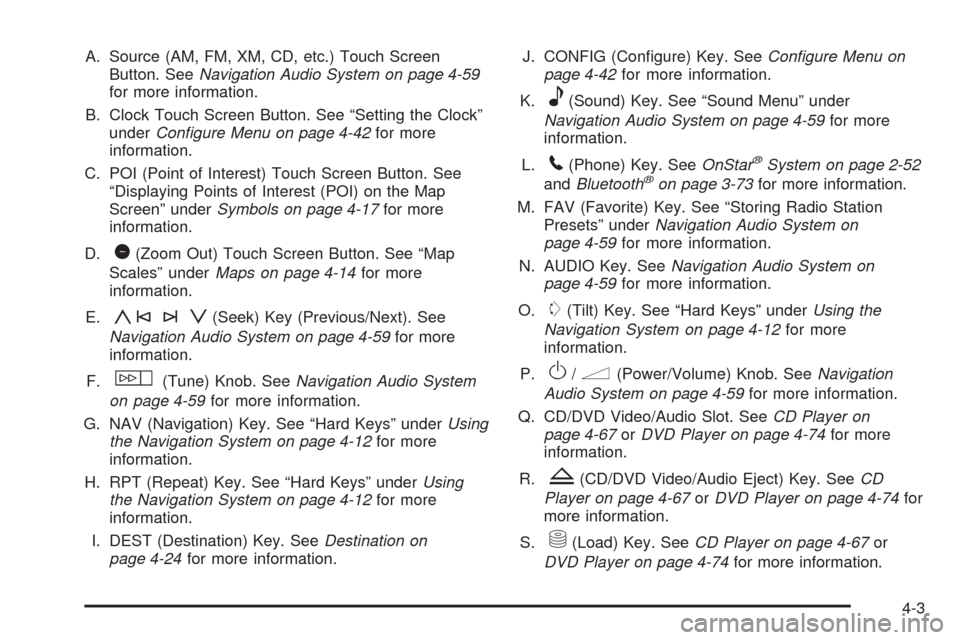
A. Source (AM, FM, XM, CD, etc.) Touch Screen
Button. SeeNavigation Audio System on page 4-59
for more information.
B. Clock Touch Screen Button. See “Setting the Clock”
underConfigure Menu on page 4-42for more
information.
C. POI (Point of Interest) Touch Screen Button. See
“Displaying Points of Interest (POI) on the Map
Screen” underSymbols on page 4-17for more
information.
D.
1(Zoom Out) Touch Screen Button. See “Map
Scales” underMaps on page 4-14for more
information.
E.
y©¨z(Seek) Key (Previous/Next). See
Navigation Audio System on page 4-59for more
information.
F.
w(Tune) Knob. SeeNavigation Audio System
on page 4-59for more information.
G. NAV (Navigation) Key. See “Hard Keys” underUsing
the Navigation System on page 4-12for more
information.
H. RPT (Repeat) Key. See “Hard Keys” underUsing
the Navigation System on page 4-12for more
information.
I. DEST (Destination) Key. SeeDestination on
page 4-24for more information.J. CONFIG (Congure) Key. SeeConfigure Menu on
page 4-42for more information.
K.
e(Sound) Key. See “Sound Menu” under
Navigation Audio System on page 4-59for more
information.
L.
5(Phone) Key. SeeOnStar®System on page 2-52
andBluetooth®on page 3-73for more information.
M. FAV (Favorite) Key. See “Storing Radio Station
Presets” underNavigation Audio System on
page 4-59for more information.
N. AUDIO Key. SeeNavigation Audio System on
page 4-59for more information.
O.
m(Tilt) Key. See “Hard Keys” underUsing the
Navigation System on page 4-12for more
information.
P.
O/n(Power/Volume) Knob. SeeNavigation
Audio System on page 4-59for more information.
Q. CD/DVD Video/Audio Slot. SeeCD Player on
page 4-67orDVD Player on page 4-74for more
information.
R.
Z(CD/DVD Video/Audio Eject) Key. SeeCD
Player on page 4-67orDVD Player on page 4-74for
more information.
S.
M(Load) Key. SeeCD Player on page 4-67or
DVD Player on page 4-74for more information.
4-3
Page 286 of 586

T. Map DVD Slot. See “Installing the Map DVD” under
Maps on page 4-14for information on how to
install and eject a map DVD.
U.
Z(DVD Map Disc Eject) Key. SeeMaps on
page 4-14for more information.
V. Mark Touch Screen Button. See “Adding
Destinations to the Address Book” underDestination
on page 4-24for more information.
W.
0(Zoom In) Touch Screen Button. See “Map
Scales” underMaps on page 4-14for more
information.
X. Map Scale. See “Map Scales” underMaps on
page 4-14for more information.
Y. North Up/Heading Up Symbol. SeeSymbols on
page 4-17for more information.
Z. No GPS Symbol. SeeSymbols on page 4-17for
more information.
AA. FULL MAP Touch Screen Button. See “NAV” under
“Hard Keys” underUsing the Navigation System
on page 4-12for more information.
Getting Started
Read this manual thoroughly to become familiar with
how the navigation system operates.
The navigation system includes navigation and audio
functions.
While entering the vehicle or when turning the vehicle
off, some DVD Map Disc noise is normal.
Keeping your eyes on the road and your mind on the
drive is important for safe driving. The navigation system
has built-in features intended to help keep your eyes
on the road and mind on the drive. Some features may
be disabled while driving. Note that these functions
will be grayed-out. A grayed-out function indicates it is
not available when the vehicle is moving.
All functions are available when the vehicle is parked.
Do the following before driving:
Become familiar with the navigation system
operation, hard keys on the faceplate, and
touch-sensitive screen buttons of the navigation
system.
Set up the audio by presetting favorite stations,
setting the tone, and adjusting the speakers.
4-4