2009 Alfa Romeo MiTo climate control
[x] Cancel search: climate controlPage 6 of 250

GETTING TO KNOW YOUR CAR5
1
Dashboard............................................................................................... 7
Instrument panel and on-board instruments ................................................... 8
Display.................................................................................................... 26
Menu items.............................................................................................. 32
Trip Computer ........................................................................................... 42
Symbols.................................................................................................. 46
Alfa Romeo Code System............................................................................ 46
The keys ................................................................................................. 47
Alarm ..................................................................................................... 53
Ignition device .......................................................................................... 55
Seats...................................................................................................... 56
Head restraints.......................................................................................... 59
Steering wheel ......................................................................................... 60
Rearview mirrors ...................................................................................... 61
Climatic comfort........................................................................................ 63
Heating/climate control system .................................................................. 64
Two-zone automatic climate control system ................................................... 68
External lights .......................................................................................... 76
Window washing ...................................................................................... 79
Cruise Control ........................................................................................... 81
Courtesy lights ......................................................................................... 83
Controls.................................................................................................. 86
001-126 Alfa MiTo GB 13-11-2008 10:08 Pagina 5
Page 8 of 250

GETTING TO KNOW YOUR CAR7
1DASHBOARD
The presence and position of controls, instruments and gauges may vary according to different versions.
1. Air vent for side windows - 2. Adjustable air vent - 3. Exterior lighting control lever - 4. Instrument panel - 5. Windscreen wiper/rearscreen
wiper/trip computer control lever - 6. Radio (where provided) - 7. Adjustable air vents - 8. Hazard warning lights, door lock/unlock button -
9. Passenger front air bag - 10. Glove compartment - 11. Heating/ventilation/climate control system controls - 12. Gearbox lever -
13. “Alfa dna” system - 14. Ignition device - 15. Driver front knee air bag (where provided) - 16. Driver front air bag - 17. Steering lock
lever - 18. Fuse box access flap - 19. Control panel.
A0J0330mfig. 1
001-126 Alfa MiTo GB 13-11-2008 10:08 Pagina 7
Page 65 of 250
64GETTING TO KNOW YOUR CAR
HEATING/CLIMATE CONTROL SYSTEM
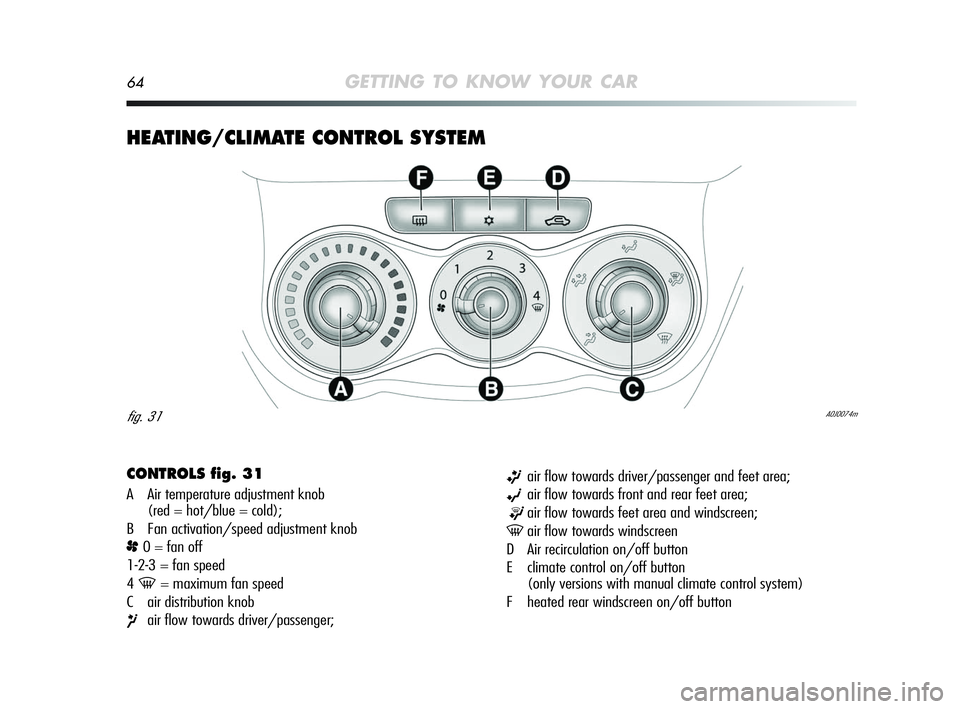
CONTROLS fig. 31
A Air temperature adjustment knob
(red = hot/blue = cold);
B Fan activation/speed adjustment knob
p0 = fan off
1-2-3 = fan speed
4
-= maximum fan speed
C air distribution knob
¶air flow towards driver/passenger;
ßair flow towards driver/passenger and feet area;
©air flow towards front and rear feet area;
®air flow towards feet area and windscreen;
-air flow towards windscreen
D Air recirculation on/off button
E climate control on/off button
(only versions with manual climate control system)
F heated rear windscreen on/off button
A0J0074mfig. 31
001-126 Alfa MiTo GB 13-11-2008 10:08 Pagina 64
Page 66 of 250
GETTING TO KNOW YOUR CAR65
1
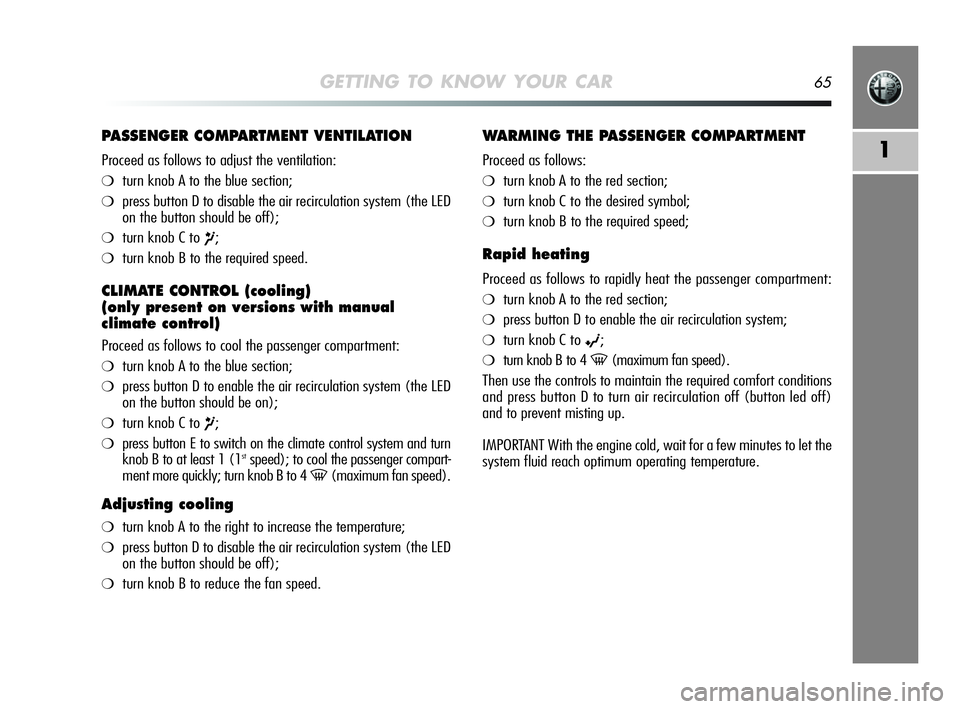
PASSENGER COMPARTMENT VENTILATION
Proceed as follows to adjust the ventilation:
❍turn knob A to the blue section;
❍press button D to disable the air recirculation system (the LED
on the button should be off);
❍turn knob C to ¶;
❍turn knob B to the required speed.
CLIMATE CONTROL (cooling)
(only present on versions with manual
climate control)
Proceed as follows to cool the passenger compartment:
❍turn knob A to the blue section;
❍press button D to enable the air recirculation system (the LED
on the button should be on);
❍turn knob C to ¶;
❍press button E to switch on the climate control system and turn
knob B to at least 1 (1stspeed); to cool the passenger compart-
ment more quickly; turn knob B to 4
-(maximum fan speed).
Adjusting cooling
❍turn knob A to the right to increase the temperature;
❍press button D to disable the air recirculation system (the LED
on the button should be off);
❍turn knob B to reduce the fan speed.
WARMING THE PASSENGER COMPARTMENT
Proceed as follows:
❍turn knob A to the red section;
❍turn knob C to the desired symbol;
❍turn knob B to the required speed;
Rapid heating
Proceed as follows to rapidly heat the passenger compartment:
❍turn knob A to the red section;
❍press button D to enable the air recirculation system;
❍turn knob C to ©;
❍turn knob B to 4 -(maximum fan speed).
Then use the controls to maintain the required comfort conditions
and press button D to turn air recirculation off (button led off)
and to prevent misting up.
IMPORTANT With the engine cold, wait for a few minutes to let the
system fluid reach optimum operating temperature.
001-126 Alfa MiTo GB 13-11-2008 10:08 Pagina 65
Page 67 of 250
66GETTING TO KNOW YOUR CAR
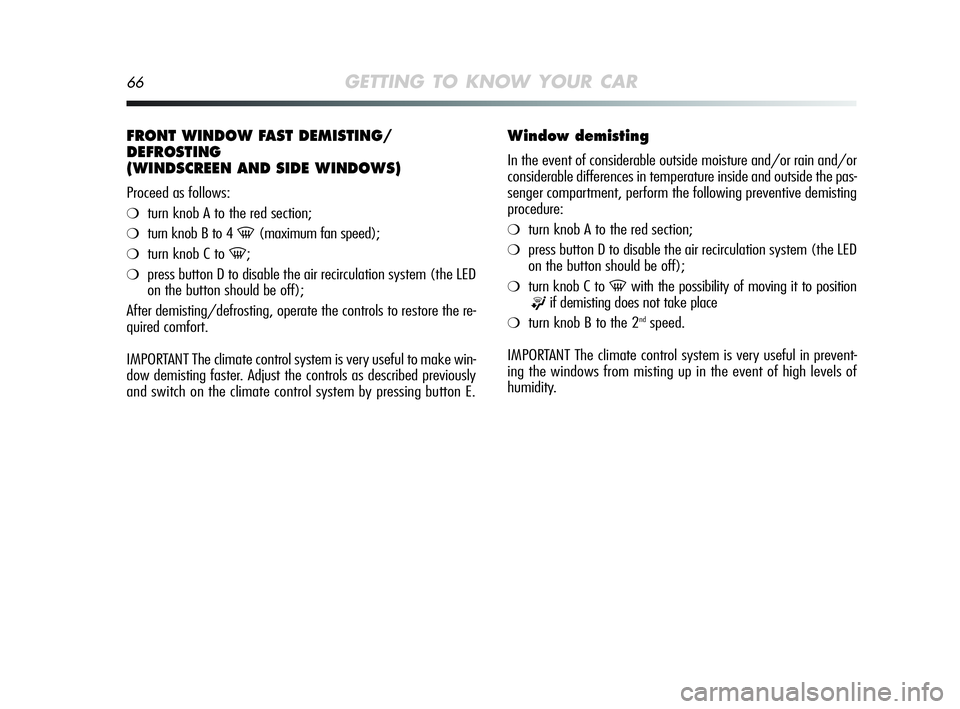
FRONT WINDOW FAST DEMISTING/
DEFROSTING
(WINDSCREEN AND SIDE WINDOWS)
Proceed as follows:
❍turn knob A to the red section;
❍turn knob B to 4 -(maximum fan speed);
❍turn knob C to -;
❍press button D to disable the air recirculation system (the LED
on the button should be off);
After demisting/defrosting, operate the controls to restore the re-
quired comfort.
IMPORTANT The climate control system is very useful to make win-
dow demisting faster. Adjust the controls as described previously
and switch on the climate control system by pressing button E.
Window demisting
In the event of considerable outside moisture and/or rain and/or
considerable differences in temperature inside and outside the pas-
senger compartment, perform the following preventive demisting
procedure:
❍turn knob A to the red section;
❍press button D to disable the air recirculation system (the LED
on the button should be off);
❍turn knob C to -with the possibility of moving it to position
®if demisting does not take place
❍turn knob B to the 2ndspeed.
IMPORTANT The climate control system is very useful in prevent-
ing the windows from misting up in the event of high levels of
humidity.
001-126 Alfa MiTo GB 13-11-2008 10:08 Pagina 66
Page 68 of 250

GETTING TO KNOW YOUR CAR67
1
DEMISTING/DEFROSTING
OF HEATED REAR WINDSCREEN AND DOOR
MIRRORS (where provided)
Press button F (() to activate/deactivate the function. The func-
tion is automatically deactivated after 20 minutes.
IMPORTANT Do not affix stickers to the inside of the rear window
over the heating filaments to avoid damage that might cause it
to stop working properly.
AIR RECIRCULATION
Press button D (T) so that the LED on the button lights up. It
is advisable to switch air recirculation on while standing in traffic
or in tunnels to prevent the introduction of polluted air.
Do not use the function for a long time, particularly if there are many
passengers on board, to prevent the windows from misting up.
IMPORTANT The air recirculation system makes it possible to reach
the required “heating” or “cooling” conditions faster. Do not use
the air recirculation function on rainy/cold days as it would con-
siderably increase the possibility of the windows misting inside.
LOOKING AFTER THE SYSTEM
Run the climate control system for at least 10 minutes every month
during the winter. Have the system checked by an Alfa Romeo
Authorised Service before the summer.
001-126 Alfa MiTo GB 13-11-2008 10:08 Pagina 67
Page 69 of 250
68GETTING TO KNOW YOUR CAR
TWO-ZONE AUTOMATIC CLIMATE CONTROL SYSTEM (where provided)
EFGABC
L
D
NHIM
A0J0037mfig. 32
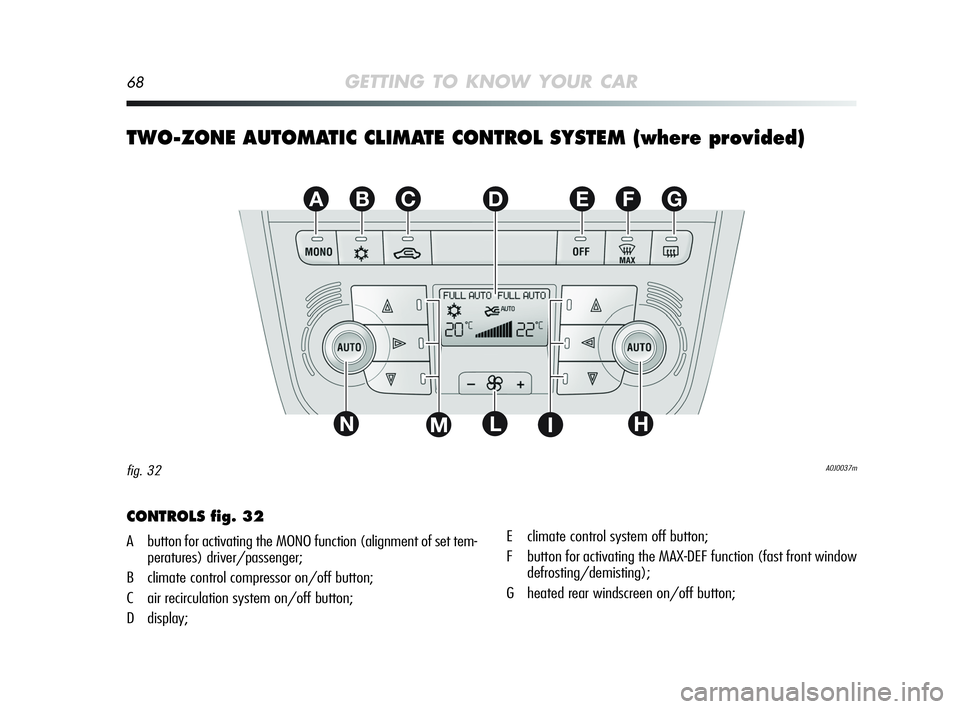
CONTROLS fig. 32
A button for activating the MONO function (alignment of set tem-
peratures) driver/passenger;
B climate control compressor on/off button;
C air recirculation system on/off button;
D display;E climate control system off button;
F button for activating the MAX-DEF function (fast front window
defrosting/demisting);
G heated rear windscreen on/off button;
001-126 Alfa MiTo GB 13-11-2008 10:08 Pagina 68
Page 70 of 250
GETTING TO KNOW YOUR CAR69
1
All these functions can be adjusted manually by operating the sys-
tem and selecting one or more functions and modifying their pa-
rameters. Automatic control of the manually changed functions
will be suspended: the system will only override your settings for
safety reasons.
Manual selections always have higher priority than automatic set-
tings and are stored until the user switches the system back to
automatic control by pressing AUTO, except for cases in which
the system intervenes for safety reasons.
You can adjust one function manually without affecting the auto-
matic control of the others. The amount of air introduced into the
passenger compartment is not affected by vehicle speed; it is elec-
tronically controlled by a fan. The air temperature is always auto-
matically controlled according to the temperature shown on the
display (except for when the system is off or in certain conditions
when the compressor is not running).
The system can be programmed manually :
❍air temperature on driver’s/passenger’s side;
❍fan speed (continuous variation);
❍air distribution to 7 positions (driver/passenger);
❍climate control compressor ON;
❍single-zone/two-zone distribution priority;
❍fast demisting/defrosting function;
❍air recirculation;
❍heated rear windscreen;
❍system deactivation. H AUTO function activation button (automatic operation) and pas-
senger-side temperature adjustment knob;
I air distribution button on passenger side;
L fan speed increase/decrease;
M Air distribution button on driver side;
N AUTO (automatic operation) function activation button and
knob for adjusting temperature on driver side.
DESCRIPTION
The two-zone automatic climate control system regulates the tem-
perature in the passenger compartment in two areas: the driver’s
side and the passenger’s side. In other words, the system keeps
the comfort level inside the car constant and compensates for any
variations in external conditions, including sun radiation detected
by a specific sensor.
The automatically controlled parameters and functions are:
❍air temperature delivered to driver/front passenger vents;
❍air distribution to driver/front passenger vents;
❍fan speed (continuous air flow variation);
❍compressor fan on (for cooling/dehumidifying the air);
❍air recirculation.
001-126 Alfa MiTo GB 13-11-2008 10:08 Pagina 69