Page 208 of 239

An auxiliary device, such as an iPOD or a USB flash drive can be connected to the audio system via the connector in
the center console storage compartment.
A sound source must be chosen, depending on the device that has been connected:
1. Use MODE to select iPOD or USB. The text CONNECT DEVICE will be displayed.
2. Connect the device to the connector in the center console storage compartment (see the illustration).
The text LOADING will be displayed while the system indexes the files on the device. This may take a short time.
When indexing has been completed, track information will be displayed, and the desired track can then be selected.
Tracks can be selected in two ways:
Turn the Tuning knob (no. 4 in the illustration on page 230) clockwise or counterclockwise
Use the right or left arrow keys on the navigation control (no. 5 in the illustration on page 235) to select the desired
track. The arrow keys on the steering wheel keypad can also be used in the same way.
NOTE
The system supports playback of files in the most common versions of formats such as mp3, wma, and wav.
However, there may be versions of these formats that the system does not support.
USB flash drive
To simplify the use of a USB flash drive, it is advisable to only store music files on the drive. It will take considerably
longer for the system to index the files on the drive if it contains anything other than compatible music files.
MP3 player
Many mp3 players have a file indexing system that is not supported by the vehicle's audio system. In order to use an
mp3 player, the system must be set to USB Removable device/Mass Storage Device .
iPod
An iPod receives current and its battery is charged through the connecting cord. However, if the iPOD's battery is
completely drained, it should be recharged before the iPOD is connected to the audio system.
NOTE
When an iPOD is used as a sound source, the vehicle's audio system has a menu structure similar to the one in the
iPOD. See the iPOD's manual for detailed information.
For further information, refer to the accessory manual USB/iPOD Music Interface .
Sound settings
Optimal sound reproduction
The audio system is calibrated for optimal sound reproduction through the use of digital signal processing. This
calibration takes into account the speakers, amplifier, cabin
233 10 Audio
Audio functions
ProCarManuals.com
Page 210 of 239

Activating/deactivating Surround sound
1. Press MENU followed by ENTER .
2. Select AUDIO SETTINGS in the menu and press ENTER .
3. Select Surround FM/AM/CD/AUX and press ENTER.
4. Select PRO LOGIC II , 3-channel stereo or OFF and press ENTER.
Equalizer Front/Rear
This function is used to fine-tune the sound level for different frequencies separately.
NOTE
This function is only available on certain sound systems.
To adjust the equalizer settings:
1. Press MENU followed by ENTER .
2. Select AUDIO SETTINGS in the menu and press ENTER .
3. Select EQUALIZER FRONT/REAR and press ENTER.
The column in the display indicates the sound level for the current frequency.
Adjust the level with the TUNING dial (4), or use the Up/Down arrows. Additional
234 10 Audio
Audio functions
frequencies can be selected with the Right/Left arrows.
Save the settings by pressing ENTER or exit without saving by pressing EXIT .
Automatic sound control
The audio system's volume is adjusted automatically according to the speed of the vehicle. There are three settings
available, which determine the level of volume compensation:
LOW
MEDIUM*
HIGH
* Default setting.
To set the automatic sound level:
1. Press MENU followed by ENTER .
2. Select AUDIO SETTINGS in the menu and press ENTER .
3. Select AUTO. VOLUME CONTROL in the menu and press ENTER.
ProCarManuals.com
Page 222 of 239
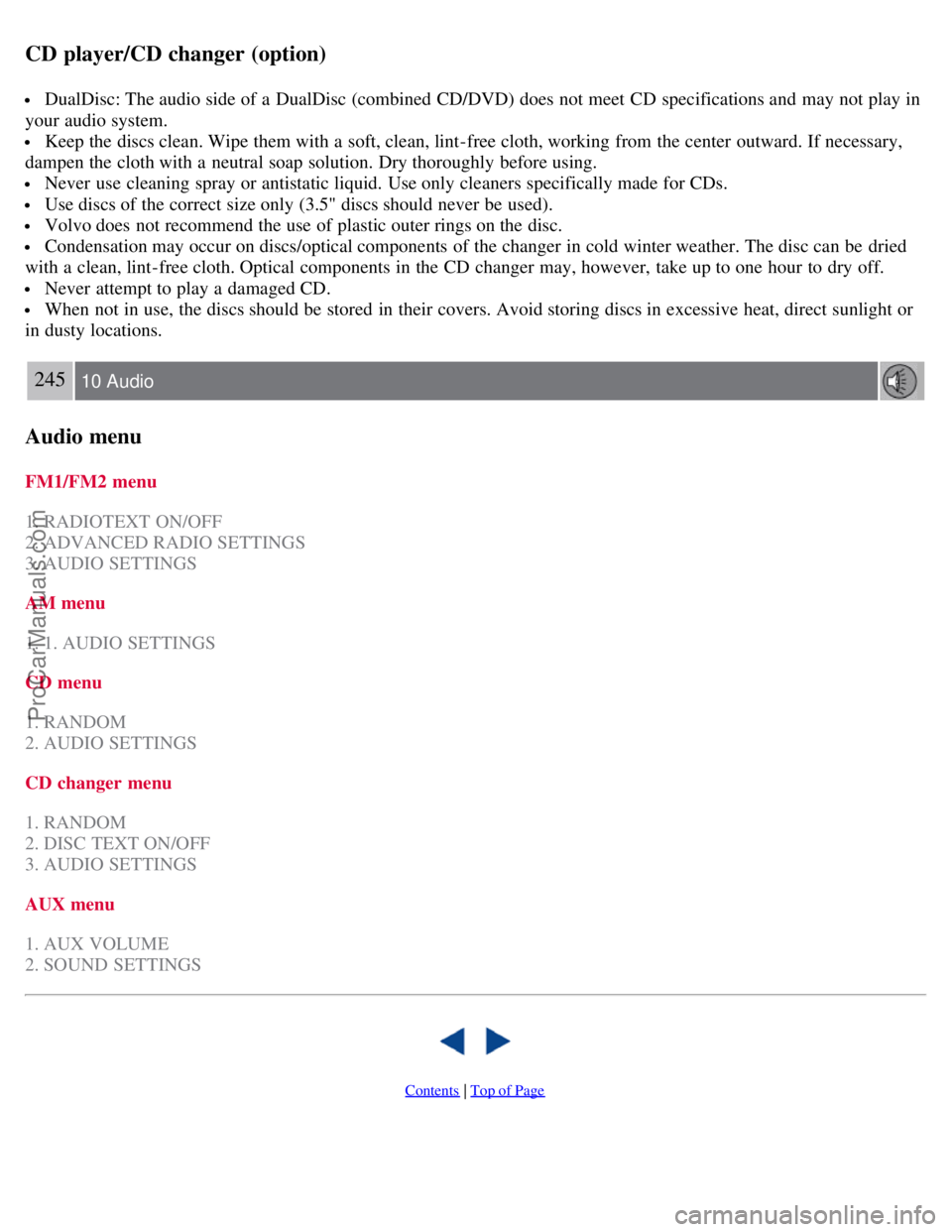
CD player/CD changer (option)
DualDisc: The audio side of a DualDisc (combined CD/DVD) does not meet CD specifications and may not play in
your audio system.
Keep the discs clean. Wipe them with a soft, clean, lint-free cloth, working from the center outward. If necessary,
dampen the cloth with a neutral soap solution. Dry thoroughly before using.
Never use cleaning spray or antistatic liquid. Use only cleaners specifically made for CDs.
Use discs of the correct size only (3.5" discs should never be used).
Volvo does not recommend the use of plastic outer rings on the disc.
Condensation may occur on discs/optical components of the changer in cold winter weather. The disc can be dried
with a clean, lint-free cloth. Optical components in the CD changer may, however, take up to one hour to dry off.
Never attempt to play a damaged CD.
When not in use, the discs should be stored in their covers. Avoid storing discs in excessive heat, direct sunlight or
in dusty locations.
245 10 Audio
Audio menu
FM1/FM2 menu
1. RADIOTEXT ON/OFF
2. ADVANCED RADIO SETTINGS
3. AUDIO SETTINGS
AM menu
1. 1. AUDIO SETTINGS
CD menu
1. RANDOM
2. AUDIO SETTINGS
CD changer menu
1. RANDOM
2. DISC TEXT ON/OFF
3. AUDIO SETTINGS
AUX menu
1. AUX VOLUME
2. SOUND SETTINGS
Contents | Top of Page
ProCarManuals.com
Page 232 of 239
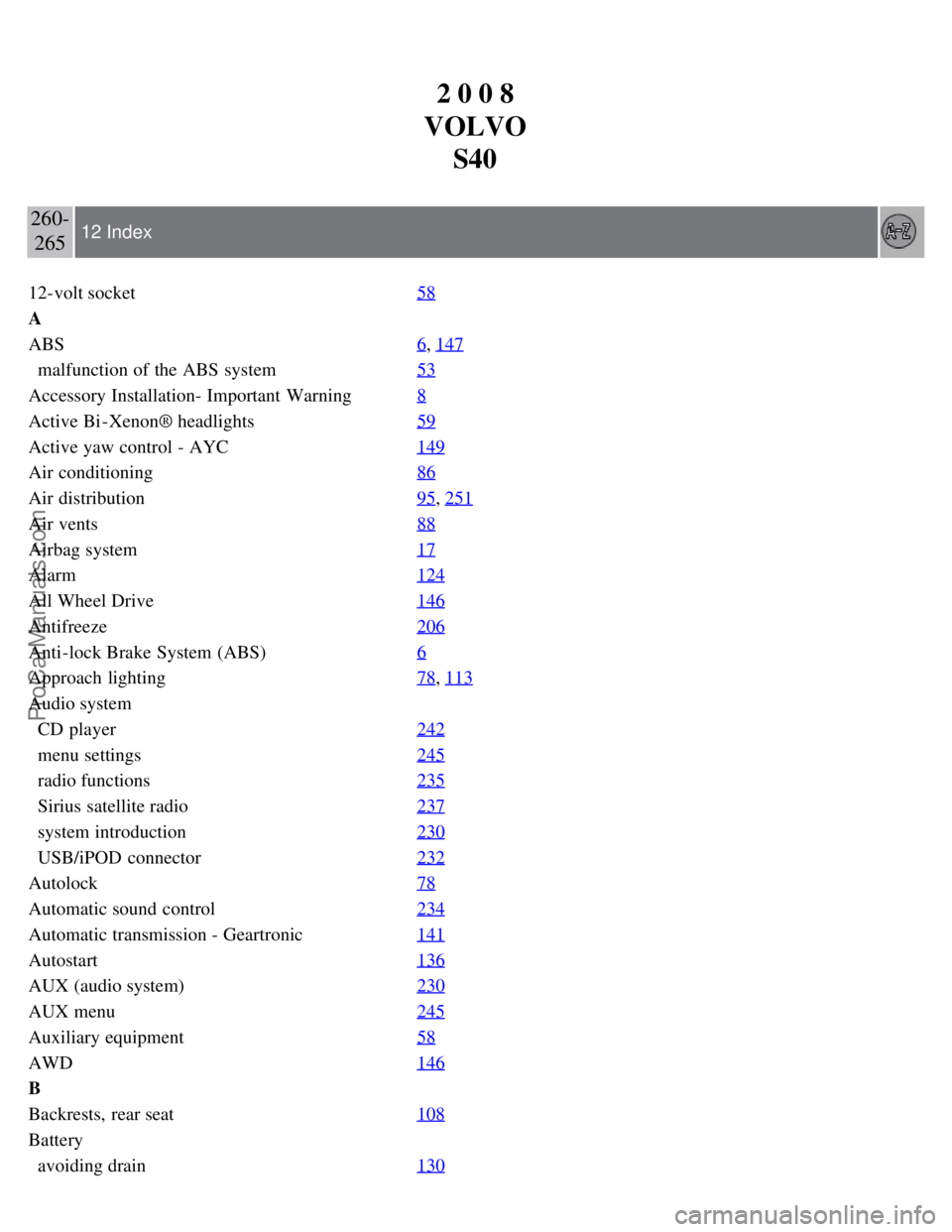
2 0 0 8
VOLVO S40
260-265 12 Index
12-volt socket 58
A
ABS6
, 147
malfunction of the ABS system53
Accessory Installation- Important Warning8
Active Bi -Xenon® headlights59
Active yaw control - AYC149
Air conditioning86
Air distribution95, 251
Air vents88
Airbag system17
Alarm124
All Wheel Drive146
Antifreeze206
Anti-lock Brake System (ABS)6
Approach lighting78, 113
Audio system
CD player242
menu settings245
radio functions235
Sirius satellite radio237
system introduction230
USB/iPOD connector232
Autolock78
Automatic sound control234
Automatic transmission - Geartronic141
Autostart136
AUX (audio system)230
AUX menu245
Auxiliary equipment58
AWD146
B
Backrests, rear seat108
Battery
avoiding drain130
ProCarManuals.com